 5
Team Group T-Force XTREEM DDR5-6400 32 GB CL32 Review
Value & Conclusion »AMD Memory Overclocking
Overclocking Tips and Tricks
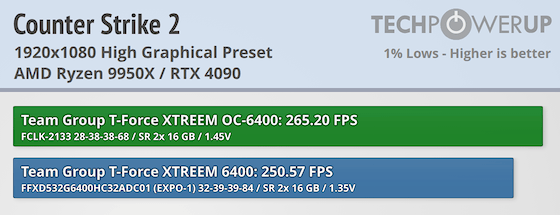
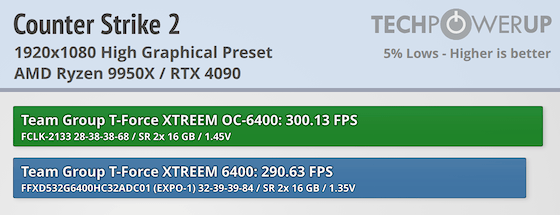
After previously reviewing the EXPO ULL memory, we found it to be an excellent starting point for future AMD overclocking. With that in mind, we decided to apply the same configuration to this memory kit. For this test, we kept our voltage limit at a maximum of 1.45 V, which is generally considered safe for both beginners and enthusiasts. It's crucial for newcomers to understand that each memory IC can respond differently to voltage changes. SK hynix ICs are typically more forgiving, whereas Samsung and Micron ICs have a lower threshold and can be more prone to permanent damage if voltage is pushed too far. Always verify the brand of your ICs before increasing DRAM voltages to avoid any mishaps.
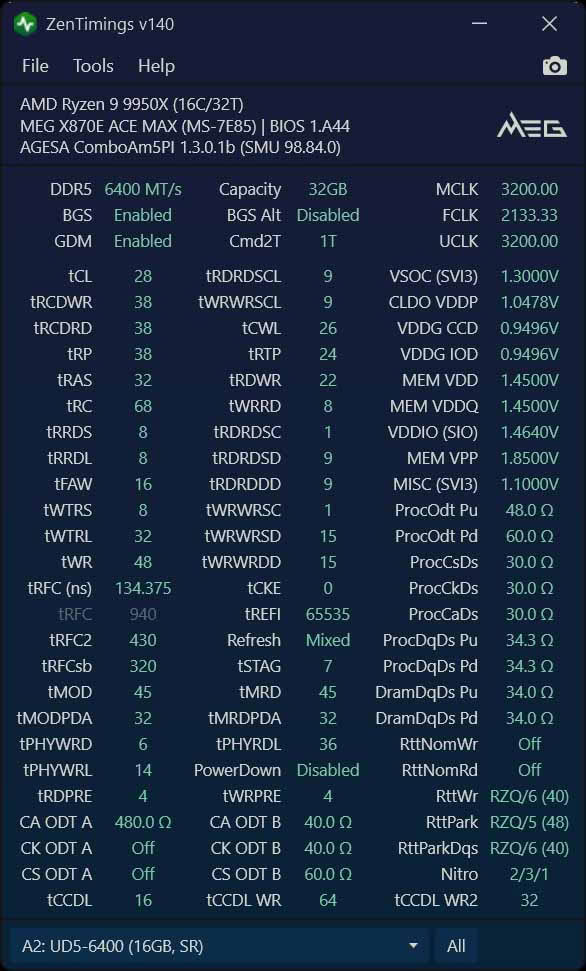
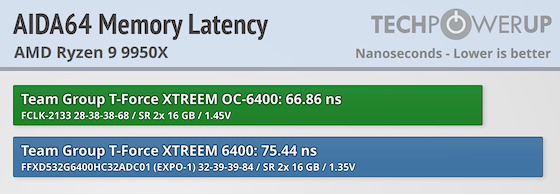
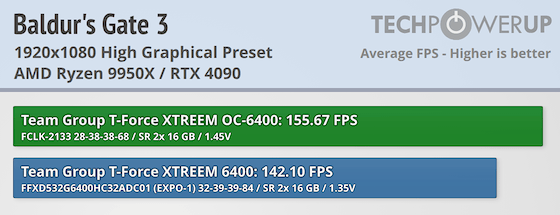
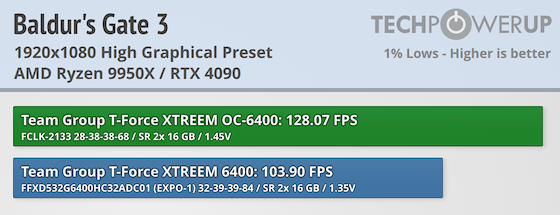
Because this is SK hynix A-Die, we are able to push the CAS latency down to CL28. While CL26 did boot with 1.55 V, we decided that wasn't worth the headache to validate and not ideal for long-term use. Instead, since this is already starting at 6400 MT/s, we opted to go for CL28 6400 MT/s with a FCLK of 2133 MHz for the maximum impact. Using the TPU DRAM Latency Calculator we changed the tRFC2 and tRFCSB values to keep the same ns ratio at 6400 MT/s using the aggressive EXPO ULL tRFC2/sb values. Finally, we did some changes to the sub-timings.
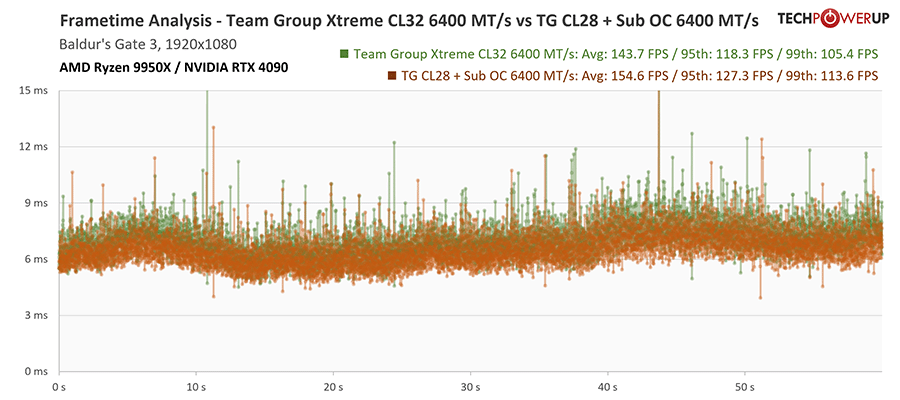
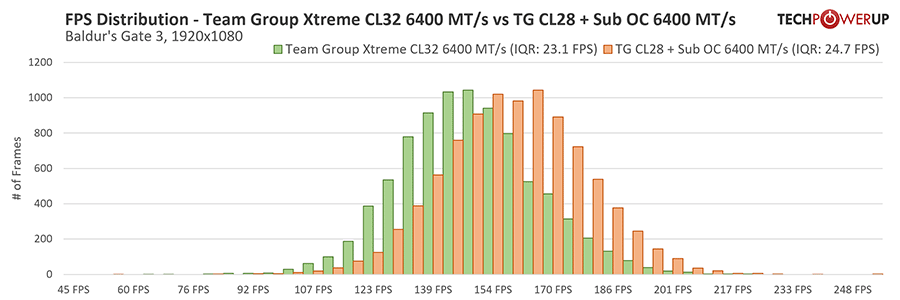
The gains are quite noticeable, which is good for those who are willing to overclock the memory beyond the EXPO profile. However, there is still performance left on the table. For those willing to invest the time to tweak each timing to its absolute minimum, there's a slight performance bump to be had in certain games.
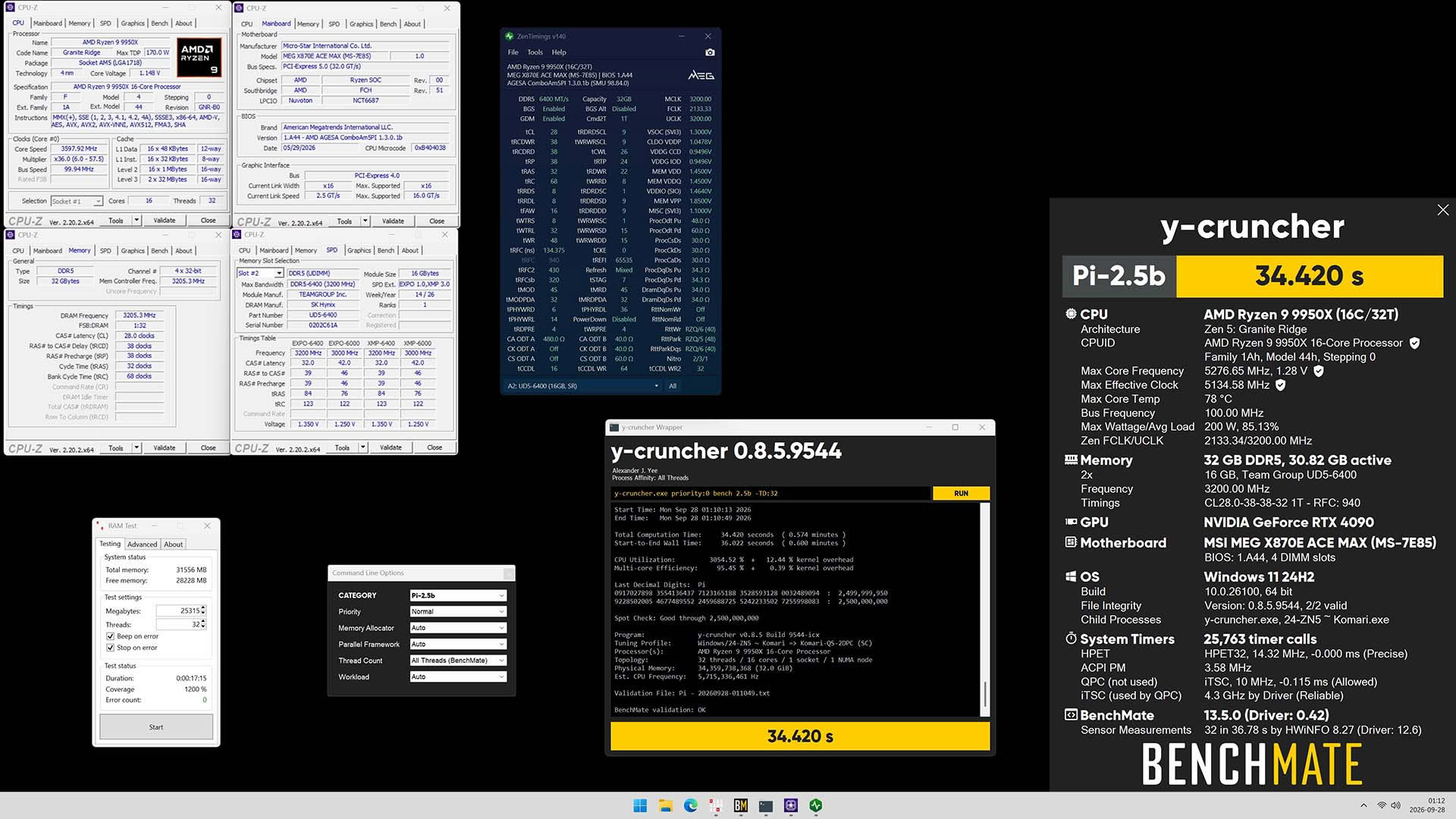
DDR5-6400 FCLK-2133 CL28 y-cruncher 2.5B HWBot Submission
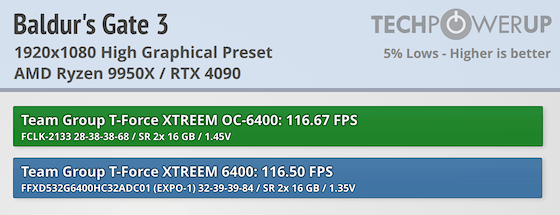
Baldur's Gate 3 Results
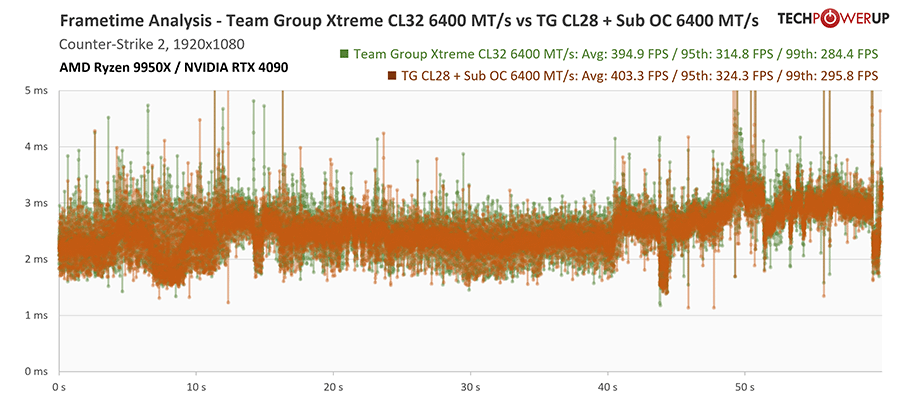
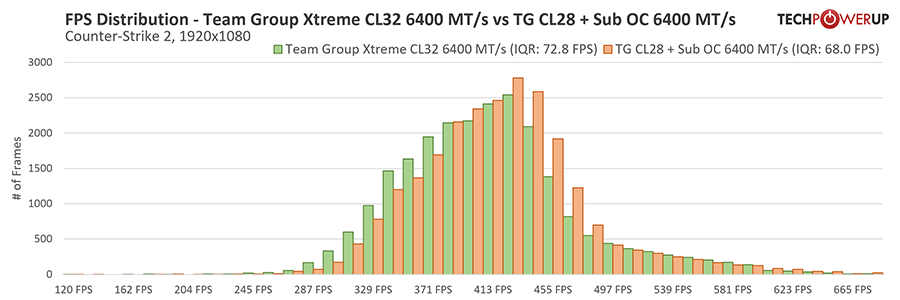
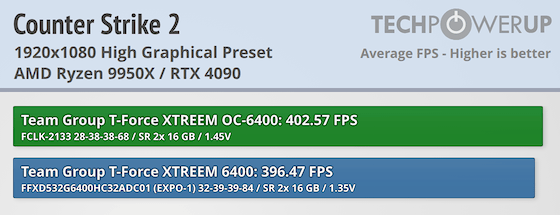
Counter-Strike 2 Results
Memory Calibration
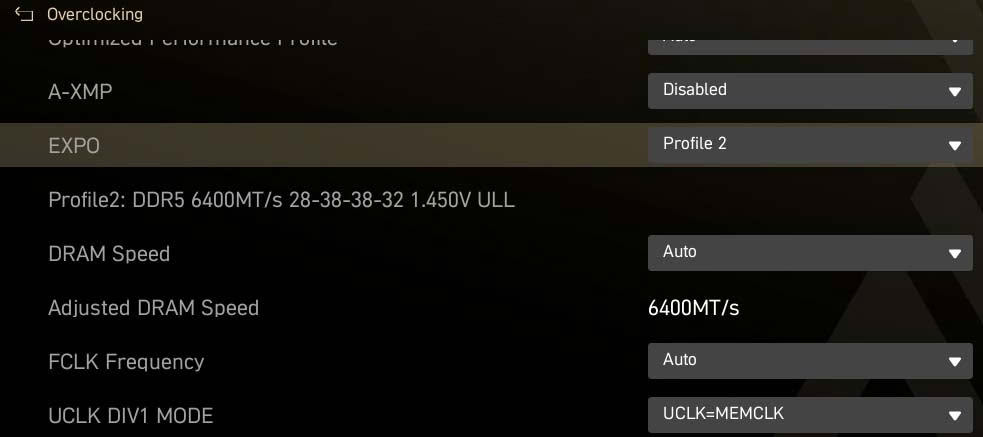
A completely unnecessary thing to do is flashing the "ULL" OC onto the secondary EXPO profile. It was an adventurous move, and definitely not one for the faint-hearted or those who might need to RMA their memory later. Once you've taken the plunge like me, it simplifies future use; just enable EXPO profile 2, and you're good to go. There's even a personal hidden Easter egg in there for those keen enough to find it.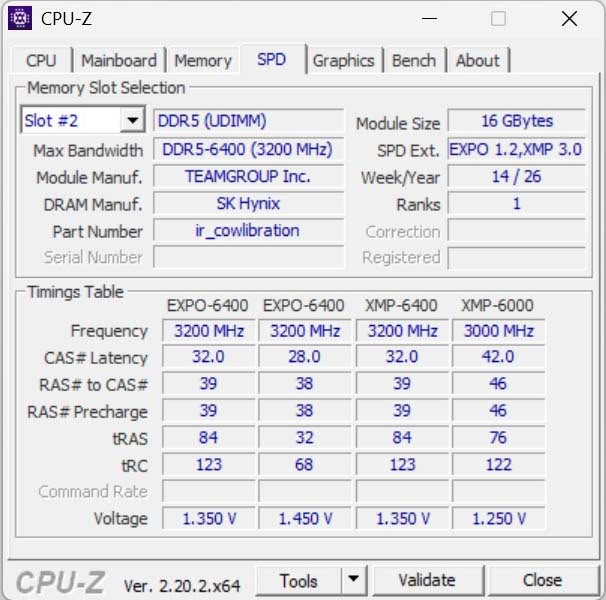
Nov 18th, 2026 13:38 PST
change timezone
Latest GPU Drivers
New Forum Posts
- Can i play GTA 6 now? (Joke) (6)
- Very unusual two gaming-pc scenarios. (12)
- Dell Workstation Owners Club (3513)
- Any other old-timers here planning to play WoW Forever? (151)
- Time to upgrade CPU and MOBO (33)
- The Filthy, Rotten, Nasty, Helpdesk-Nightmare picture clubhouse (2876)
- WarpCoreBench scores! (67)
- Honestly, do you care about GTA VI? (144)
- Acer Predator BiFrost Radeon RX 9070 OC (9)
- DTS DCH Driver for Realtek HDA [DTS:X APO4 + DTS Interactive] (2814)
Popular Reviews
- Acemagic Retro X3 Review
- Upcoming Hardware Launches 2027 (Updated Nov 2026)
- AMD Zen 6 Technical Deep Dive
- ASUS ROG Strix B850-I Gaming Wi-Fi7 W Review
- Corsair HX1000i Shift Crystal Review
- Biwin Black Opal NV7400 2 TB Review
- Chieftec Iceberg PRO 360 DARK Review
- AMD Ryzen 7 9800X3D Review - The Best Gaming Processor
- Pulsar Office Tour & First Look at P1 Dual-Sensor Mouse
- Phantom Blade Zero Performance Benchmark Review - 35 GPUs Tested
TPU on YouTube
Controversial News Posts
- NVIDIA Co-Founder and CEO Jensen Huang Officially Resigns (478)
- Report: Jensen Huang Eyes NVIDIA Comeback (187)
- Open Letter Asking NVIDIA to Reinstate Jensen Huang Passes 115,000 Signatures (184)
- OpenAI CEO Argues Home PCs Waste the World's Limited DRAM Supply (152)
- NVIDIA Launches Investigation Into Jensen Huang's Relationship With Suspected Chinese Spy (136)
- Intel "Raptor Lake Next" 16-Core and 20-Core CPUs Surface (130)
- Legendary Game Studio BioWare Shuts Down Following EA Layoffs (104)
- Dell CEO Says the Memory Shortage Will Get Worse in 2027 (95)