 12
TerraMaster F4-425 Pro Review
(12 Comments) »Introduction


It's been eight months since we reviewed the TerraMaster F4-425 Plus and the company has now updated its product line with the F4-425 Pro, which is available with a choice of either the Intel Core 3 Processor N350 with 16 GB of RAM as we've reviewed here, or a Core i3-N305 processor pair with 8 GB of RAM, with the latter being US$100 cheaper. The four extra CPU cores come in at a pretty steep increase in extra cost versus last year's F4-425 Plus, although in fairness, the MSRP of that model has also increased by US$80 since we reviewed it. On the surface, the Pro and the Plus models are identical in terms of look and feel, so we'll keep things brief here, but we're still huge fans of TerraMaster's current hardware design.
On the software side of things we'll take a look at TOS 7, which TerraMaster claims offers full native AI, although the user-accessible part appears to be built around OpenClaw. Due to time constraints to get this review out on time, we haven't had a chance to take a really close look at all the new features of TOS 7, but according to TerraMaster they've had hundreds of engineers work on its latest OS for close to a year, and they've optimized over 1000 different features while adding 50 new ones. The biggest under-the-hood change is a move to Linux kernel 6.12 from 6.1, which means a move from a kernel that was released at the end of 2022 to one that was released almost two years later, at the end of 2024. It's a bit of a shame they didn't go with 6.18, as between 6.12 and 6.18, there have been quite a few additions that would make a difference for a NAS OS, but hopefully some of the key features have been backported by TerraMaster. Without any further ado, let's get on with the review.
Specifications
| Terramaster F4-425 Pro Specs & Features | |
|---|---|
| Processor | Intel Core 3 Processor N350 8c/8t 8× Twin Lake 3.9 GHz 7 W base power |
| Memory | 1× 16 GB DDR5 4800 MHz SO-DIMM (expandable to 32 GB using one slot) |
| Storage | 4× SATA 6 Gbps/3.5" or 2.5" 3× M.2 2280 PCIe 3.0 x1 NVMe |
| RAID Levels: | Single Disk, JBOD, RAID 0, 1, 5, 6, 10, T-RAID, T-RAID+ Optional SSD Read or Write caching |
| Capacity | Up to 144 TB (4× 30 TB HDD) + 24 TB (3× 8 TB NVMe) |
| Operating System | TOS 7.0.0616 (Linux Kernel 6.12.63+) |
| File System (Internal Drives) | EXT4, BTRFS |
| File System (External Drives) | NTFS, BTRFS, HFS+, EXT4, EXT3, FAT32 |
| Networking | 2× 5 Gbit Ethernet |
| I/O Ports | 3× USB 3.2 Gen 2 (10 Gbps) Type-A 1× USB 3.2 Gen 2 (10 Gbps) Type-C 1× HDMI 2.1 |
| Dimensions | 150 (H) × 181 (W) × 219 (D) mm |
| Weight | 2.9 kg without drives |
| Power Consumption | Operation: Not provided by the manufacturer HDD Idle: Not provided by the manufacturer |
| Power Supply | External, 90 W 100–240 V input 12 V 7.5 A output Edacpower Electronics EA10951F-120 |
| Fans | 1× 120 mm |
| Warranty | Two years |
| Price Excluding VAT (at time of review) | $800 |
Packaging and Bundle

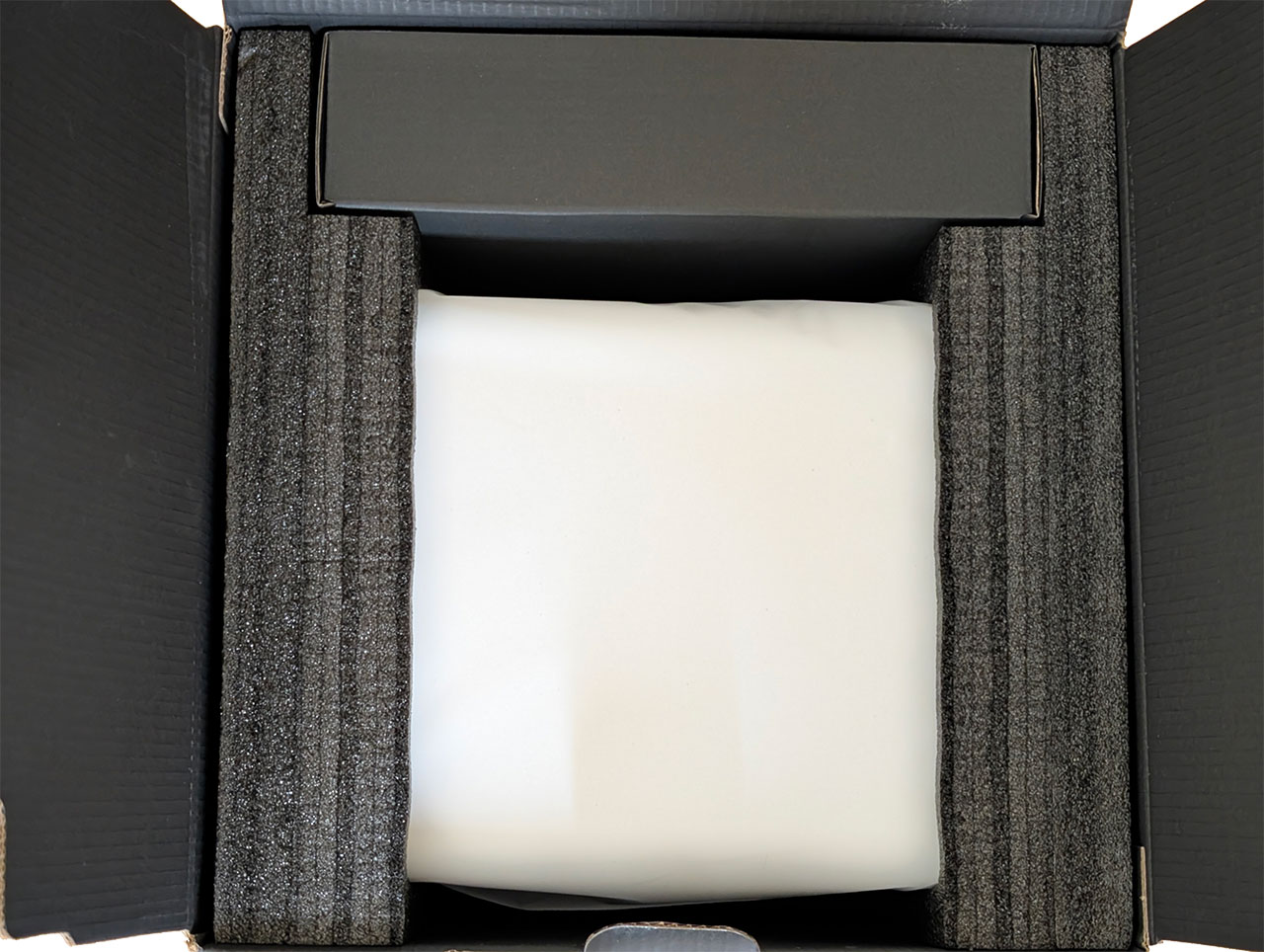
The F4-425 Pro ships in a retail box which looks much like TerraMaster's other retail boxes and the NAS is tucked in between two foam inserts, alongside the accessory box.
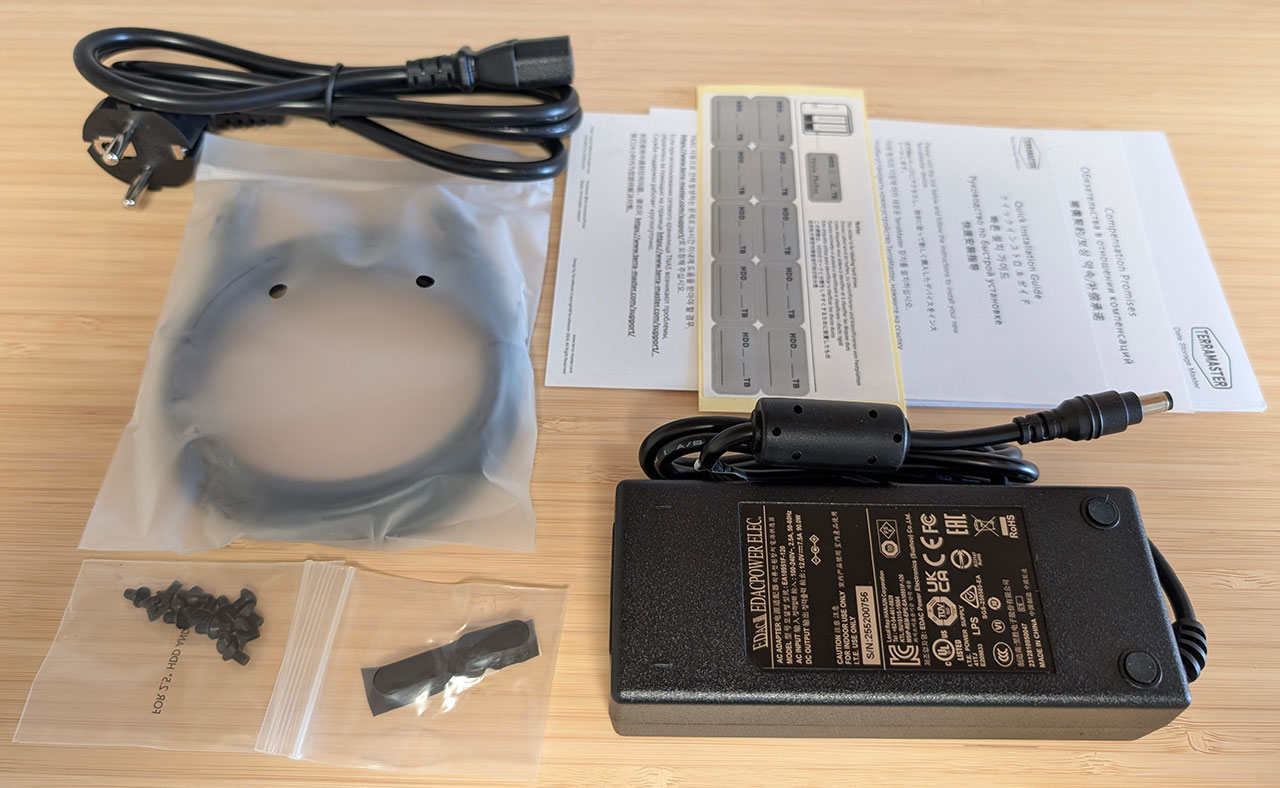

A standard bundle of accessories is included, which consists of the power adapter, an Ethernet cable, a bag of screws, some labels for the drive caddies and some basic documentation and warranty documents. However, this time around, TerraMaster also included a couple of spare rubber feet, as due to the type the company has used, they can come off if the NAS is dragged along the surface it's sitting on. The power adapter is rated at 90 W and is once again from Edacpower.
The Exterior

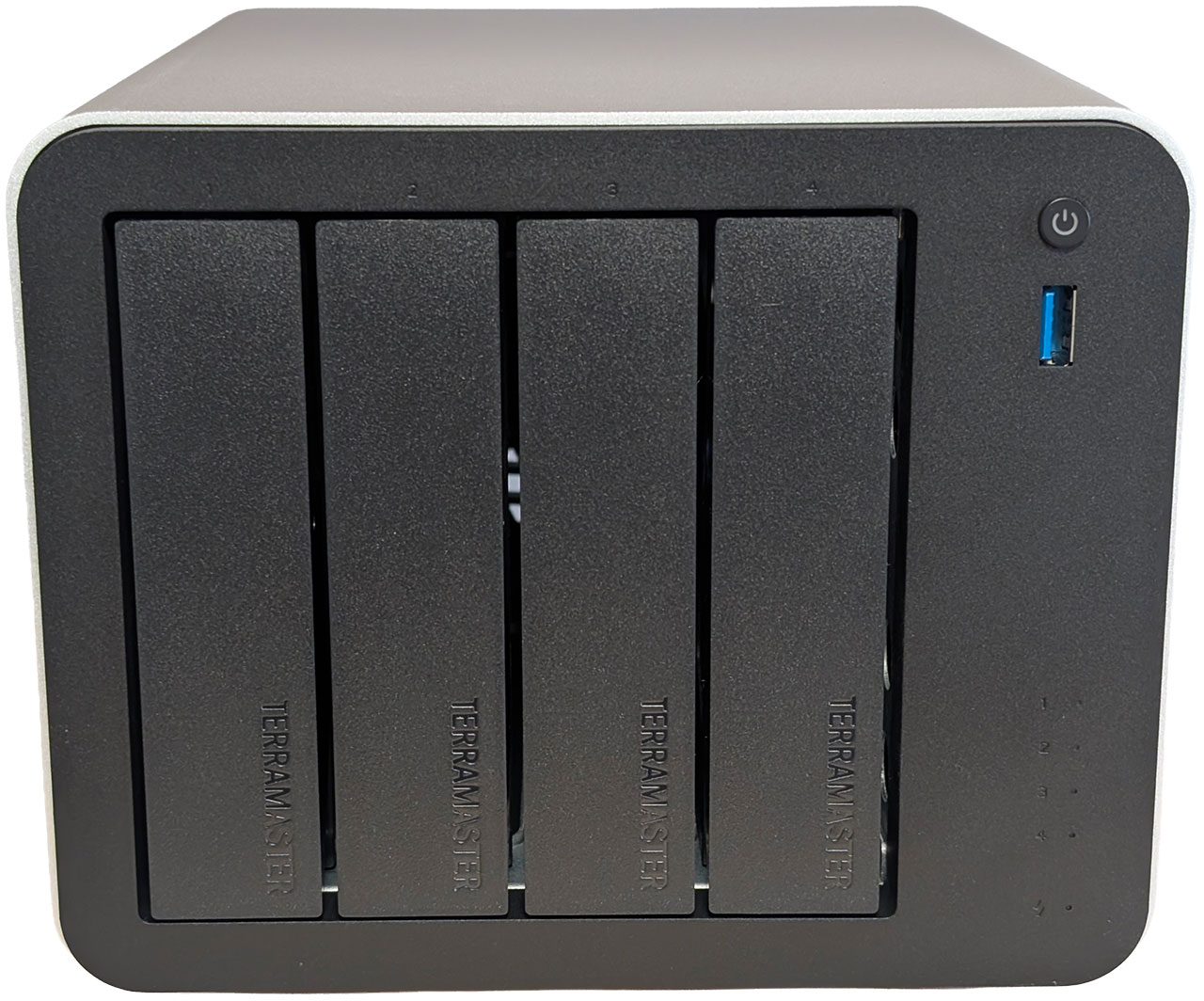
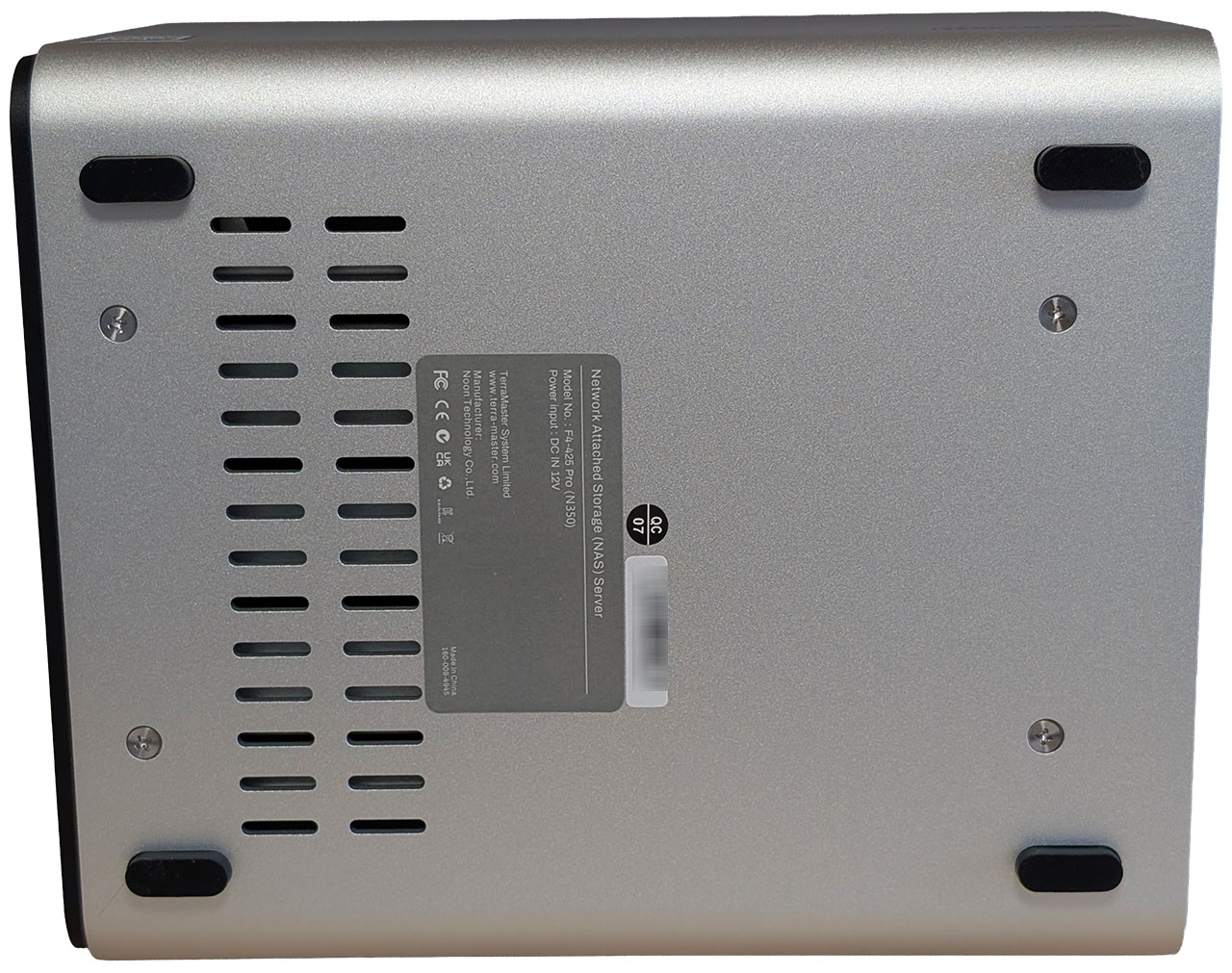
The F4-425 Pro looks identical to the F4-425 Plus and uses the new extruded aluminium housing alongside an internal mild steel "skeleton," to which the plastic front and rear of the F4-425 Pro are attached. This allows TerraMaster to change the internals as needed, as well as front and rear plastic panels—to suit different hardware—while being able to utilize the same piece of extruded aluminium.
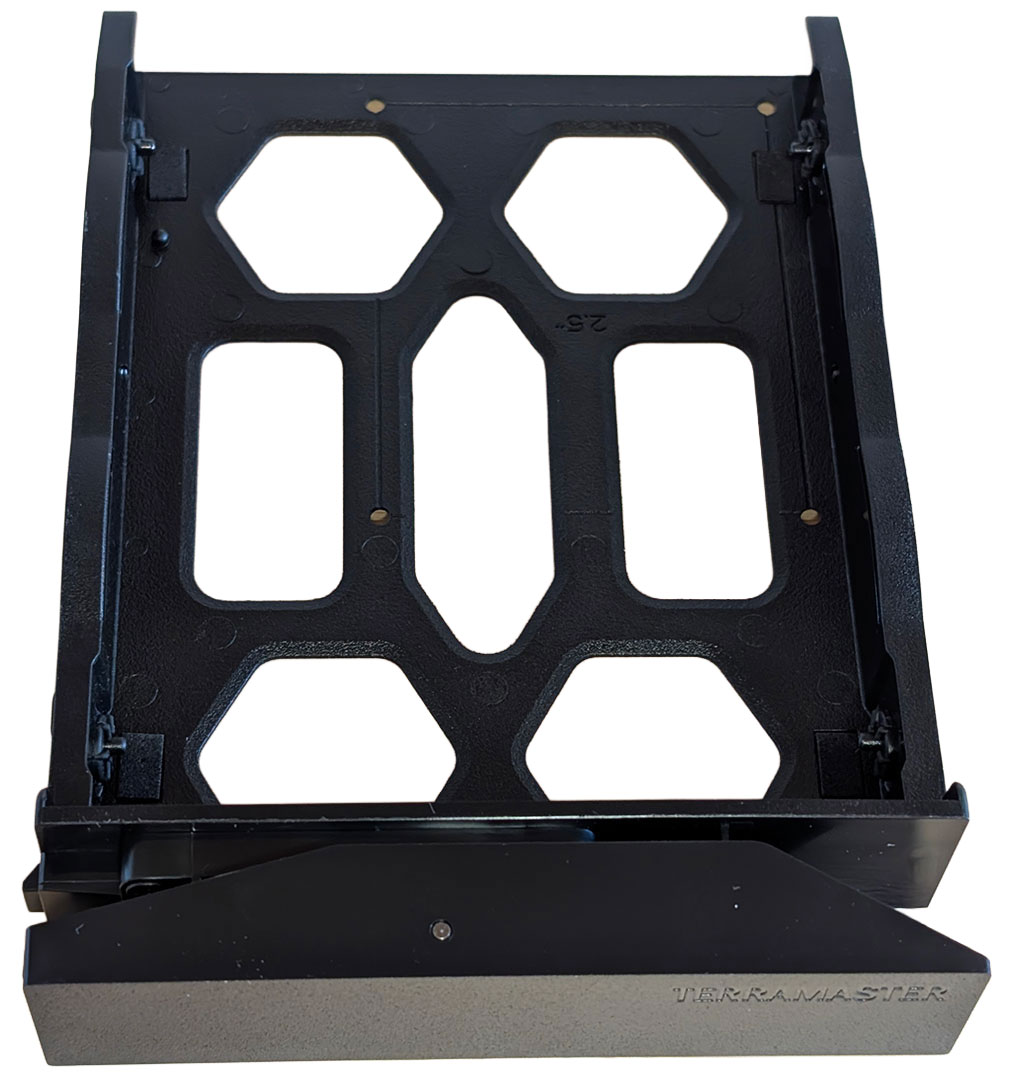
The drive trays remain identical to previous models, with the same tool-less design and lack of drive numbering.
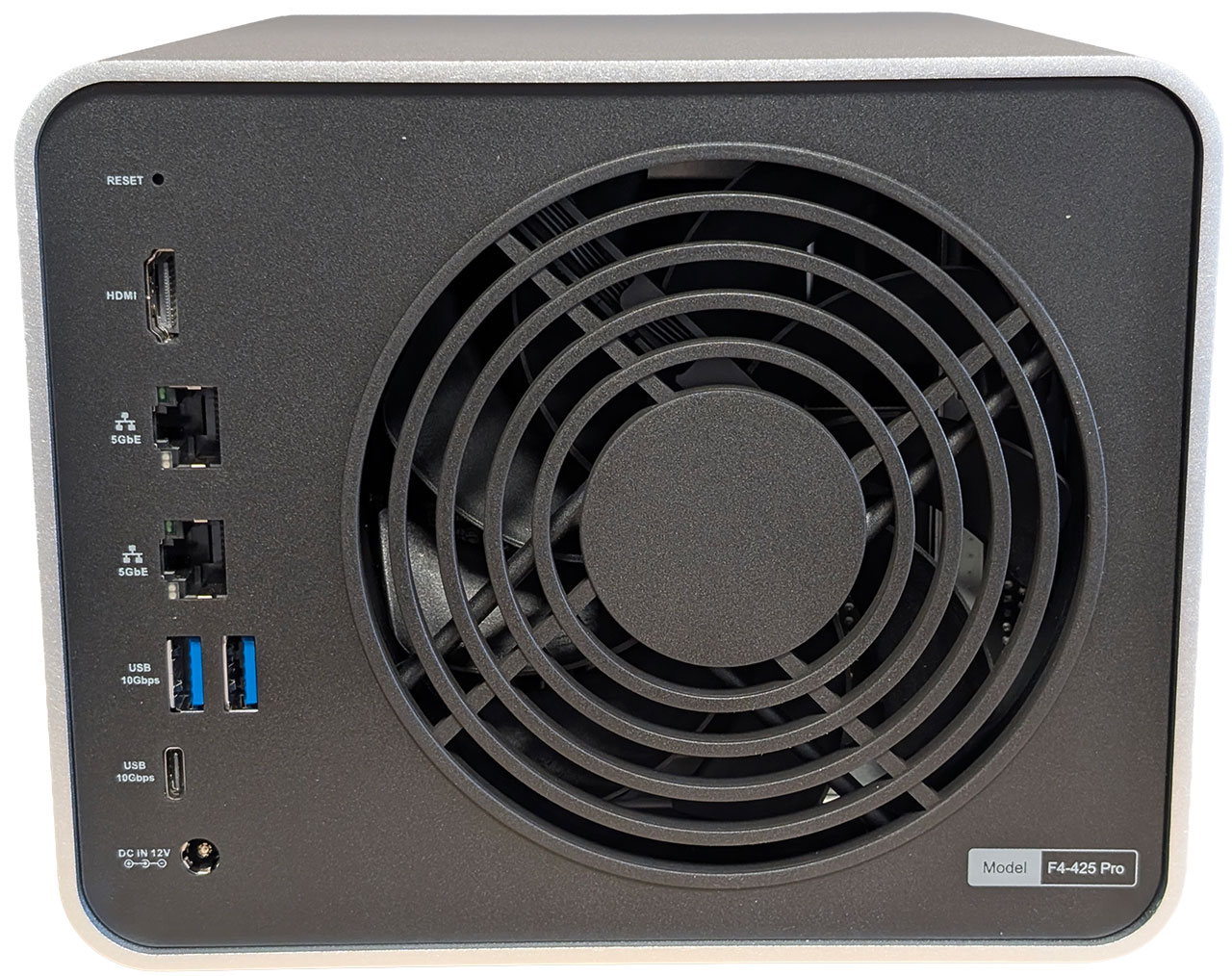
Moving around the back, things are pretty standard, with the F4-425 Pro sporting a reset pin-hole, an HDMI port, a pair of Ethernet ports—both delivering 5 Gbps throughput—two USB 3.2 Gen 2 (10 Gbps) Type-A ports, one USB 3.2 Gen 2 (10 Gbps) Type-C port and a 12 V DC power jack. This is also where the 120 mm fan is located. A further USB 3.2 Gen 2 (10 Gbps) Type-A port is located around the front, just below the power button.
Our Patreon Silver Supporters can read articles in single-page format.
Nov 22nd, 2026 02:18 PST
change timezone
Latest GPU Drivers
New Forum Posts
- Honestly, do you care about GTA VI? (240)
- Ryzen or Intel system (15)
- RX 580 2048SP 8GB - SK Hynix - Ardiyes - BIOS Needed (3)
- How to prevent OLED burn damage due to PC freezes or power outtages? (53)
- Your PC ATM (36447)
- SATA drive 1.4 GBps with Intel X25-E on Windows 98! (41)
- TPU's Nostalgic Hardware Club (22191)
- AI generated images... (231)
- RX 9000 series GPU Owners Club (2252)
- Introducing DST Bench : one of the most advanced disk benchmark and storage analyzer real-time software (7)
Popular Reviews
- Microsoft Surface Laptop Ultra Review - The Next-gen Arm Laptop
- Corsair RM1200e (Second Generation) Review
- Pulsar Office Tour & First Look at P1 Dual-Sensor Mouse
- Upcoming Hardware Launches 2027 (Updated Nov 2026)
- Ugreen NASync DXP4800 GT Review
- AMD Ryzen 7 9800X3D Review - The Best Gaming Processor
- Biwin Black Opal NV7400 2 TB Review
- AMD Zen 6 Technical Deep Dive
- Phantom Blade Zero Performance Benchmark Review - 35 GPUs Tested
- AMD Ryzen 7 5800X3D 10th Anniversary Review
TPU on YouTube
Controversial News Posts
- NVIDIA Co-Founder and CEO Jensen Huang Officially Resigns (492)
- Report: Jensen Huang Eyes NVIDIA Comeback (262)
- Open Letter Asking NVIDIA to Reinstate Jensen Huang Passes 115,000 Signatures (184)
- OpenAI CEO Argues Home PCs Waste the World's Limited DRAM Supply (152)
- NVIDIA Launches Investigation Into Jensen Huang's Relationship With Suspected Chinese Spy (136)
- Intel "Raptor Lake Next" 16-Core and 20-Core CPUs Surface (130)
- NVIDIA GeForce RTX 50-Series Scheduled for up to $500 Price Hike This Week (89)
- Intel Razor Lake Gets a 12 P-Core bLLC Chip With No E-Cores, Per Leak (86)