 45
Thermal Grizzly WireView Pro Review
(45 Comments) »Introduction


NVIDIA's introduction of the 12VHPWR 16-pin power connector has brought significant changes—and challenges—to modern GPU power delivery. Designed to handle up to 600 W in a compact form factor, the connector and its variants have been reported to have issues such as overheating, melting, and system instability, often caused by improper insertion or mechanical stress. These problems are difficult to diagnose without specialized equipment, leaving system builders without a clear way to monitor or verify safe operation.
The Thermal Grizzly WireView Pro is designed to address this. It displays total power, voltage and current, and goes further by logging statistics such as watt-hours, peak values, and minimums. It includes onboard temperature sensors, allowing users to monitor thermal conditions near the connector. On top of that you can hook up two included thermal probes and place them at strategic locations in your system.
Priced at $80, the WireView Pro is definitely not cheap, is it worth the investment to protect your high-end GPU?
Package


The WireView Pro ships in a plastic bag that appears a little bit too small to match the premium look and feel of the product inside.
Inside you find a box with the Thermal Grizzly logo.
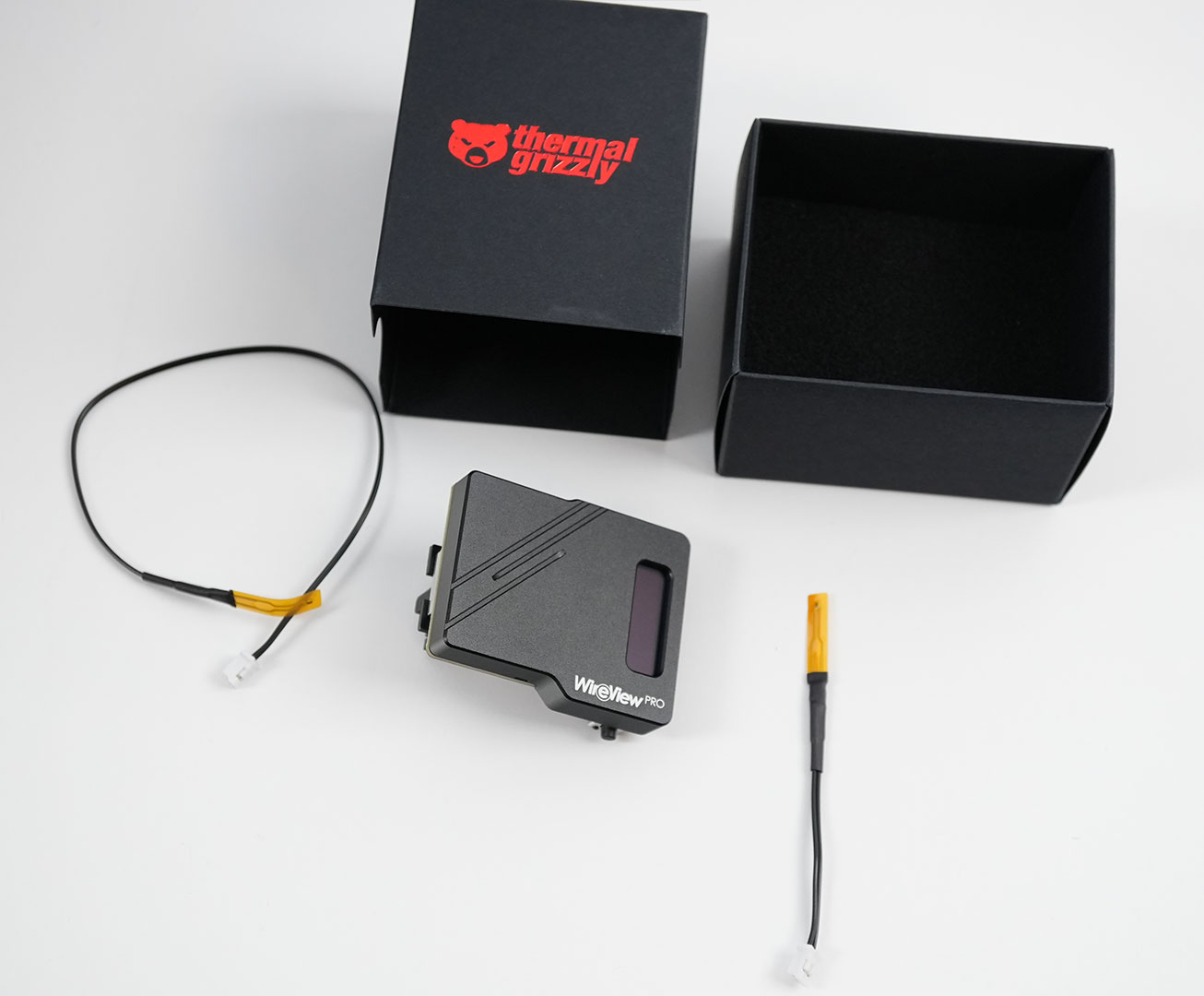
The box contains the WireView unit itself and two thermal probes. A very basic manual is included, too, better documentation is available online.
A Closer Look
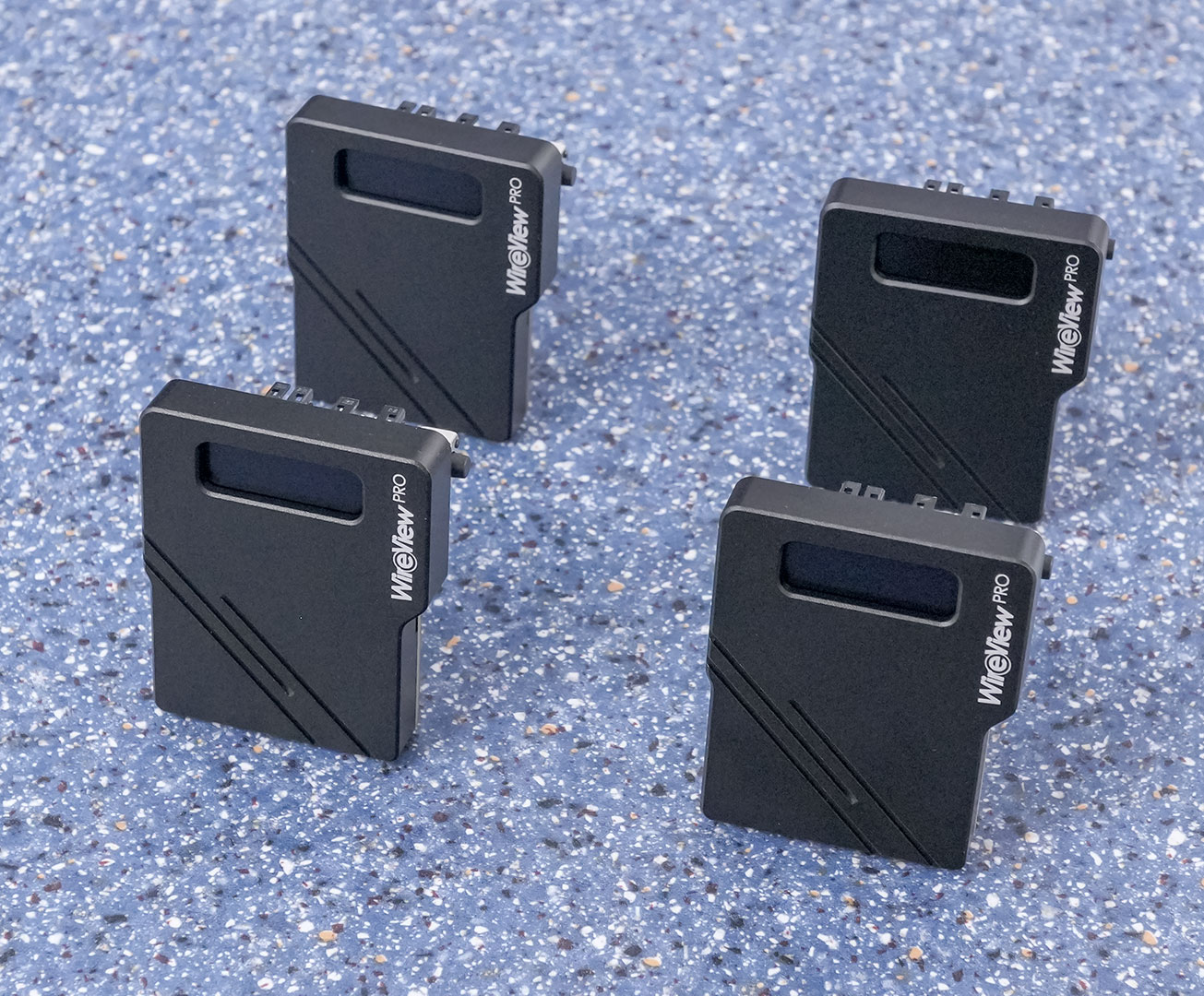
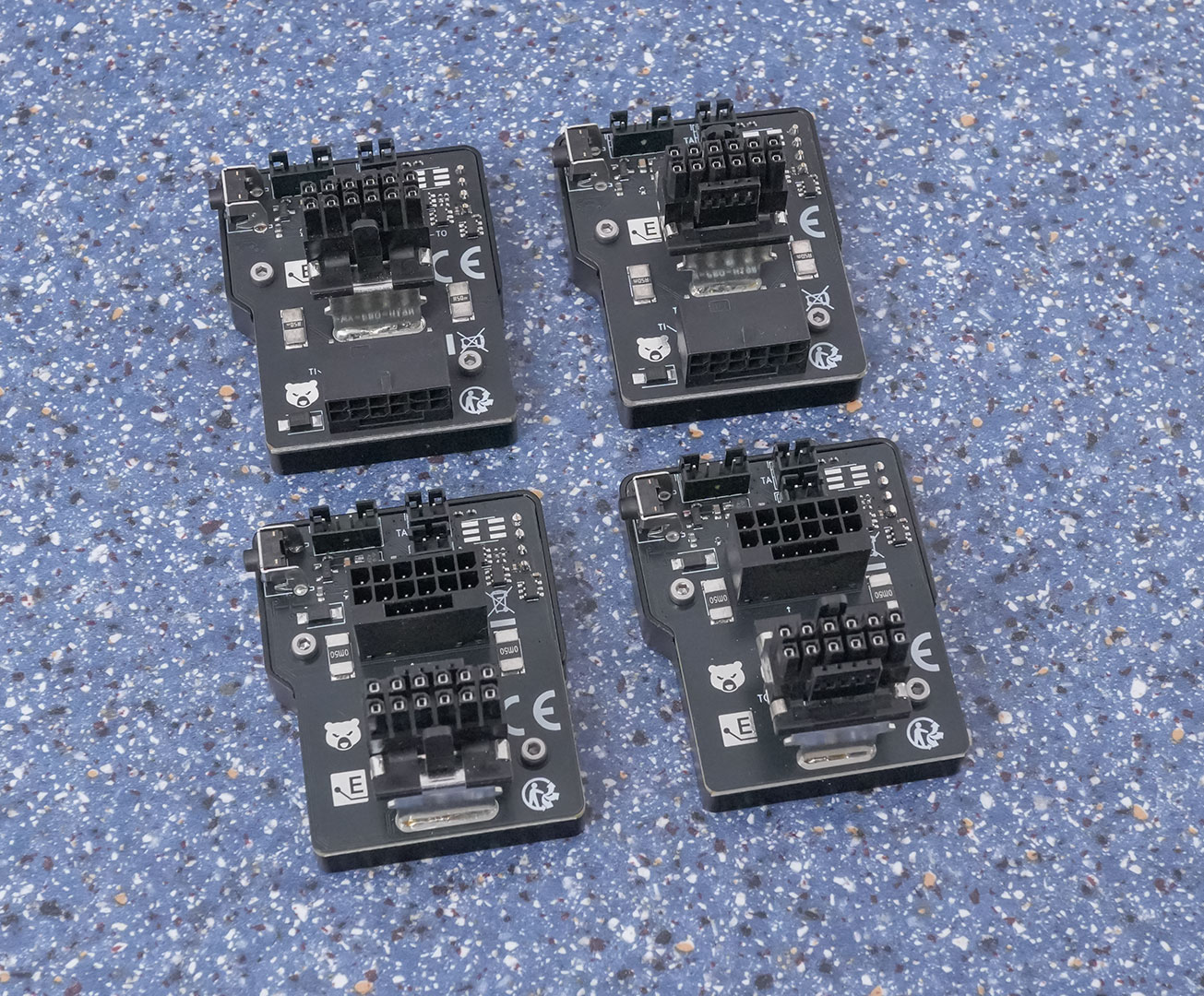
Thermal Grizzly sent us all four different models of the WireView Pro. There are two models each facing the "normal" direction and "reverse." In addition, there are two more models where the 12VHPWR connector is rotated. This lets the unit attach to virtually all graphics cards, except for the RTX 50-series Founders Edition cards where the 16-pin is facing outwards diagonally.
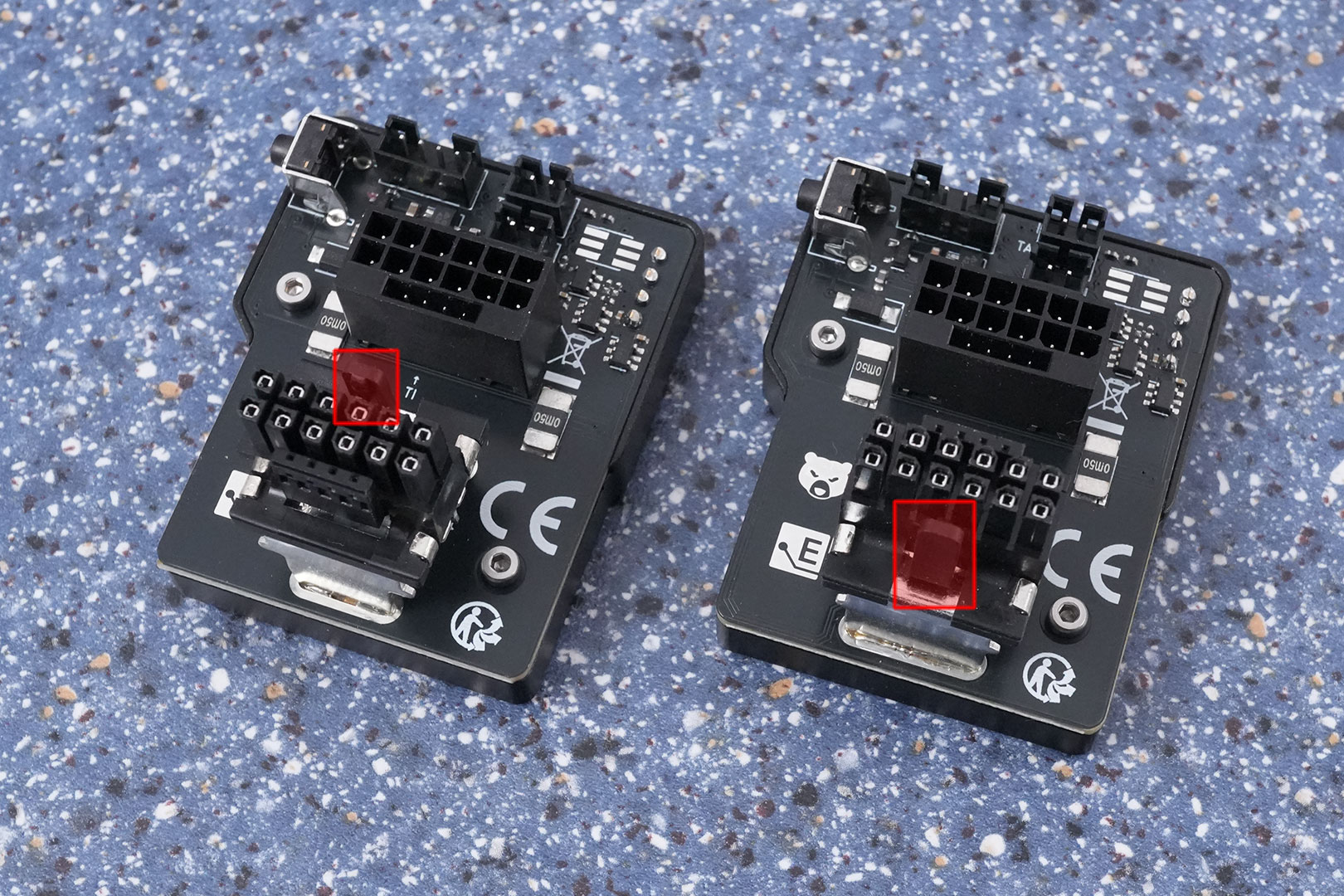
Here you can see how the different connector orientations work. Note the small guide pin sticking out and the four sense pins on the other side. Depending on that you'll have to choose the right model.
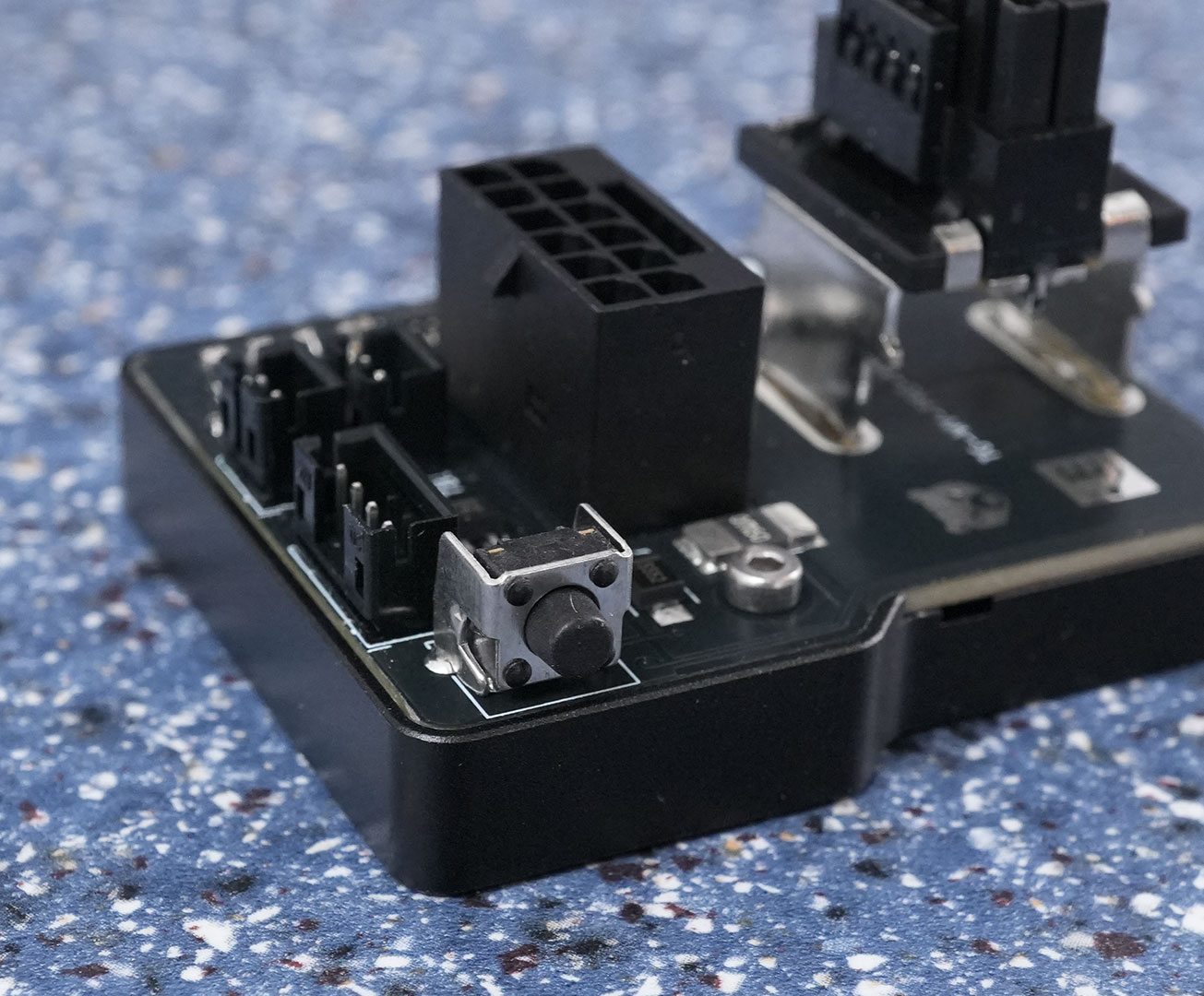
A button on the side lets you control the WireView through a menu that's shown on the integrated display.
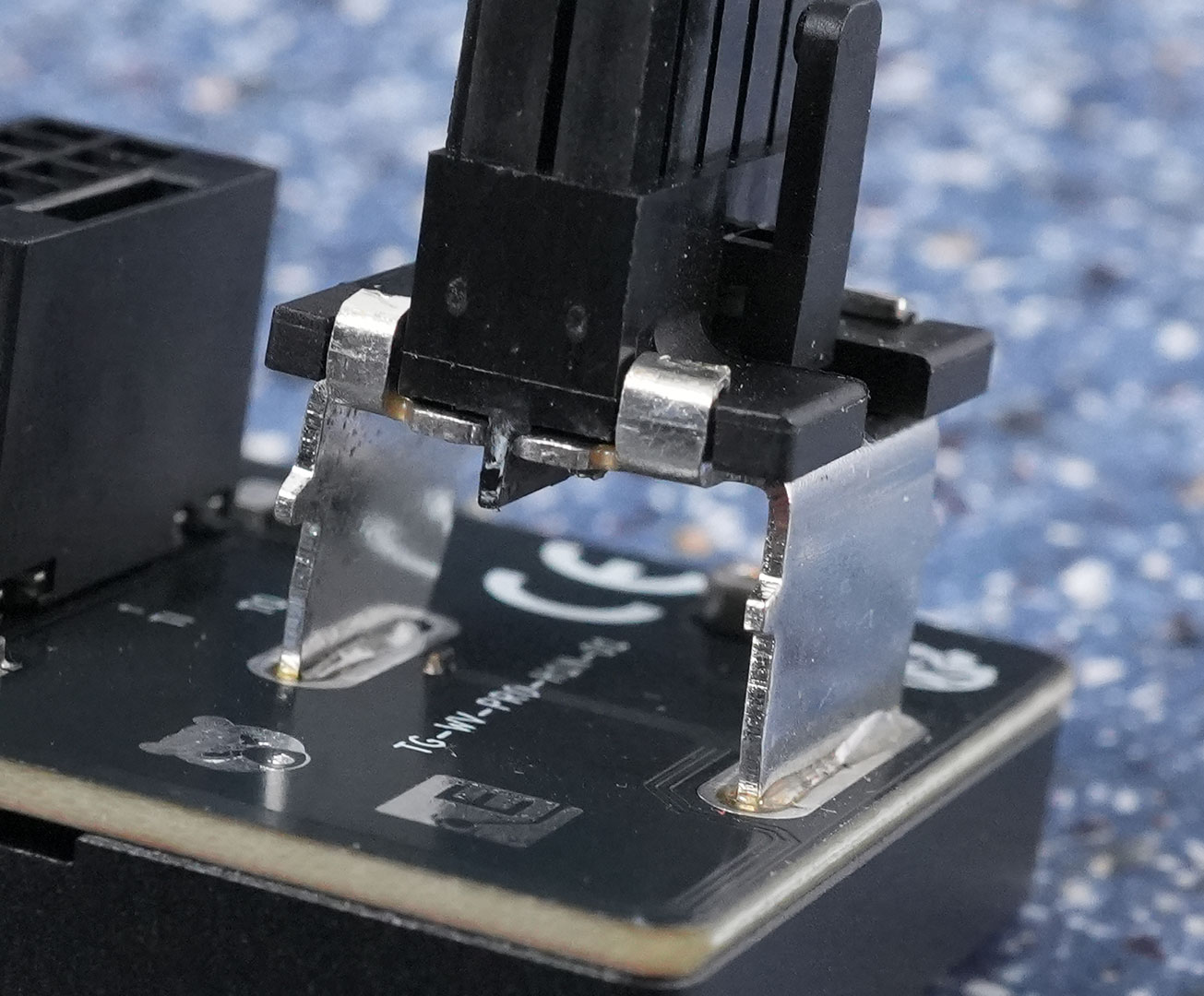
Thick metal connectors ensure that the large currents can flow through the unit easily, without causing too much heat up from electrical resistance, or voltage droop.

The included thermal probes go into two sockets on the WireView. You may use either sensor in either connector, one of the sensors has a longer cable.
Our Patreon Silver Supporters can read articles in single-page format.
Nov 21st, 2026 06:09 PST
change timezone
Latest GPU Drivers
New Forum Posts
- Differences i might've missed between these ultrawides to decide which to buy during BF. (0)
- UPS what one to get? (2)
- Honestly, do you care about GTA VI? (220)
- Anthrophics IPO (31)
- Without Jensen, PC gaming will be (53)
- WarpCoreBench scores! (88)
- What's your latest tech Freebie? (86)
- TPU's Nostalgic Hardware Club (22179)
- [Poll] 12V-2x6 Connector Protection: What Are You Using? (WireView / Ampinel / Equalizer / Other / Nothing) (50)
- RX 9000 series GPU Owners Club (2252)
Popular Reviews
- Microsoft Surface Laptop Ultra Review - The Next-gen Arm Laptop
- Ugreen NASync DXP4800 GT Review
- Corsair RM1200e (Second Generation) Review
- Pulsar Office Tour & First Look at P1 Dual-Sensor Mouse
- Upcoming Hardware Launches 2027 (Updated Nov 2026)
- Acemagic Retro X3 Review
- Biwin Black Opal NV7400 2 TB Review
- AMD Ryzen 7 9800X3D Review - The Best Gaming Processor
- AMD Zen 6 Technical Deep Dive
- Chieftec Iceberg PRO 360 DARK Review
TPU on YouTube
Controversial News Posts
- NVIDIA Co-Founder and CEO Jensen Huang Officially Resigns (491)
- Report: Jensen Huang Eyes NVIDIA Comeback (258)
- Open Letter Asking NVIDIA to Reinstate Jensen Huang Passes 115,000 Signatures (184)
- OpenAI CEO Argues Home PCs Waste the World's Limited DRAM Supply (152)
- NVIDIA Launches Investigation Into Jensen Huang's Relationship With Suspected Chinese Spy (136)
- Intel "Raptor Lake Next" 16-Core and 20-Core CPUs Surface (130)
- Legendary Game Studio BioWare Shuts Down Following EA Layoffs (104)
- NVIDIA GeForce RTX 50-Series Scheduled for up to $500 Price Hike This Week (89)