 0
Thermaltake Muse LanDisk Review
(0 Comments) »Introduction
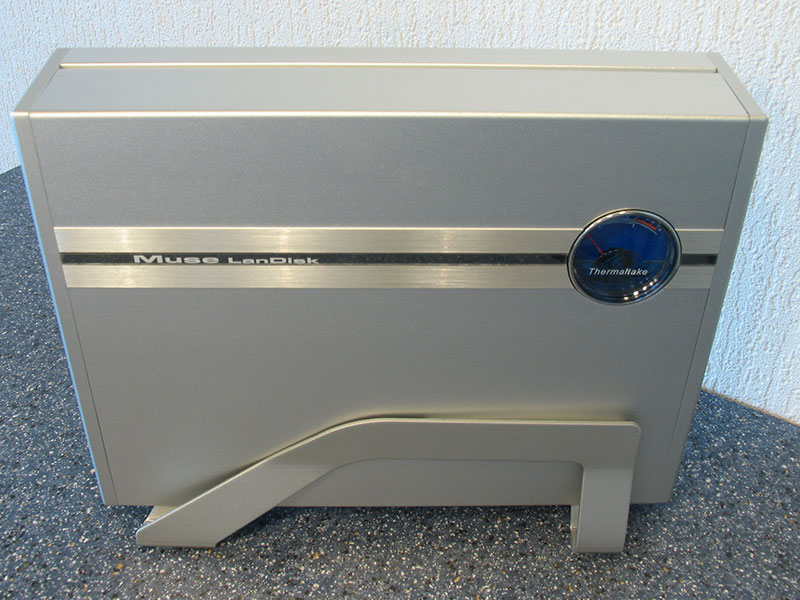
The Thermaltake MUSE LanDisk is a budget NAS. NAS stands for Network Attached Storage and means a storage device that can be accessed via network.One of the advantages of a NAS over a traditional PC running 24 hours is that the power consumption is greatly reduced. Being of smaller physical size the NAS can also be moved around a lot easier.
From the manufacturer Thermaltake:
- Entry level NAS system, maximum support up to 400GB HDD
- SAMBA and FTP server applicable
- Smart DHCP configuration, no IP setting is required.
- LAN Disk W/3 LED Indicator(Link/10-100/USB) .
- Data transfer Meter with blue backlight to indicate digital signal.
- All aluminum Fanless design.
- Silver body with graceful curve.
- Screwless clamshell design easy to install 3.5 IDE HDD without tools.
- Compact mount easily to stand.
| Application | 3.5" IDE HDD |
|---|---|
| Weight | 1.418 g |
| Dimension | 245 x 183 x 55 mm |
| Material | Aluminum |
| Interface | IDE to RJ45 & USB 2.0 |
| ATA Compatibility | ATA/ATAPI6 |
| Accessories | USB 2.0 external cable Power adapter Metal foot stand |
| Power Source | External universal Switching Power Adapter (12V 1.5A/5V 1.5A) |
| Certifications | UL, FCC, CE, CSA |
Packaging
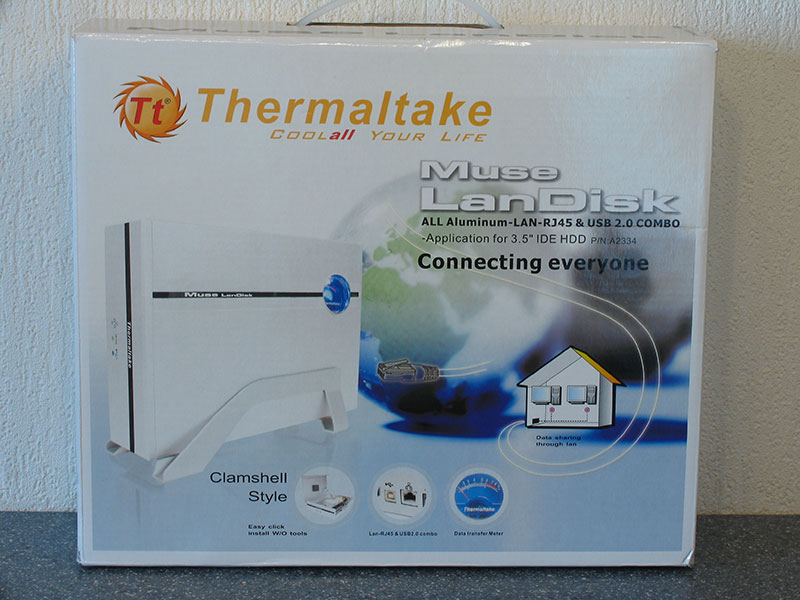

The Thermaltake Muse LanDisk comes in the same package as the Muse which does not follow the standard Thermaltake color-theme.
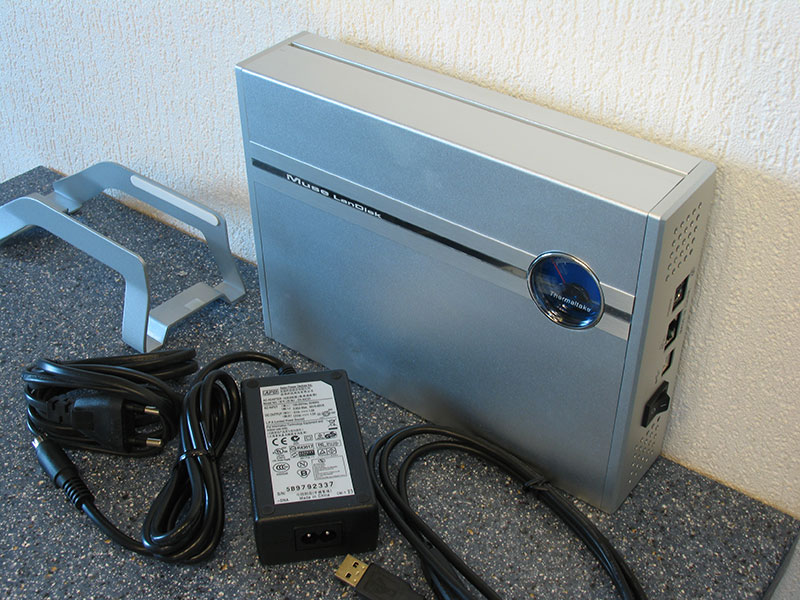
Inside the package you will find:
- Aluminum case
- Aluminum stand
- USB cable 1m
- User's Manual & Driver CD
- Power supply with cable
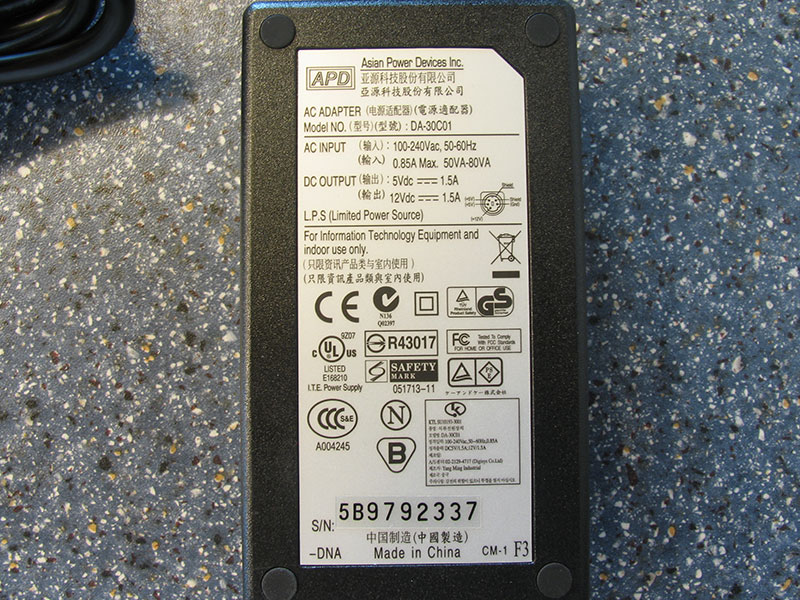
Power for the harddisk is delivered by an external PSU. This is necessary, because USB is specified to max. 500mA.
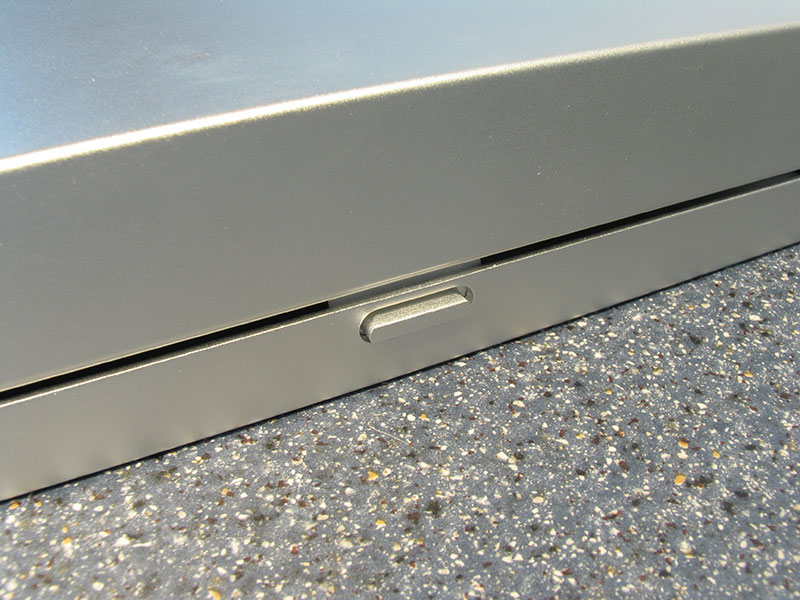
This button has to be pressed to open the enclosure. No screwdriver required.
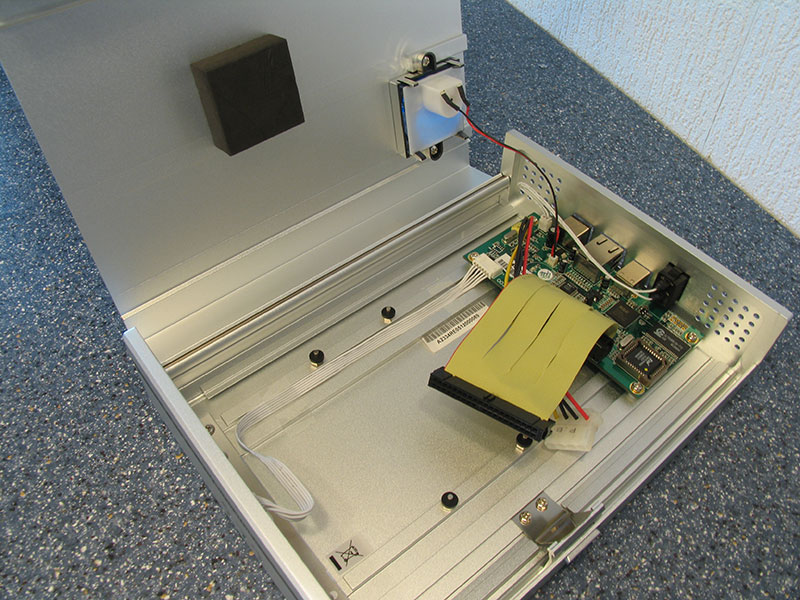
Inside you will find some empty space for your 3.5" HDD and a small PCB which has the controller chip on-board. The cable is a standard IDE cable, if you lose or break the cable you can just use any regular HDD cable.
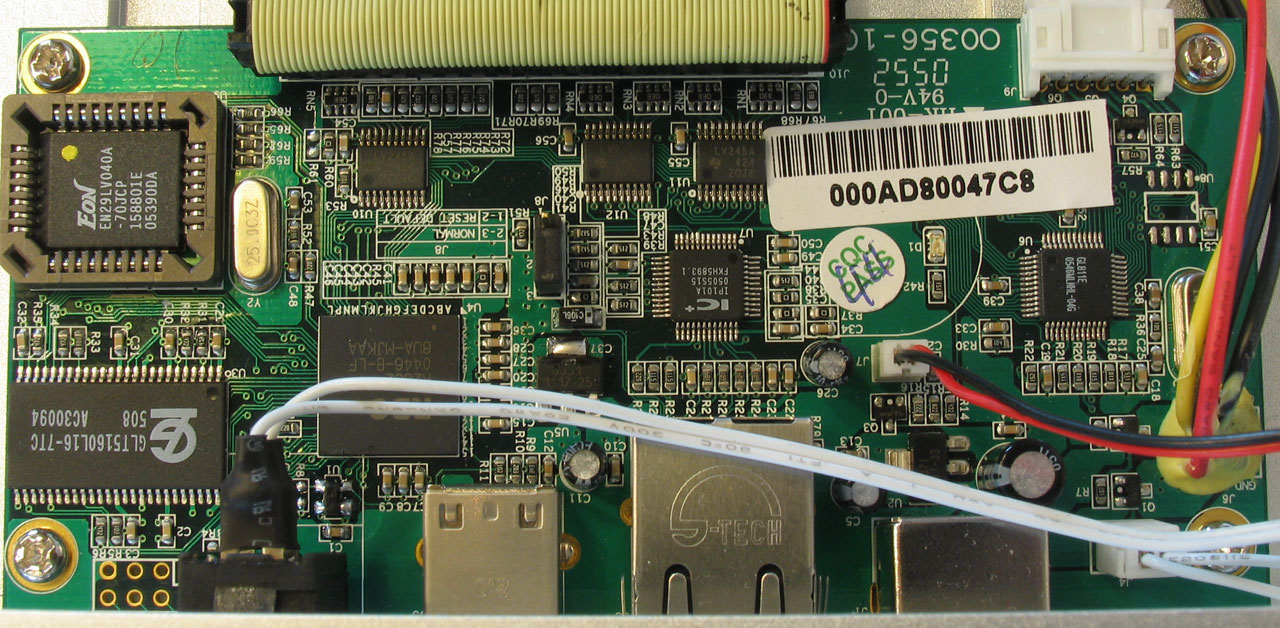
Supporting Ethernet and USB at the same time does not seem to be so easy. The PCB is packed with ICs.
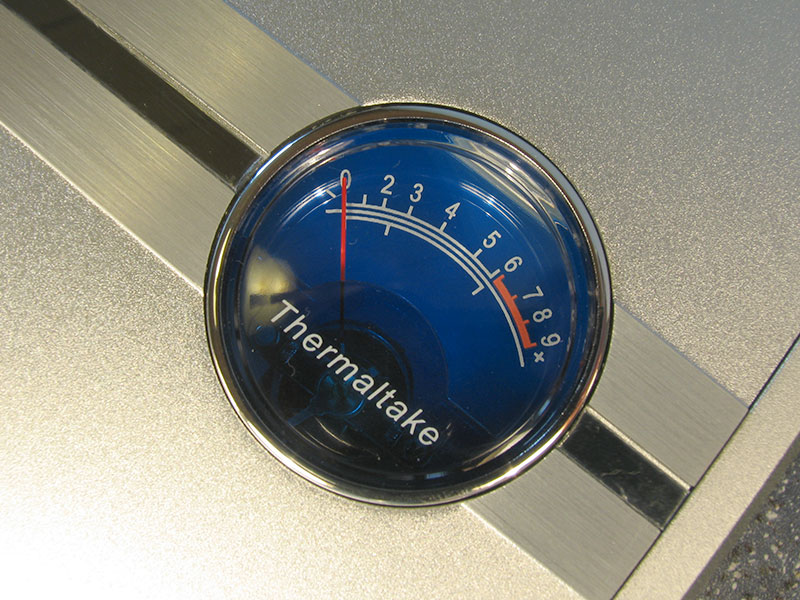
When the unit is powered on, the analog VU meter is lit up in a nice blue. The meter's needle moves with harddisk activity.
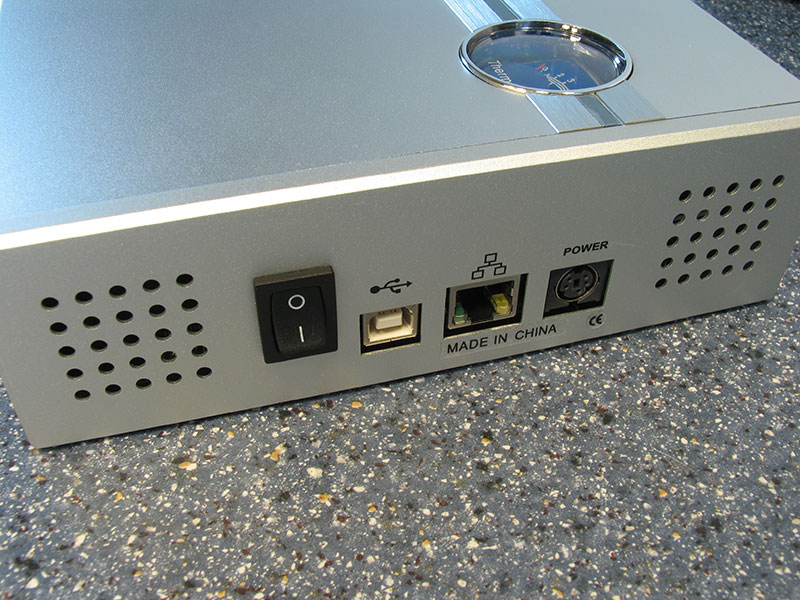
One side has the power switch and all the external connectors for USB, Ethernet and power supply.
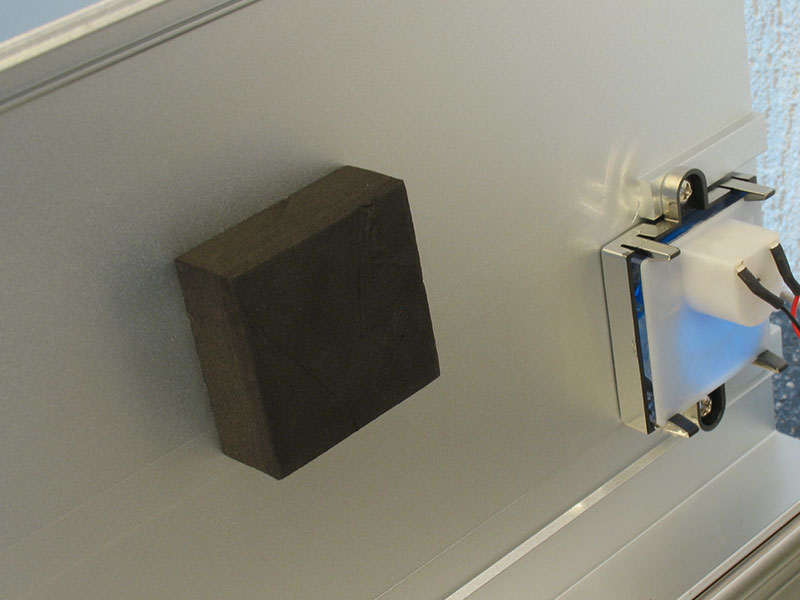
To make sure that your HDD is placed safe inside the unit, this foam pressed down on the HDD when the lid is closed.
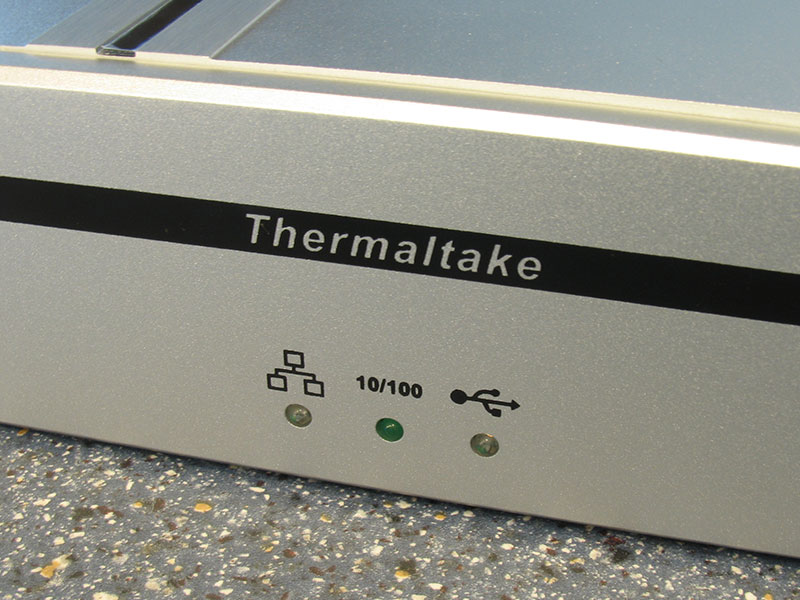
For additional visualization three LEDs are installed. Left shows if Ethernet is connected, middle whether the interface is 10 MBit or 100 MBit. The LED on the right is lit when USB is active.
Installation
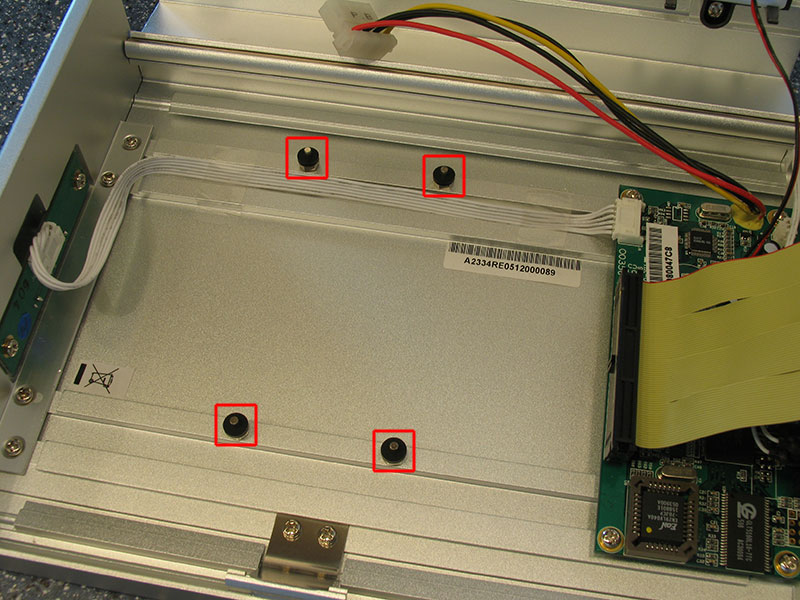

Installation of the internal harddisk is really easy and well documented in the included manual.
- Open case
- Connect HDD power
- Connect IDE cable
- Put HDD on mounting posts
- Close case
A driver installation is only required on Windows 9x. Windows 2000 and up automatically install the drive as a harddisk, without any reboot.
Ethernet is also plug and play. The unit can ask an existing DHCP server in your network for an IP address. You can also set a fixed address in the web interface.

The System Information page shows network related information. You can also enable the integrated DHCP server here. This is only possible if no other DHCP server exists on the LAN. Please note that we upgraded the firmware version to the latest one available. There are several units from different manufacturers out there which use a similar numbering scheme for the firmware. These are all compatible and can be interchanged.

The clock settings page lets you configure a time server from which to get the current date and time.

Automatic uses DHCP to discover IP settings. If you do not want to use that you can enter your own settings here.

Here you can upgrade your firmware, reboot the unit or reset all configuration settings in case you messed something up.

SAMBA is the Windows Network File sharing Protocol. You can define shared folders on this page. There are no user accounts available in case you want a more finer rights structure.

On the Disk page you can get information on the used harddisk and format it if it's a brand-new one. Please note that only FAT is supported when used with Ethernet. USB supports FAT and NTFS. The sleep time defines how long the drive will sit idle before it powers off.
Our Patreon Silver Supporters can read articles in single-page format.
Nov 24th, 2026 08:40 CST
change timezone
Latest GPU Drivers
New Forum Posts
- Your PC ATM (36487)
- Increasing Power Limit? (30)
- GTA VI (33)
- I forced a 16 Year Old 64GB SSD to write 1 PETABYTE (And it didn't die) (194)
- Games at first startup always worse why? (0)
- HP ZBook 17 G3 i7 – black screen and fans running at max speed after switching SSD to GPT (0)
- Strange PC issues with Z690 setup (2)
- How to prevent OLED burn damage due to PC freezes or power outtages? (58)
- Which ryzen am5 cpu ? (201)
- AI generated images... (234)
Popular Reviews
- Microsoft Surface Laptop Ultra Review - The Next-gen Arm Laptop
- ASRock X870E Challenger Wi-Fi White Review
- Upcoming Hardware Launches 2027 (Updated Nov 2026)
- Corsair RM1200e (Second Generation) Review
- AMD Ryzen 7 9800X3D Review - The Best Gaming Processor
- AMD Zen 6 Technical Deep Dive
- AMD Ryzen 7 7700X3D Review
- Pulsar Office Tour & First Look at P1 Dual-Sensor Mouse
- Phantom Blade Zero Performance Benchmark Review - 35 GPUs Tested
- Ugreen NASync DXP4800 GT Review
TPU on YouTube
Controversial News Posts
- NVIDIA Co-Founder and CEO Jensen Huang Officially Resigns (492)
- Jensen Huang Reinstated as CEO of NVIDIA (447)
- Report: Jensen Huang Eyes NVIDIA Comeback (281)
- Open Letter Asking NVIDIA to Reinstate Jensen Huang Passes 115,000 Signatures (184)
- OpenAI CEO Argues Home PCs Waste the World's Limited DRAM Supply (152)
- NVIDIA Launches Investigation Into Jensen Huang's Relationship With Suspected Chinese Spy (136)
- Intel "Raptor Lake Next" 16-Core and 20-Core CPUs Surface (130)
- NVIDIA GeForce RTX 50-Series Scheduled for up to $500 Price Hike This Week (89)