 13
Thermaltake SWAFAN 12 RGB Review - Swappable Fan Blades!
(13 Comments) »Introduction

Thermaltake impressed with the TOUGHFAN 12 fans we saw last year, allowing the company to put forth another contender into the high performance sector for the PC watercooling space. It then went further in putting out regular and turbo versions rated for different max speeds, and then also released different colored versions that in itself made the fans worth checking out. But there's a strong argument to be made that Thermaltake is more famous for its RGB fans, especially having introduced the world to massive amounts of LEDs and lit-up fan rings galore. I haven't had much experience with the Tt Riing fan lineup to date, but then came an announcement about a new RGB fan that did something different.

Thermaltake continues to try out the ALL CAPITAL LETTERS IS BETTER FOR MARKETING strategy with the product name here being SWAFAN 12 RGB, and there is also a SWAFAN 14 RGB for those looking for 140 mm fans with the same feature set. A single look at the photo above indicates what the SWA in SWAFAN is all about here—there are swappable fan blades here! What this allows is for customers to orient the fan to have optimal aesthetics without worrying about the direction of air flow through the fan itself, and this comes in handy all the more with RGB fans such as this one. We'll dig deeper into the functionality of these fans, how the swappable fan blades work in practice, and put the fans through our test suite as always in our review which begins with a look at the product specifications in the table below. Thanks to Thermaltake for providing review samples to TechPowerUp!
Specifications
| Thermaltake SWAFAN 12 RGB | |
|---|---|
| Dimensions: | 120 x 120 x 25 mm |
| Rated Speed: | 500-2000 RPM |
| Maximum Airflow: | 53 CFM in standard configuration; 54.8 CFM in reverse configuration |
| Noise: | 30.5 dBA in standard configuration; 36.5 dBA in reverse configuration |
| Static Pressure: | 2.58 mm H₂O in standard configuration; 2.19 mm H₂O in reverse configuration |
| Fan Control: | Near-proprietary fan connectors leading to PWM fan and ARGB LED control |
| Power Draw: | 3.24 W peak |
| Warranty: | Two years |
Packaging and Accessories
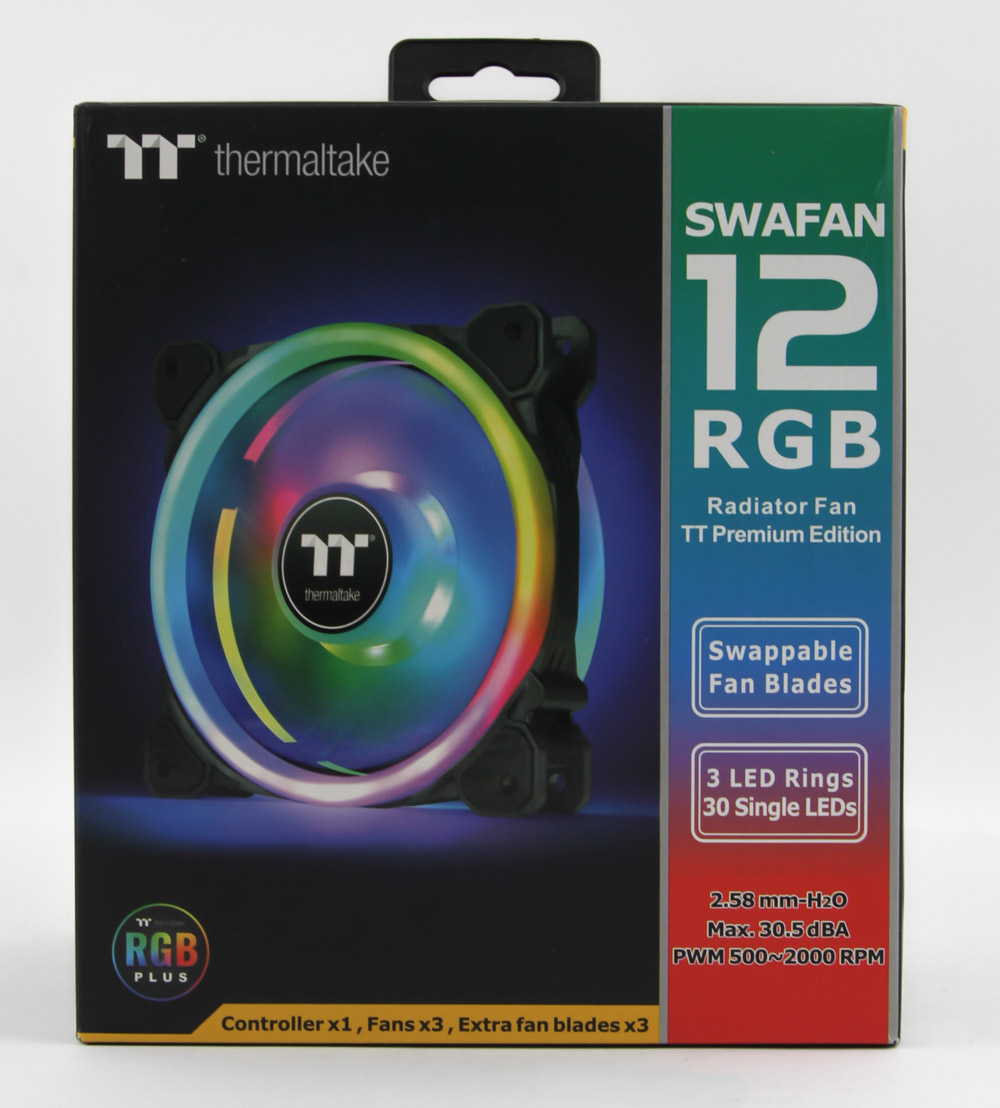


Thermaltake refers to the SWAFAN 12/14 RGB specifically as radiator fans too, and it is even part of the product name on its website and the packaging seen above. At the time of this review, you can only purchase these fans in a triple pack with the company intending for them to be used on 360 mm (or 420 mm with the 140 mm fans) radiators. No surprise then that the product box—which ships inside a plastic wrap—is more cubical in design. On the front is the company logo and product name along with a render of the fan lit up and salient marketing features listed fully. You can also see exactly what comes inside the box here, and more illustrations + marketing points are listed on the back. Product specs greet us on the side, and here we also see the use of seals and a double flap to help keep the contents inside in place during transit.


The inner box adopts a stacked design with the replacement fan blades at the top inside individual plastic blister tray and foam protective inserts too. The fans themselves are at the bottom with more foam between the individual pieces, and the accessories are found in a cardboard box in the middle. There is plenty of paperwork included here in the form of a warranty policy, an installation note, and a quick guide on using the fans with the Tt RGB Plus software itself. The other accessories come individually packed in plastic, and here we see fan screws for using these fans just inside a case as opposed to on a radiator in addition to longer screws for typical AIO installation (UNC 6-32 threads). A hook-and-loop section helps with mounting of the dedicated controller which we will look at below, and notice also the thin tube of lubricating agent here akin to how you might get thermal paste. This is effectively oil you would drop into the bearing support for the fan blades in the fan hub after an indeterminate amount of fan blade swapping. Basically if you see the bearings are drying out, just place some in there.


I am not a big fan (heh) of how many near-proprietary fan connections there are in 2022, and Tt adds to the pile with the SWAFAN 12 RGB. We get three cables in total here—a power cable using MOLEX, a micro USB to 9-pin internal USB 2.0 cable (w/daisy-chained micro USB), and an extension cable using another micro USB connector. Why Tt didn't use SATA and USB Type-C I'll never know! These are cables you would use with the provided controller, with the extension/daisy-chain for when you have up to two controllers in the same system.


Now we get to the controller itself, which is a new design from Thermaltake. It's shaped like a bloated power bank almost with plastic construction entirely in black. On the sides are five fan ports for the 9-pin connectors that are similar looking to an internal USB connector itself, although even Tt recommends only connecting three fans per controller owing to power limitations for the LEDs involved. Power and data connections are on the other sides, and the underside has a set of four dip switches that you move up/down in specific arrangements based on the number of fans (Edit: it could also be controllers) connected. Given the ability to connect two individually powered controllers together for software control, you use these dip switches accordingly.


The final set of accessories, and arguably the thing you are buying these fans are, are the replacement fan blades themselves. These are called "fan blade 2" by Thermaltake and allow for the reverse fan configuration relative to the standard one, which is clear once you look at the rotor positioning that pull air through rather than push them the other way. The sticker on the motor hub cover is also silver in color with the Tt logo on it, and the rotor itself is white in color to assist with the RGB feature of the fans.
Our Patreon Silver Supporters can read articles in single-page format.
Nov 15th, 2026 08:55 CST
change timezone
Latest GPU Drivers
New Forum Posts
- budget home NAS – X79, X99 or another platform? (149)
- WireView Pro II GPU Alignment: Wired | Variant: Black (1)
- Planning for Prolonged High Prices and Maintaining What You Already Have (74)
- Technical Issues - TPU Main Site & Forum (2026) (409)
- What generation of Wi-Fi do you use at home (98)
- I'll flash a ASUS ROG Strix RX480 O8G in Cause of Code 43, as a Newbie (5)
- Honestly, do you care about GTA VI? (58)
- Recommendations Wanted - Affordable Enterprise SSD for Boot (4)
- Is this anyhow possible, that a GPU (ROG Strix RX480 O8G) can crash the whole PC after "ReFlash" in normal Mode? (2)
- WarpCoreBench scores! (47)
Popular Reviews
- AMD Zen 6 Technical Deep Dive
- ASUS ROG Strix B850-I Gaming Wi-Fi7 W Review
- Corsair HX1000i Shift Crystal Review
- Upcoming Hardware Launches 2027 (Updated Nov 2026)
- Montech King 95 3D PRO Review
- NZXT C1200 Platinum Review
- NZXT H7 RGB+ Review
- NZXT H5 Review
- Phantom Blade Zero Performance Benchmark Review - 35 GPUs Tested
- AMD Ryzen 7 9800X3D Review - The Best Gaming Processor
TPU on YouTube
Controversial News Posts
- NVIDIA Co-Founder and CEO Jensen Huang Officially Resigns (412)
- OpenAI CEO Argues Home PCs Waste the World's Limited DRAM Supply (152)
- NVIDIA Launches Investigation Into Jensen Huang's Relationship With Suspected Chinese Spy (136)
- Intel "Raptor Lake Next" 16-Core and 20-Core CPUs Surface (130)
- Open Letter Asking NVIDIA to Reinstate Jensen Huang Passes 115,000 Signatures (109)
- Legendary Game Studio BioWare Shuts Down Following EA Layoffs (104)
- Dell CEO Says the Memory Shortage Will Get Worse in 2027 (95)
- NVIDIA GeForce RTX 50-Series Scheduled for up to $500 Price Hike This Week (89)