 0
Ugreen NASync DXP4800 GT Review
(0 Comments) »Introduction


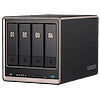
The Ugreen NASync DXP4800 GT might look familiar at first look, as it shares much of its overall design with the NASync DXP4800 Plus, but with a different colour scheme. The darker colour with the copper trim looks higher-end, yet, we're looking at a more affordable model here and one that might not cost a fortune to upgrade the RAM in either, as the quad-core AMD Ryzen Embedded R2514 SoC is a few years old and is paired with DDR4 memory. In today's economy that's a plus in our book, which it might not have been a year ago. The DXP4800 GT brings a couple of other bonuses over the DXP4800 Plus, as it gets a pair of 10 Gbps ports, instead of one 10 Gbps and one 2.5 Gbps port, as well as support for a pair of U.2 drives. One other major difference is that the OS is no longer installed on an NVMe SSD, but instead it comes installed on a soldered down eMMC chip.
On the software side of things, UGOS has seen seven updates since we reviewed the NASync iDX6011 Pro back in March, with the most significant under the hood change being a move to Linux kernel 6.18 in August. This puts UGOS ahead of the competition when it comes the Linux kernel used, although the OS as a whole, is still lagging behind the competition when it comes to what features are on offer, but more on that later in the review. That said, not much has happened in terms of new features or additional native software support, which means that UGOS is still lagging the competition in this aspect.
Let's get on with the review.
Specifications
| Ugreen NASync iDX6011 Pro Specs & Features | |
|---|---|
| Processor | AMD Ryzen Embedded R2514 4c/8t 4 Zen+ cores 3.7 GHz turbo, 2.1 GHz base frequency 15 W base TDP, 54 W max turbo power |
| Memory | 8 GB DDR4 3200 MT/s, SO-DIMM |
| Storage | 4× SATA 6 Gbps 3.5" or 2.5" drives 2× NVMe M.2 PCIe 3.0 |
| RAID Levels: | Single Disk, JBOD, RAID 0, 1, 5, 6, 10 |
| Capacity | Up to 144 TB (4× 32 TB HDD + 2× 8 TB M.2 SSD) |
| Operating System | UGOS Pro 1.20.0.0142 (Linux Kernel 6.18.15) |
| File System (Internal Drives) | EXT4, BTRFS |
| File System (External Drives) | NTFS, BTRFS, HFS+, EXT4, EXT3, FAT32, exFAT |
| Networking | 2× 10 Gbit Ethernet |
| I/O Ports | 1× USB 3.2 Gen 2 (10 Gbps) Type-C 2× USB 3.2 Gen 2 (10 Gbps) Type-A 2× USB 2.0 1× HDMI 2.1 1× SD 3.0 (UHS-I) card reader |
| Other features | Support for 2x U.2 drives 64 GB eMMC for the OS |
| Dimensions | 178 (H) × 178 (W) × 257 (D) mm |
| Weight | x.x kg without drives |
| Power Consumption | Operation: 42.36 W HDD Idle: 18.12 W |
| Power Supply | External, 150.1 W 100–240 V input 19.0 V 7.9 A output HuntKey, HKA15019076-6C |
| Fans | 1× 140 mm |
| Warranty | 2-years |
| Price Excluding VAT (at time of review) | $730 |
Packaging and Bundle


The NASync DXP4800 GT arrived in an outer brown cardboard box with the retail packaging hiding inside.


Besides the "usual" Ugreen bundle with a pair of "keys" for the drive bays, two extra thick thermal pads for the NVMe drives and a small screwdriver, the NASync DXP4800 GT also comes with a pair of heatsinks for U.2 drives and an HDMI 2.1 cable.

The 150.1 W power adapter from Hunkey, is identical to the one that ships with the NASync DXP4800 Plus, with both being rated at 19 V and 7.9 A. The design of the certification sticker has changed somehwat though and includes more certifications now.
The Exterior


As already mention, the design of the DXP4800 GT is almost identical to the DXP4800 Plus, apart from the colours, although the 2.5 Gbps Ethernet port has been swapped out in favour of a second 10 Gbps port. The metal mesh fan filter is still part of the package, which is nice to see.


Apart from the colour change, the drive caddies are identical to the ones that the NASync DXP4800 Plus ships with.


As with the DXP4800 Plus, we decided not to open up the chassis, as there's easy access to both of the NVMe and SO-DIMM slots via the hatch in the bottom of the NAS. The DXP4800 GT ships with 8 GB of PC3200 DDR4 memory, the module in our review sample was made by Samsung. Note that this is not ECC memory, even though the CPU and NAS supports it, so if you want to use ECC memory, you have to swap out the installed module and install your own ECC SO-DIMMs. Up to 64 GB of DDR4 memory is supported. One thing to note here is that the pin headers that were present in the DXP4800 Plus are missing on the DXP4800 GT, although there are some solder pads in place, but it might be best to leave those alone, as they don't serve any function for the daily use of the NAS.

Besides the AMD Ryzen Embedded R2514 SoC with its four Zen+ cores, the hardware is quite simple, as it consists of a pair of Marvell AQC113 10 Gbps Ethernet controllers connected over a pair of PCIe 3.0 lanes and an ASMedia ASM1164 PCIe 3.0 x2 four port SATA 6 Gbps controller. The ASM1164 is the small chip that can be seen below the second SATA port in the picture above. There's of course the 64 GB of eMMC memory that the OS is stored on as well, which appears to have a 48 GB partition for the actual OS and whatever software you want to install. As such, we'd recommend getting an M.2 NVMe SSD if you're planning on buying the DXP4800 GT to install any additional software on, as 48 GB isn't going to last long and you really don't want to wear out that eMMC chip. Besides that, there really isn't much to the hardware, as there are no extra USB hubs or controllers.
One major downside of the AMD Ryzen Embedded R2514 CPU is its Radeon Vega 8 GPU, as it lacks support for many modern video codecs—such as VP9 and AV1—which means transcoding of some video formats can't be offloaded to the GPU. This is becoming less and less of an issue as more and more devices have native support for both video codecs and direct streaming, but if you plan on using the DXP4800 GT for streaming video, this is something to keep in mind.
Below is the output of the lspci command in Linux.
00:00.0 Host bridge: Advanced Micro Devices, Inc. [AMD] Raven/Raven2 Root Complex
00:01.0 Host bridge: Advanced Micro Devices, Inc. [AMD] Family 17h (Models 00h-1fh) PCIe Dummy Host Bridge
00:01.2 PCI bridge: Advanced Micro Devices, Inc. [AMD] Raven/Raven2 PCIe GPP Bridge [6:0]
00:01.4 PCI bridge: Advanced Micro Devices, Inc. [AMD] Raven/Raven2 PCIe GPP Bridge [6:0]
00:01.5 PCI bridge: Advanced Micro Devices, Inc. [AMD] Raven/Raven2 PCIe GPP Bridge [6:0]
00:01.6 PCI bridge: Advanced Micro Devices, Inc. [AMD] Raven/Raven2 PCIe GPP Bridge [6:0]
00:08.0 Host bridge: Advanced Micro Devices, Inc. [AMD] Family 17h (Models 00h-1fh) PCIe Dummy Host Bridge
00:08.1 PCI bridge: Advanced Micro Devices, Inc. [AMD] Raven/Raven2 Internal PCIe GPP Bridge 0 to Bus A
00:08.2 PCI bridge: Advanced Micro Devices, Inc. [AMD] Raven/Raven2 Internal PCIe GPP Bridge 0 to Bus B
00:14.0 SMBus: Advanced Micro Devices, Inc. [AMD] FCH SMBus Controller (rev 61)
00:14.3 ISA bridge: Advanced Micro Devices, Inc. [AMD] FCH LPC Bridge (rev 51)
00:18.0 Host bridge: Advanced Micro Devices, Inc. [AMD] Raven/Raven2 Device 24: Function 0
00:18.1 Host bridge: Advanced Micro Devices, Inc. [AMD] Raven/Raven2 Device 24: Function 1
00:18.2 Host bridge: Advanced Micro Devices, Inc. [AMD] Raven/Raven2 Device 24: Function 2
00:18.3 Host bridge: Advanced Micro Devices, Inc. [AMD] Raven/Raven2 Device 24: Function 3
00:18.4 Host bridge: Advanced Micro Devices, Inc. [AMD] Raven/Raven2 Device 24: Function 4
00:18.5 Host bridge: Advanced Micro Devices, Inc. [AMD] Raven/Raven2 Device 24: Function 5
00:18.6 Host bridge: Advanced Micro Devices, Inc. [AMD] Raven/Raven2 Device 24: Function 6
00:18.7 Host bridge: Advanced Micro Devices, Inc. [AMD] Raven/Raven2 Device 24: Function 7
01:00.0 SATA controller: ASMedia Technology Inc. ASM1164 Serial ATA AHCI Controller (rev 02)
02:00.0 Non-Volatile memory controller: Phison Electronics Corporation E18 PCIe4 NVMe Controller (rev 01)
03:00.0 PCI bridge: ASMedia Technology Inc. Device 806a (rev 02)
04:00.0 PCI bridge: ASMedia Technology Inc. Device 806a (rev 02)
04:02.0 PCI bridge: ASMedia Technology Inc. Device 806a (rev 02)
04:03.0 PCI bridge: ASMedia Technology Inc. Device 806a (rev 02)
04:04.0 PCI bridge: ASMedia Technology Inc. Device 806a (rev 02)
04:08.0 PCI bridge: ASMedia Technology Inc. Device 806a (rev 02)
04:0c.0 PCI bridge: ASMedia Technology Inc. Device 806a (rev 02)
04:0e.0 PCI bridge: ASMedia Technology Inc. Device 806a (rev 02)
04:0f.0 PCI bridge: ASMedia Technology Inc. Device 806a (rev 02)
05:00.0 Ethernet controller: Aquantia Corp. AQtion AQC113 NBase-T/IEEE 802.3an Ethernet Controller [Antigua 10G] (rev 03)
0a:00.0 Ethernet controller: Aquantia Corp. AQtion AQC113 NBase-T/IEEE 802.3an Ethernet Controller [Antigua 10G] (rev 03)
0d:00.0 Non-Volatile memory controller: Phison Electronics Corporation E18 PCIe4 NVMe Controller (rev 01)
0e:00.0 VGA compatible controller: Advanced Micro Devices, Inc. [AMD/ATI] Picasso/Raven 2 [Radeon Vega Series / Radeon Vega Mobile Series] (rev 71)
0e:00.1 Audio device: Advanced Micro Devices, Inc. [AMD/ATI] Raven/Raven2/Fenghuang HDMI/DP Audio Controller
0e:00.2 Encryption controller: Advanced Micro Devices, Inc. [AMD] Raven/Raven2/FireFlight/Renoir/Cezanne Platform Security Processor
0e:00.3 USB controller: Advanced Micro Devices, Inc. [AMD] Raven USB 3.1
0e:00.4 USB controller: Advanced Micro Devices, Inc. [AMD] Raven USB 3.1
0e:00.5 Multimedia controller: Advanced Micro Devices, Inc. [AMD] Audio Coprocessor
0e:00.6 Audio device: Advanced Micro Devices, Inc. [AMD] Ryzen HD Audio Controller
0f:00.0 SATA controller: Advanced Micro Devices, Inc. [AMD] FCH SATA Controller [AHCI mode] (rev 61)
The setup


Since we reviewed the NASync DXP4800 Plus, the setup process has been streamlined and takes a lot less time. That said, there are still several steps to take once your NAS is ready to use, but this is somewhat par for course when it comes to all pre-built NAS devices, regardless of brand.

At this point the initial setup is done and as we're familiar with the basics of UGOS, we can skip past the somewhat annoying steps for new users. We really wish there was an option to skip past this part, but technically this isn't something you'd see more than maybe once or twice when you buy a NAS, as you don't keep re-installing the OS.
This article is not public yet. Patreon Gold Supporters can read it early.
Nov 15th, 2026 17:46 CST
change timezone
Latest GPU Drivers
New Forum Posts
- Your PC ATM (36430)
- WarpCoreBench scores! (55)
- Local LLM General Discussion (691)
- What are you playing? (26223)
- Folding Pie and Milestones!! (10205)
- Asus Rog Maximus Z890 Extreme. (Various questions). (25)
- Power supply noise stops when I move the mouse (9)
- TPU's Nostalgic Hardware Club (22165)
- HP Office Jet 7740 Pro - Supply system problem with replacement cartridge (3)
- Recommendations Wanted - Affordable Enterprise SSD for Boot (9)
Popular Reviews
- AMD Zen 6 Technical Deep Dive
- ASUS ROG Strix B850-I Gaming Wi-Fi7 W Review
- Corsair HX1000i Shift Crystal Review
- Upcoming Hardware Launches 2027 (Updated Nov 2026)
- Montech King 95 3D PRO Review
- NZXT C1200 Platinum Review
- NZXT H7 RGB+ Review
- NZXT H5 Review
- Phantom Blade Zero Performance Benchmark Review - 35 GPUs Tested
- AMD Ryzen 7 9800X3D Review - The Best Gaming Processor
TPU on YouTube
Controversial News Posts
- NVIDIA Co-Founder and CEO Jensen Huang Officially Resigns (427)
- Open Letter Asking NVIDIA to Reinstate Jensen Huang Passes 115,000 Signatures (184)
- OpenAI CEO Argues Home PCs Waste the World's Limited DRAM Supply (152)
- NVIDIA Launches Investigation Into Jensen Huang's Relationship With Suspected Chinese Spy (136)
- Intel "Raptor Lake Next" 16-Core and 20-Core CPUs Surface (130)
- Legendary Game Studio BioWare Shuts Down Following EA Layoffs (104)
- Dell CEO Says the Memory Shortage Will Get Worse in 2027 (95)
- NVIDIA GeForce RTX 50-Series Scheduled for up to $500 Price Hike This Week (89)