 9
UPERFECT UMax 24 Review
Controls & OSD »Connectivity

In terms of video inputs, the UPERFECT UMax 24 features a pair of USB-C ports supporting DisplayPort Alt Mode, and a single Mini-HDMI port. There's virtually no difference between the USB-C ports—you're welcome to use either to power the monitor or to connect to a source, or both. The USB-C DP Alt connectivity allows you to push the panel to its maximum 165 Hz refresh rate at native resolution (2560x1440). When using HDMI at native resolution, you'll be capped to 144 Hz, which is still more than good enough for gaming on-the-go.
A couple more things to note in terms of USB-C connectivity. The monitor can be powered through the same port from which it receives the video signal, meaning a single cable is enough to use it as an extension of your device's display. However, by doing so you're limiting its maximum achievable brightness because, at a certain point, the monitor will require more power than the source can deliver, and then it will briefly turn off and reset the brightness to 5 (corresponding to 26 cd/m² of actual brightness). When connecting the UMax 24 to the Lenovo ThinkBook 16 G7, I was able to push the brightness to 18 (42 cd/m² of actual brightness) at 165 Hz, but not past that point. After lowering the refresh rate to 60 Hz, I could push the brightness to 68 (111 cd/m²), which is passable for when you're using it in a controlled environment, but won't be bright enough in a café or a well-lit meeting room. The 2020 iPad Air or the Samsung Galaxy S22+ weren't able to power the monitor at all. With all that in mind, using the monitor without a power brick—while technically possible—isn't advisable.
An obvious solution is to use one of the USB-C ports to power the monitor from the supplied external power brick. By doing so, you can tap into the entire range of its brightness, and also get the slight benefit of the monitor charging smaller devices, such as smartphones, with around 5 W of power via the same USB-C connection it uses to receive video signal, assuming the supplied 45 W power brick is used. My laptop never received enough energy to start charging at all, so do make sure you bring its power brick as well, should you plan to use it past its usual battery life.
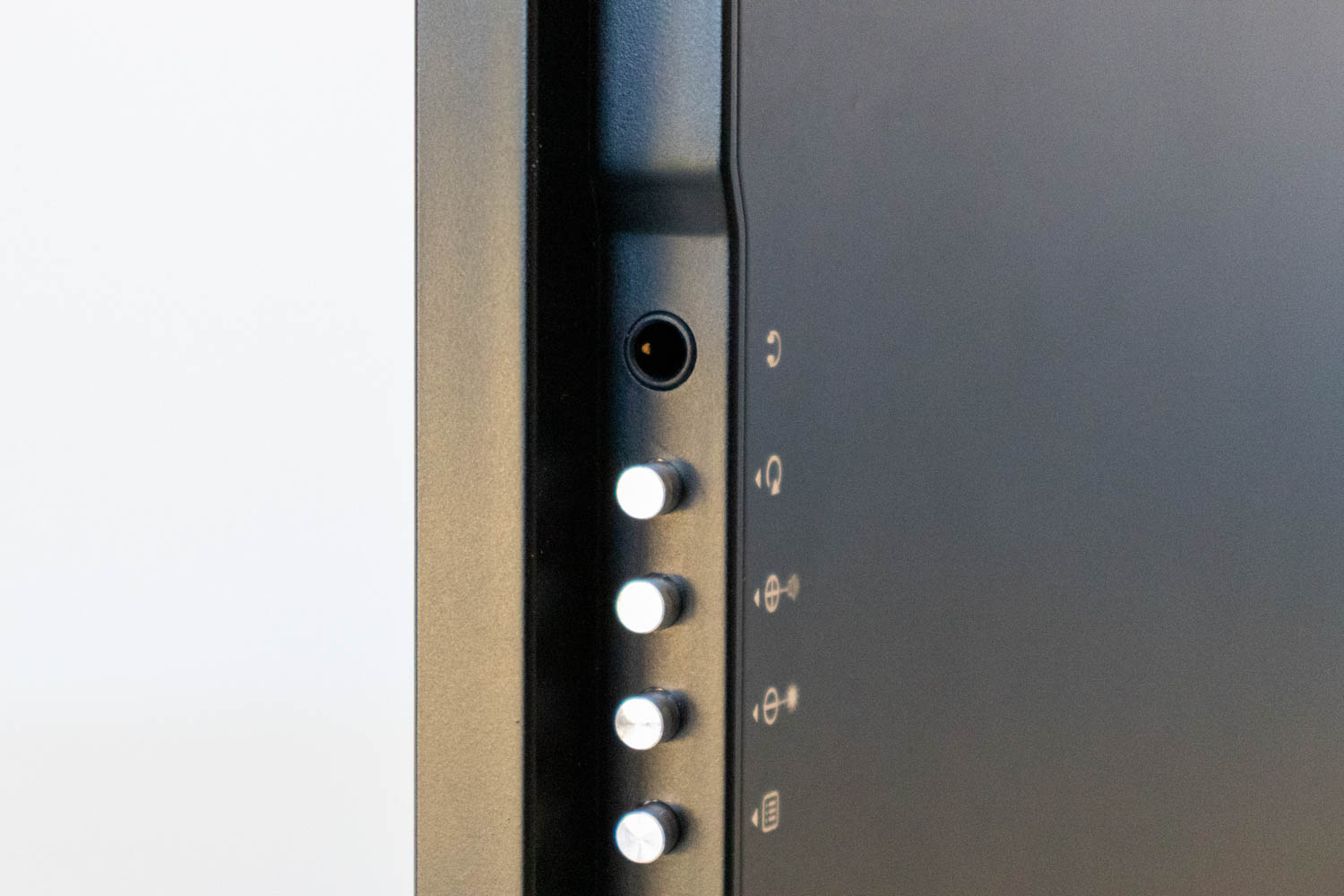
On the right side of the monitor, sitting above the OSD controls, there's a 3.5-millimeter audio output.

Below the controls there's a Micro-USB OTG port. With an adapter, which you have to source on your own, this port can be used to plug in USB peripherals or drives, in which case the monitor functions as a basic hub for such devices.
Power Consumption
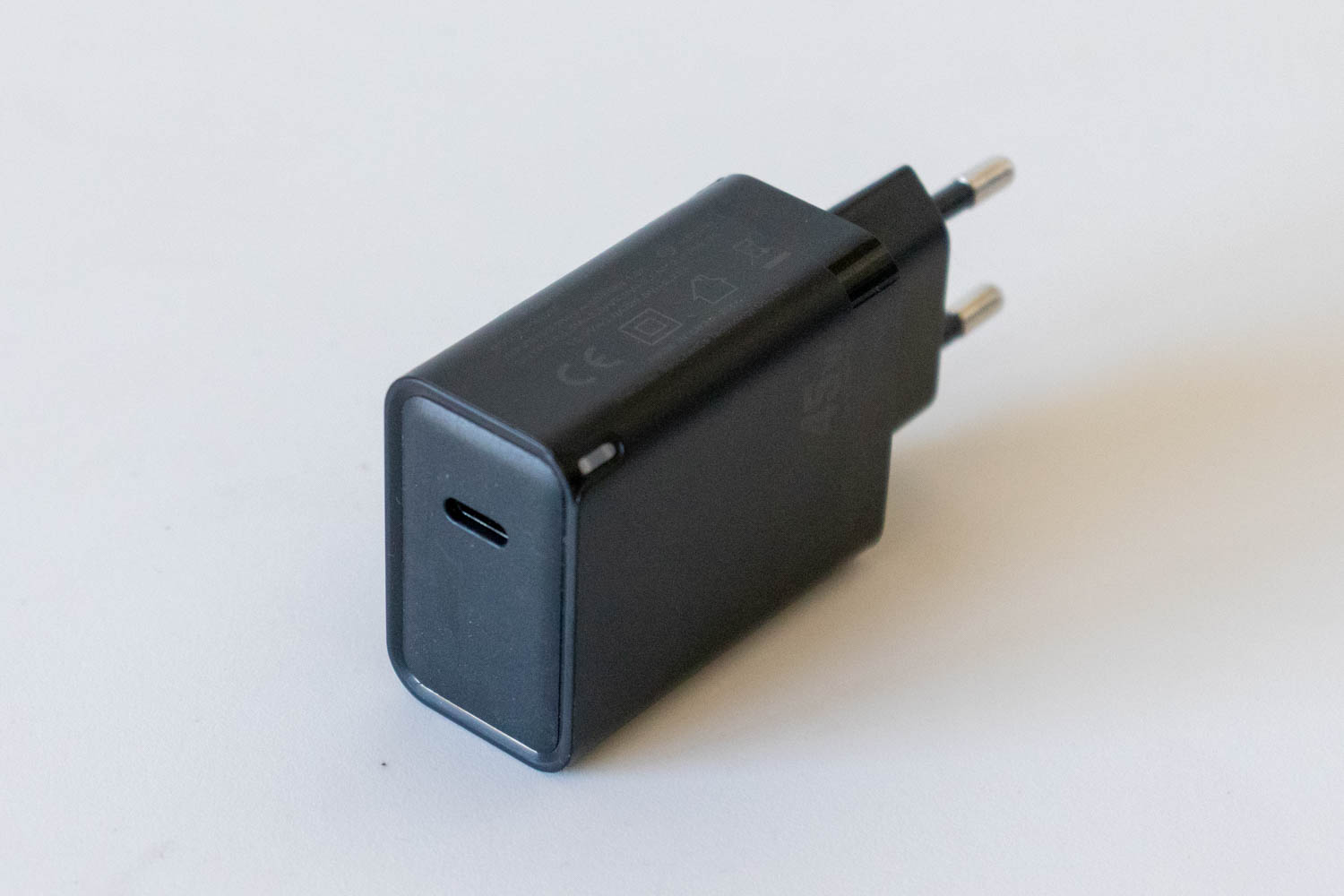

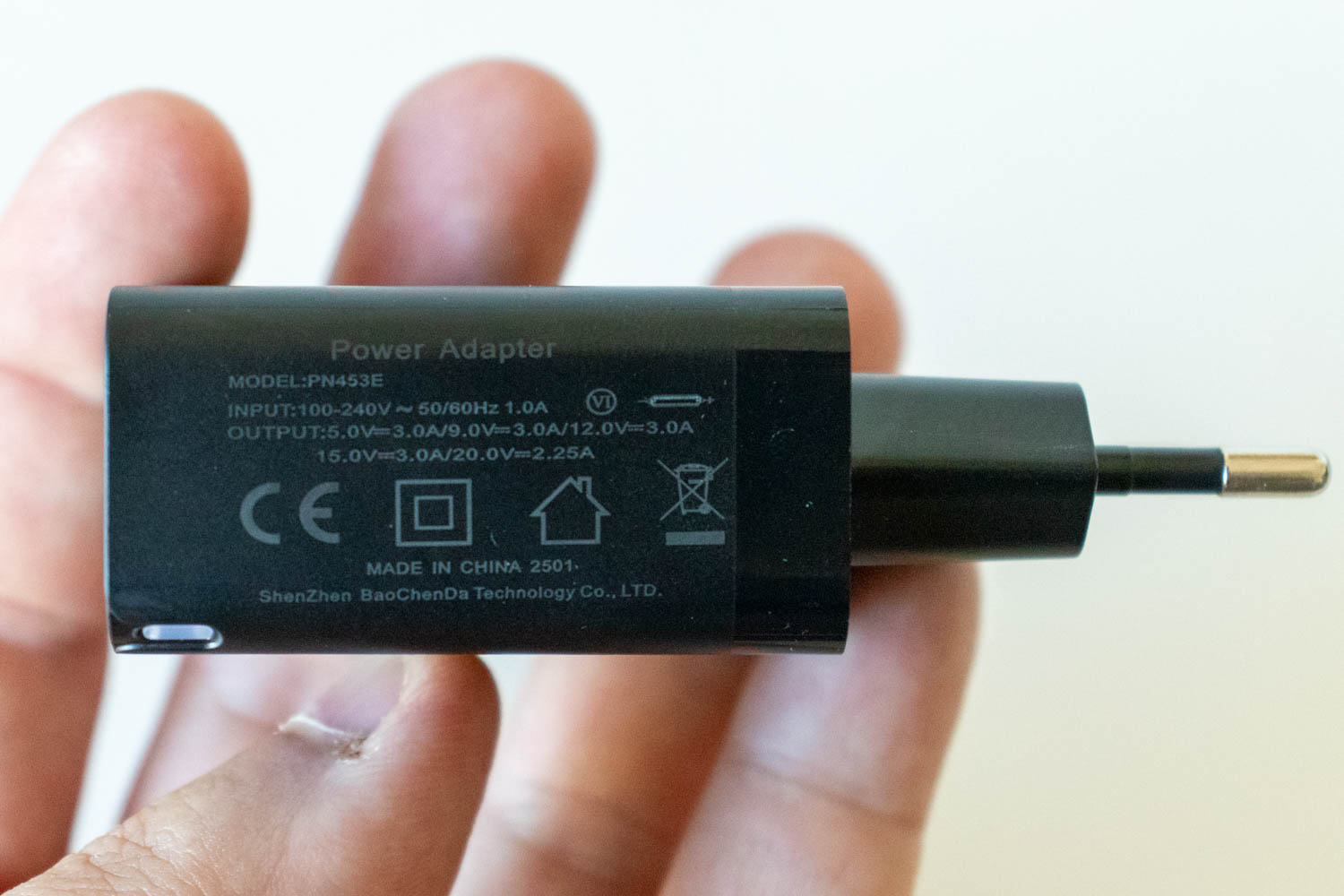
The UPERFECT UMax 24 is supplied with a 45 W USB-C power adapter. I've used the Meross MSS315 Matter Smart Wi-Fi Plug and the accompanying mobile app to determine the monitor's power consumption at various brightness levels, as well as in Power Saving mode, which it enters as soon as the PC goes to sleep. My power consumption measurements are summed up in the chart below.
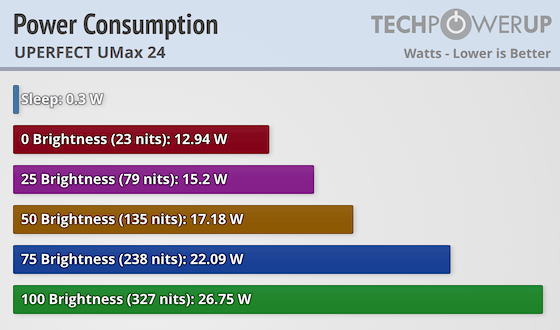
The power consumption is completely within expectations, and well below the 45 W limit of the supplied USB-C power brick. This graph should also give you a good idea of how far you'll be able to push the brightness of the UMax 24 when you're looking to power it through the USB-C connector on your source device, without using the power brick.
Nov 26th, 2026 02:38 CST
change timezone
Latest GPU Drivers
New Forum Posts
- DTS DCH Driver for Realtek HDA [DTS:X APO4 + DTS Interactive] (2820)
- What's your main Black Friday / Cyber Monday purchase? (12)
- Claude credits purchased on or after Dec. 7 now have an expiry date (18)
- AI generated images... (239)
- TPU's Nostalgic Hardware Club (22209)
- Can you guess Which game it is? (365)
- Strange PC issues with Z690 setup (5)
- RTX 5080 problems, random troubleshooting "log" (8)
- Slow boot, can't launch monitoring software, general lag (38)
- Linpack Xtreme Released (512)
Popular Reviews
- ASRock X870E Challenger Wi-Fi White Review
- VZMORE AX9 Max Review
- Upcoming Hardware Launches 2027 (Updated Nov 2026)
- Microsoft Surface Laptop Ultra Review - The Next-gen Arm Laptop
- AMD Ryzen 7 9800X3D Review - The Best Gaming Processor
- AMD Zen 6 Technical Deep Dive
- Corsair RM1200e (Second Generation) Review
- Phantom Blade Zero Performance Benchmark Review - 35 GPUs Tested
- Pulsar Office Tour & First Look at P1 Dual-Sensor Mouse
- Ocypus lota P1000 Review
TPU on YouTube
Controversial News Posts
- Jensen Huang Reinstated as CEO of NVIDIA (574)
- NVIDIA Co-Founder and CEO Jensen Huang Officially Resigns (492)
- Report: Jensen Huang Eyes NVIDIA Comeback (281)
- Open Letter Asking NVIDIA to Reinstate Jensen Huang Passes 115,000 Signatures (184)
- OpenAI CEO Argues Home PCs Waste the World's Limited DRAM Supply (152)
- NVIDIA Launches Investigation Into Jensen Huang's Relationship With Suspected Chinese Spy (136)
- Intel "Raptor Lake Next" 16-Core and 20-Core CPUs Surface (130)
- Intel Razor Lake Gets a 12 P-Core bLLC Chip With No E-Cores, Per Leak (94)