 0
VZMORE AX9 Max Review
(0 Comments) »Introduction

The VZMORE AX9 Max is one of the more premium mini PCs out there, featuring AMD's Ryzen AI 9 HX 470 processor, a vapor-chamber cooling system, plenty of connectivity, and some useful upgrade options. My review unit comes with 32 GB of dual-channel DDR5 memory and a 1 TB PCIe 4.0 SSD. I've tested quite a few Ryzen-based mini PCs over the years, so I was interested to see how VZMORE's latest offering would compare, particularly with its newer processor and cooling setup.

The Ryzen AI 9 HX 470 belongs to AMD's Ryzen AI 400 Series, codenamed Gorgon Point, and is essentially an updated version of the earlier Ryzen AI 9 HX 370. Both processors use the same combination of four Zen 5 cores and eight smaller Zen 5c cores, providing 12 cores and 24 threads, along with 36 MB of combined L2 and L3 cache. The main CPU improvement is a small increase in maximum boost frequency, from 5.1 GHz on the HX 370 to 5.2 GHz on the HX 470. The Radeon 890M integrated graphics also receive a boost, increasing from 2.9 GHz to 3.1 GHz, although the underlying RDNA 3.5 architecture and 16 compute units haven't changed. AMD has also increased the NPU's rated AI performance from 50 to 55 TOPS, providing a little more processing capability for supported AI workloads. These are relatively minor upgrades, so I wasn't expecting dramatic performance differences from the processor.
The AX9 Max uses a vapor-chamber cooling system designed to distribute heat across a larger area, along with three selectable operating modes: Silent at 45 W, Balanced at 54 W, and Performance at 65 W. These settings are controlled through the BIOS rather than a physical switch, and the advertised wattages refer to processor power targets rather than total system consumption. I used the default Balanced mode for my main benchmarks, then repeated Cinebench, Geekbench, and 3DMark Night Raid in Performance mode to see how much additional performance the higher power setting could provide. I also checked fan noise across the different modes, since keeping a powerful processor cool in such a compact enclosure can be challenging.
VZMORE hasn't skimped on connectivity either, as it includes two 40 Gbps USB4 ports, dual 2.5 GbE LAN connections, six USB-A ports, an SD card reader, and support for up to four displays through its HDMI and USB4 connections. It also has Wi-Fi 7 for wireless networking. Inside, the two DDR5 SO-DIMM modules are replaceable, and a secondary M.2 2230 slot allows you to add another NVMe SSD alongside the primary M.2 2280 drive. Having those storage options is welcome at this price, especially for anyone planning to use the AX9 Max as their main desktop for several years.
| Specifications | |
|---|---|
| CPU | AMD Ryzen AI 9 HX 470 12 cores / 24 threads (4 Zen 5 + 8 Zen 5c) Up to 5.2 GHz boost |
| GPU | AMD Radeon 890M integrated graphics 16 compute units, up to 3.1 GHz |
| NPU | AMD Ryzen AI NPU Up to 55 TOPS |
| Memory | 32 GB DDR5-5600 (2 x 16 GB Micron SO-DIMM, dual-channel) Two replaceable memory slots; up to 256 GB listed support |
| Storage | 1 TB Lexar NQ7A1 M.2 2280 PCIe 4.0 NVMe SSD Additional M.2 PCIe 4.0 SSD slot (2230 format listed, up to 1 TB) |
| Display Outputs | 2x HDMI 2.1 2x DisplayPort via USB4 Up to four displays |
| Connectivity | Front: 4x USB 3.2 Gen 2 Type-A (10 Gbps, one supports S5 charging), 3.5 mm headset jack, power button |
| Networking | 2 x 2.5 GbE Ethernet Wi-Fi 7 (M.2 wireless module) Bluetooth 5.4 |
| Cooling | Vapor-chamber cooling, fan, perimeter bottom intake Silent 45 W / Balanced 54 W / Performance 65 W profiles |
| Operating System | Windows 11 Pro |
| Power Supply | 120 W external adapter 19 V DC, 6.32 A |
| Dimensions | 134.9 x 131.8 x 57.7 mm |
| Weight | Approximately 777.5 g |
| Color | Silver |
| Accessories | 120 W power adapter HDMI cable VESA mounting plate and screws User manual |
| Pricing | $1,499 USD, 32 GB RAM / 1 TB SSD * Pricing is reflected at the time of publication |
Packaging and Contents


The AX9 Max comes in a white retail box with a simple design that looks much more polished than the packaging I typically see with mini PCs. Inside, the system and its accessories are individually wrapped and arranged to keep everything protected during shipping. The packaging is well organized, with each component easy to locate when setting up the system. Overall, one of the best packaged systems I've seen.

VZMORE includes a 120 W power adapter, an HDMI cable, a VESA mounting plate with screws, and a user guide. As usual, the included HDMI cable lets you connect a monitor right away, and the VESA hardware allows the AX9 Max to be mounted behind a compatible monitor, freeing up desk space. The 120 W rating refers to the adapter's maximum output rather than the system's actual power consumption.
Design and Build


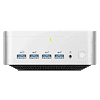
The AX9 Max uses a silver metal upper enclosure with rounded corners and a shield-shaped badge across the top. Its roughly 135 x 132 mm footprint and 57.7 mm height make it an average sized mini PC, and easy to position beside a monitor without sacrificing much desk space. Across the front are four USB-A ports running at up to 10 Gbps, a headset connection, and the power button. One of those USB-A ports supports charging in the S5 power state, which could be useful for a phone or accessory when the PC is shut down but still connected to power. Having several full-size USB ports on the front is great for flash drives that I would otherwise connect behind the desk. The front panel is missing USB-C, though, which is a curious decision, as both of its USB4 ports are placed at the rear.
The rear connection panel has dual USB4 ports for high-speed storage or docking accessories, with two HDMI outputs and two 2.5 GbE connections. One USB4 port also supports up to 100 W USB-C power input, giving owners another way to power the system, although the included 120 W adapter provides more power headroom. Between HDMI and USB4 video output, the PC supports four monitors, which is more display flexibility than I need but it can be useful for someone with a multi-screen workspace.


An SD 4.0 card reader is located on one side of the enclosure, while ventilation is concentrated along the bottom and rear. The lower intake works with the internal vapor chamber and fan to move heat through a chassis that has very little spare space, and the approach is especially relevant with a processor that can be configured for a 65 W performance profile. Air circulation will depend on how the unit is placed, so I would give the underside room to breathe instead of setting it on thick fabric.
It would have been nice to see one of the USB-C connections to the front, where it would be more convenient for an external SSD or phone. The oversized top badge also gives the enclosure a fairly distinctive appearance.
This article is not public yet. Patreon Gold Supporters can read it early.
Nov 17th, 2026 12:38 CST
change timezone
Latest GPU Drivers
New Forum Posts
- Voltage glitch hack to unlock fuse off part of GPU core ? (2)
- What are you playing? (26229)
- [Poll] 12V-2x6 Connector Protection: What Are You Using? (WireView / Ampinel / Equalizer / Other / Nothing) (15)
- Without Jensen, PC gaming will be (27)
- Honestly, do you care about GTA VI? (127)
- AAF Optimus Modded Driver For Windows 10 & 11 - Only for HDAUDIO Chips [WINDOWS 11 RECOMMENDED] (1154)
- 9070 GRE 3.9ghz validation reached. (14)
- The Official Linux/Unix Desktop Screenshots Megathread (916)
- The site is responsive again! (3)
- Cpu waterblock water shows some tinting = Bad? (14)
Popular Reviews
- Acemagic Retro X3 Review
- Corsair HX1000i Shift Crystal Review
- AMD Zen 6 Technical Deep Dive
- Upcoming Hardware Launches 2027 (Updated Nov 2026)
- ASUS ROG Strix B850-I Gaming Wi-Fi7 W Review
- Phantom Blade Zero Performance Benchmark Review - 35 GPUs Tested
- AMD Ryzen 7 9800X3D Review - The Best Gaming Processor
- Montech King 95 3D PRO Review
- Chieftec Iceberg PRO 360 DARK Review
- NZXT C1200 Platinum Review
TPU on YouTube
Controversial News Posts
- NVIDIA Co-Founder and CEO Jensen Huang Officially Resigns (449)
- Open Letter Asking NVIDIA to Reinstate Jensen Huang Passes 115,000 Signatures (184)
- OpenAI CEO Argues Home PCs Waste the World's Limited DRAM Supply (152)
- NVIDIA Launches Investigation Into Jensen Huang's Relationship With Suspected Chinese Spy (136)
- Report: Jensen Huang Eyes NVIDIA Comeback (131)
- Intel "Raptor Lake Next" 16-Core and 20-Core CPUs Surface (130)
- Legendary Game Studio BioWare Shuts Down Following EA Layoffs (104)
- Dell CEO Says the Memory Shortage Will Get Worse in 2027 (95)