 8
XMG Neo 16 (A25) + Oasis Water Cooler Review - Performs Like an 18-incher
(8 Comments) »Introduction

People don't just buy high-end laptops for the "flex" or a high price tag. These are compact powerhouses, offering desktop-class performance without hogging your entire workspace, while having a modicum of portability, making for a much easier setup at a new location than lugging a tower, peripherals, monitors, and the rest.
In most cases, if you want a super-powerful machine and your wallet can stomach the price, an 18-inch beast is the logical choice. This means you have to deal with a large display as well as a hefty weight and a thick profile. If your notebook stays at the desk, this shouldn't be a problem. Taking this thing with you in the park though
will be an adventure that requires a big backpack, boosted stamina, and some commitment.

Are there smaller alternatives that don't compromise the overall power? The short answer is yes, and this XMG Neo 16 (A25) is one of them. The device is relatively unique because you can attach an external water cooler to it, but we'll discuss this further in this article.
AMD processors power the A25 model. The default chip is the Ryzen 9 9955HX, which may be the logical choice if you decide to buy a laptop with the 140 W RTX 5070 Ti. For the wealthy enthusiasts and gamers out there, the optional Ryzen 9 9955HX3D is the way to go when paired with a 175 W RTX 5080 or 5090. That's because of the additional 64 MB of 3D V-Cache on one of the CCDs that provides a significant FPS boost, and deals with CPU bottleneck at sub-4K resolutions. That's an important aspect here since the two display models are 1600p units. The base one is pretty capable and should do the job for the majority of users. It's an IPS panel with a non-glare coating and a 300 Hz refresh rate. The manufacturer also claims full sRGB gamut coverage. That sounds pretty great for a base model. Now, the optional screen boasts the same resolution and refresh rate, but it provides higher max brightness, HDR support, and full DCI-P3 coverage. If you are a gamer willing to spare no expense, or work with content creation, this Mini LED panel is the one to watch.
Inside the not-so-huge chassis is fitted a massive thermal system that has an additional third fan that cools the memory modules - nice! You can take the performance (ergo, the clocks) to another level if you opt for the OASIS external water cooler. It's a well-designed solution that provides a plug-and-play connection with no additional complications after the initial setup. When the thermal solution is enhanced by the OASIS, the power limits of the CPU and the GPU are unleashed, as well as the frequencies. The kicker? It actually runs much quieter while delivering all that extra power.
Upgradability hasn't been sidelined either. While it can't quite match the four RAM and storage slots found in the massive SCHENKER KEY 18 Pro (E25), I think 96 GB of DDR5 and 16 TB of SSD storage is plenty for 99% of us.
What else? You're getting a premium metal chassis, a tactile keyboard, and a smooth glass touchpad. Throw in a healthy port selection, facial recognition, and solid speakers, and you've got a very complete package.
Specifications
| Specifications | |
|---|---|
| Manufacturer: | XMG |
| Model: | XMG Neo 16 (A25) |
| Weight: | 2.65 kg with IPS display 2.80 kg with Mini LED display |
| Processor: | AMD Ryzen 9 9955HX/Fire Range-HX 16 Cores/32 threads Up to 5.4 GHz, 64 MB L3 cache 55 W Default TDP AMD Ryzen 9 9955HX3D/Fire Range-HX 16 Cores/32 threads Up to 5.4 GHz, 128 MB L3 cache 55 W Default TDP |
| Chipset: | AMD Promontory/Bixby FCH |
| Display: | Default Display: 16.0"/2560×1600 (16:10)/IPS/300 Hz ~500 nits/100% sRGB/non-glare Optional Display: 16.0"/2560×1600 (16:10)/Mini LED/300 Hz ~750/1000 nits (SDR/HDR)/100% DCI-P3/non-glare |
| Operating System: | No OS/Microsoft Windows 11 Home/11 Pro |
| Integrated Graphics: | AMD Radeon 610M |
| Dedicated Graphics: | NVIDIA GeForce RTX 5070 Ti (mobile): 12 GB GDDR7, 192 Bit, 2000 MHz effective clock 5888 CUDA Cores 184 TMUs 64 ROPs 46 RT Cores 184 Tensor Cores L1: 5.8 MB, L2: 48 MB Up to 140 W TGP NVIDIA GeForce RTX 5080 (mobile): 16 GB GDDR7, 256 Bit, 1750 MHz effective clock 8192 CUDA Cores 256 TMUs 96 ROPs 64 RT Cores 256 Tensor Cores L1: 8 MB, L2: 64 MB Up to 175 W TGP NVIDIA GeForce RTX 5090 (mobile): 24 GB GDDR7, 256 Bit, 1750 MHz effective clock 10496 CUDA Cores 328 TMUs 112 ROPs 82 RT Cores 328 Tensor Cores L1: 10.3 MB, L2: 64 MB Up to 175 W TGP |
| Memory: | 2x SO-DIMM RAM slots Up to 96 GB of DDR5 at 5600 MT/s | Storage: | 1× M.2 2280 PCI Express 5.0 x4 1× M.2 2280 PCI Express 4.0 x4 |
| Optical Drive: | None |
| Connectivity: | 3× 5 Gbps USB Type-A/3.2 Gen. 1 2× 10 Gbps USB Type-C/3.2 Gen. 2 with DP 1.4a/100 W PD (left)/140 W PD (right)/NVIDIA G-SYNC + AMD FreeSync 1× HDMI 2.1 VRR/G-SYNC compatible 1× Mini DisplayPort 2.1/NVIDIA G-SYNC + AMD FreeSync/VR headset support + 2× DisplayPort streams Audio combo jack 2.5 GbE LAN Full-sized SD Express|UHS-II card reader Self-sealing connectors for XMG OASIS cooler DC-in |
| Communications: | Wi-Fi 6 + Bluetooth 5.2 Wi-Fi 6E + Bluetooth 5.2 (optional) 1080p IR webcam |
| Audio: | 2× speakers Nahimic by SteelSeries Software |
| Input device: | Microsoft Precision Glass Touchpad, integrated buttons Per-key RGB backlit keyboard/N-key rollover/Anti-ghosting |
| Power: | 1× 330 W AC adapter with RTX 5070 Ti 1× 420 W AC adapter with RTX 5080/90 99.9 Wh battery |
| Warranty: | Two years |
| MSRP: | Starting at €2799 |
Packaging


Inside the sturdy, glossy box, you'll find all the typical goodies we've come to expect from XMG and Schenker. That includes a nice, large mouse pad, an XMG keyholder, a USB driver stick, a prying tool, and the usual NVIDIA and AMD stickers for the chassis.
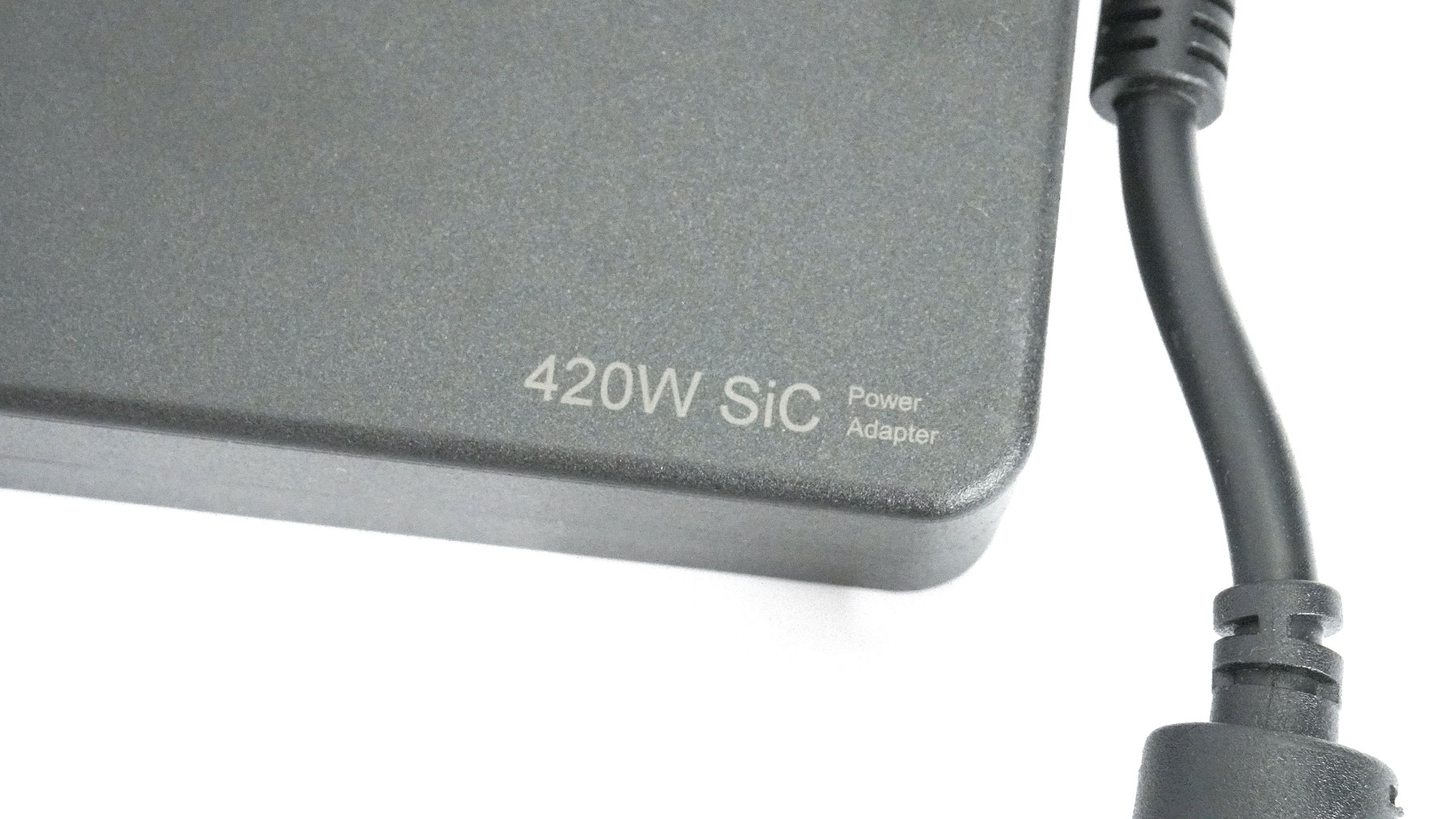
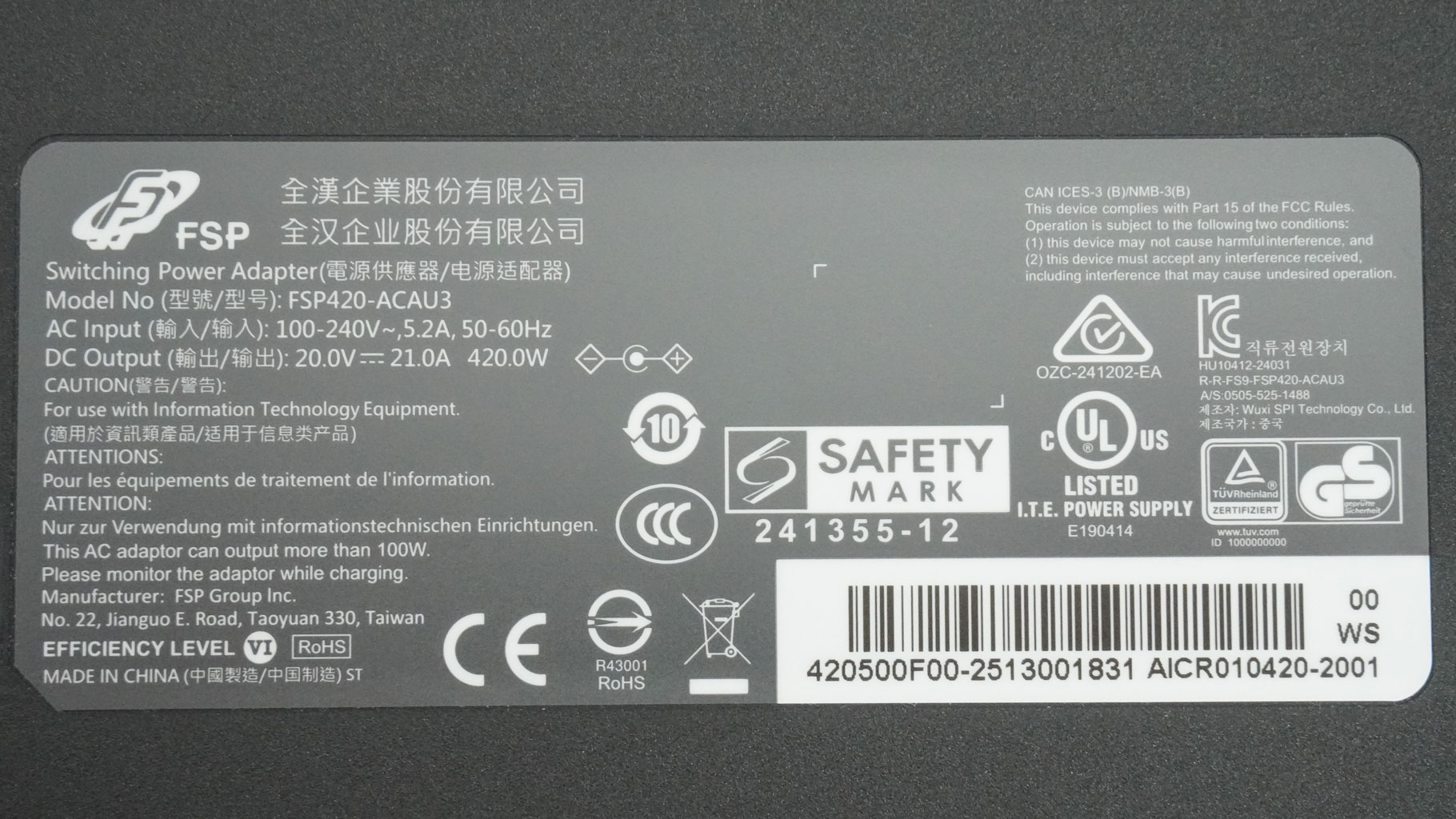
If you go for the RTX 5080 or 5090 models, you get a beefy 420 W Si/C power brick manufactured by FSP. The laptops with RTX 5070 Ti are bundled with "just" a 330 W adapter.
OASIS cooler
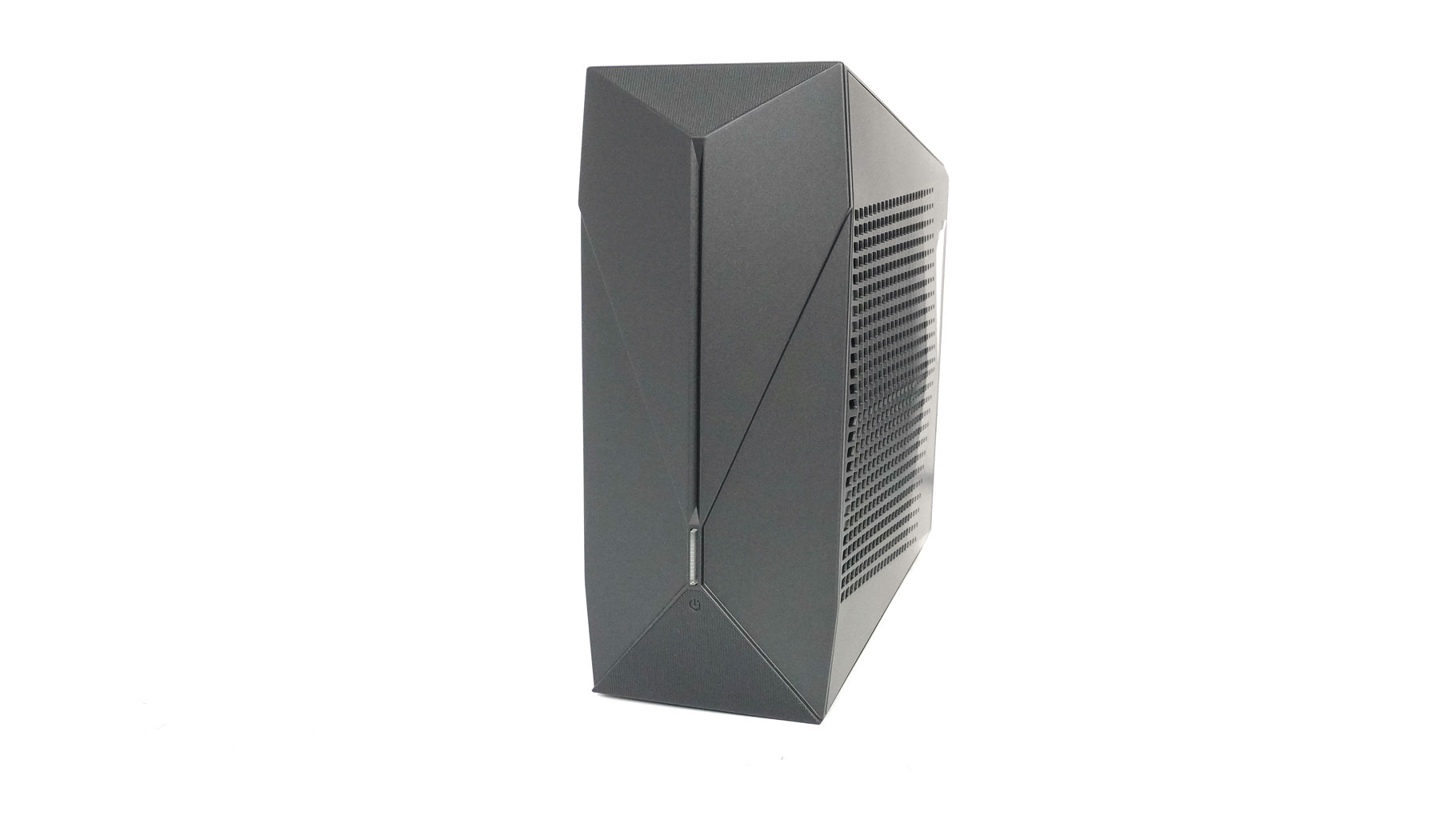
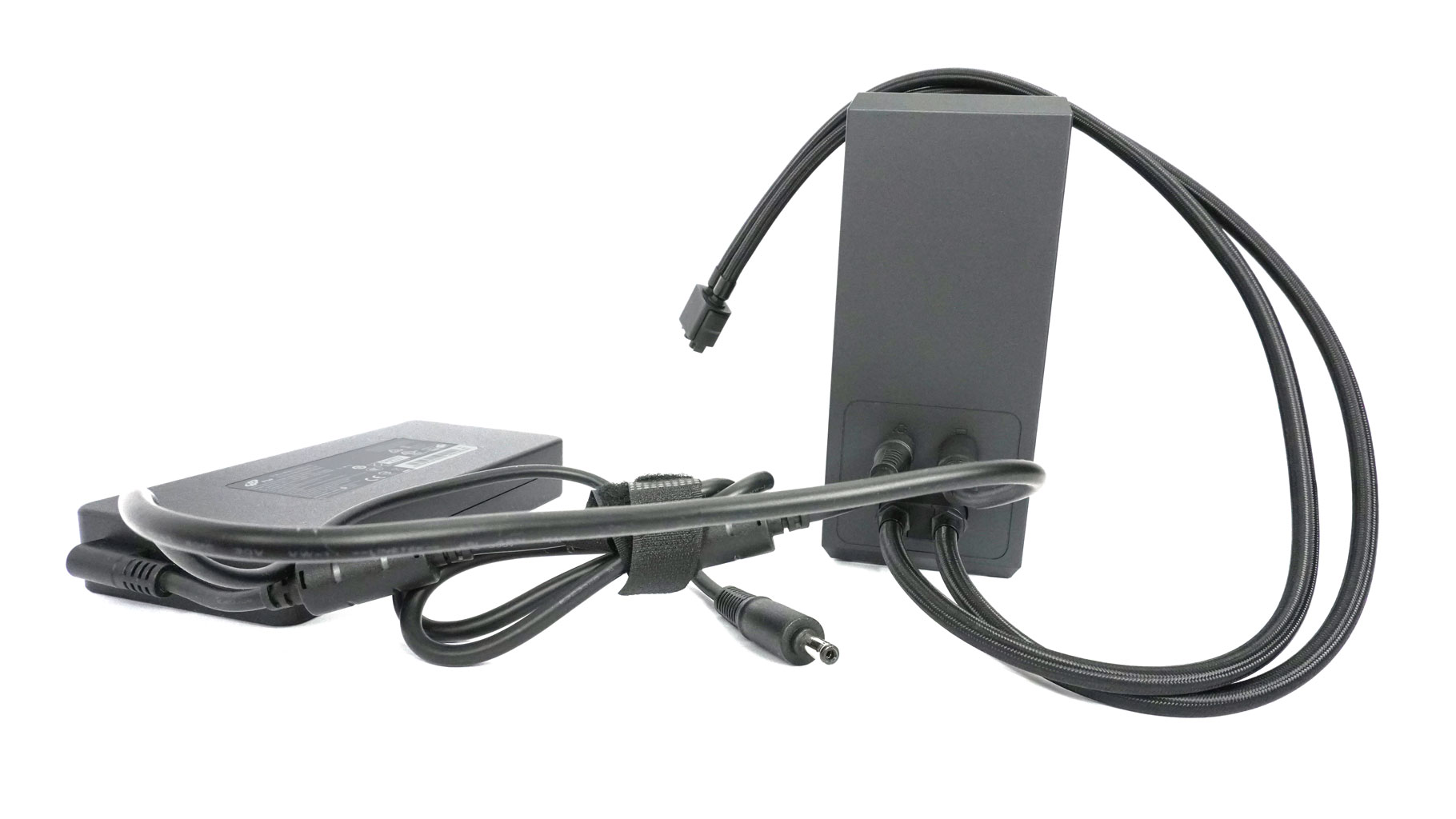
The optional OASIS cooler is essentially a detachable, external AIO that gives your laptop a serious thermal boost. Think of it as a separate 120 mm radiator, fan, and pump setup housed in a compact tower chassis that weighs 1.23 kg when not filled with liquid.
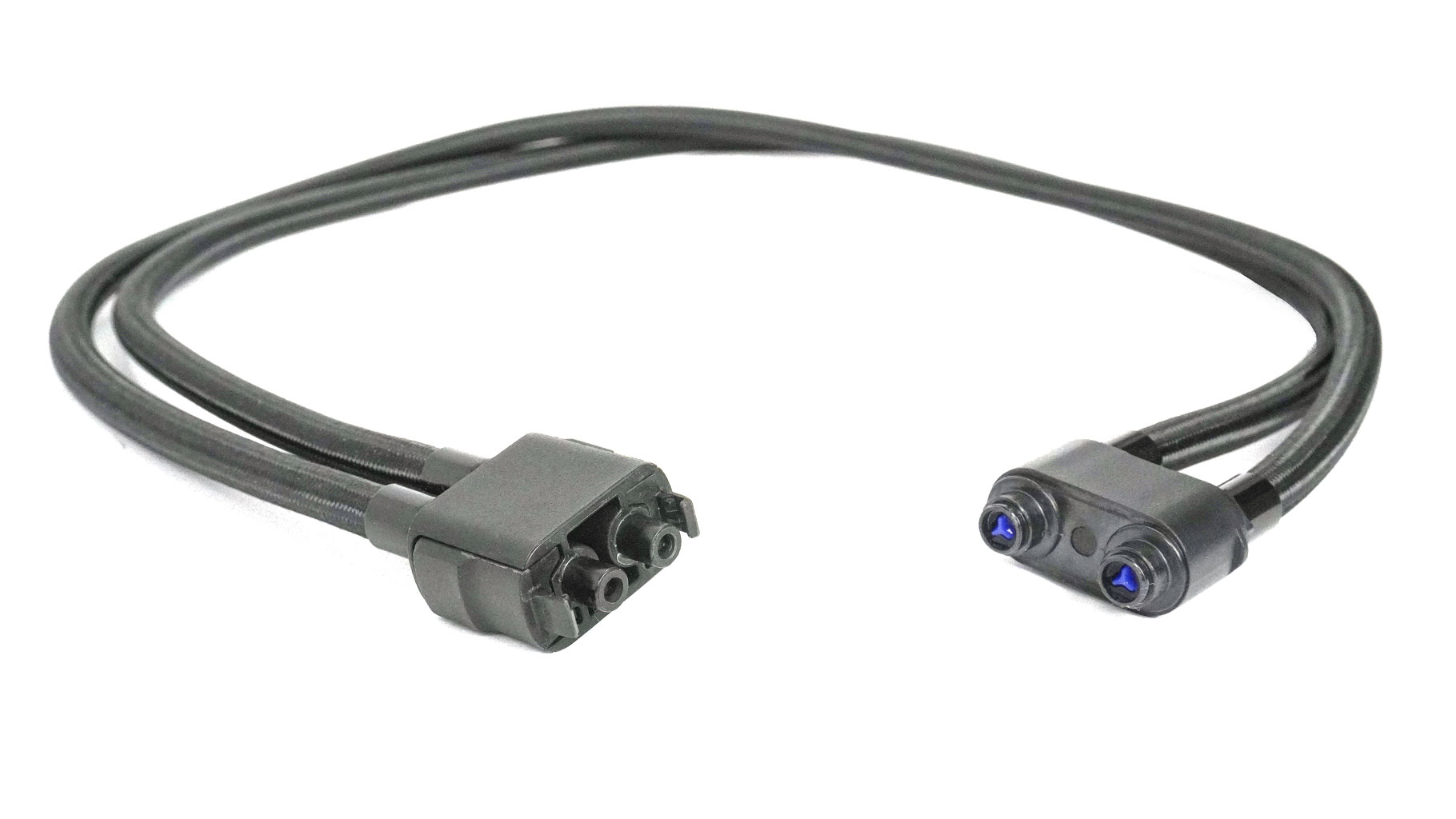
When you're at your desk, you "dock" it to the laptop using self-sealing magnetic tubes with a locking mechanical connector, and it starts circulating coolant through a dedicated pipe that sits right on top of the laptop's internal heat pipes.
It's a bit of a hybrid: while it has all the core hardware of a desktop AIO, it's not a closed loop. You'll need to fill it with distilled water yourself, and it uses Bluetooth to connect to your laptop so you can control the fan RPM and the RGB illumination. It effectively turns a portable machine into a liquid-cooled beast that runs way cooler and quieter, but you can still disconnect the tubes (in this case, the pump shuts down automatically) and take the laptop to a café or wherever you want.
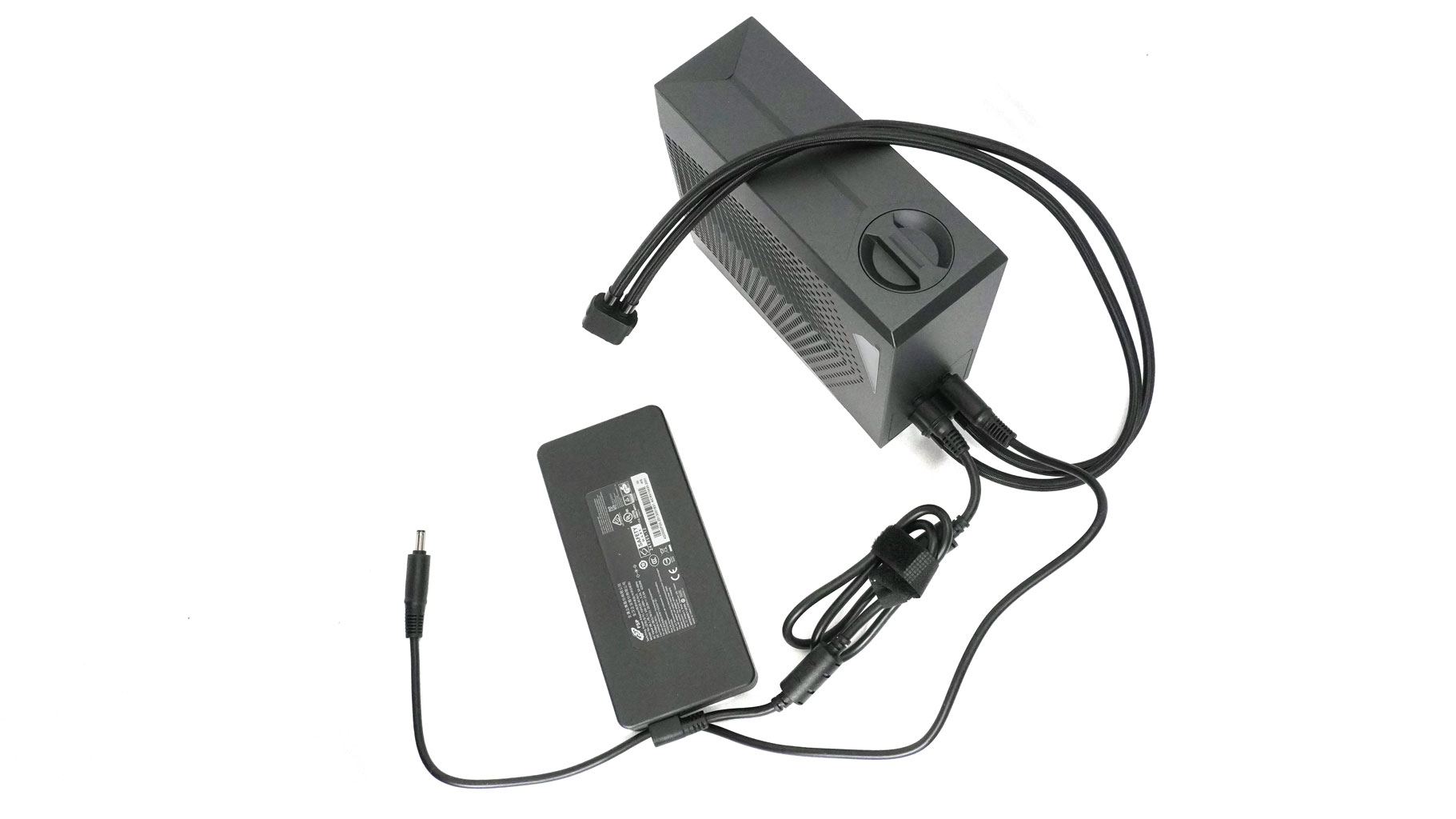
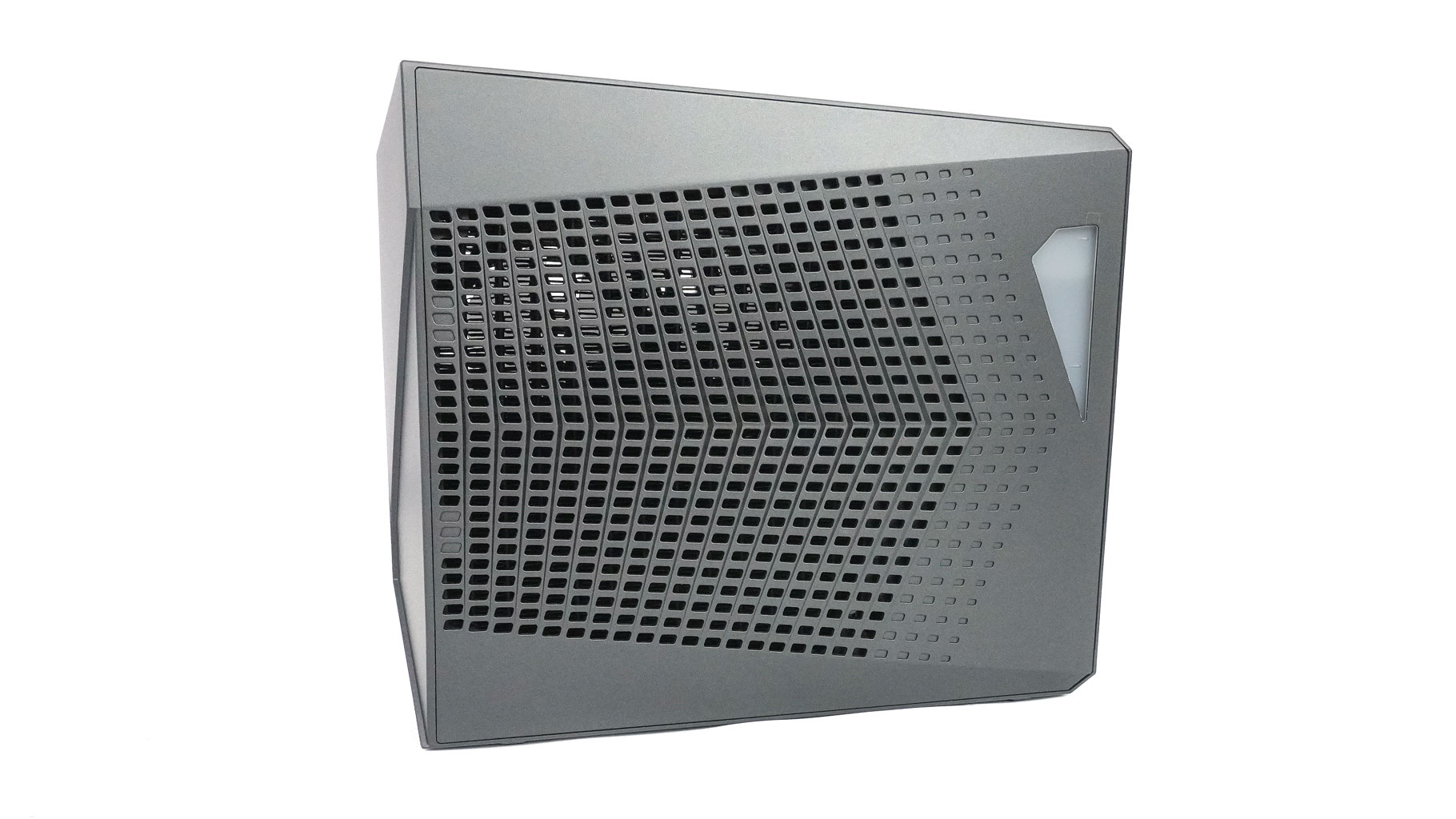
On top, you have a large screw-in cap that gives you access to the water tank. You can always watch the liquid level since the reservoir has an illuminated window and a mark on it that indicates the minimum level of water.
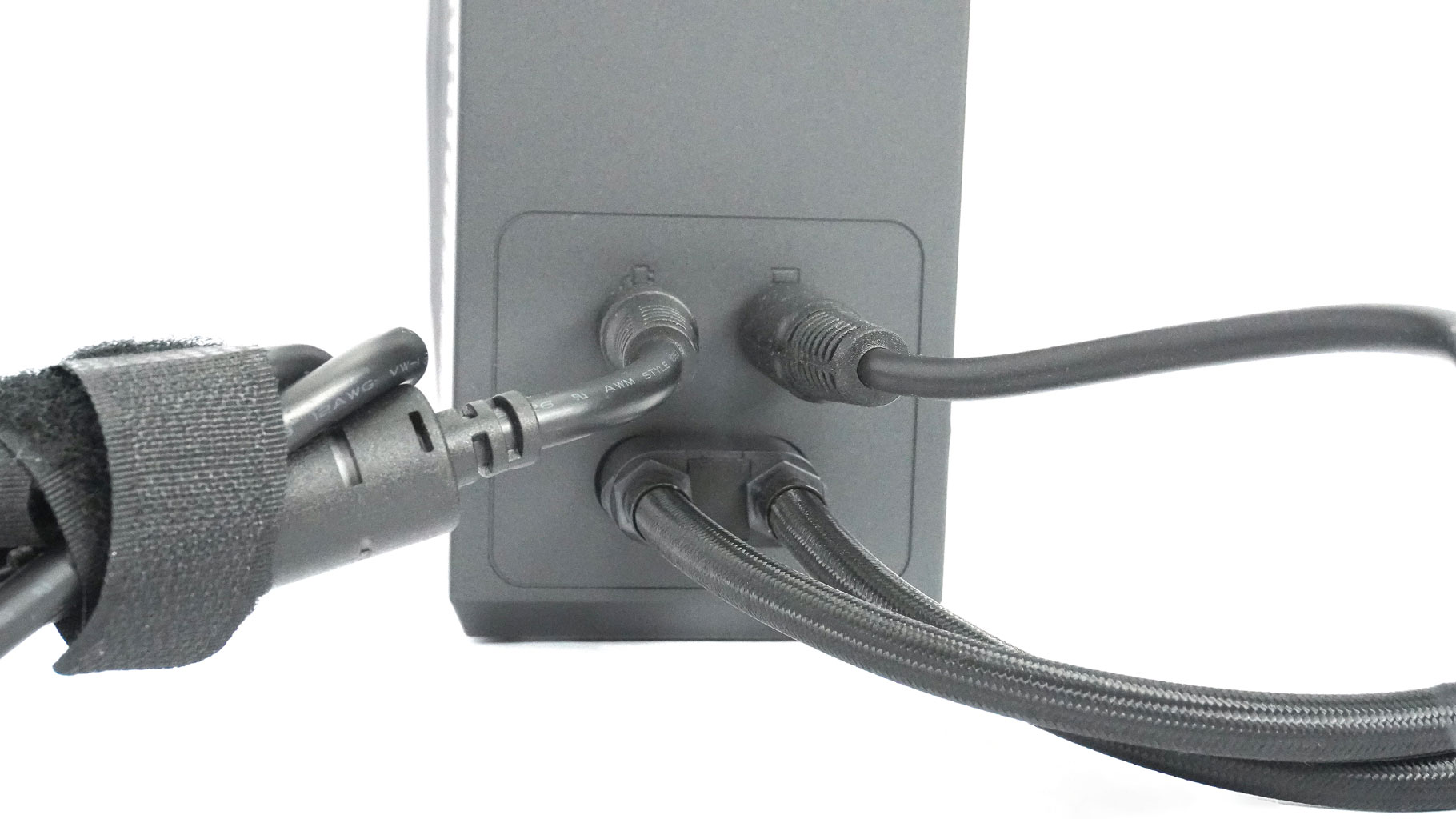
After both ends of the tubes are connected to the laptop and the OASIS unit, you have to plug the power supply connector into the left power socket on the back of the external cooler.
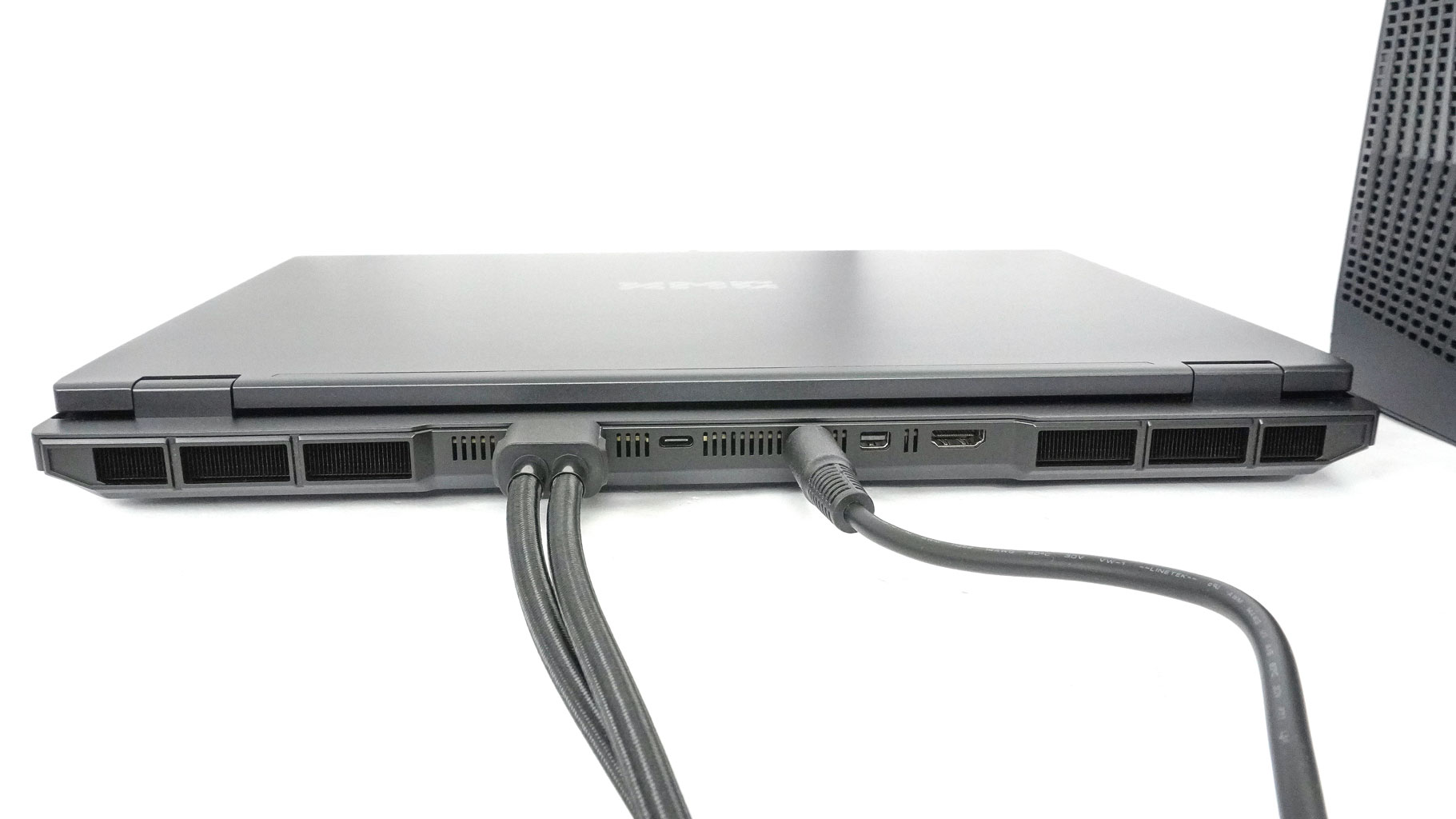
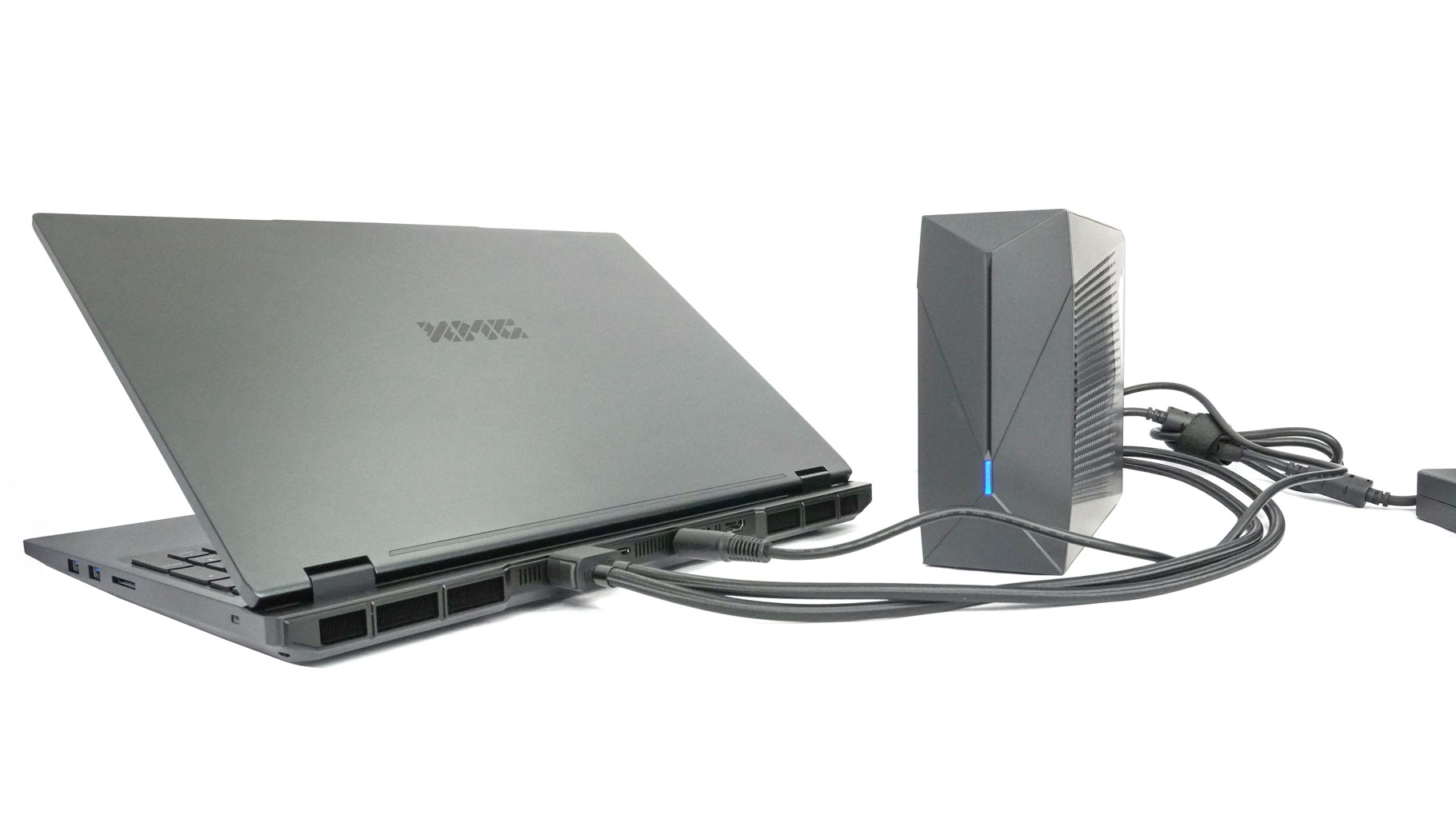
Then, use the bridge cable to connect the right socket to the laptop's DC-in port.
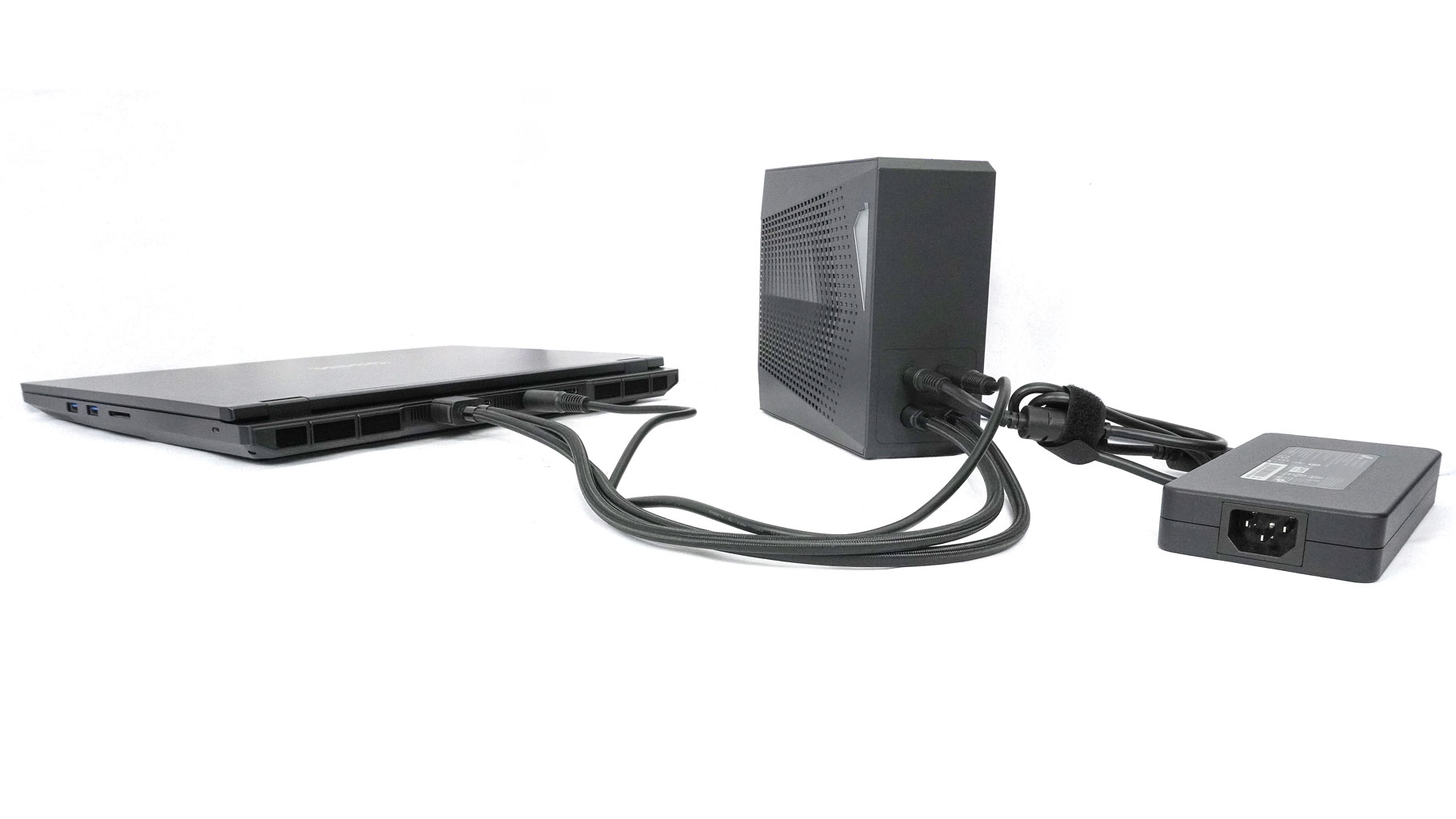
By doing so, the OASIS cooler and the notebook are powered at the same time by the 420 W adapter.
A Closer Look - Outside
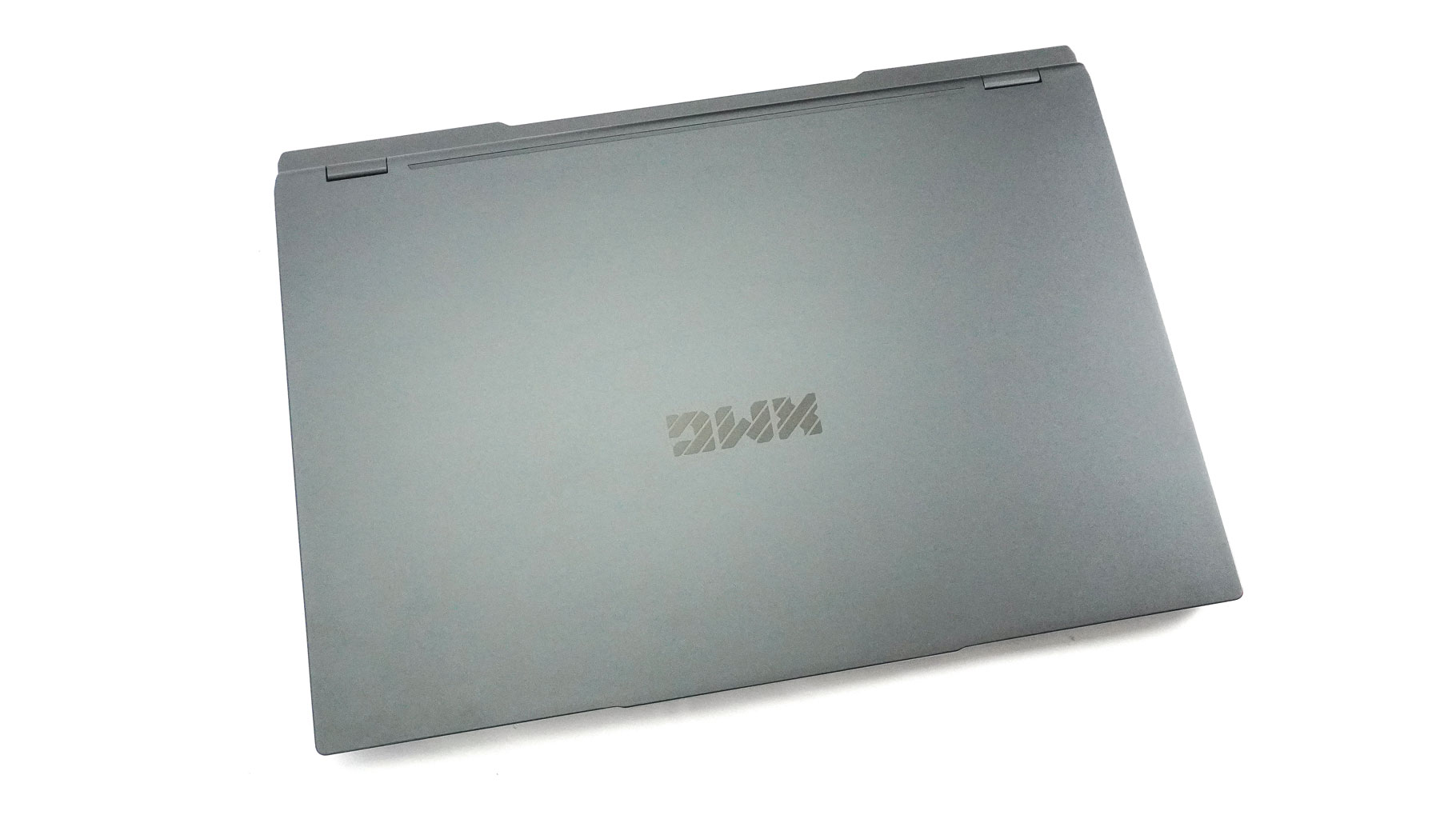
Now, the XMG Neo 16 (A25) isn't just a regular gaming device. It's built just as much for creators and pro video editors. You can treat this beast as a true workstation, especially if you get it with the OASIS cooler. That's why the design is more subtle, stealthy, and not in your face. There's just a clean black XMG logo on the lid—no gaudy stickers on the deck—which is great, at least for me.
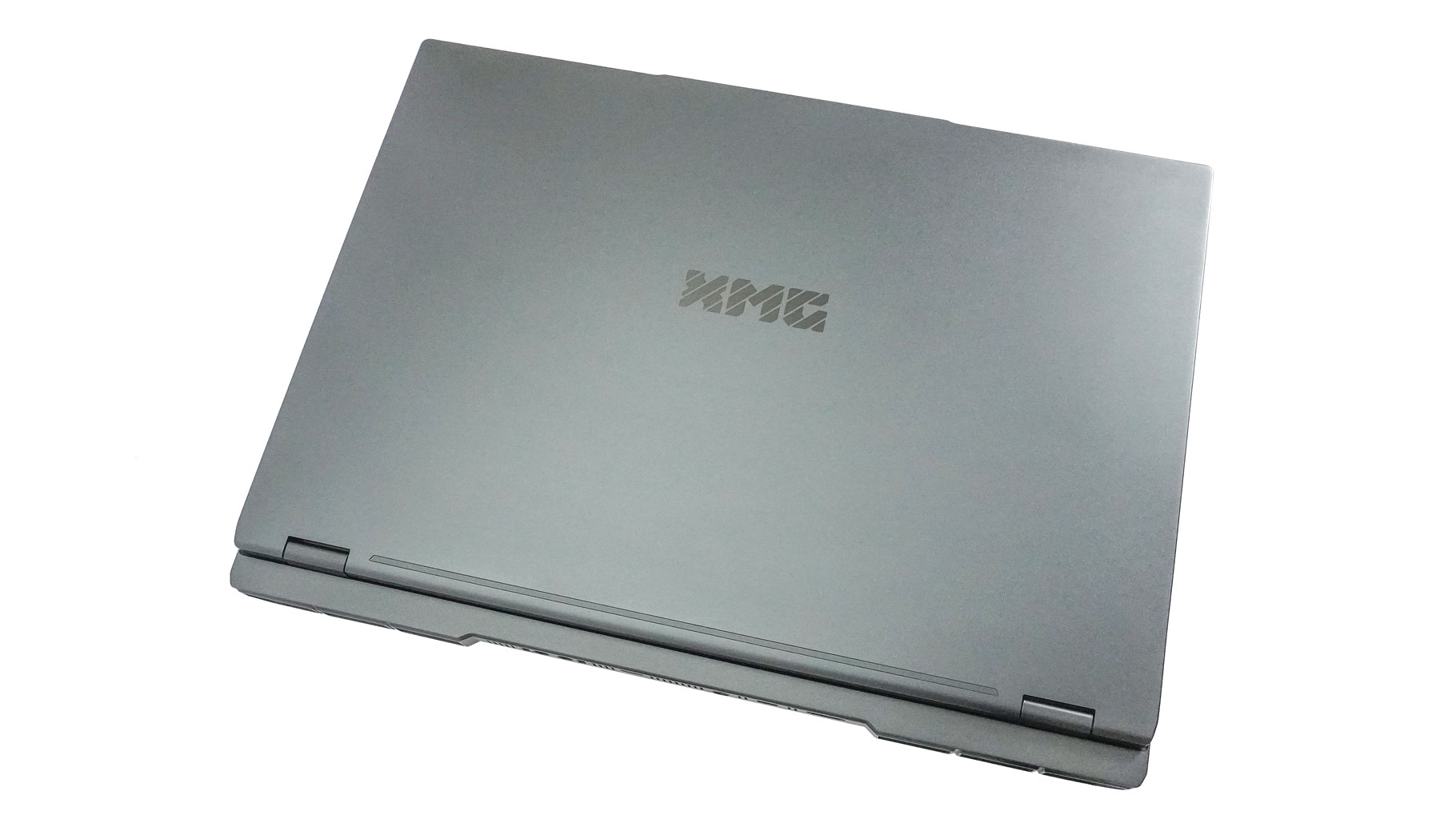
The notable protrusion on the lid helps you to flick the laptop open with one hand, all the way to a fully flat position.
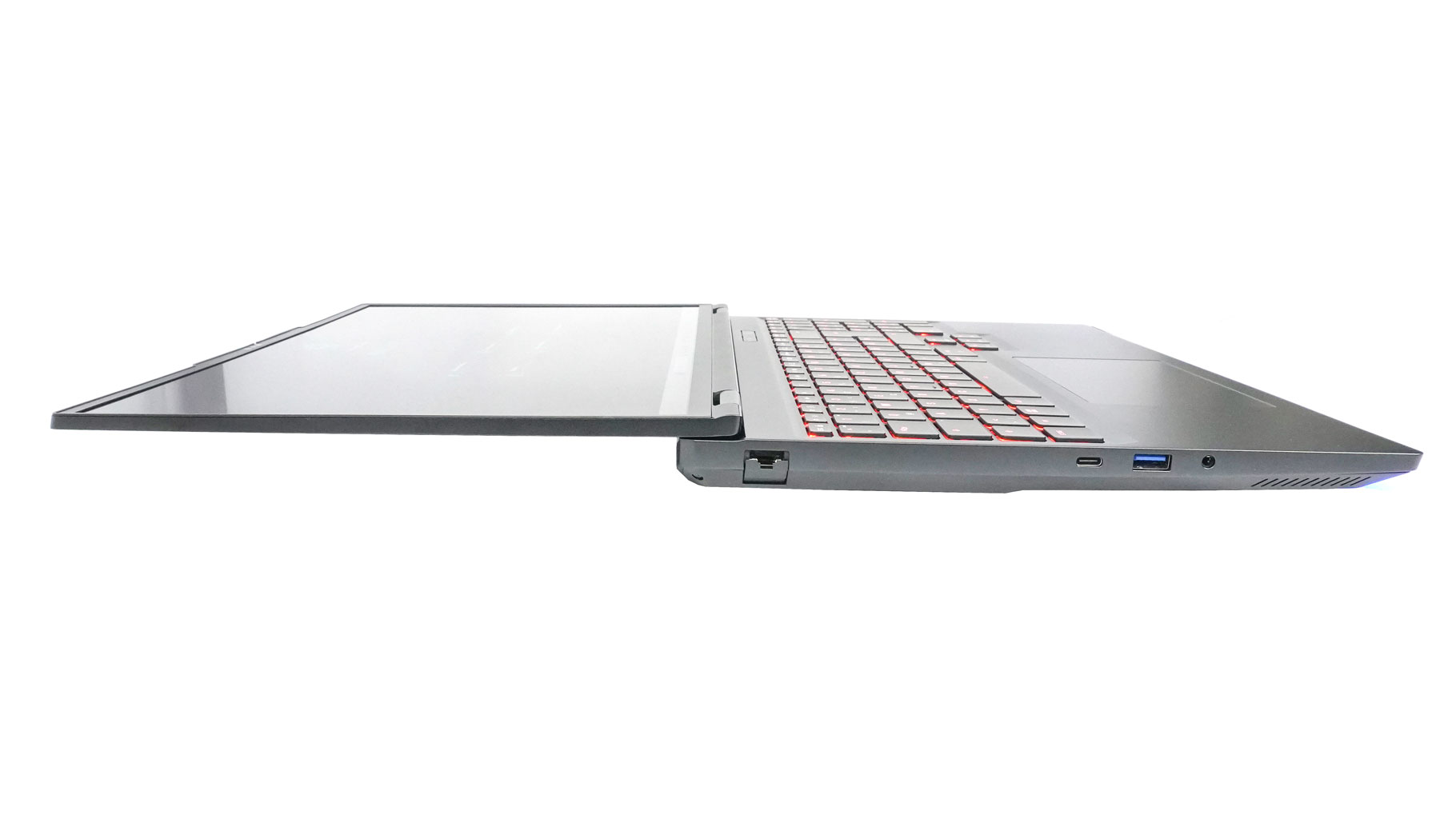
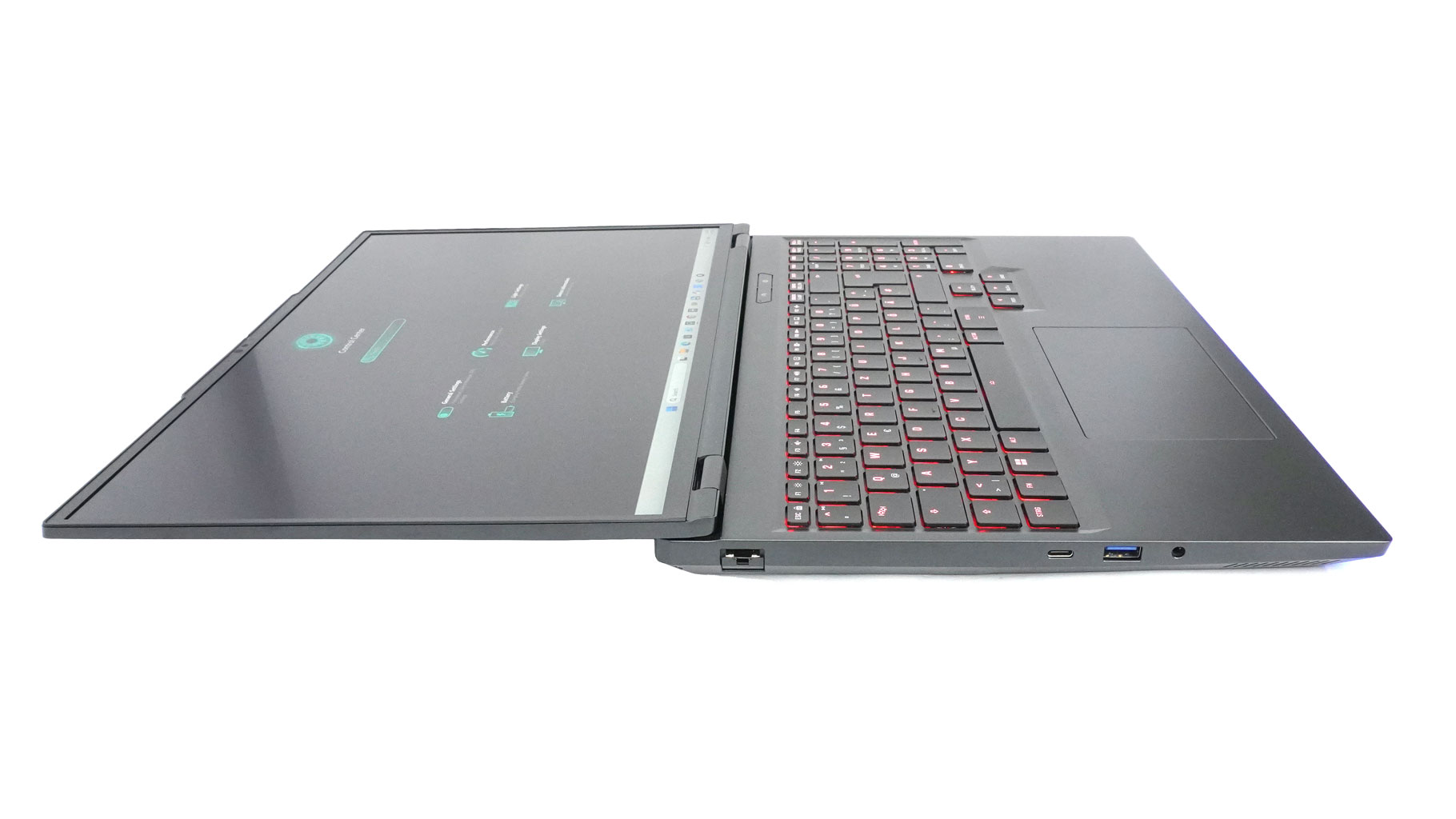
That's super handy for sharing your screen with friends or colleagues on the fly. It's a bit sad that you don't get rear port indicators, though.
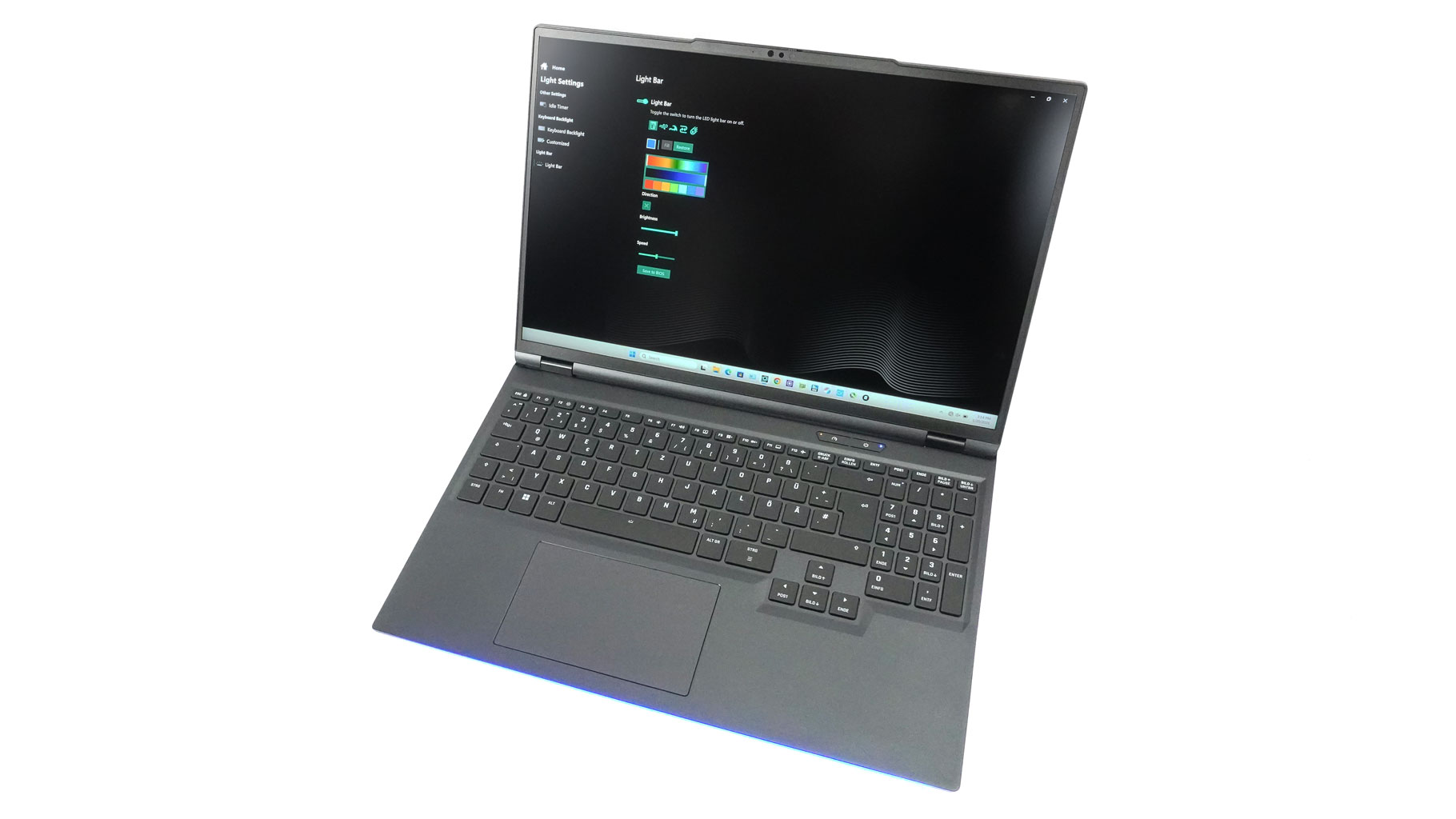
The hinges are a bit stiffer than I'd like, but they feel absolutely rock solid. This also applies to the metal chassis. Neither the lid nor the base is prone to flexing and bending unless you're intentionally trying to bend the thing, which obviously isn't an issue for daily use. The matte coating gives an extra premium feel, but it's not smudge-proof.
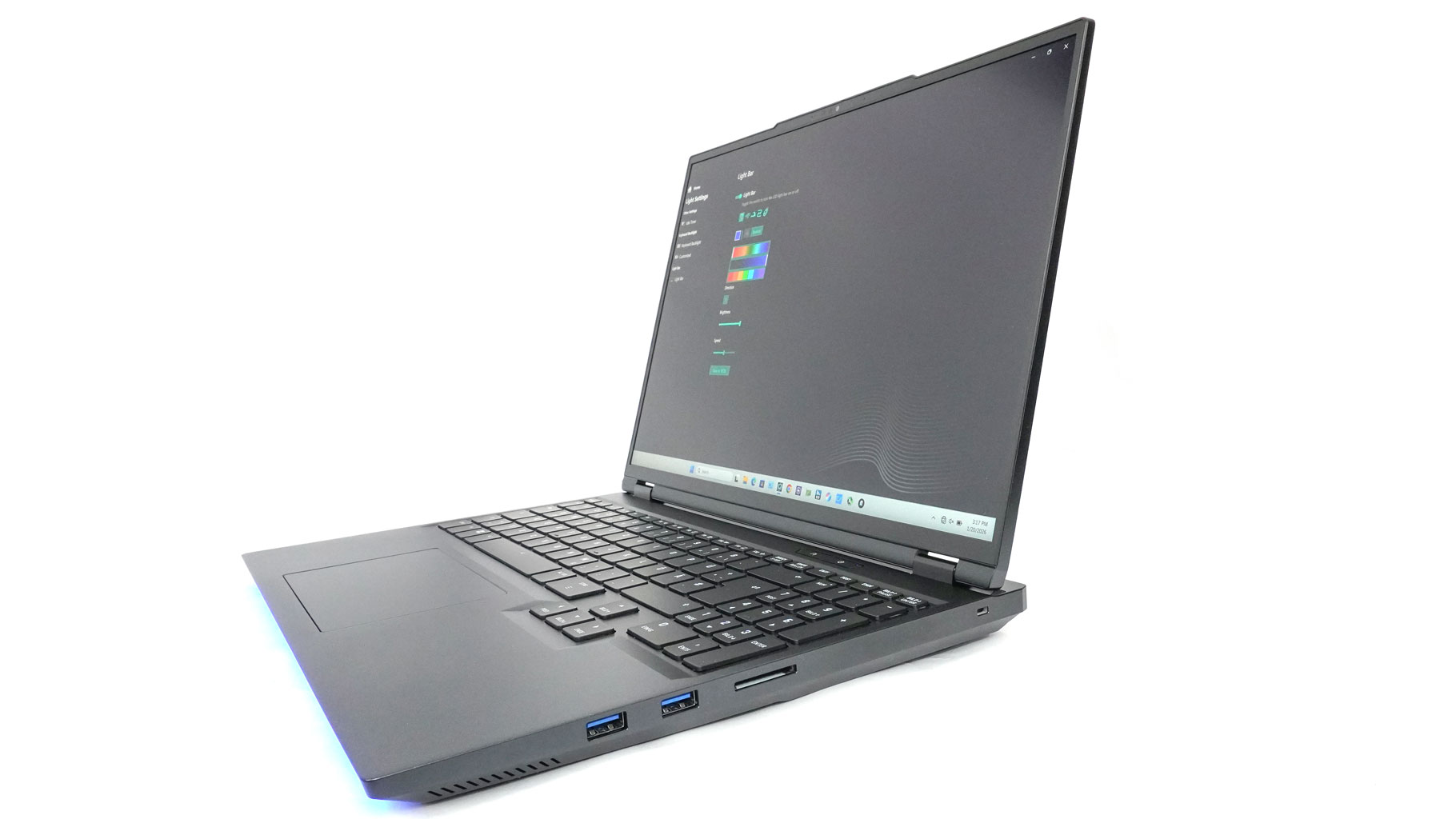
The superb Mini LED panel is surrounded by relatively thin bezels.
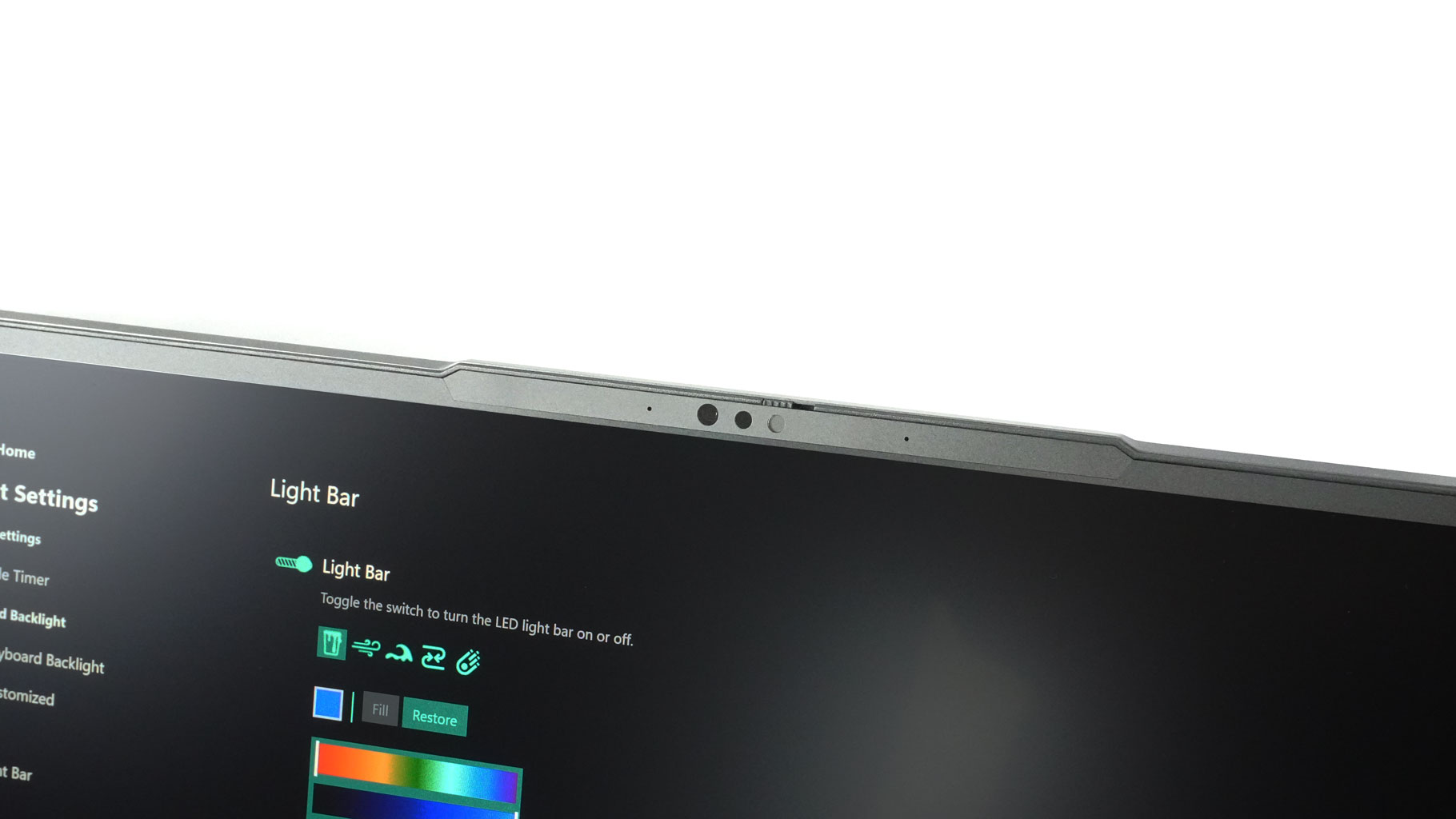
The hump on top houses the 1080p webcam with facial recognition. The privacy shutter is here for extra peace of mind.
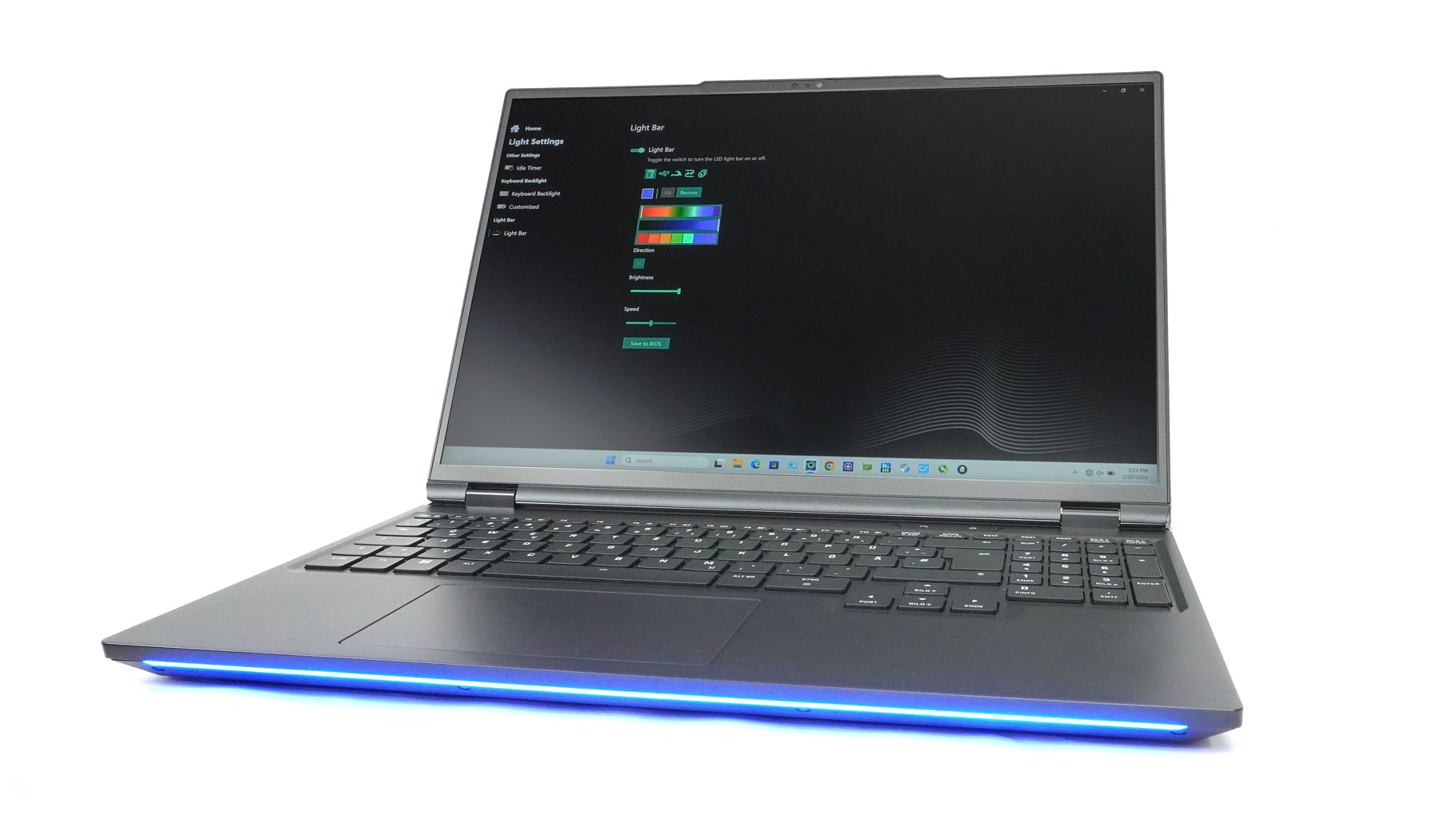
The front RGB stripe is for those users who like their machines to glow in different colors. You can control the illumination through dedicated software, or you can shut it down completely, just like I did.
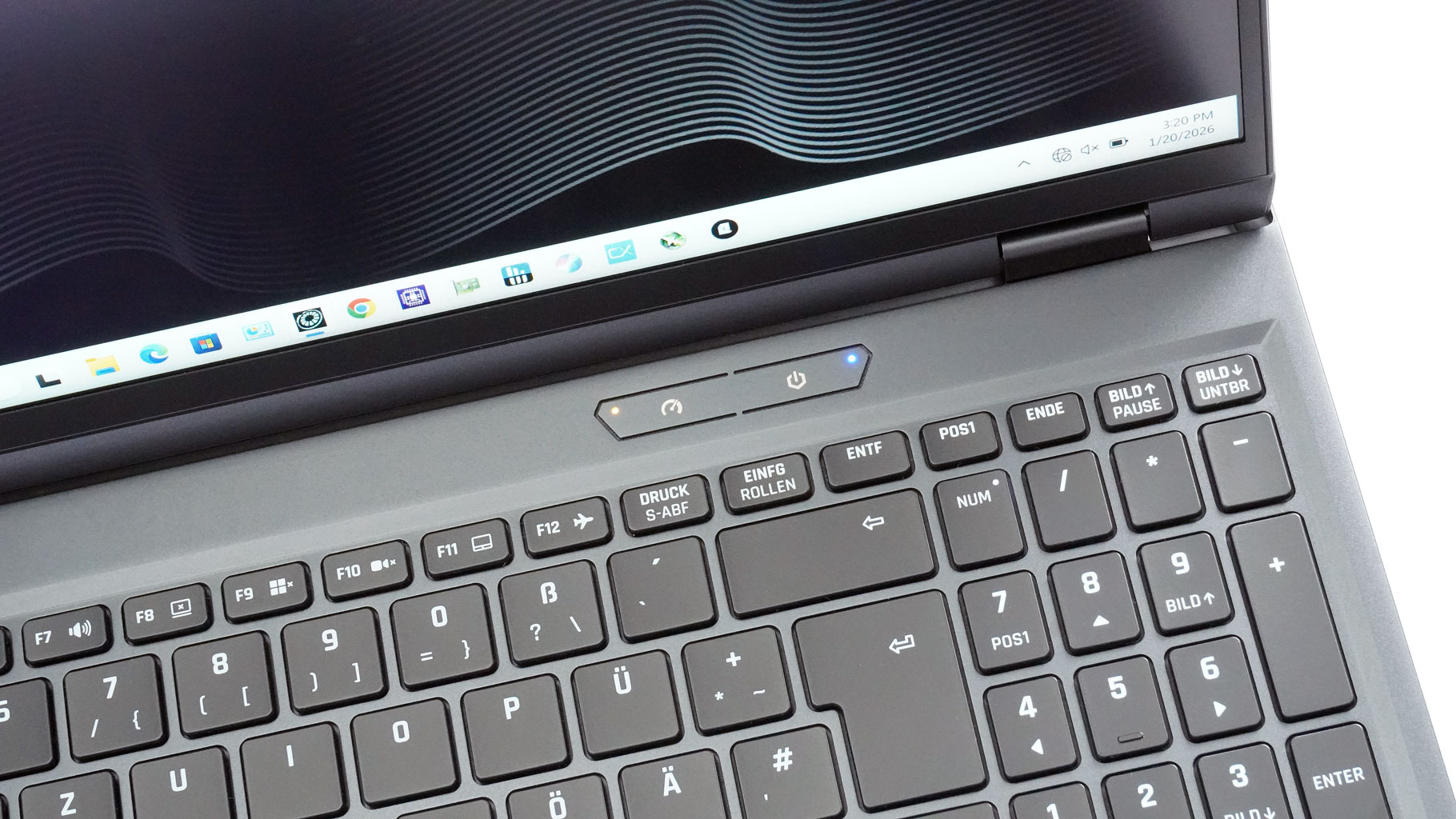
On the top right of the main body, we can see two buttons with status LEDs. One on the left is programmable - you can use it to cycle through the power presets or push the fans to their max speed. The power button is on the right. You have to hold it for a brief second before the laptop starts showing signs of life.
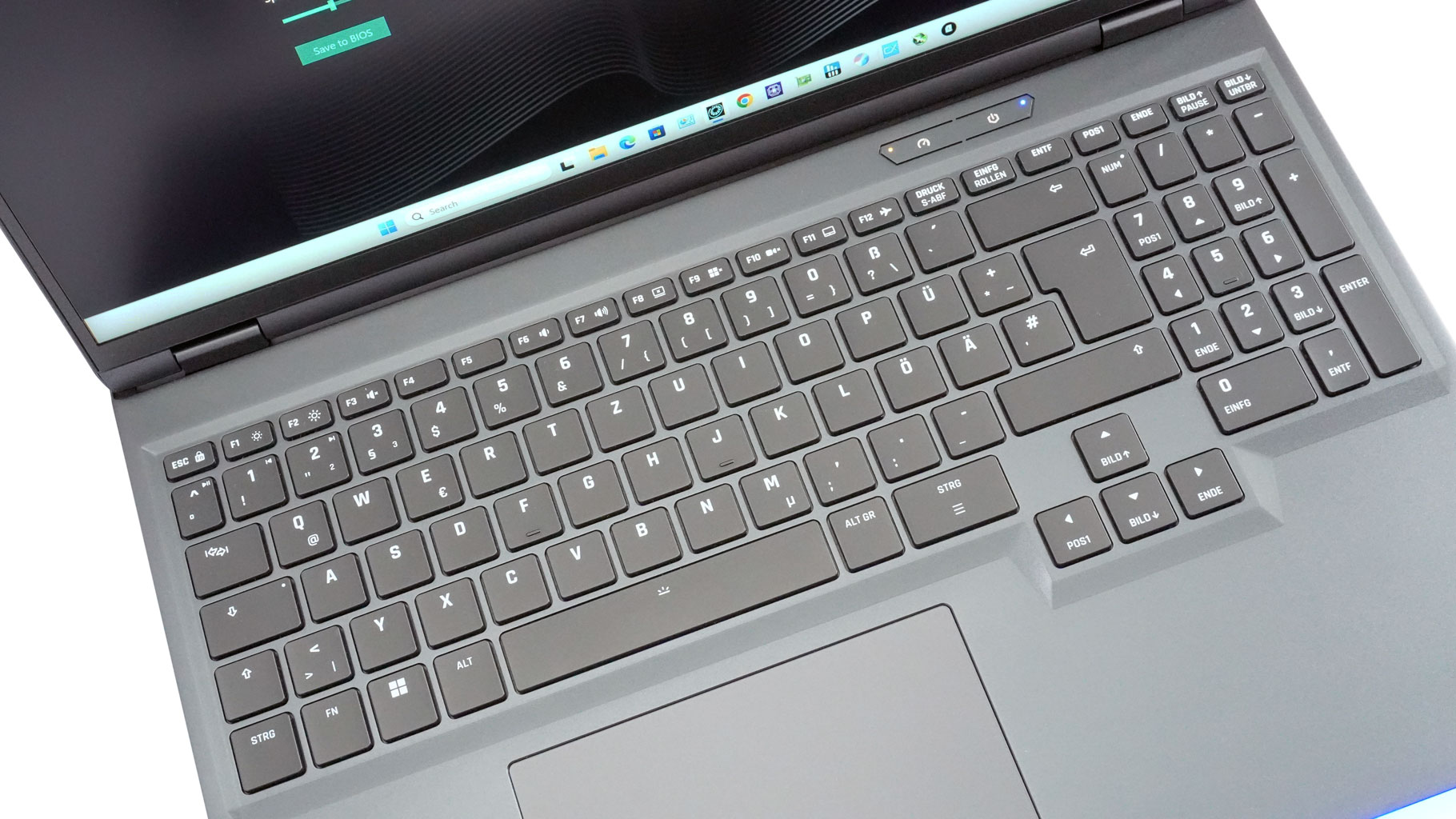
The highly customizable per-key RGB keyboard is a versatile beast. Its gaming capabilities are complemented by N-key rollover and anti-ghosting. Both features work as intended, which is pretty handy for fast-paced online shooters like CS2 or COD: Warzone, when pressing tons of keys at the same time is something usual.
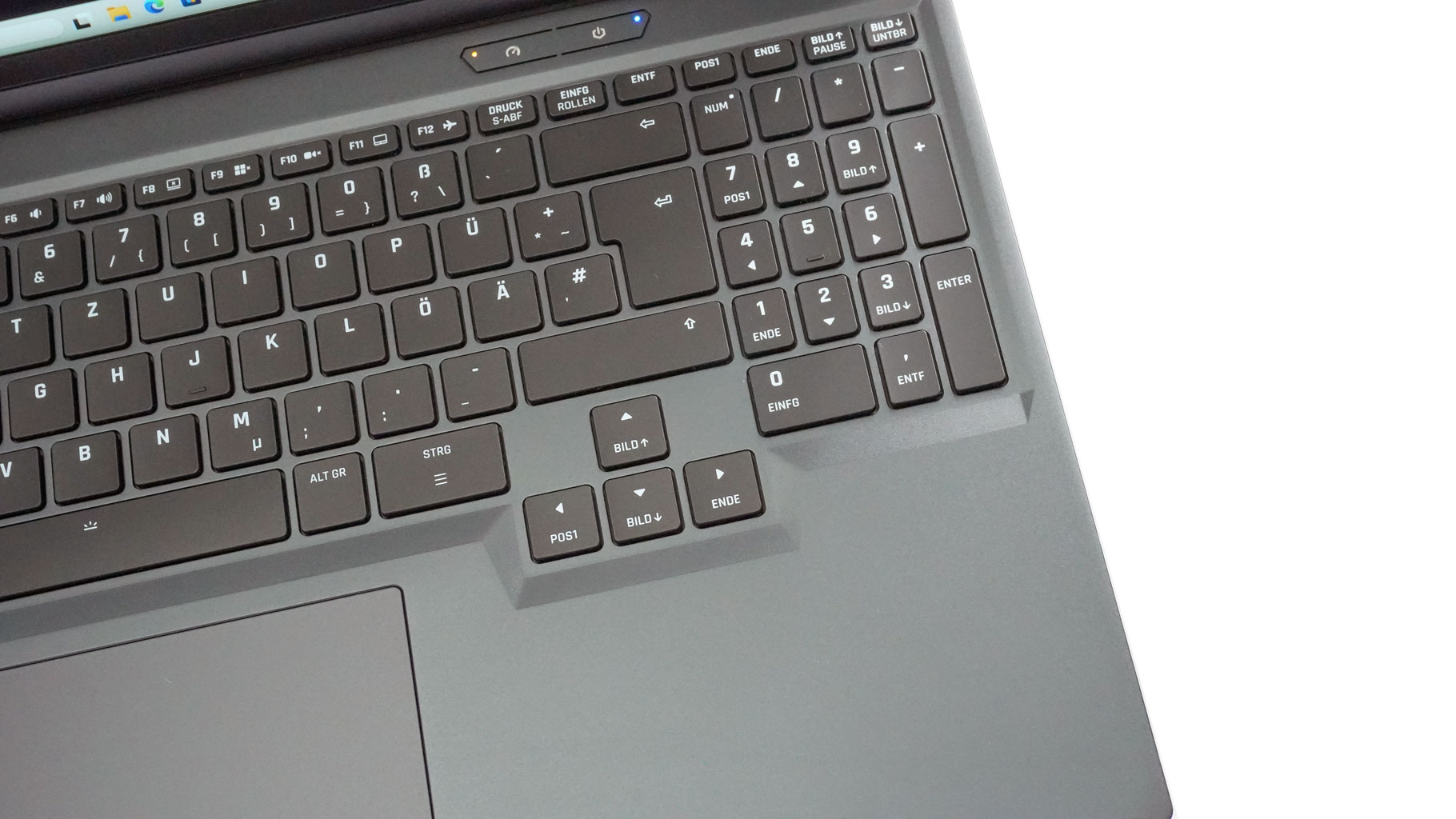
If you're using this for work, you'll love the full-sized, offset arrow keys and the proper 4-column NumPad.
Typing feels fantastic; the keycaps are nicely concave with deep travel and a satisfyingly clicky feel. Also, all keys sound almost near-quiet on press.
Contrary to that, the touchpad clicks are audible, not annoyingly loud, but you'll certainly notice them. That's really the only gripe for an otherwise incredible glass trackpad that's pinpoint accurate and responsive, even in the top section.
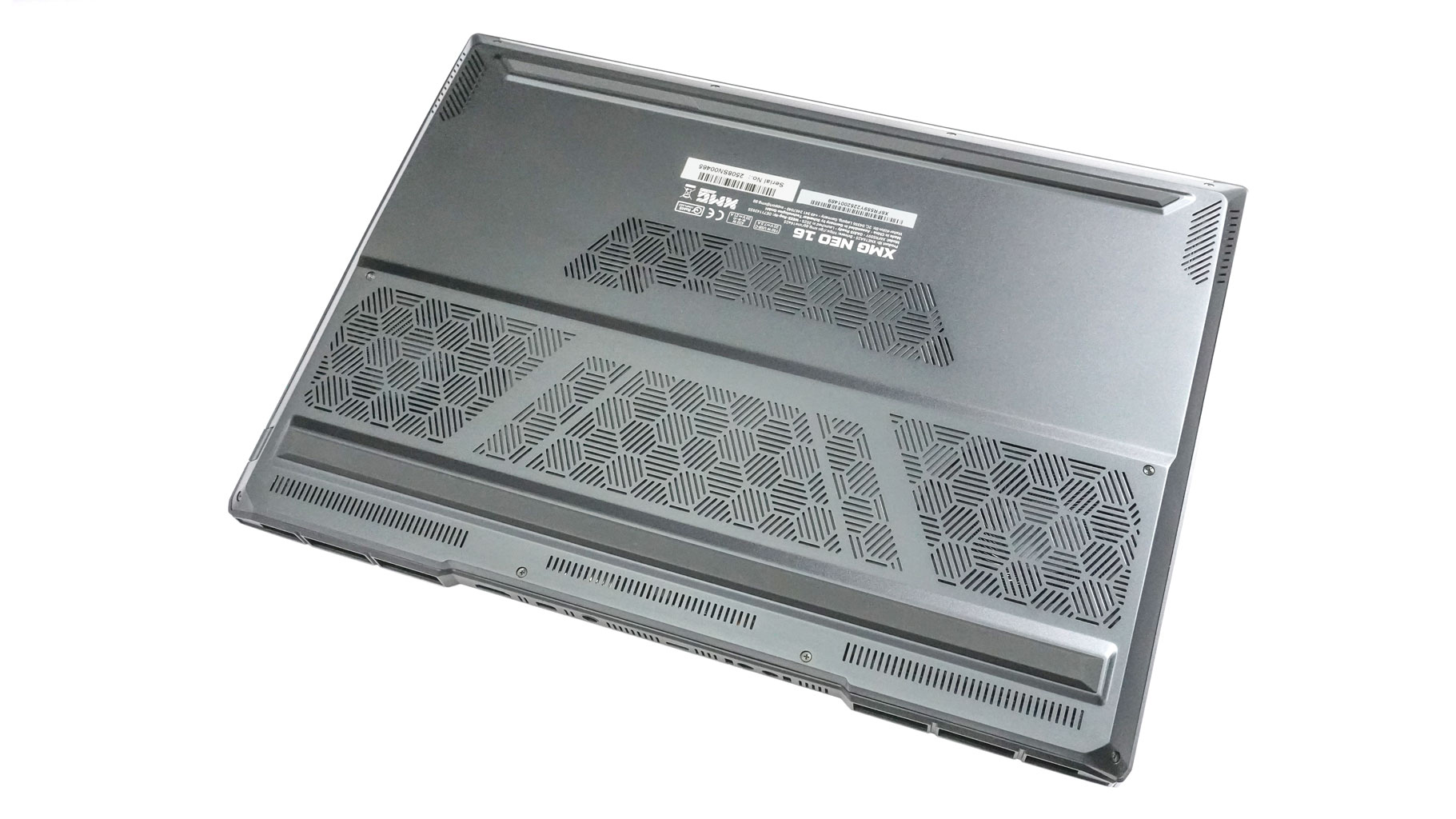
On the bottom, we can spot two long rubber feet, speaker cutouts, and many ventilation grilles in different shapes and sizes. The hot air is guided outside the chassis via two exhaust vents on the back. The lid is positioned deeper in the chassis, and the screen stays clear of that heat.
Our Patreon Silver Supporters can read articles in single-page format.
Nov 20th, 2026 08:26 PST
change timezone
Latest GPU Drivers
New Forum Posts
- Very unusual two gaming-pc scenarios. (27)
- RX 7600 + Ryzen 5 5600GT getting the same FPS as my old RX 6500 XT – What am I missing? (18)
- Making a game in Godot engine (13)
- GTA VI (17)
- Intel Core Ultra 5 processor 250K Plus (10)
- RX 9000 series GPU Owners Club (2242)
- What is in your fleet, size and contents? (29)
- Windows 11 General Discussion (7741)
- TPU's Nostalgic Hardware Club (22173)
- What are you playing? (26237)
Popular Reviews
- AMD Zen 6 Technical Deep Dive
- Ugreen NASync DXP4800 GT Review
- Corsair RM1200e (Second Generation) Review
- Acemagic Retro X3 Review
- Upcoming Hardware Launches 2027 (Updated Nov 2026)
- Pulsar Office Tour & First Look at P1 Dual-Sensor Mouse
- Biwin Black Opal NV7400 2 TB Review
- AMD Ryzen 7 9800X3D Memory Performance Scaling
- Chieftec Iceberg PRO 360 DARK Review
- AMD Ryzen 7 9800X3D Review - The Best Gaming Processor
TPU on YouTube
Controversial News Posts
- NVIDIA Co-Founder and CEO Jensen Huang Officially Resigns (490)
- Report: Jensen Huang Eyes NVIDIA Comeback (241)
- Open Letter Asking NVIDIA to Reinstate Jensen Huang Passes 115,000 Signatures (184)
- OpenAI CEO Argues Home PCs Waste the World's Limited DRAM Supply (152)
- NVIDIA Launches Investigation Into Jensen Huang's Relationship With Suspected Chinese Spy (136)
- Intel "Raptor Lake Next" 16-Core and 20-Core CPUs Surface (130)
- Legendary Game Studio BioWare Shuts Down Following EA Layoffs (104)
- Dell CEO Says the Memory Shortage Will Get Worse in 2027 (95)