 2
Zboard MERC Gaming Keyboard Review
(2 Comments) »Introduction

I would like to thank Menno & Ijaz at Zboard for making this review possible.
The Canadian Ideazon, the company behind the Zboard brand, was founded in 1999 by an avid StarCraft & Quake player - Oren Kramer. Since its foundation, the company has released keyboards made for gamers. The newest offering is the MERC gaming keyboard, which combines the already successful Fang™ Gamepad with a very unique keyboard.
Specifications:
| Model Number | ZXP-1000 |
|---|---|
| Color | Silver/Black |
| Dimension | 21.1 x 7.9 x 1.1 inches (53.6 x 20.1 x 2.7 cm) |
| System Requirements | Windows® 2000/XP Home/Professional/x64, |
| Additional Requirement | An USB connector on your mainboard |
| Warranty | 1 year in North America & 2 years in Europe |
Packaging & Contents


The packaging looks colorful and will sure draw attention. The front shows the major difference to other keyboards, which is the left "butterfly" and action buttons. The back shows the actual layout and sports a few features below it.

Once the colorful packaging is opened, a sturdy, plain brown box houses all the contents.
The keyboard is inside a thick plastic bag, while the cable is neatly tugged into the top compartment of the box.
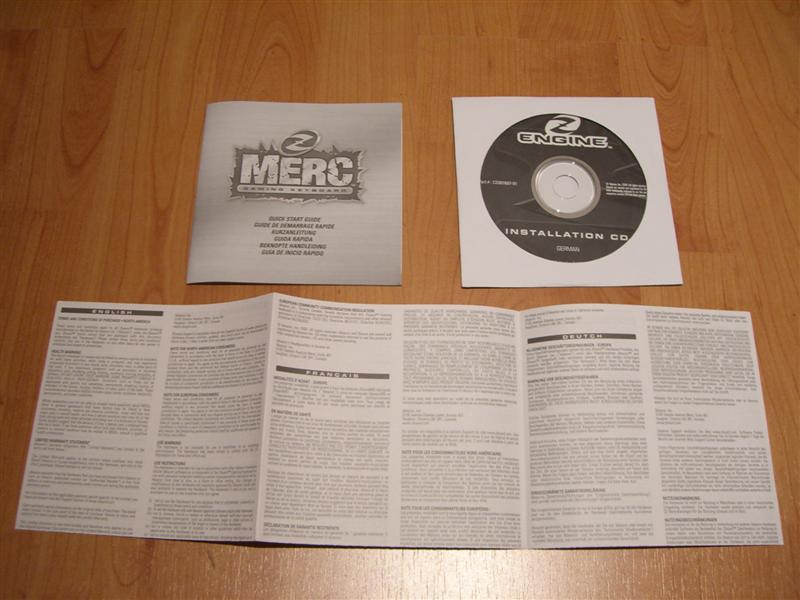
Besides the keyboard itself you will also find a CD with the Z-engine, a quick start guide and a pamphlet detailing the warranty conditions for various regions.
A Closer Look


The first thing one notices is the sheer size of the keyboard. It is much bigger than any OEM counterpart. Even the Logitech media keyboard, which is a bit bigger than the normal kind looks minuscule next to the MERC. The next thing that catches the attention of the user, is a rather large, extruded Zboard logo in red. The actual build quality and feel of the keyboard is great.

The back of the keyboard has a little cable tunnel. This can be used to route its USB cable to either the left or right. If left in the middle, a cable of a mouse could be routed in and then out. This could come in handy at fierce first person shooter firefights, as you do not need to worry about having to pull your mouse for more cable.


The left side sports the afore mentioned "butterfly" which is comparable to the WASD keys on a normal keyboard. As I live in Austria, this is the German version. Above that there are 11 numbered buttons which can be used in first person shooters for the different weapons. The three round black buttons are for quick loading, quick saving and printing (screen shot).
Around the butterfly you will find buttons for reloading, using, speaking, running, ducking, jumping as well as a help and five undefined buttons, which can take on various functions depending on the game being played. The labels on the buttons do not look very solid as the stickers can be seen in plain light. Only time will tell if these will hold or not. While the layout is great, it still presents a large learning curve, as you need to get your feel down for the new key placement. Once that is mastered, playing first person shooters is finally possible without having to worry about hitting the wrong button during fierce battles.
The right area of the keyboard sports the usual layout, but is missing the arrow keys and the usual function buttons located above these arrow keys.
The keys feel good overall. The force under the keys is not nearly as hard as the usual keyboard, which makes gaming much easier, as not much force needs to be applied. Typing longer text or doing normal office work may not be so comfortable, but keep in mind the intended use for this keyboard.


The numpad has an extra row above it. Looking closely at it you will see that most of these have a secondary function imprinted in blue. This is much like the system used on notebook keyboards. The primary functions are shown in white, while the numpad needs to be activated by hitting the Num Lock. Here the MERC has a few extra, very useful functions like maximizing, window mode and closing buttons for the active window as well as copy & paste buttons. This may take some getting used to, but could quickly become a much used feature. Overall very well thought out.
The keyboard sports a red "Z" button, the usual slew of multimedia buttons as well as three hot keys which can be set to anything the user wishes.


The keyboard is a bit thicker than the OEM variants, but still has the standard feet to angle it up even further. If the keyboard is flat the keys lean back a tad bit, so it may be more comfortable to use the feet after all.
Our Patreon Silver Supporters can read articles in single-page format.
Nov 22nd, 2026 03:08 PST
change timezone
Latest GPU Drivers
New Forum Posts
- Zen 3 IF/IMC degradation (244)
- Local LLM General Discussion (696)
- TPU's Nostalgic Hardware Club (22193)
- How to prevent OLED burn damage due to PC freezes or power outtages? (54)
- Honestly, do you care about GTA VI? (242)
- Ryzen or Intel system (17)
- RX 580 2048SP 8GB - SK Hynix - Ardiyes - BIOS Needed (3)
- Your PC ATM (36447)
- SATA drive 1.4 GBps with Intel X25-E on Windows 98! (41)
- AI generated images... (231)
Popular Reviews
- Microsoft Surface Laptop Ultra Review - The Next-gen Arm Laptop
- Corsair RM1200e (Second Generation) Review
- Pulsar Office Tour & First Look at P1 Dual-Sensor Mouse
- Upcoming Hardware Launches 2027 (Updated Nov 2026)
- Ugreen NASync DXP4800 GT Review
- AMD Ryzen 7 9800X3D Review - The Best Gaming Processor
- Biwin Black Opal NV7400 2 TB Review
- AMD Zen 6 Technical Deep Dive
- Phantom Blade Zero Performance Benchmark Review - 35 GPUs Tested
- AMD Ryzen 7 5800X3D 10th Anniversary Review
TPU on YouTube
Controversial News Posts
- NVIDIA Co-Founder and CEO Jensen Huang Officially Resigns (492)
- Report: Jensen Huang Eyes NVIDIA Comeback (262)
- Open Letter Asking NVIDIA to Reinstate Jensen Huang Passes 115,000 Signatures (184)
- OpenAI CEO Argues Home PCs Waste the World's Limited DRAM Supply (152)
- NVIDIA Launches Investigation Into Jensen Huang's Relationship With Suspected Chinese Spy (136)
- Intel "Raptor Lake Next" 16-Core and 20-Core CPUs Surface (130)
- NVIDIA GeForce RTX 50-Series Scheduled for up to $500 Price Hike This Week (89)
- Intel Razor Lake Gets a 12 P-Core bLLC Chip With No E-Cores, Per Leak (86)