Sleeving a Fan with Expandable Sleeving |
|
Introduction
You probably have seen expandable sleeving used on power supplies and fans for a while. Now that you are trying to customize your rig or tidy the inside up you are thinking about trying it out. But how do you do it?Today I will show you how to sleeve a CPU fan with expandable sleeving. The same principles can be applied to any kind of wiring in your PC.
Materials Needed
To do this project you will need a fan of your choice (or other object to sleeve).
You will also need a length of expandable sleeving appropriate for the task in the right diameter, some heatshrink tubing in a slightly larger diameter, and some electrical tape. I’ll be using 1/4" sleeving and some 5/16” tubing for this task. You can also find the sleeving in lots of different colors, so you can find one to match your color scheme.
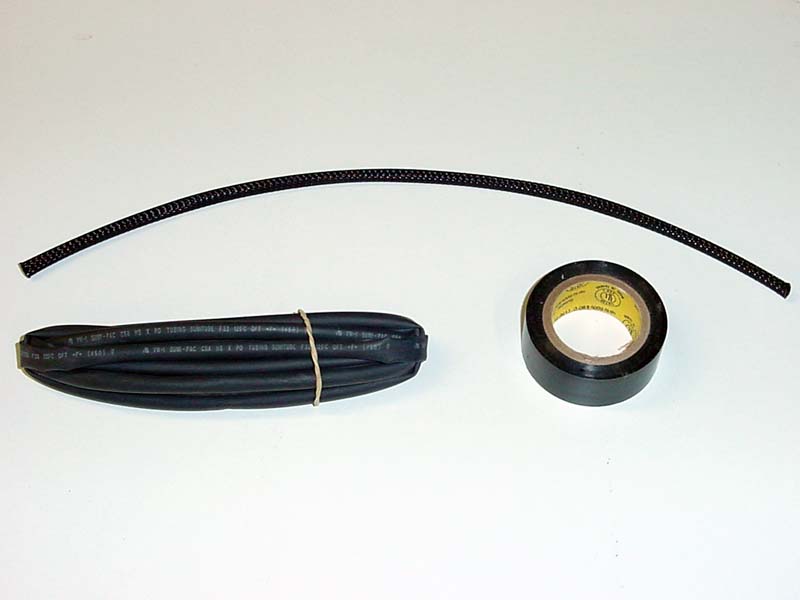
Tools Needed
The tools required for this are- a lighter
- a pair of scissors
- a small jeweler’s type screwdriver (if that is not available, you can use a straightened paper-clip).

Identify the Wiring
This is the most important step, so don’t skip it. If you are going to remove the wires from the connector you need to know what order to put them back in. At this point you can draw a pic on paper, or print out one of the pictures below. Usually, the connector will have a “1” or an arrow on it to denote pin one, and this one will be black (ground). The second wire in the middle will be the red power wire, and the third wire (if available) will be either yellow or white for the RPM monitor.

Jul 18th, 2025 12:08 CDT
change timezone
Latest GPU Drivers
New Forum Posts
- TPU's Nostalgic Hardware Club (20531)
- B-die equivalent for DDR5? (10)
- Share your CPUZ Benchmarks! (2514)
- help needed.. win 10 inaccessible boot device... (6)
- Adding distilled water to ups batteries really work ? (48)
- Are UPS lithium LiFePO4 batteries finally as cheap as lead-acid? (11)
- System stutters with Ryzen 7 9800X3D. (57)
- Stalker 2 is looking great. (210)
- What local LLM-s you use? (212)
- Silent Hill Series Discussion/Speculation thread (20)
Popular Reviews
- Razer Blade 16 (2025) Review - Thin, Light, Punchy, and Efficient
- SilverStone SETA H2 Review
- Pulsar X2 Crazylight Review
- MSI GeForce RTX 5060 Gaming OC Review
- Thermal Grizzly WireView Pro Review
- Our Visit to the Hunter Super Computer
- NVIDIA GeForce RTX 5080 Founders Edition Review
- NVIDIA GeForce RTX 5050 8 GB Review
- Sapphire Radeon RX 9060 XT Pulse OC 16 GB Review - An Excellent Choice
- Upcoming Hardware Launches 2025 (Updated May 2025)
TPU on YouTube
Controversial News Posts
- Intel's Core Ultra 7 265K and 265KF CPUs Dip Below $250 (288)
- Some Intel Nova Lake CPUs Rumored to Challenge AMD's 3D V-Cache in Desktop Gaming (140)
- AMD Radeon RX 9070 XT Gains 9% Performance at 1440p with Latest Driver, Beats RTX 5070 Ti (131)
- NVIDIA Launches GeForce RTX 5050 for Desktops and Laptops, Starts at $249 (123)
- NVIDIA GeForce RTX 5080 SUPER Could Feature 24 GB Memory, Increased Power Limits (115)
- Microsoft Partners with AMD for Next-gen Xbox Hardware (105)
- NVIDIA DLSS Transformer Cuts VRAM Usage by 20% (99)
- AMD Sampling Next-Gen Ryzen Desktop "Medusa Ridge," Sees Incremental IPC Upgrade, New cIOD (97)