 7
7
Thermalright Ultra 90 Review
Performance »Installation

The first you have to do before installation is to get the mounting clip into the heatsink.


Sliding it in is a little bit tricky because the white plastic part is higher than the opening at the bottom of the heatsink. With a little bit clever moving it is no problem though.
Installation of the cooler is very easy.
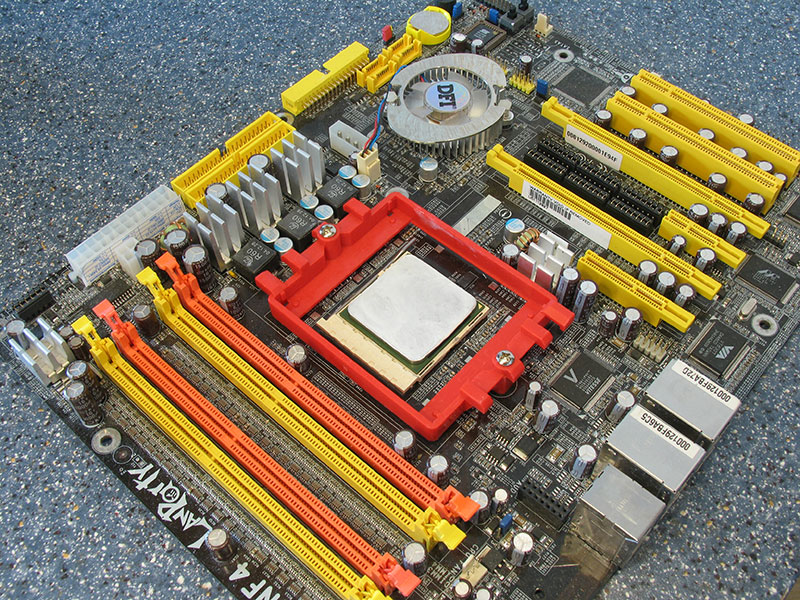

You hook in the clip on the side without the lever.

Hook it in on the other side and turn down the lever.

Done!

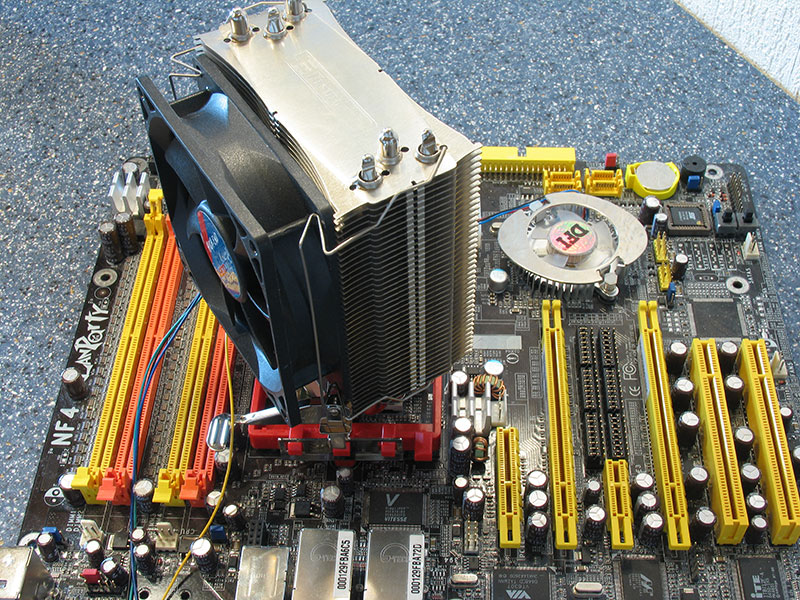
Since the heatsink is fixed only in the center it can be rotated slightly. This allows you to optimize the airflow to go over the memory or to the video card for example.
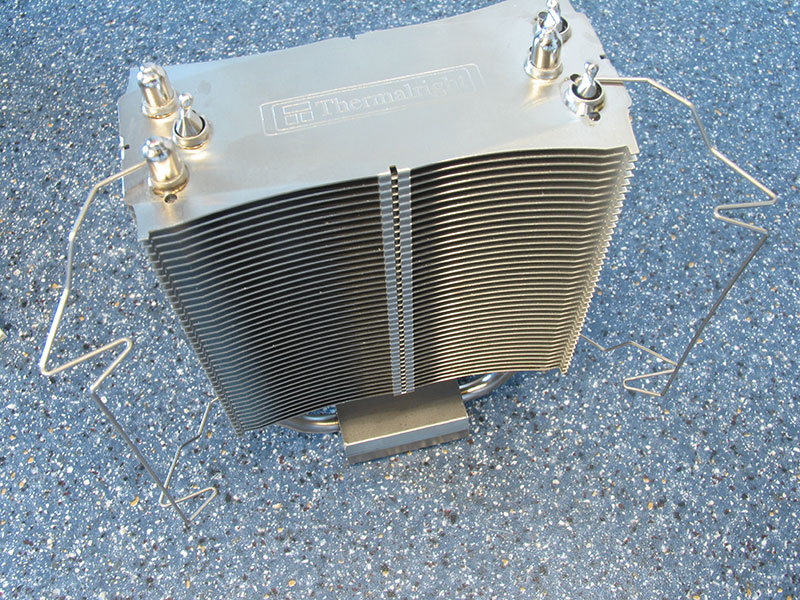


You can install a 92mm fan of your choice to the Ultra 90. Installation is very straightforward. You use the included clips to fix the fan to the heatsink assembly. This is easy to do and can be done multiple times without the clips ever bending.

To verify that the fan has a tight connection to the heatsink I hung the whole heatsink from the fan cable only. It was rock solid as you can see.
Jul 31st, 2025 18:10 CDT
change timezone
Latest GPU Drivers
New Forum Posts
- PSUs exploding during water loop test. (39)
- 3DMARK "LEGENDARY" (351)
- Are UPS lithium LiFePO4 batteries finally as cheap as lead-acid? (60)
- Choosing the right motherboard (22)
- Last game you purchased? (881)
- What's your latest tech purchase? (24422)
- Sapphire RX 580 crashing and showing artifacts when playing heavy games. (10)
- Thoughts on Lossless scaling? (1)
- 3D Printer Club (578)
- AI Job Losses: let's count the losses up, total losses to AI so far 94,000 and counting (95)
Popular Reviews
- MSI Claw 8 AI+ A2VM Review
- Lenovo Legion 5i (15IRX10) Review - Feature-Rich and Wallet Friendly
- Herman Miller Logitech G Embody Review - No Pain, No Gain
- ASUS ROG Crosshair X870E Apex Review
- Orbital Pathfinder Review
- Lian Li O11 Dynamic Mini V2 Review
- Upcoming Hardware Launches 2025 (Updated May 2025)
- Noctua NF-A12x25 G2 PWM Fan Review
- Sapphire Radeon RX 9060 XT Pulse OC 16 GB Review - An Excellent Choice
- AMD Ryzen 7 9800X3D Review - The Best Gaming Processor
TPU on YouTube
Controversial News Posts
- AMD's Upcoming UDNA / RDNA 5 GPU Could Feature 96 CUs and 384-bit Memory Bus (137)
- AMD Radeon RX 9070 XT Gains 9% Performance at 1440p with Latest Driver, Beats RTX 5070 Ti (131)
- Intel "Nova Lake-S" Core Ultra 3, Ultra 5, Ultra 7, and Ultra 9 Core Configurations Surface (110)
- DDR6 Memory Arrives in 2027 with 8,800-17,600 MT/s Speeds (102)
- NVIDIA to Debut GeForce RTX 50-series SUPER GPUs by Christmas (98)
- AMD Sampling Next-Gen Ryzen Desktop "Medusa Ridge," Sees Incremental IPC Upgrade, New cIOD (97)
- Intel CEO Confirms SMT To Return to Future CPUs (95)
- NVIDIA Becomes First Company Ever to Hit $4 Trillion Market-Cap (94)