Tuesday, January 3rd 2017

GeForce Experience Mandatory Registration, Login and Game Scanning Can Be Disabled
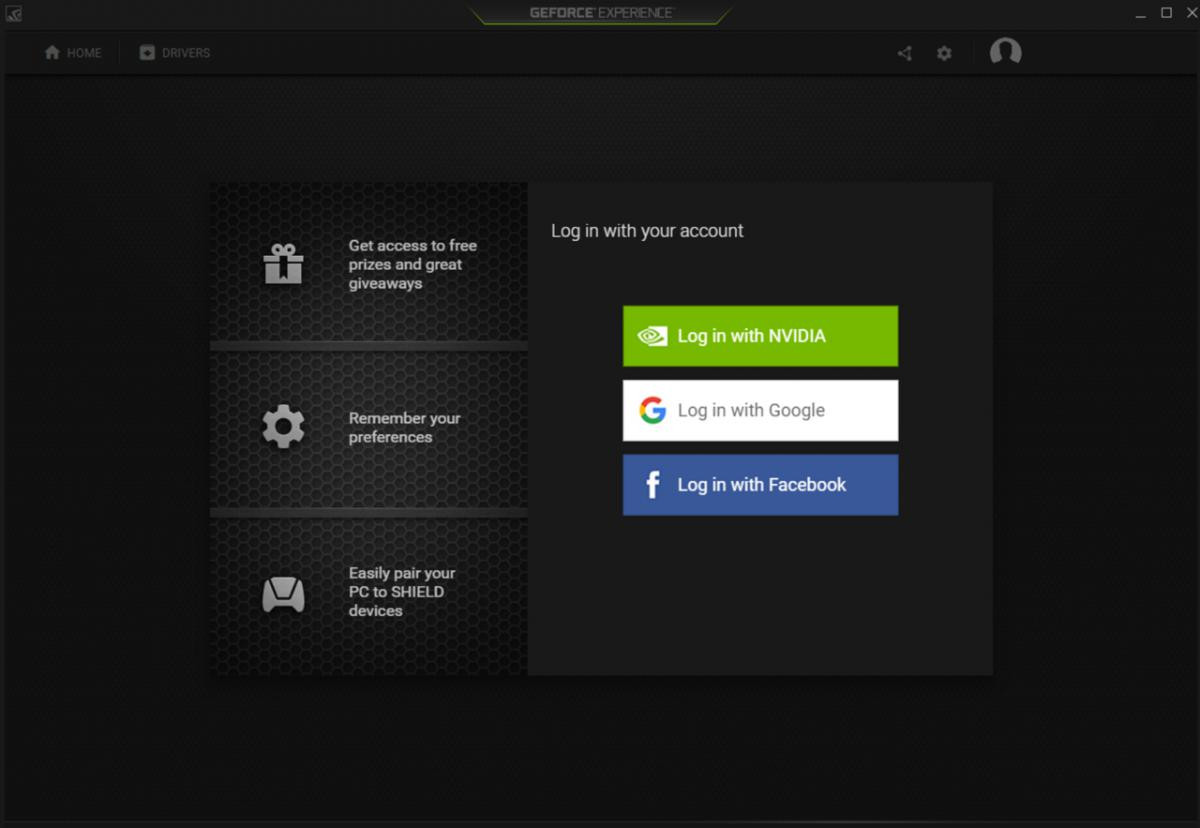
YouTube user TechMax has uploaded a video in which he shows a way to circumvent GeForce Experience's most wanted feature of all time: the mandatory login. One of the least popular features of NVIDIA's most recent GeForce Experience 3.0 update was the introduction of the mandatory logins, meaning that if you didn't, you wouldn't have access to GeForce Experience features, and even the in-app driver update wouldn't be available to you. In case you don't want the green genies to know when you're online, for how long, what hardware you use, and which games you play, and want to make use of the features embedded in NVIDIA's app, watch the video below and follow its steps. You'll need to copy and paste some lines of code, but it shouldn't prove too difficult. You can find the YouTube video below, and a transcript of the steps after the break.


Source:
Youtube user TechMax
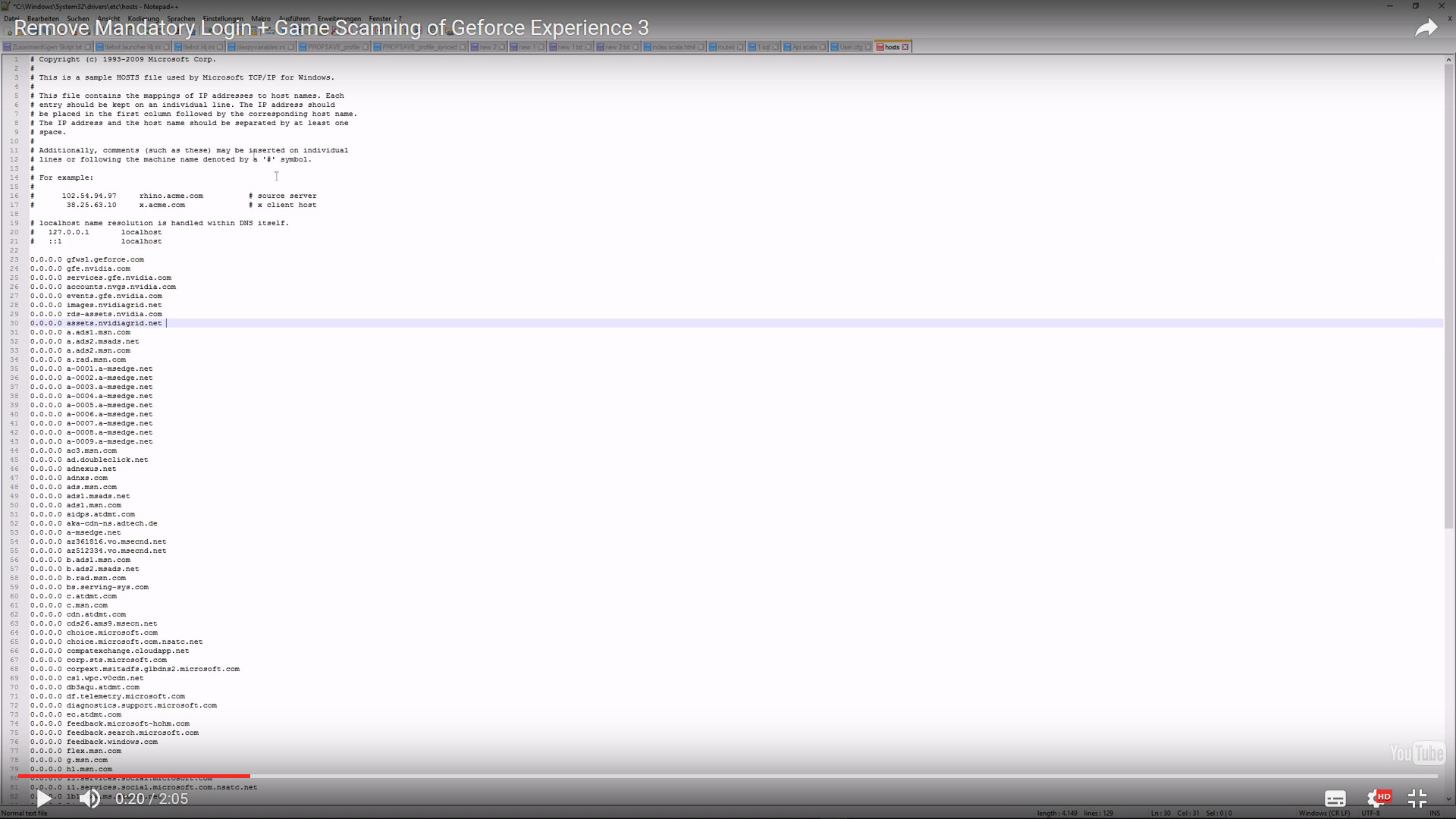
- Add the following lines of code to your hosts file, typically located at C:\Windows\System32\drivers\etc, using a Notepad-like application:
0.0.0.0 gfwsl.geforce.com
0.0.0.0 telemetry.gfe.nvidia.com
0.0.0.0 gfe.nvidia.com
0.0.0.0 services.gfe.nvidia.com
0.0.0.0 accounts.nvgs.nvidia.com
0.0.0.0 events.gfe.nvidia.com
0.0.0.0 images.nvidiagrid.net
0.0.0.0 rds-assets.nvidia.com
0.0.0.0 assets.nvidiagrid.net
When you finish, your file should look like this:Then exit the file, making sure you save your changes.

- Find the file App.Js (it should be at C:\Program Files (x86)\NVIDIA Corporation\NVIDIA GeForce Experience\www), and:
Search for: h.handleLoggedIn(e),!0
After m() add: ;h.handleLoggedIn({sessionToken:"dummySessionToken",userToken:"dummyUserToken",user:{core:{displayName:"Anonymous",primaryEmailVerified:true}}}); (as one line)
Remove t.getGalleryItems=function(){return e.when()},t.saveSystemGames=function(t){return e.when()},t.updateSystemGames=function(t,n){return e.when()}, - Make the share icon appear (or if the login screen is still showing up):
Additionally change R.isShareSupported=!1 to R.isShareSupported=!0 in the App.js. Depending on your GFE version (R. for 3.2.0.96) it could be a different letter so if you can't find it search for isShareSupported=!1 somewhere in line 16. - (Optional): To delete all data from your previous login, delete the C:\Users\(username)\AppData\Local\NVIDIA Corporation\NVIDIA GeForce Experience\CefCache folder and relaunch GFE.

32 Comments on GeForce Experience Mandatory Registration, Login and Game Scanning Can Be Disabled
The main things I remove on first boot after an install is Diagtrack, Windows Defender, Cortana, Internet Explorer, Edge and OneDrive. I then install a GOOD AntiVirus/AntiMalware[you know, something that actually WORKS], a GOOD third party firewall and apply some tweaks.
Running Windows 10 safely and securely is a pain in the neck.
A primer on Win10 telemetry here: www.zdnet.com/article/windows-10-telemetry-secrets/
and here: technet.microsoft.com/en-us/itpro/windows/manage/configure-windows-telemetry-in-your-organization
(and yes, it can be worse than a keylogger, but it's configurable)
Microsoft doesn't honor us, respect us or our rights and as a result are not worthy of our trust. If you want to trust Microsoft, an entity with NO legal liability or accountability[read the EULA] and has a PROVEN track record of untrustworthy activities[which they've been sued for and lost] go right ahead.
I've been a victim of identity fraud twice which caused over a decade's worth of headache and hassles. Once due to my own ignorance and once due to a company, not unlike Microsoft, being careless with my personal info. Believe me, there will not be a third time. I guard my personal life and info with an absolute ferocity. I trust no one I don't personally know. Perhaps I'm on the extreme end of this equation. However, when it comes to protecting your privacy, wouldn't you prefer to error on the side of caution instead of defending a company that has zero regard for you? Come on bud, take a step back and see reality for what it is. Microsoft is not worthy of and does not deserve your trust. On ANY level! And getting back to the topic, neither does Nvidia.
If you hadn't figured it out yet, I will NEVER concede on this matter. Have seen the evidence myself and have been given exceptional reason not to. Get in the know, error on the side of caution and uphold your rights to absolute privacy.
You can believe whatever you wish, but the evidence speaks for itself and is there for all to find/see. Microsoft IS lying about the diagtrack service shutting off upon user request and it IS most definitely keystroke logging.Unrelated? This topic is about Nvidia's telemetry. That segued into the Microsoft issue as an example and how dangerous it can be if we ignore it. But I digress..
Ok, so this about ego for you? Makes sense given the insults. Have it your way, shutting up.