Thursday, May 28th 2026

Synology Announces Availability of New FlashStation FS200T

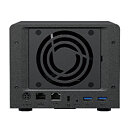
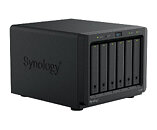
Synology today announced the launch of the FS200T, a compact all-flash storage solution designed to power home or small offices. "Delivering a remarkably small footprint alongside near-silent operation and responsive flash performance, the FS200T is ideal for enthusiasts that experiment with lightweight containerization and virtualization, or for home users who prioritize a quiet workspace," said Julien Chen, Product Manager at Synology.

Compact yet powerful without compromise
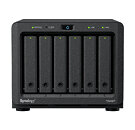
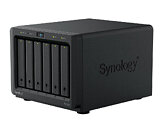
The FS200T is an ultra-compact and quiet NAS solution at only 121 x 151 x 175 mm, and is designed to blend effortlessly into home and small office spaces. This specialized solution features six 2.5" drive bays for SSD storage. The built-in 2.5GbE port and 1GbE port provide fast networking and failover capability, supporting file transfers up to 2.5 times faster than its predecessor.
Rich features for versatile home workloads
Powered by Synology's DiskStation Manager (DSM), this compact NAS solution offers versatile features to meet diverse data management needs for home and small offices:
  • Synology Drive transforms the system into a private cloud, enabling cross-platform access and site-to-site syncing for distributed teams.
  • Active Backup Suite provides comprehensive protection for Windows, Linux, and macOS devices, virtual machines, and cloud accounts, with flexible off-site backup options.
Availability
The FS200T will be available starting 27 May 2026, through Synology's network of partners and resellers worldwide.
Source: Synology (product page)
Add your own comment

26 Comments on Synology Announces Availability of New FlashStation FS200T

#1
Chaitanya
all flash based storage and still stupid Synology sticks with 1Gbps NIC and even the "faster" one is 2.5Gbps. They cant go extinct soon enough.
Posted on Reply
#2
Wirko
Only works with a small selection of SSDs. Synology-branded of course.

Also, the company knows its customers really well.
From the above PR:
designed to power home or small offices
From the SSD compatibility page:
Always install enterprise-class drives on FS/HD/SA/UC/XS+/XS Series models for full support and optimal performance.
Posted on Reply
#3
A Computer Guy
Chaitanyaall flash based storage and still stupid Synology sticks with 1Gbps NIC and even the "faster" one is 2.5Gbps.
This should have been a 10Gbps unit. Oh well Synology missed the boat again. Why so difficult!
Posted on Reply
#4
CrAsHnBuRnXp
Not many home users are rocking 10Gbps so thats probably why they felt it was unnecessary. Shit i still dont have faster than 1Gbps.
Posted on Reply
#5
A Computer Guy
Chaitanyaall flash based storage and still stupid Synology sticks with 1Gbps NIC and even the "faster" one is 2.5Gbps. They cant go extinct soon enough.
I need them to stick around. Their router is pretty good and I still want firmware updates when needed. :roll:
Posted on Reply
#6
Chaitanya
A Computer GuyI need them to stick around. Their router is pretty good and I still want firmware updates when needed. :roll:
Where are those routers even available for purchase? Even on routers they are falling back in terms of interfaces when it comes to their competition in price range.
Posted on Reply
#7
Red Hood
CrAsHnBuRnXpNot many home users are rocking 10Gbps so thats probably why they felt it was unnecessary. Shit i still dont have faster than 1Gbps.
This is a very valid point, also to upsell the better models to businesses
Posted on Reply
#8
A Computer Guy
ChaitanyaWhere are those routers even available for purchase? Even on routers they are falling back in terms of interfaces when it comes to their competition in price range.
NewEgg, Amazon, probably more. Yea they are probably older routers these days so lacking new features.
Posted on Reply
#9
TheGeekn°72
WirkoAlso, the company knows its customers really well.
From the above PR: [designed for home/small offices]

From the SSD compatibility page: [only accepts enterprises class drives]
it's telling of the blinking LED they are sporting as a common neuron across the lot of them...
CrAsHnBuRnXpNot many home users are rocking 10Gbps so thats probably why they felt it was unnecessary. Shit i still dont have faster than 1Gbps.
it does not matter, a 10Gbps port can slow back down to 1G/2.5G/5G depending on the port they're connected to

the moron buying this likely highly overpriced units and stocks it up with enterprise grade flash drives fully deserves it for burning money on hardware capable of saturating a 10G port... with no 10G capabilities.
Red HoodThis is a very valid point, also to upsell the better models to businesses
this is not a valid point, if you can buy that class of hardware, you have the money for a 10G card to throw in your desktop, PCIe4x1 can run 10Gbps no problem, Synology is just a bunch of cunts treating its customers as pigeons that'll fall for the smaller crub of marketing
Posted on Reply
#10
CrAsHnBuRnXp
TheGeekn°72it does not matter, a 10Gbps port can slow back down to 1G/2.5G/5G depending on the port they're connected to
It does matter when the cost of putting in a 10Gbps NIC is more expensive than putting in a 1Gbps NIC for the majority of people that will use it it that way. If someone needs 10Gbps, then you can install an addon card for it. It really just boils down to money, and the client use case for home users. Youre complaining just to complain.
TheGeekn°72this is not a valid point, if you can buy that class of hardware, you have the money for a 10G card to throw in your desktop, PCIe4x1 can run 10Gbps no problem, Synology is just a bunch of cunts treating its customers as pigeons that'll fall for the smaller crub of marketing
Then if you have that kind of money as you state, you can just buy a business class model that already has it. Not a HOME MODEL.
Posted on Reply
#11
Tigerfox
CrAsHnBuRnXpNot many home users are rocking 10Gbps so thats probably why they felt it was unnecessary. Shit i still dont have faster than 1Gbps.
Red HoodThis is a very valid point, also to upsell the better models to businesses
Why would anyone even buy an all-flash NAS then?

This uses exactly the same hardware like DS425+ (Celeron J4125!), just with 6xSATA 2.5" instead of 4x3.5", no M.2 or U.2. Considering Celeron J4125 has only 8 lanes Gen3, two of which are used for 2.5GbE/GbE, it will either use ASM1166 (6xSATA@Gen3x2) or 2x native SATA ports + ASM1164/JMB585 (4/5xSATA@Gen3x2). Either way, not even all 6 SATA ports wil be able to reach their full potential.
But that's not an issue, because network bandwith is limited to 2.5GbE. If they had atleast used 2x2.5GbE, SMB Multichannel fould have allowed for ~5Gbit/s of aggregated bandwith, which would still be less than one SATA SSD offers. GbE is saturated even by 20 years old 3.5"-HDDs.

What a piece of garbage, why even make something like this? Of course, real all-flash NAS have to use much more expansive hardware with much more lanes, but what is the purpose of this? It would even be better to offer 6xM.2 with Gen3x1 instead of 6xSATA, because nowadays cheap M.2-NVMe-SSD have become cheaper than 2.5"-SATA-SSD.
CrAsHnBuRnXpIt does matter when the cost of putting in a 10Gbps NIC is more expensive than putting in a 1Gbps NIC for the majority of people that will use it it that way. If someone needs 10Gbps, then you can install an addon card for it. It really just boils down to money, and the client use case for home users. Youre complaining just to complain.
No, I have to strongly disagree, you are defending the undefendable. 2.5GbE has been the standard on NAS and Mainboards from every manufacturer with the exception of Synology. Mainboards from mid-tier upwards have started to offer 5GbE for some years now, NAS are starting to follow and 10GbE has been available on highend- motherboards for nearly a decade. 10GbE-PCIe-AIC have been ~100€ or cheaper for quite some time and are now getting even cheaper with the introduction of Realtek RTL8127. What's even better, USB4 has enabled relatively cheap 10GbE-USB4-NICs and Realtek also offers rather cheap 5GbE-to-USB3.1 (RTL8156) and now 10GbE-to-USB3.2 (RTL8157).

Switches have also become much cheaper in the last years, especially "dumb", unmanaged switches, both 2-4x10GbE +5/8/16/24x2.5GbE as well als pure 5-8x10GbE. With SMB Multichannel on both devices, you still can get aggregated speeds of 20Gbps.

1GbE-NICs take up the same resources as 2.5GbE-NICs. It makes no sense to have 2.5GbE+GbE. To my knowledge, it only serves for a failsafe-connection and can not be aggregated to 3.5Gbps. Correct me if I'm wrong. While I assume 5GbE- and 10GbE-NICs, even RTL8126 and RTL8127, are likely noticeable more expansive than 2.5GbE-NICs, there shouldn't be a big difference between GbE and 2.5GbE.
The perseverance of Synology with staying at 2-4xGbE has been an issue for users for some years and now when they seem to have aknowledged their shortcomings, but instead of making good on that, they halfheartedly offer this weird and useless 2.5GbE+GbE-combo on man devices.
What is bad on regular, HDD-based NAS (but with 2xM.2 Gen3x1 for SSD-caching on DS425+/725+/925+/1525+!) is even worse on this all-flash NAS, where the speed of only one SATA-SSD is enough to saturate 5GbE! Even when using ASM1166 with ~1.7GB/s max bandwith over Gen3x2, that is more than 1x10GbE has to offer!
Posted on Reply
#12
Red Hood
TheGeekn°72this is not a valid point, if you can buy that class of hardware, you have the money for a 10G card to throw in your desktop, PCIe4x1 can run 10Gbps no problem, Synology is just a bunch of cunts treating its customers as pigeons that'll fall for the smaller crub of marketing
Do you really think this nas is targeted at people/businesses running a router with multiple 10G ports or a 10G switch?

I'm not defending synology here but this is an intentionally gimped product to make it unattractive to businesses and to upsell the more expensive models
Posted on Reply
#13
CrAsHnBuRnXp
TigerfoxWhy would anyone even buy an all-flash NAS then?

This uses exactly the same hardware like DS425+ (Celeron J4125!), just with 6xSATA 2.5" instead of 4x3.5", no M.2 or U.2. Considering Celeron J4125 has only 8 lanes Gen3, two of which are used for 2.5GbE/GbE, it will either use ASM1166 (6xSATA@Gen3x2) or 2x native SATA ports + ASM1164/JMB585 (4/5xSATA@Gen3x2). Either way, not even all 6 SATA ports wil be able to reach their full potential.
But that's not an issue, because network bandwith is limited to 2.5GbE. If they had atleast used 2x2.5GbE, SMB Multichannel fould have allowed for ~5Gbit/s of aggregated bandwith, which would still be less than one SATA SSD offers. GbE is saturated even by 20 years old 3.5"-HDDs.

What a piece of garbage, why even make something like this? Of course, real all-flash NAS have to use much more expansive hardware with much more lanes, but what is the purpose of this? It would even be better to offer 6xM.2 with Gen3x1 instead of 6xSATA, because nowadays cheap M.2-NVMe-SSD have become cheaper than 2.5"-SATA-SSD.


No, I have to strongly disagree, you are defending the undefendable. 2.5GbE has been the standard on NAS and Mainboards from every manufacturer with the exception of Synology. Mainboards from mid-tier upwards have started to offer 5GbE for some years now, NAS are starting to follow and 10GbE has been available on highend- motherboards for nearly a decade. 10GbE-PCIe-AIC have been ~100€ or cheaper for quite some time and are now getting even cheaper with the introduction of Realtek RTL8127. What's even better, USB4 has enabled relatively cheap 10GbE-USB4-NICs and Realtek also offers rather cheap 5GbE-to-USB3.1 (RTL8156) and now 10GbE-to-USB3.2 (RTL8157).

Switches have also become much cheaper in the last years, especially "dumb", unmanaged switches, both 2-4x10GbE +5/8/16/24x2.5GbE as well als pure 5-8x10GbE. With SMB Multichannel on both devices, you still can get aggregated speeds of 20Gbps.

1GbE-NICs take up the same resources as 2.5GbE-NICs. It makes no sense to have 2.5GbE+GbE. To my knowledge, it only serves for a failsafe-connection and can not be aggregated to 3.5Gbps. Correct me if I'm wrong. While I assume 5GbE- and 10GbE-NICs, even RTL8126 and RTL8127, are likely noticeable more expansive than 2.5GbE-NICs, there shouldn't be a big difference between GbE and 2.5GbE.
The perseverance of Synology with staying at 2-4xGbE has been an issue for users for some years and now when they seem to have aknowledged their shortcomings, but instead of making good on that, they halfheartedly offer this weird and useless 2.5GbE+GbE-combo on man devices.
What is bad on regular, HDD-based NAS (but with 2xM.2 Gen3x1 for SSD-caching on DS425+/725+/925+/1525+!) is even worse on this all-flash NAS, where the speed of only one SATA-SSD is enough to saturate 5GbE! Even when using ASM1166 with ~1.7GB/s max bandwith over Gen3x2, that is more than 1x10GbE has to offer!
Why would I want a nas with an intel celeron CPU to have more than 1Gbps NIC?


The Intel Celeron J4125 is a budget quad-core processor released in late 2019, built for low-power desktop setups, mini PCs, and home servers. Operating at a base frequency of 2.00 GHz with a boost up to 2.70GHz, its ultra-low 10W TDP makes it ideal for fanless, energy-efficient operations. [1, 2, 3, 4, 5]

Key Specifications
  • Cores / Threads: 4 Cores / 4 Threads
  • Architecture: Gemini Lake Refresh (14nm)
  • Graphics: Intel UHD Graphics 600 (Supports 4K @ 60Hz)
  • Memory Support: Up to 8GB DDR4/LPDDR4
  • Power Consumption: 10W TDP [1, 2, 3]
Nothing about that screams "i need more than 1Gbps"

FWIW, it also has 2.5GbE port on it.
Posted on Reply
#14
Red Hood
TigerfoxWhy would anyone even buy an all-flash NAS then?

This uses exactly the same hardware like DS425+ (Celeron J4125!), just with 6xSATA 2.5" instead of 4x3.5", no M.2 or U.2. Considering Celeron J4125 has only 8 lanes Gen3, two of which are used for 2.5GbE/GbE, it will either use ASM1166 (6xSATA@Gen3x2) or 2x native SATA ports + ASM1164/JMB585 (4/5xSATA@Gen3x2). Either way, not even all 6 SATA ports wil be able to reach their full potential.
But that's not an issue, because network bandwith is limited to 2.5GbE. If they had atleast used 2x2.5GbE, SMB Multichannel fould have allowed for ~5Gbit/s of aggregated bandwith, which would still be less than one SATA SSD offers. GbE is saturated even by 20 years old 3.5"-HDDs.

What a piece of garbage, why even make something like this? Of course, real all-flash NAS have to use much more expansive hardware with much more lanes, but what is the purpose of this? It would even be better to offer 6xM.2 with Gen3x1 instead of 6xSATA, because nowadays cheap M.2-NVMe-SSD have become cheaper than 2.5"-SATA-SSD.


No, I have to strongly disagree, you are defending the undefendable. 2.5GbE has been the standard on NAS and Mainboards from every manufacturer with the exception of Synology. Mainboards from mid-tier upwards have started to offer 5GbE for some years now, NAS are starting to follow and 10GbE has been available on highend- motherboards for nearly a decade. 10GbE-PCIe-AIC have been ~100€ or cheaper for quite some time and are now getting even cheaper with the introduction of Realtek RTL8127. What's even better, USB4 has enabled relatively cheap 10GbE-USB4-NICs and Realtek also offers rather cheap 5GbE-to-USB3.1 (RTL8156) and now 10GbE-to-USB3.2 (RTL8157).

Switches have also become much cheaper in the last years, especially "dumb", unmanaged switches, both 2-4x10GbE +5/8/16/24x2.5GbE as well als pure 5-8x10GbE. With SMB Multichannel on both devices, you still can get aggregated speeds of 20Gbps.

1GbE-NICs take up the same resources as 2.5GbE-NICs. It makes no sense to have 2.5GbE+GbE. To my knowledge, it only serves for a failsafe-connection and can not be aggregated to 3.5Gbps. Correct me if I'm wrong. While I assume 5GbE- and 10GbE-NICs, even RTL8126 and RTL8127, are likely noticeable more expansive than 2.5GbE-NICs, there shouldn't be a big difference between GbE and 2.5GbE.
The perseverance of Synology with staying at 2-4xGbE has been an issue for users for some years and now when they seem to have aknowledged their shortcomings, but instead of making good on that, they halfheartedly offer this weird and useless 2.5GbE+GbE-combo on man devices.
What is bad on regular, HDD-based NAS (but with 2xM.2 Gen3x1 for SSD-caching on DS425+/725+/925+/1525+!) is even worse on this all-flash NAS, where the speed of only one SATA-SSD is enough to saturate 5GbE! Even when using ASM1166 with ~1.7GB/s max bandwith over Gen3x2, that is more than 1x10GbE has to offer!
I agree it's a gimped device and with the current ludicrous price of ssds no one would buy this to use with new ssds

For a home user on 1/2.5Gbe network who has some old sata ssds, this device might make sense depending on the price

This device would make more sense with standard 2.5 hdds which in theory should work unless they've somehow locked the firmware to only work with ssds (they advertise as an all sata ssd nas)
Posted on Reply
#15
Wirko
Red Hoodunless they've somehow locked the firmware to only work with ssds
The compatibility list contains a handful of Synology SATA SSDs, supposedly "enterprise" models, and nothing else. The largest is 7 TB. (They must be from some well-known OEM but has anyone ever seen a 7 TB SSD?)
Posted on Reply
#16
A Computer Guy
TigerfoxWhy would anyone even buy an all-flash NAS then?
Without at least a 10Gbps option it's kind of a joke.
TigerfoxThis uses exactly the same hardware like DS425+ (Celeron J4125!), just with 6xSATA 2.5" instead of 4x3.5", no M.2 or U.2. Considering Celeron J4125 has only 8 lanes Gen3, two of which are used for 2.5GbE/GbE, it will either use ASM1166 (6xSATA@Gen3x2) or 2x native SATA ports + ASM1164/JMB585 (4/5xSATA@Gen3x2). Either way, not even all 6 SATA ports wil be able to reach their full potential.
But that's not an issue, because network bandwith is limited to 2.5GbE. If they had atleast used 2x2.5GbE, SMB Multichannel fould have allowed for ~5Gbit/s of aggregated bandwith, which would still be less than one SATA SSD offers. GbE is saturated even by 20 years old 3.5"-HDDs.
I'm not sure if it's the same for all Synology units but if I recall correctly, for example in my DS920+, the port aggregation doesn't take 2 x 1Gpbs to make a 2Gbps connection , it just ensures lets say 2 users each could have up to 1Gpbs bandwidth.
TigerfoxWhat a piece of garbage, why even make something like this? Of course, real all-flash NAS have to use much more expansive hardware with much more lanes, but what is the purpose of this? It would even be better to offer 6xM.2 with Gen3x1 instead of 6xSATA, because nowadays cheap M.2-NVMe-SSD have become cheaper than 2.5"-SATA-SSD.
To my knowledge you can hot swap with SATA, not NVMe (not at least without some special hardware). Ironically SATA based flash is just as expensive as M.2 but also getting more rare in vendor choices in the consumer space in favor of M.2.
Posted on Reply
#17
Tigerfox
CrAsHnBuRnXpWhy would I want a nas with an intel celeron CPU to have more than 1Gbps NIC?
What has that got to do with anything? It doesn't need much CPU-power to fuel 2.5GbE-NICs, the NIC itself does most of the work. QNAP and Asustor swapped from 2xGbE to 2x2.5GbE in 2020 on their midrange NAS with exactly this SoC. Plus, as I already said several times, one SATA-SSD is enough to even saturate 5GbE, let alone 2.5GbE.

I even confused this Gemini Lake Refresh-SoC with it's Jasper Lake successor, so it is worse than I thought: Instead of 8 lanes Gen3, it only has 6 lanes gen2. I can only assume the use 2xSATA native to the SoC, which eats up two lanes, and a 4xSATA to Gen2x2 sata controller, like Marvell 88SS9230, since I don't know any Gen2 sata controller with 6xSATA 6Gbps. That still means four SATA-SSD have

10GbE and even 5GbE are out of the question, too. 10GbE would need Gen2x4 to not be bandwith-constrained (Gen2x2 would be just a bit to low). Gen2x2 would be enough for 5GbE, but there is no such NIC, Marvell Aquantia AQC108/111 and Realtek RTL8126 are both Gen3x1.

Synology is such a joke for using this ancient SoC that is officially EoL. Terramaster is reusing Celeron N5095 for their budget-NAS (F2/F4-425, which are worse than 423), QNAP seems to be doing the same (TS-262A/464A/664A, equally cut down slightly from the original) while they offer NAS with 2x5GbE or 10GbE and Alder Lake-N/Twin Lake or Alder Lake-U (both kinds yet to be released by QNAP)
Red HoodFor a home user on 1/2.5Gbe network who has some old sata ssds, this device might make sense depending on the price
Since nobody has up to six exactly identical SATA-SSD lying around and you can't do RAID with drives of different size and absolutely shouldn't do RAID with drives of different manufacturers ore even vastly different usage and age, that only leaves a JBOD-configuration - which would make sense since you couldn't benefit from RAID-performance anyway.
But even then, 2x2.5GbE would have been useful.
Red HoodThis device would make more sense with standard 2.5 hdds
2.5" HDDs are long dead. There has been nearly no advancement in the last 10 or more years and everything from 500GB upwards is SMR. You absolutely don't want SMR in a NAS, it is absolutely horrible for everything apart from cold storage and external drives, because everything more than one writing process at a time will kill performance and lead to errors.
I have been using old 2.5" CMR HDDs in my sat receiver for years (first two Samsung Spinpoint M9T 2TB, now one WD Blue 3TB) because the Seagate Barracuda 2TB with SMR I first used couldn't handle more than one recording stream without errors - now I'm recording five and more streams simultaneously.
A Computer GuyWithout at least a 10Gbps option it's kind of a joke.
See above, 10GbE and 6xSATA is impossible with only 6 lanes Gen2, they should have used a more modern SoC.
A Computer Guyif I recall correctly, for example in my DS920+, the port aggregation doesn't take 2 x 1Gpbs to make a 2Gbps connection , it just ensures lets say 2 users each could have up to 1Gpbs bandwidth.
You are confusing link/port aggregation and SMB Multichannel. SMB Multichannel can bundle the bandwith of two or more links and distribute traffic over all of them, and in contrast to link aggregation even if it only one transfer between two devices, effectively turning 2x2.5GbE into 5GbE, 2x5GbE into 10GbE and so on. You don't even need a managed switch with link aggregation, an unmanaged switch will do, but both devices must support SMB 3.0 multichannel and have it activated.
But to my knowledge you can only combine links of the same bandwith (and possibly only even numbers), not for example 2.5GbE+GbE. Correct me if I'm wrong
Posted on Reply
#18
A Computer Guy
TigerfoxYou are confusing link/port aggregation and SMB Multichannel. SMB Multichannel can bundle the bandwith of two or more links and distribute traffic over all of them, and in contrast to link aggregation even if it only one transfer between two devices, effectively turning 2x2.5GbE into 5GbE, 2x5GbE into 10GbE and so on. You don't even need a managed switch with link aggregation, an unmanaged switch will do, but both devices must support SMB 3.0 multichannel and have it activated.
But to my knowledge you can only combine links of the same bandwith (and possibly only even numbers), not for example 2.5GbE+GbE. Correct me if I'm wrong
Thanks for the clarification. I'm curious now to go back and look at the feature in the NAS to confirm the option it provided.
Posted on Reply
#19
Wirko
A long time ago, before DSM 7.0 in 2021, Synology allowed to connect USB peripherals of many types, including Ethernet dongles. Could be a nice solution for those needing 5 GbE... but no, we can't have that.
Posted on Reply
#20
Visible Noise
TigerfoxWhy would anyone even buy an all-flash NAS then?
Noise and reliability. I just got rid of the last of my spinners. Want one? I’ll send it for free.
Posted on Reply
#21
A Computer Guy
Visible NoiseNoise and reliability. I just got rid of the last of my spinners. Want one? I’ll send it for free.
Which model? If it's the one with the Intel chip that kills itself I'll pass.
Posted on Reply
#22
Red Hood
WirkoThe compatibility list contains a handful of Synology SATA SSDs, supposedly "enterprise" models, and nothing else. The largest is 7 TB. (They must be from some well-known OEM but has anyone ever seen a 7 TB SSD?)
It seems like they copied the page from a better model but didn't check or used an "ai" bot

No one is going to use enterprise ssds in a basic nas like that

I've come across 1.92/3.84/7.68TB enterprise sata ssds

The usable space on a 7.68TB SSD is about 7.15TB
Posted on Reply
#23
TheGeekn°72
CrAsHnBuRnXpIt does matter when the cost of putting in a 10Gbps NIC is more expensive than putting in a 1Gbps NIC for the majority of people that will use it it that way. If someone needs 10Gbps, then you can install an addon card for it. It really just boils down to money, and the client use case for home users. Youre complaining just to complain.
at the price these things go at -which I have to remind you, they bothered to put components that support all flash storage speeds btw- putting a 10G capable controller is a drop in the bucket
CrAsHnBuRnXpThen if you have that kind of money as you state, you can just buy a business class model that already has it. Not a HOME MODEL.
a CX4 dual SFP28 card costs 60$ on ebay and an X520-DA2 is probably not much cheaper considering how much I got my DA1s for
Red HoodDo you really think this nas is targeted at people/businesses running a router with multiple 10G ports or a 10G switch?
Yes. if someone is gonna buy an all flash NAS and flash storage drives, I'm gonna presume they want to strain it out for its speeds and do things that require that all flash bandwidth, like high res/high bitrate video editing or something
Posted on Reply
#24
Visible Noise
A Computer GuyWhich model? If it's the one with the Intel chip that kills itself I'll pass.
I meant the drives.
Red HoodIt seems like they copied the page from a better model but didn't check or used an "ai" bot

No one is going to use enterprise ssds in a basic nas like that
No one?

I guess I don’t exist.
A Computer GuyThis should have been a 10Gbps unit. Oh well Synology missed the boat again. Why so difficult!
What’s the point when everything is connected over WiFi. These sit in your closet connected through a switch to your router. This isn’t a cheap desktop unit. Synologie’s software is rock solid. It just stays up forever.
Posted on Reply
#25
TheGeekn°72
Visible NoiseWhat’s the point when everything is connected over WiFi.
1- ah yes, the professional editing workstation of a potential customer is scrubbing through content over wifi... *or* as so many of those corporations enjoy marketing it around AI, it will load the 20GB+ LLM to their device over wifi!
2- with strong wifi 7 gear, you can push multigig OTA, my own wifi 7 AP claims up to 7Gbps device to device bandwidth
Visible NoiseThese sit in your closet connected through a switch to your router.
which would then also connect to the high bandwidth -very likely 10G if not straight up 25G- port of the workstation of the imbecile buying this
Visible NoiseThis isn’t a cheap desktop unit.
exactly, which makes the lack of a 10G port even more egregious
Posted on Reply
Add your own comment
Nov 17th, 2026 14:03 CST change timezone

New Forum Posts

Popular Reviews

TPU on YouTube

Controversial News Posts