Monday, November 23rd 2026
Put Your GPU to Work: Offline AI Video Enhancement with Aiarty (Black Friday Deal)
Modern GPUs are no longer used exclusively for gaming and 3D rendering. They also support an expanding range of local AI workloads, including image and video processing. For PC enthusiasts with large collections of older recordings, compressed clips, or low-resolution footage, AI video enhancement offers another practical use for desktop computing power.
Browser-based solutions such as NVIDIA RTX Video Super Resolution can improve the appearance of supported streaming content during playback. However, users who want to enhance and export their own video files need a different kind of workflow—one that can address noise, blur, compression artifacts, and resolution limitations in the source footage.
One example is Aiarty Video Enhancer, a desktop AI application for Windows and macOS that uses dedicated models to improve existing video footage. It offers tools for reducing noise, sharpening blurry or pixelated footage, and increasing resolution.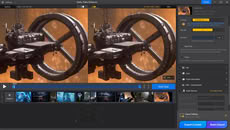 The software supports NVIDIA, AMD, and Intel GPUs, as well as CPU processing. Video files are processed locally without cloud uploads or processing credits, and users can enhance multiple clips in batches with output resolutions up to 4K.
Black Friday Offer: Get 45% Off Aiarty Video Enhancer
This Black Friday, Aiarty Video Enhancer is offering 45% off its Lifetime License (for up to 3 PCs or Macs)—featuring a one-time payment, lifetime free upgrades, and no recurring subscription fees.
If you prefer a shorter commitment, a 1-year Standard License is also available for just $6.58/month (billed annually).
AI Video Upscaling: Bring Low-Resolution Footage Up to 4K
A low-resolution gameplay recording, for example, may look soft or pixelated when viewed on a larger monitor or reused in a video project. The same issue can affect footage captured with older devices, cropped video clips, screen recordings, and AI-generated videos that lack sufficient resolution for their intended use.
Aiarty Video Enhancer supports 2x, 4x, and custom scaling, with output resolutions up to 4K. Its AI models analyze visual patterns to estimate missing details, sharpen edges, and improve textures during enlargement, helping turn low-resolution footage into clearer HD or 4K videos.
AI Video Deblurring: Sharpen Blurry and Pixelated Footage
Anime clips, downloaded videos, and gameplay captures can lose visual clarity due to low resolution, compression, or repeated resizing. This may result in blocky artifacts, jagged edges, and a general loss of fine details, particularly when viewed on a larger screen. Simply increasing sharpness can make compression artifacts more noticeable rather than restore useful details.
Instead of simply applying a sharpening filter, Aiarty Video Enhancer uses AI processing to sharpen edges, enhance visible details, and reduce distracting pixelation. This helps give footage that has lost clarity a cleaner, more defined look, making fine textures and visual elements easier to distinguish.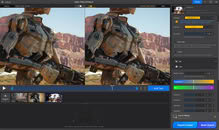 AI Video Denoising: Remove Noise While Preserving Details
Nighttime recordings, indoor videos, and footage shot at high ISO settings often contain visible grain or colored noise. These imperfections can become more noticeable when editing clips or watching them on a larger display.
The superVideo vHQ model in Aiarty Video Enhancer is designed specifically for noisy and low-light footage. It helps reduce visible noise while preserving important image details, making grainy recordings cleaner without unnecessarily smoothing out textures.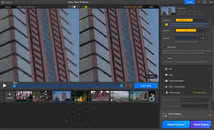 Adjust Colors and Convert SDR to HDR for More Vivid Video
Older recordings and footage captured under challenging lighting conditions may look dull, washed out, or lack contrast. Color and lighting adjustments can help improve their overall appearance, making details and colors more visible.
Aiarty Video Enhancer provides controls for adjusting exposure, contrast, saturation, and other color settings, giving users more flexibility to fine-tune the overall look of their footage. It also supports SDR-to-HDR conversion with 10-bit output, allowing users to convert SDR videos into HDR output for compatible displays.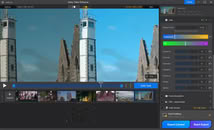 AI Frame Interpolation: Create Smoother Motion
Gameplay recordings captured at 30 FPS can look less fluid when played on high-refresh-rate monitors. The same applies to action footage and other videos with fast-moving subjects. Frame interpolation can help by generating additional frames between the original ones.
Aiarty Video Enhancer supports AI frame interpolation with output options of 60, 90, and 120 FPS, allowing users to increase the frame rate of existing clips for smoother playback or video projects. AI models analyze motion between frames to generate intermediate images, helping create more fluid transitions between movements.
Harnessing Desktop Compute with Local AI Video Enhancement
When tackling heavy video enhancement tasks—such as upscaling a 25-minute standard-definition archive to crisp 4K—cloud-based solutions quickly run into bottlenecks. Subscription fees pile up, file size limits constrain workflows, and privacy concerns arise when uploading personal or proprietary footage to external servers.
Running optimization models locally on your own GPU, Aiarty changes the equation entirely:
We have reached a point where desktop hardware capacity is no longer the primary bottleneck in video restoration- having software optimized to saturate those hardware pipelines is what makes the difference. From polishing screen captures and enhancing digital camera footage to restoring legacy video archives, deep-learning models are making local video processing more practical than ever.
Aiarty Video Enhancer brings denoising, deblurring, upscaling, color adjustment, and frame interpolation together in one desktop application for Windows and macOS. If you are looking to put your system's GPU pipelines to practical work, exploring Aiarty Video Enhancer while the 45% off Black Friday offer is active is a great place to start.
Browser-based solutions such as NVIDIA RTX Video Super Resolution can improve the appearance of supported streaming content during playback. However, users who want to enhance and export their own video files need a different kind of workflow—one that can address noise, blur, compression artifacts, and resolution limitations in the source footage.
One example is Aiarty Video Enhancer, a desktop AI application for Windows and macOS that uses dedicated models to improve existing video footage. It offers tools for reducing noise, sharpening blurry or pixelated footage, and increasing resolution.
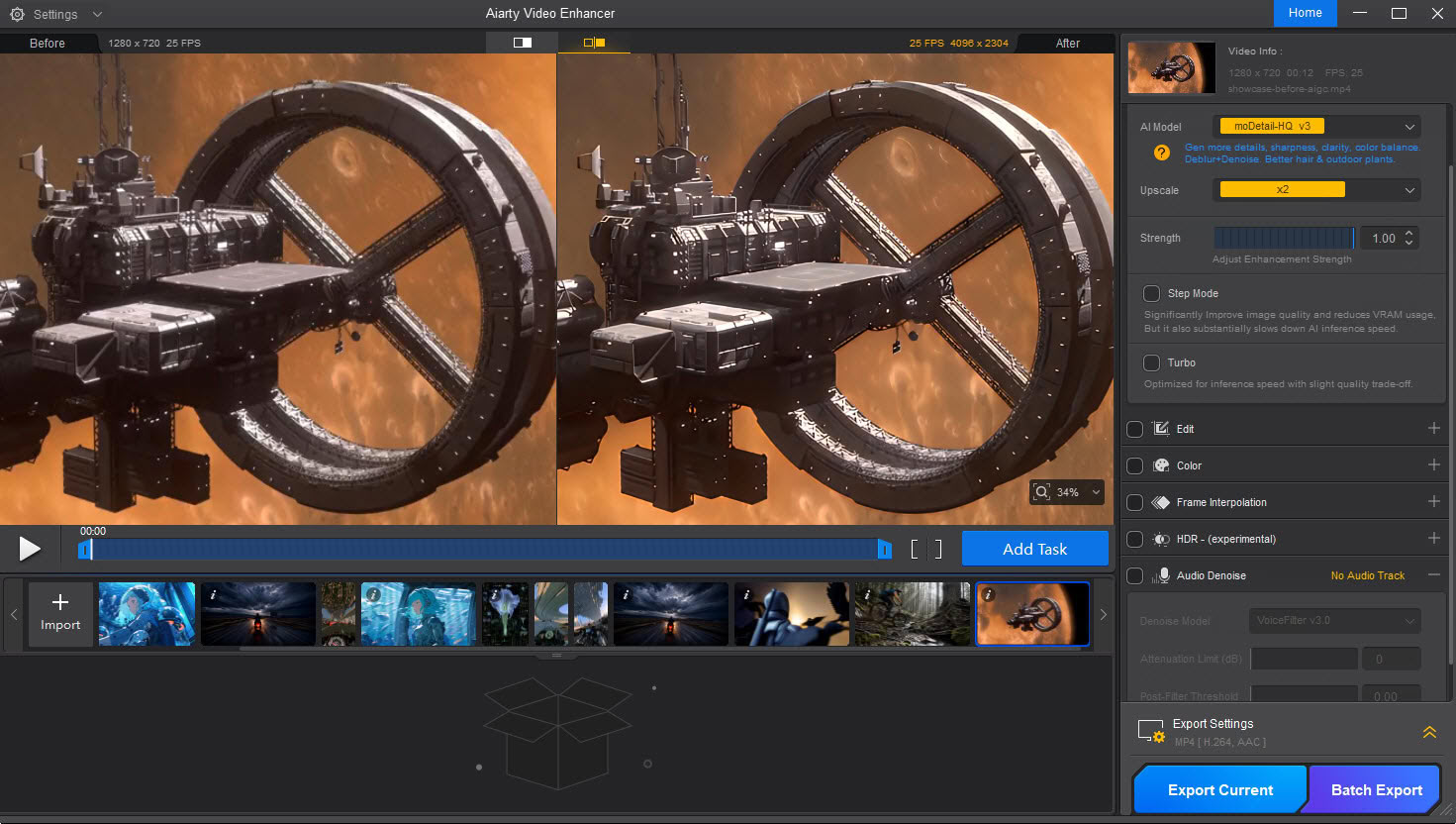
Black Friday Offer: Get 45% Off Aiarty Video Enhancer
This Black Friday, Aiarty Video Enhancer is offering 45% off its Lifetime License (for up to 3 PCs or Macs)—featuring a one-time payment, lifetime free upgrades, and no recurring subscription fees.
If you prefer a shorter commitment, a 1-year Standard License is also available for just $6.58/month (billed annually).
AI Video Upscaling: Bring Low-Resolution Footage Up to 4K
A low-resolution gameplay recording, for example, may look soft or pixelated when viewed on a larger monitor or reused in a video project. The same issue can affect footage captured with older devices, cropped video clips, screen recordings, and AI-generated videos that lack sufficient resolution for their intended use.
Aiarty Video Enhancer supports 2x, 4x, and custom scaling, with output resolutions up to 4K. Its AI models analyze visual patterns to estimate missing details, sharpen edges, and improve textures during enlargement, helping turn low-resolution footage into clearer HD or 4K videos.
AI Video Deblurring: Sharpen Blurry and Pixelated Footage
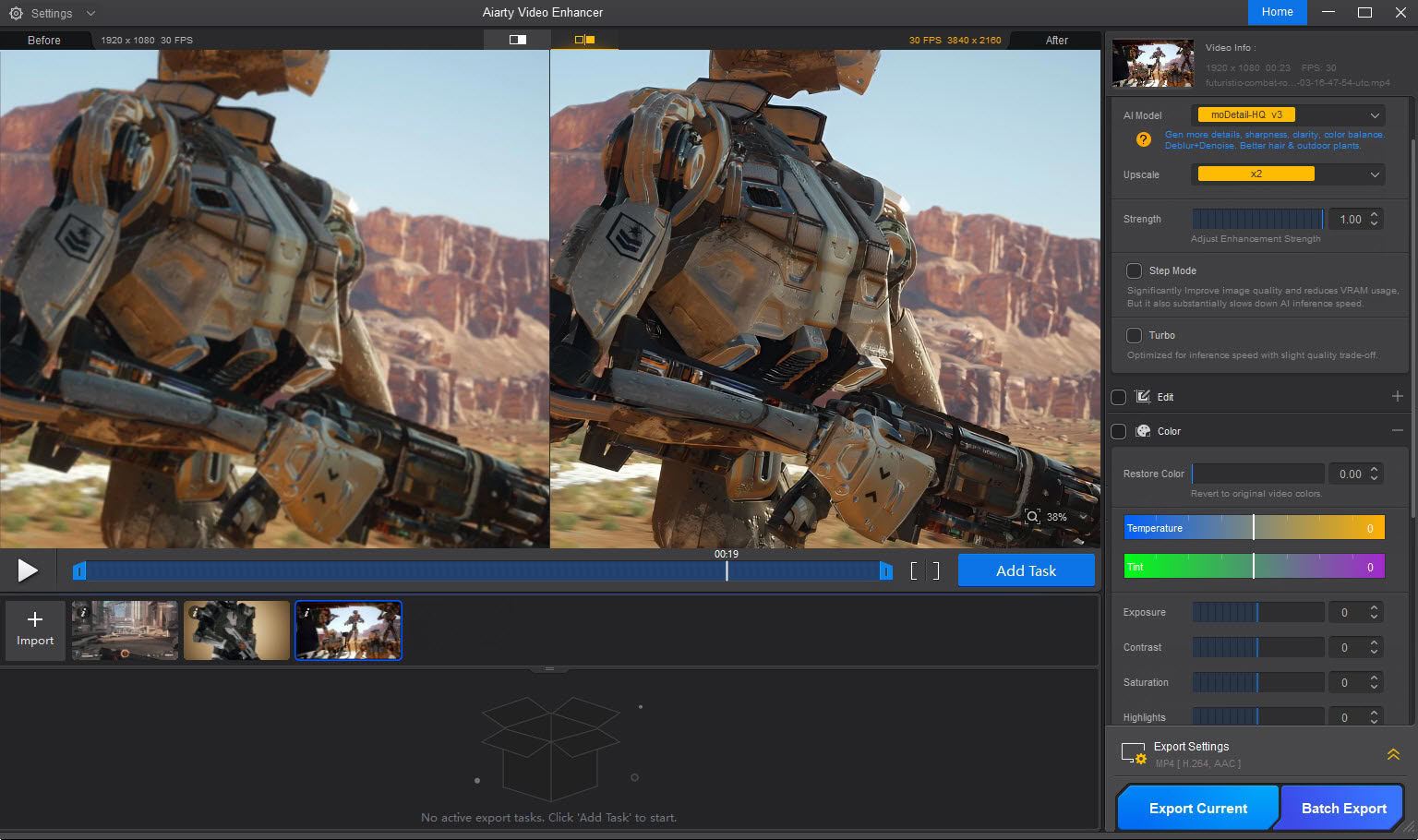
Anime clips, downloaded videos, and gameplay captures can lose visual clarity due to low resolution, compression, or repeated resizing. This may result in blocky artifacts, jagged edges, and a general loss of fine details, particularly when viewed on a larger screen. Simply increasing sharpness can make compression artifacts more noticeable rather than restore useful details.
Instead of simply applying a sharpening filter, Aiarty Video Enhancer uses AI processing to sharpen edges, enhance visible details, and reduce distracting pixelation. This helps give footage that has lost clarity a cleaner, more defined look, making fine textures and visual elements easier to distinguish.
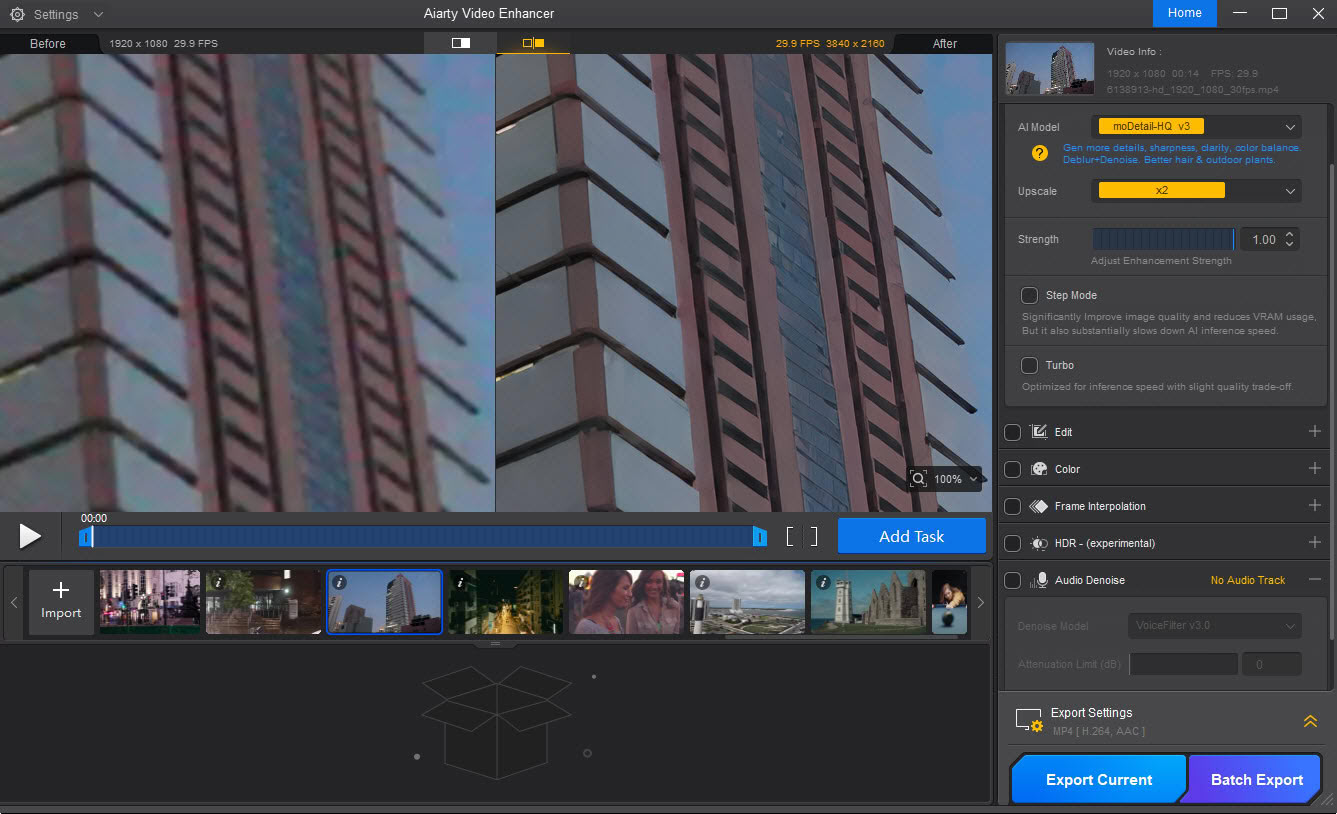
Nighttime recordings, indoor videos, and footage shot at high ISO settings often contain visible grain or colored noise. These imperfections can become more noticeable when editing clips or watching them on a larger display.
The superVideo vHQ model in Aiarty Video Enhancer is designed specifically for noisy and low-light footage. It helps reduce visible noise while preserving important image details, making grainy recordings cleaner without unnecessarily smoothing out textures.
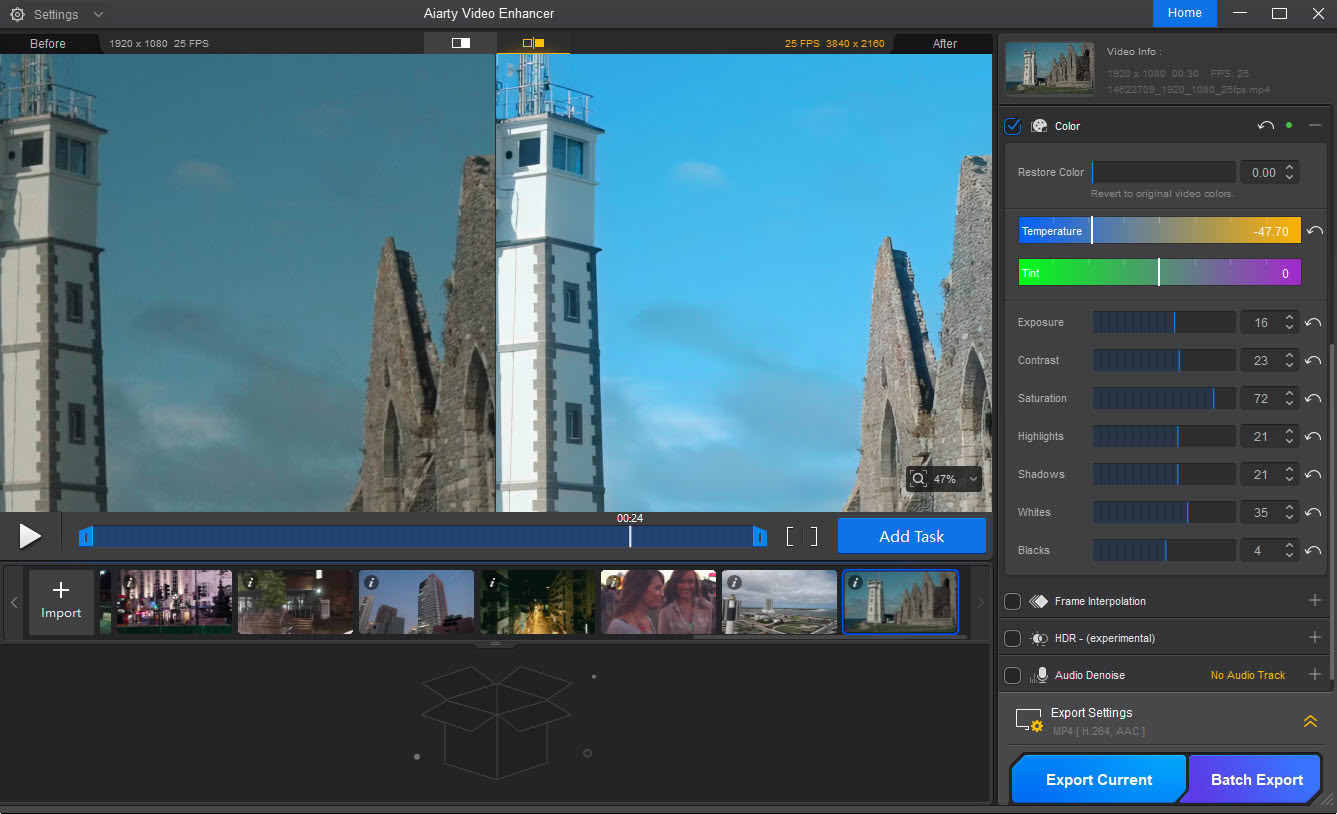
Older recordings and footage captured under challenging lighting conditions may look dull, washed out, or lack contrast. Color and lighting adjustments can help improve their overall appearance, making details and colors more visible.
Aiarty Video Enhancer provides controls for adjusting exposure, contrast, saturation, and other color settings, giving users more flexibility to fine-tune the overall look of their footage. It also supports SDR-to-HDR conversion with 10-bit output, allowing users to convert SDR videos into HDR output for compatible displays.
Gameplay recordings captured at 30 FPS can look less fluid when played on high-refresh-rate monitors. The same applies to action footage and other videos with fast-moving subjects. Frame interpolation can help by generating additional frames between the original ones.
Aiarty Video Enhancer supports AI frame interpolation with output options of 60, 90, and 120 FPS, allowing users to increase the frame rate of existing clips for smoother playback or video projects. AI models analyze motion between frames to generate intermediate images, helping create more fluid transitions between movements.
Harnessing Desktop Compute with Local AI Video Enhancement
When tackling heavy video enhancement tasks—such as upscaling a 25-minute standard-definition archive to crisp 4K—cloud-based solutions quickly run into bottlenecks. Subscription fees pile up, file size limits constrain workflows, and privacy concerns arise when uploading personal or proprietary footage to external servers.
Running optimization models locally on your own GPU, Aiarty changes the equation entirely:
- GPU Acceleration & Optimized AI Models: Aiarty supports NVIDIA, AMD, Intel, and Apple Silicon GPUs, as well as CPU processing. Its optimized AI models are designed to improve inference efficiency while maintaining visual quality. A dedicated Turbo Mode can further speed up processing with a subtle trade-off in output quality.
- Local Processing & Privacy: Video files are processed directly on your computer without uploading them to cloud servers or relying on cloud processing credits. This gives users more control over personal recordings and other video files.
- Batch Processing: Multiple video files can be added to the enhancement workflow and processed in batches, making it easier to work through collections of recordings without handling each clip individually.
We have reached a point where desktop hardware capacity is no longer the primary bottleneck in video restoration- having software optimized to saturate those hardware pipelines is what makes the difference. From polishing screen captures and enhancing digital camera footage to restoring legacy video archives, deep-learning models are making local video processing more practical than ever.
Aiarty Video Enhancer brings denoising, deblurring, upscaling, color adjustment, and frame interpolation together in one desktop application for Windows and macOS. If you are looking to put your system's GPU pipelines to practical work, exploring Aiarty Video Enhancer while the 45% off Black Friday offer is active is a great place to start.