News Posts matching #Macro

Return to Keyword Browsing

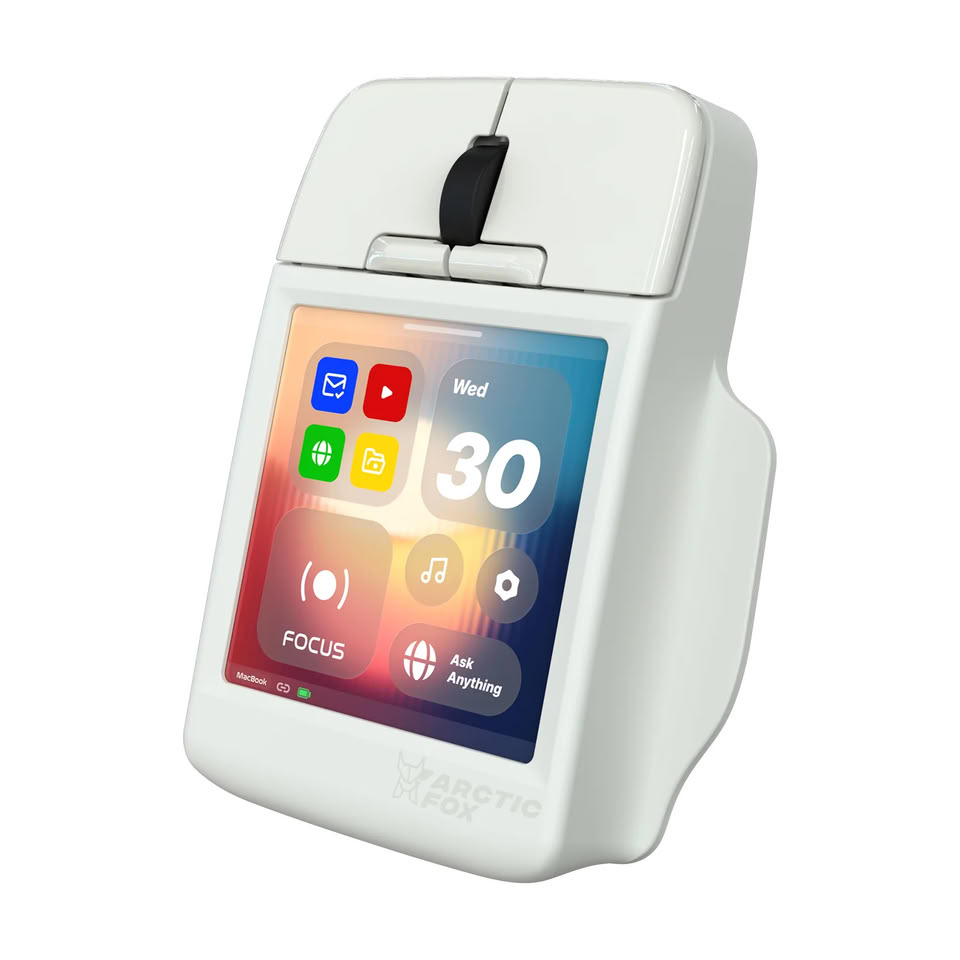
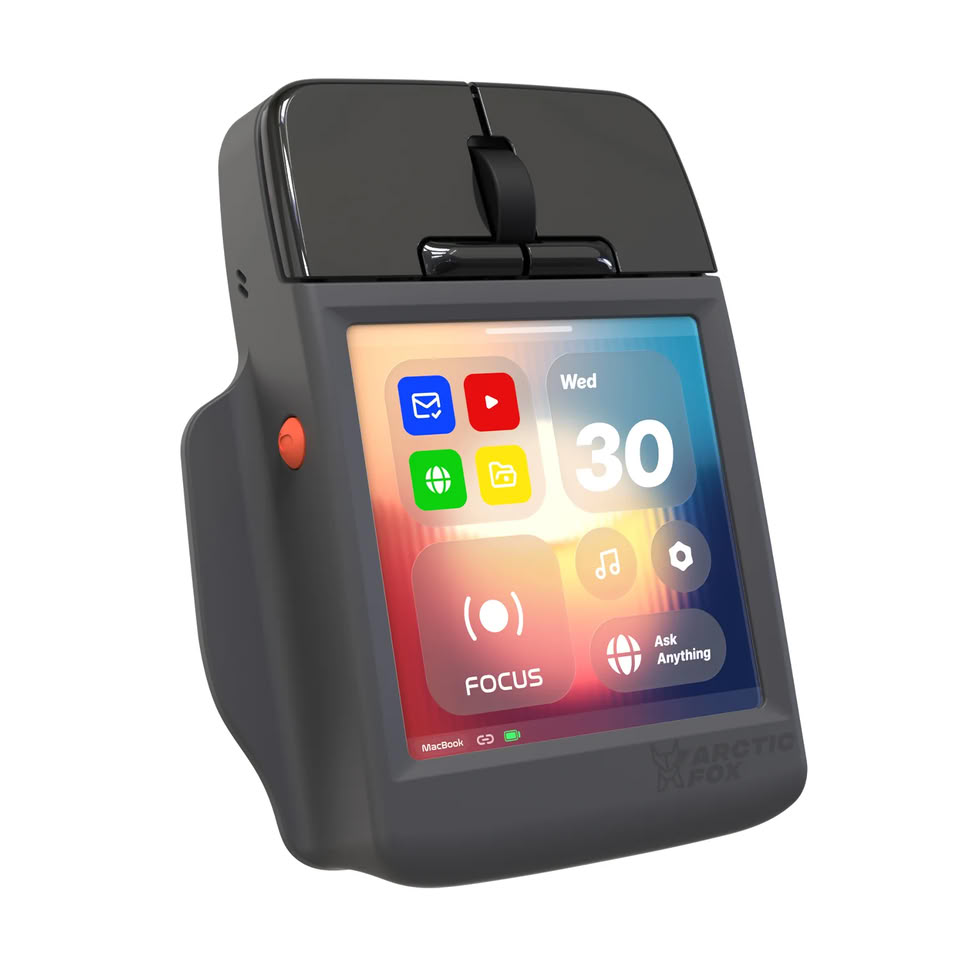
The Arctic Fox Super Mouse Has a 3.1-Inch 720p Touchscreen and Asks "What if It Did Everything?"

2026 has been a bit of a watershed moment for computer mice, especially in the gaming space, with features like rapid trigger, adjustable actuation, and haptic feedback making it into mice like the Logitech G Pro X2 Superstrike (read TechPowerUp's in-depth review here) and X3 Superstrike, but Arctic Fox has taken a different approach to innovation and mouse features with the somewhat perplexing Super Mouse. The Super Mouse is a productivity mouse aimed more at office workers and multitaskers than gamers—to the point that the brand hasn't even disclosed what sensor the mouse is using nor its sensitivity specs.

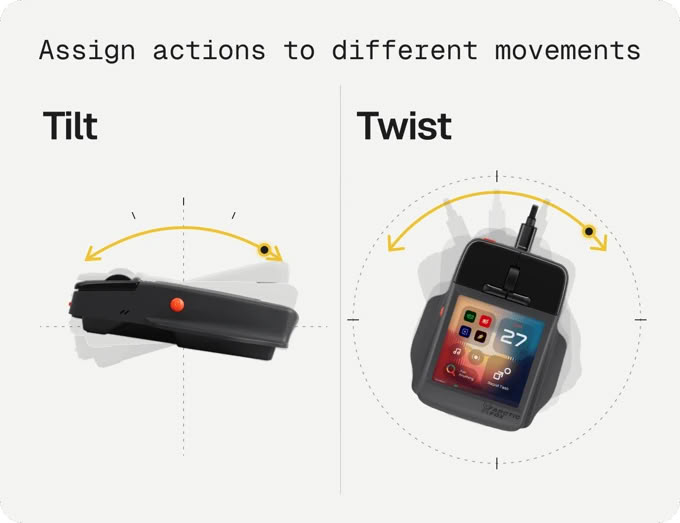
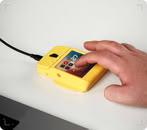
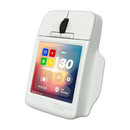
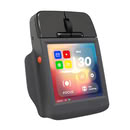
The Super Mouse's claim to fame is its 3.1-inch, 720p touchscreen on the top, which Arctic Fox has loaded with a bunch of productivity functions, including customizable shortcuts to launch applications on Windows or macOS, a full virtual keyboard, multistep macros and routines, trackpad and gesture functionality, and productivity tracking. The Super Mouse even has built-in voice input for speech-to-text input, and it has full Google Calendar integration via OAuth 2.0, which the brand claims keeps your data private alongside user-defined permissions control, encrypted calendar data, and local calendar data storage. There is also claimed built-in gyro control for 3D navigation.
Elecom Unveils a USB-C Dock with Built-In Dial Knob and Four Macro Keys

Japanese peripheral maker Elecom has introduced the DST-L080BPBK, an 8-in-1 USB Type-C dock that combines a conventional docking station with a large dial knob and four customizable buttons. The company is known for some unusual PC peripherals, including the M.A.P.P. mouse and IST trackball mouse. The dock measures 74 × 87 × 59 mm and weighs approximately 250 g. The top of the dock houses the dial and four buttons, with their functions configurable through Elecom's Mouse Assistant software. The dial and buttons can be assigned to different functions depending on the user's needs, turning the dock into a small control panel in addition to its connectivity features. The dock features one USB 5 Gbps Type-C and two USB 5 Gbps Type-A ports for data, along with a USB Type-C upstream connection.

The device also has a USB Type-C port with Power Delivery, up to 100 W input / 90 W output and one HDMI port that supports up to 4K at 60 Hz. The features are completed by one SD and one microSD card slot, Gigabit Ethernet, and a 3.5 mm audio jack. It supports Windows 10/11 and macOS Tahoe 26. Elecom plans to launch the DST-L080BPBK in Japan in early October, the dock is currently listed on the company website for ¥13,728 (around $87). The company has not announced availability in other regions.

Brook StarRay Wireless Controller Now Available

Brook Gaming introduces the Brook StarRay Wireless Controller, combining native PS5 support with an Xbox-style asymmetrical stick layout. Available now through the Brook Amazon Store and Brook official online shop, StarRay supports PS5, PC (Steam), iOS, and Android via Bluetooth or USB-C wired connection. On PS5, players can also power on the console directly using the HOME button.

Precision and Speed for Every Game
StarRay features Hall Effect analog sticks for precise, durable control with reduced risk of stick drift, along with mechanical buttons that deliver up to 30% faster input response.

Wingman P5 by Brook Gaming: True Wireless & Near-zero Latency for Native PS5, PS4 & PC Gaming

Brook Gaming, the global leader in cross-platform controller solutions, today announced the global launch of the Wingman P5. This high-performance converter allows PlayStation enthusiasts to use their preferred professional controllers—including the Xbox Elite Series 2, PS4, and Switch Pro—on the PS5, PS4, and PC (X-Input) across all game genres with uncompromised precision.

While many market solutions rely on "Remote Play" workarounds that require complex network setups and introduce significant lag, the Wingman P5 utilizes proprietary Direct Connection Technology. By connecting directly to the hardware, it delivers a near-zero latency experience suitable for both casual and competitive play.

HYTE Levels Up Its NEXUS Software With NEXUS 2.0 Coming Soon to All PC Enthusiasts

HYTE, a leading manufacturer of cutting-edge PC components and peripherals, announced at the Consumer Electronics Show (CES) the reveal of Nexus 2.0, the ultimate software solution for monitoring and controlling the desktop experience. Thanks to feedback from its community of hardware enthusiasts, HYTE aims to significantly upgrade its flagship software to enhance functionality and personalization, add user-friendly features that offer full control over performance and aesthetics, and upgrade the user interface with a fresh, modern design.

OpenRGB SDK Integration & Universal Fan Control
As part of their mission to crafting a cohesive digital ecosystem, HYTE is teaming up with OpenRGB to integrate their SDK into Nexus 2.0, enabling control and synchronization of RGB lighting across over 1,800 third-party devices. The Universal Fan Control uses PWM headers on the motherboard to enable intelligent system-wide cooling across a single surface, transforming any PC into a harmonious part of any aesthetic gaming setup.

Speedlink to Release the 10-Button Omnivi Flagship Mouse

German company Speedlink is about to bring their own gaming flagship gaming mouse towards the US market, one that is arguably over-saturated. However, as times have shown again and again, there is always a little more space for some products that manage to distinguish themselves in the consumers' eye.

To that end, Speedlink is putting up its Omnivi gaming mouse up against the very best and most renowned in the industry, sporting an ergonomic, polarizing design that is meant to either work or not at all for its prospective users. This means its curves and body design are crafted in particular ways in an effort to provide superb grip and feel - to a limited set of right-handed users whose hands adapt to the mice as it was designed. Like all specific designs, it risks alienating part of the potential user base who simply doesn't possess the physical and hand posture characteristics that best work with this mouse; this being the reason why so many mice have rather "neutral", non-contoured designs - in an effort to appeal to a larger potential customer base.
Return to Keyword Browsing
Nov 17th, 2026 12:58 CST change timezone

New Forum Posts

Popular Reviews

TPU on YouTube

Controversial News Posts