News Posts matching #WinUI

Return to Keyword Browsing

Windows 11 Beta Insiders Can Now Toggle Settings Straight From Taskbar Search

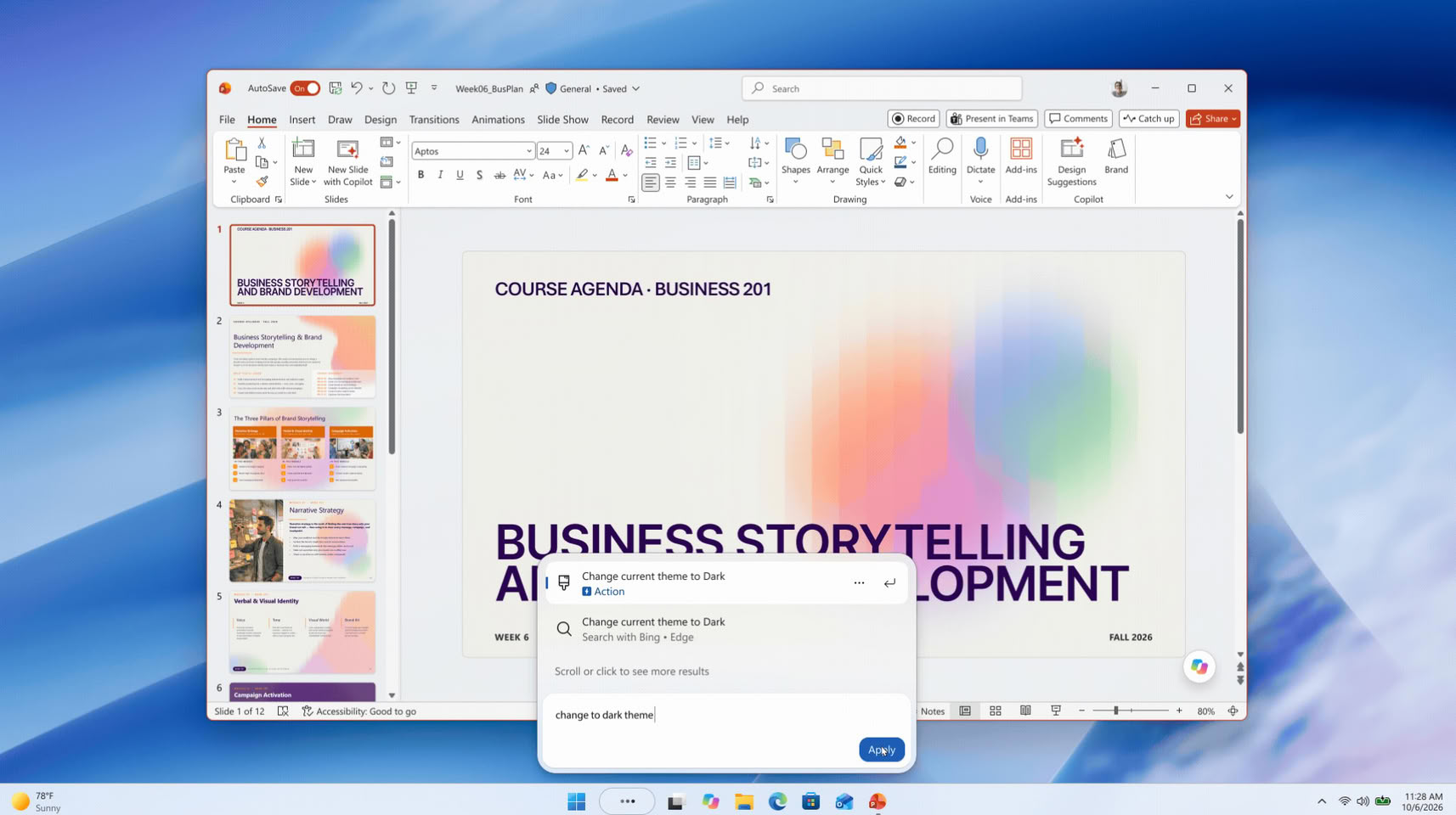
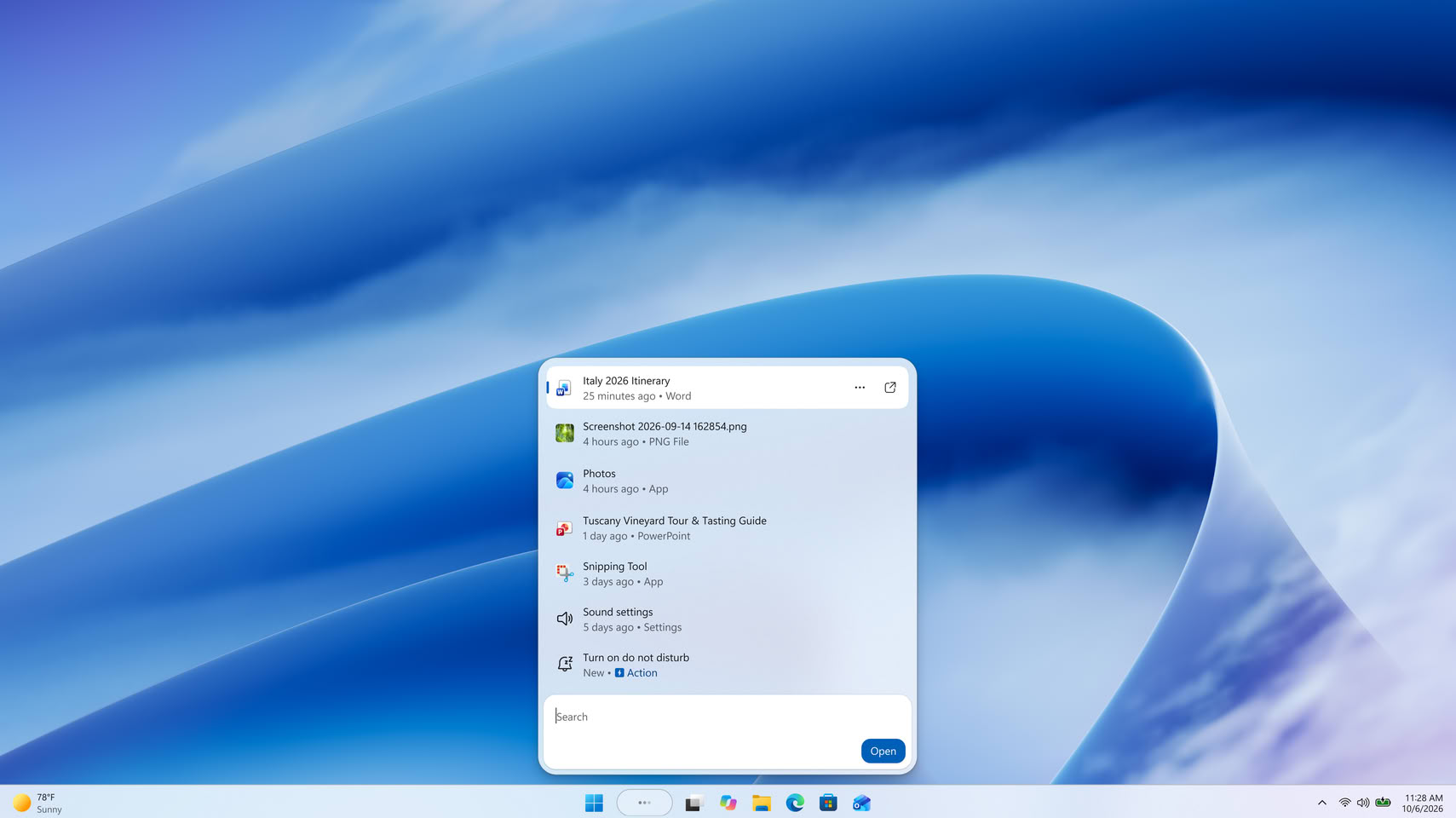
Windows Insiders in the Beta Channel can now change common system settings straight from the taskbar search box, in many cases without opening the Settings app. The new Windows Search, which Microsoft first showed off in October, is gradually rolling out with Build 26320.9876. That build also moves the Beta Channel to Windows 11 26H2 through an enablement package, though Microsoft says the version bump alone doesn't change much. The headline feature is what Microsoft calls inline actions. Typing something like "turn on dark mode", "turn on Bluetooth", "mute", or "dim my screen" gives a result that carries out the task right there, and it can also arrange open windows, for example snapping two apps side by side.

The new interface is built on WinUI 3, and Microsoft says it is faster and more efficient than the old one, with a single list of results that's easier to scan. Search is also apparently getting better at handling typos and synonyms, and Microsoft plans to keep tuning that over the coming weeks. There are a few limits for now. English is the only supported language, and the new experience only shows up when searching from the taskbar, since searching from the Start menu still opens the old interface. Microsoft says bringing it to the Start menu is planned for next year, and actions for a connected phone, such as sending a text, are also on the way.
Microsoft Hints at WinUI 3 Overhaul for Windows 11's Leftover Legacy Dialogs

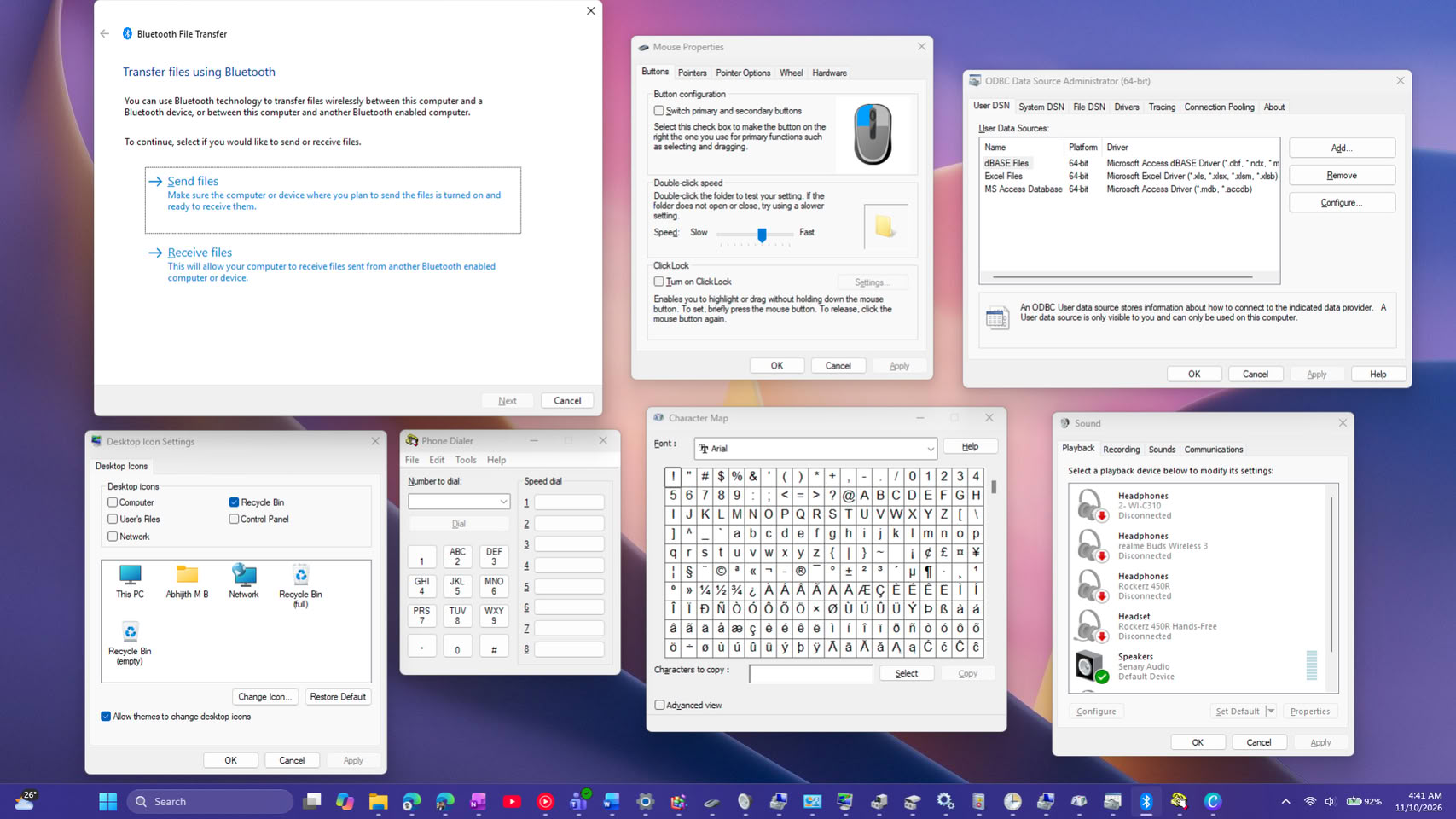
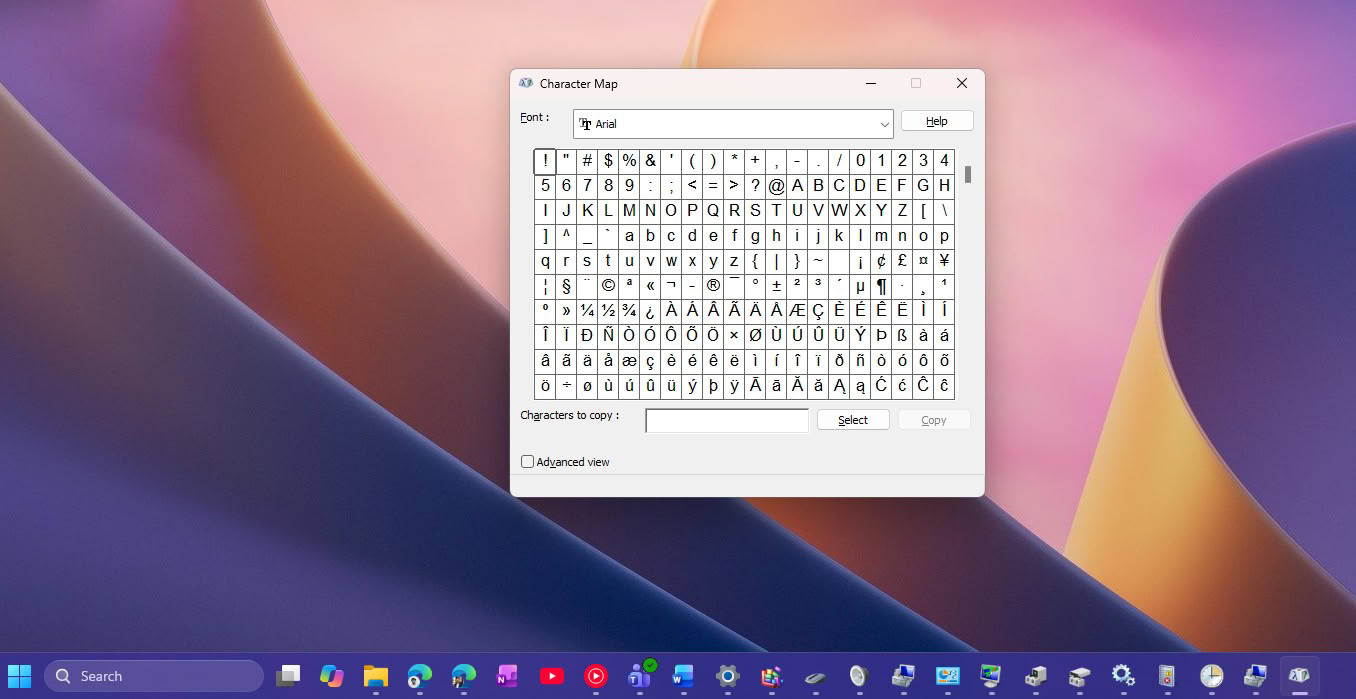
Marcus Ash, Microsoft's design and research lead for Windows and Devices, has hinted that more of Windows 11's old dialogs and admin tools could get a modern makeover. Under Jen Gentleman's post about the new option to silence the Sticky Keys prompt, a user asked Microsoft to "winui-fy" the legacy Win32 dialogs and MMC apps, and to fully move Control Panel into Settings. Ash replied with a short "Noted and working on that too." He didn't give a timeline or name any tools, so it's more like a nod than a roadmap.

There's plenty to work with, as Windows 11 still ships more than 20 tools with older interfaces, including Defragment and Optimize Drives, Disk Cleanup, Device Manager, Event Viewer, and the DirectX Diagnostic Tool. Folder Options and the Sticky Keys prompt still have no dark mode, and some links in Settings, such as the extra sound and mouse options, open the old Control Panel windows. Microsoft's recent dark mode update for Hyper-V Manager, another legacy tool, also came out incomplete.

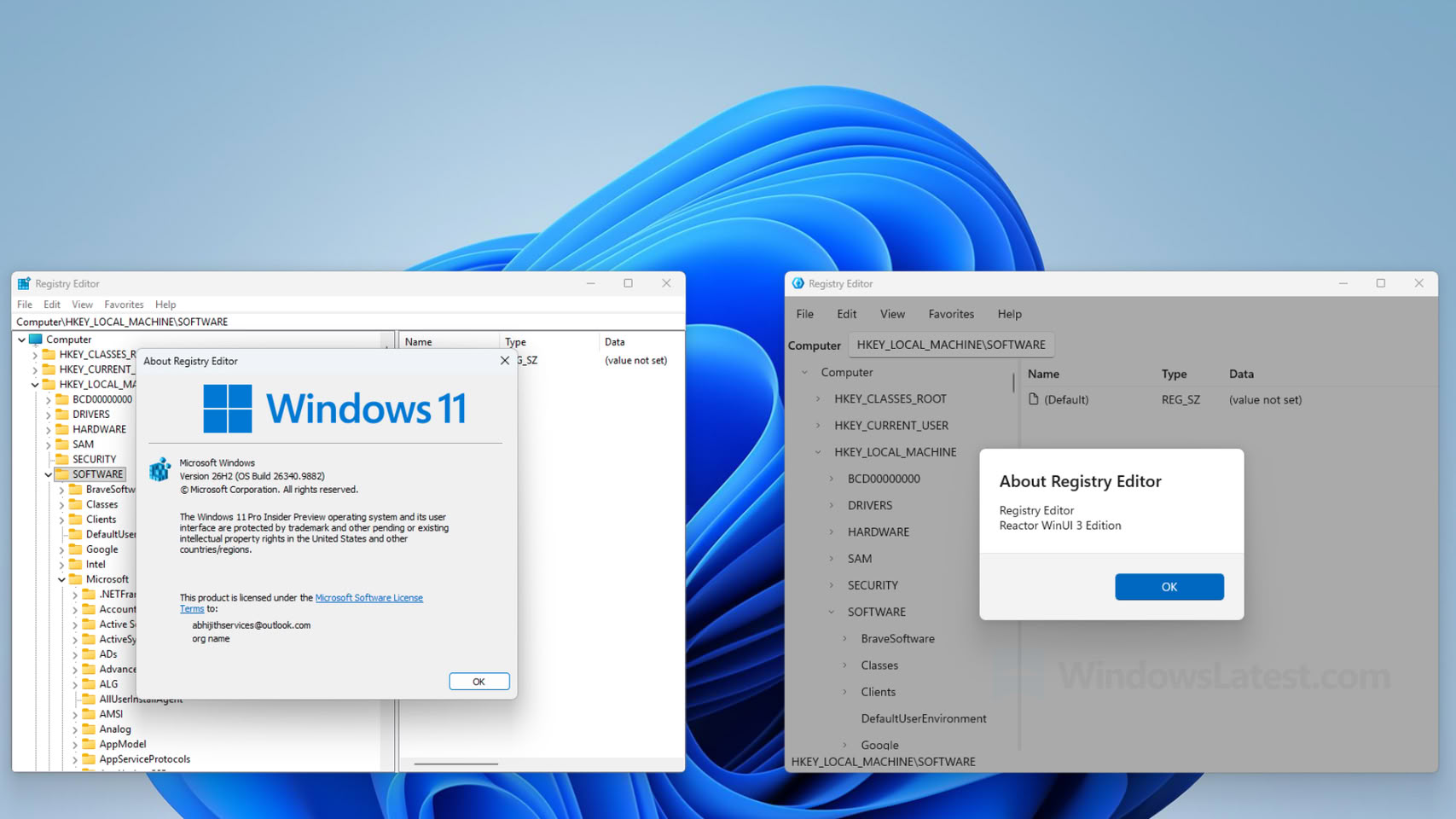
Microsoft Showcases Modernized Registry Editor as WinUI 3 Sample

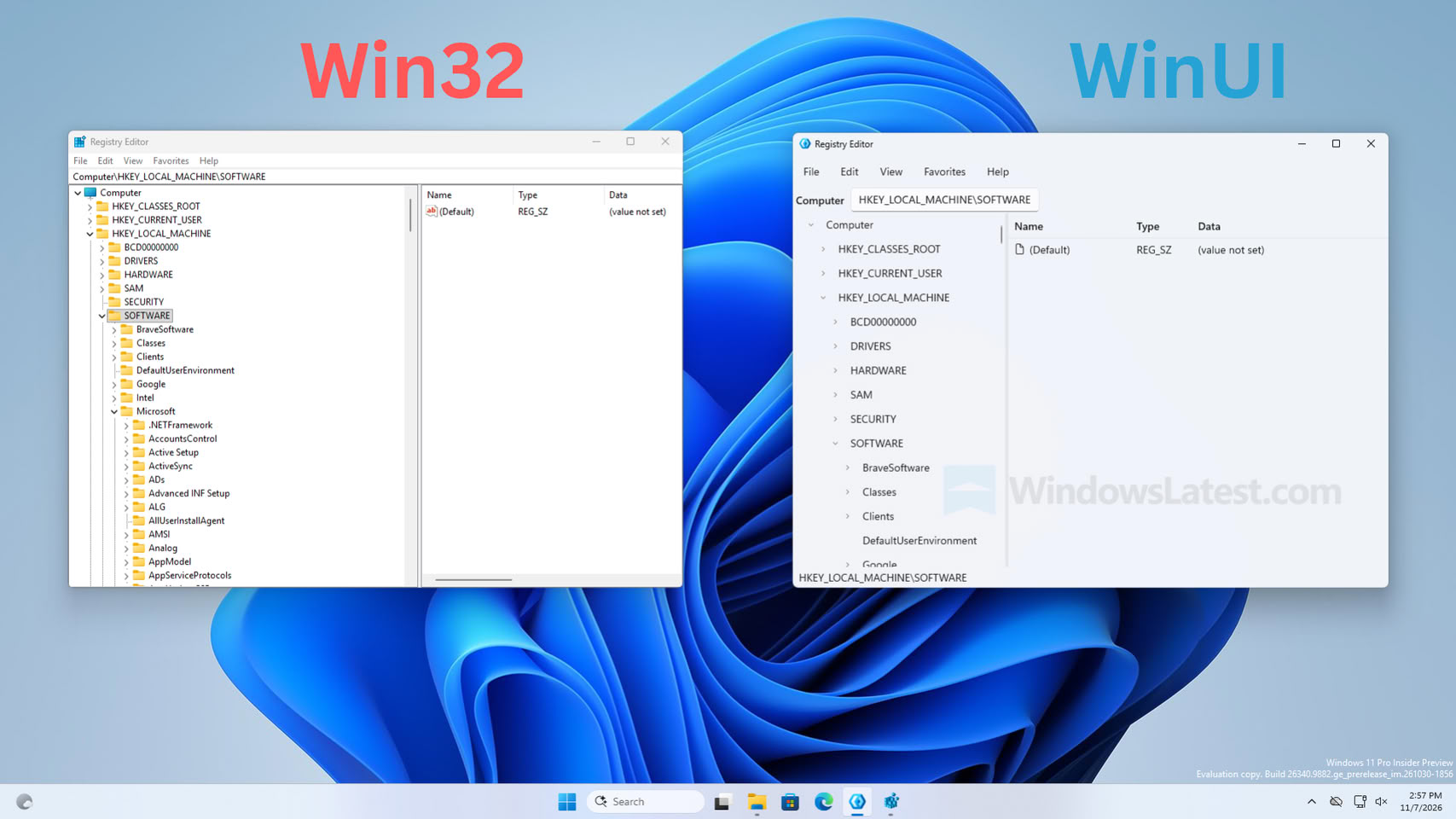
Microsoft has updated its core component, the Registry Editor, with the latest WinUI framework as a demonstration of what the WinUI 3 framework can offer to existing applications with legacy Win32 components. The Registry Editor, a fundamental Windows application, has remained unchanged across many generations of Windows operating systems, which have relied on it for essential system modifications. According to a report from Windows Latest, Microsoft showcased a modernized version of the Registry Editor built with the WinUI 3 framework as a sample, but it is not intended to replace the current application found in every Windows build.

Initially, Windows Latest did not explicitly state that the application overhaul was just a sample. This led Microsoft's executive Scott Hanselman to clarify on X that the new build is merely a sample application and is not connected to the team maintaining the current Registry Editor. Previously, communities on X criticized the new design for its sparse menus and unfinished look, prompting a response from Microsoft's staff. It is important to note that while a new version might be in development, the current application is only a demonstration and is not related to the team maintaining the existing application. A future update may address this, but for now, we remain with the older version.

Microsoft Adds Incomplete Dark Mode to Some Legacy Windows 11 UI Elements

Microsoft is known for maintaining a mix of UI frameworks across its Windows 11 operating system, carrying over elements from as far back as the Windows 7 era. These include WebView2, React, WinUI, and Win32 UI, each with its own distinct look and behavior. Recently, the company added dark mode support to one of its older frameworks and applications, specifically Hyper-V Manager, which runs on the Win32 API for system graphics. This legacy software layer has been updated to include a dark mode, where most interactions now occur in a darker theme.

However, testing by Windows Latest reveals that the dark mode support is still incomplete, as Microsoft implemented Hyper-V Manager in a somewhat unfinished manner. While Hyper-V Manager generally features dark UI elements, some parts remain in light mode, such as the main management view and virtual machine listing. Additionally, Hyper-V Quick Create Gallery and Virtual Machine Connection are still exclusive to light mode. Switching between creating checkpoints and opening VMs in VM Connection is also problematic, as light screens persist. This makes the implementation less than seamless, raising questions about why Microsoft chose to release it before achieving a fully functional dark mode.

Microsoft Now Lets AI Build Native WinUI 3 Apps for Windows 11 in Under 30 Minutes

Microsoft has published a quick-start guide showing developers how to build a native WinUI 3 app for Windows 11 in about 30 minutes using AI. The workflow runs on free tools, VS Code,.NET 10, GitHub Copilot's free tier, and Microsoft's winapp CLI, so Visual Studio isn't needed. The guide covers scaffolding a project, using an AI agent to add features like a settings page, testing the result, and packaging it as an MSIX installer for the Microsoft Store.

The agent used here, called winui-dev, isn't the general Copilot chatbot most Windows users already know. Rather, it's a specialized plugin with skills for WinUI design, code review, UI testing, packaging, and migrating older apps. Microsoft also recommends connecting it to its Learn MCP server so it pulls current WinUI documentation instead of relying on training data, since WinUI 3 is newer and less represented in AI training sets than older frameworks like WPF and UWP.
Return to Keyword Browsing
Nov 12th, 2026 19:26 PST change timezone

New Forum Posts

Popular Reviews

TPU on YouTube

Controversial News Posts