News Posts matching #ergonomic mechanical keyboard

Return to Keyword Browsing

New Battery Law Shuts Down Keychron Orca Echo Shipments In EU

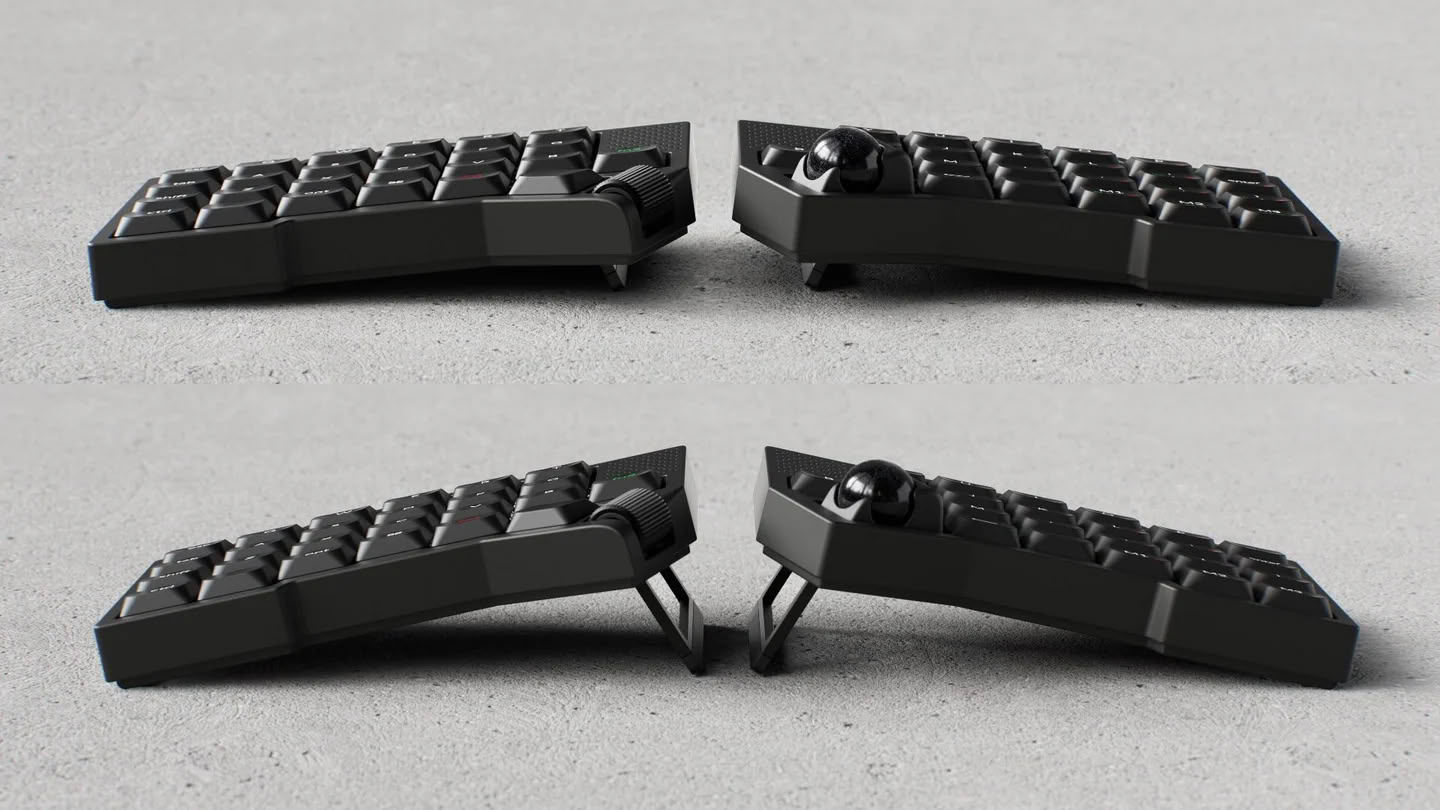
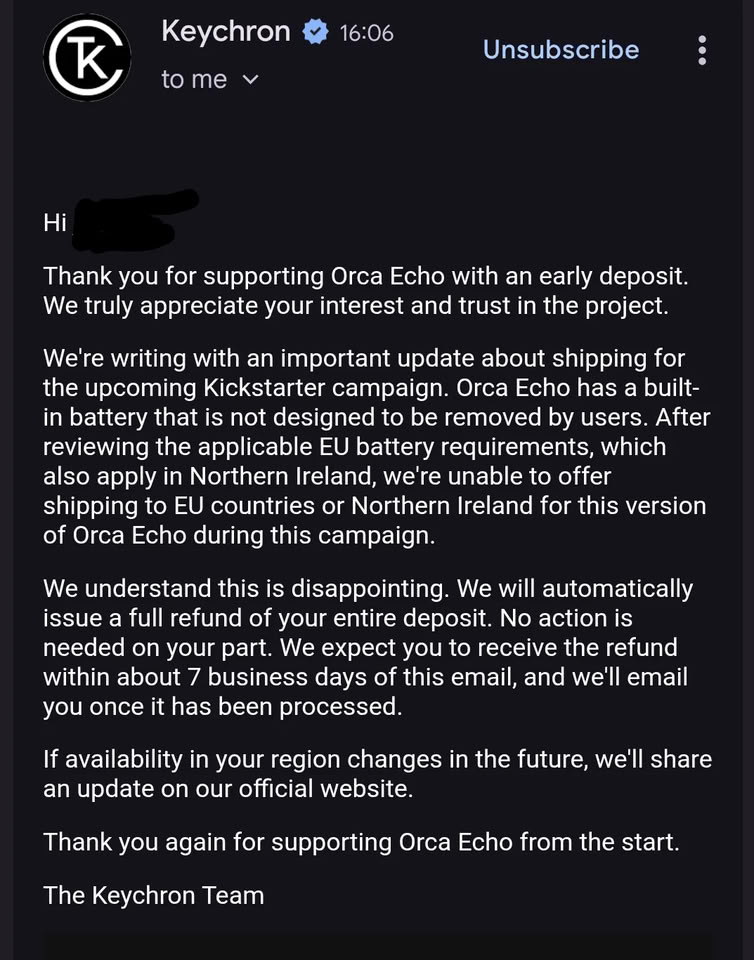
Keychron recently announced the upcoming Orca Echo wireless split ergonomic mechanical keyboard, simultaneously launching the device's early bird reservations ahead of the official crowdfunding campaign. Now, just a day before the launch of the aforementioned crowdfunding campaign, Keychron has refunded Orca Echo reservations in the EU, citing concerns about non-compliance with new EU regulations that require user-serviceable batteries in consumer electronics. Keychron sent out emails to reservation holders confirming the withdrawal and refunds (via u/Dosalod on Reddit), part of which reads:
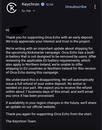
Orca Echo has a built-in battery that is not designed to be removed by users. After reviewing the applicable EU battery requirements, which also apply in Northern Ireland, we're unable to offer shipping to EU countries or Northern Ireland for this version of Orca Echo during this campaign.
Epomaker Launches Alice40 40% Mechanical Keyboard With Ergonomic Layout and $70 Pricetag

Epomaker has officially unveiled the Alice40 as its latest foray into the world of 40% mechanical keyboards—after the TH40 we reviewed previously and the Luma40 after that—and this time, the brand has gone for yet another unique layout option. As the name suggests, the Alice40 is based on the Alice layout that is commonly recommended to first-time ergonomic keyboard buyers, for its similarity to a regular unibody keyboard, although the Alice40 has a few features that set it apart from other mechanical keyboards in the same $69.99 price bracket.

For starters, the Alice40 modifies the traditional Alice layout with columnar stagger, meaning the columns are vertically offset from one another instead of the rows being horizontally offset. This is meant to make the keys align more appropriately to the natural movement of your fingers while you're typing. Another interesting quirk of the Alice40 is the knob between the two halves of the alpha cluster. As expected from a $69.99 mechanical keyboard, it has a plastic case, but it also has flip-out feet that allow users to adjust the typing angle between 5° and 8.5°. The case also features a gasket mount design, much like the Epomaker TH40, and it is stuffed with sound-damping materials to cut down on echoes and reverberation inside the case.

Keychron Reveals Orca Echo Ergonomic Keyboard With Built-In Trackball and Dual Switch Profile Support

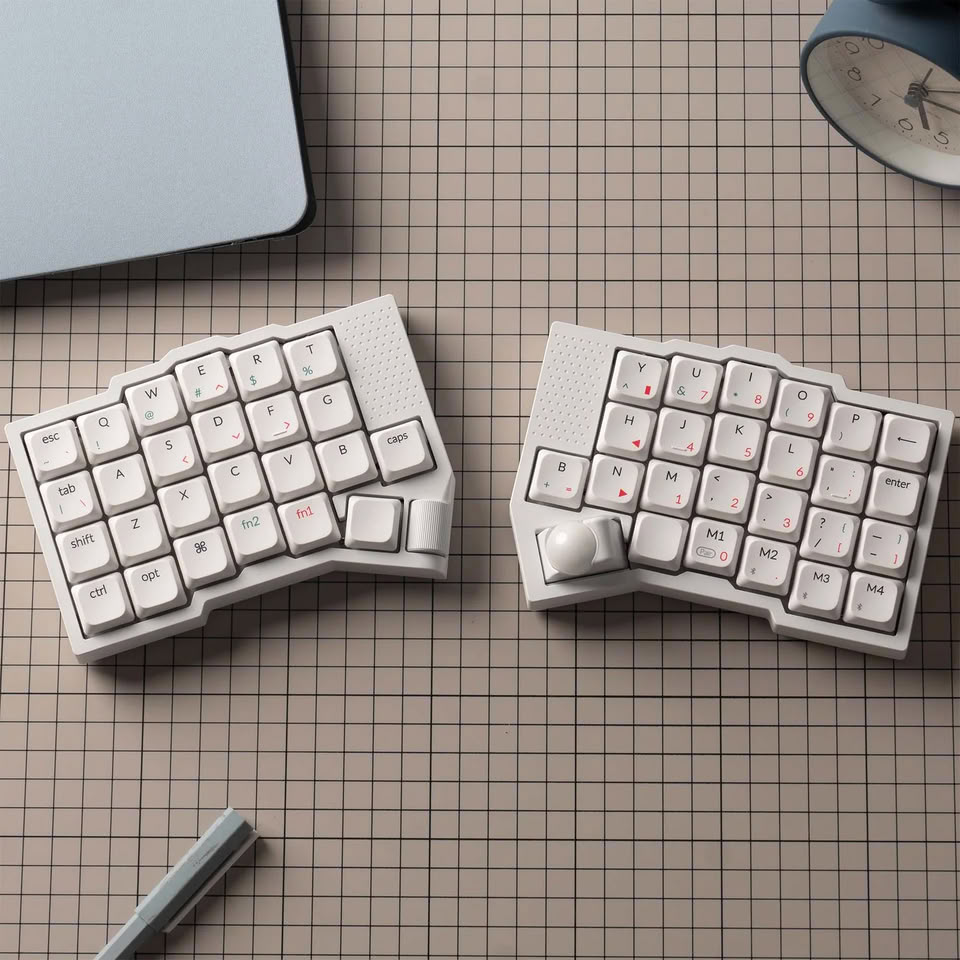
Keychron has been busy lately, whether it be with new gaming mouse launches, fancy steampunk keyboard designs, or the recently announced Nape Pro trackball mouse. The latest announcement from Keychron is the Orca Echo, a new split ergonomic keyboard that aims to be beginner-friendly while also providing more features than you can shake a stick at. At a surface level, the Orca Echo is a 49-key split ergonomic keyboard with a moderate columnar stagger layout, a built-in trackball under the right thumb, and a roller under the right thumb. However, in the space above the caps key on the left half of the keyboard and the B key on the right half, the Orca Echo also hides two touch-sensitive scroll pads for additional website and document navigation without having to move your hands off the keyboard.

The Orca Echo also has a few hidden features, like the new Nova socket, which is a new switch socket design that sits partially inside the keyboard's PCB and, Keychron claims, allows for a lower-profile design than traditional MX, Gateron, or Kailh sockets. The Orca Echo will also have magnets built into the bottom of the keyboard's case that allow the two halves to snap together for more convenient travel use cases. There are also fold-out feet on the bottom of each keyboard half for tenting, which is often touted as more ergonomic for the wrists. The Orca Echo will ship with a new Keychron switch with a pin layout similar to Gateron Low-Profile 3.0 switches, making it incompatible with Keychron's Milk POM switches but allowing for both low-profile or full-height MX switches, although swapping between the two switch profiles will require a plate swap, similarly to keyboards like the NuPhy Kick75.

Yuzu Launches Customizable KLP Lamé Keycaps for Ergonomic Mechanical Keyboards

Yuzu, the custom keycap maker, has just added the open-source KLP Lamé keycap profile to its portfolio of customizable keycaps, alongside the already available Cherry, KAM, PFF, and PBS profiles. KLP Lamé is a heavily sculpted ergonomic keycap profile designed specifically for use in ergonomic keyboards. Much like Cherry profile, KLP Lamé has different heights and angles for each row, making it easy to orient yourself on your keyboard. As is the case with other Yuzu keycaps, the KLP Lamé keycaps are 1.5 mm PBT with dye-sublimated legends.

Given that ergonomic keyboards, and especially split ergonomic keyboards, rely heavily on customization and layers, it seems as though it would be an ideal use case for a service like Yuzu, since no two split layouts are the same once they have been adapted to each individual user's needs. The keycap editor allows you to pick your own fonts, colors, symbols, and even upload custom images onto keycaps. The KLP Lamé keycaps come in both Choc and MX spacing, covering a variety of available ergonomic mechanical keyboards, but not mixed Choc spacing and MX stems, which excludes users running keyboards like the MoErgo Go60 with Choc V2 switches.
Return to Keyword Browsing
Nov 17th, 2026 17:02 CST change timezone

New Forum Posts

Popular Reviews

TPU on YouTube

Controversial News Posts