 9
ACEMAGIC K1 Review
General Performance »A Look Inside

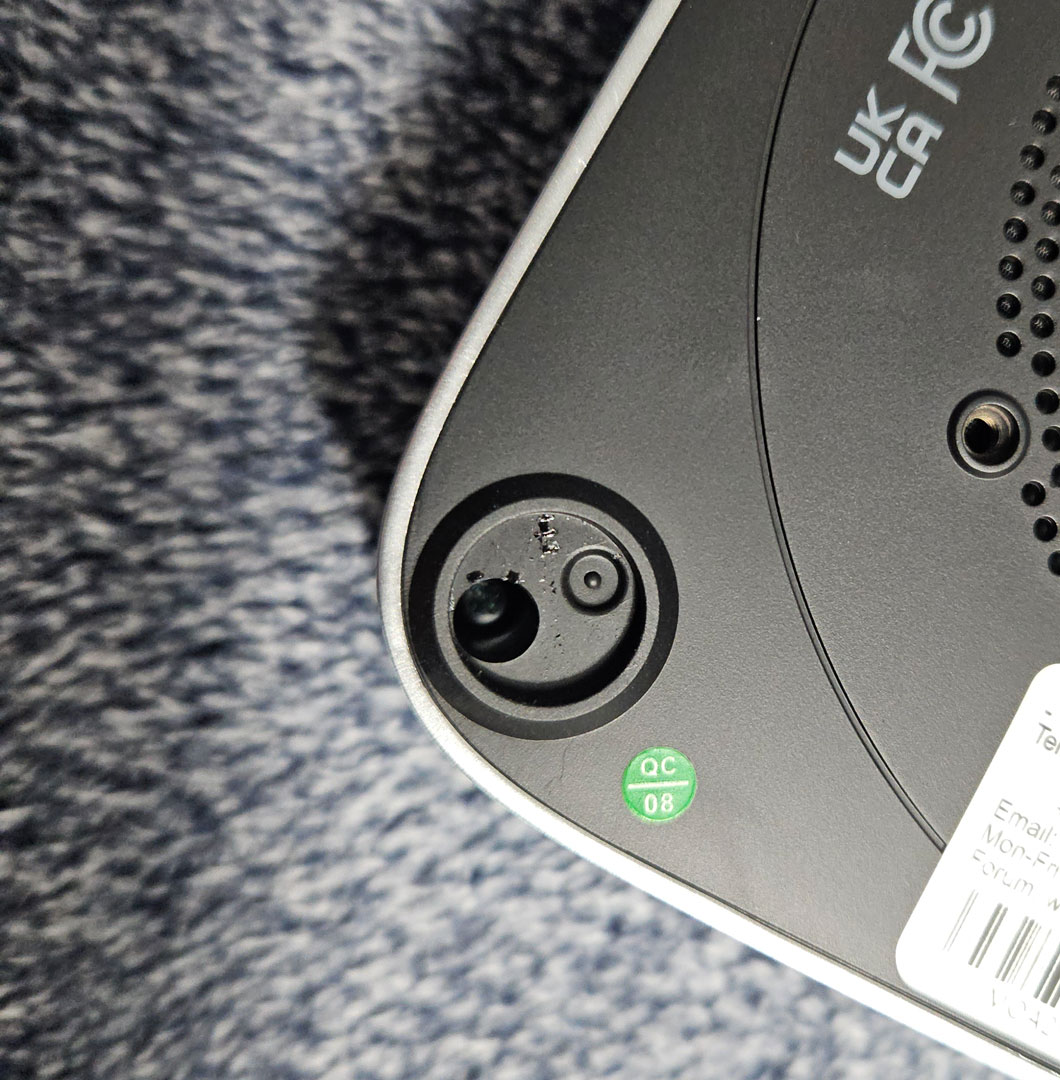
Opening the ACEMAGIC K1 is probably the only frustrating part of working with this system. The four mounting screws are hidden underneath the rubber feet, which is fairly common, but the screws themselves sit deep inside narrow holes. Reaching them requires a long and very thin screwdriver, and once the driver is inserted, the screw heads are no longer visible. The opening is so narrow that even shining a flashlight inside does not help much, so loosening the screws becomes a bit of a guessing game until you feel them release. After all four screws are removed, the bottom cover still needs to be carefully pried away from the chassis before the system can be opened.
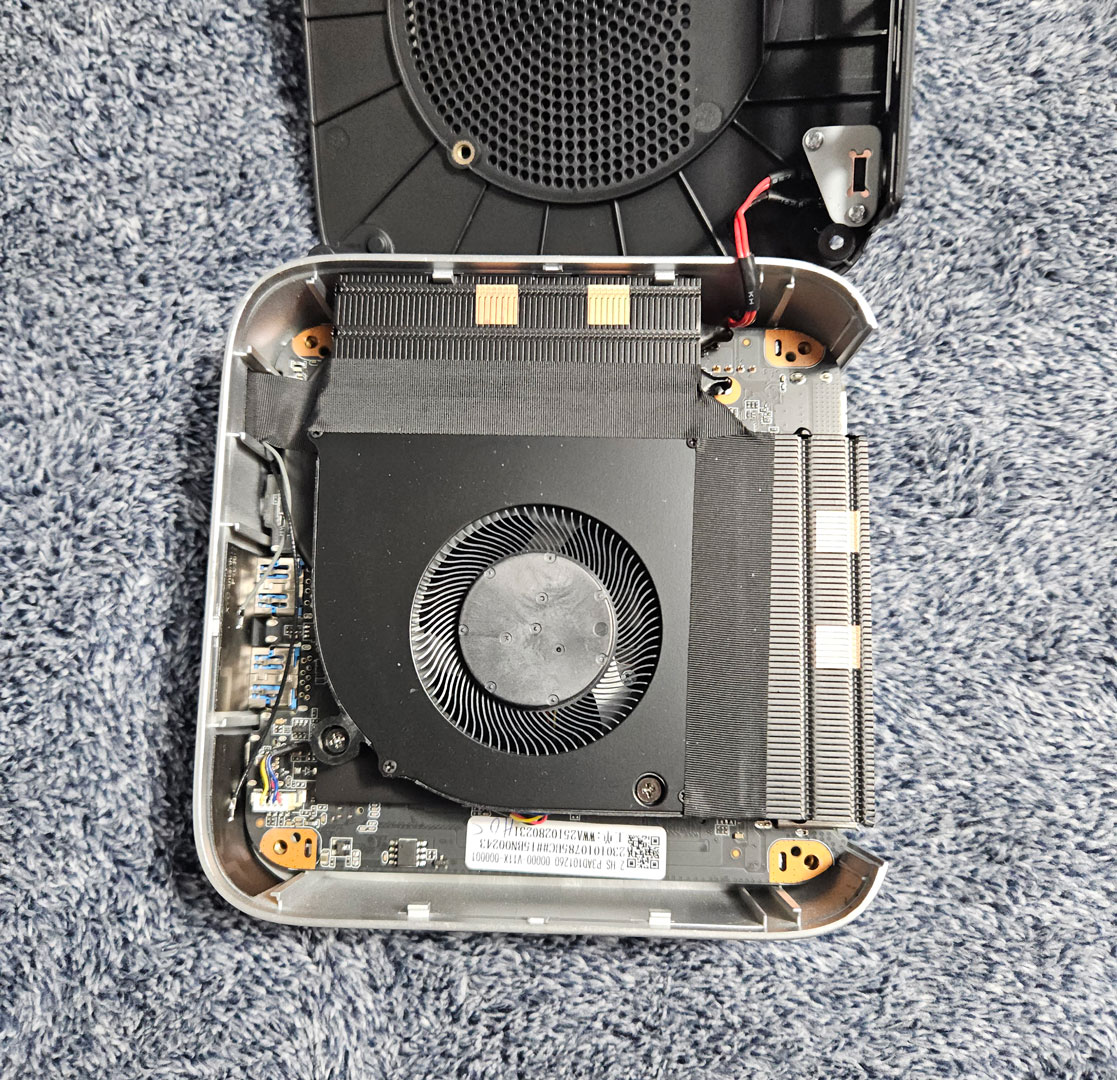
Once the cover is removed, the first thing visible is the cooling assembly rather than the upgradeable components. The underside of the system contains the blower-style fan and heatsink assembly that cools the Core i5-12600H. The fan pulls air in from the perforated intake on the bottom panel and pushes it through a fin stack connected to dual heatpipes, exhausting warm air through the rear and right side vents. This layout is common in compact Mini-PCs and allows the processor to run within its 45 W envelope while keeping the chassis size small.

Because the cooling system occupies the exposed side of the board, accessing the memory and storage requires an extra step. The entire motherboard has to be removed and flipped over to reach those components. Once the board is turned over, the upgradeable parts finally come into view. Two DDR4 SO-DIMM slots sit near the center of the board and support up to 64 GB of DDR4-3200 memory. The review system includes two 16 GB modules.
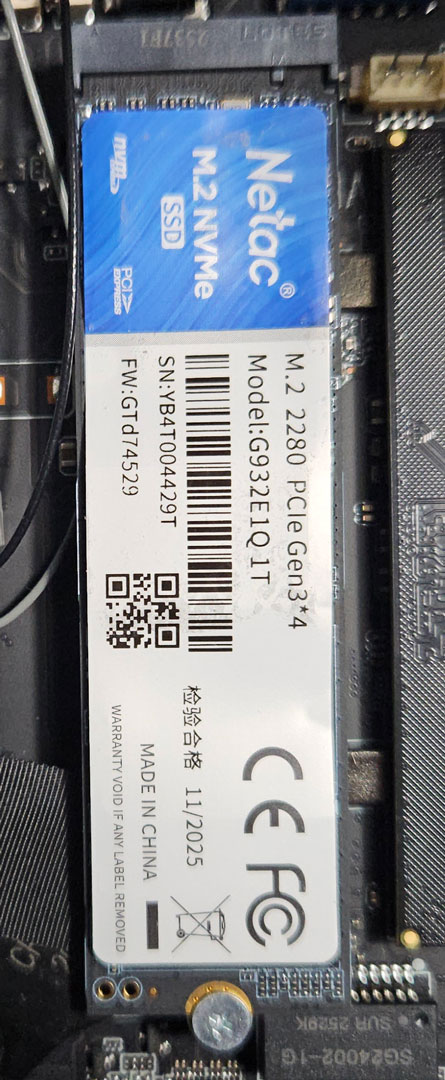
Storage is located beside the memory slots in the form of the usual M.2 2280 NVMe drive. The installed SSD is a Netac M.2 NVMe drive (model G93;2E1Q 1T) using a PCIe 3.0 x4 interface. I have not personally run into these SSDs before in a Mini-PC, but Netac is a long-time storage manufacturer out of China that produces OEM SSDs for a number of budget systems and prebuilt PCs. Drives like this typically prioritize affordability and decent everyday performance rather than top-tier speeds, which lines up with the read and write performance seen in my benchmarking section. It works well for everyday workloads, though it is not intended to compete with higher-end PCIe 4.0 SSDs. A second M.2 slot is also available for expansion, allowing users to add another NVMe drive or install a SATA-based M.2 SSD if they have one available.
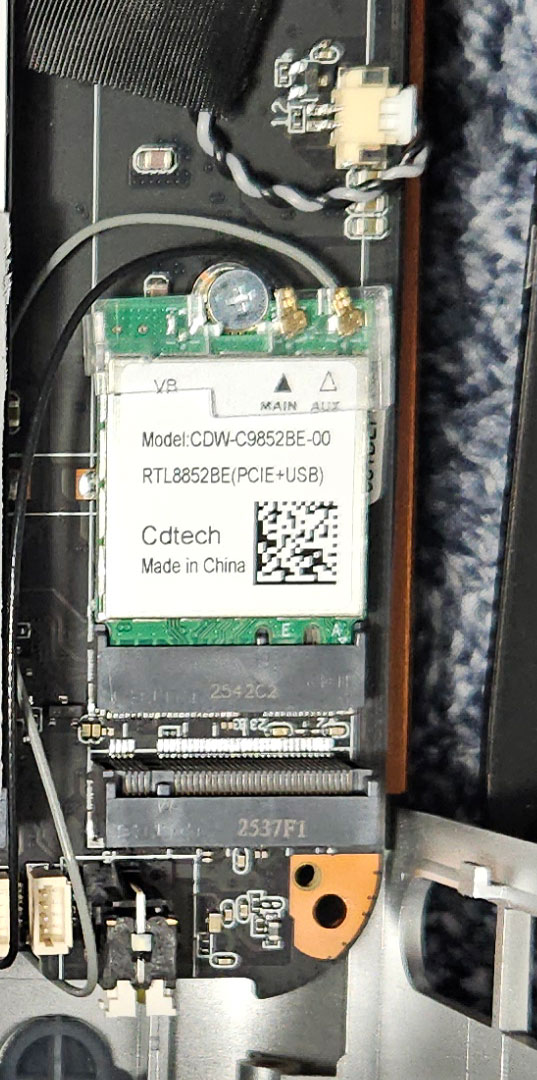
Wireless connectivity is features the Realtek RTL8852BE chipset via an M.2 slot, providing Wi-Fi 6 and Bluetooth 5.2 through two small antenna leads attached at the top of the card.
Overall, the internal layout itself is fairly organized, but the process required to reach these components is more involved than many other Mini-PCs.
Nov 20th, 2026 14:19 PST
change timezone
Latest GPU Drivers
New Forum Posts
- 1 - 5 person file storage server equivalent accasible from anywhere + general VM server. (0)
- WarpCoreBench scores! (81)
- How to prevent OLED burn damage due to PC freezes or power outtages? (48)
- Honestly, do you care about GTA VI? (208)
- When you could finally run Crysis maxed out? (63)
- GTA VI (20)
- Anthrophics IPO (25)
- GeekMagic Ultra Smart WiFi Weather Station (8)
- Very unusual two gaming-pc scenarios. (35)
- Can i play GTA 6 now? (Joke) (14)
Popular Reviews
- AMD Zen 6 Technical Deep Dive
- Ugreen NASync DXP4800 GT Review
- Microsoft Surface Laptop Ultra Review - The Next-gen Arm Laptop
- Corsair RM1200e (Second Generation) Review
- Acemagic Retro X3 Review
- Upcoming Hardware Launches 2027 (Updated Nov 2026)
- Pulsar Office Tour & First Look at P1 Dual-Sensor Mouse
- Biwin Black Opal NV7400 2 TB Review
- AMD Ryzen 7 9800X3D Memory Performance Scaling
- AMD Ryzen 7 9800X3D Review - The Best Gaming Processor
TPU on YouTube
Controversial News Posts
- NVIDIA Co-Founder and CEO Jensen Huang Officially Resigns (490)
- Report: Jensen Huang Eyes NVIDIA Comeback (255)
- Open Letter Asking NVIDIA to Reinstate Jensen Huang Passes 115,000 Signatures (184)
- OpenAI CEO Argues Home PCs Waste the World's Limited DRAM Supply (152)
- NVIDIA Launches Investigation Into Jensen Huang's Relationship With Suspected Chinese Spy (136)
- Intel "Raptor Lake Next" 16-Core and 20-Core CPUs Surface (130)
- Legendary Game Studio BioWare Shuts Down Following EA Layoffs (104)
- Dell CEO Says the Memory Shortage Will Get Worse in 2027 (95)