 2
Acemagic Retro X3 Review
A Look Inside »Design and Build


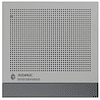
Acemagic has kept a lot of the Retro X5 charm with the X3, with its gray, squared-off shell, contrasting front trim, ventilation pattern across the top, and red power button. It's made from plastic, but the finish looks tidy and the compact 128.2 × 128.2 × 44 mm enclosure is easy to fit beside a monitor. I appreciate styling that is unique without adding lights or other LED decorations that would get distracting during regular work.
The front is where you'll find the red power button, two 10 Gbps USB-A ports, a 40 Gbps USB4 Type-C connector, and a 3.5 mm audio jack. Having USB4 on a system at this price is welcome, especially for a fast external SSD or a dock, while the two USB-A ports are useful for peripherals you connect and disconnect often. The power button is much larger than the usual tiny Mini-PC switch.

Around the back are four more USB-A ports, one HDMI output, one DisplayPort connection, 2.5 Gb Ethernet, and the DC power input. That's six USB-A connections altogether. The rear USB 3.2 Gen 1 ports run at 5 Gbps, while the front USB 3.2 Gen 2 Type-A connections support 10 Gbps, but that's fine for devices like keyboards, mice, and printers, and support for three displays broadens the X3's usefulness as an everyday PC.


The sides have long ventilation openings, with intake openings on the bottom and exhaust paths along the side and rear. There's also a small release slider on each side for the top cover, which turns out to be one of my favorite features of the case. Acemagic has avoided hiding the service screws under adhesive feet, making the first step of opening the PC simple, and the small rubber feet keep the enclosure slightly raised to give the intake some clearance.
Nov 16th, 2026 12:47 CST
change timezone
Latest GPU Drivers
New Forum Posts
- Current Sales, Bundles, Giveaways (10447)
- How much does an RTX 5090 cost in your area? (65)
- I don’t know been building “by hand” for years and we at the point where “Server Quality” is mentioned, is this the future of it or will it continue? (43)
- Honestly, do you care about GTA VI? (70)
- Without Jensen, PC gaming will be (8)
- What are you playing? (26226)
- Meeting point of those who broke their GPUs. Please share what GPUs you've burned, shattered, ionized or melted accidentally. (41)
- HP Office Jet 7740 Pro - Supply system problem with replacement cartridge (6)
- Can you guess Which game it is? (340)
- Disabling MPO (MultiPlane Overlay) in 2025 (54)
Popular Reviews
- ASUS ROG Strix B850-I Gaming Wi-Fi7 W Review
- Corsair HX1000i Shift Crystal Review
- AMD Zen 6 Technical Deep Dive
- Acemagic Retro X3 Review
- Upcoming Hardware Launches 2027 (Updated Nov 2026)
- Montech King 95 3D PRO Review
- NZXT C1200 Platinum Review
- Phantom Blade Zero Performance Benchmark Review - 35 GPUs Tested
- AMD Ryzen 7 9800X3D Review - The Best Gaming Processor
- NZXT H7 RGB+ Review
TPU on YouTube
Controversial News Posts
- NVIDIA Co-Founder and CEO Jensen Huang Officially Resigns (431)
- Open Letter Asking NVIDIA to Reinstate Jensen Huang Passes 115,000 Signatures (184)
- OpenAI CEO Argues Home PCs Waste the World's Limited DRAM Supply (152)
- NVIDIA Launches Investigation Into Jensen Huang's Relationship With Suspected Chinese Spy (136)
- Intel "Raptor Lake Next" 16-Core and 20-Core CPUs Surface (130)
- Legendary Game Studio BioWare Shuts Down Following EA Layoffs (104)
- Report: Jensen Huang Eyes NVIDIA Comeback (97)
- Dell CEO Says the Memory Shortage Will Get Worse in 2027 (95)