 9
Arctic Freezer 36-S A-RGB Review
Finished Looks »Installation

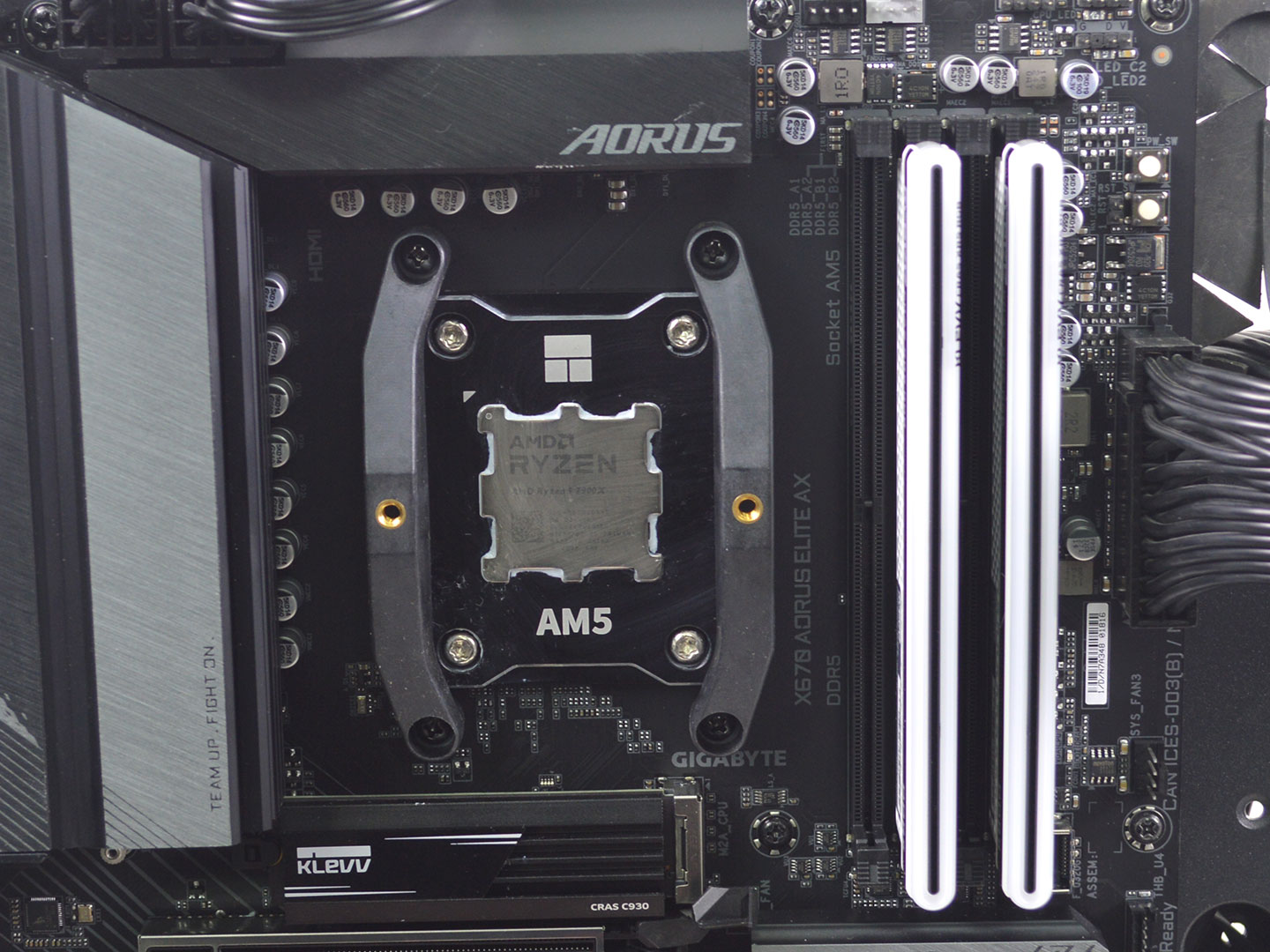

Installing the Arctic Freezer 36-S A-RGB is a straightforward and easy process on the AM5 test bench. First you need to remove the default AMD motherboard brackets. Next install the included AMD brackets and then apply thermal paste. While Arctic usually recommends an X pattern, I would definitely recommend spreading the paste before mounting as that gave me the best overall results.

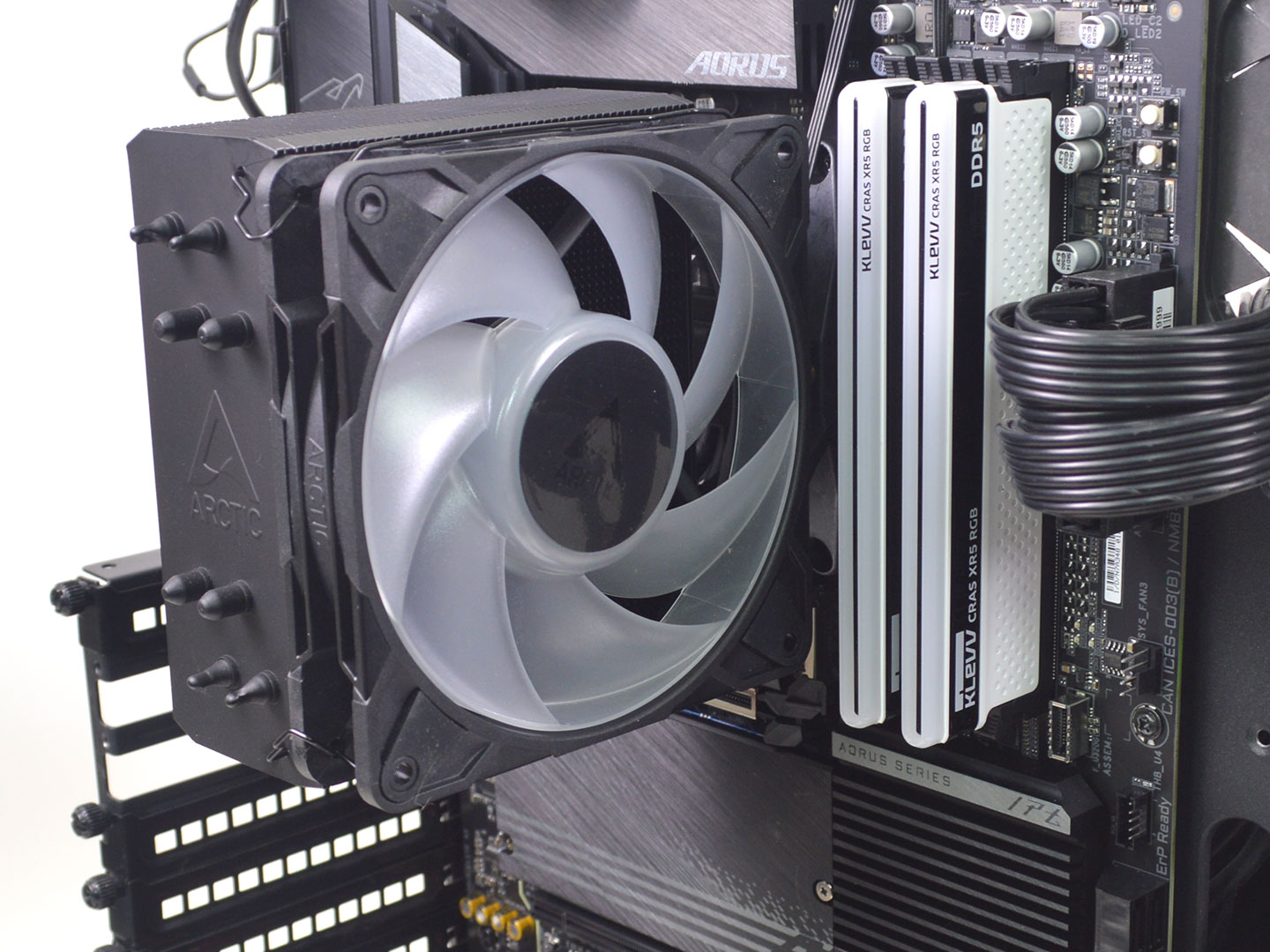

Position the heatsink on the CPU and tighten it down onto the mounting bracket. Make sure to alternate between the two screws for even pressure. Once the heatsink is secure it's time to attach the fans and route the cables.
Overall, the installation is pretty straightforward on AMD and Intel. However, on Intel systems you will definitely want to take your time since you will need to install the Contact Frame which does come with potential risk of damage to the motherboard if you happen to bend a pin or have another equally terrible result so relax and just go slow and steady, and it will be a breeze.
Nov 15th, 2026 19:56 CST
change timezone
Latest GPU Drivers
New Forum Posts
- Your PC ATM (36432)
- It’s been fascinating times in Retro agian r36s isn’t even worth 50-65 dollars no more and newly listed Rm36 64gb 4in IPS models for only 34 dollars. (6)
- Power supply noise stops when I move the mouse (10)
- Can you guess Which game it is? (320)
- What is the latest game you finished or 100% (203)
- HP Office Jet 7740 Pro - Supply system problem with replacement cartridge (4)
- What are you playing? (26224)
- WarpCoreBench scores! (55)
- Local LLM General Discussion (691)
- Folding Pie and Milestones!! (10205)
Popular Reviews
- ASUS ROG Strix B850-I Gaming Wi-Fi7 W Review
- Corsair HX1000i Shift Crystal Review
- AMD Zen 6 Technical Deep Dive
- Upcoming Hardware Launches 2027 (Updated Nov 2026)
- Montech King 95 3D PRO Review
- NZXT C1200 Platinum Review
- Phantom Blade Zero Performance Benchmark Review - 35 GPUs Tested
- AMD Ryzen 7 9800X3D Review - The Best Gaming Processor
- NZXT H7 RGB+ Review
- NZXT H5 Review
TPU on YouTube
Controversial News Posts
- NVIDIA Co-Founder and CEO Jensen Huang Officially Resigns (430)
- Open Letter Asking NVIDIA to Reinstate Jensen Huang Passes 115,000 Signatures (184)
- OpenAI CEO Argues Home PCs Waste the World's Limited DRAM Supply (152)
- NVIDIA Launches Investigation Into Jensen Huang's Relationship With Suspected Chinese Spy (136)
- Intel "Raptor Lake Next" 16-Core and 20-Core CPUs Surface (130)
- Legendary Game Studio BioWare Shuts Down Following EA Layoffs (104)
- Dell CEO Says the Memory Shortage Will Get Worse in 2027 (95)
- NVIDIA GeForce RTX 50-Series Scheduled for up to $500 Price Hike This Week (89)