 38
ASRock B650E Steel Legend WiFi Review
(38 Comments) »Introduction

In today's review, we will be looking at the ASRock B650E Steel Legend WiFi, aimed at PC gamers who may dabble in overclocking. ASRock comes prepared with multiple AMD motherboard product lines, from the flagship X670E Taichi Carrara to the budget-orientated B650 Phantom Gaming (PG) and Steel Legend series, to meet the needs of every type of consumer.
Some time has passed since the launch of AMD's AM5 platform and Ryzen processors. Being in fierce competition with Intel, AMD brings forth PCIe Gen 5 and DDR5 support to this new platform. Waiting a additional year after Intel gives AMD the benefit of a more mature product readily available to the consumer. With the new Ryzen processor series comes a number of changes that may upset some long time AMD fans, shaking up the market. The first noteworthy change is the socket. All previous desktop Ryzen processors (1000, 2000, 3000, 5000 series, minus Threadripper) used the AM4 PGA (Pin Grid Array) socket. AMD has made the transition to LGA (Land Grid Array) for this new AM5 (LGA 1718) socket. AMD has historically proven it uses the same CPU socket for multiple generations, starting a fresh cycle with the Ryzen 7000 series and beyond. What this means for consumers is that there is no Zen 4 upgrade path for AM4 based platforms. If you want these new processors, they require a brand new motherboard. The platform change also requires new memory too, since the AM5 socket exclusively uses DDR5 for its system memory.
This new AM5 socket carries a host of options for connecting high speed devices that just weren't previously available to AMD customers. As mentioned above, going forward, AMD Ryzen CPUs on this new platform will now support DDR5 memory, PCIe Gen 5.0 and M.2 Gen 5. With 24 PCIe Gen 5.0 lanes from the CPU available, motherboard manufacturers now have an opportunity to innovate and create products catered towards users with high bandwidth needs. Along with more PCIe lanes provided by the processors, are four different chipset configurations; B650, B650E, X670 and X670E. The "E" stands for Extreme, and any motherboard carrying this title will have PCIe Gen 5 support. The ones without will forgo PCIe Gen 5 support in favor of the current PCIe Gen 4 standard. Moreover, the B series, like the previous AM4 iterations, feature fewer connections for USB, M.2 and PCIe lanes, designed to be more budget friendly. The X670 and X670E use the same chipset, with two X670 chips daisy-chained together, sharing a PCIe 4.0 x4 link to the CPU. X670E will offer the most high bandwidth lanes, storage options and external connections out of the available AM5 platform chipsets. With that, make sure to read TechPowerUp's AMD Ryzen 7600X, 7700X, 7900X and 7950X reviews, for more in depth coverage.

ASRock B650E Steel Legend WiFi is configured with a 16+2+1 VRM with a PCIe Gen 5 ready solution for future graphics cards that will take advantage of the additional bandwidth. ASRock is keeping the price point in check, but still strives for quality with a 8-Layer PCB and loads of USB ports. To round out everything out, it also features great connectivity with WiFi 6E and 2.5G LAN for those who need to transfer data quickly, and a unique GPU support bracket for those heavy saggy graphics cards. There is a lot to cover in this review, so let's take a closer look at the ASRock B650E Steel Legend WiFi.
Specifications
| Specifications | |
|---|---|
| CPU Support: | Supports AMD Socket AM5 Ryzen 7000 Series Processors |
| Power Design: | CPU Power:16-phase (60 A) SoC Power: 2-phase (60 A) VDD_MISC: 1-phase (60 A) |
| Chipset: | AMD B650E |
| Integrated Graphics: | Dependent on installed CPU DisplayPort 1.4 HDMI 2.1 |
| Memory: | Supports DDR5 memory up to 6400+(OC) 4x DDR5 DIMM Slots, supporting up to 128GB Support for non-ECC, un-buffered memory Support for AMD EXPO and Intel XMP Profiles |
| Expansion Slots: | 1x PCIe 5.0 x16 slot 1x PCIe 3.0 x16 slot (x4 Mode) |
| Storage: | 2x SATA 6 Gb/s ports (B650E Chipset) 1x M.2 Sockets (PCIe Gen 5 x4) 2x M.2 Sockets (PCIe Gen 4 x4) |
| Networking: | 1x Dragon RTL8125BG 2.5G LAN 1x AMD Wi-Fi 6E (Mediatek) |
| Rear Ports: |
|
| Audio: | Realtek ALC897 Codec 7.1 CH HD Audio Nahimic Audio |
| Fan Headers: | 1x CPU 4-Pin 1x CPU/Pump_Fan 4-Pin 4x System Fan 4-Pin |
| Power Connectors: | 1x 24-Pin ATX 2x EPS 8-Pin |
| Form Factor: | ATX Form Factor: 30.5 CM x 24.4 CM |
| Unique Features: |
|
Packaging and Contents
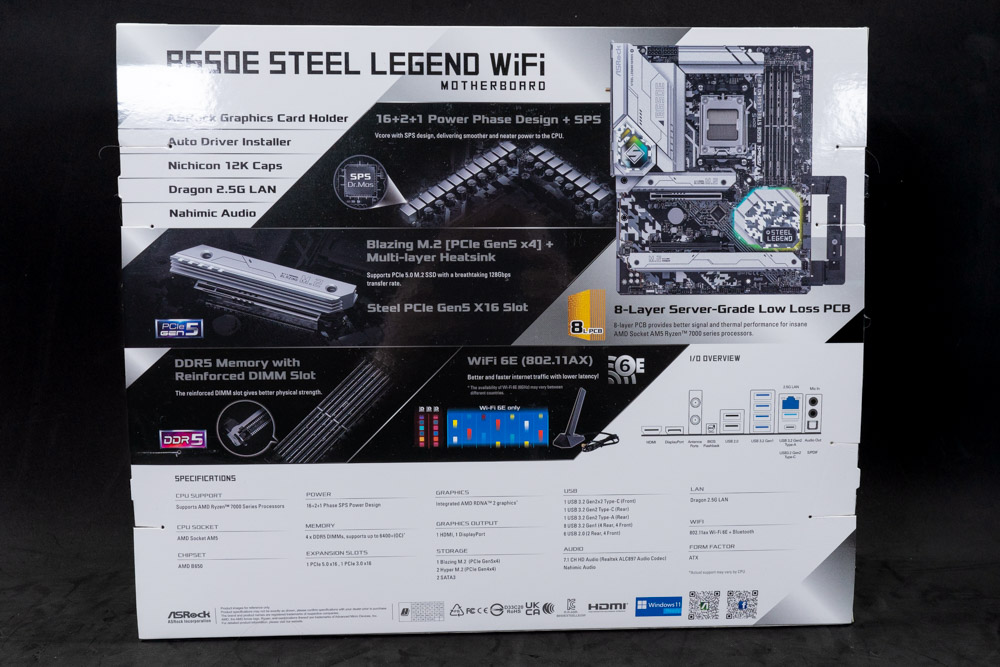
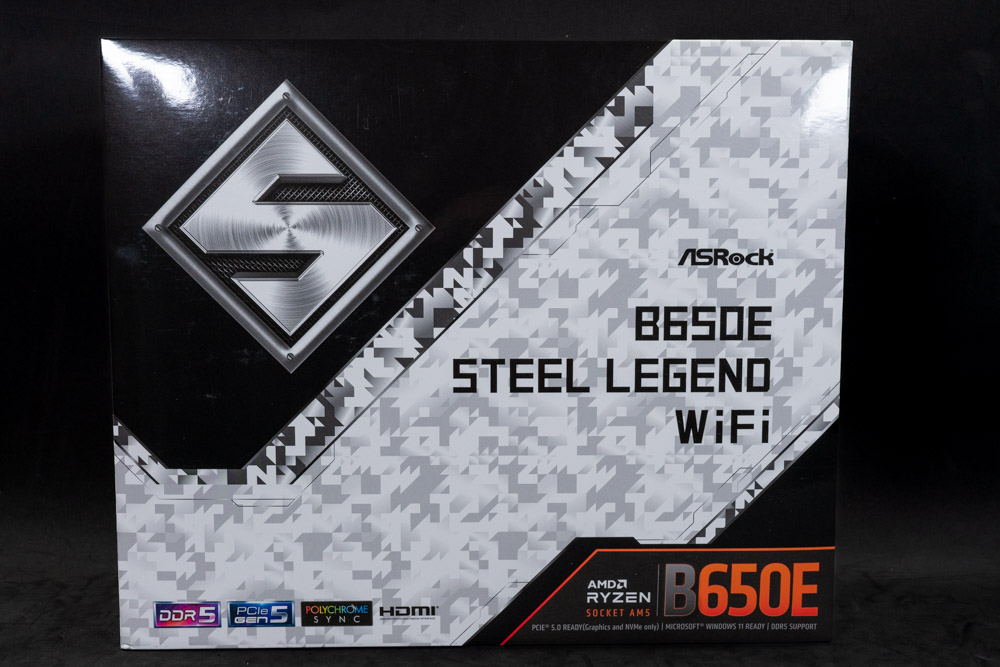
Looking at the ASRock B650E Steel Legend WiFi Box we see it has a camouflage theme with white and grey patterns. The front of the box clearly indicates what you're buying with a product name written in black and in contrast to the camouflage background. If you are unsure which chipset this AMD motherboard deploys, in the bottom right corner is AMD branding that clearly says B650E, with smaller text below that stating the chipset supports overclocking, PCIe Gen 5 and DDR5. Flip the box around and there is a few highlighted features including a 16+2+1 power delivery system, Blazing M.2 socket, reinforced PCIE and DIMM slots and WiFi 6E support. Below the highlights is the specification table, with a diagram of the Rear IO section as well.
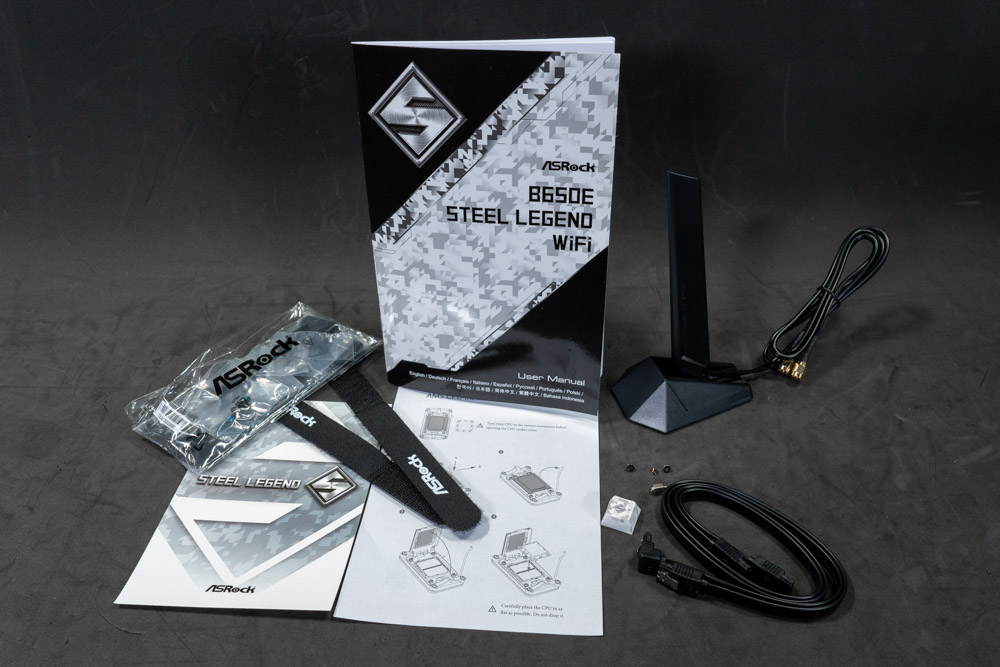
ASRock has kept to the basics here as far as accessories go. Included in the box is the Wi-Fi antennas, SATA cables, manual and GPU support bracket.


One of ASRock's bigger selling points is this GPU support bracket. It uses the same mounting holes as a case. Instead of using the supplied screws with the case, ASRock has included two sets of screws for different types of threads. It works as intended and keeps the graphics card from sagging.
The full list of accessories includes:
- 1x ASRock B650E Steel Legend WiFi User Manual
- 2x Serial ATA (SATA) Data Cables
- 1x ASRock WiFi 2.4/5/6 GHz Antenna
- 3x Screws for M.2 Sockets
- 1x Standoff for M.2 Socket
- 1x Graphics Card Holder
Board Layout
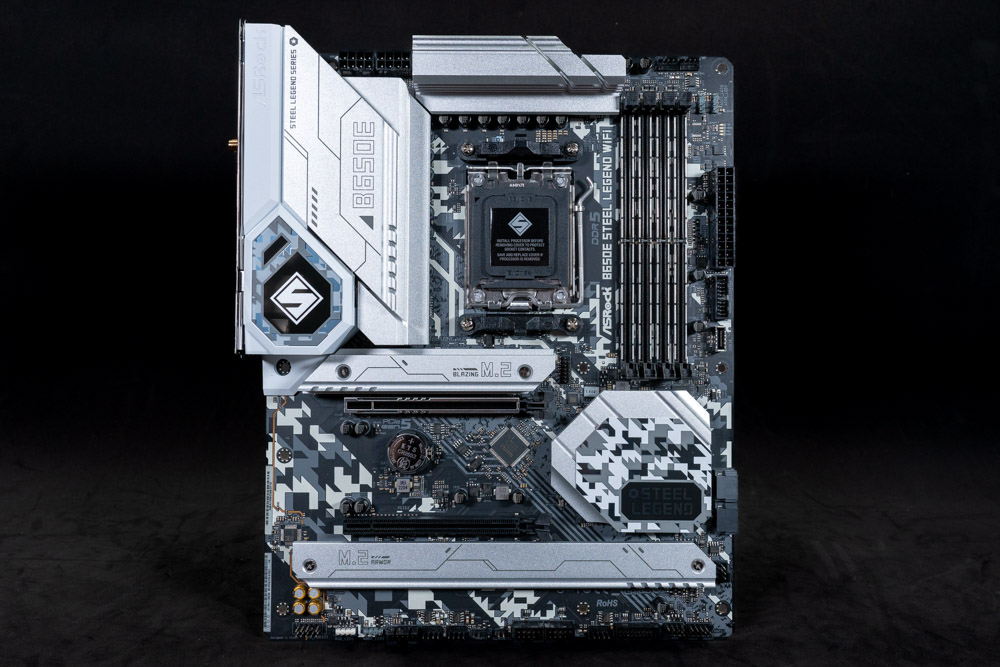
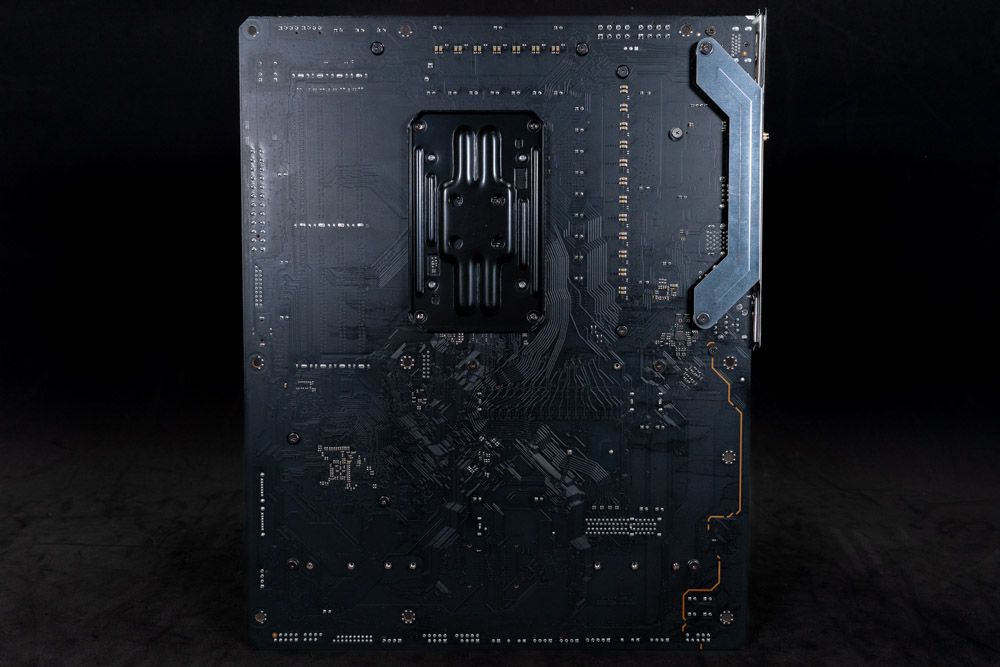
Keeping with that camouflage theme that the box has going for it, the B650E Steel Legend WiFi heatsinks and PCB uses this same pattern. The motherboard has three distinct color variations; one being the gunmetal gray for the heatsinks, white for the Rear IO and of course the overall camouflage pattern found throughout. The back of the motherboard is as basic as it gets. There is no backplate for extra PCB strength to prevent flexing with heavier graphics cards, which can double as a hazard guard from accidental damage.

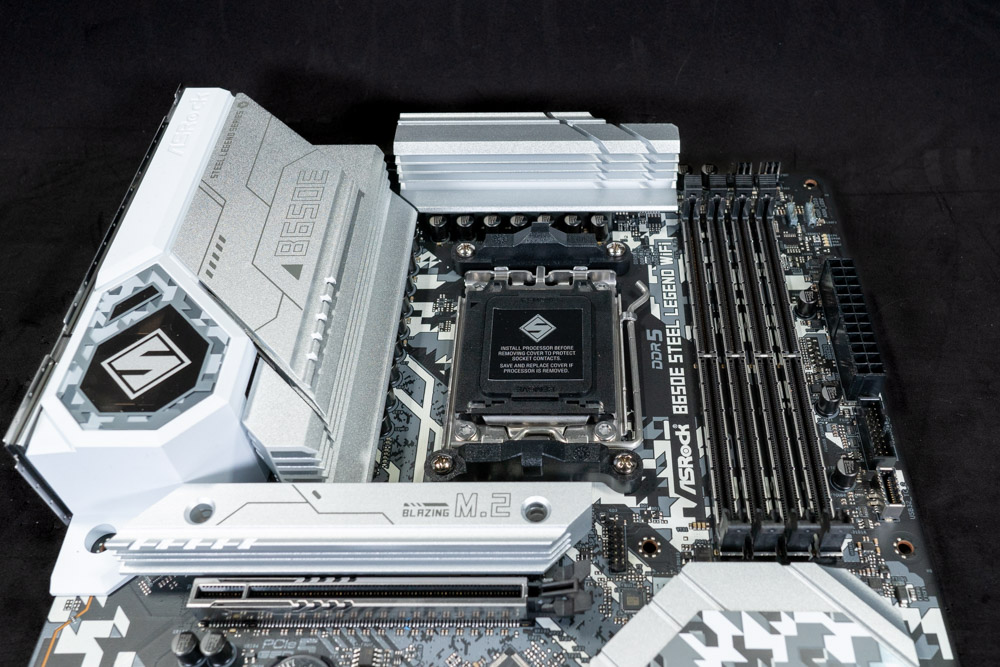
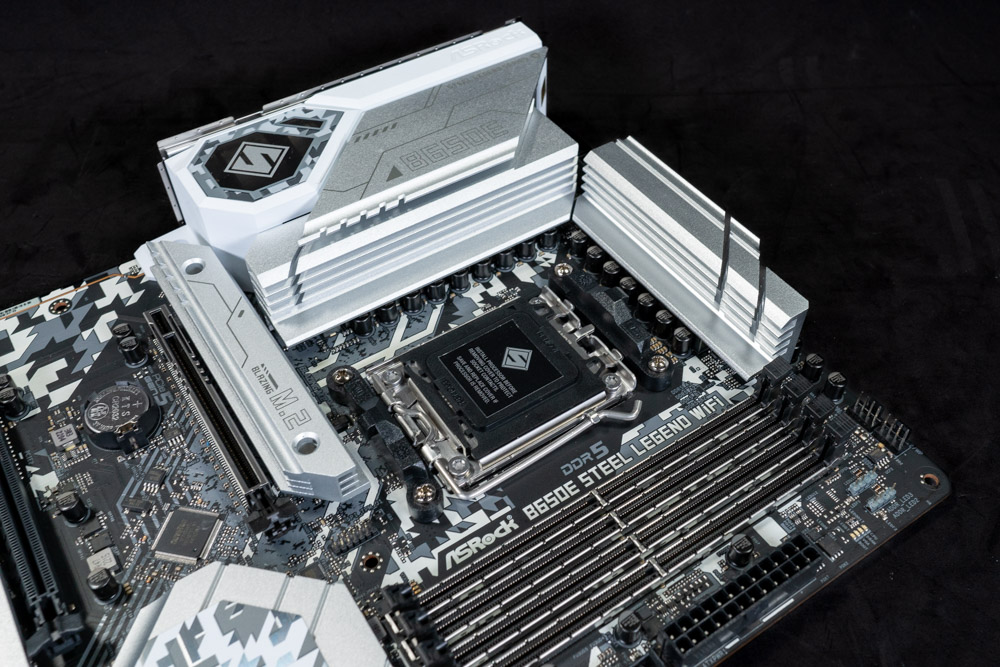
AMD's changes to the socket also comes with some compatibility challenges as well. Many brands currently selling AM4 CPU coolers already have forwards compatibility, but not all will work. What changed is the backplate, which was previously removable for the AM4 (PGA) socket, and is now an integral part of this new AM5 (LGA) socket. This means any cooler that has its own backplate as part of the installation will be incompatible, unless a an adapter is available from the manufacturer.
ASRock provides an ample amount of space for a majority of the AIO coolers on the market. Air coolers like AMD Wraith Prism will not have any problems, but larger ones may and conflict depending on the orientation. The ASRock B650E Steel Legend WiFi has four potential conflict zones, with the obvious being the two VRM sections to the top and left of the AMD CPU socket. Below is the M.2 heatsink and to the right is the DIMM slots. This means the air cooler in question needs to be compact enough to fit in the space allotted space or tall enough to avoid collision with the surrounding heatsinks and system memory.
Note: AMD recommends 240-280 mm AIO (or better) for the Ryzen R9 7950X/7900X to keep the turbo frequency on target. Thermal observations from using the AMD Ryzen 7950X during this review place the CPU at 95°C, which is perfectly normal. The AIO solution isn't a requirement if heavy multi-threaded application performance is a priority, though it will provide the highest boost clocks overall. Undervolting and using PBO is also an option, to circumvent CPU cooler thermal limitations. For more information regarding Ryzen 7000 cooling requirements, TechPowerUp has a great article covering this specific topic. Article Link.

The ASRock B650E Steel Legend WiFi has two PCIe slots, with the first being Gen 5 x16 and reinforced for extra stress support. The second PCIe slot is physically x16 as well, but internally wired for x4 and will only operate in PCIe x4 Gen 3 mode regardless of the AMD processor or amount of M.2 sockets populated.

After removing the heatsink, we can get a closer look at the B650E chipsets (PCH).
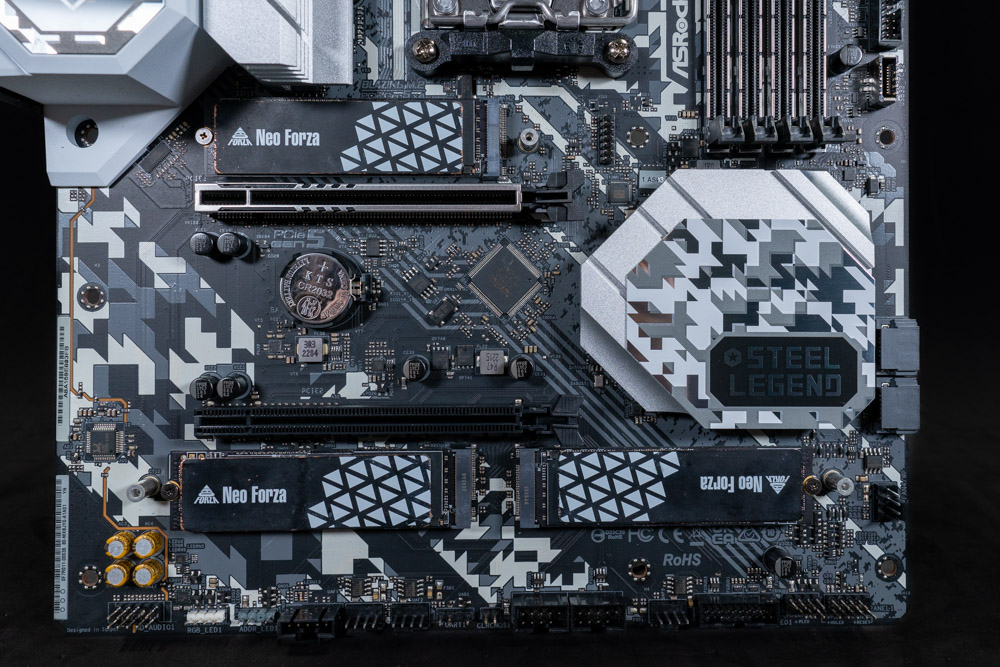
Above the PCIE x16 Gen 5 slot (top) is a single M.2 Gen 5 x4 compliant socket connected directly to the CPU. Below the bottom PCIe slot is two Gen 4 x4 M.2 sockets which are routed through the B650 chipset. These all have heatsinks that provide passive cooling.
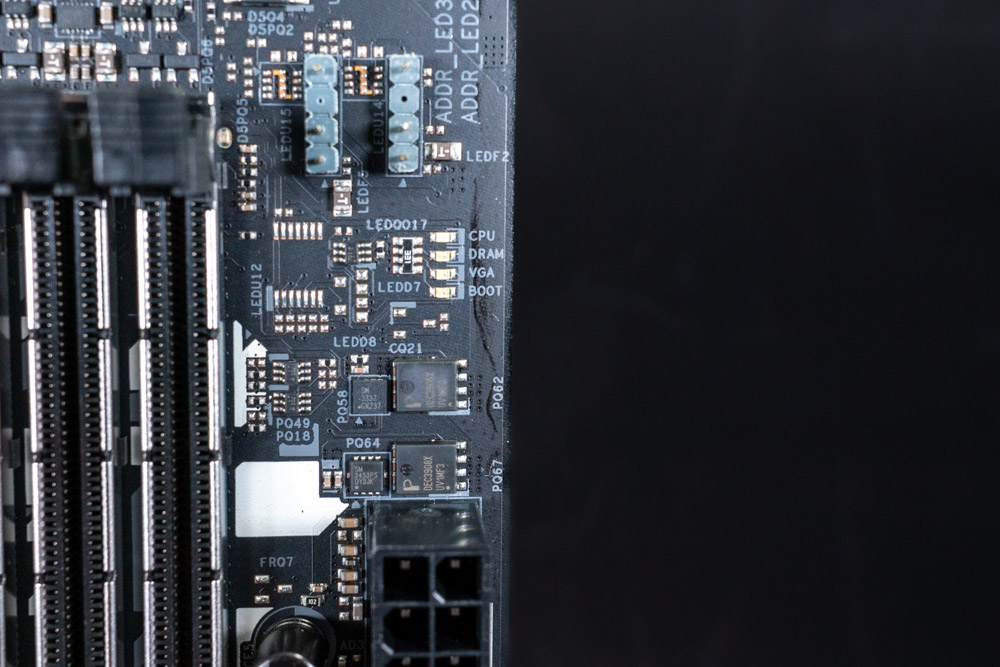
The ASRock B650E Steel Legend WiFi includes startup LEDs for easier troubleshooting. Considering that the AM5 socket is new to everyone, it is always good to get a readout of what stage the boot process is on, or what it may be stuck on. However, due to the long boot sequence, the DRAM light will blink while training, which happens to the same when the memory does not work. This can make troubleshooting a bit of a challenge for memory overclocking.
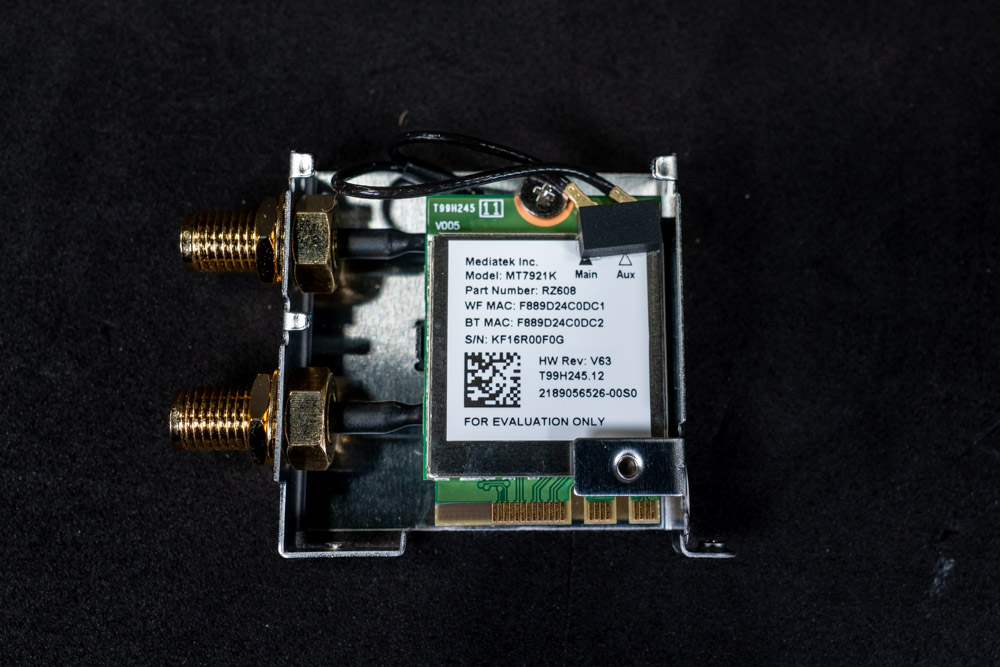
As requested by some readers, here is a close up of the Wi-Fi 6E card used. This one is by Mediatek (MT7921K).
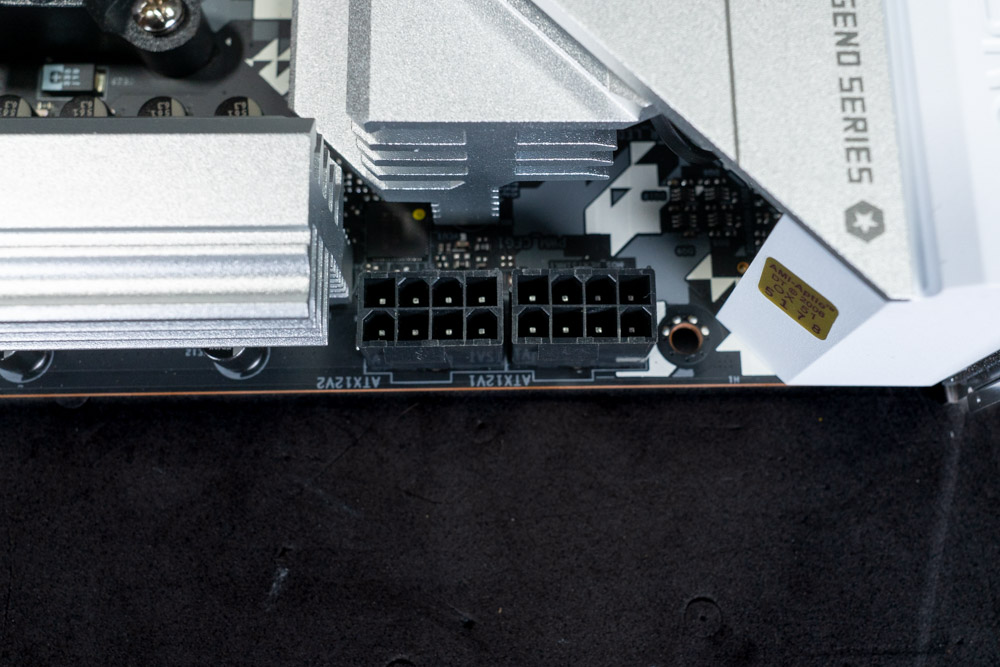
The ASRock B650E Steel Legend WiFi uses a two 8-Pin EPS connector for higher power management.
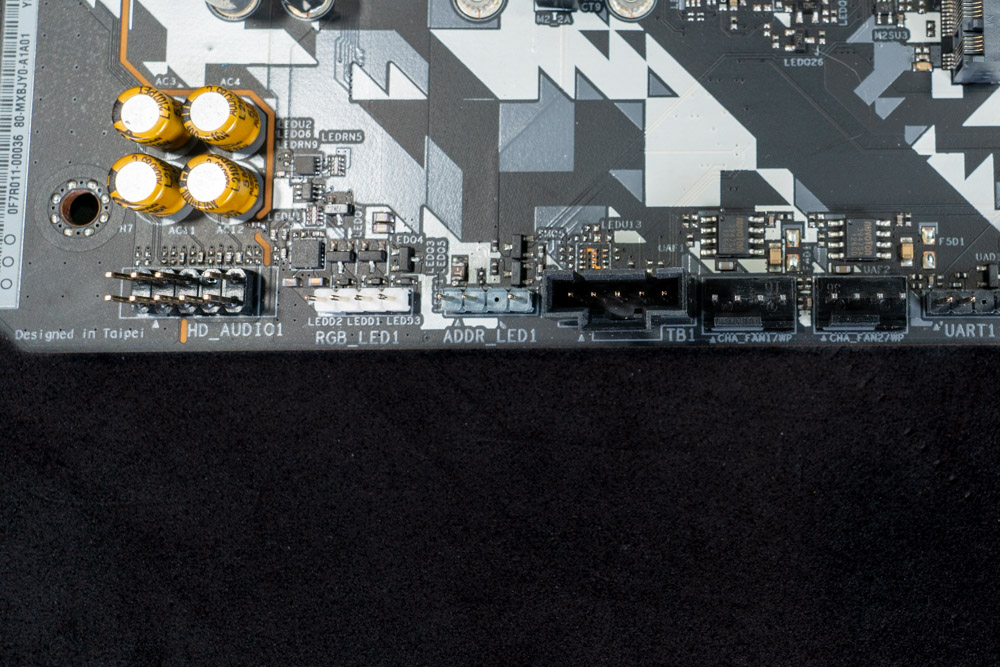
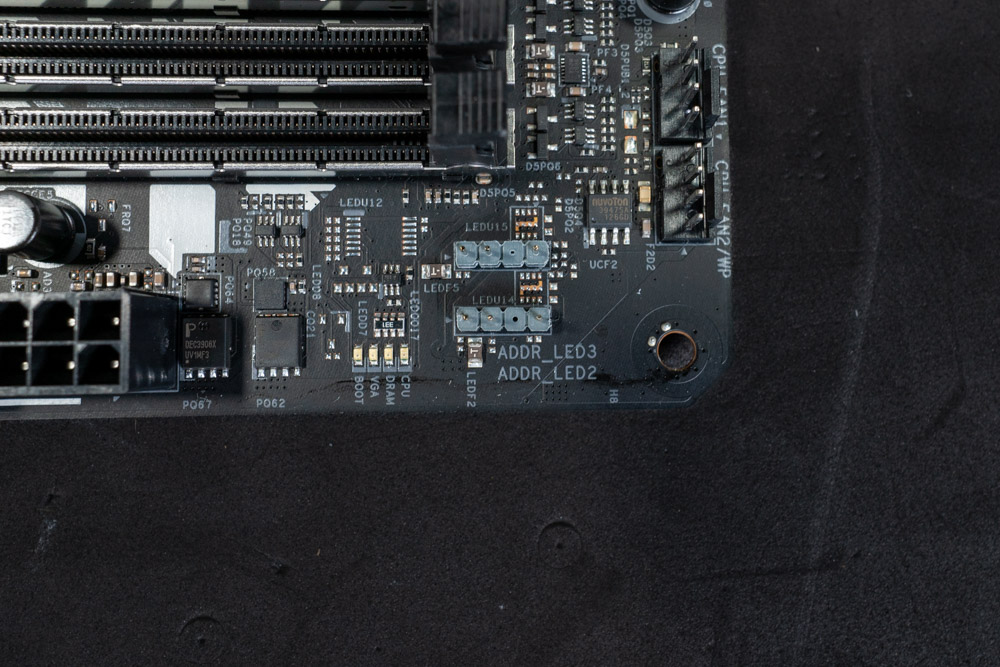
The motherboard has four RGB headers for fans, coolers and whatever else needs the RGB treatment. Next to the onboard audio section is a a single 12 V (4-pins) and one ARGB 5 V (3-pins). In the top right of the motherboard are two more ARGB 5 V (3-pins) headers.
| Connector | RGB LED Header | ARGB LED Header |
|---|---|---|
| Maximum Current | 12V / 3 A | 5V / 3 A |
| Maximum Power | 36W | 15W |


One of the major differences you'll notice between the X670 and B650 chipset is the amount of internal USB headers and external high-speed connections. This is because the B650 only has one chipset, with less overall PCIe lanes available to be allocated towards SATA ports, USB and PCIe slots. Of course motherboard vendors can rework the allocation to a certain degree and we can see here that the B650E Steel Legend WiFi has done just that. Two USB 3.1 Gen 1 (5 Gbps), two USB 2.0 and a single USB-C (20 Gbps) headers can be found internally.

The B650E chipset can supply up to four 6 Gb/s SATA ports natively. ASRock has taken away two of these and used the bandwidth elsewhere, leaving just the two SATA ports.
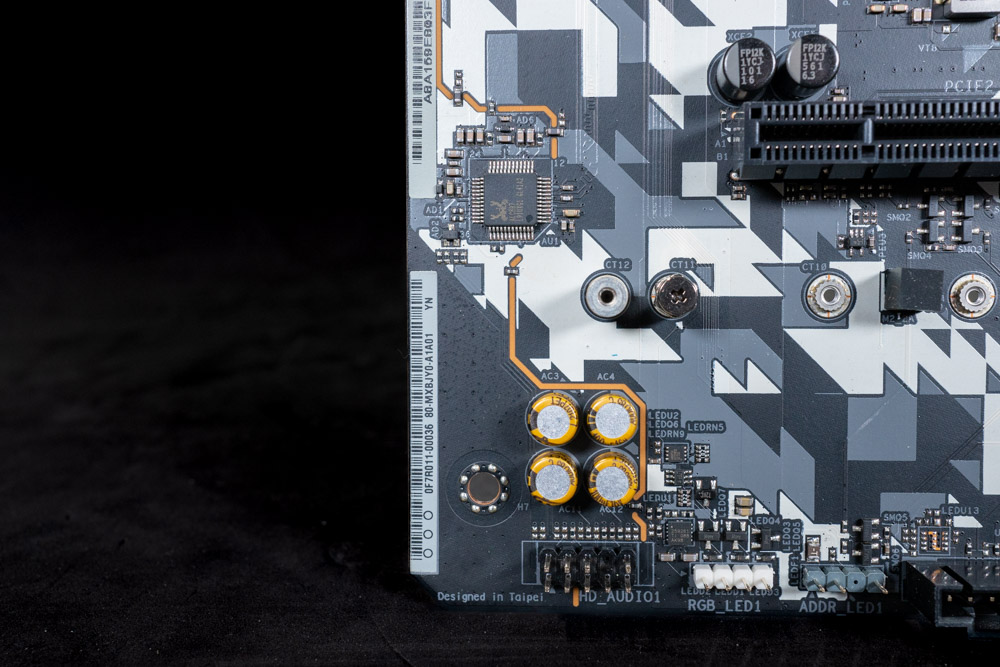
ASRock has used the Realtek ALC897 Audio Codec for its on-board audio solution which supports 7.1 HD Audio with Nahimic Audio software. This 7.1 setup configuration requires the use of the Front Panel audio jacks on the case. Without doing so, the audio output is limited to two channels from the Rear IO outputs.
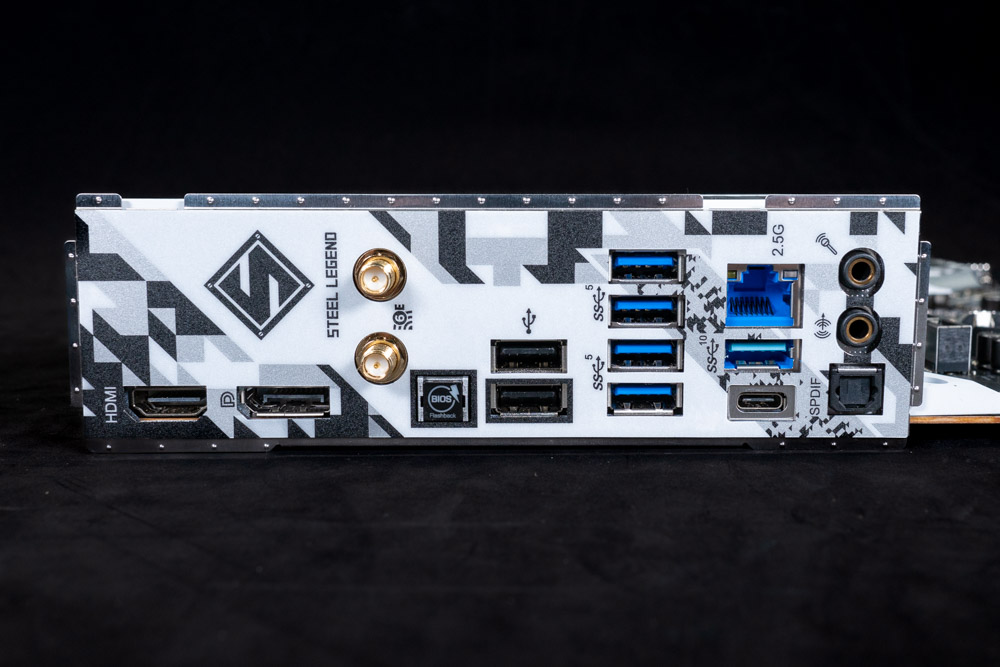
An up close inspection of the Rear IO panel, reveals a good balance for this product tier. Since all Ryzen 7000 (X) CPUs (currently) support onboard graphics, ASRock included HDMI and DisplayPort for video output. Next to those is the WiFi 6E and BIOS Flashback button. This button allows the motherboard BIOS to be flashed without a processor present. This feature is built into the AM5 platform, so there's no reason for manufacturers not to take advantage of it. Moving along, ASRock has a number of USB ports are well. First is two USB 2.0, four USB 3.2 5 Gbps (Blue) ports and the final two are USB 3.2 10 Gbps (Teal / USB-C).
- 2x Antenna Ports
- 1x HDMI Port
- 1x DisplayPort 1.4
- 1x USB 3.2 Gen2 Type-A Port (10 Gb/s)
- 1x USB 3.2 Gen2 Type-C Port (10 Gb/s)
- 4x USB 3.2 Gen1 Ports (5 Gb/s)
- 2x USB 2.0 Ports
- 1x RJ-45 LAN Port
- 1x BIOS Flashback Button
- 1x Line Out Jack (Gold Audio Jack)
- 1x Microphone Input Jack (Gold Audio Jack)
- 1x Optical SPDIF Out Port
Our Patreon Silver Supporters can read articles in single-page format.
Nov 13th, 2026 07:53 PST
change timezone
Latest GPU Drivers
New Forum Posts
- Microsoft Exchange/365 outages? (41)
- Dual B70 or Dual R9700 Pro on Linux (0)
- To AiO CPU Cooler users? (6)
- I won't download games that are larger than 30–40 GB. (107)
- Slow SSD read speeds - help! (2)
- Any other old-timers here planning to play WoW Forever? (150)
- Requesting original VBIOS for Gigabyte RX 5700 XT GAMING OC 8G Rev 2.0 (Micron) (0)
- Home page search by category (6)
- Windows 11 General Discussion (7727)
- Warning for Windows 10 and 11 users running newer AMD GPU drivers (58)
Popular Reviews
- AMD Zen 6 Technical Deep Dive
- Corsair HX1000i Shift Crystal Review
- NZXT C1200 Platinum Review
- Upcoming Hardware Launches 2027 (Updated Nov 2026)
- Montech King 95 3D PRO Review
- NZXT H7 RGB+ Review
- NZXT H5 Review
- Phantom Blade Zero Performance Benchmark Review - 35 GPUs Tested
- XPG NIMBUS PLUS Review - Mid-range Chair With Strong Competitors
- Gigabyte Z890I Aorus Ultra Review
TPU on YouTube
Controversial News Posts
- NVIDIA Co-Founder and CEO Jensen Huang Officially Resigns (353)
- OpenAI CEO Argues Home PCs Waste the World's Limited DRAM Supply (152)
- NVIDIA Launches Investigation Into Jensen Huang's Relationship With Suspected Chinese Spy (136)
- Intel "Raptor Lake Next" 16-Core and 20-Core CPUs Surface (130)
- Legendary Game Studio BioWare Shuts Down Following EA Layoffs (104)
- Dell CEO Says the Memory Shortage Will Get Worse in 2027 (95)
- NVIDIA GeForce RTX 50-Series Scheduled for up to $500 Price Hike This Week (89)
- Modder Fits RTX 5090 With Four 8-Pin Connectors, Halving Current per Wire (80)