 16
ASRock NUCS BOX-1360P/D4 Mini-PC Review
(16 Comments) »Introduction

A big thank you to ASRock Industrial for supplying the review sample.
It seems like ASRock has been around forever, but in reality, the company was formed in 2002. In just over two decades, they have gone from solely focusing on producing motherboards to having grown into an industry juggernaut and enthusiast favorite that offers graphics cards, mini-pcs, networking hardware, workstations, monitors, and more. Simply put, ASRock have something for everyone. They have carved out numerous sub-brands in their product portfolio, such as the Taichi series, which remains extremely popular, while also doing cross-brand promotions that are quite unique, such as the Intel Z790 PG SONIC motherboard. Overall, ASRock is one of the few major manufacturers in the DIY PC space that seems to do wacky and fun things on occasion, and I hope they continue to do so in the future, as it now feels as if that is also part of the brand's identity.

Today, I look at the NUCS BOX-1360P/D4 barebones system. To test the system, I used 2 x 32 GB of Patriot DDR4 3200 MHz SODIMM memory and a 512 GB Team Group MP33 NVMe SSD. Considering I recently tested an ASRock system with the Intel 1260P, it will be interesting to see the performance gain going from Intel's 12th generation Alder-Lake series to the 13th generation Raptor Lake series of processors in this form factor.
| Specifications | |
|---|---|
| Model: | ASRock NUCS BOX-1360P/D4 |
| Processor: | Intel Core i7-1360P (4P+8E) (16 Threads Total) P-core Clock Speed: X GHz (Base) 5.0 GHz (Boost) E-core Clock Speed: X GHz (Base) 3.7 GHz (Boost) |
| Integrated Graphics: | Intel Iris Xe Graphics (96 EU) |
| Memory: | None Included 2x 260-pin DDR4 SODIMM slots |
| Storage: | None included 1x M.2 2242/2280 PCIe Gen 4 x4 |
| Optical Drive: | None |
| Audio: | Intel Raptor Point HDMI Audio Realtek ALC 233 |
| Connectivity: | 1x Headphone & microphone combo jack (front) 2x HDMI 2.0b (back) 1x 2.5 GbE LAN (back) 2x USB 3.2 Gen 2 Type-A (Front) 1x USB4 (Supports DP1.4a (Front) 1x USB 3.2 Gen 2 Type-C (data + display (Front) 2x USB 3.2 Gen 2 Type-A |
| Communications: | Intel Wi-Fi 6E AX210NGW Bluetooth 5.2 1x Intel I226LM |
| Cooling: | Active cooling (heatsink/fan) |
| Operating System: | OS tested: Windows 11 OS included: None |
| Warranty: | One year |
| MSRP: | $680~$710 Barebones $860-890 (as tested w/o OS) |
Packaging and Contents


When it comes to the external packaging ASRock Industrial keeps it simple. While the design is rather vibrant with its blue and white color scheme, you won't find much information, marketing, or other things printed on the box. The top lists what it is in generic terms, while the bottom lists the ASRock industrial website.

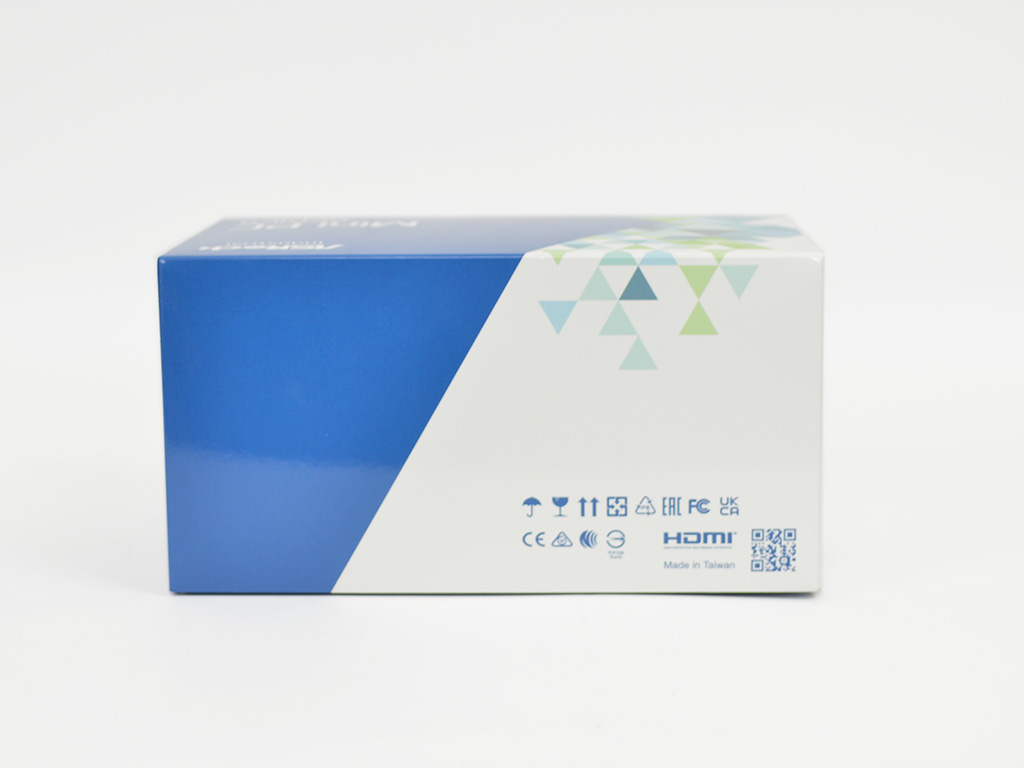
The front and back follow the same theme with various industry logos and a QR code on the back, while the front has a barcode.
Meanwhile, both the left and right sides are devoid of any information. I would like to have seen a specifications table somewhere, but considering the market for these systems, I don't think its omission is a huge problem, especially with most of us ordering systems online anyway.

Internally the packaging is designed with the system placed in the center and wrapped in a very thin layer of foam that is sealed with tape. The cardboard tray offers protection from typical bumps, and all the accessories are placed in a separate compartment at the bottom.

When it comes to bundled hardware, you will find everything you expect. First, of course, you will get the system and power brick, but you will also find a VESA mounting plate, screws, M.2 SSD mounting hardware, and a user's guide. Since this is a barebones unit, I installed 64 GB (2 x 32 GB) of Patriot Signature 3200 MHz memory and a Team Group MP33 NVMe SSD. For the OS, I opted for Windows 11, considering it's the best fit for the hybrid Raptor Lake CPU and its P-core + E-core design. Unfortunately, the memory and SSD contributed an additional $180 to the system cost,
your choice of components, and a Windows license adds further cost. This extra cost will be heavily impacted by the SSD and Memory you choose to go with; however, pricing seems a bit steep regardless of the included components.
- ASRock NUCS BOX-1360P/D4
- Power brick
- VESA mounting plate
- VESA screws
- M.2 Screws/spacers
- Manual
A Closer Look


The design of the ASRock NUCS BOX-1360P/D4 is different compared to the previously reviewed units. The case is more of a matte black with no added design elements on top. Instead, it is just a simple smooth black plastic that has a simple indented area that goes around the outside. When it comes to the bottom, it is also very similar in that it is rather featureless besides the two mounting holes for use with the VESA mount and the four rubber feet, which have the four chassis screws.


The Front I/O consists of two USB 3.2 Gen 2 Type-A ports, a USB 3.2 Gen 2 Type-C port that supports DisplayPort 1.4a, and a single USB4 port. Rounding out the front I/O is a combo audio jack for your headphone or microphone needs. When it comes to the power button it's located on the top left, which is useful if the system is mounted to the rear of a typical office display. As for the left side, a quick look shows a large vent that allows for fresh air to reach the fan on the heatsink.

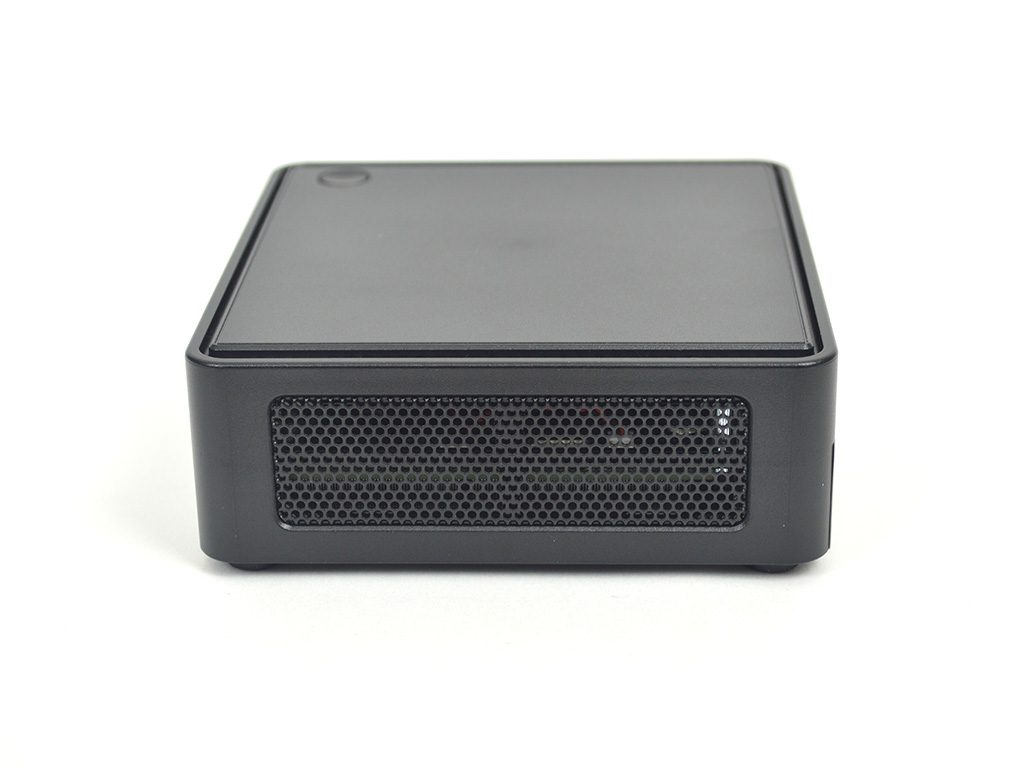
Looking at the back I/O, you will find 2x USB 3.2 Gen 2 Type-A ports, 2x HDMI 2.0b, 1x 2.5 GbE LAN, and the power plug. In terms of overall system I/O, it is lacking compared to a full-on desktop, but it is quite well-equipped for a system of this size. The NUCS BOX-1360P/D4 can handle up to four displays, Wi-Fi 6E, and Bluetooth 5.2, all in an efficient compact form factor. As for the right side, it's the same as the left in that it has a large vented opening for air intake.

To power the system, ASRock opted for an AcBel 90-watt power brick.

Since the NUCS BOX-1360PD/4 is a barebones system, I grabbed the nearest kit of SODIMM memory available to me which was a 2x 32 GB kit of Patriot Signature DDR4 3200 MHz. To go with that, I opted for a Team Group MP33 512 GB SSD. The 64 GB of memory is quite overkill, but DDR4 is relatively inexpensive now that DDR5 is becoming the new standard; as such, equipping this system with the maximum memory it can handle is relatively inexpensive. I will say that while the CPU here can handle DDR4 3200 MHz, the system defaults to 2666 MHz.
Our Patreon Silver Supporters can read articles in single-page format.
Nov 22nd, 2026 11:19 CST
change timezone
Latest GPU Drivers
New Forum Posts
- Honestly, do you care about GTA VI? (253)
- Zen 3 IF/IMC degradation (245)
- Ryzen or Intel system (21)
- Your PC ATM (36452)
- The TPU UK Clubhouse (27291)
- Can you guess Which game it is? (346)
- Making a game in Godot engine (17)
- TPU's Nostalgic Hardware Club (22197)
- Intel D270 (1)
- Gigabyte AORUS RTX 5080 MASTER – Up to 30°C GPU Hotspot Delta! Is This Normal, a Cooling Defect, or Should I RMA? (14)
Popular Reviews
- Microsoft Surface Laptop Ultra Review - The Next-gen Arm Laptop
- Corsair RM1200e (Second Generation) Review
- Pulsar Office Tour & First Look at P1 Dual-Sensor Mouse
- Upcoming Hardware Launches 2027 (Updated Nov 2026)
- Ugreen NASync DXP4800 GT Review
- AMD Ryzen 7 9800X3D Review - The Best Gaming Processor
- Biwin Black Opal NV7400 2 TB Review
- AMD Zen 6 Technical Deep Dive
- Phantom Blade Zero Performance Benchmark Review - 35 GPUs Tested
- AMD Ryzen 7 5800X3D 10th Anniversary Review
TPU on YouTube
Controversial News Posts
- NVIDIA Co-Founder and CEO Jensen Huang Officially Resigns (492)
- Report: Jensen Huang Eyes NVIDIA Comeback (263)
- Open Letter Asking NVIDIA to Reinstate Jensen Huang Passes 115,000 Signatures (184)
- OpenAI CEO Argues Home PCs Waste the World's Limited DRAM Supply (152)
- NVIDIA Launches Investigation Into Jensen Huang's Relationship With Suspected Chinese Spy (136)
- Intel "Raptor Lake Next" 16-Core and 20-Core CPUs Surface (130)
- NVIDIA GeForce RTX 50-Series Scheduled for up to $500 Price Hike This Week (89)
- Intel Razor Lake Gets a 12 P-Core bLLC Chip With No E-Cores, Per Leak (86)