 42
ASRock X870E Taichi OCF Review
BIOS Overview »VRM Overview
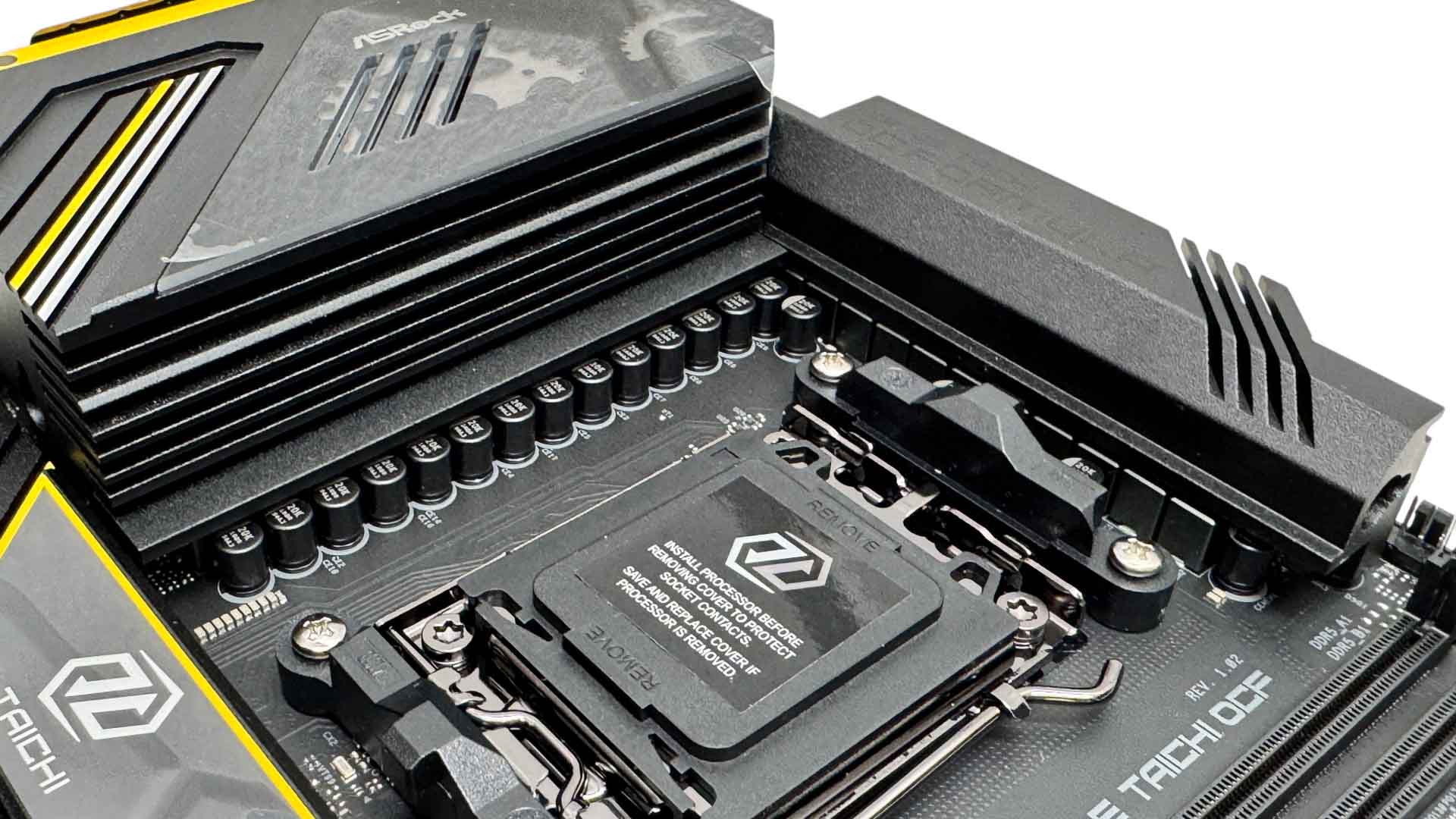
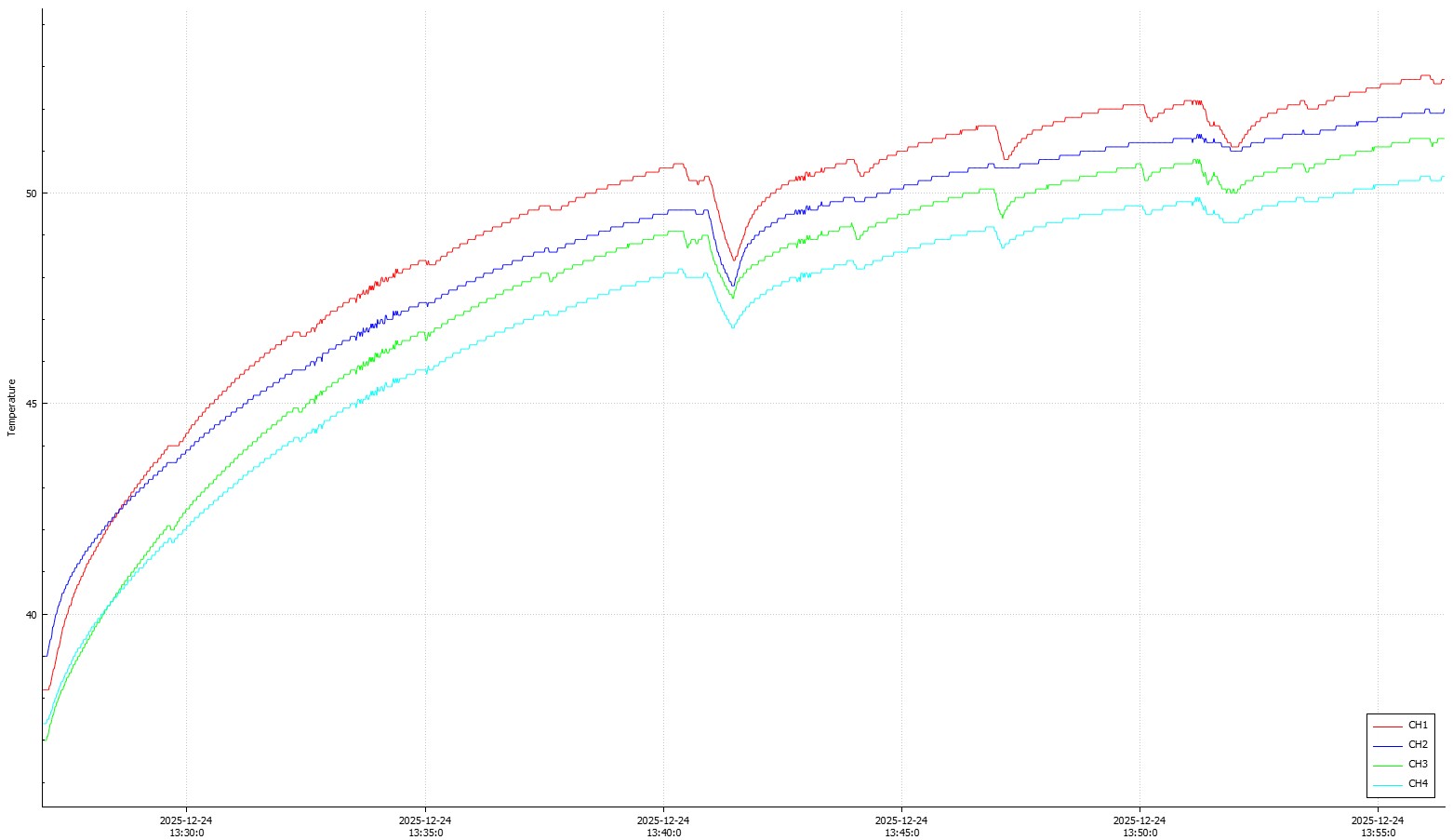
The 22+2+1 power phase design is cooled by two large heatsinks that are linked with a heatpipe and actively cooled by an internal fan that draws air in through the top. Out of the box the fan seemed to be stuck at 4,000 rpm and was definitely intrusive, but flashing the BIOS to the latest version seemed to fix this, and we could then manually adjust it. It stayed at a fairly low 2,000 rpm, where it was silent even with the system at idle.
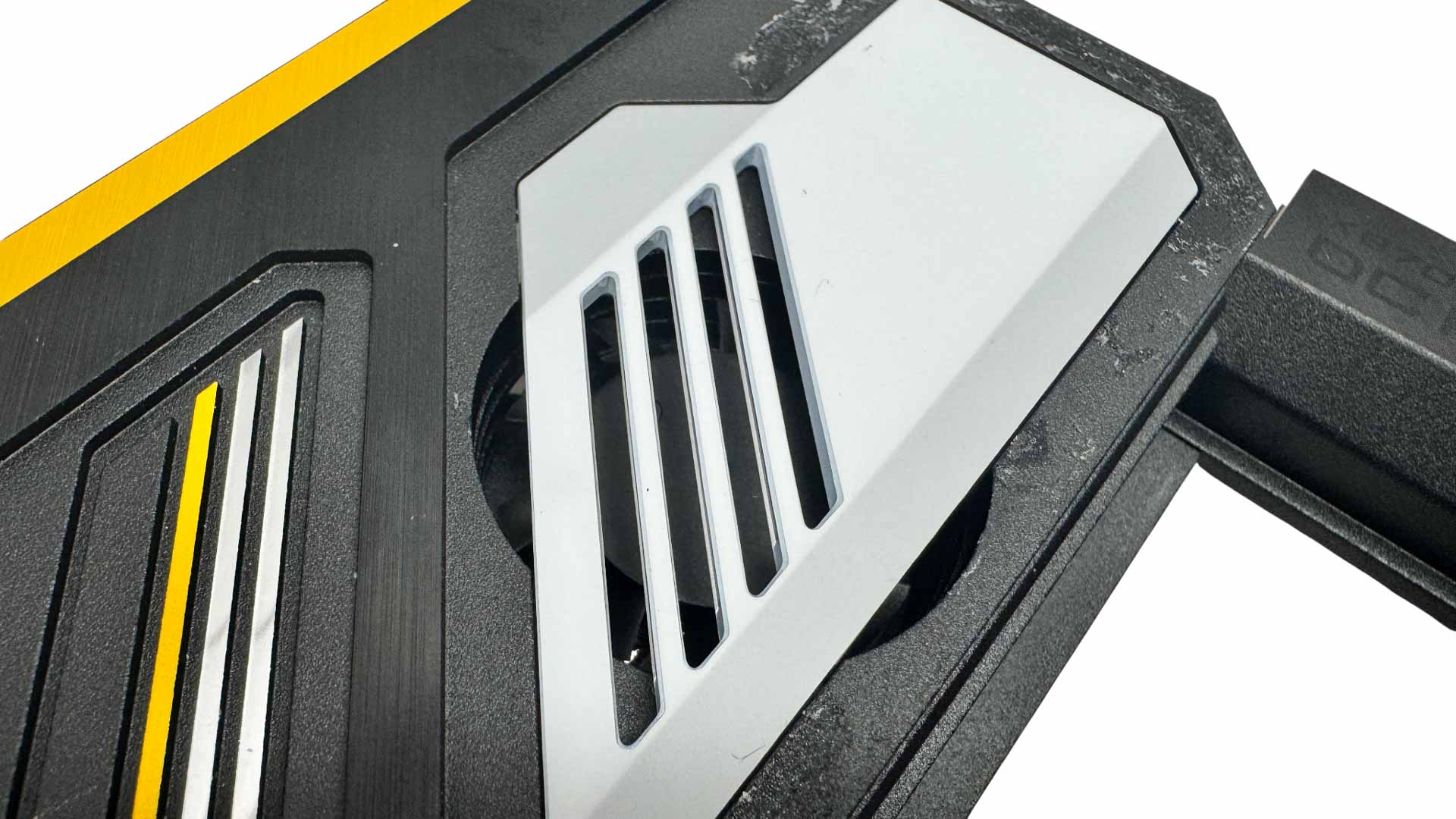
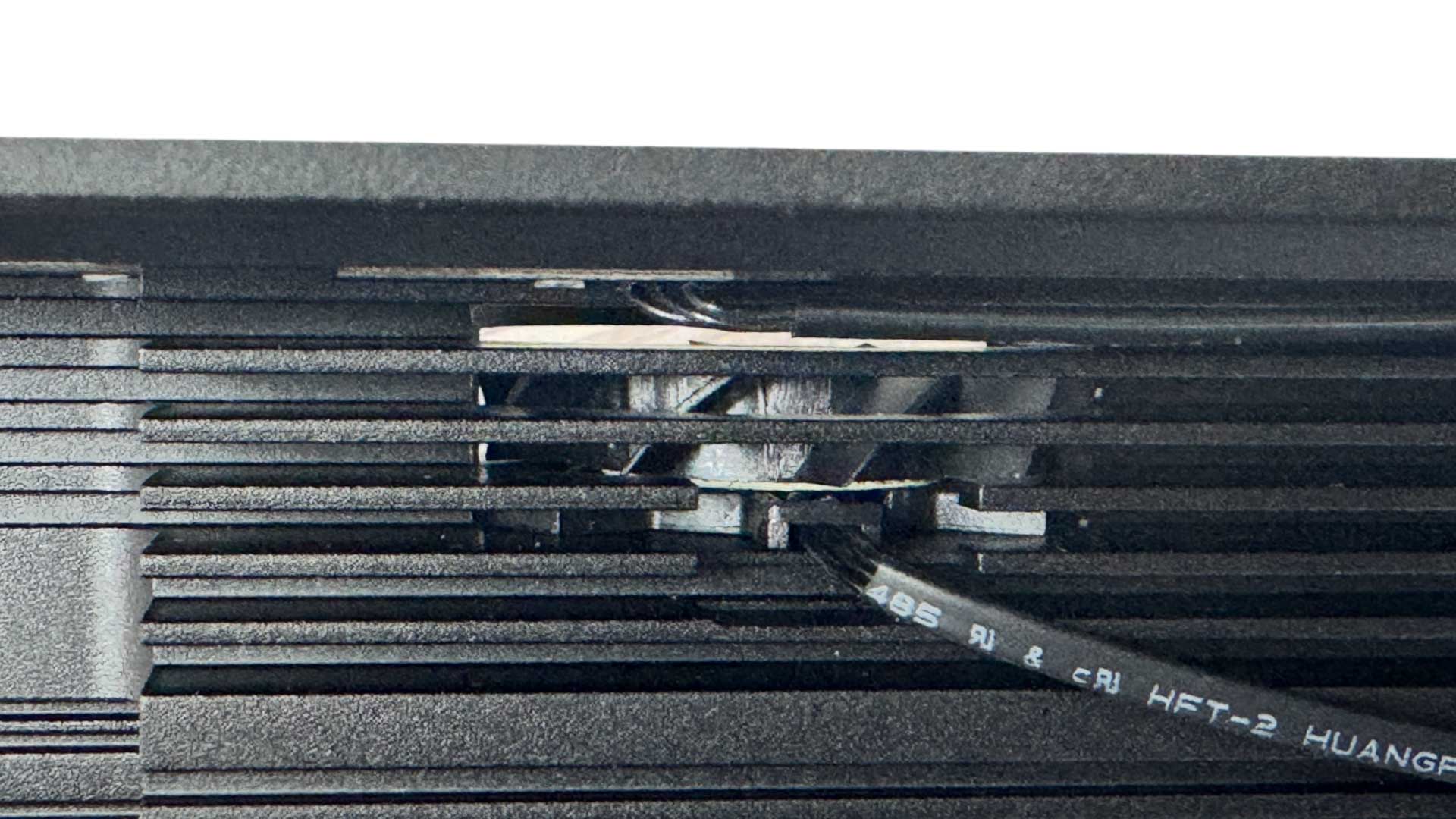
Thankfully this can be controlled in the EFI and software, but as we see below, it's not entirely straightforward. We wanted to get a closer look at the fan, but it seemed to be sealed inside the heatsink and even pulling off the upper fascia didn't give us a clear view. Still, it seems to point air over the heatsink inside so should do something at least.
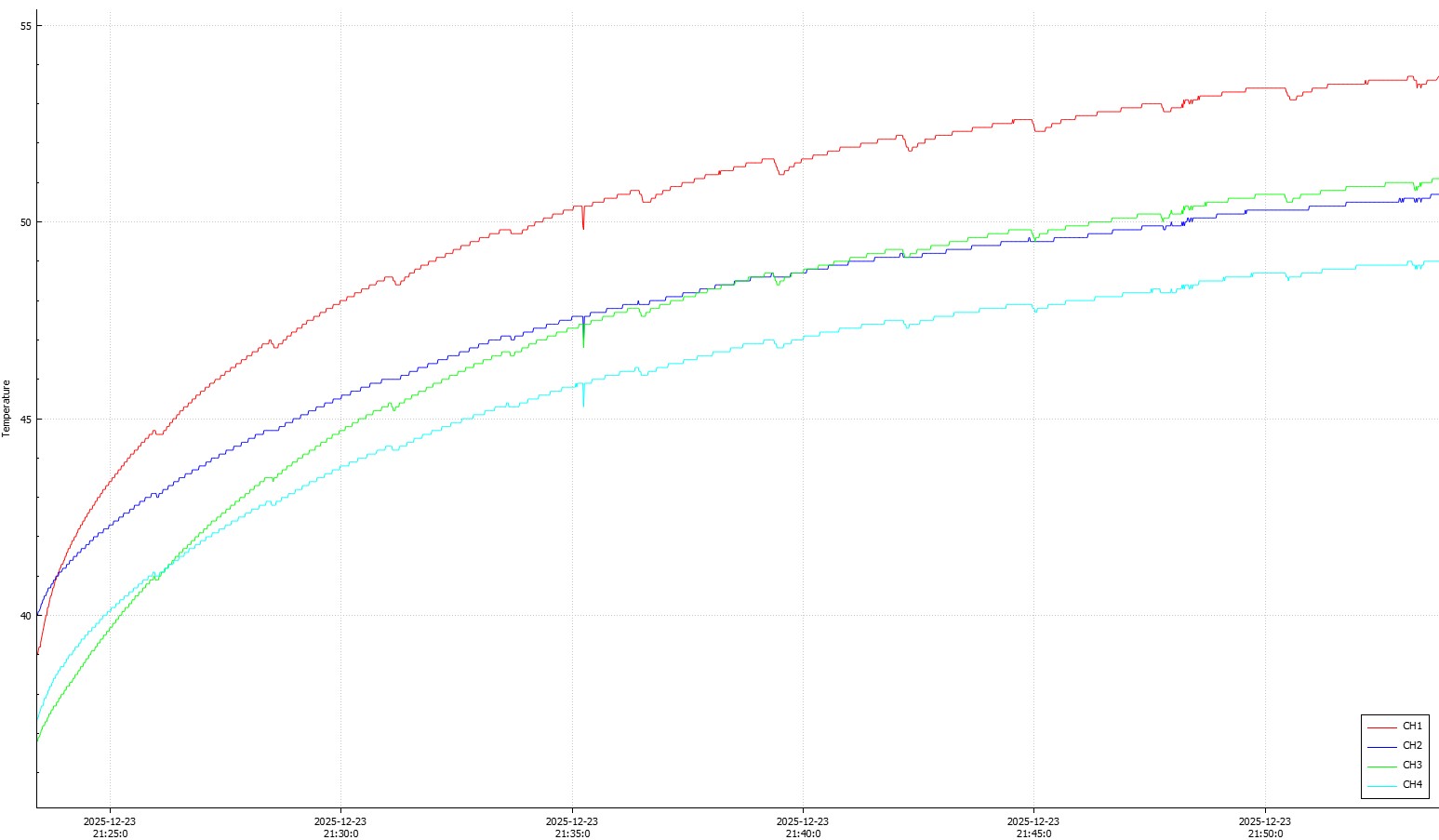
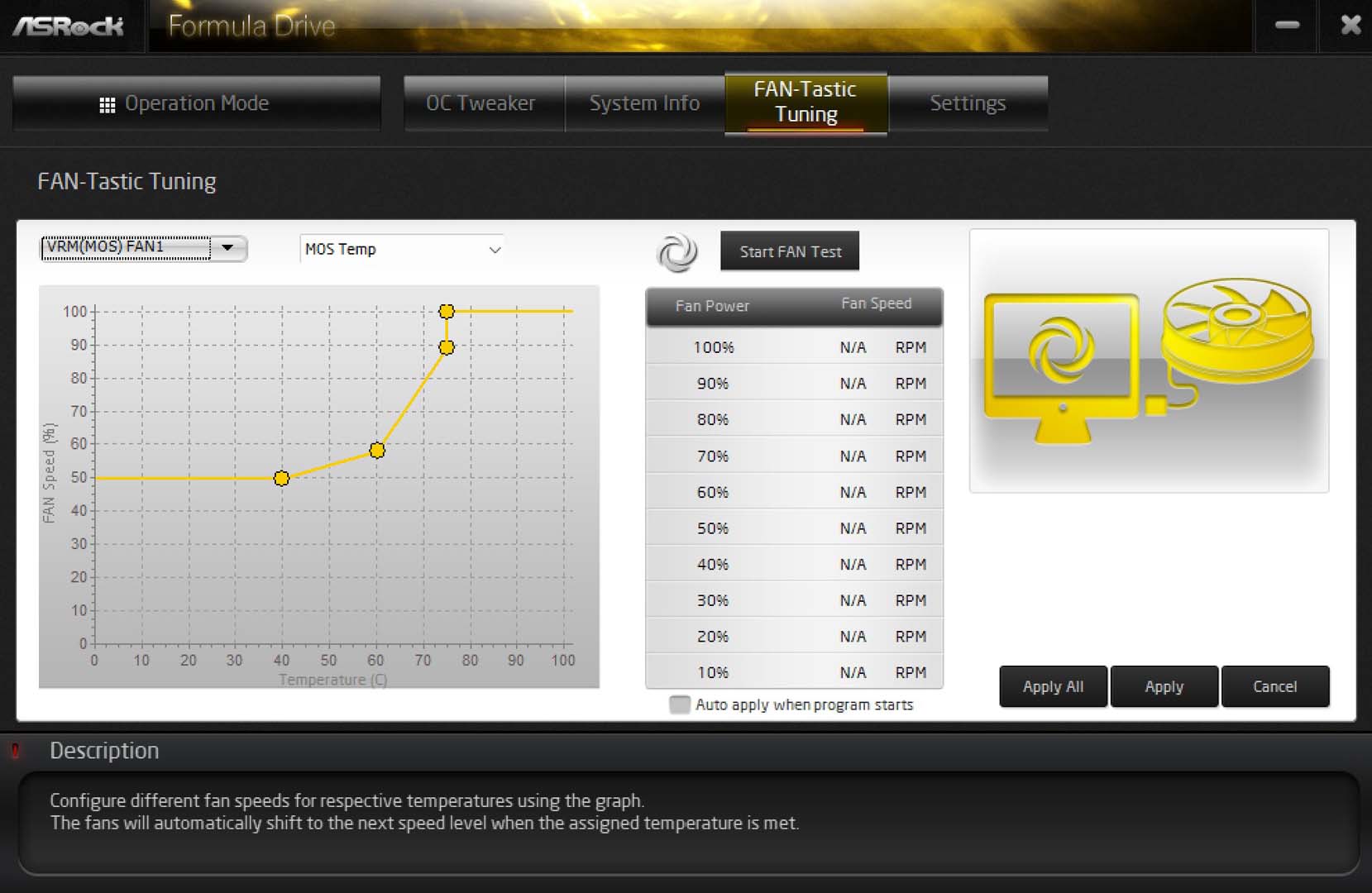
Increasing the fan speed to 2,750 rpm—which was the highest speed we found without making any noise—the temperatures dropped a little, but in both cases were well below 60°C. ASRock has set the speed to a decent level out of the box here in terms of noise, but for benchmarking you can manually whack it up to a rather unpleasant 7,500 rpm. Controlling it in the software was easy enough as you have a graph to play with, which makes it super easy fine-tune it to keep things cool with your specific tasks.
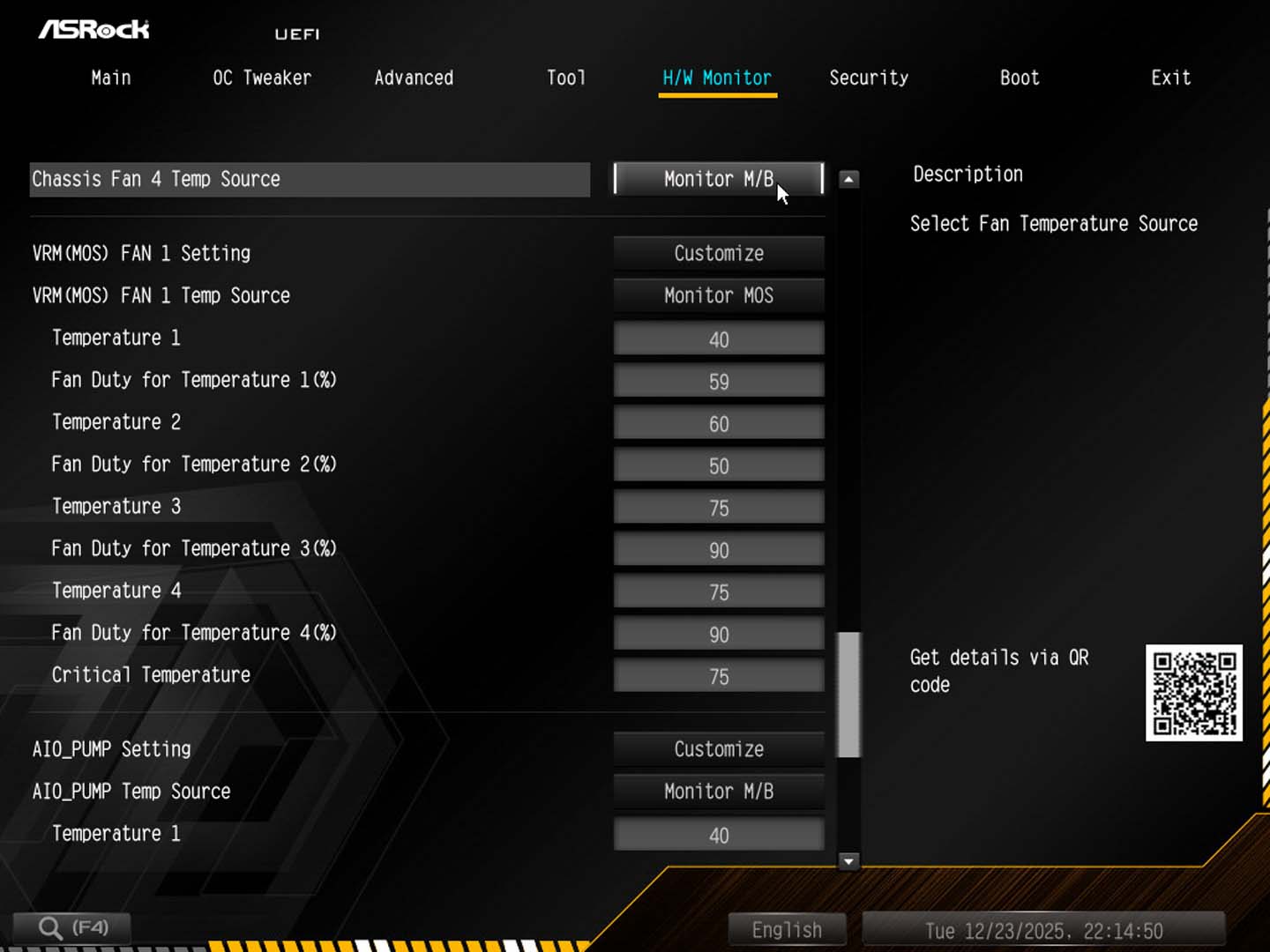
However, if you then want to transfer these settings to the EFI or not install any software, then sadly ASRock doesn't include these fans in the usual fan curve interface, which is rather annoying. Instead, you have to deal with the antiquated text-based fan page which is very tedious. This isn't the first time ASRock have done this either and given the type of potential owner, they'd almost certainly want full control over the fan in both EFI and software, perhaps using it as a daily driver during the week.
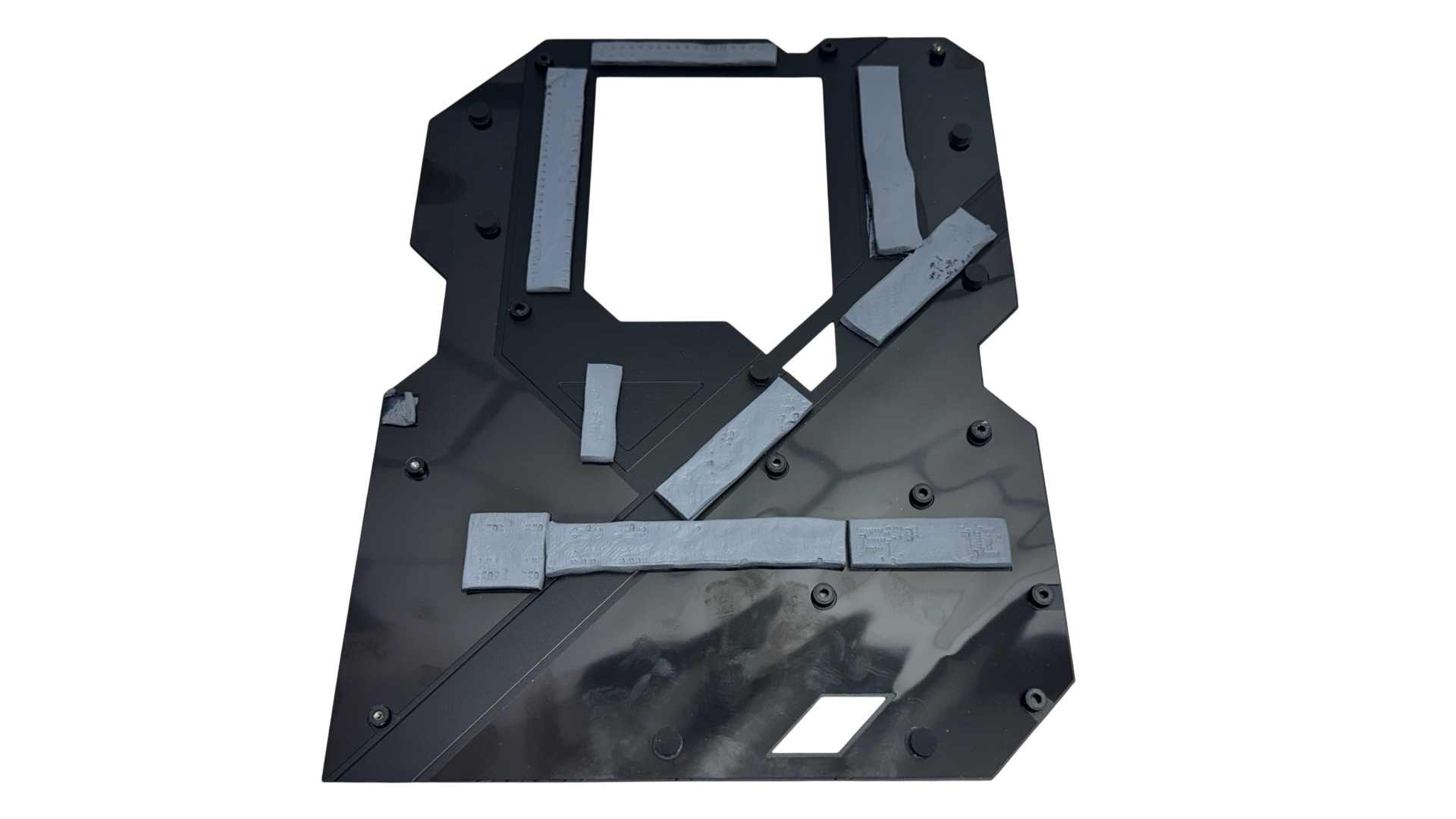
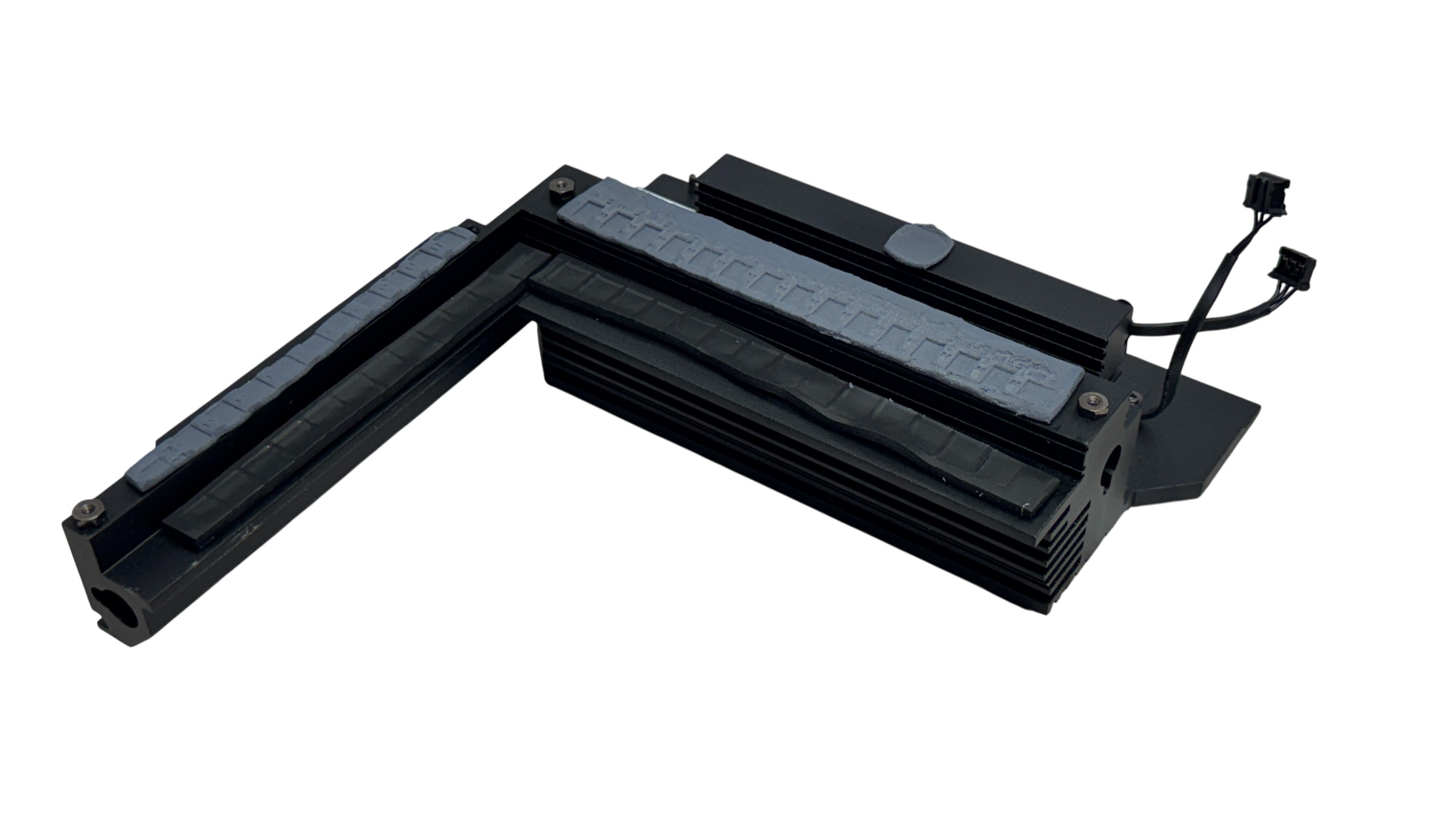
The heatsinks come in two parts. Firstly there's the upper section, which has two heatpipe-linked arrays of fins as well as RGB lighting. These also cool the USB4 controller. In addition, there's probably the most elaborate backplate we've seen on a motherboard, that cools the VRMs and a bunch of other hot spots too with an impressive array of thermal pads.
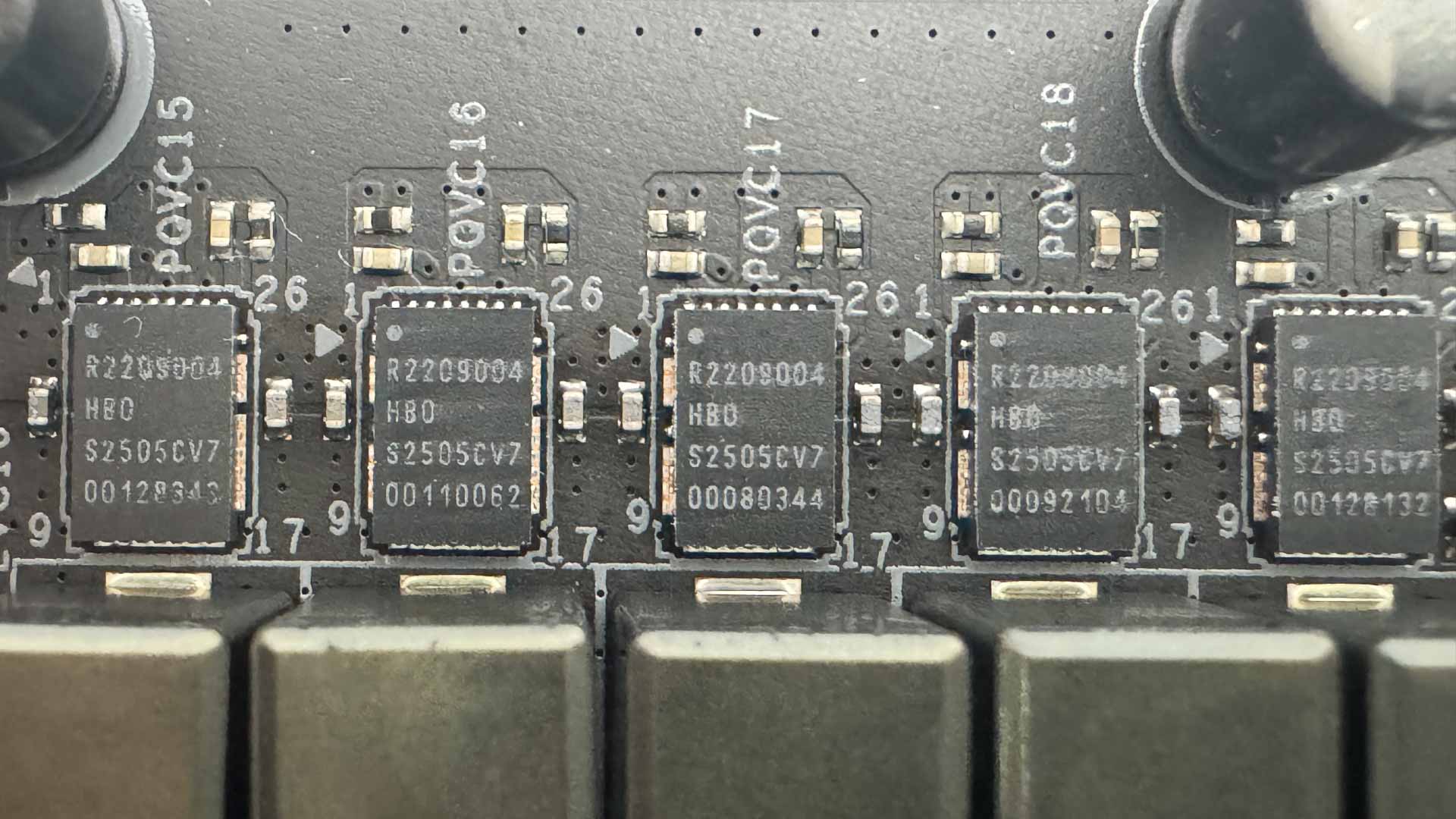
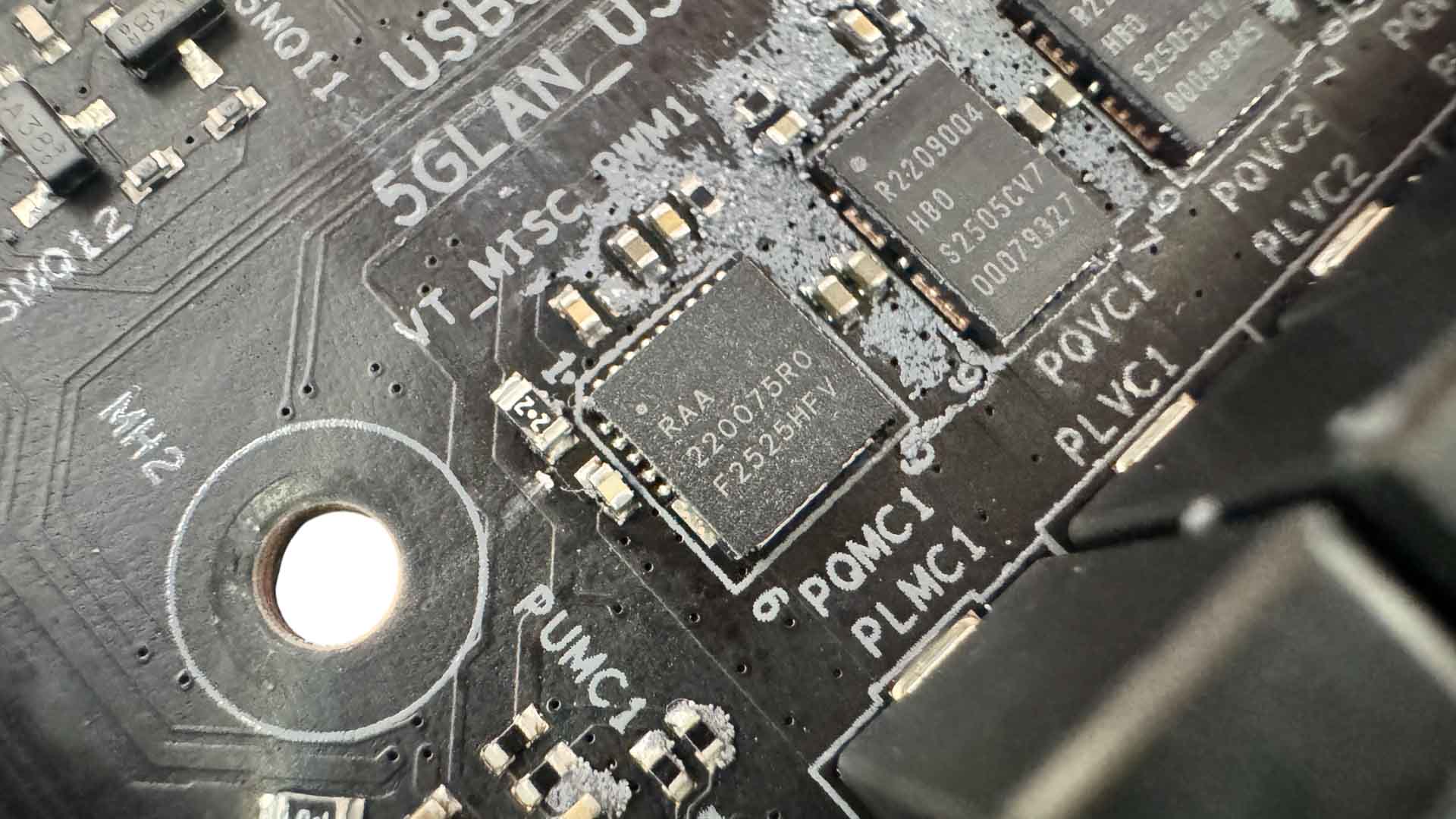
The 22 vCore and two SOC stages are Renesas R2209004 110 A MOSFETs, with a Renesas RAA220075R0 75 A for MISC. This is a very similar setup to the ASRock-built NZXT N9 X870E.
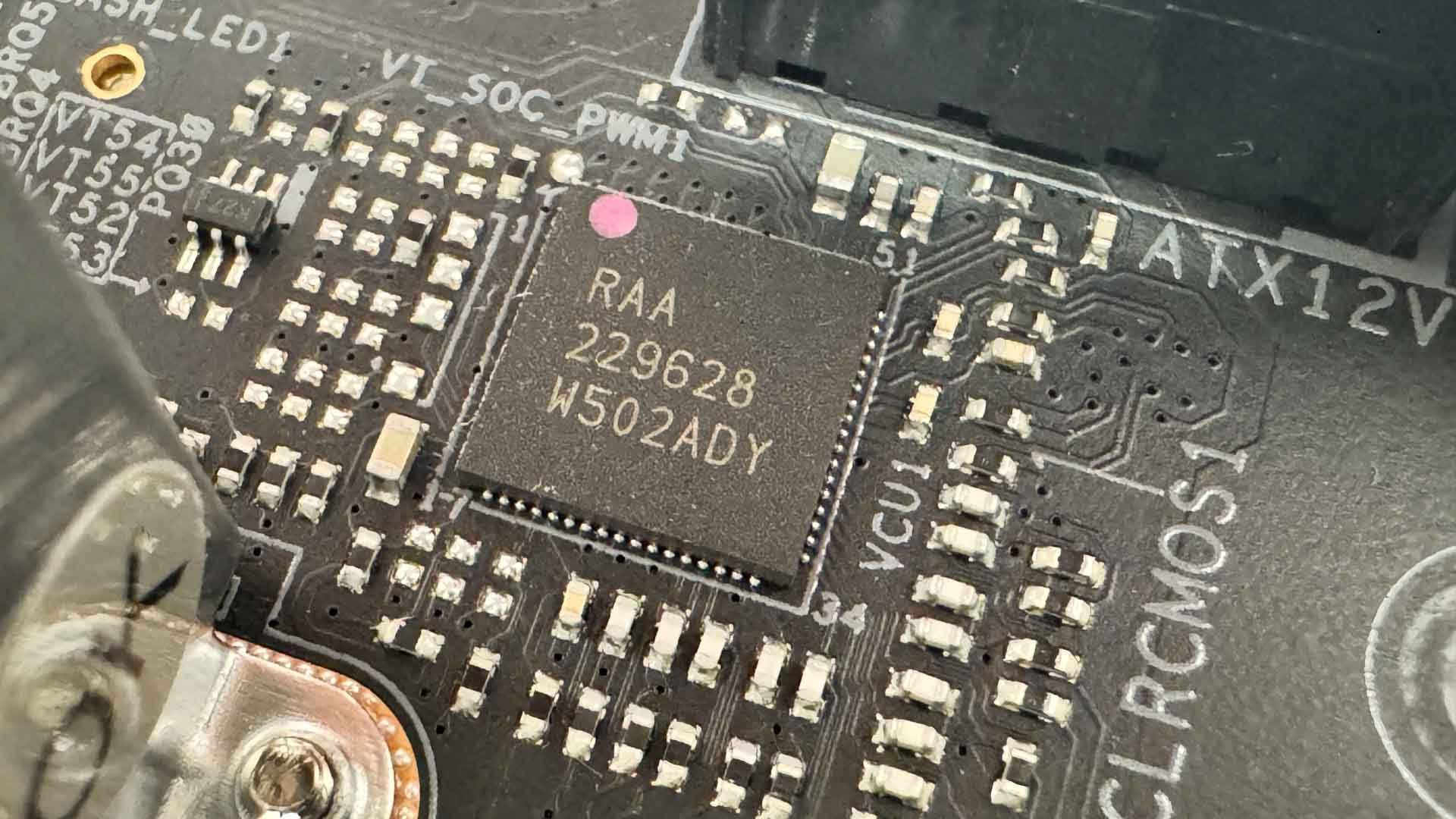
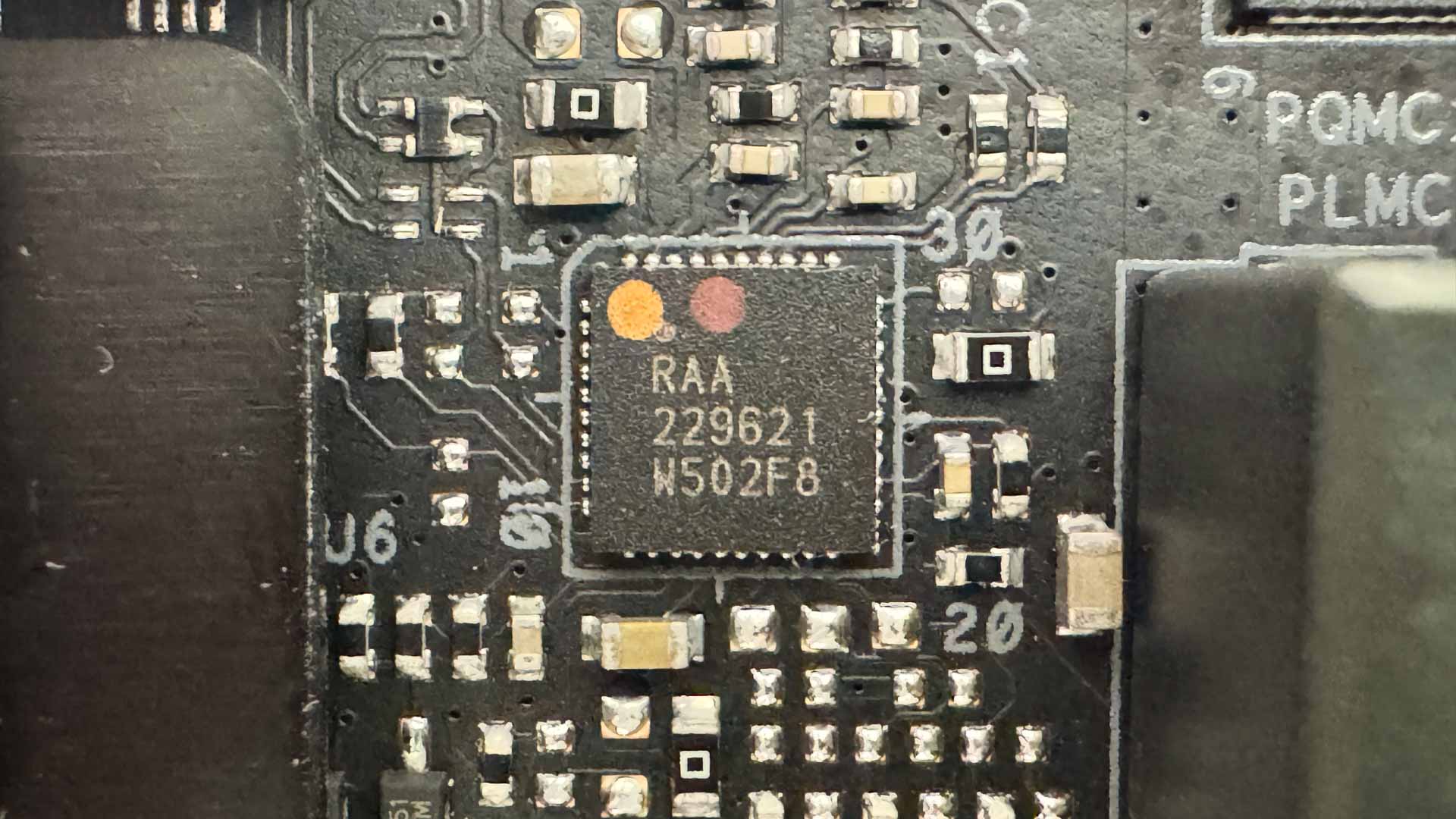
We have a pair of PWM controllers - both from Renesas in the form of the RAA229628 and RAA229621.
Nov 17th, 2026 16:30 CST
change timezone
Latest GPU Drivers
New Forum Posts
- Help with fixing Overclock (5)
- ProArt X870E-CREATOR WIFI - Bifurcation~Complication (13)
- Last game you purchased? (1403)
- Without Jensen, PC gaming will be (33)
- [Poll] 12V-2x6 Connector Protection: What Are You Using? (WireView / Ampinel / Equalizer / Other / Nothing) (27)
- What is the latest game you finished or 100% (204)
- 9070 GRE 3.9ghz validation reached. (15)
- USB 3.0 90 Degree Adapter (2)
- Latest method for DTS/DDL for Logitech Z906 (0)
- What are you playing? (26232)
Popular Reviews
- Acemagic Retro X3 Review
- Corsair HX1000i Shift Crystal Review
- AMD Zen 6 Technical Deep Dive
- Upcoming Hardware Launches 2027 (Updated Nov 2026)
- ASUS ROG Strix B850-I Gaming Wi-Fi7 W Review
- Phantom Blade Zero Performance Benchmark Review - 35 GPUs Tested
- AMD Ryzen 7 9800X3D Review - The Best Gaming Processor
- Chieftec Iceberg PRO 360 DARK Review
- Montech King 95 3D PRO Review
- NZXT C1200 Platinum Review
TPU on YouTube
Controversial News Posts
- NVIDIA Co-Founder and CEO Jensen Huang Officially Resigns (457)
- Open Letter Asking NVIDIA to Reinstate Jensen Huang Passes 115,000 Signatures (184)
- OpenAI CEO Argues Home PCs Waste the World's Limited DRAM Supply (152)
- NVIDIA Launches Investigation Into Jensen Huang's Relationship With Suspected Chinese Spy (136)
- Report: Jensen Huang Eyes NVIDIA Comeback (135)
- Intel "Raptor Lake Next" 16-Core and 20-Core CPUs Surface (130)
- Legendary Game Studio BioWare Shuts Down Following EA Layoffs (104)
- Dell CEO Says the Memory Shortage Will Get Worse in 2027 (95)