 15
ASRock Z890 Taichi OCF Review
Component Analysis »Board Layout


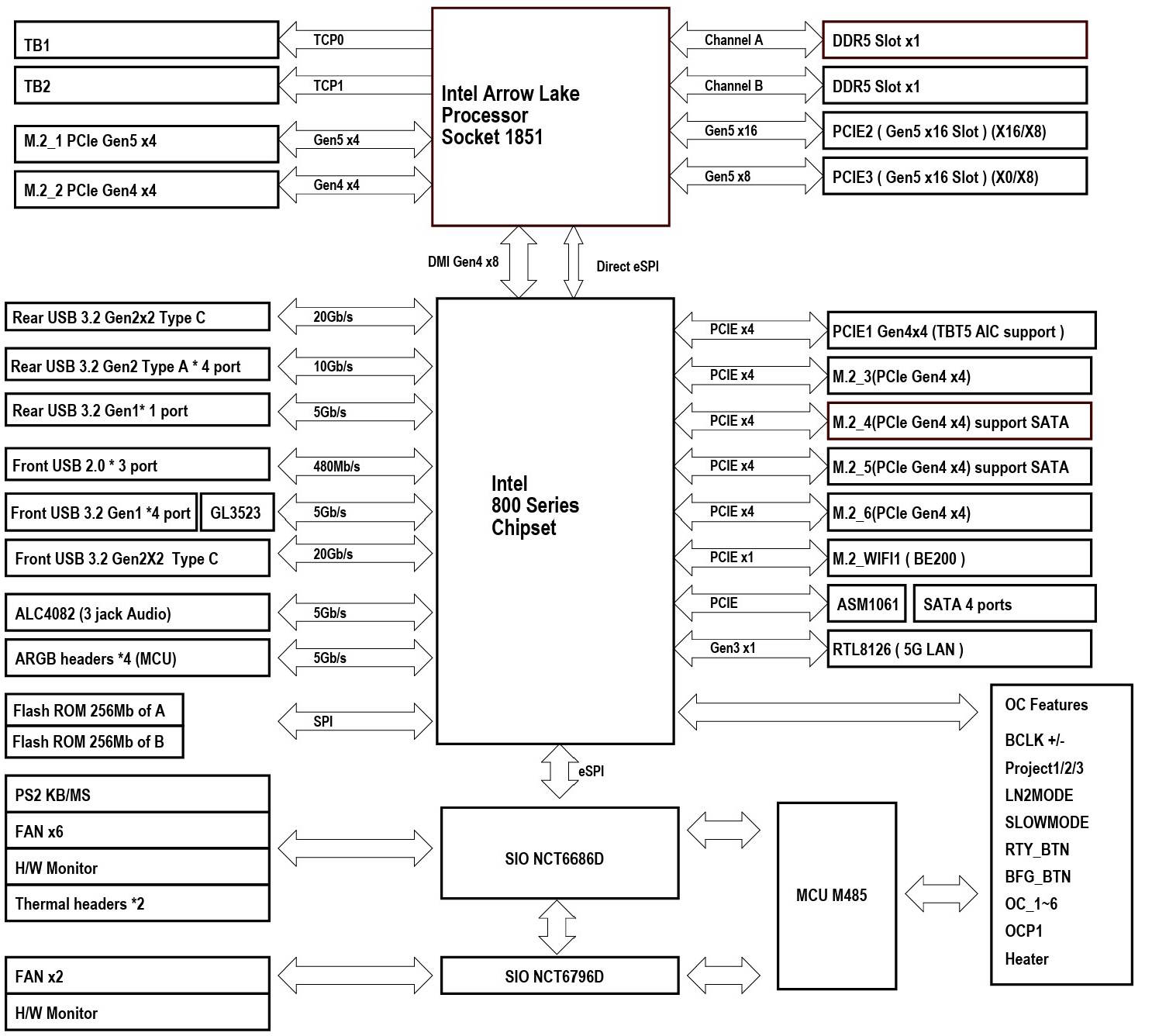
This is one packed PCB and a racy-looking motherboard too, with standout features being the enormous lower M.2 heatsink and far right side dominated by various overclocking features that we'll get to in a minute. Eagle-eyed readers will also have noticed there are only two memory slots, cutting the maximum capacity from the usual 256 GB to 128 GB, which makes sense given adding more than two modules usually impacts overclocking. The rear of the PCB is protected by a large backplate that uses numerous thermal pads to cool the VRMs. It has a large cut-out area to try to avoid interfering with any extreme overclocking exploits, but is easily removable.



The OC Buttons section includes frequency adjustment and the ability to pick from three difference overclock profiles customized by ASRock overclocker Nick Shih, with switches to toggle LN2 mode to help with cold bugs, a slow mode switch plus retry and safe boot buttons for when you push a little too far. The 6-pin PCIe connector here is for providing more power to the primary PCIe x16 slot rather than to the Type-C header, but the latter still offers USB 3.2 Gen 2x2 speed. Next to it are two USB 3.0 headers and the first chassis fan.
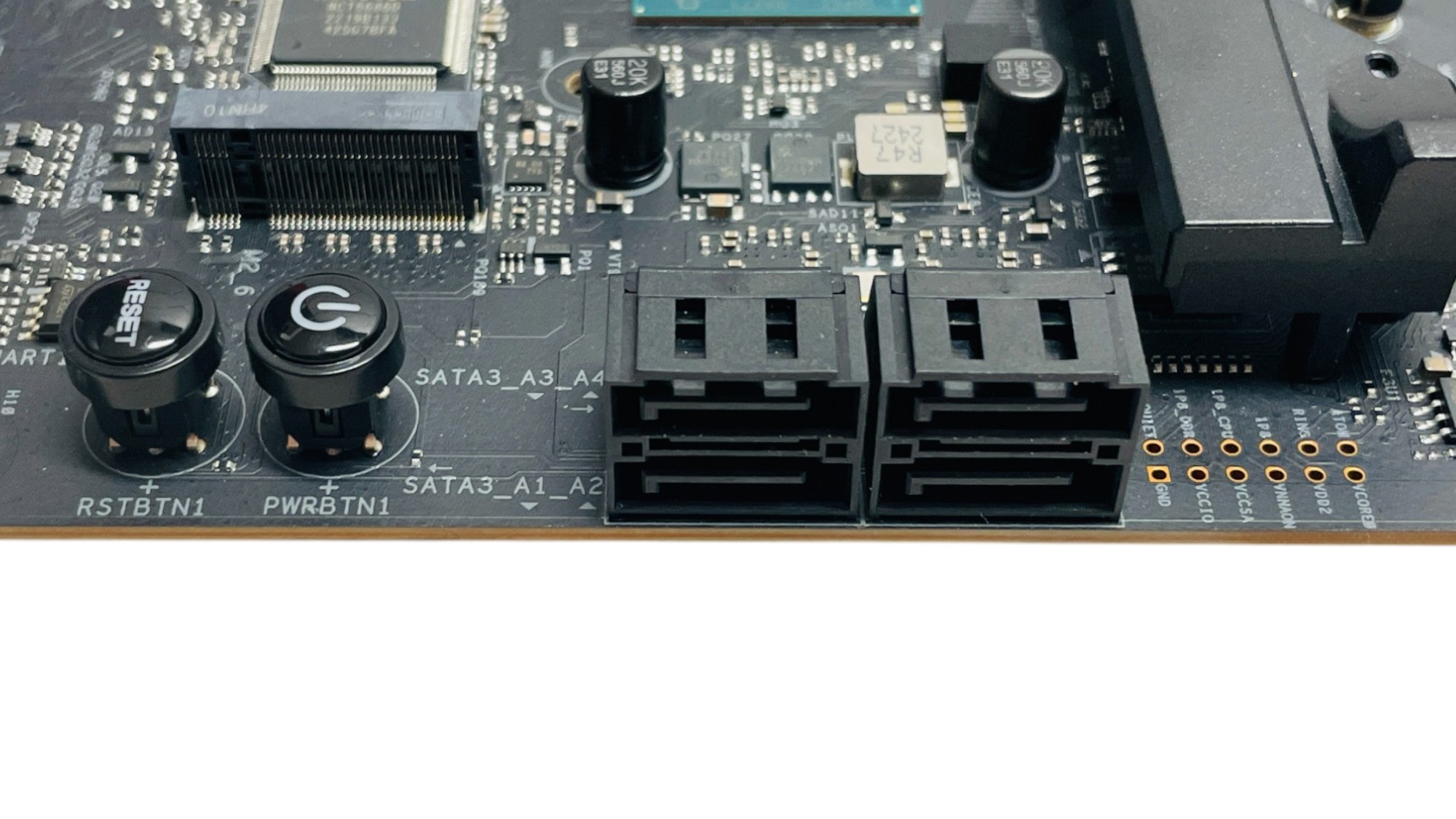

As you'd expect there are onboard power and reset buttons too, which just cleared the triple slot cooler on our GPU. For those wanting to use the board as their daily driver as well, there are also four SATA ports. There's a further set of overclocking tools at the base of the board, to load specific BIOS profiles as well as a full set of voltage readout points.

The remainder of the fan headers plus two more 3-pin ARGB headers are located in the bottom left corner of the PCB below a second PCIe Gen 5 x16 slot, which when occupied sees both it and the primary slot above drop to x8. For those concerned about fan header power, the primary CPU fan header is limited to 1 A/12 W, but the other six headers can output a maximum of 3 A/36 W whether it's over one or all headers.

As a standard PCIe release lever would be nearly buried, ASRock has seen fit to include its own quick-release mechanism, which is called Graphics Card EZ Release. This works by simply pulling the lever backwards till you hear a click, at which point the lever is locked open. On removing your graphics card, the mechanism automatically closes itself again. It's maybe not as intuitive as a push-button release, but certainly a little more positive than the ASUS method of just pulling your graphics card out in a way you'd normally never do.

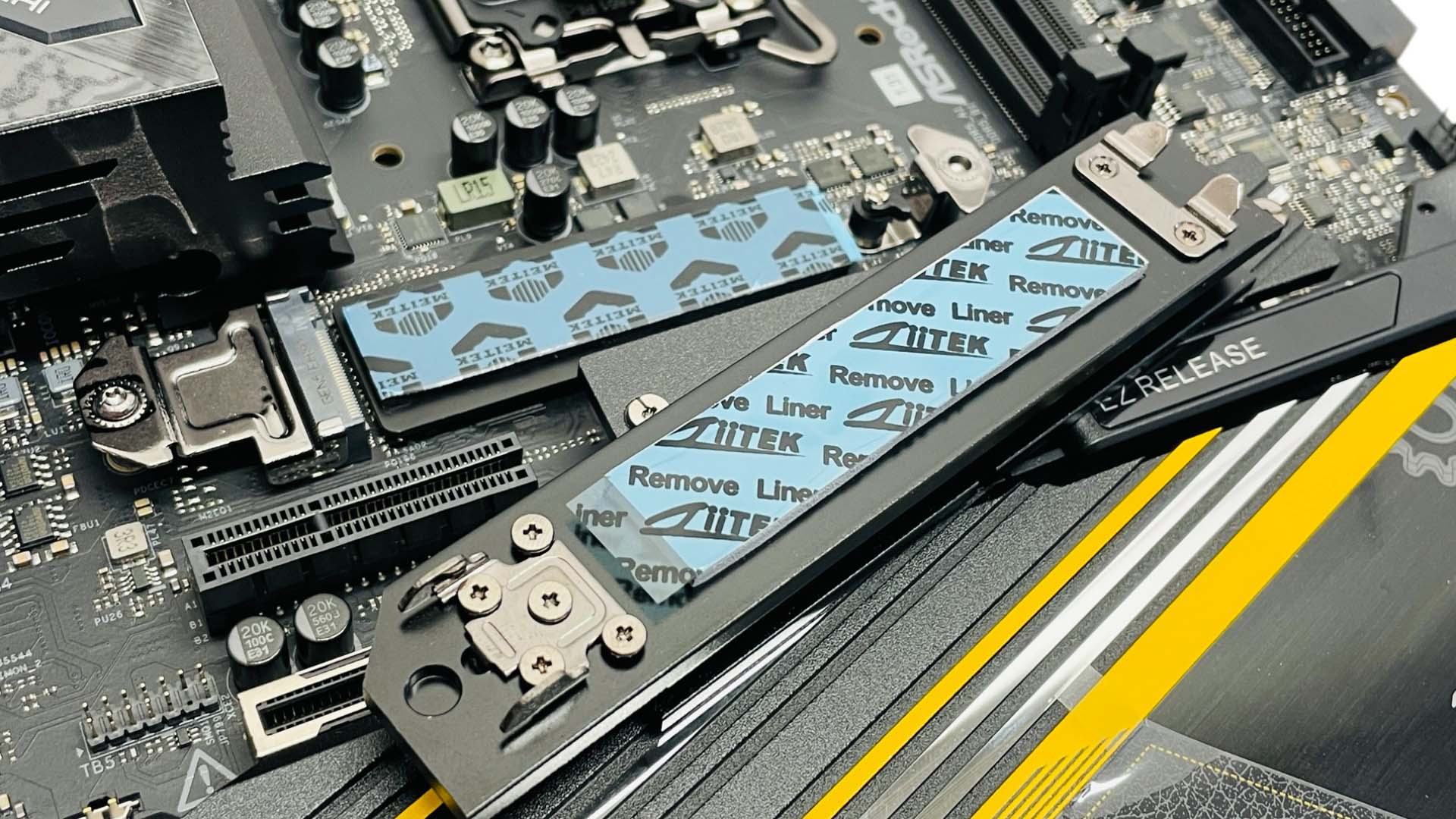
While overclocking is the main focus of the ASRock Z890 Taichi OCF, it has an impressive six M.2 ports with one PCIe Gen 5 slot, the rest being PCIe Gen 4. None have any form of lane sharing, which is confined to using both the PCIe x16 slots at the same time, where both run at x8 speed. Even better is that all five are covered by heatsinks and only the smallest heatsink lacks a tool-free mechanism. The top slot is the only PCIe Gen 5-compatible port and includes dual-sided cooling and a relatively large upper heatsink with a small chrome button that releases it. It's a little fiddly to use as a reasonable amount of force needs to be applied, but it provides a firm mount and is still much easier to deal with than screws.
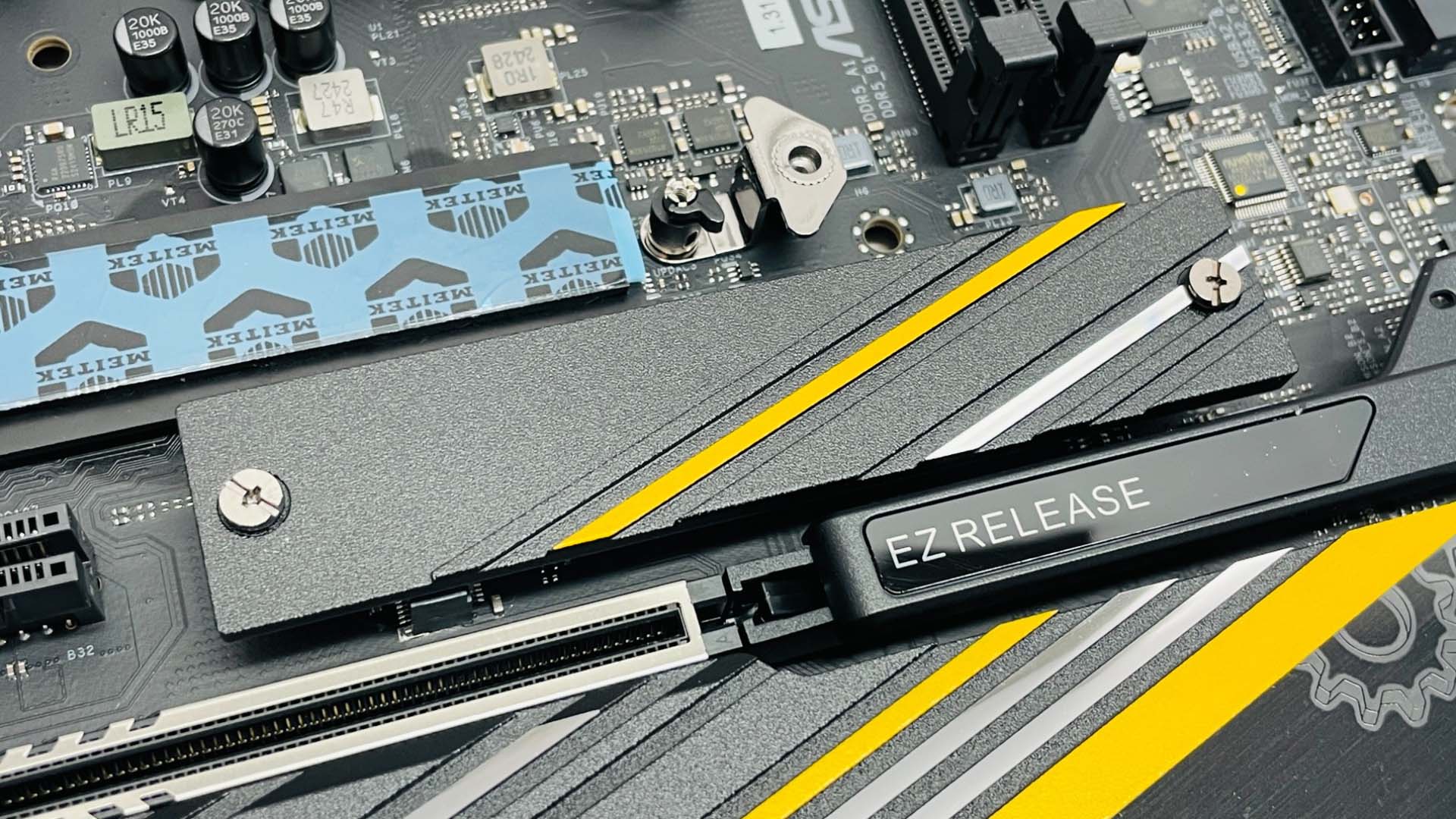
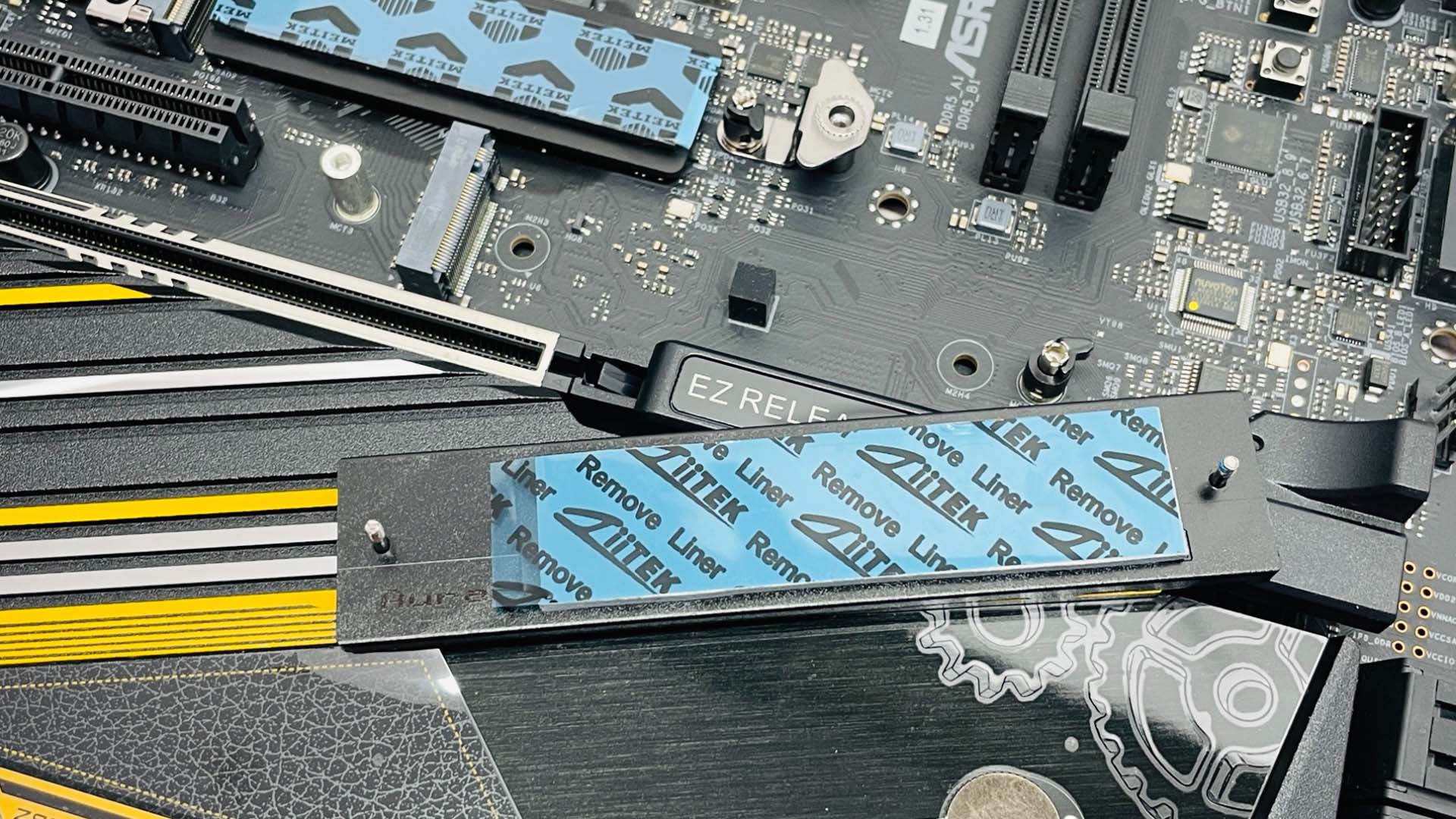
The next port sits alone with its own smaller heatsink, which provides top side only cooling. As the primary PCIe slot is offset and placed lower down the board than usual, both it and the top slot are accessible when a graphics card is installed.
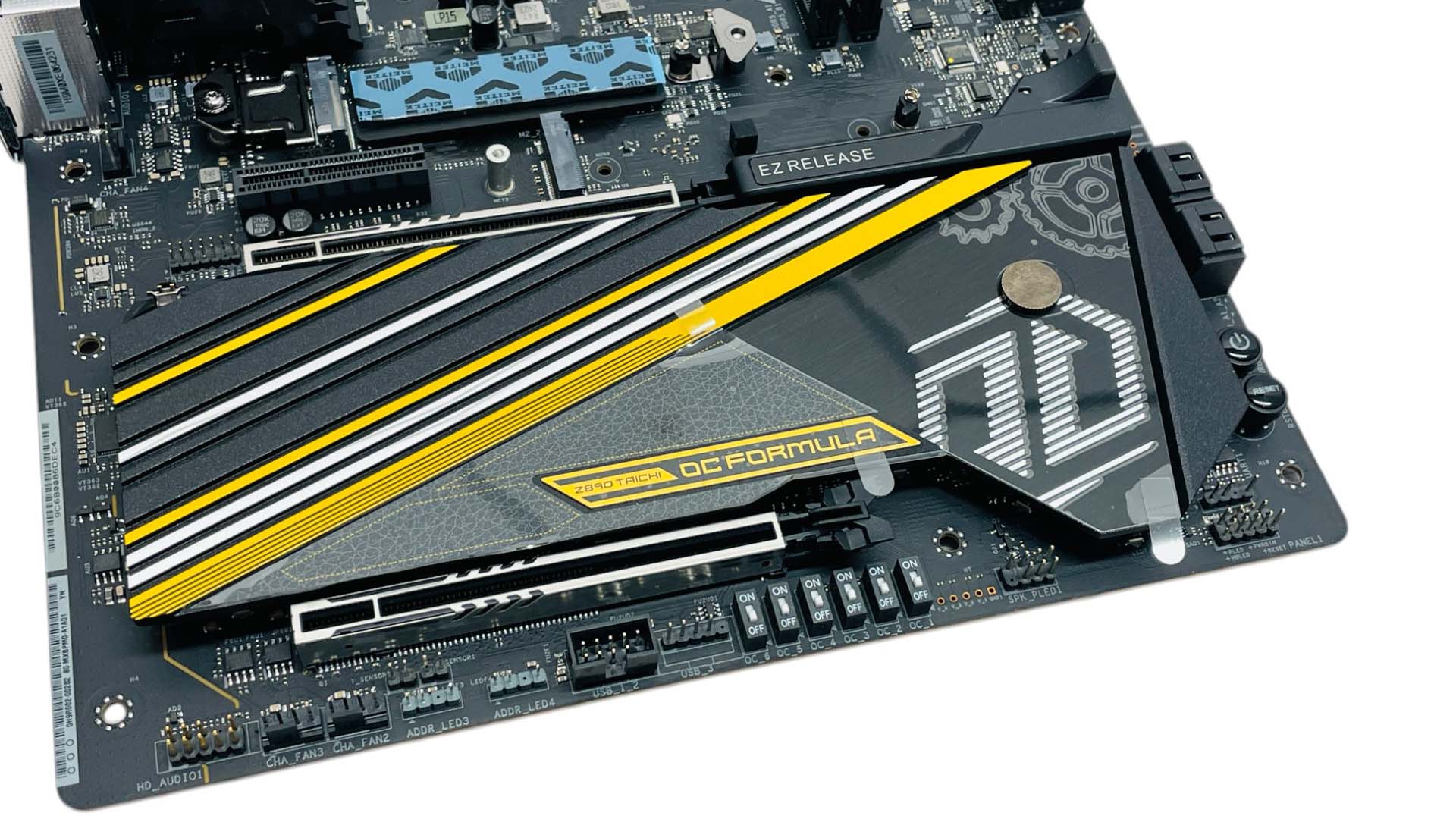
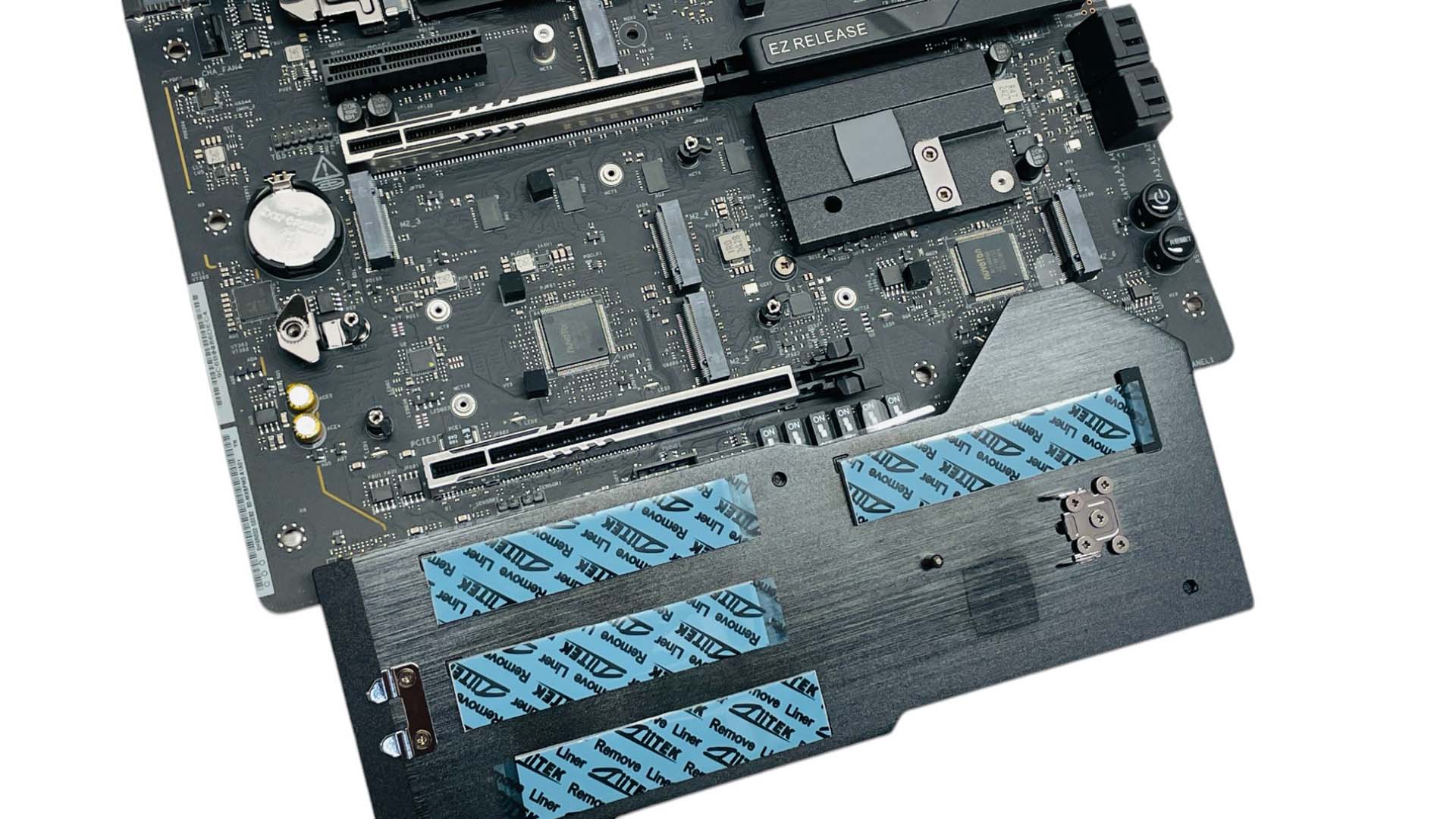
The final heatsink is enormous and covers much of the lower end of the board, cooling the remaining four PCIe Gen 4 M.2 sockets. These are all cooled on the top side only and this heatsink also makes contact with a small thermal pad that sits on top of the PCH. The heatsink itself is a little tricky to remove and fit due to its size and the fact the mounting clips are small and completely obscured by the heatsink, while the release button, like the top heatsink, is small, and it's not easy to activate and lift the heatsink at the same time.
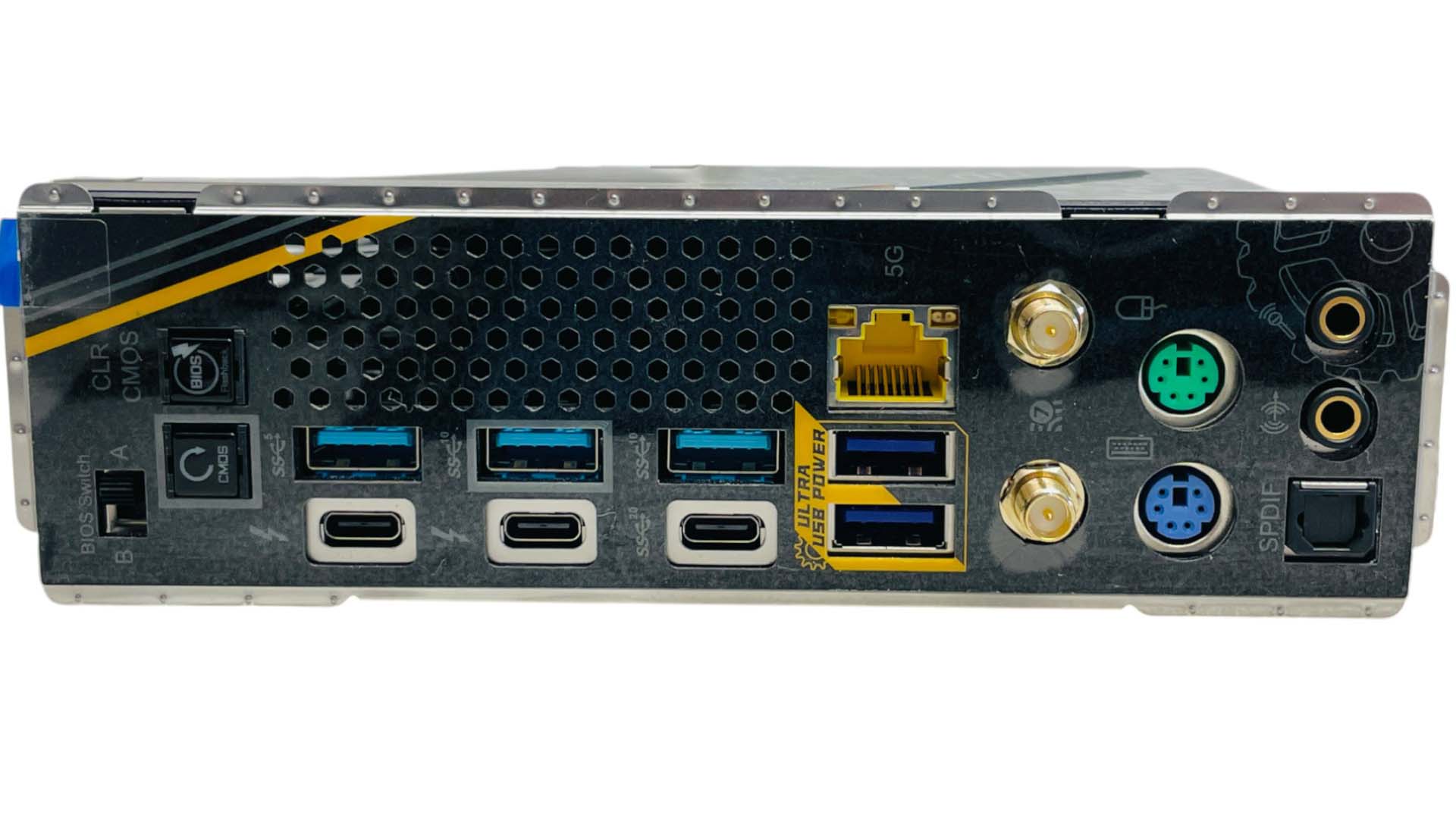
While other parts of the board cater for using the ASRock Z890 Taichi OCF as a daily driver, the rear I/O panel focuses more on VRM cooling with a large vent as well as including PS/2 ports for extreme overclocking sessions. As s result, there are only five Type-A USB ports, with two of these being USB 3.1 10 Gbps ports and the rest USB 3.0. The Thunderbolt 4 ports support PD 3.0 with up to 15 W charging and the two Ultra USB Power ports use the 12 V rail converted to 5 V, which ASRock claims reduced voltage drop. With two Thunderbolt 4 ports and a USB 3.2 Gen 2x2 20 Gbps Type-C port, there's clearly scope for expanding out with hubs if you need more. In addition to the various profile switches on the PCB you get a dual BIOS switch here too as well as USB BIOS Flashback and CMOS clear buttons. There's a single 5 Gbps Ethernet port, dual antenna ports for the Wi-Fi module, PS/2 mouse and keyboard ports plus the usual audio jacks and optical output.
Nov 13th, 2026 21:36 CST
change timezone
Latest GPU Drivers
New Forum Posts
- Tell me about your favourite graphics card (26)
- Crimson Desert (31)
- RenoDX HDR - how to view the differnce Before&After in game? (0)
- Displayport DP80 3M (10ft) cable that can achieve 80gbps stable? (5)
- I'll flash a ASUS ROG Strix RX480 O8G in Cause of Code 43, as a Newbie (1)
- Opinion on Monitor Replacement (6)
- TMOG - post your benchmark results here (16)
- no "PhysX" workable (7)
- Microsoft Exchange/365 outages? (61)
- Unallocated space in ssd , is it normal? (18)
Popular Reviews
- AMD Zen 6 Technical Deep Dive
- Corsair HX1000i Shift Crystal Review
- NZXT C1200 Platinum Review
- Upcoming Hardware Launches 2027 (Updated Nov 2026)
- ASUS ROG Strix B850-I Gaming Wi-Fi7 W Review
- Montech King 95 3D PRO Review
- NZXT H7 RGB+ Review
- NZXT H5 Review
- Phantom Blade Zero Performance Benchmark Review - 35 GPUs Tested
- XPG NIMBUS PLUS Review - Mid-range Chair With Strong Competitors
TPU on YouTube
Controversial News Posts
- NVIDIA Co-Founder and CEO Jensen Huang Officially Resigns (379)
- OpenAI CEO Argues Home PCs Waste the World's Limited DRAM Supply (152)
- NVIDIA Launches Investigation Into Jensen Huang's Relationship With Suspected Chinese Spy (136)
- Intel "Raptor Lake Next" 16-Core and 20-Core CPUs Surface (130)
- Legendary Game Studio BioWare Shuts Down Following EA Layoffs (104)
- Dell CEO Says the Memory Shortage Will Get Worse in 2027 (95)
- NVIDIA GeForce RTX 50-Series Scheduled for up to $500 Price Hike This Week (89)
- Modder Fits RTX 5090 With Four 8-Pin Connectors, Halving Current per Wire (80)