 84
ASUS GeForce RTX 5090 Matrix Platinum Review - 800 W Powerhouse
Circuit Board Analysis »Packaging
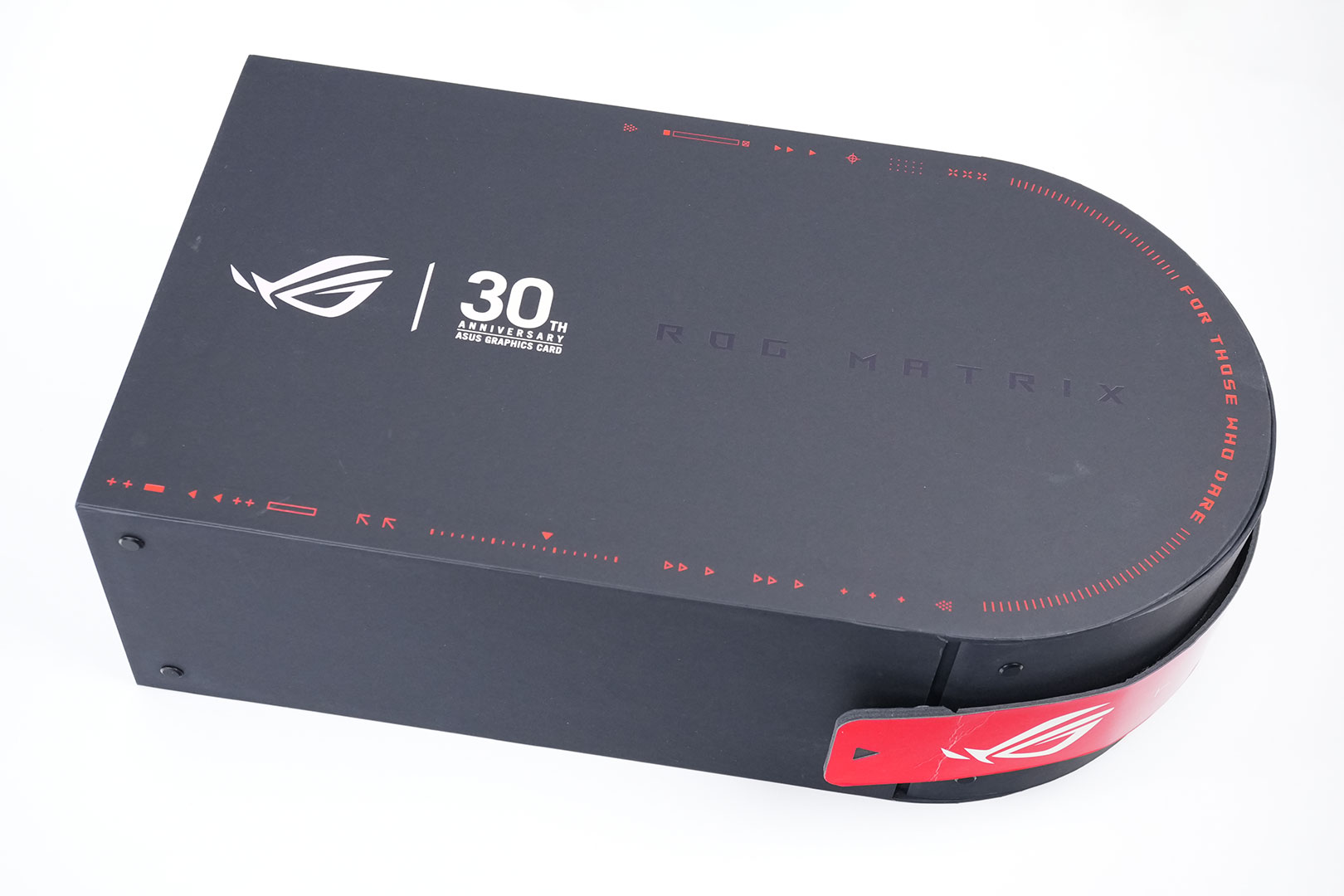
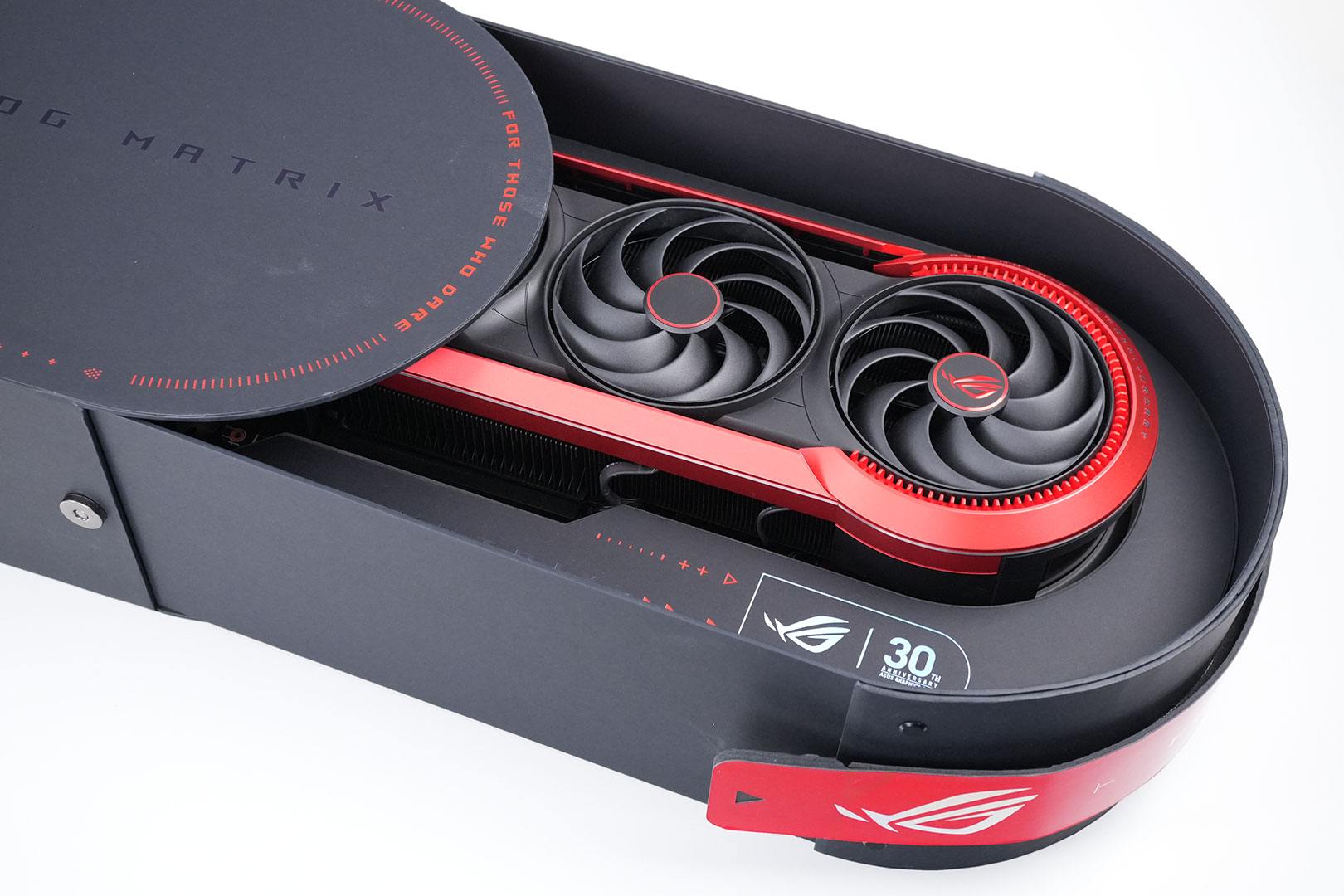
The Card
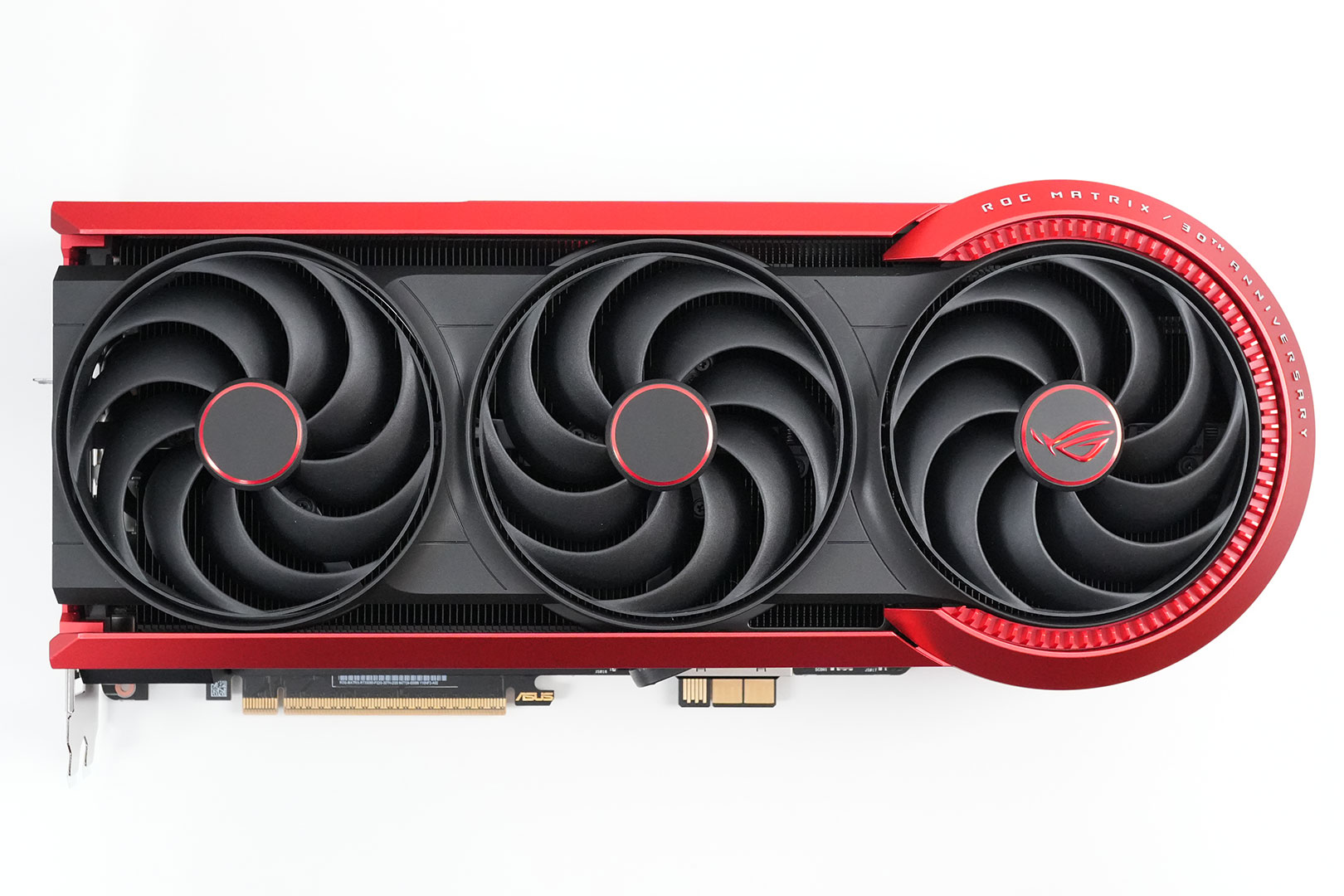


The ASUS ROG Matrix RTX 5090 is a visually impressive card. The cooler shroud is matte black with a red aluminium frame, housing three large fans on the front. A fourth fan sits inside the circular 30th Anniversary end-cap on the right, with "ROG MATRIX / 30TH ANNIVERSARY" text running around its red-trimmed circumference. The backplate sports a two-tone gray and black finish, split by a bold red diagonal stripe, with "GeForce RTX" branding across its length and the 30th Anniversary ASUS Graphics Card logo in the corner.

Here you can see a closeup of the text, it's not printed on, but has a structure, which adds to the extremely high quality look and feel.
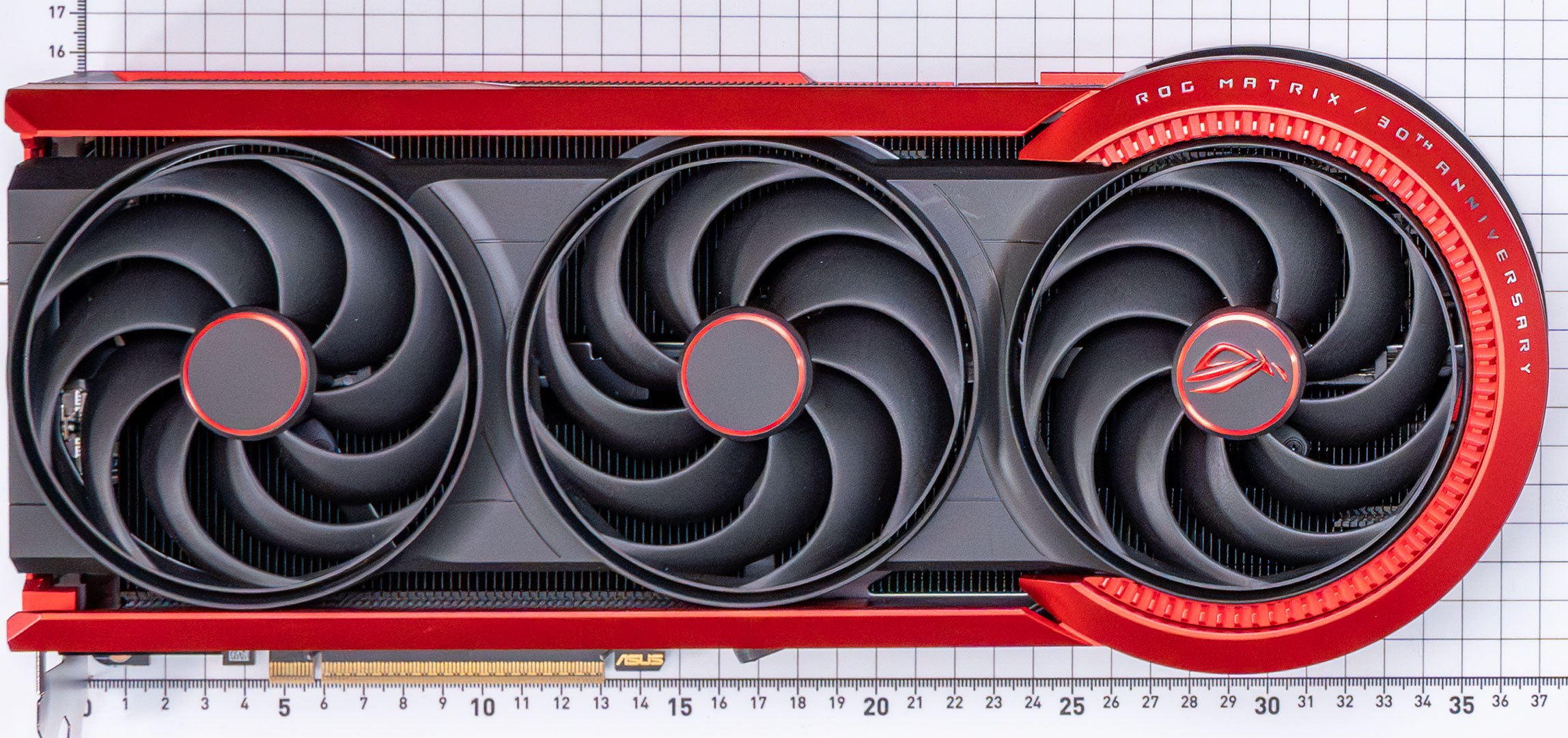

Dimensions of the card are 37.0 × 16.5 cm, and it weighs 3235 g.

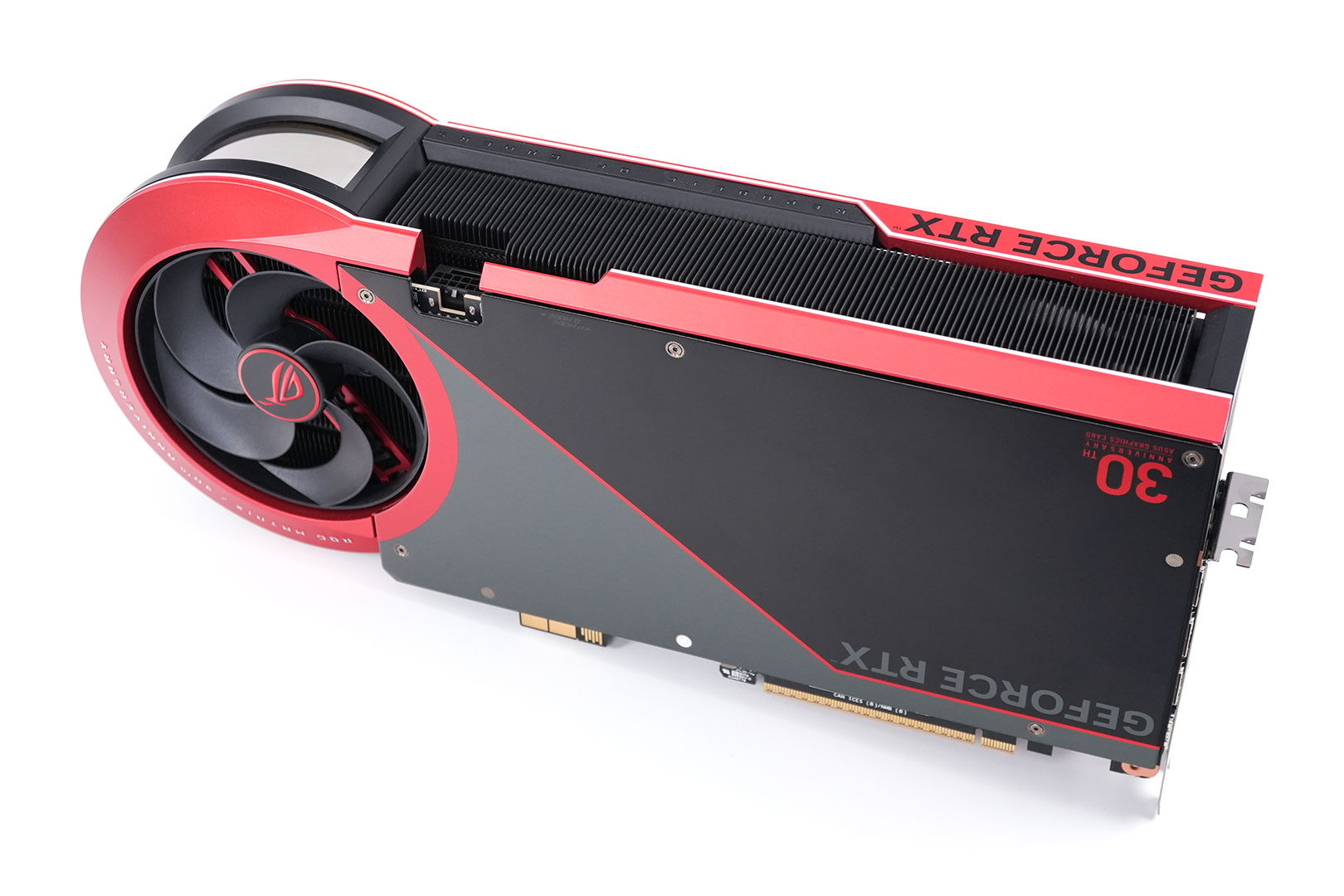
Installation requires four slots in your system. We measured the card's width to be 63 mm.
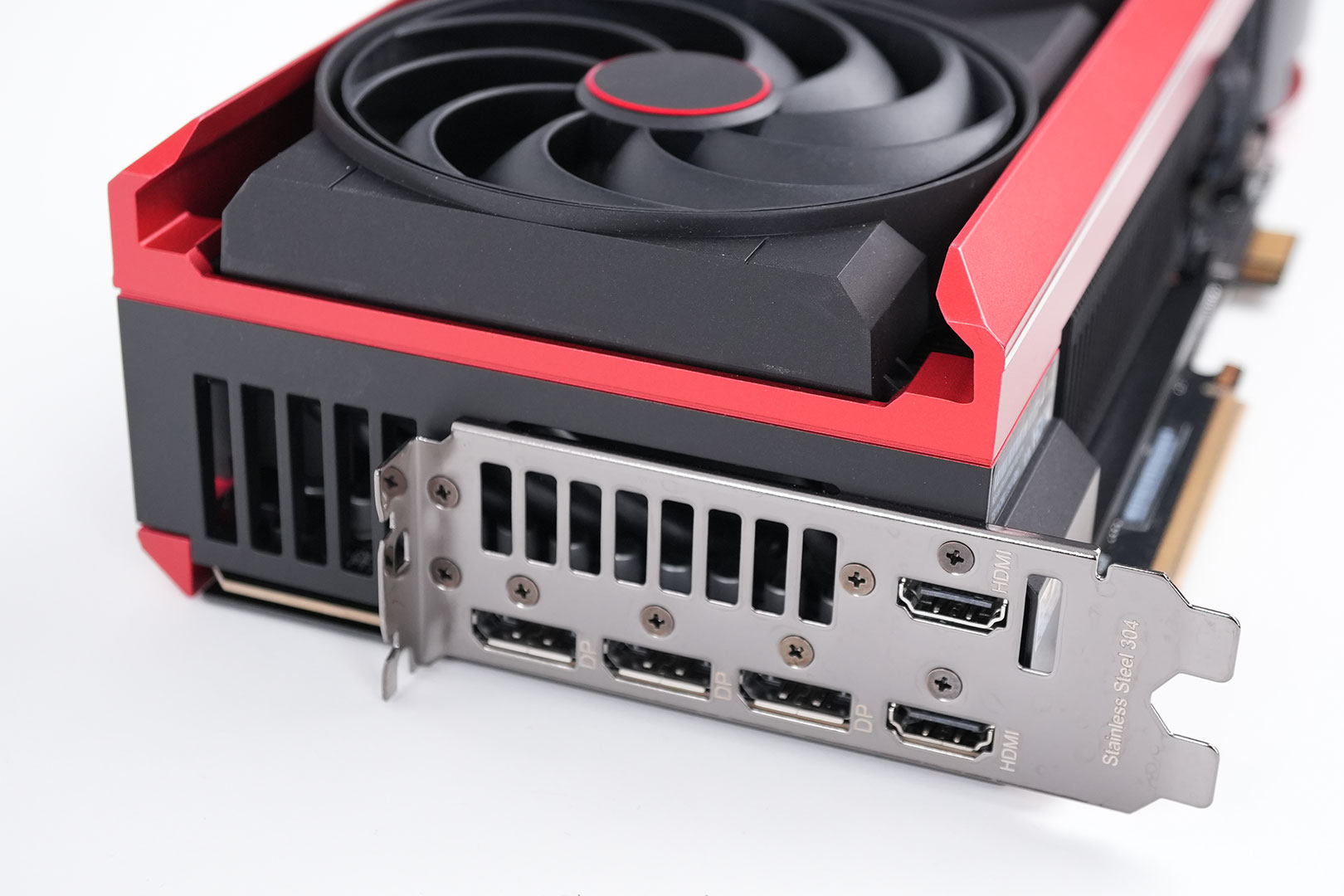
Display connectivity includes three standard DisplayPort 2.1b and two HDMI 2.1b.
All GeForce RTX 50-series Blackwell cards feature a new display engine supporting DisplayPort 2.1b with UHBR20, as well as HDMI 2.1a. Both interfaces support DSC (display stream compression). With DSC enabled, a single DisplayPort on this card can drive 4K 12-bit HDR at 480 Hz; or 8K 12-bit HDR at up to 165 Hz. The RTX 5090 features an updated media acceleration engine with support for 4:2:2 video formats, AV1 UHQ, and MV-HEVC. There are three independent NVENC units, and two NVDEC.
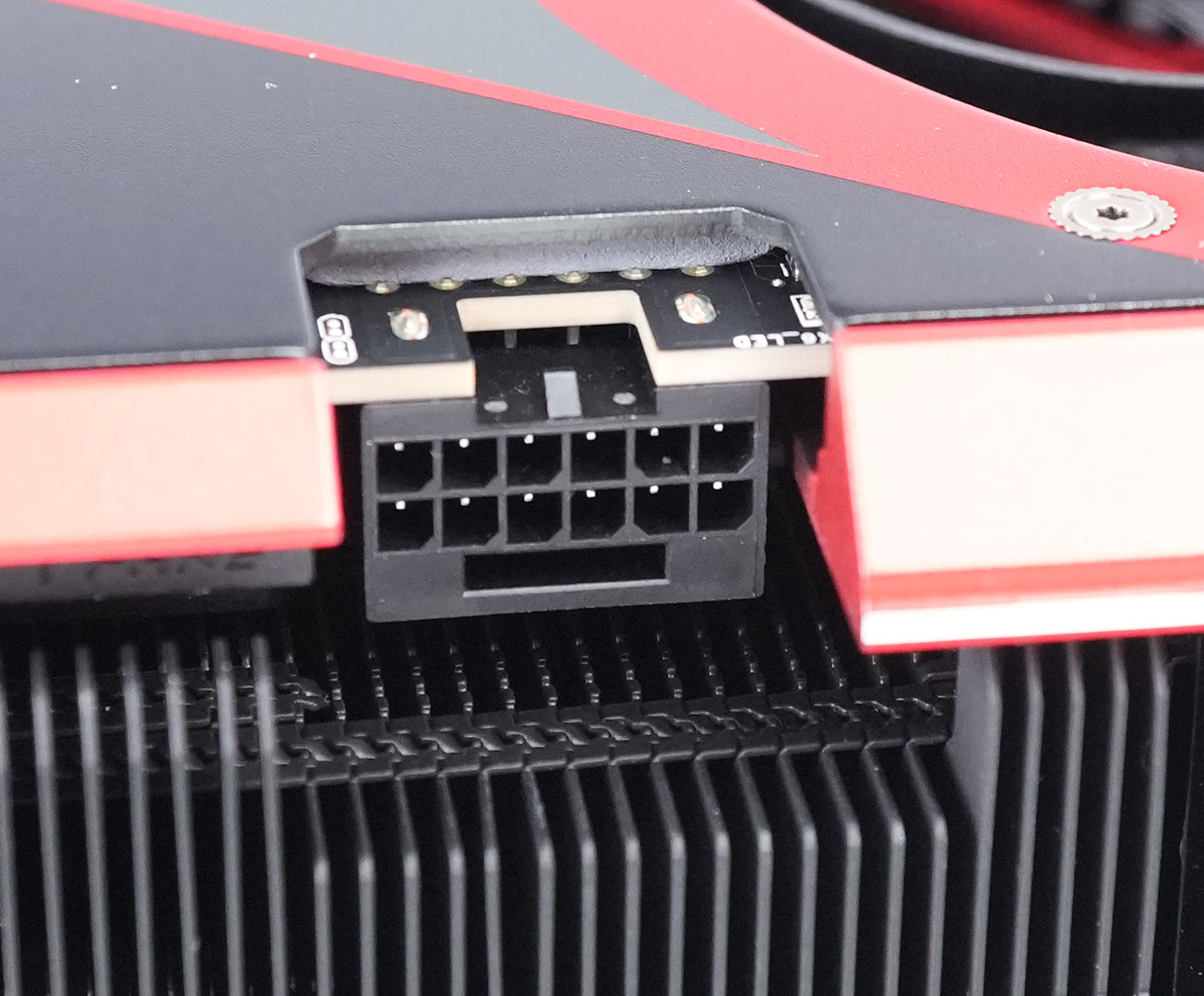
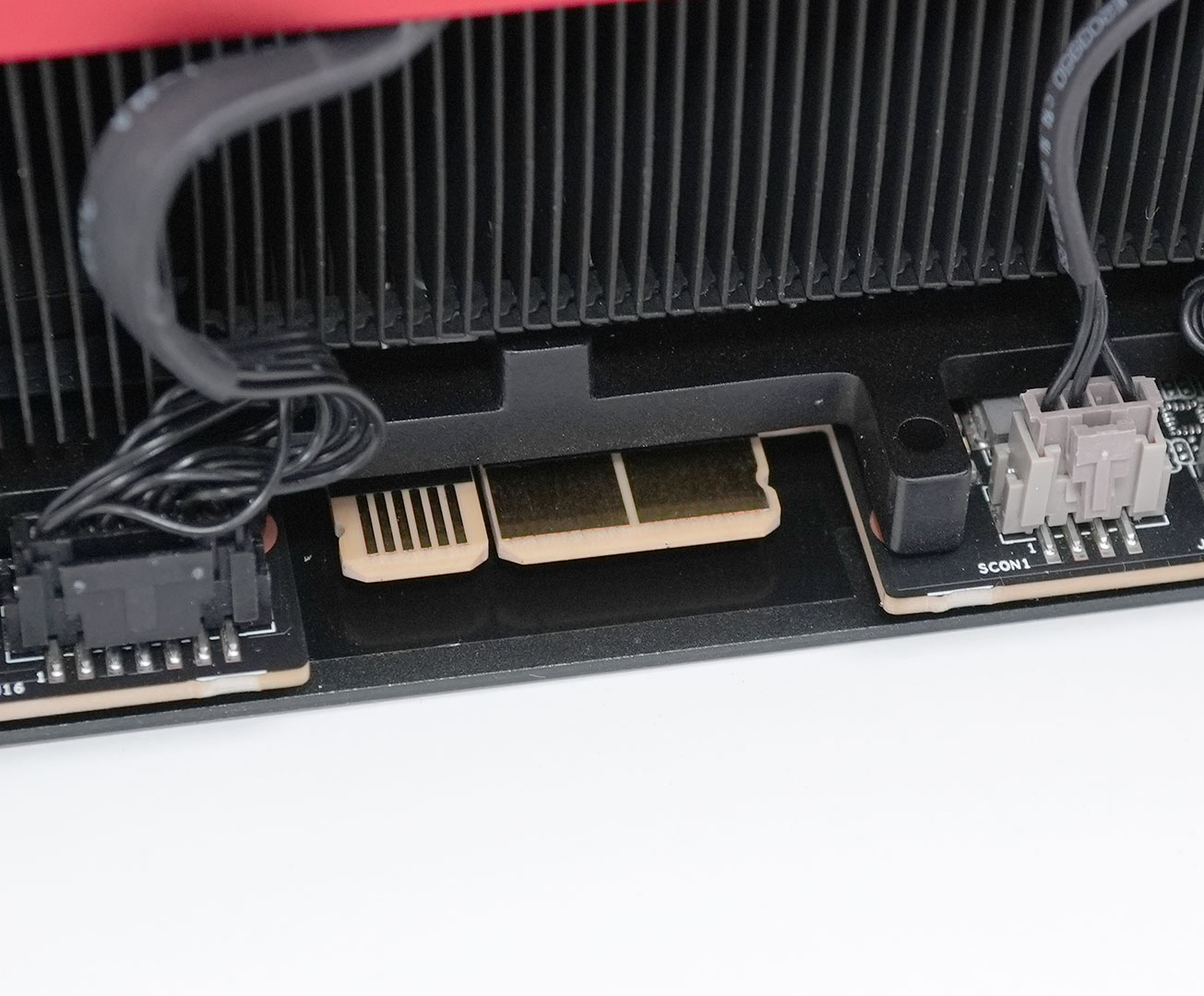
The card has two sources of power. The first one is a classic 16-pin connector, which allows a maximum power draw of 600 W. When installed in an ASUS BTF motherboard, the card can also draw power through the rear-side BTF connector. When just the BTF power input is connected (without 16-pin power), the card runs at 600 W power limit as well. When you connect both BTF and 16-pin, which theoretically would be able to deliver 1200 W, the power limit automatically switches to 800 W. For this mechanism to work, no BIOS change or switch is necessary, it's fully automatic. You can verify this with GPU-Z in the advanced tab.
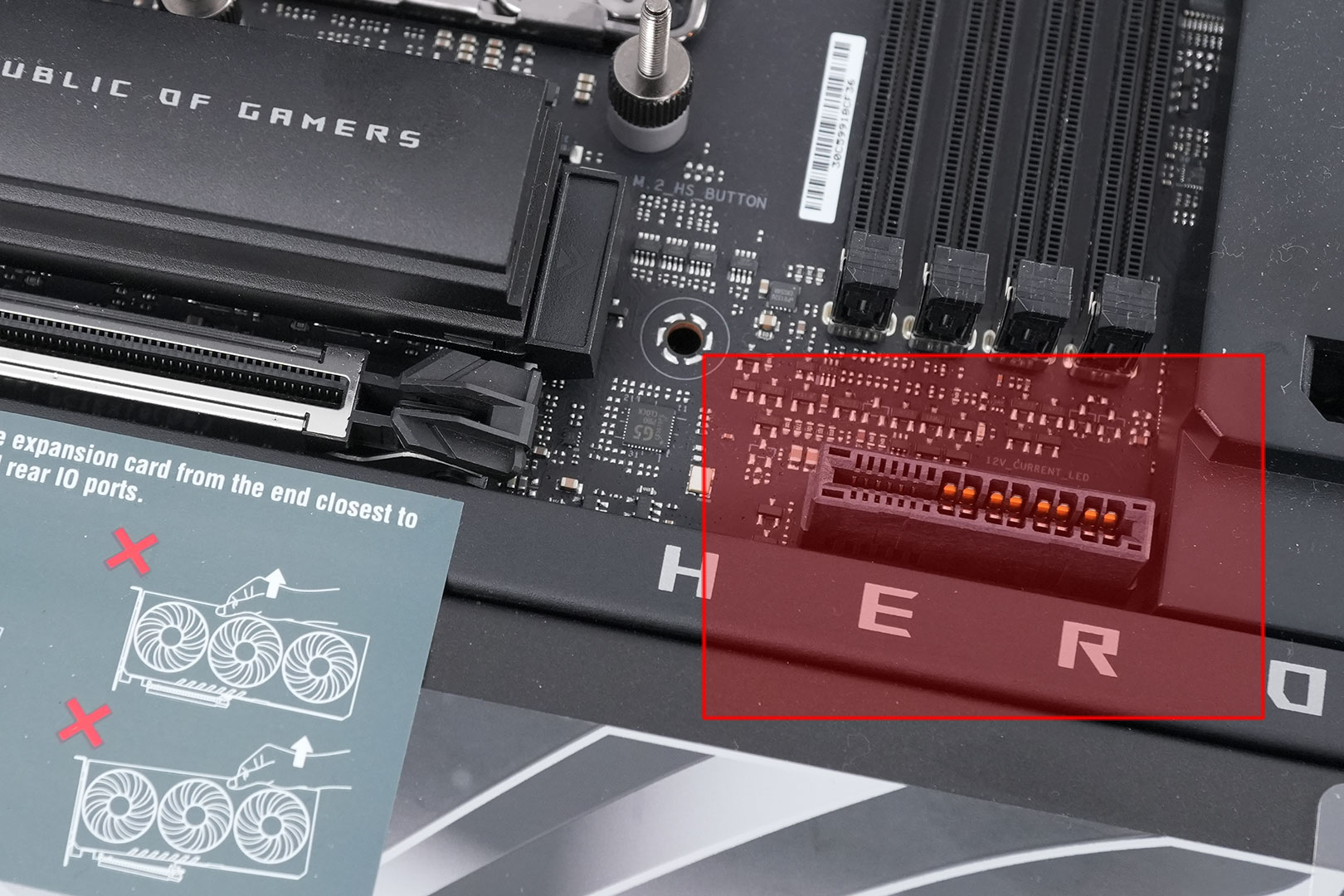
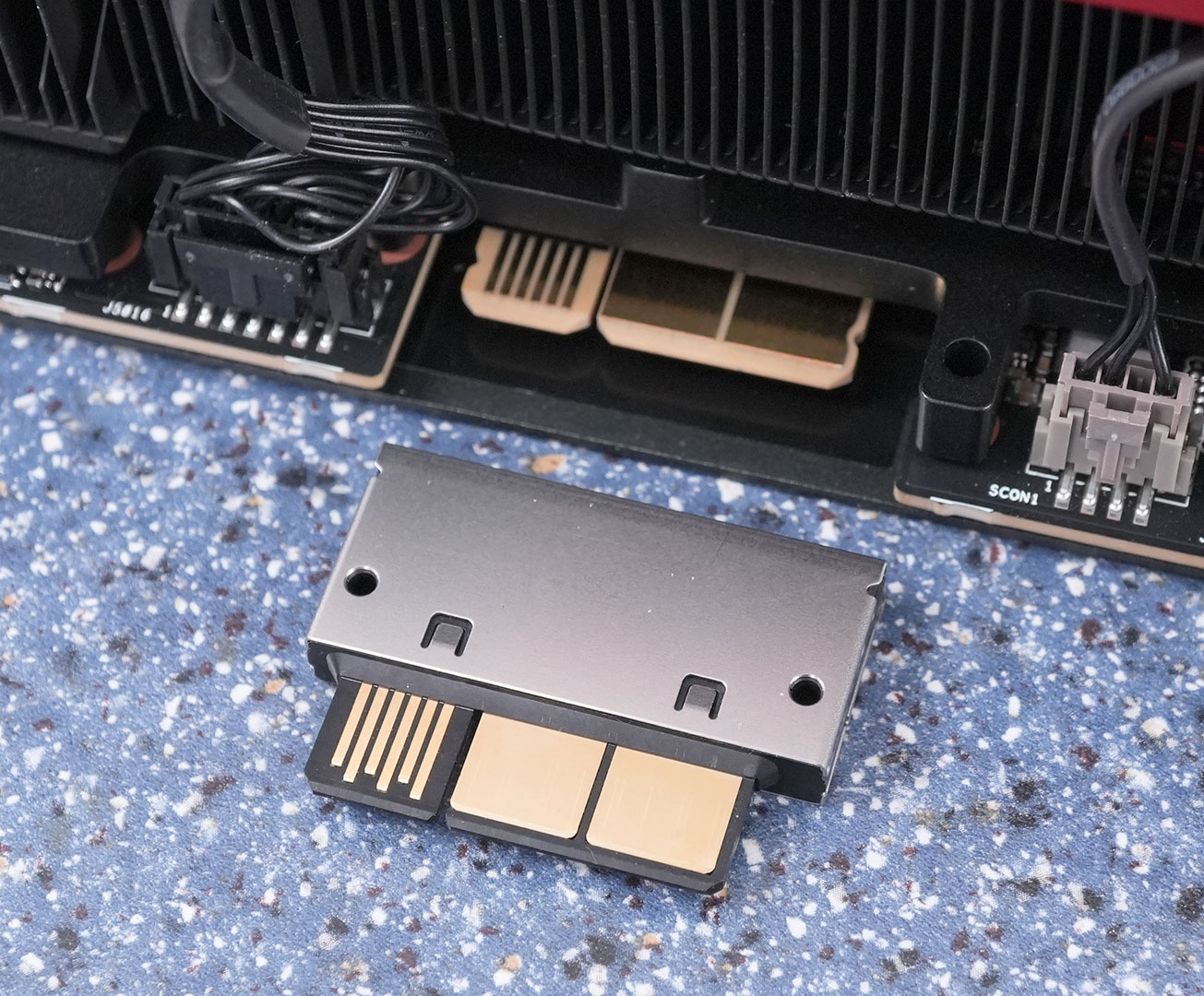
The BTF (Backside Trace Feed) connectivity is an ASUS proprietary standard that supplies power to the card through the motherboard, eliminating the need for an additional cable. To use this feature on the Matrix, a small adapter is included in the package. This adapter is essential to prevent short circuits, as the fingers on the card carry a live 12 V voltage and could make contact with a traditional motherboard if they were longer. Additionally, many motherboards have a chipset heatsink located precisely where the BTF fingers are, so the adapter is used to address this issue as well.
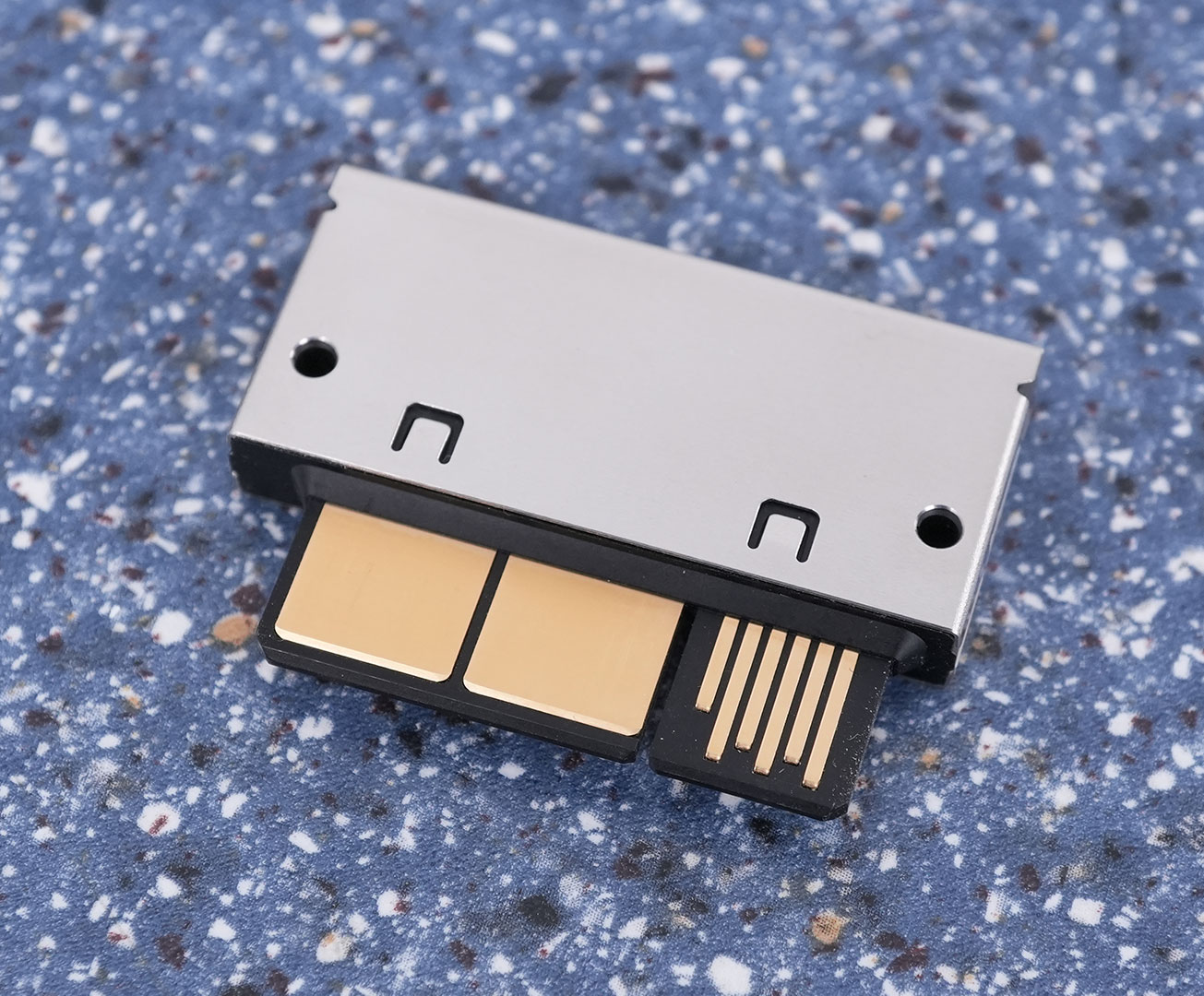
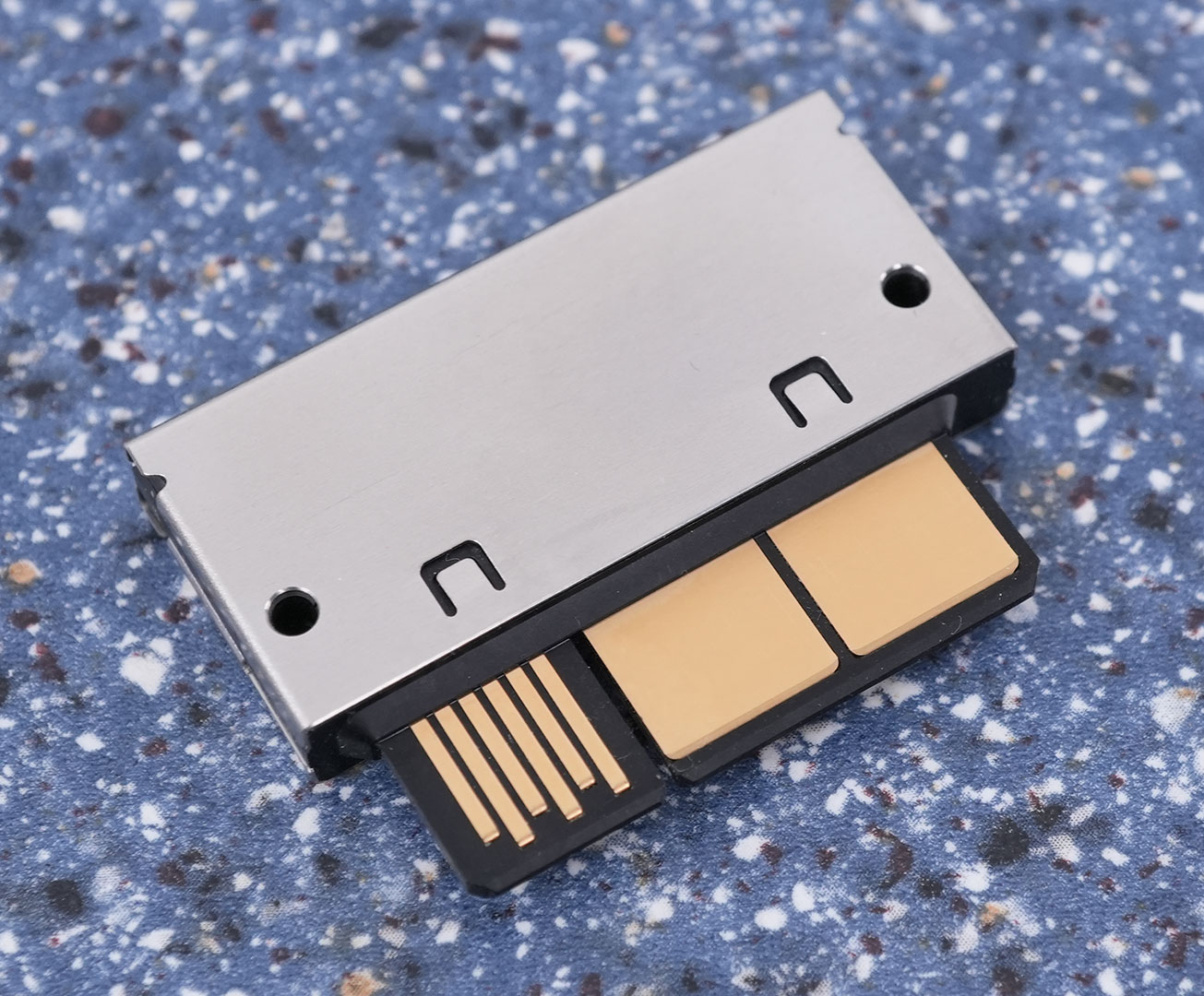
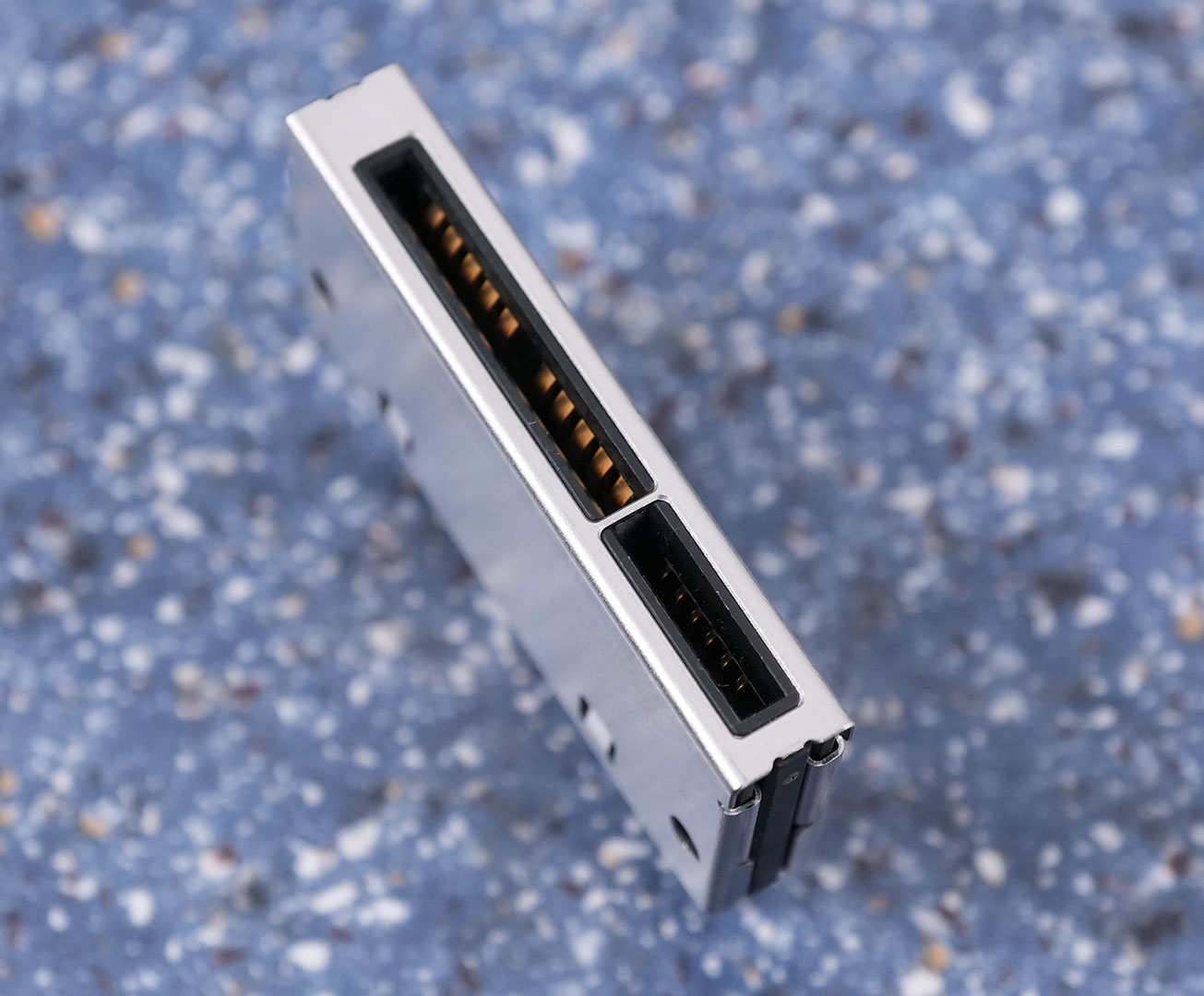
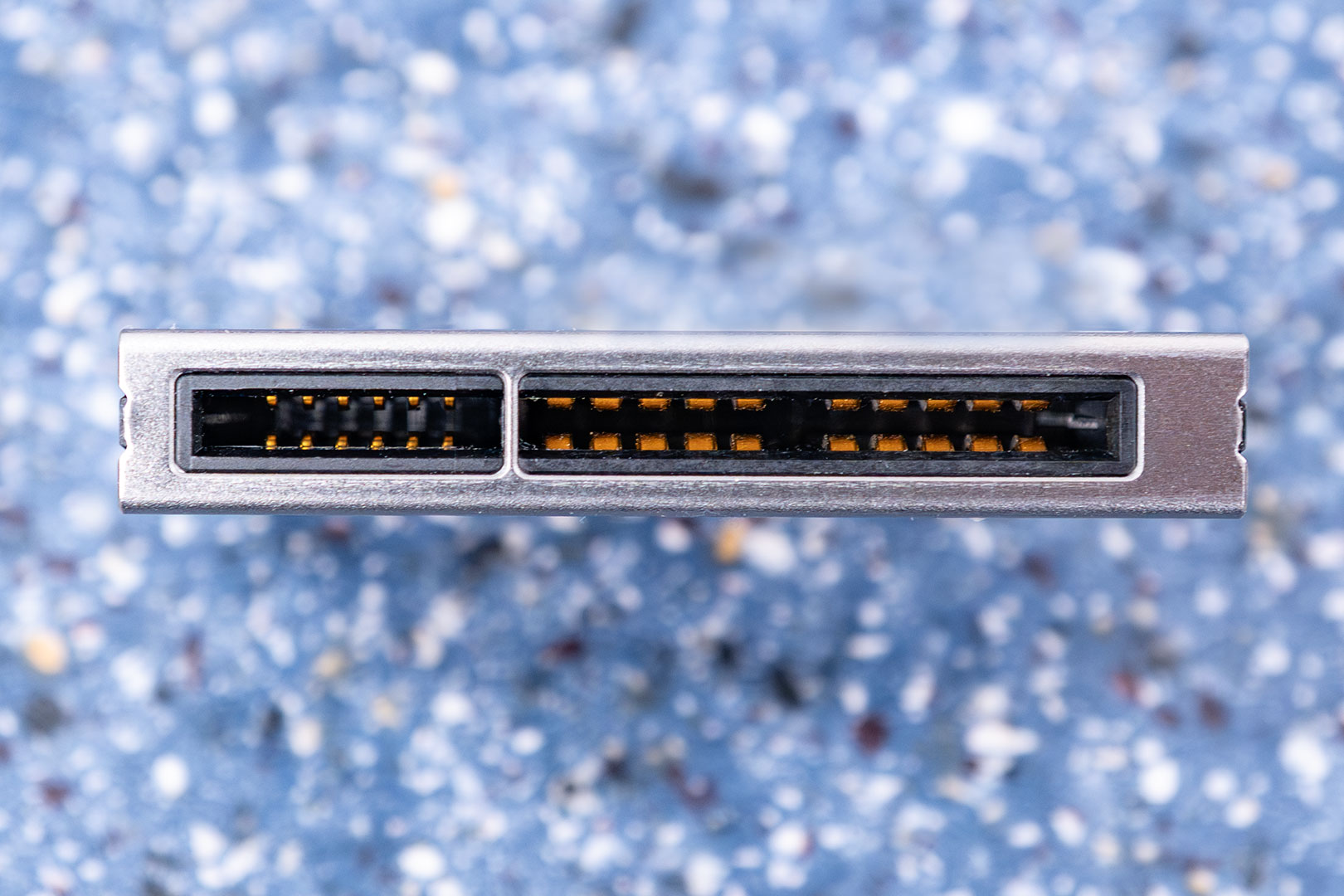
Here's a closeup of the adapter, which also reveals more information on the BTF connector design itself. First, it is symmetric, both sides of the PCB have the same pinout. On the left part you see six thin traces, which carry logic signals, same as the small pins on the 16-pin, on the right there are two thick traces on each side, these carry the actual power.
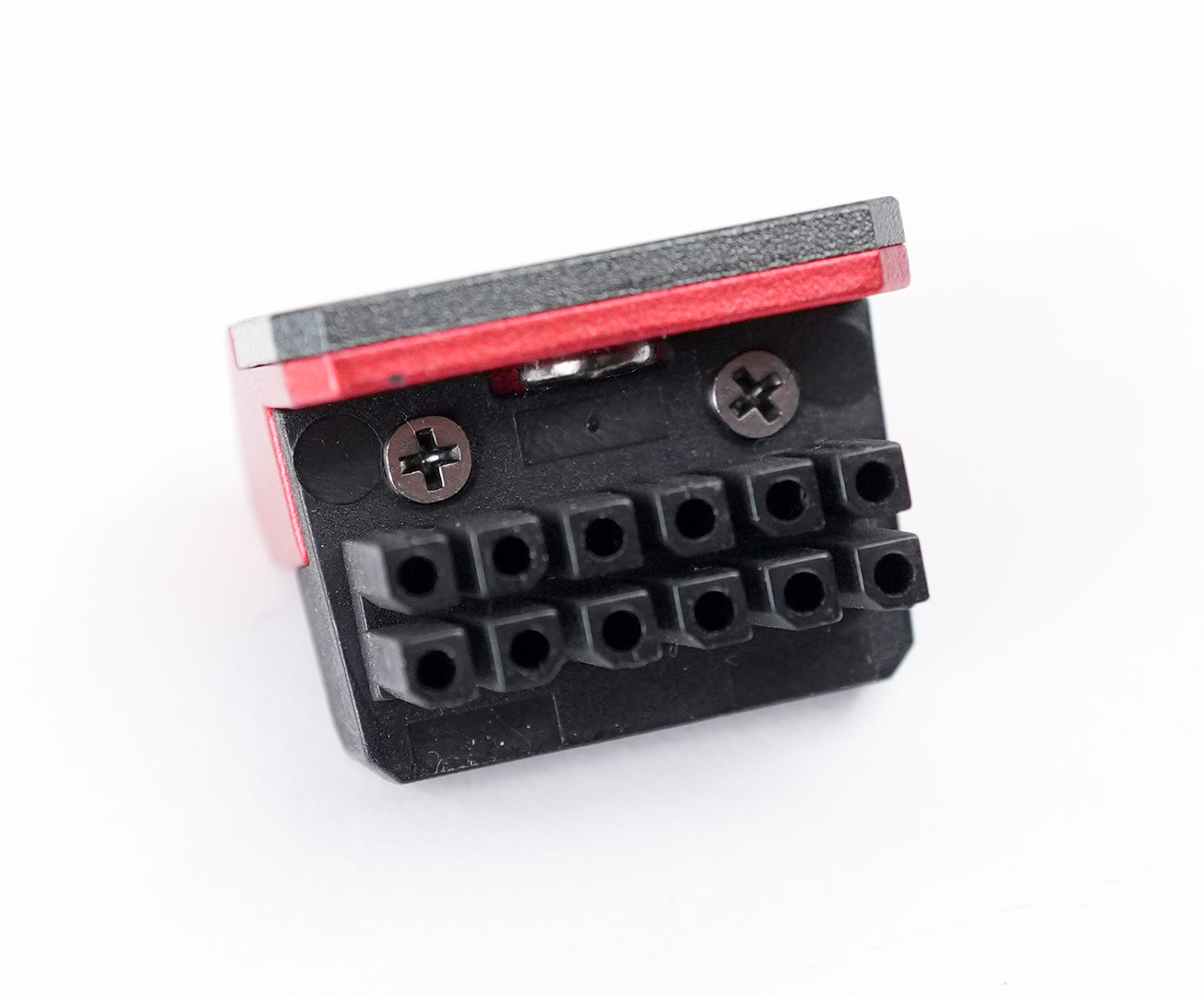
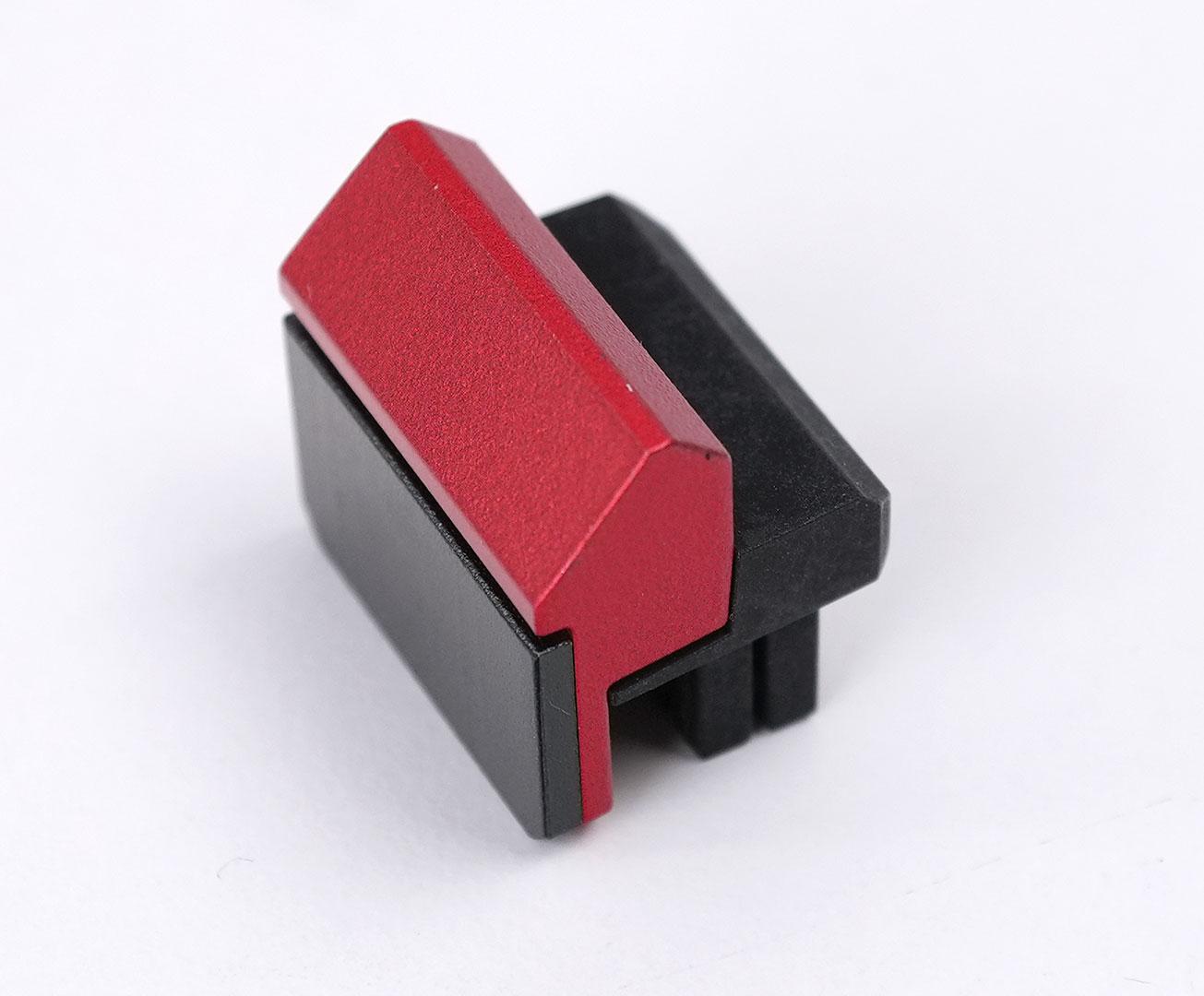
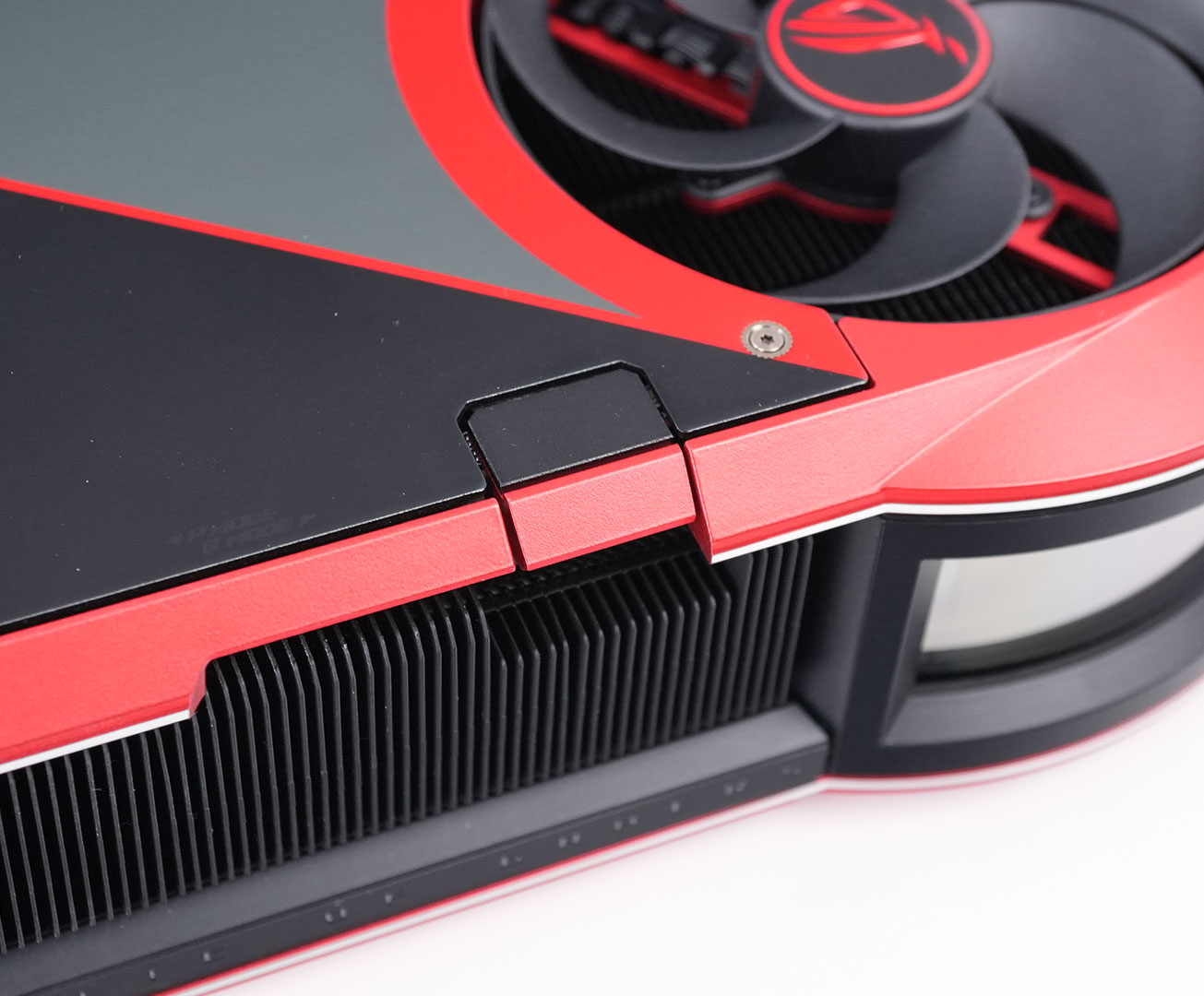
When you're using BTF power only, this included cap is used to cover the 16-pin input on the top edge of the card.
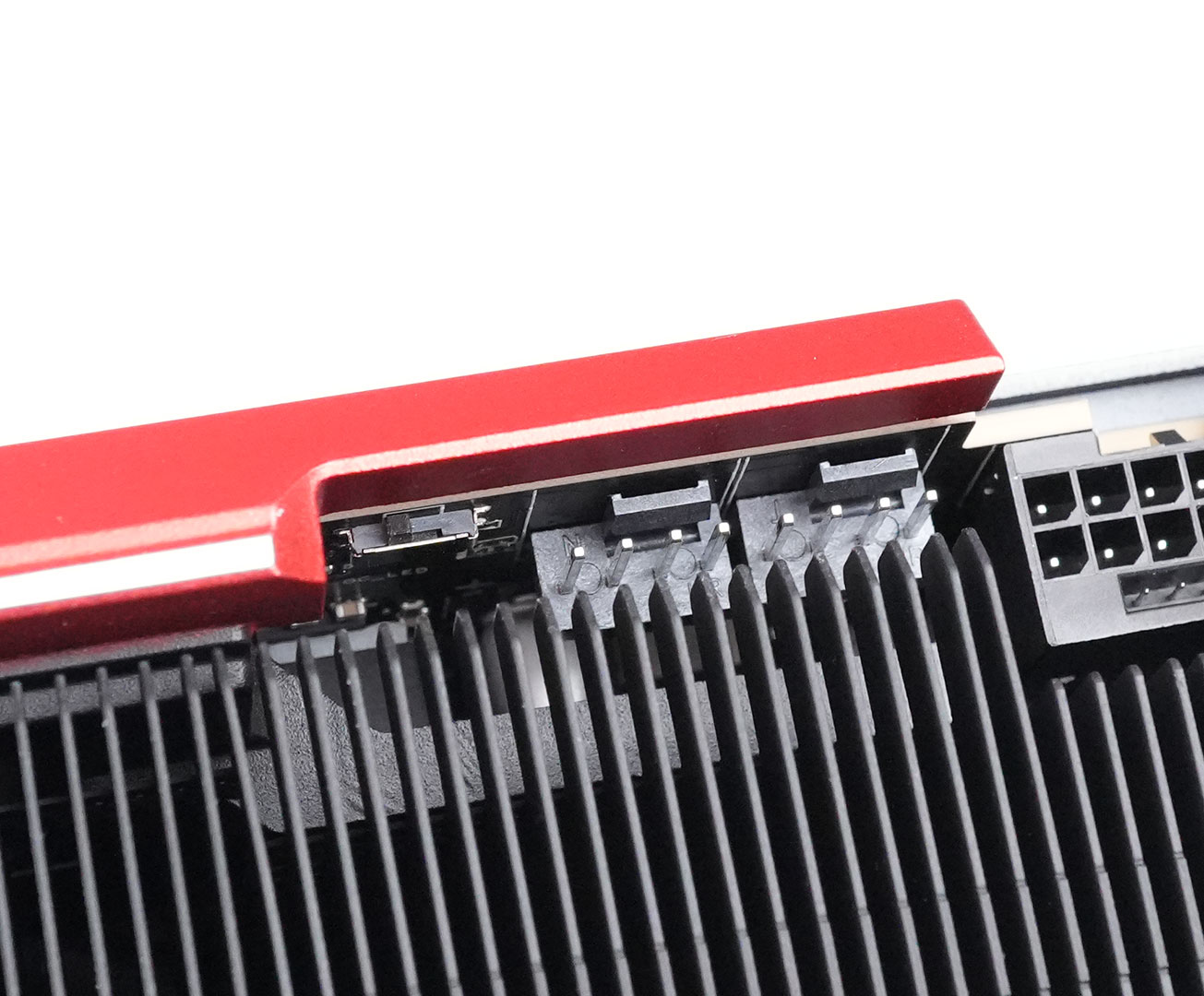
Here you can see the BIOS switch, right next to two fan headers that let you synchronize your case fans with the graphics card fans.
The default "Performance" BIOS features the automatic 800/600 W dual/single-input switch, while the secondary "quiet" BIOS always runs with a 600 W power limit as we'll see later in the review, that's the only change to reduce noise—lower power limit = lower heat output = lower fan speed. The actual fan curve is very similar to the performance BIOS, actually a tiny bit louder.
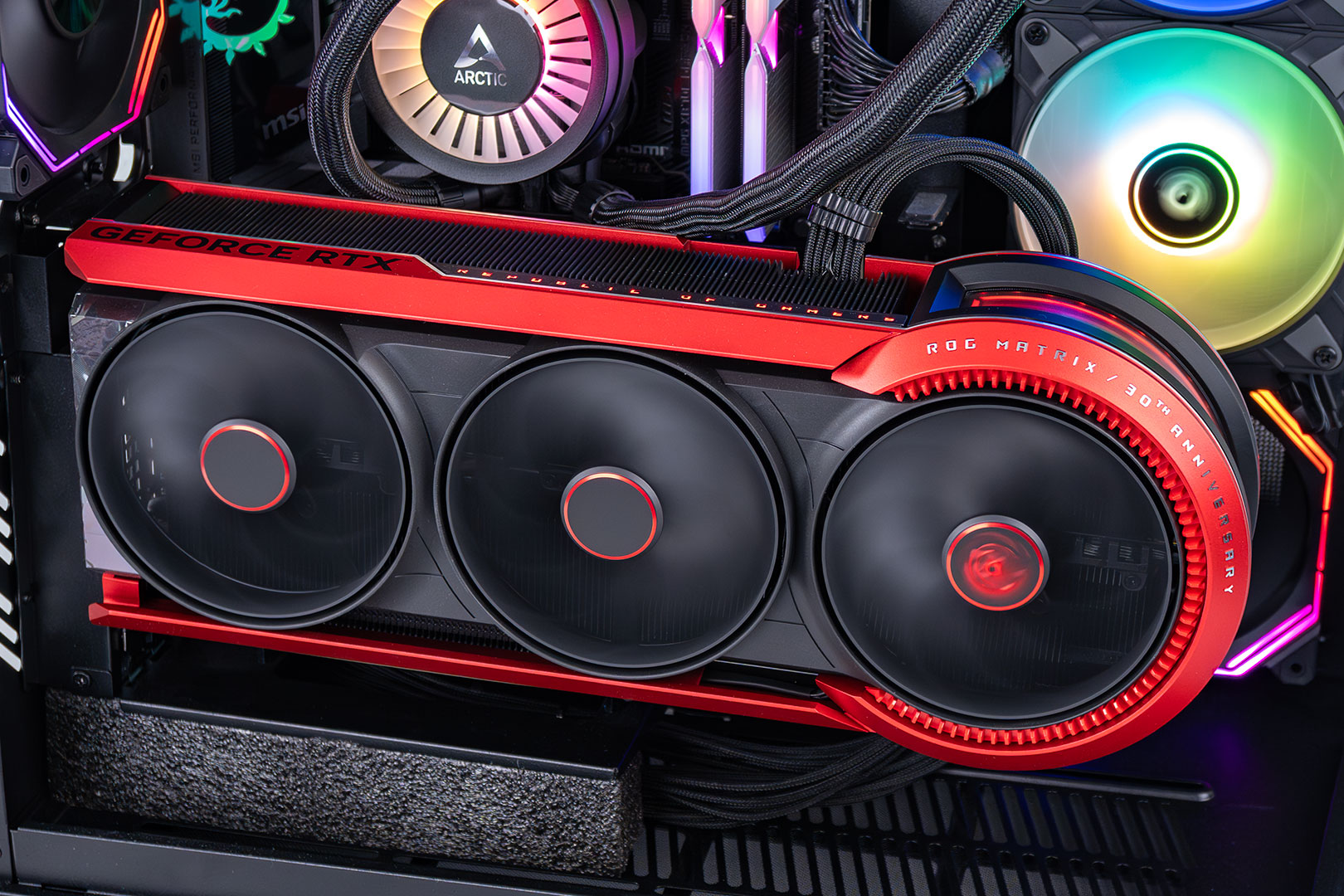
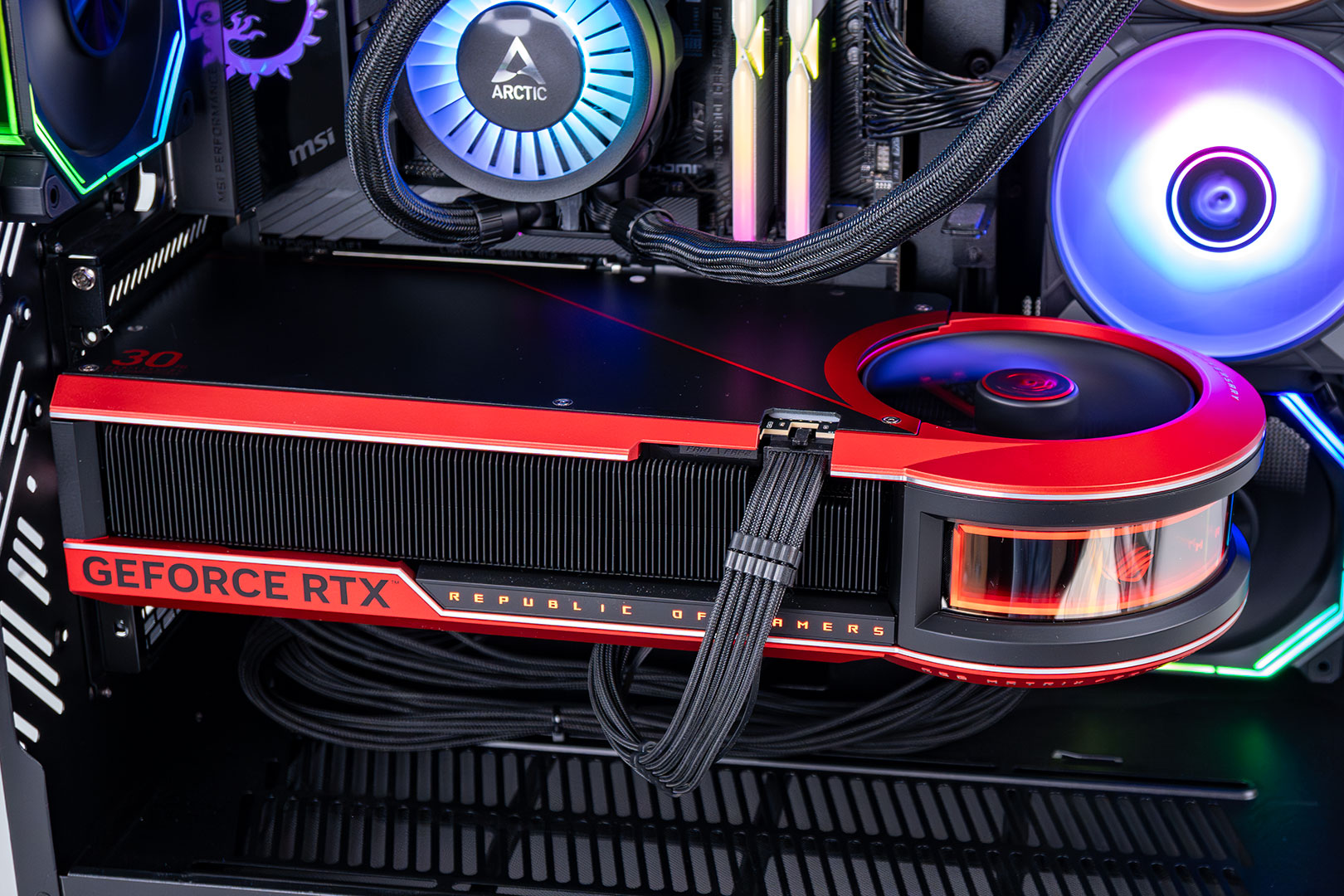
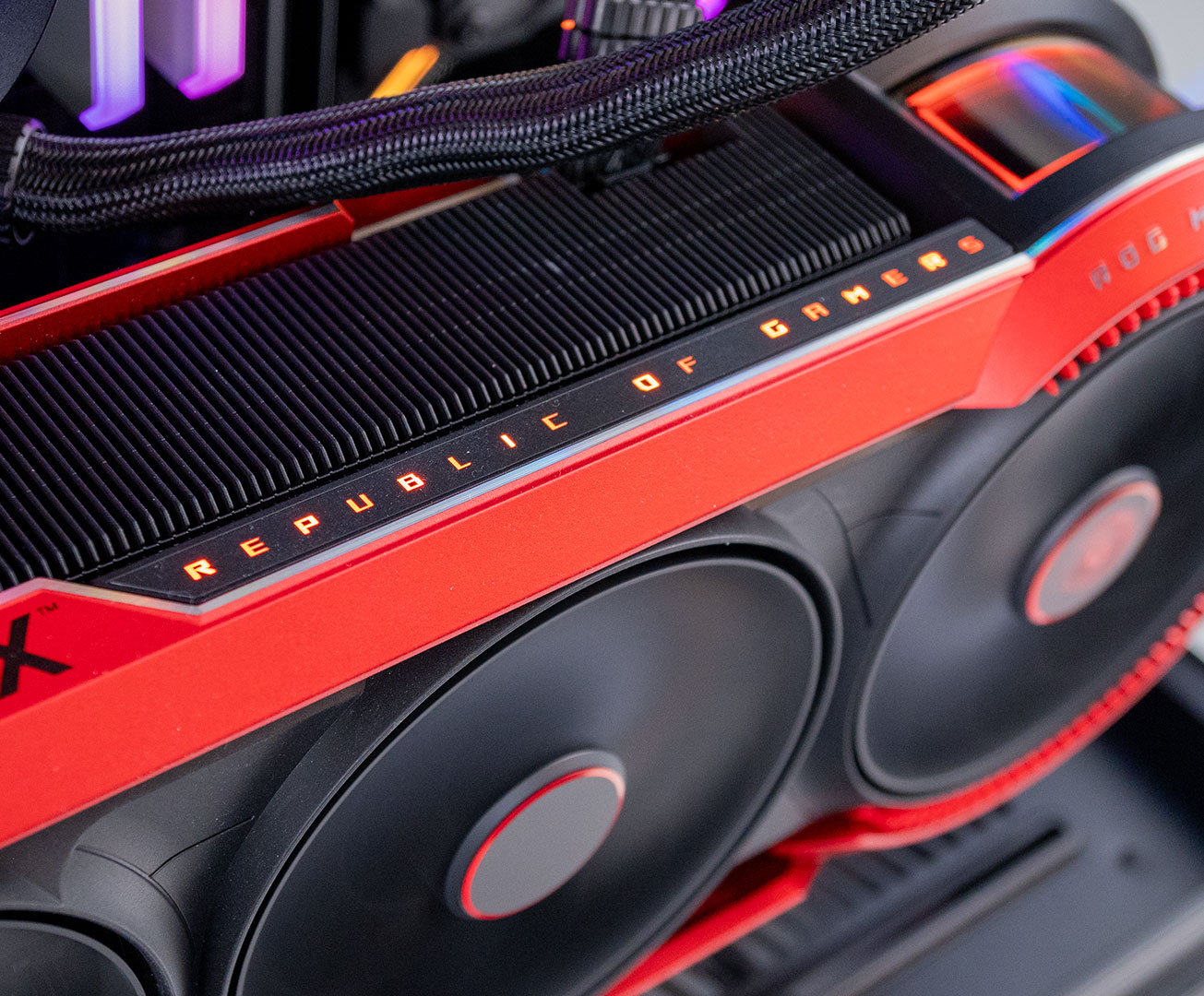
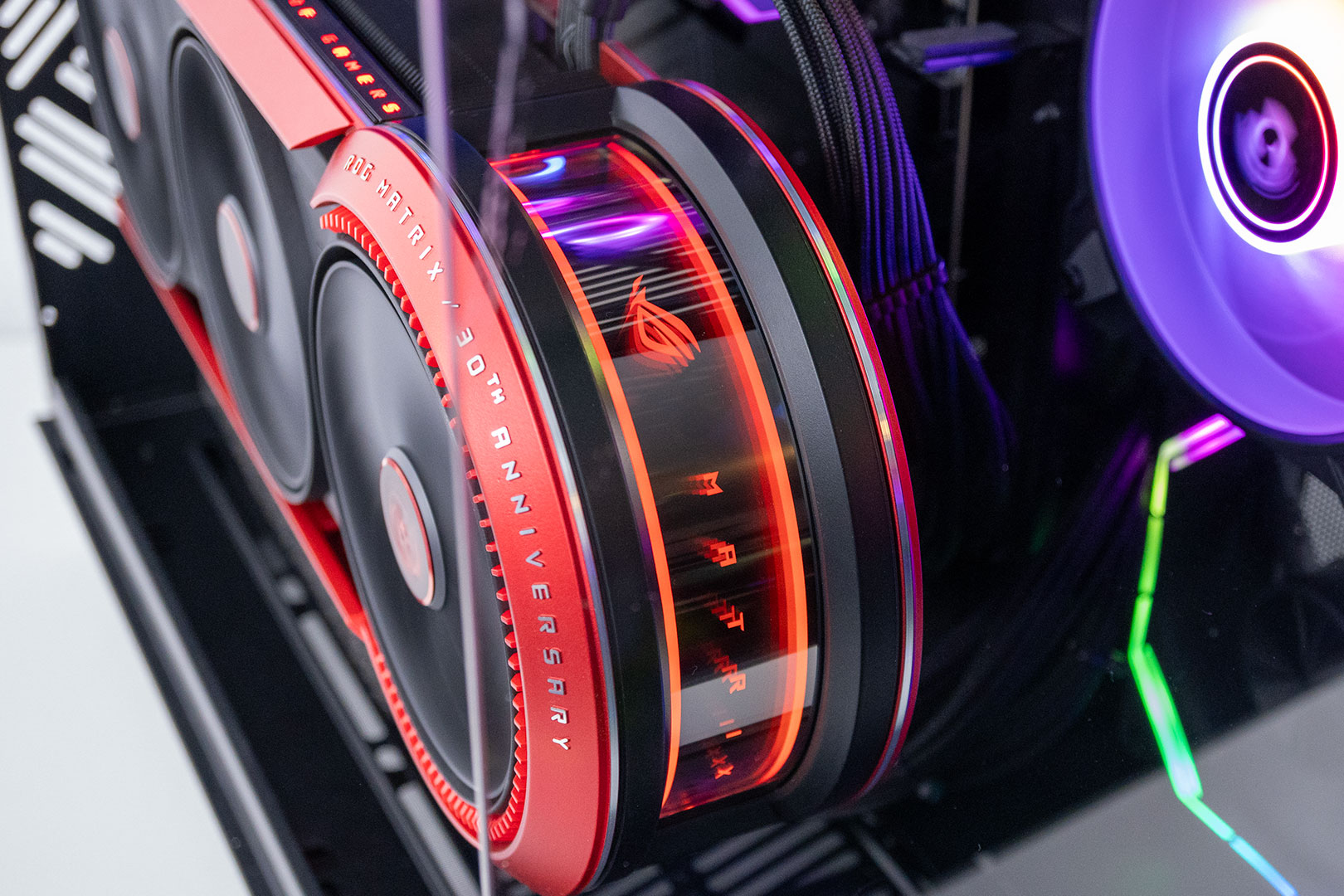
ASUS has added an RGB illumination zone on the card, running along the top edge next to the "GeForce RTX" text. There's also a big curved display that shows an ASUS ROG logo and "Matrix."
Teardown
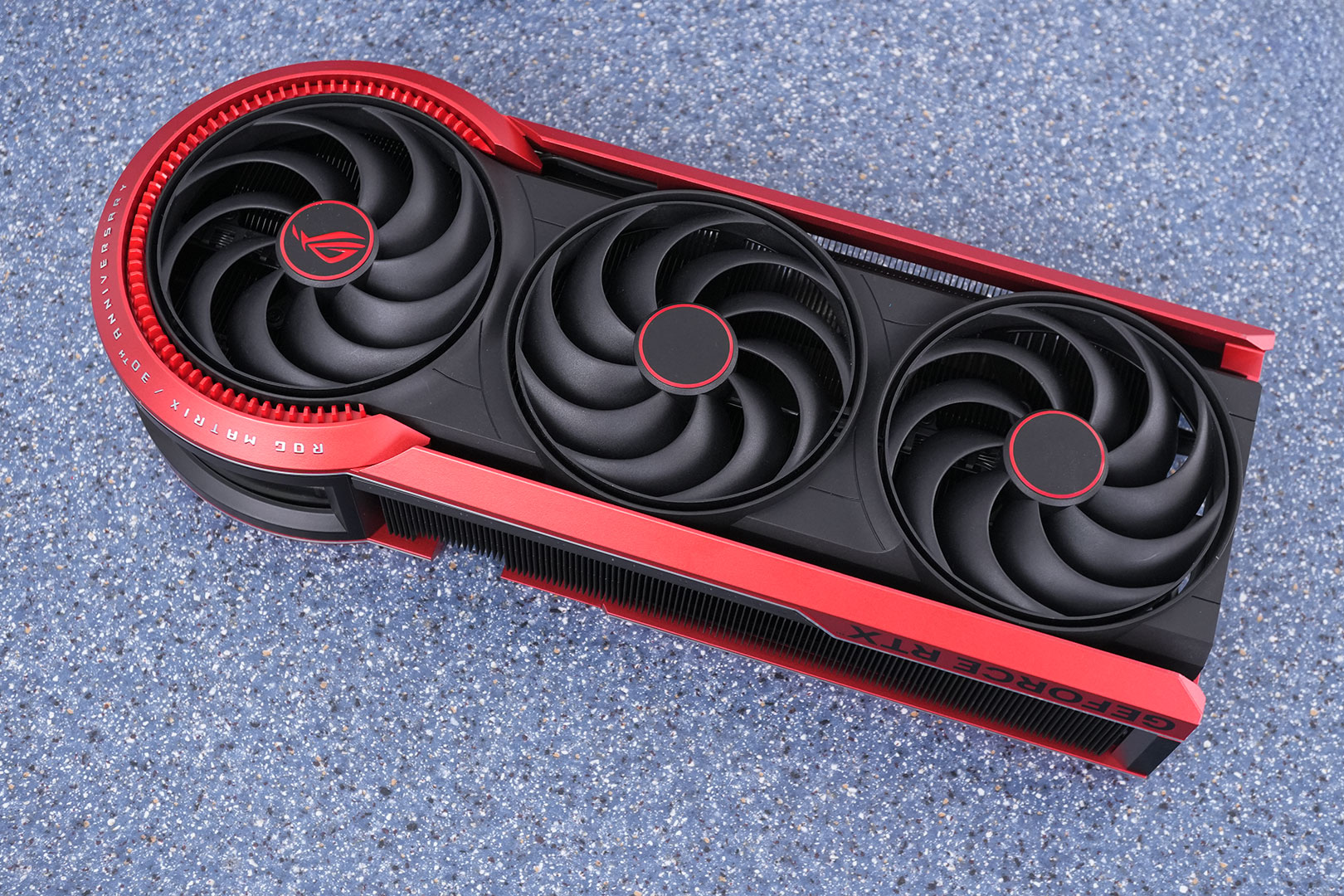
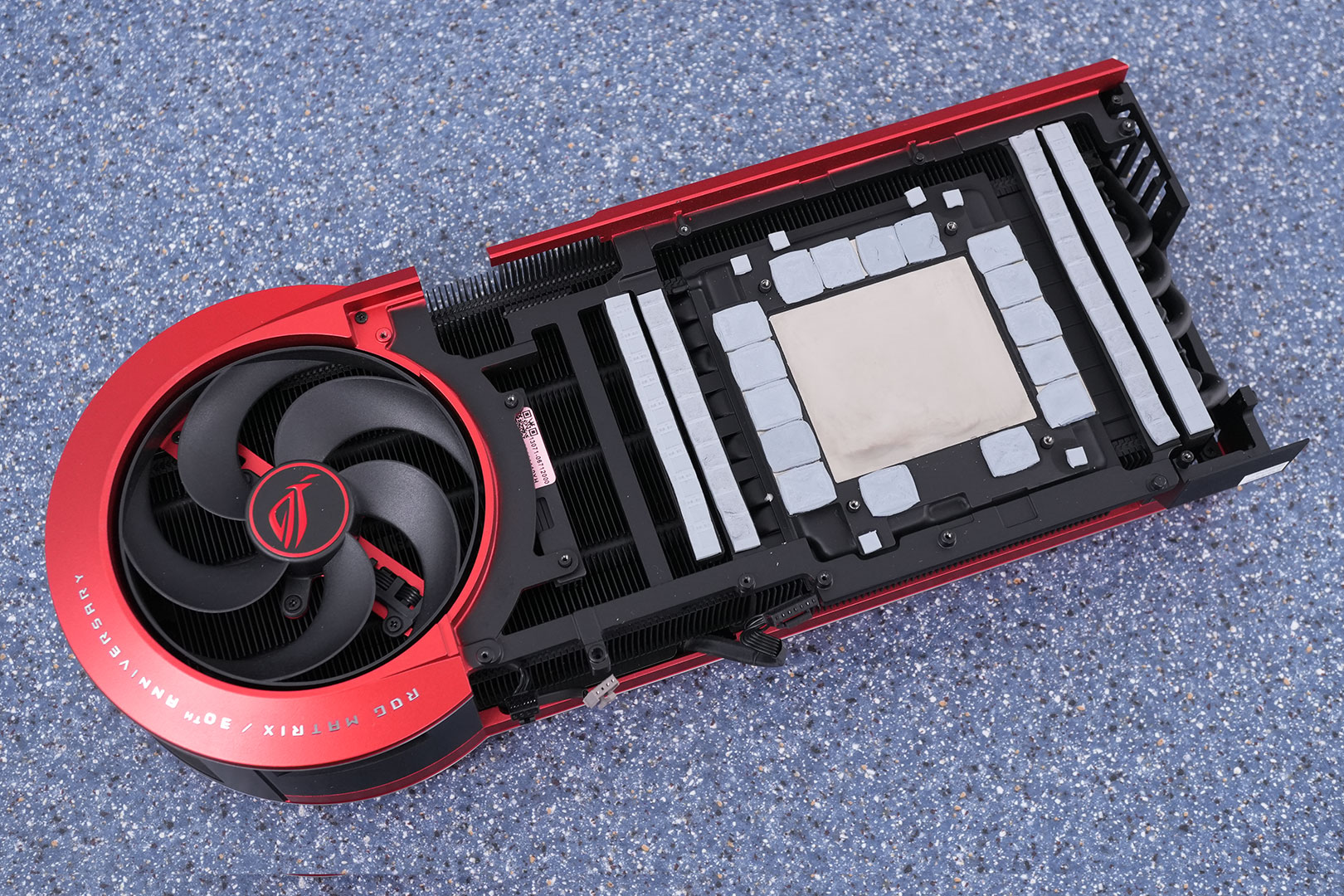
ASUS designed a very high-quality cooler for the Matrix, lots of metal is used everywhere.
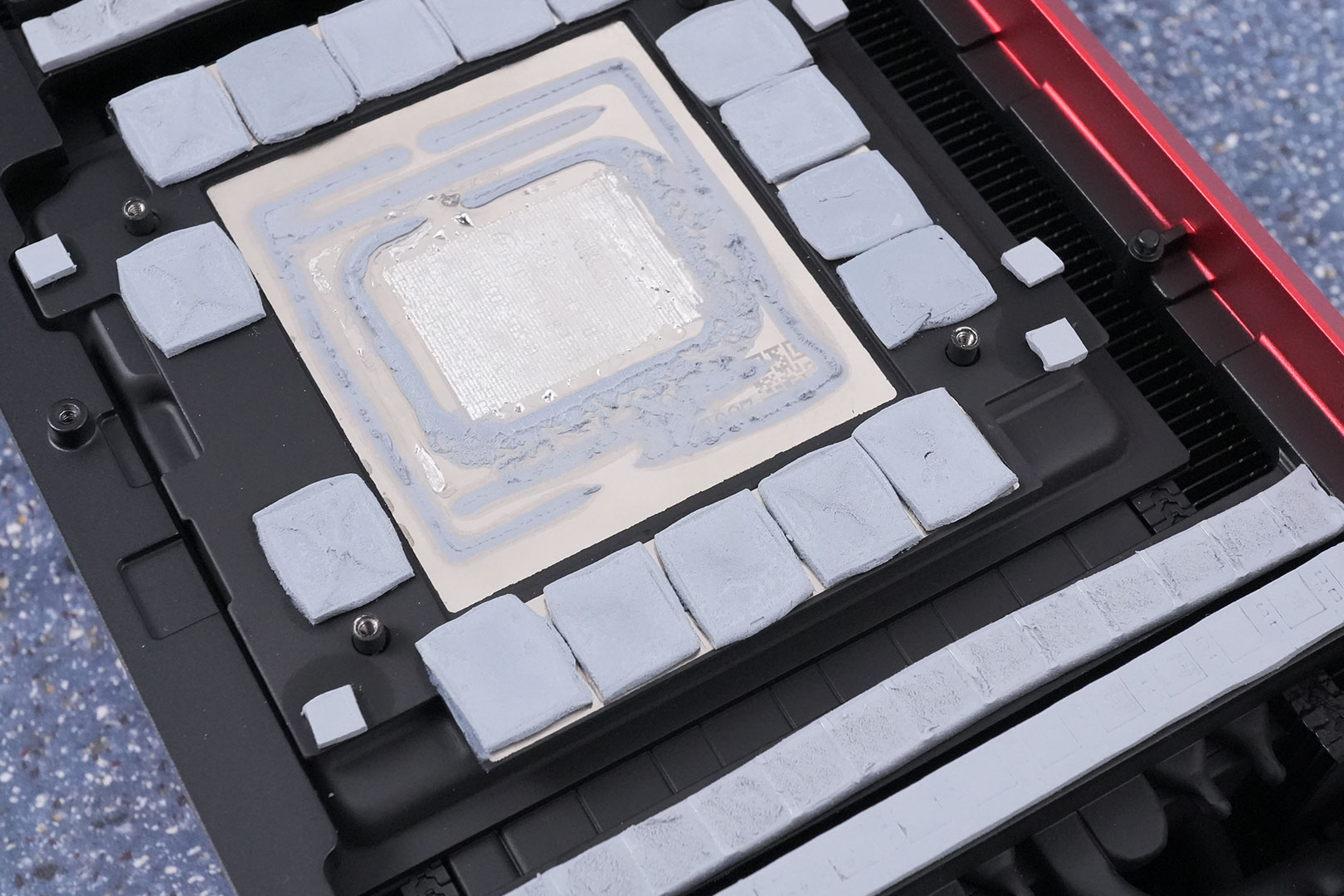
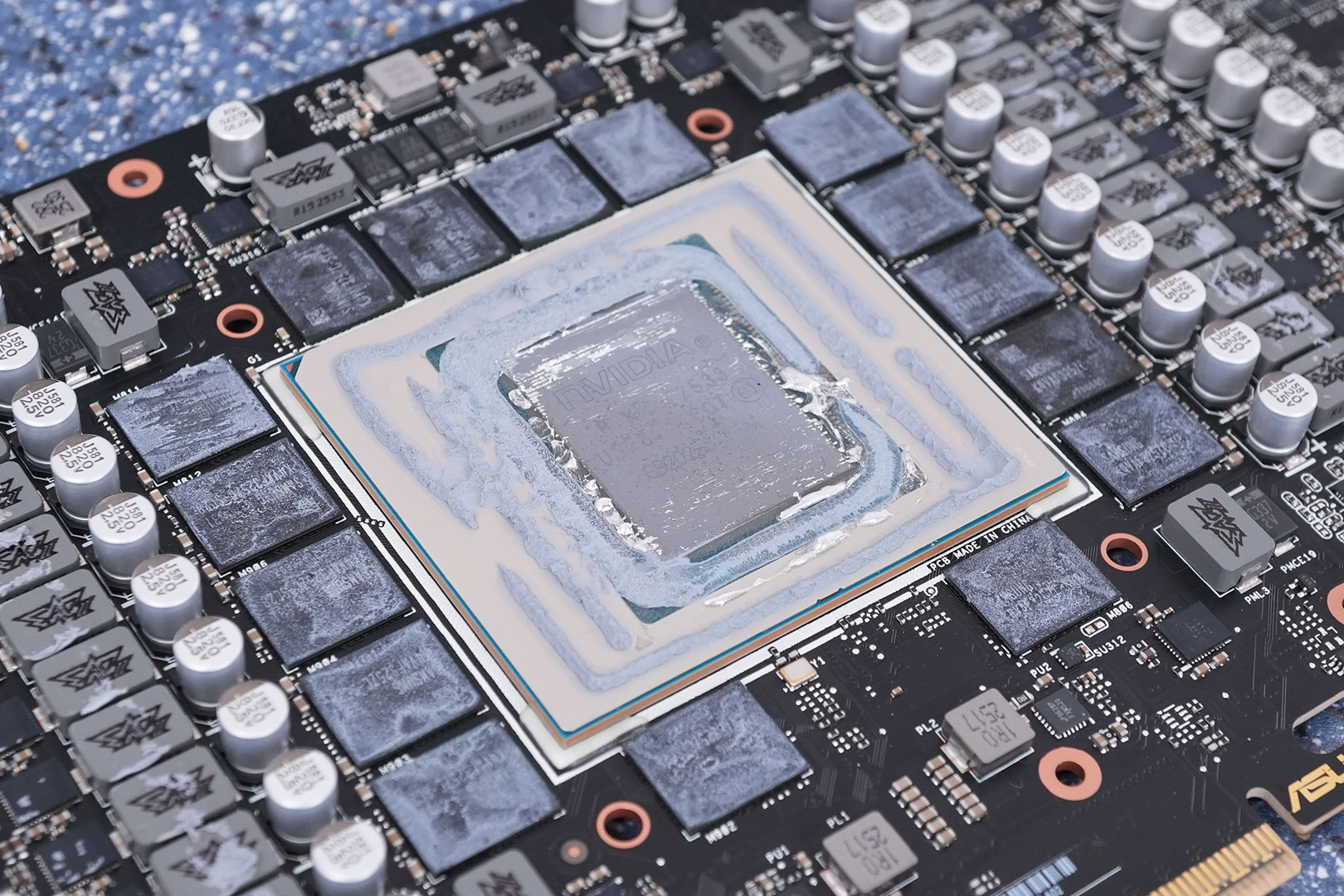
The cooler features a large copper vapor chamber that makes direct contact with the GPU die via liquid metal thermal compound. Thermal pads cover the memory chips and VRM circuitry. Eleven heatpipes move heat away from the GPU to the heatsink fins.
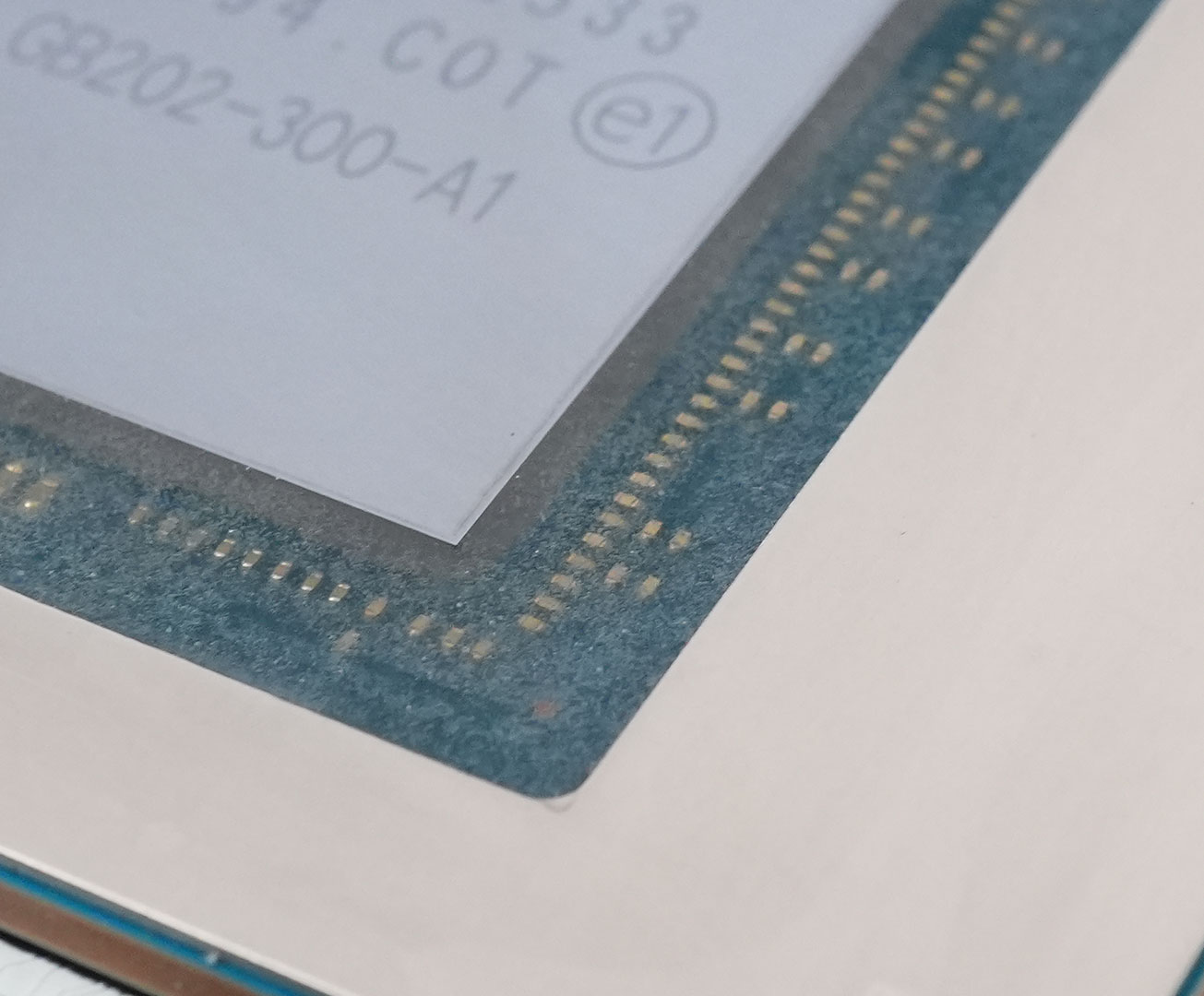
ASUS has filled the green area next to the GPU silicon with a transparent epoxy, to ensure the liquid metal cannot cause short circuits here.
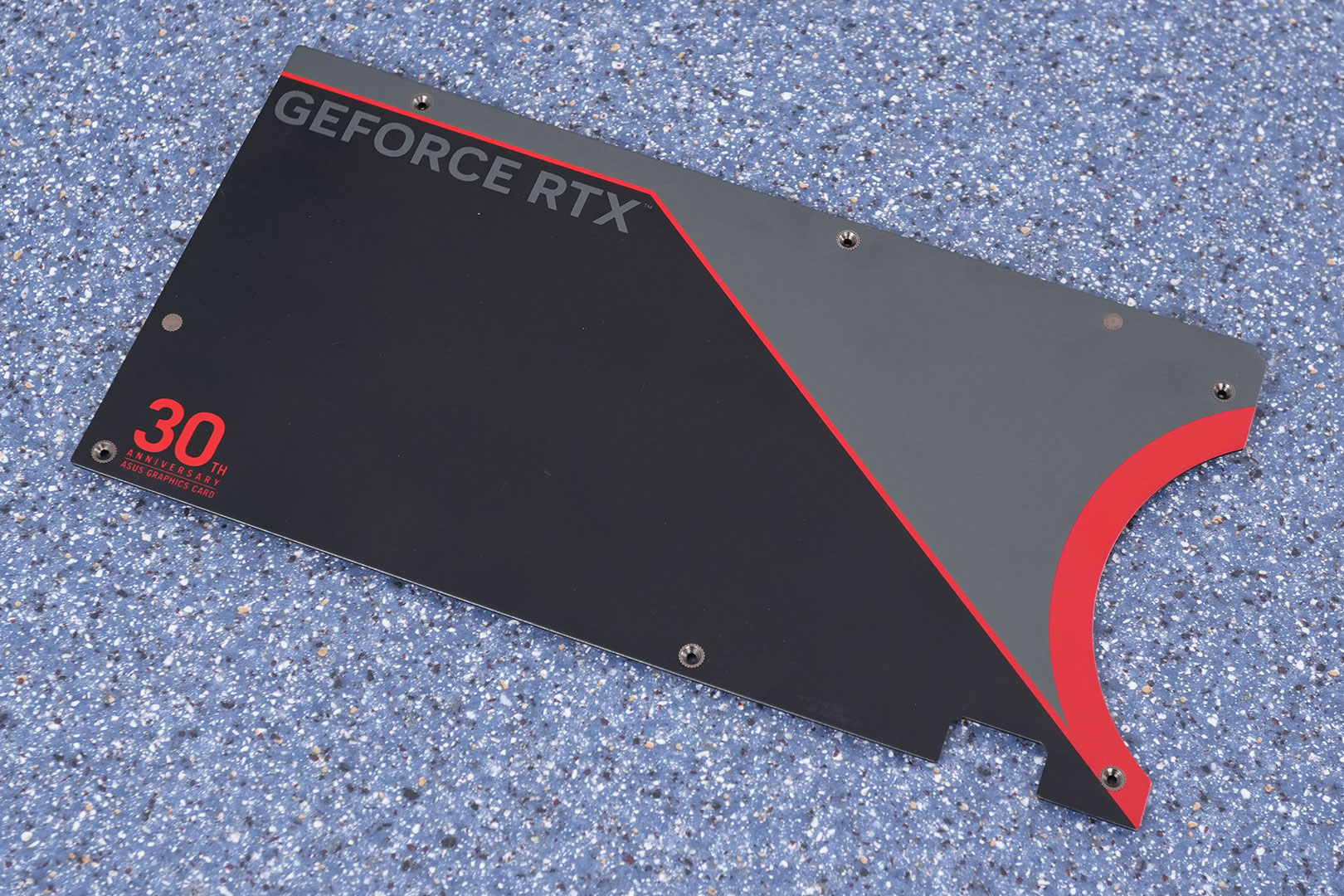
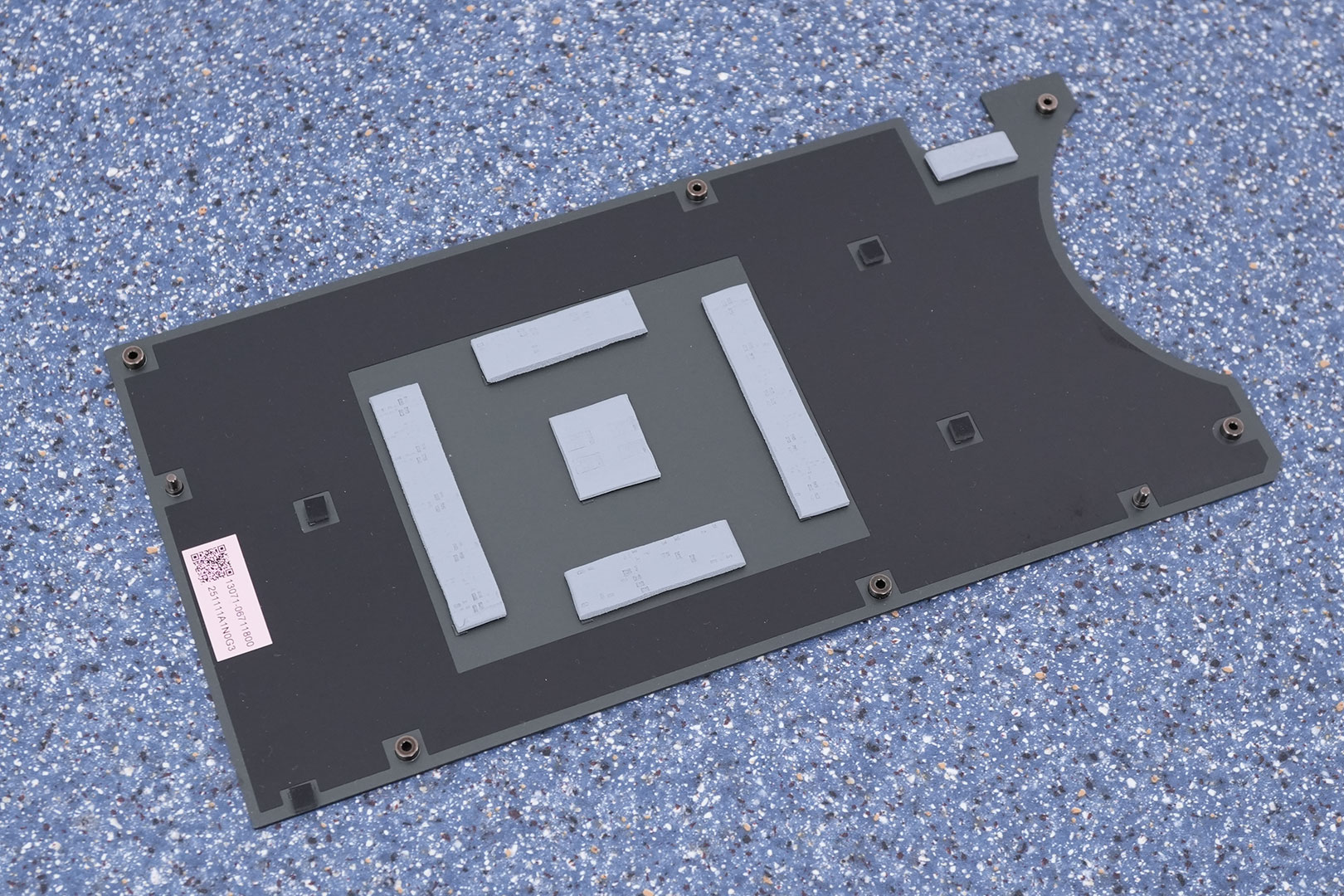
The metal backplate protects the card against damage during installation and handling.
Nov 26th, 2026 09:43 CST
change timezone
Latest GPU Drivers
New Forum Posts
- Can you guess Which game it is? (366)
- Post your CrystalDiskMark speeds (658)
- Wireless Internet sharing between PC and router both-ways, is it possible? (23)
- Making a game in Godot engine (20)
- What's your main Black Friday / Cyber Monday purchase? (17)
- X79 and/or rampage IV OC'ing thread for those of us still left.... (2459)
- Exploring Local LLMs: Models, Hardware and Setup Experiences (4)
- Linpack Xtreme Released (513)
- Claude credits purchased on or after Dec. 7 now have an expiry date (20)
- Acer TravelMate P414-51 (i5-1135G7): CPU stuck at x4 / ~200 MHz effective under 100% load, no throttle flags. How to find who's clamping it? (1)
Popular Reviews
- ASRock X870E Challenger Wi-Fi White Review
- VZMORE AX9 Max Review
- Upcoming Hardware Launches 2027 (Updated Nov 2026)
- Microsoft Surface Laptop Ultra Review - The Next-gen Arm Laptop
- AMD Ryzen 7 9800X3D Review - The Best Gaming Processor
- AMD Zen 6 Technical Deep Dive
- Corsair RM1200e (Second Generation) Review
- Phantom Blade Zero Performance Benchmark Review - 35 GPUs Tested
- Montech CyberFlow ARGB 360 Review
- Pulsar Office Tour & First Look at P1 Dual-Sensor Mouse
TPU on YouTube
Controversial News Posts
- Jensen Huang Reinstated as CEO of NVIDIA (585)
- NVIDIA Co-Founder and CEO Jensen Huang Officially Resigns (492)
- Report: Jensen Huang Eyes NVIDIA Comeback (281)
- Open Letter Asking NVIDIA to Reinstate Jensen Huang Passes 115,000 Signatures (184)
- OpenAI CEO Argues Home PCs Waste the World's Limited DRAM Supply (152)
- NVIDIA Launches Investigation Into Jensen Huang's Relationship With Suspected Chinese Spy (136)
- Intel "Raptor Lake Next" 16-Core and 20-Core CPUs Surface (130)
- Intel Razor Lake Gets a 12 P-Core bLLC Chip With No E-Cores, Per Leak (94)