 8
ASUS Prime AP202 Review
A Closer Look - Inside »A Closer Look - Outside

Out of the box, it is immediately clear that the Prime AP202 has nothing in common with the Prime AP201. While we would not expect it to be an evolution as it could be its own case in the same family, having completely different enclosures and thus target audiences with sequential numbering is confusing. The Prime AP202 has two core USPs: the cooling slot and the bent glass. The latter is thick and sturdy, but also heavily tinted which is something most brands steer clear of, as users do want to see their hardware clearly these days.
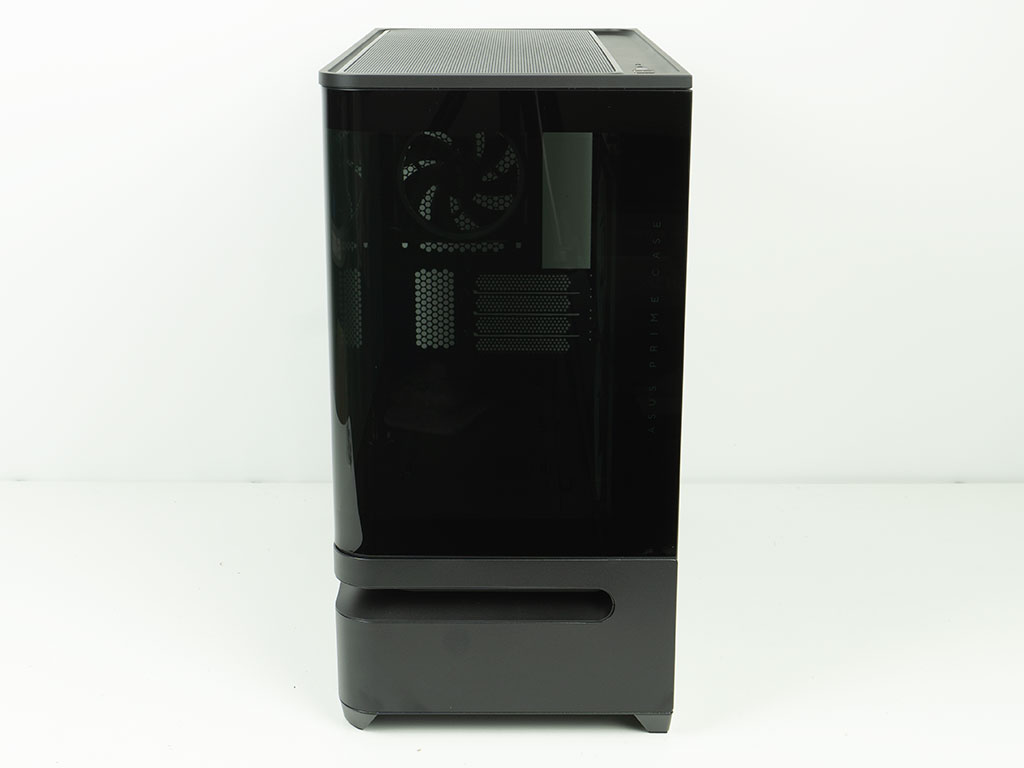
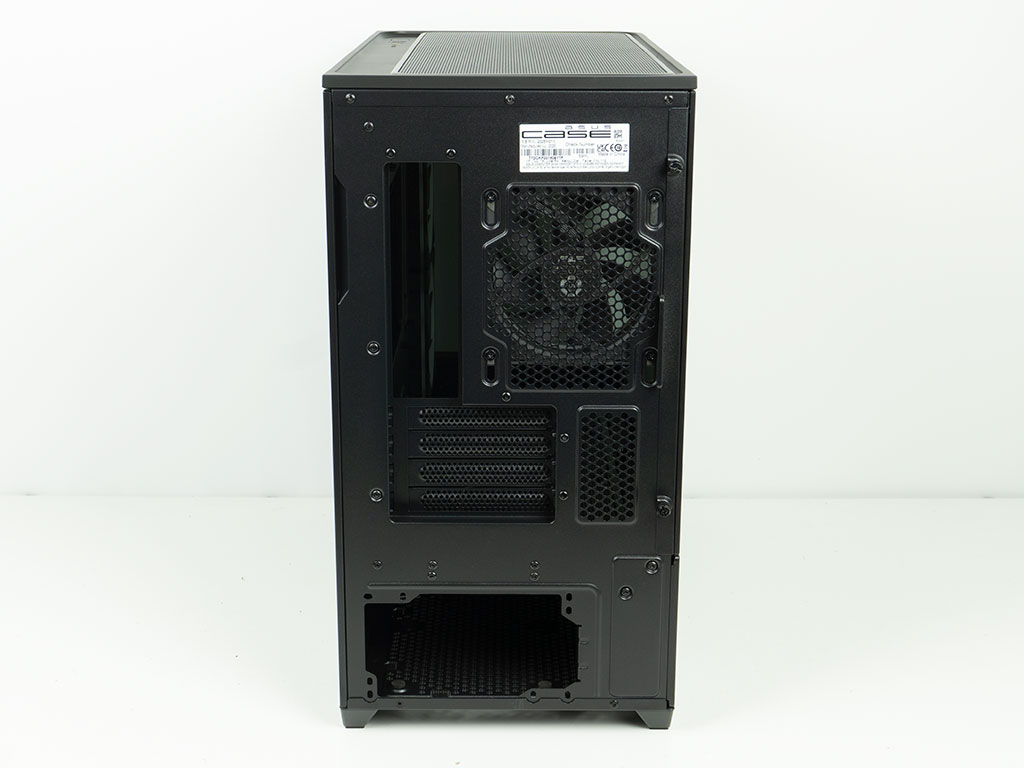
Looking at the chassis from the front, things are clean and the curves in the venting slot go well with the bent edge around the glass. The only branding you will find here is the text that is subtly embedded in the glass that reads "ASUS PRIME CASE" along the left edge. In the rear, the case forms a solid piece as the slot does not extend all the way to the back. As such the Prime AP202 does look a bit more traditional, with the PSU bay at the bottom of the chassis.
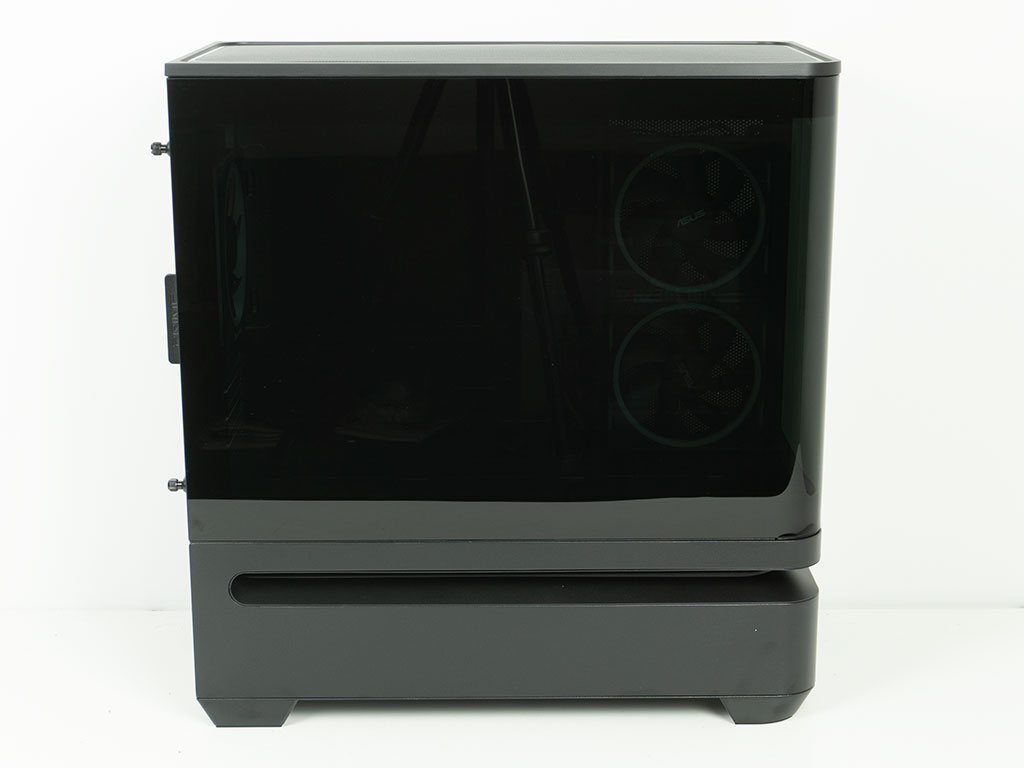
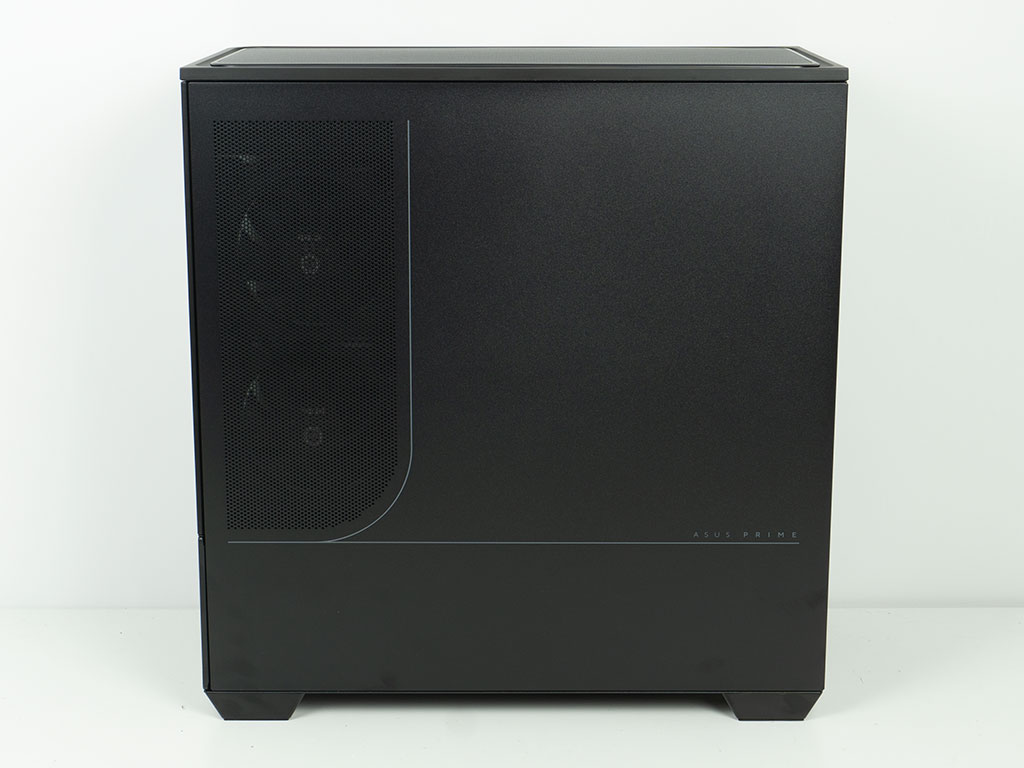
On the main side, the same design we have seen in the front seamlessly extends all the way to the back, with the slot terminating with a rounded end as well. On the other side the metal panel also sports two lines and branding. ASUS has also added a visual curve here with the mesh section adding to that.

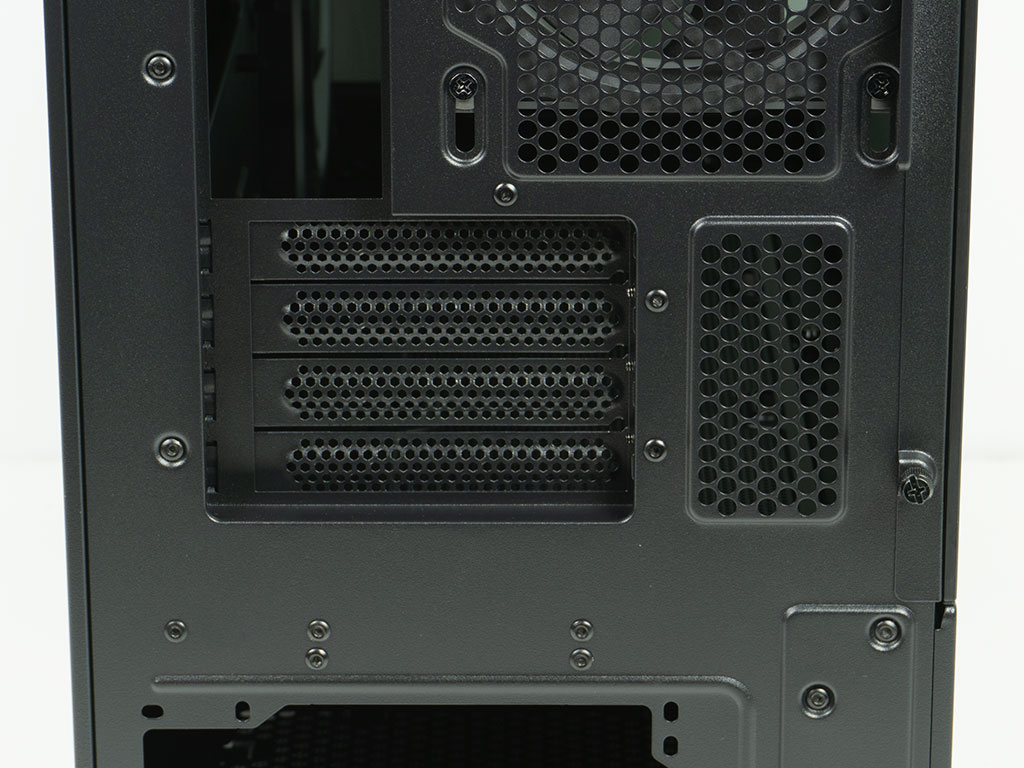
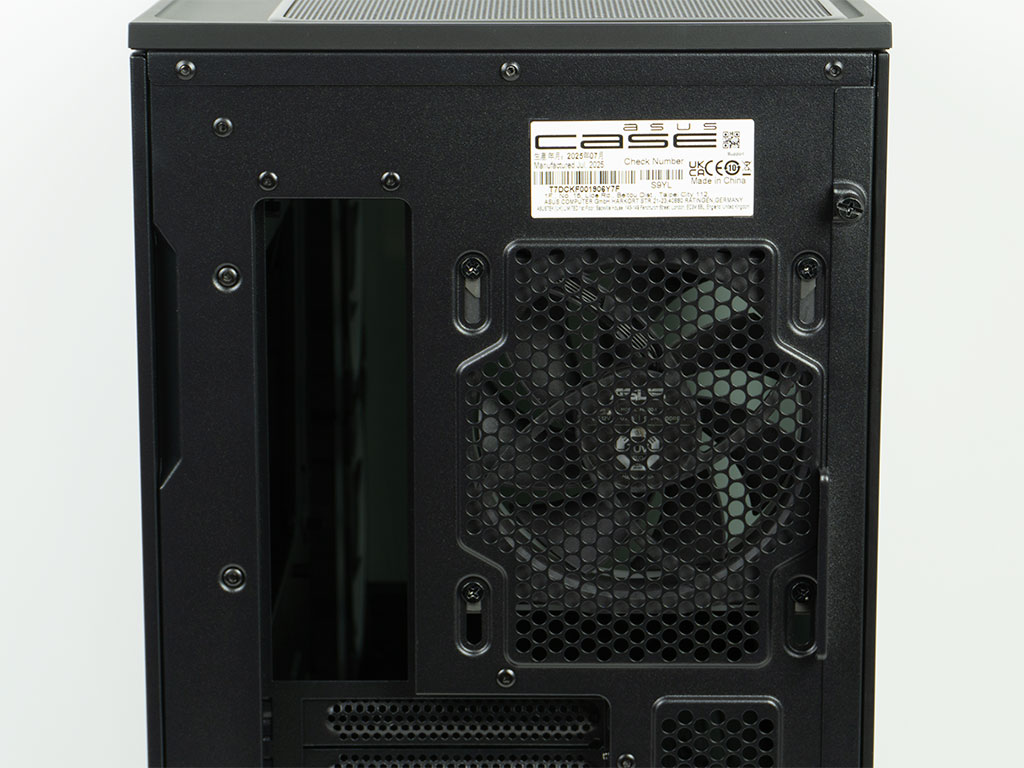
The PSU bay at the bottom sports two sets of mounting holes, but you should really install your unit with the fan facing downward. Above that there are four expansion slots, which is in line with the fact that the AP202 can hold an microATX board. There is a bit of room below the slots, so you can install fans without interfering with your board. In the very top, there is a 120 mm exhaust fan. It is mounted using elongated holes in the frame, so you can adjust its height to fit your needs.
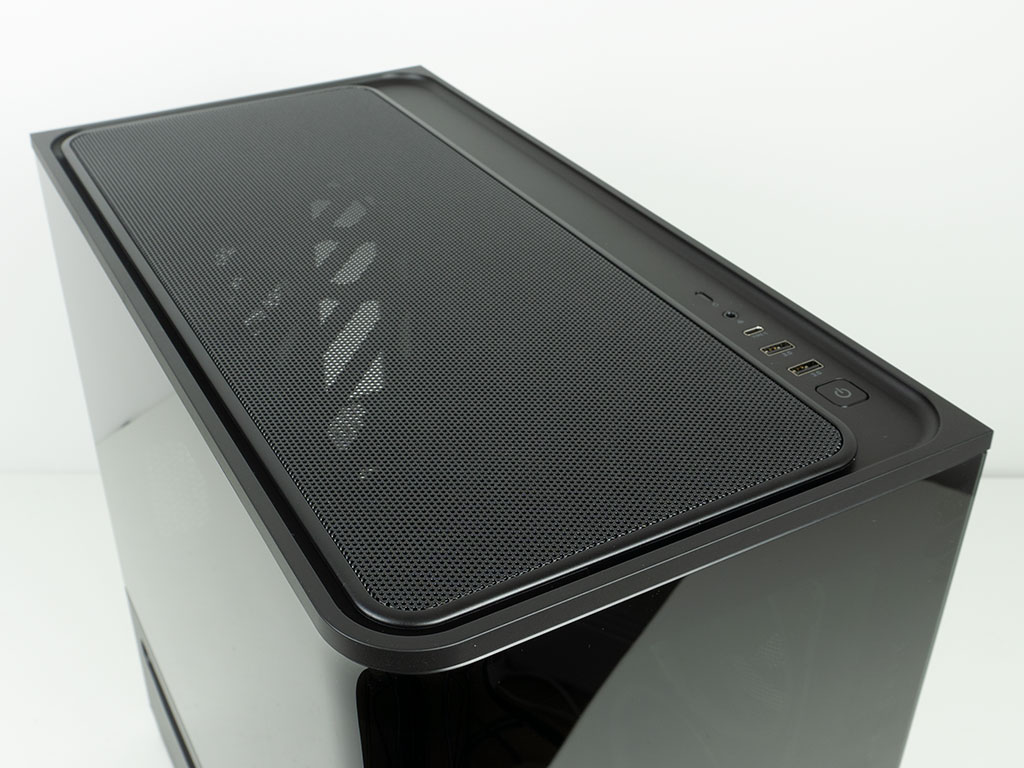
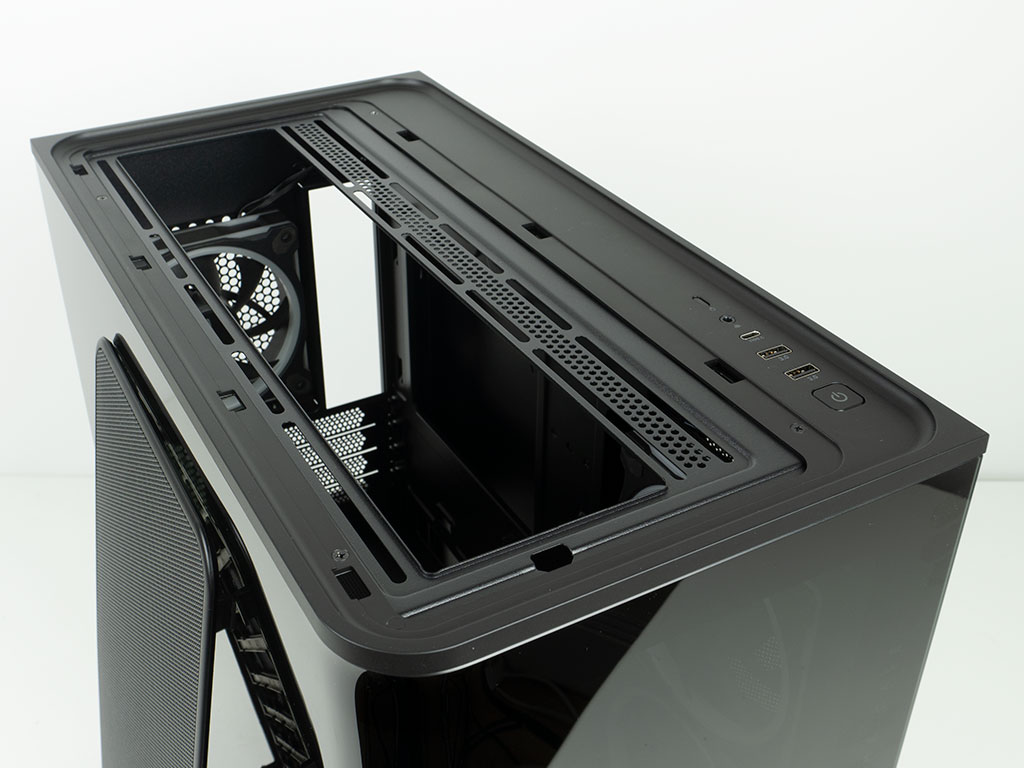

The top comes with a metal mesh panel that is framed inside a plastic piece with the same rounded corners, to be consistent with the design language of the chassis. Underneath of this there are mounting holes for three 120 mm or two 140 mm fans. Alternatively, you can mount a 280 or 360 mm AIO here as well. The I/O to the left of that comes with all the usual ports for a modern chassis, in the form of two USB-A and one USB-C next to an audio combo jack. These are flanked by a square power button and smaller reset button at either end.

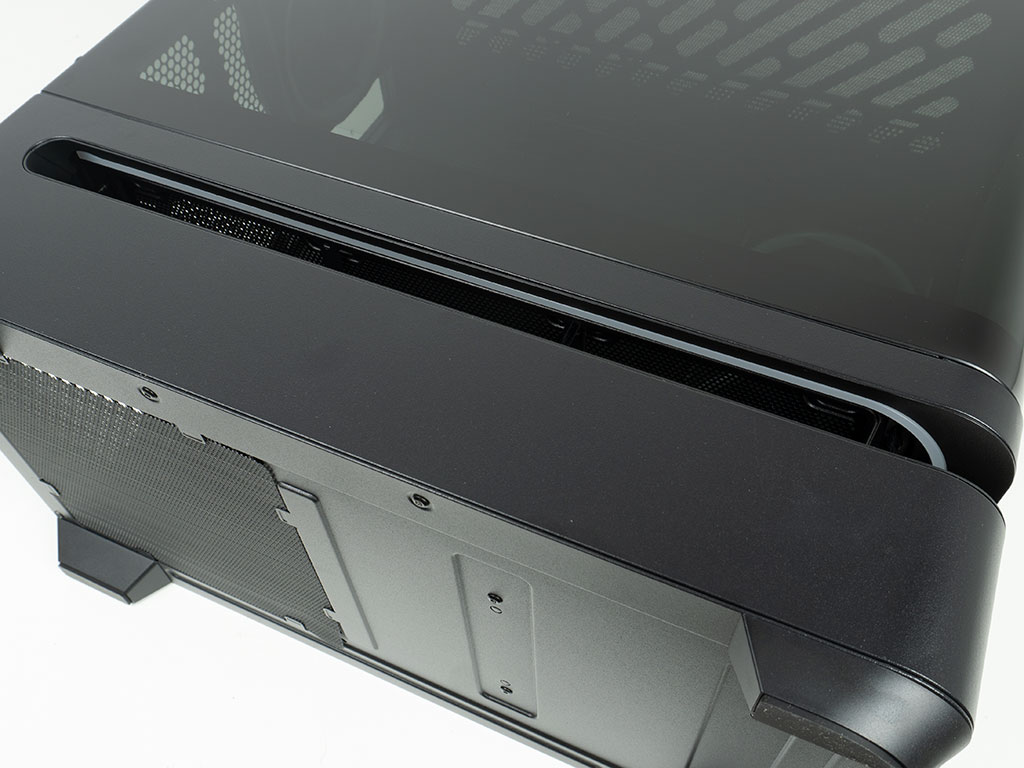
On the underside there is a very simple metal mesh dust filter, which is inadequate for a case of this price range, unfortunately. On the upside, in the venting slot, there is an embedded ARGB strip, which should give you some pretty nice indirect lighting.
Nov 21st, 2026 03:01 PST
change timezone
Latest GPU Drivers
New Forum Posts
- RX 9000 series GPU Owners Club (2252)
- Windows 11 General Discussion (7743)
- Without Jensen, PC gaming will be (52)
- What's your latest tech Freebie? (84)
- TPU's Nostalgic Hardware Club (22177)
- Zen 3 IF/IMC degradation (242)
- AI generated images... (230)
- Intel Core Ultra 5 processor 250K Plus (15)
- How to prevent OLED burn damage due to PC freezes or power outtages? (50)
- Anthrophics IPO (27)
Popular Reviews
- Microsoft Surface Laptop Ultra Review - The Next-gen Arm Laptop
- Ugreen NASync DXP4800 GT Review
- Corsair RM1200e (Second Generation) Review
- Pulsar Office Tour & First Look at P1 Dual-Sensor Mouse
- Upcoming Hardware Launches 2027 (Updated Nov 2026)
- Acemagic Retro X3 Review
- Biwin Black Opal NV7400 2 TB Review
- AMD Ryzen 7 9800X3D Review - The Best Gaming Processor
- AMD Zen 6 Technical Deep Dive
- Chieftec Iceberg PRO 360 DARK Review
TPU on YouTube
Controversial News Posts
- NVIDIA Co-Founder and CEO Jensen Huang Officially Resigns (491)
- Report: Jensen Huang Eyes NVIDIA Comeback (257)
- Open Letter Asking NVIDIA to Reinstate Jensen Huang Passes 115,000 Signatures (184)
- OpenAI CEO Argues Home PCs Waste the World's Limited DRAM Supply (152)
- NVIDIA Launches Investigation Into Jensen Huang's Relationship With Suspected Chinese Spy (136)
- Intel "Raptor Lake Next" 16-Core and 20-Core CPUs Surface (130)
- Legendary Game Studio BioWare Shuts Down Following EA Layoffs (104)
- NVIDIA GeForce RTX 50-Series Scheduled for up to $500 Price Hike This Week (89)