 19
ASUS ProArt PA401 Wood Edition Review
Review System Setup »A Closer Look - Inside

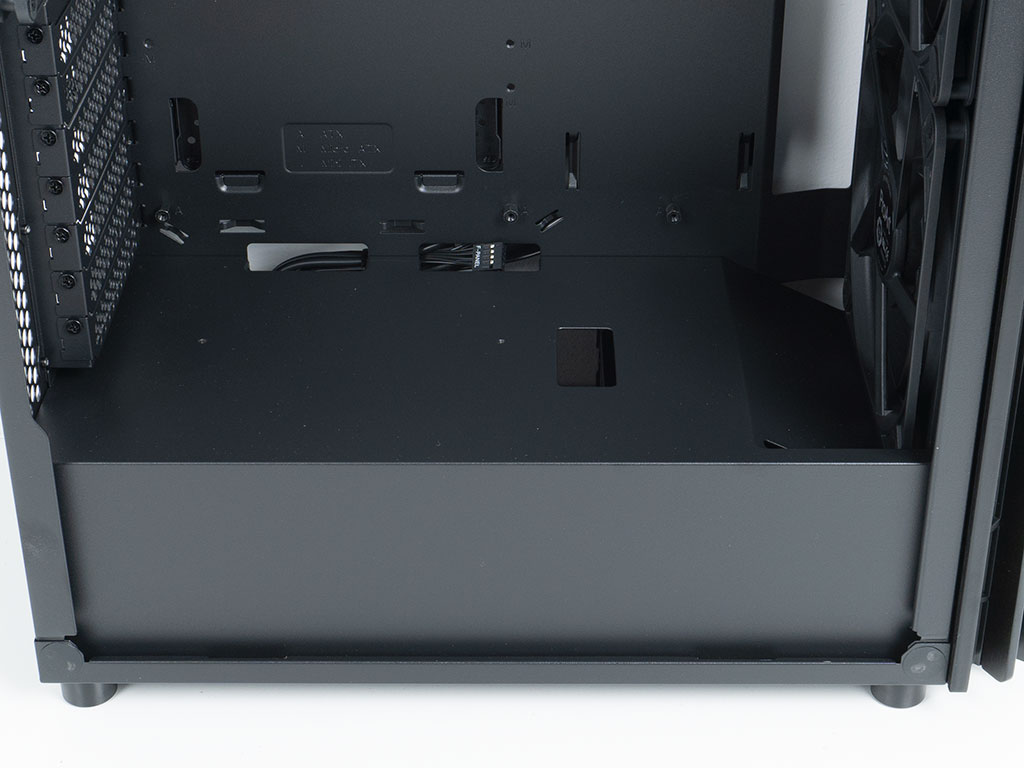

Thanks to the spring-loaded locking mechanism, gaining access to the interior is easily done without the need of tools or screws. Simply reach to the rear and press each button. The interior layout of the ASUS ProArt PA401 Wood Edition is rather simple. The case does not offer support for BTF, as it was launched just before those type of motherboards took off. The shroud within the case is completely solid, with three openings for cable management including one dedicated to route GPU power. The front has been bent down a bit to act as an air guide to compress the airflow of the 32 mm thick intake fans across the motherboard. A pair of screw holes are also present, so that you may install any PCIe ribbon cable for your vertical GPU setup. On the backside of the motherboard, things are also straightforward, with a well-placed set of large hooks for zip ties and a properly sized opening to give you access to the backside of the CPU area.
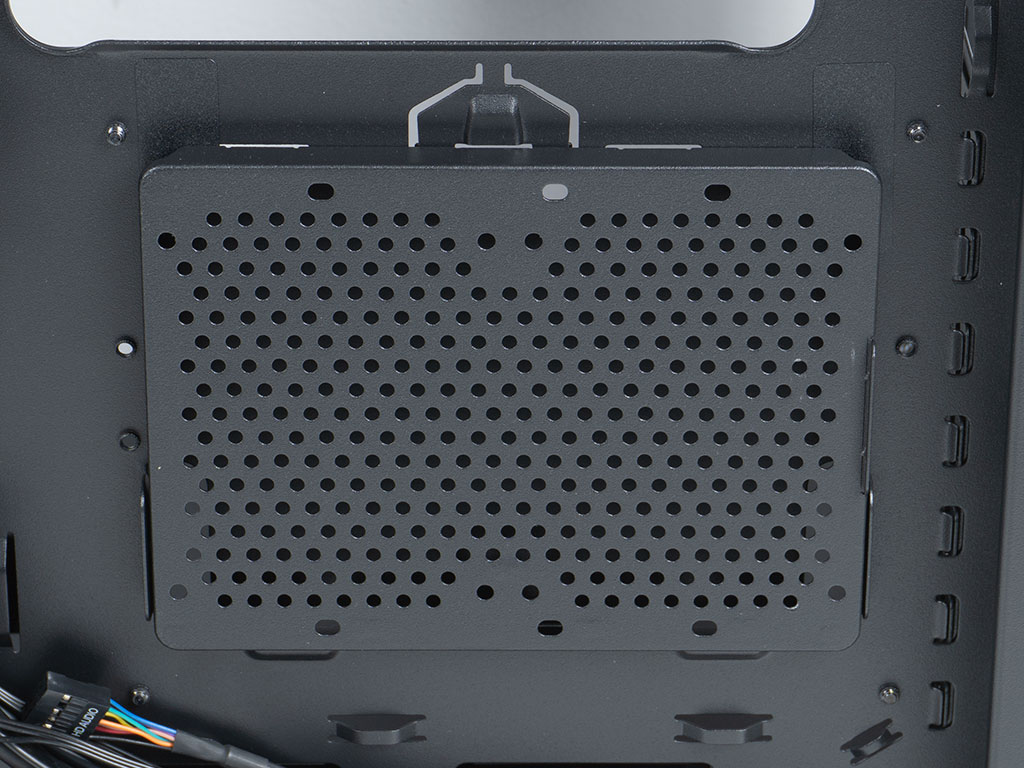
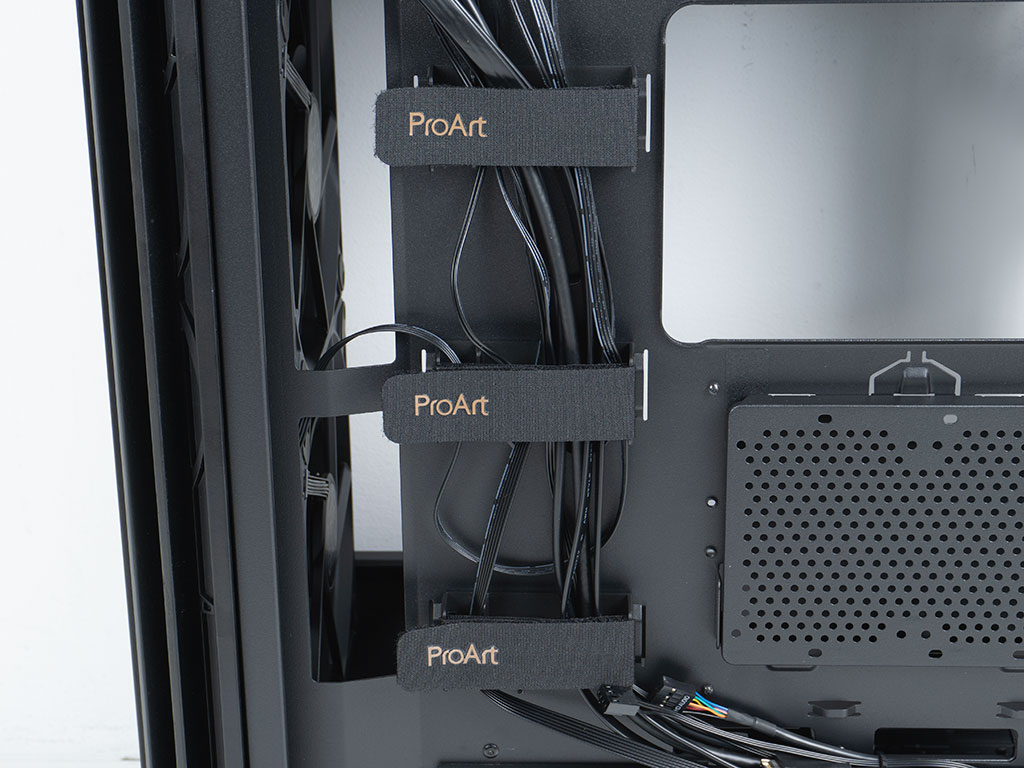
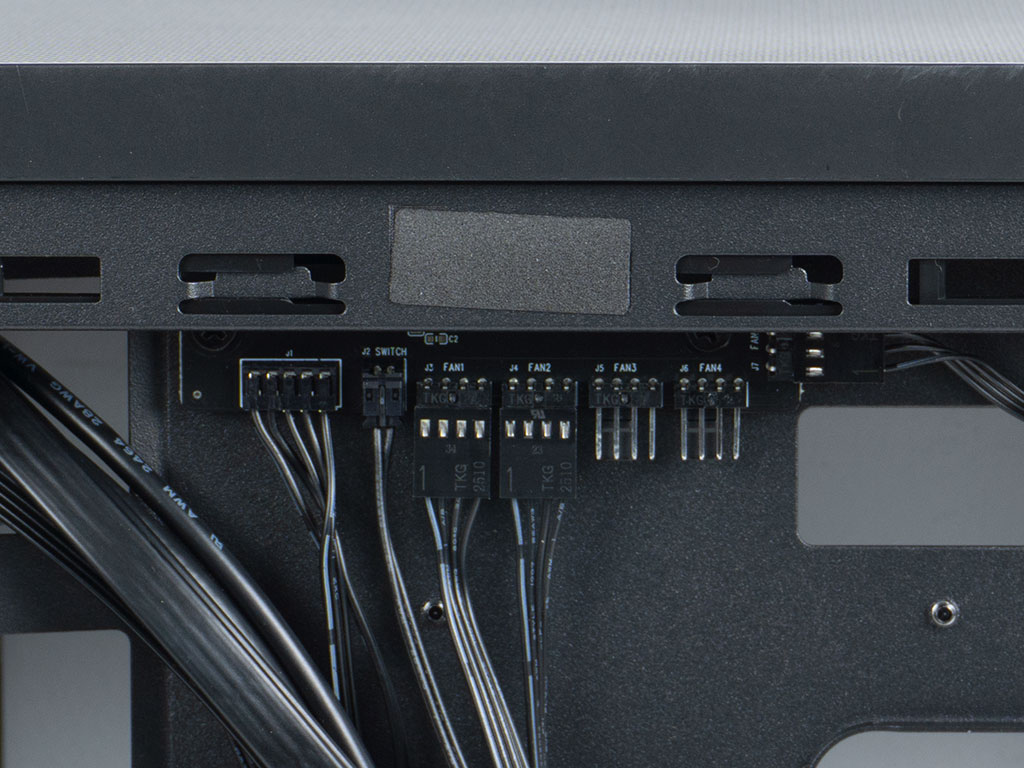
The PA401 does walk the line quite well between simple yet functional, using some unique tooling we have not seen in any other case. That is very apparent with the hard drive mounting plate which may hold two 2.5" drives according to the specification table. While ASUS doesn't mention it, there is also a set of holes to allow for a single 3.5" unit instead. It is held in place securely by a punch-out design that is part of the motherboard tray itself. Even with the lack of any screws, this works surprisingly well. ASUS has integrated three large, ProArt branded Velcro strips which are stretched unto a plastic frame to form a wide cable channel. This is once again a simple, but very useful implementation. At the top, there is a 5-port PWM hub. It is SATA powered, but the fans are still properly interfaced with your motherboard's PWM signal thanks to a separate wire. The layout of the PCB seems to be specifically geared towards this case, as the header for the rear fan is also pointing sideways instead of downward. ASUS connects the pre-installed fans right out-of-the-box, something system integrators and individual builders will certainly appreciate.

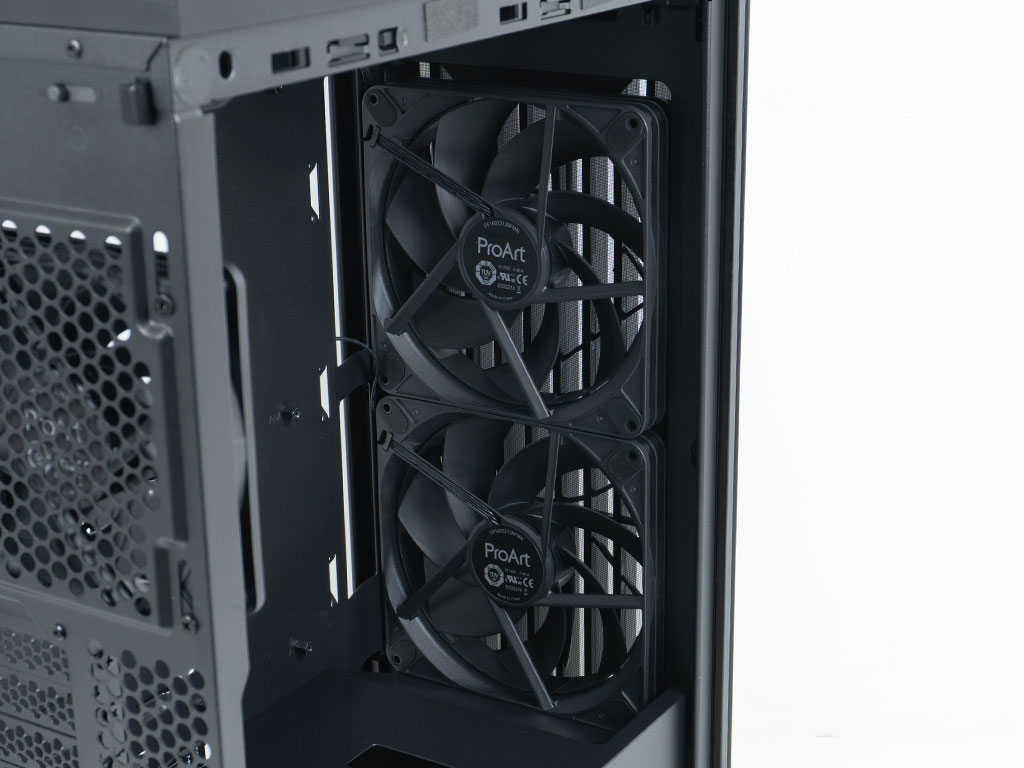
You may place two additional 3.5" drives. The trays are also capable of holding 2.5" units without issue. This means you could install up to four 2.5" units or potentially three 3.5" variants inside the ASUS ProArt PA401. That should generally be fine for most users, but some power-users will likely opt for PCIe based SSDs for their heavy workloads and then utilize 3.5" drives for high-capacity, slower storage instead. Above that, there are those previously mentioned 160 mm intake fans, which are also slightly recessed into the front to still give you 315 mm of GPU room.
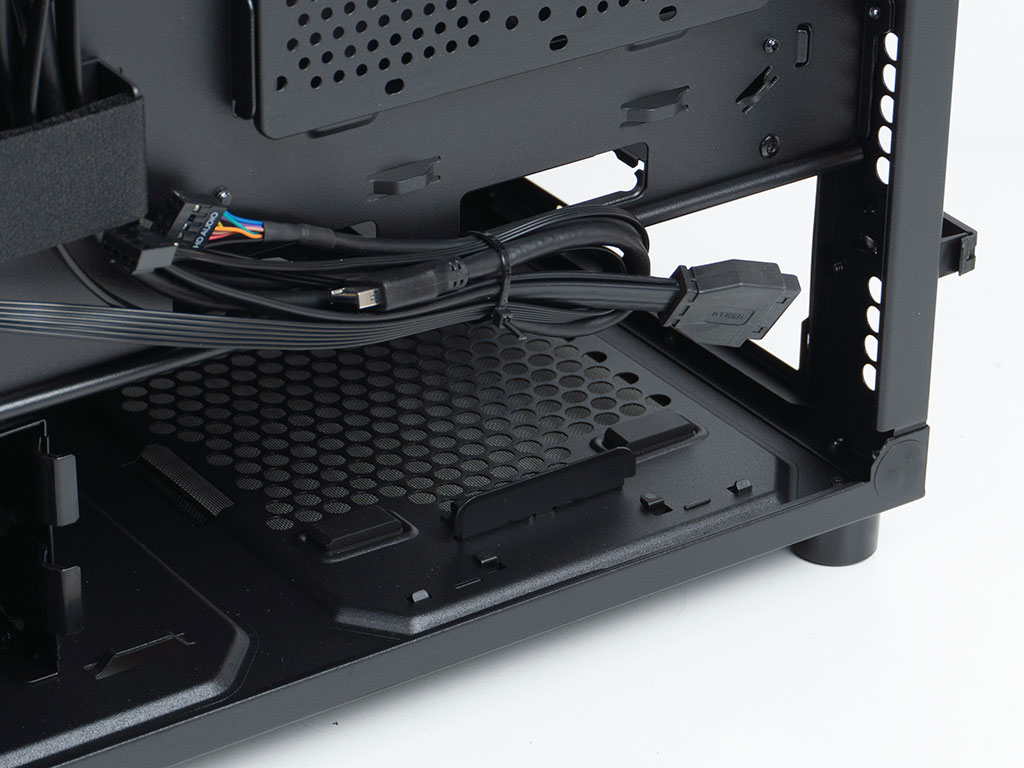
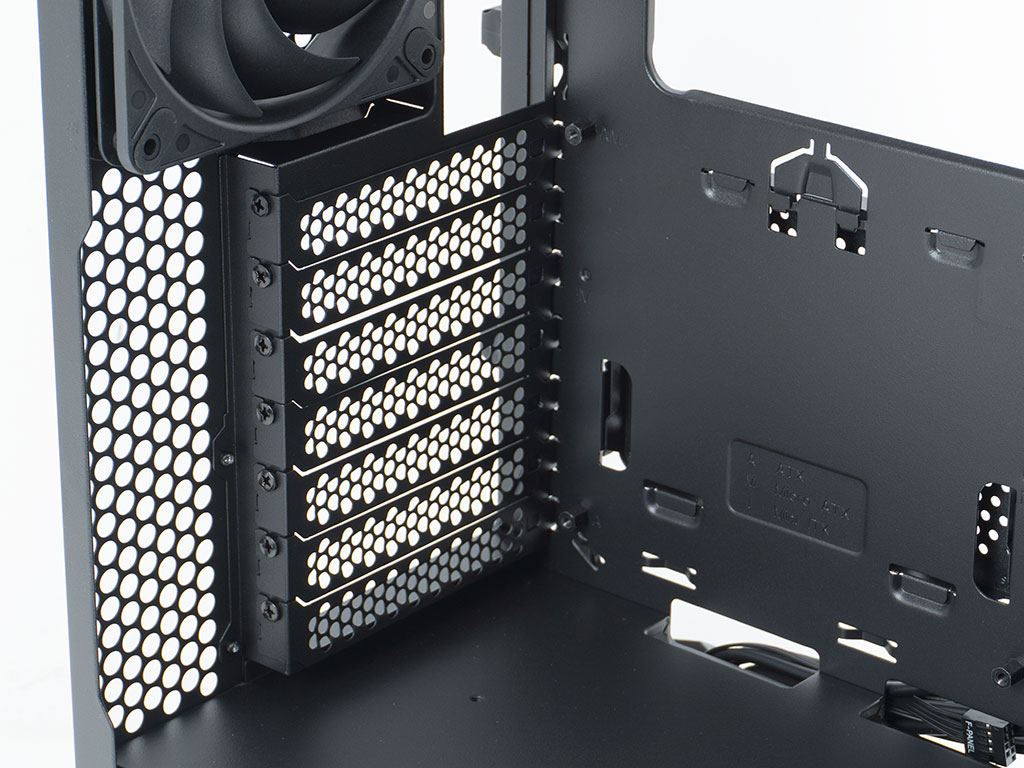
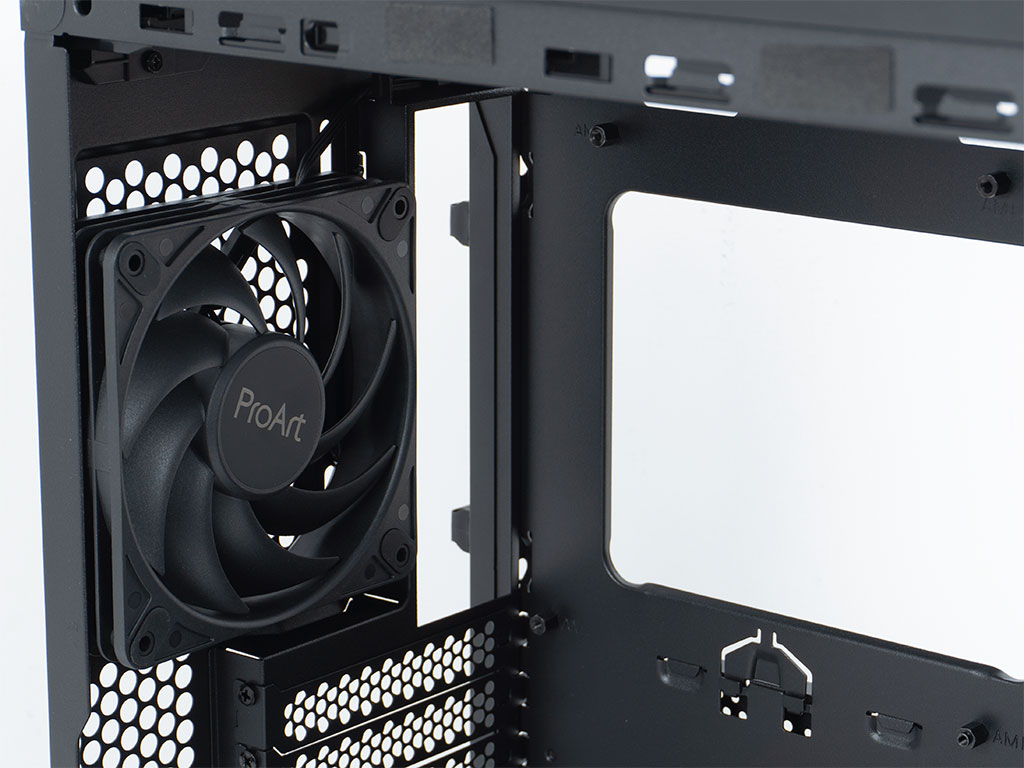
The PSU bay comes equipped with four rubber pads for the unit to rest on. Due to the compactness of the ProArt PA401, you are limited to 170 mm long power supplies. Fortunately, there are plenty of high-capacity and high-efficiency units out there these days. Each of the expansion slot covers are held in place by classic screws, which are easy to reach thanks to the gentle cutout in the corner of the rear panel. In the very top, the 120 mm exhaust fan is also thicker than usual at 28 mm, with ProArt branding. A quick peek at the ASUS ProArt website doesn't actually list any of these fans for sale separately, but this could really be something ASUS should consider.

Once again, due to the compactness of the chassis body, the PA401 AIO support maxes out at 280 mm. That is a bit inconsistent, as ASUS doesn't actually offer their ProArt LC in that size, with those units being sold in 360 and 420 mm configurations. Looks like ASUS catered to the PA602 and then decided not to expand it to include the PA401, unfortunately.
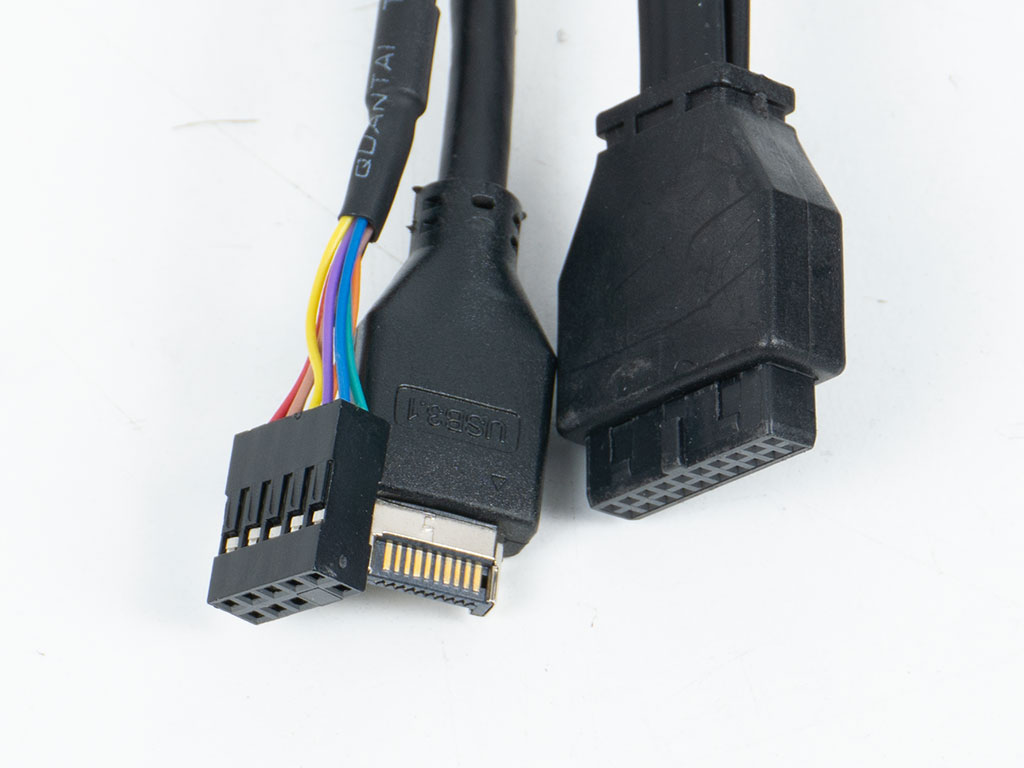
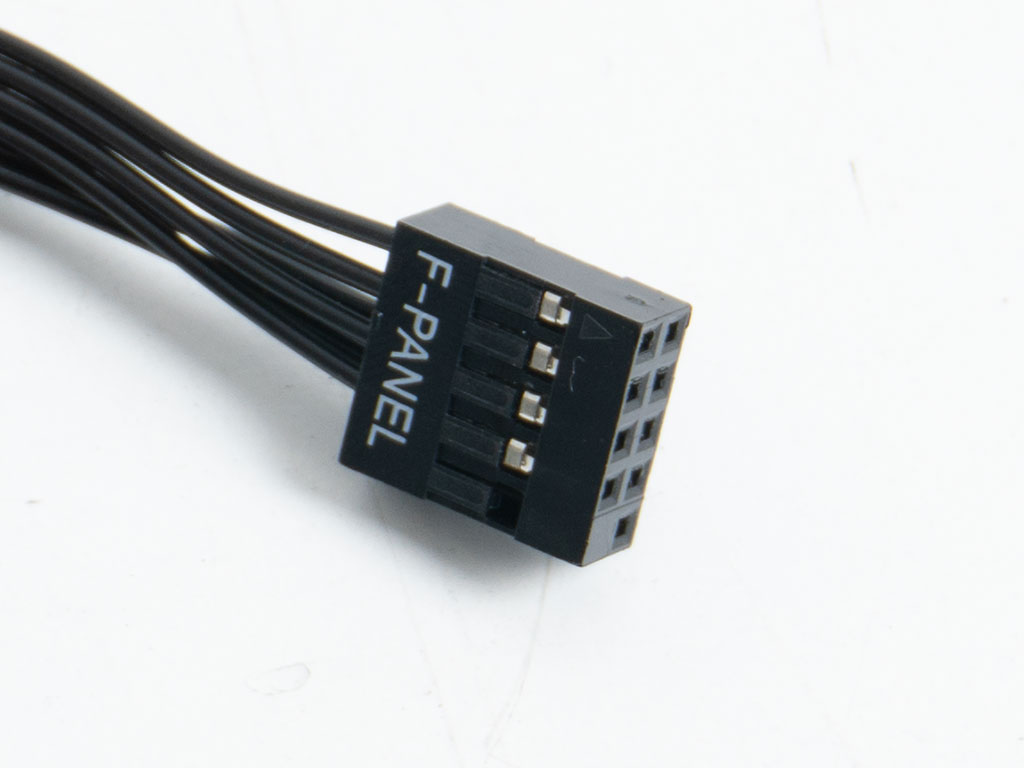
All the cables inside the ASUS ProArt PA401 Wood Edition are black, but only the USB-A wire utilizes a flat-band cable while the USB-C is round. The front panel connectors have been unified, so you will easily be able to plug that one in and move on.
Nov 22nd, 2026 09:45 CST
change timezone
Latest GPU Drivers
New Forum Posts
- Intel D270 (0)
- How to prevent OLED burn damage due to PC freezes or power outtages? (55)
- Making a game in Godot engine (16)
- Gigabyte AORUS RTX 5080 MASTER – Up to 30°C GPU Hotspot Delta! Is This Normal, a Cooling Defect, or Should I RMA? (13)
- [Intel AX1xx/AX2xx/AX4xx/AX16xx/BE2xx/BE17xx] Intel Modded Wi-Fi Driver with Intel® Killer™ Features (634)
- Ryzen or Intel system (19)
- Your PC ATM (36450)
- Mysteries of the Sun (306)
- The TPU UK Clubhouse (27290)
- TPU's Nostalgic Hardware Club (22196)
Popular Reviews
- Microsoft Surface Laptop Ultra Review - The Next-gen Arm Laptop
- Corsair RM1200e (Second Generation) Review
- Pulsar Office Tour & First Look at P1 Dual-Sensor Mouse
- Upcoming Hardware Launches 2027 (Updated Nov 2026)
- Ugreen NASync DXP4800 GT Review
- AMD Ryzen 7 9800X3D Review - The Best Gaming Processor
- Biwin Black Opal NV7400 2 TB Review
- AMD Zen 6 Technical Deep Dive
- Phantom Blade Zero Performance Benchmark Review - 35 GPUs Tested
- AMD Ryzen 7 5800X3D 10th Anniversary Review
TPU on YouTube
Controversial News Posts
- NVIDIA Co-Founder and CEO Jensen Huang Officially Resigns (492)
- Report: Jensen Huang Eyes NVIDIA Comeback (262)
- Open Letter Asking NVIDIA to Reinstate Jensen Huang Passes 115,000 Signatures (184)
- OpenAI CEO Argues Home PCs Waste the World's Limited DRAM Supply (152)
- NVIDIA Launches Investigation Into Jensen Huang's Relationship With Suspected Chinese Spy (136)
- Intel "Raptor Lake Next" 16-Core and 20-Core CPUs Surface (130)
- NVIDIA GeForce RTX 50-Series Scheduled for up to $500 Price Hike This Week (89)
- Intel Razor Lake Gets a 12 P-Core bLLC Chip With No E-Cores, Per Leak (86)