 10
ASUS ProArt Z890-Creator Wi-Fi Review
Component Analysis »Board Layout


The ProArt Z890-Creator Wi-Fi is devoid of any lighting and features the usual moody, understated design, but this is more than just a color scheme. It extends to the shape and contours of the heatsinks and the way some of them function too. There are three full size PCIe slots, and all five M.2 ports are equipped with tool-free heatsinks.

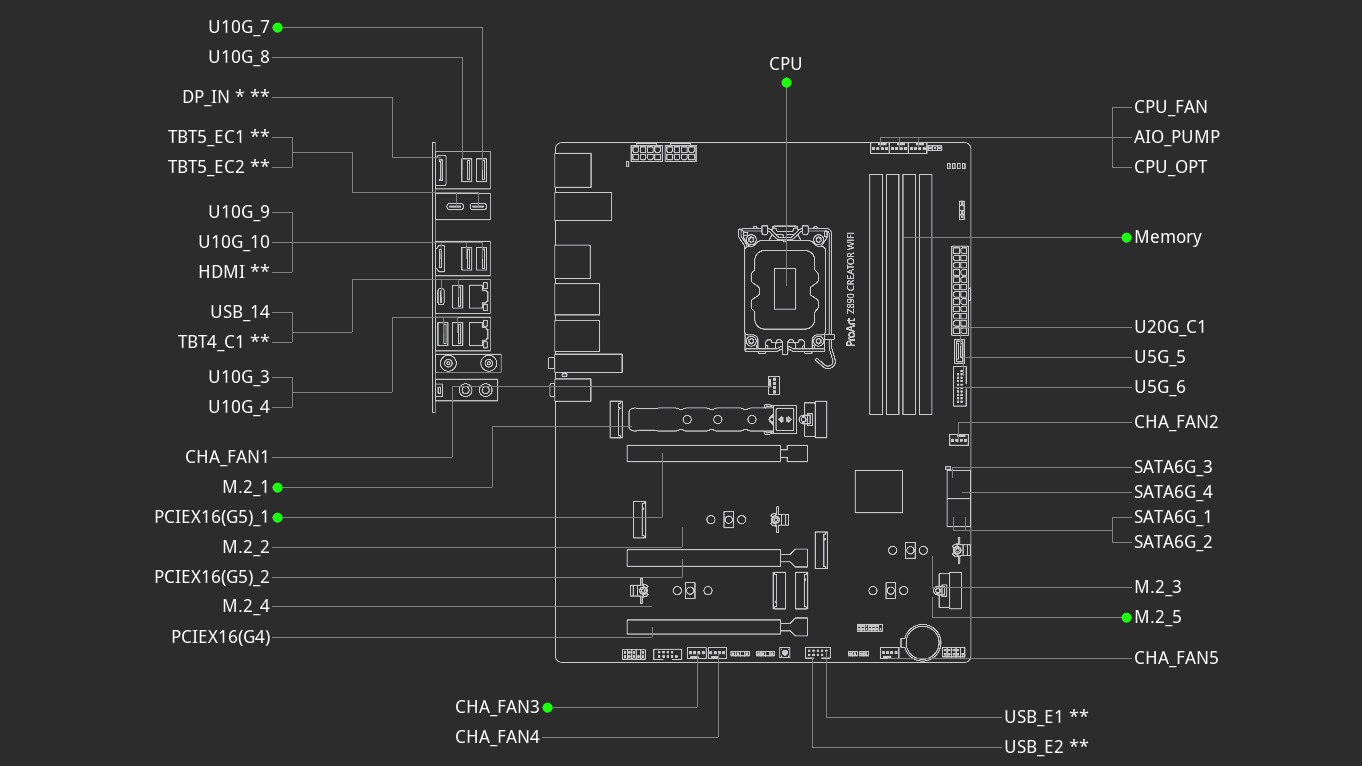
As a board aimed at content creators, you don't really want too much bandwidth sharing and thankfully it's extremely minimal. The fifth M.2 slot shares bandwidth with the bottom PCIe slot, and using an SSD in this M.2 slot will disable it. Thankfully there are four other M.2 ports to choose from, all unrestricted, although only one that's PCIe Gen 5 compatible, while some newer boards including those in AMD's camp regularly have dual PCIe Gen 5 M.2 ports, although they do sacrifice their USB4 ports when populating them.


Another mild let down is the lack of enhanced power delivery over the Type-C header, although we do have three Thunderbolt ports to make use of, albeit with additional accessories. We'd also have liked to see more power available over the fan headers. As they stand each of them is limited to 12 W/1 A, which is below par at this price and means you'll potentially need to be careful hooking up three or more powerful fans to a single header.

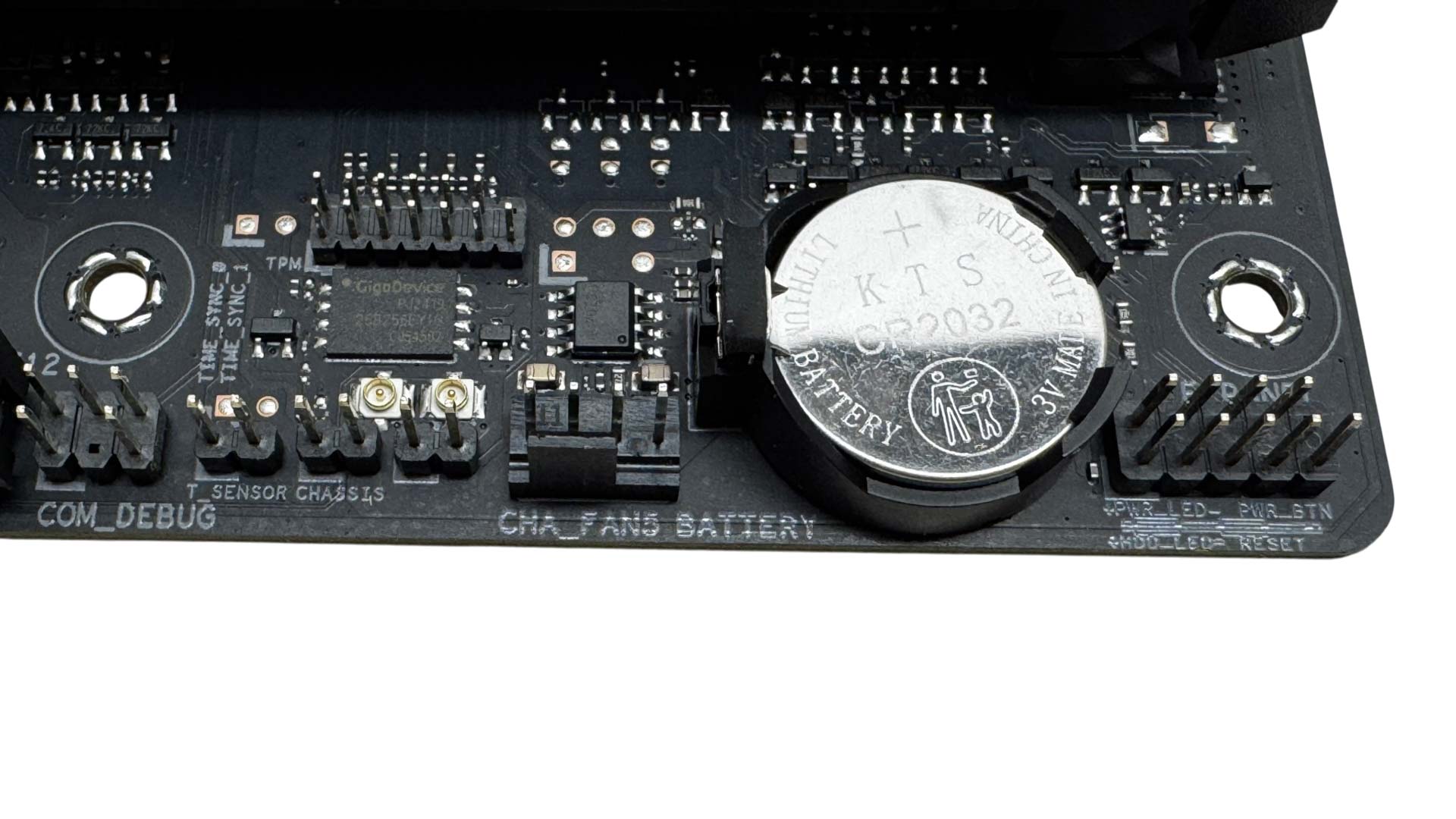
Past a fourth fan header down the side of the PCB are the four SATA ports, with the rest of the space here cleared to make way for the hinged M.2 heatsink. Below this we have another fan header plus a single 2-pin thermistor header.
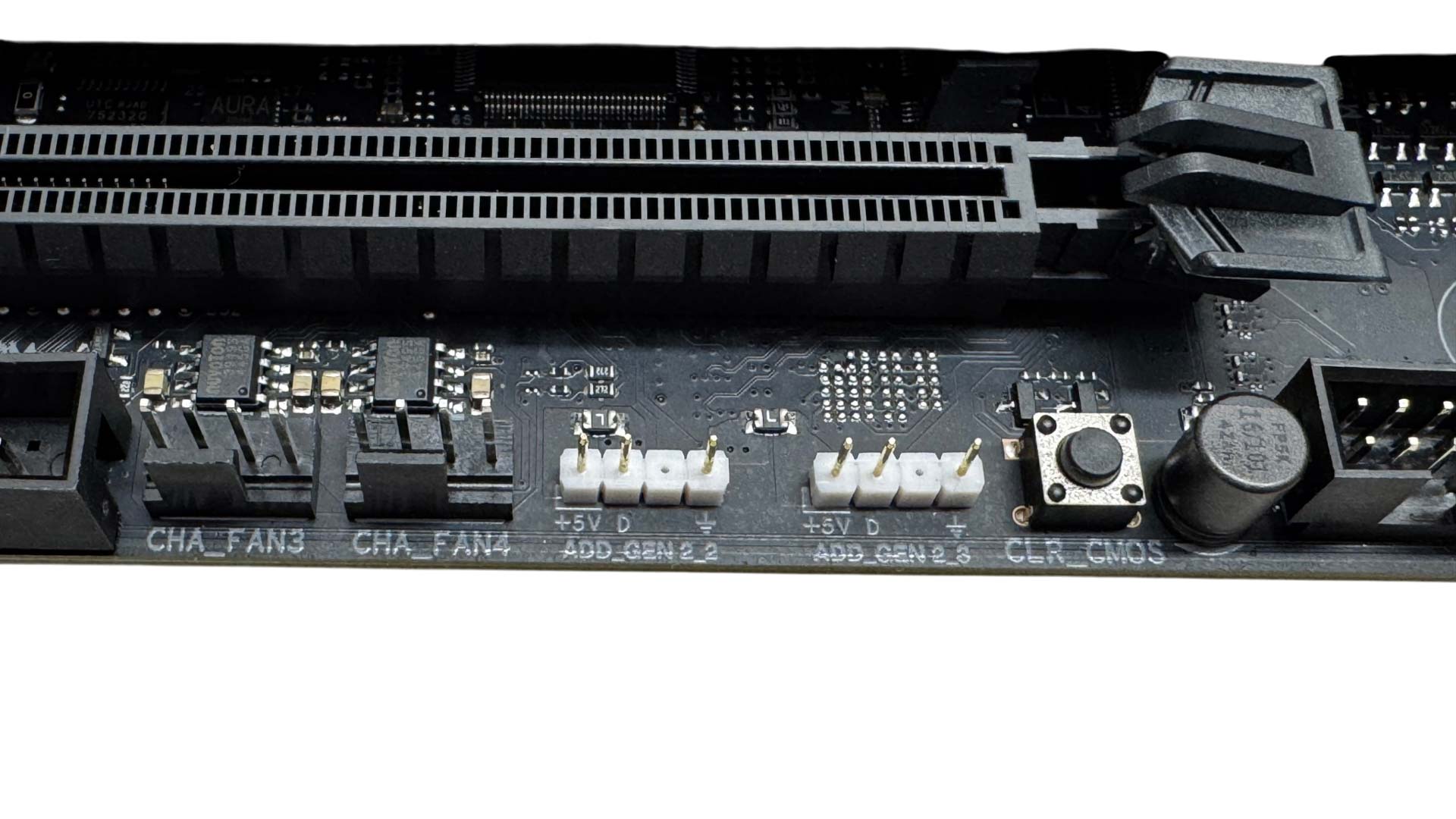
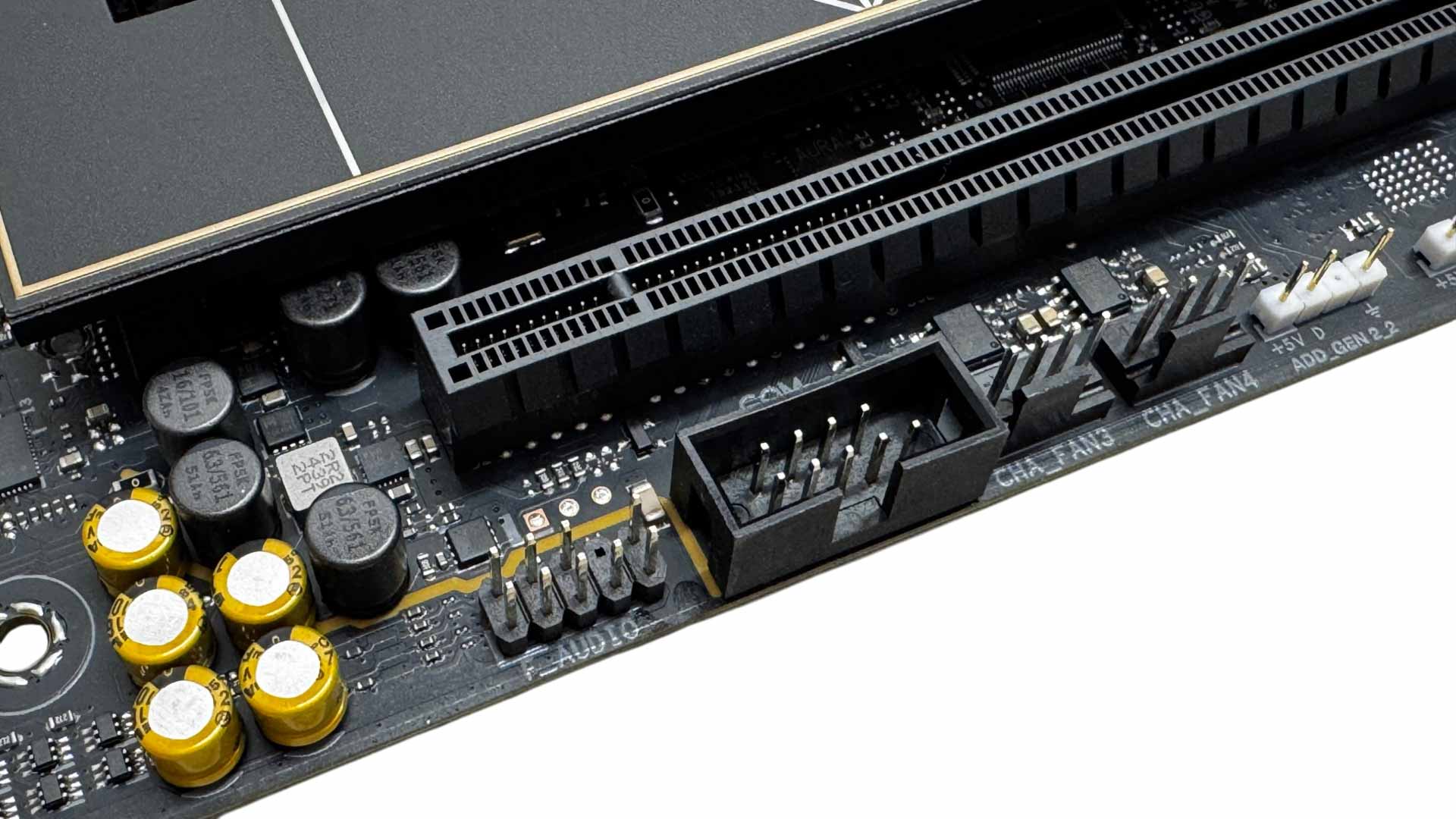
Moving left along the PCB, and we have a CMOS clear button—which is the only button on the PCB itself—two 3-pin ARGB headers and a further two fan headers. Either side of these are two USB 2.0 headers.
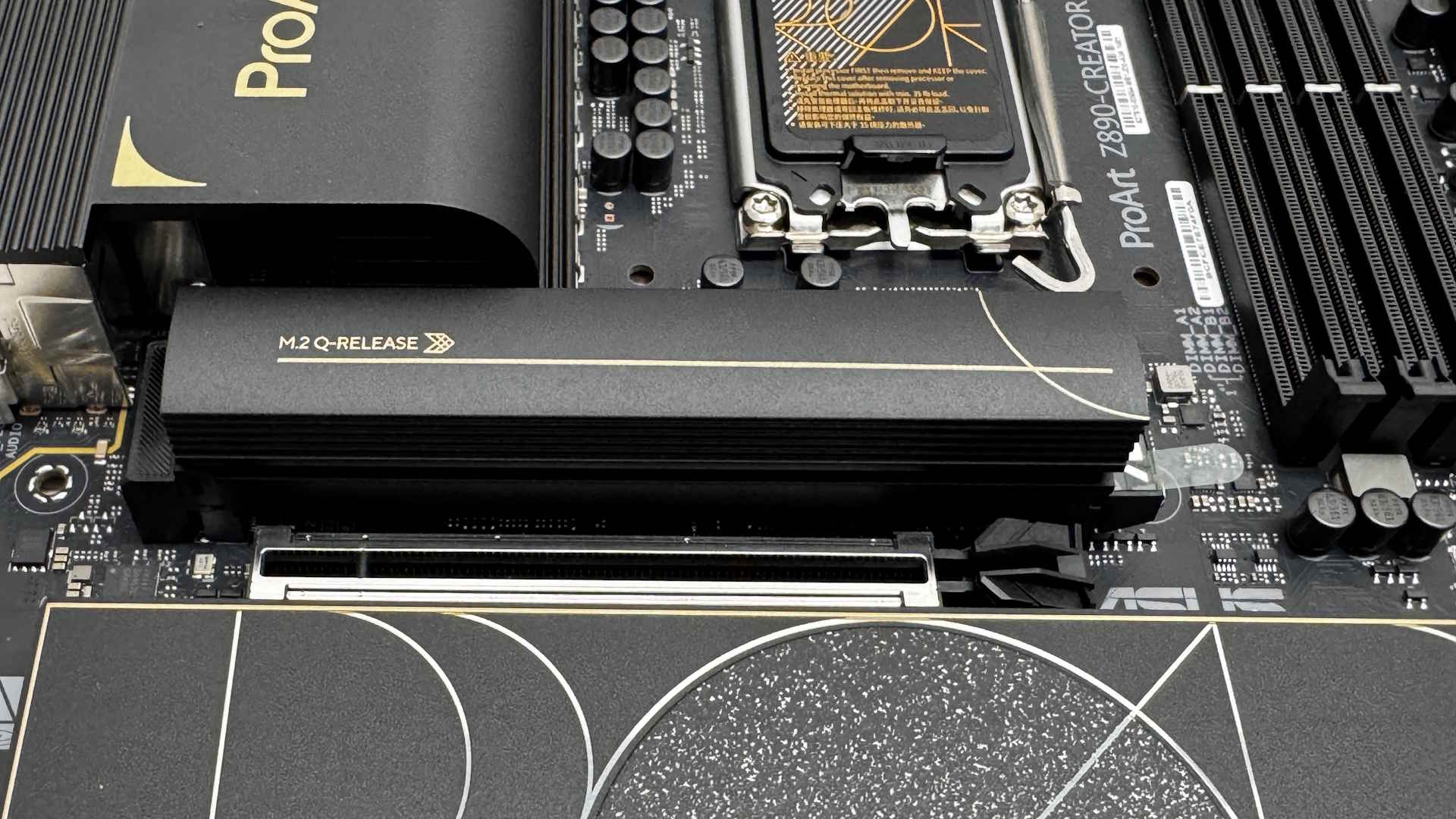

The top M.2 port is the only one stepping up to PCIe Gen 5 and is suitably well-equipped to handle single and double-sided SSDs with thermal pads on top and below. The small notch between the lower thermal pads is where you'll want to use the included rubber supports. The heatsinks itself is relatively large and tool-free.
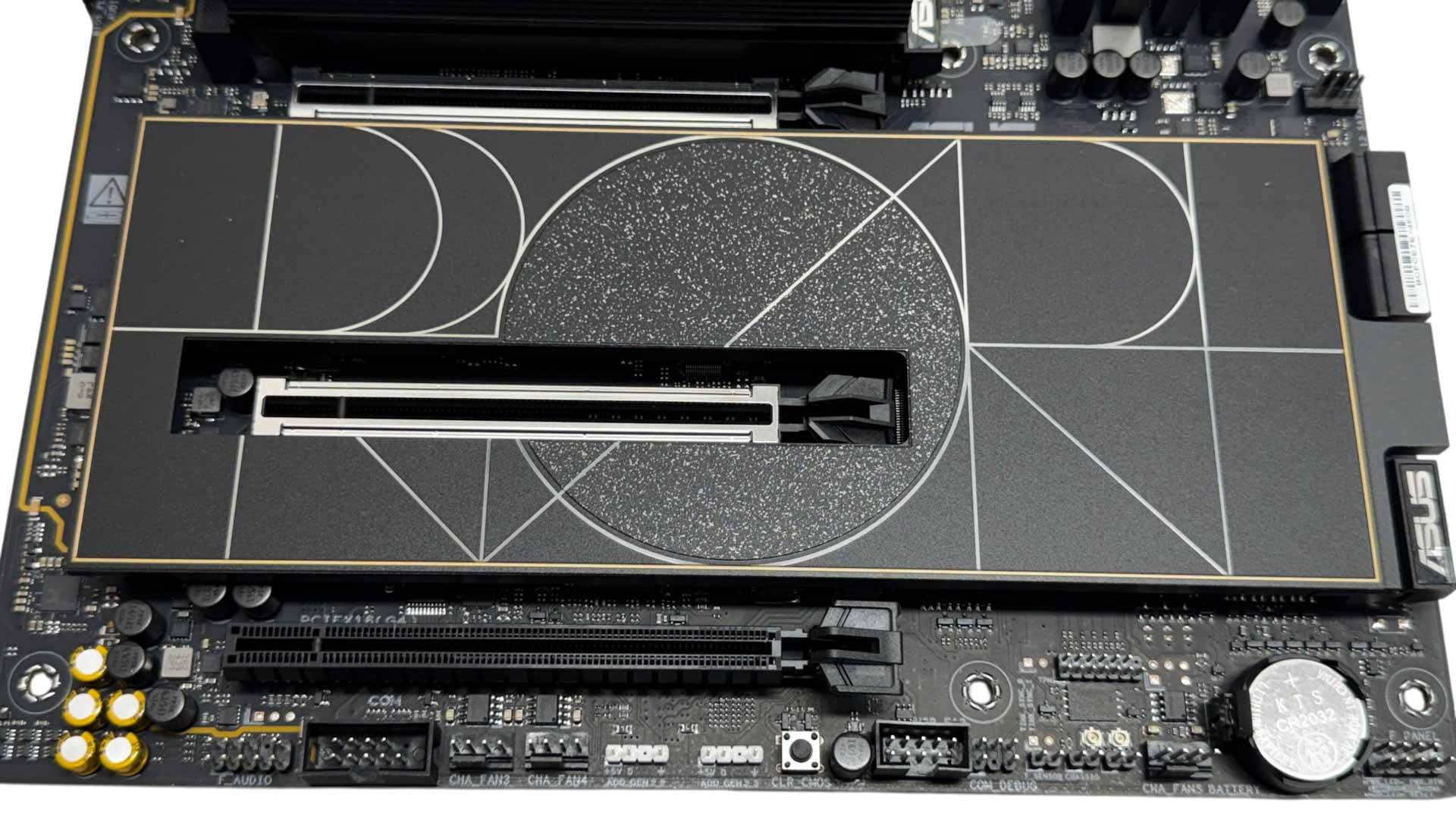
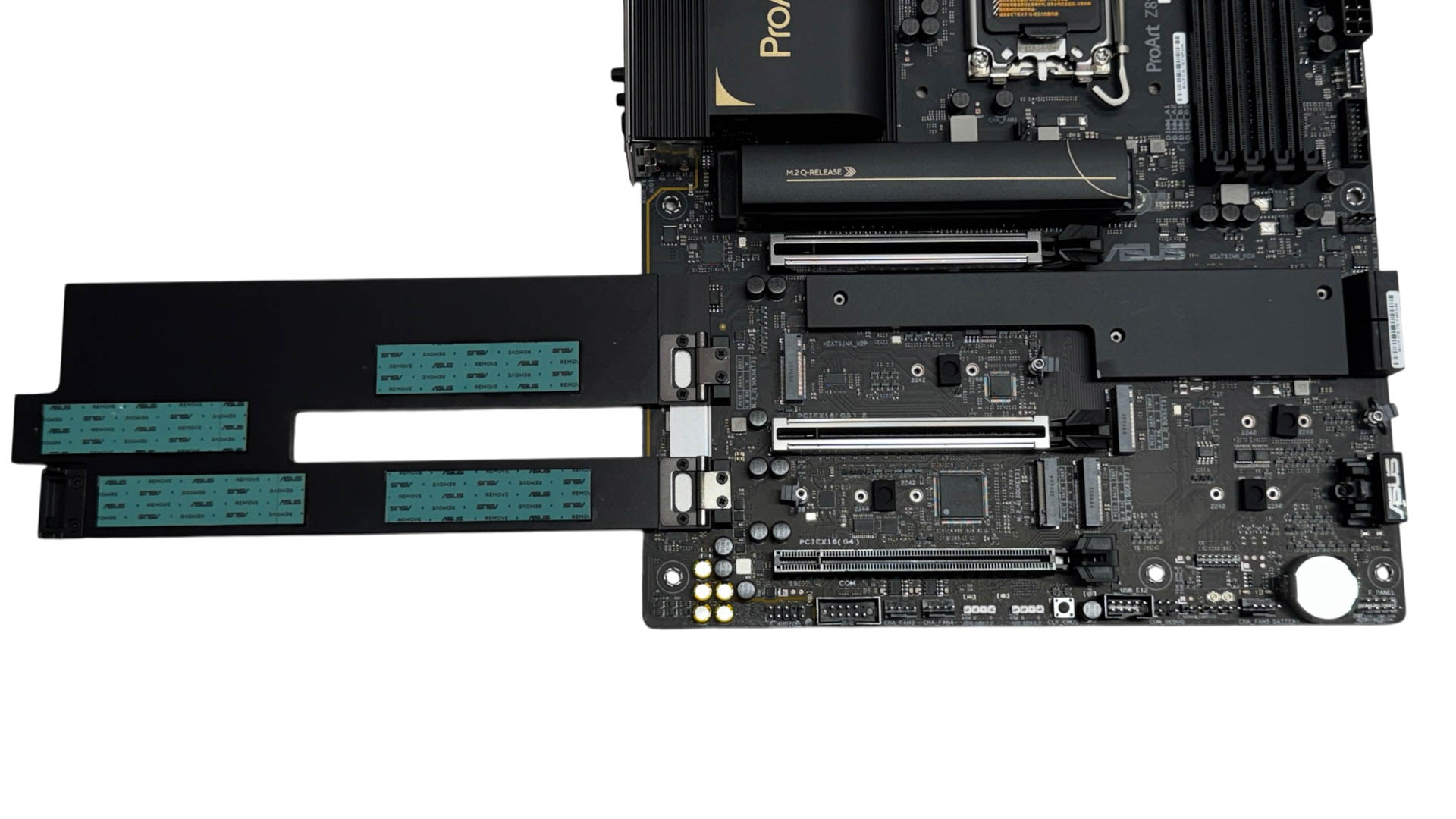
The lower four M.2 ports, all of which are PCIe Gen 4, are cooled by a single huge heatsink. This is also tool-free, swinging upwards from one edge on a hinge. This makes it fantastically easy to release and secure and is probably one of the best-designed large M.2 heatsinks we've seen in this regard.
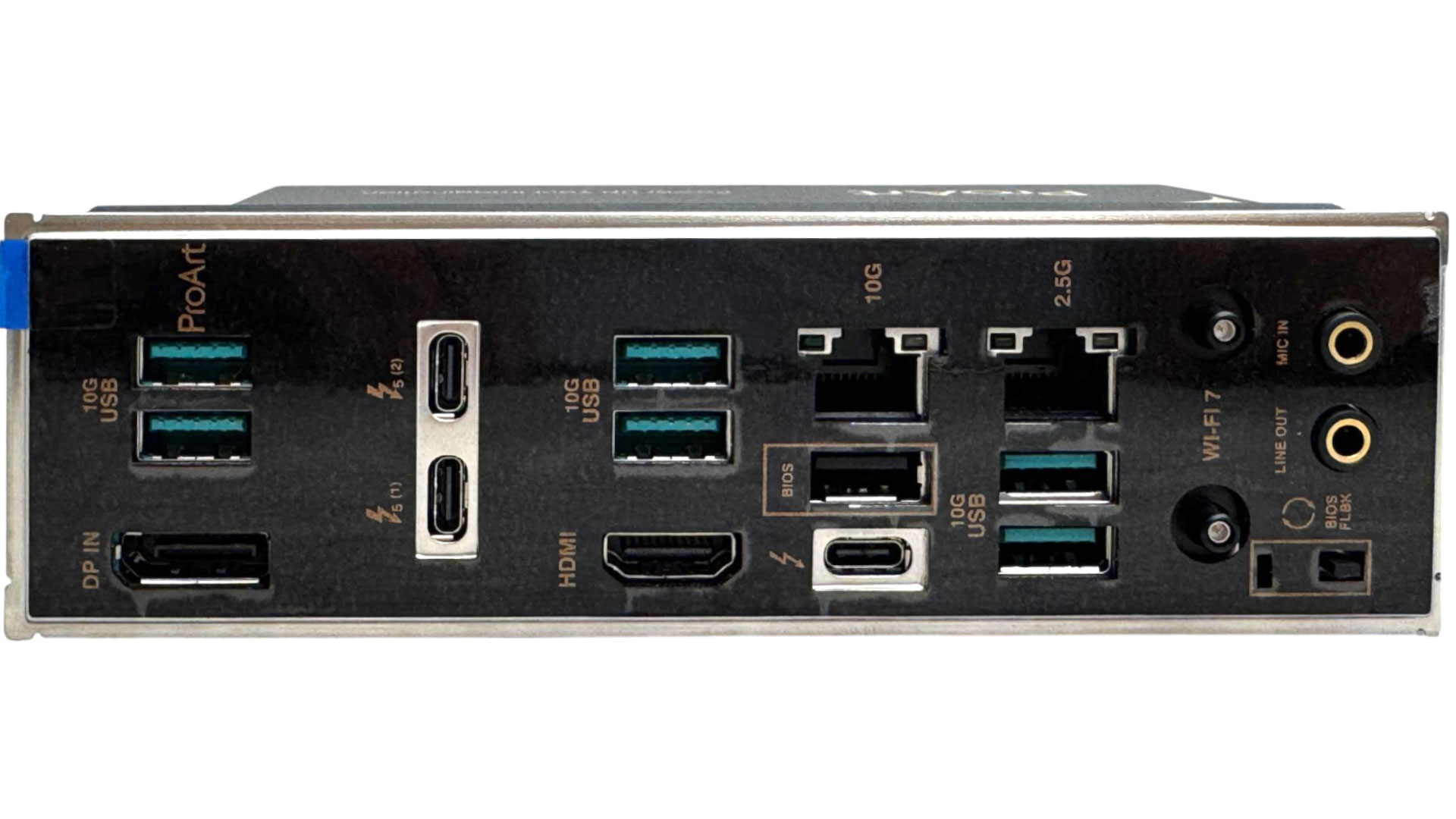
The rear I/O panel is perhaps a little light on Type-A USB ports, with six USB 3.2 Gen 2 10 Gbps plus a single USB 2.0 for BIOS flashback. Of course, ASUS is assuming most of your connectivity is going to be over Thunderbolt, and it's gone all-out here with a single USB4/Thunderbolt 4 Type-C port plus a daughterboard providing a pair of Thunderbolt 5 ports, which no doubt add somewhat to the board's price tag. We also have 2.5 Gbps and 10 Gbps Ethernet ports and a HDMI port. The DisplayPort here is an input, allowing you to link your graphics card's output through this and output again over Thunderbolt to enabled displays. We have a USB BIOS flashback button and two audio jacks, with no optical output here.
Nov 19th, 2026 15:48 CST
change timezone
Latest GPU Drivers
New Forum Posts
- Honestly, do you care about GTA VI? (163)
- Windows 11 General Discussion (7736)
- Current Sales, Bundles, Giveaways (10448)
- Last game you purchased? (1409)
- WarpCoreBench scores! (76)
- Got the EOL 32GB TridentZ 6000 CL26 1.4V (12)
- Dell Workstation Owners Club (3516)
- Making a game in Godot engine (4)
- DTS DCH Driver for Realtek HDA [DTS:X APO4 + DTS Interactive] (2815)
- Security Apps (2)
Popular Reviews
- Acemagic Retro X3 Review
- Ugreen NASync DXP4800 GT Review
- Upcoming Hardware Launches 2027 (Updated Nov 2026)
- Pulsar Office Tour & First Look at P1 Dual-Sensor Mouse
- AMD Zen 6 Technical Deep Dive
- Biwin Black Opal NV7400 2 TB Review
- Sapphire Radeon RX 7700 XT Pure Review
- Sapphire Radeon RX 7700 XT Pulse Review
- AMD Ryzen 7 9800X3D Review - The Best Gaming Processor
- Chieftec Iceberg PRO 360 DARK Review
TPU on YouTube
Controversial News Posts
- NVIDIA Co-Founder and CEO Jensen Huang Officially Resigns (488)
- Report: Jensen Huang Eyes NVIDIA Comeback (223)
- Open Letter Asking NVIDIA to Reinstate Jensen Huang Passes 115,000 Signatures (184)
- OpenAI CEO Argues Home PCs Waste the World's Limited DRAM Supply (152)
- NVIDIA Launches Investigation Into Jensen Huang's Relationship With Suspected Chinese Spy (136)
- Intel "Raptor Lake Next" 16-Core and 20-Core CPUs Surface (130)
- Legendary Game Studio BioWare Shuts Down Following EA Layoffs (104)
- Dell CEO Says the Memory Shortage Will Get Worse in 2027 (95)