 8
ASUS ROG Strix B850-A Gaming Wi-Fi7 Neo Review
Component Analysis »Board Layout
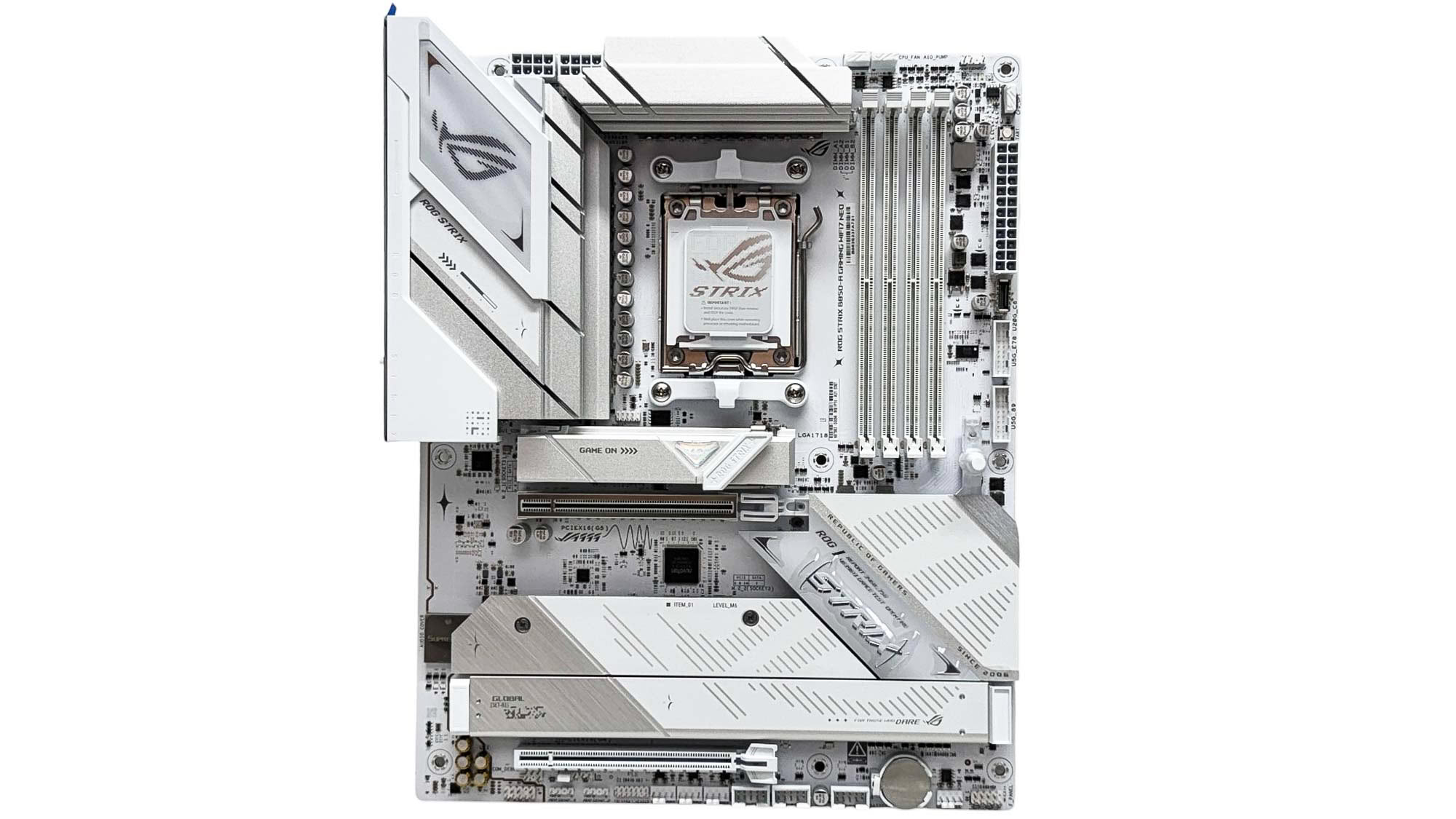
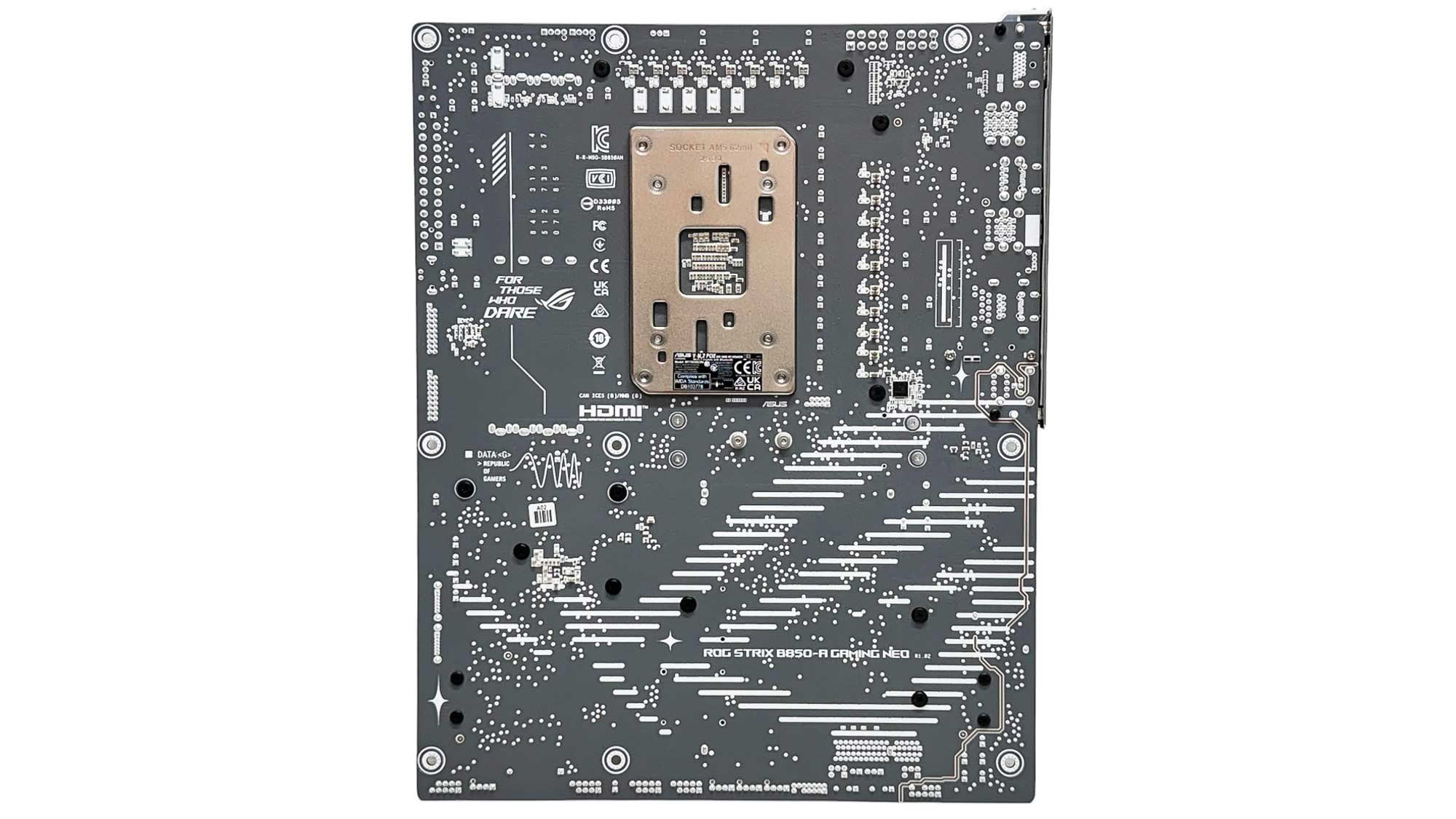
The ROG Strix B850-A Gaming Wi-Fi7 Neo is certainly an attractive motherboard and looks so much better than the previous model thanks to its additional white components matching the color scheme. It's perhaps not as pure white overall compared to some of Gigabyte's Ice boards, as there are a few silver details here. The rear of the PCB features a large ROG logo too, but it's a shame this likely won't be visible in most cases.
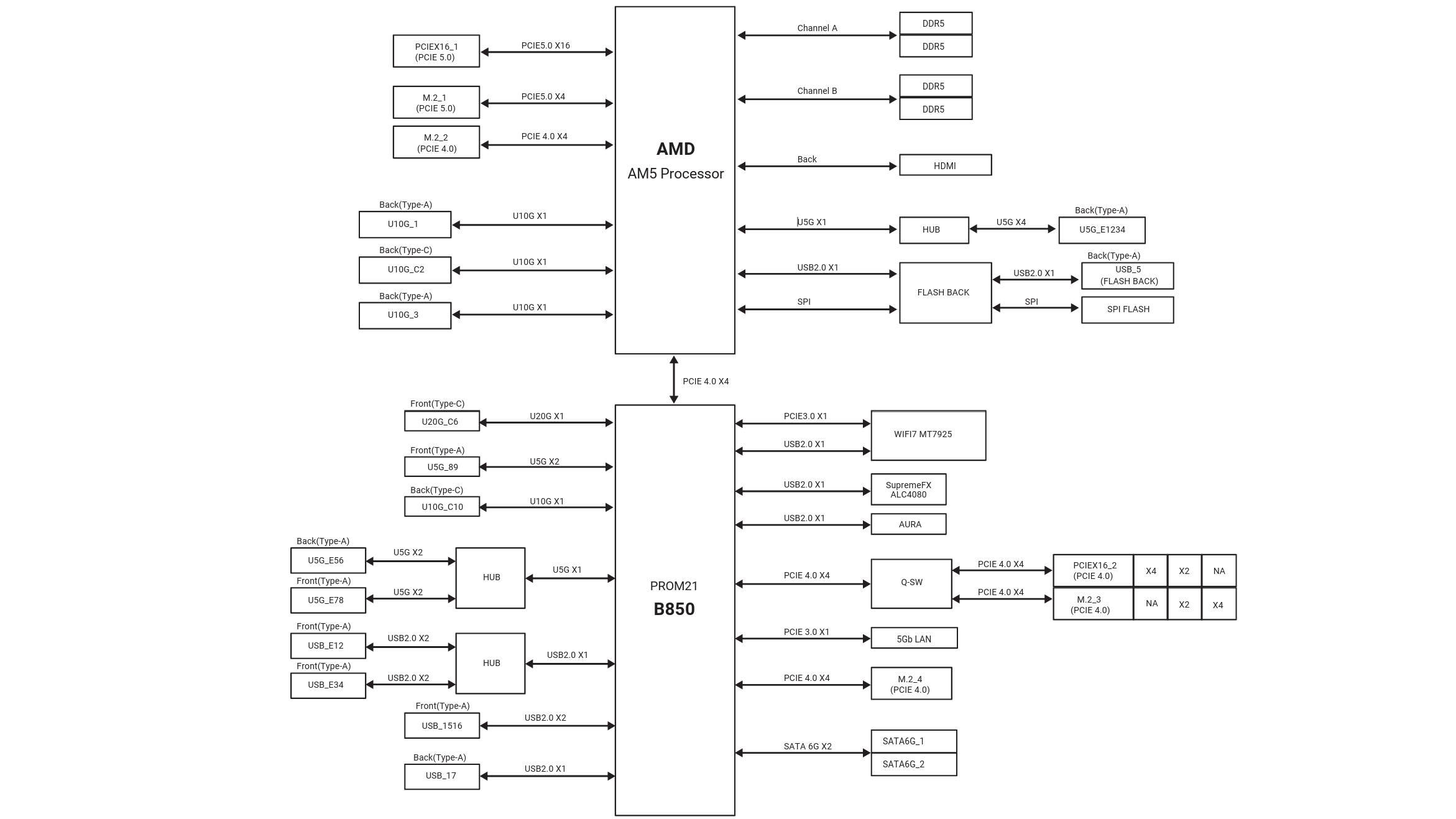
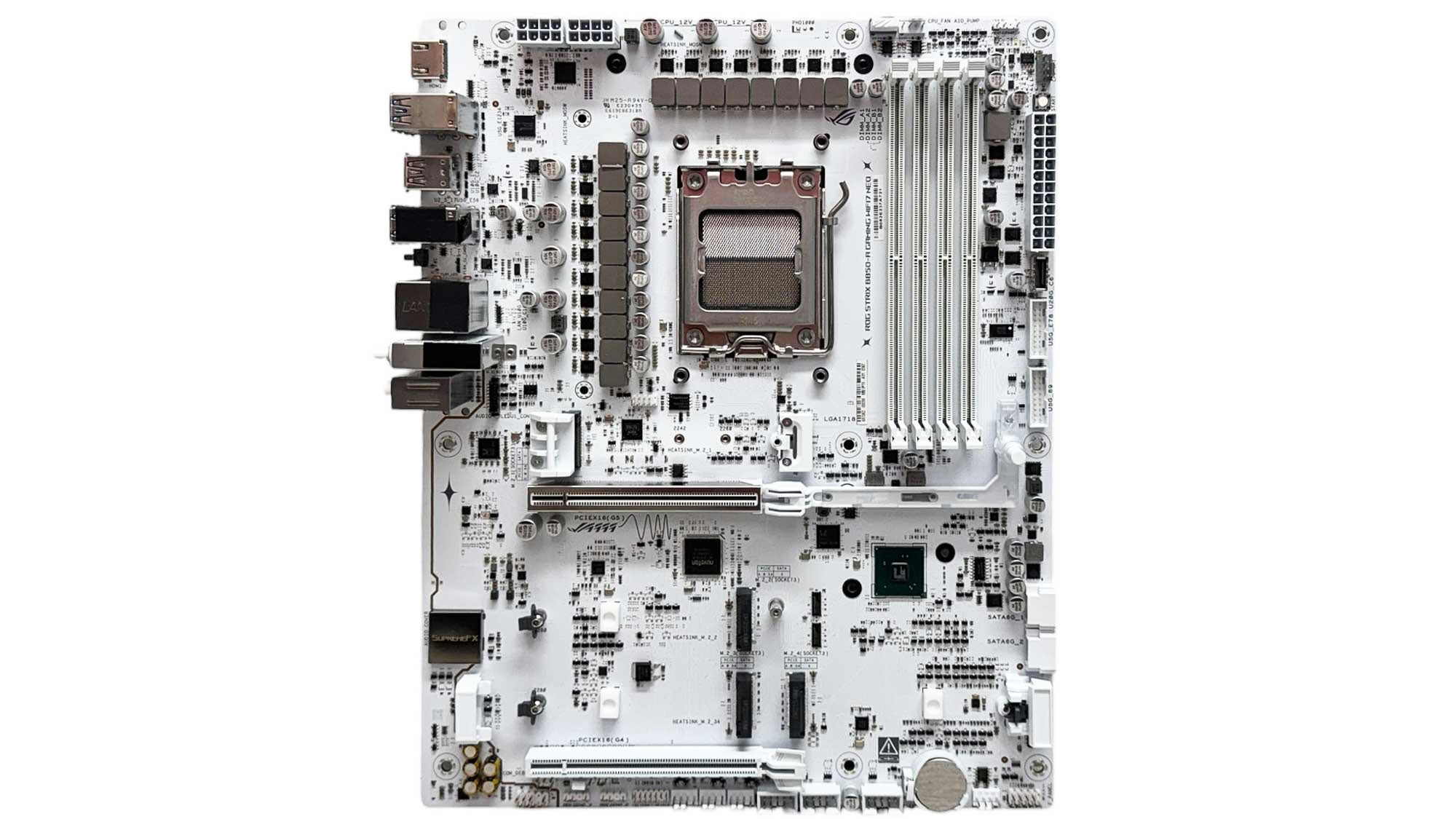
Being a B850 motherboard, USB4 is absent, which frees up some PCIe lanes. However, there is one scenario of bandwidth sharing and that's between the third M.2 port and bottom PCIe slot. They either share four PCIe lanes between them—limited to two each—or the lanes are diverted to one or the other for the full four lanes, disabling the other slot. Thankfully there are another three M.2 ports to play with even if you need to use an expansion card.
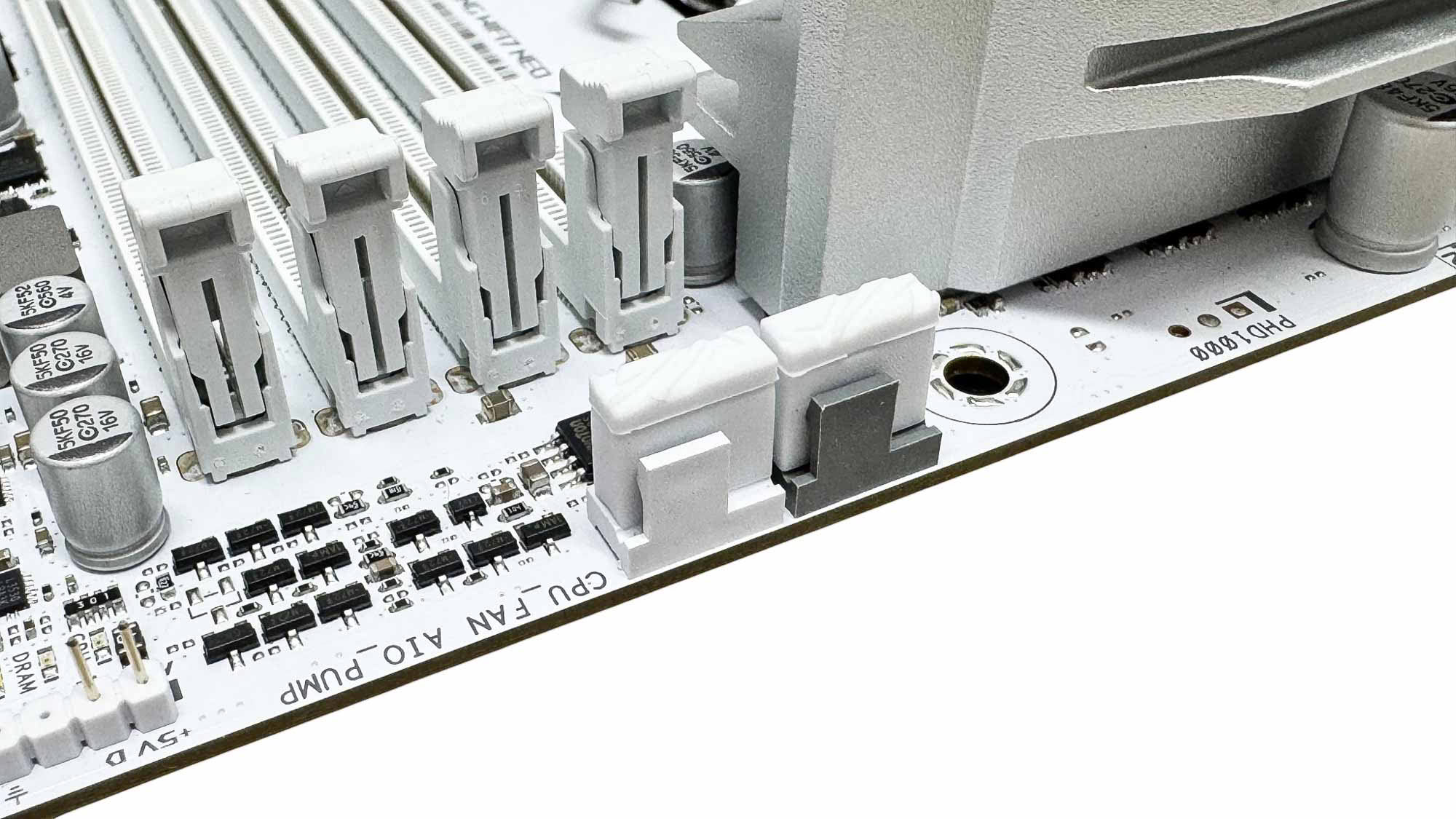
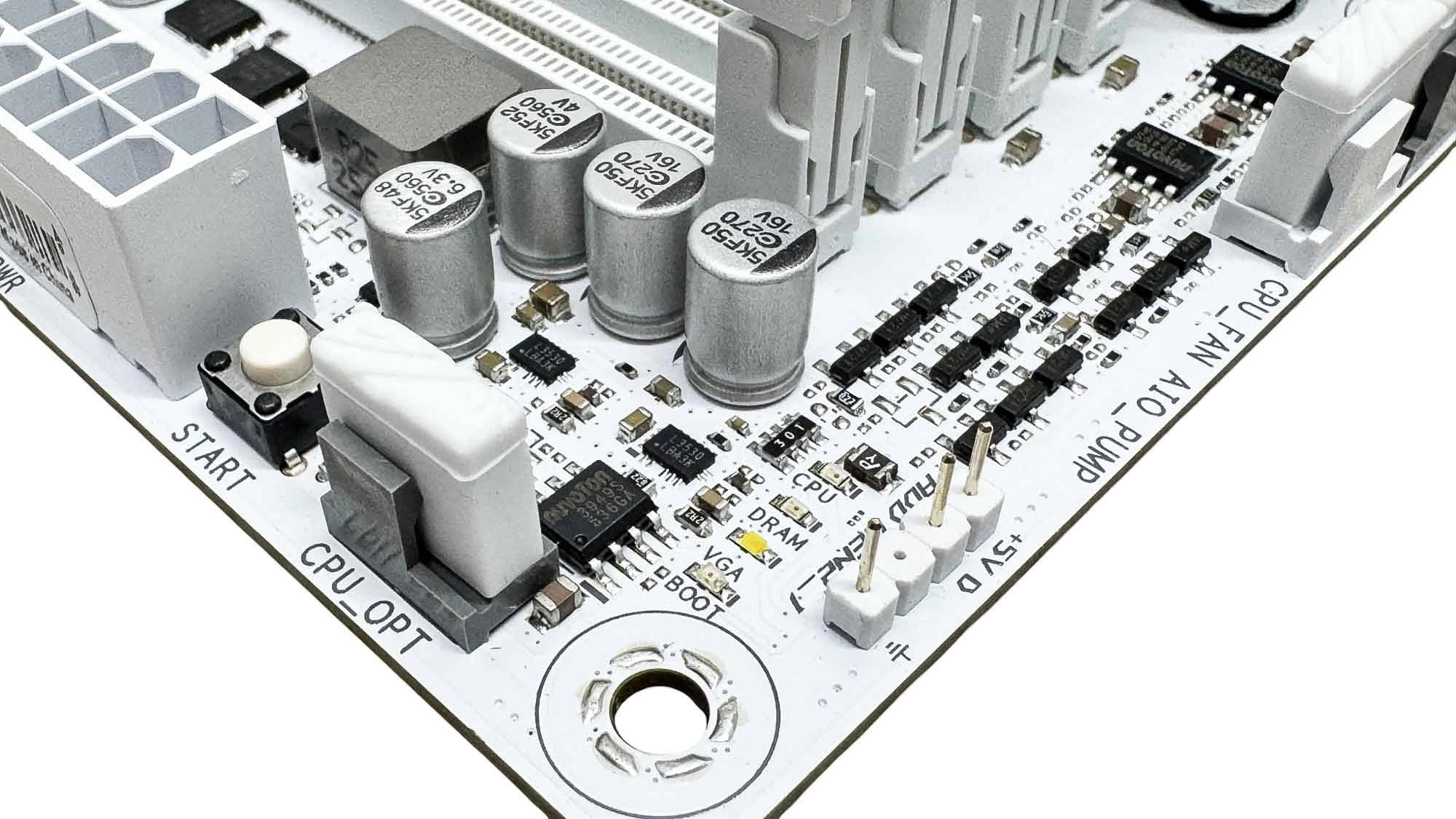
There are seven 4-pin fan headers in total, but sadly all are limited to 12 W/1 A. This is likely enough for three or four reasonably powerful fans, but if you're planning on hooking up half a dozen 140 mm fans to a single header then this could result in a problem. Thankfully, ASUS does have a solution to this in its EFI where you can group fan headers under a single fan curve profile, saving you having to create profiles for multiple headers when spreading the fans around. More on that later. The rubber caps here are to protect the pins underneath, but should of course be removed before installing your fans. The top right corner offers three fan headers in total along with a 3-pin ARGB header.
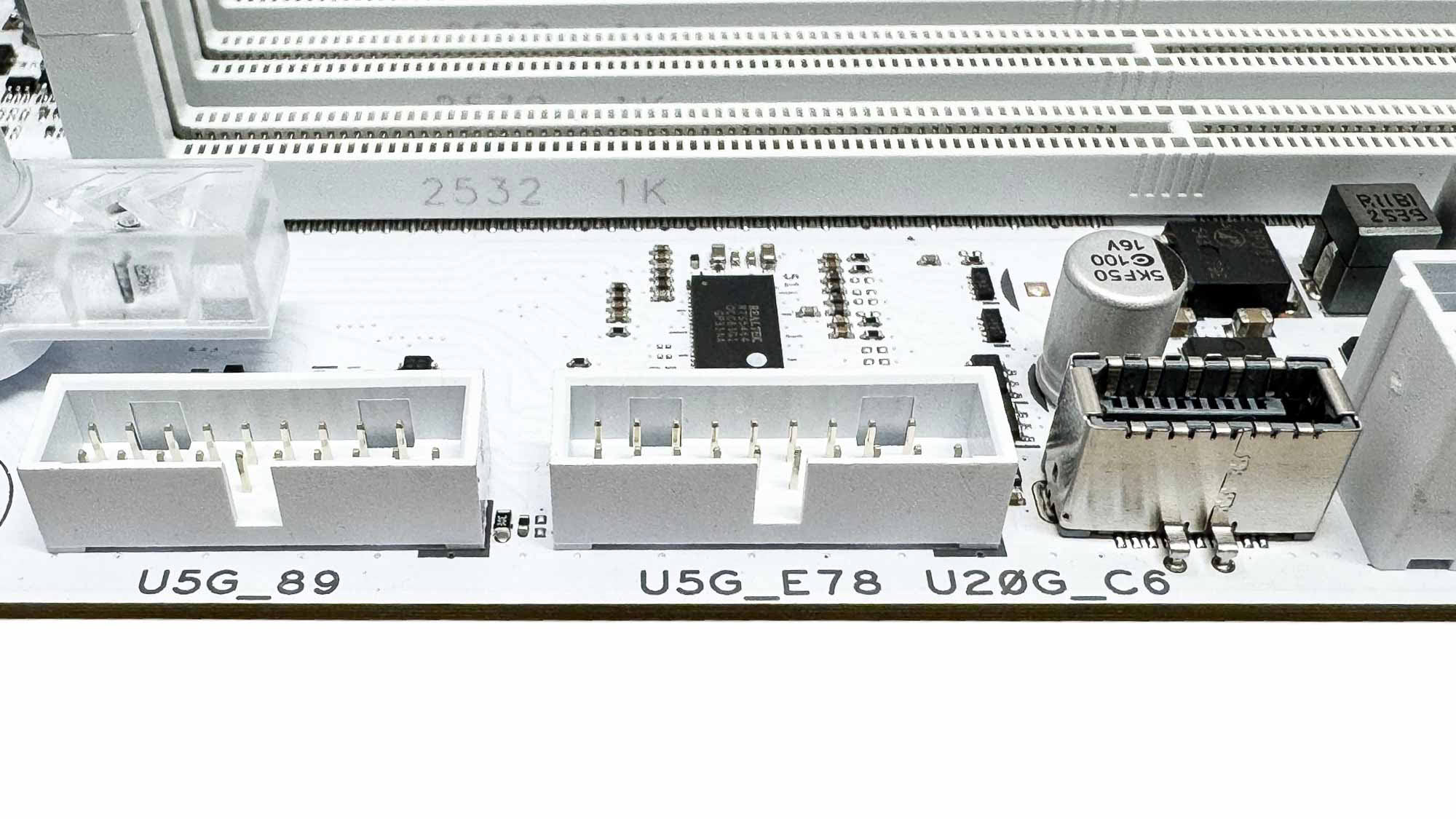
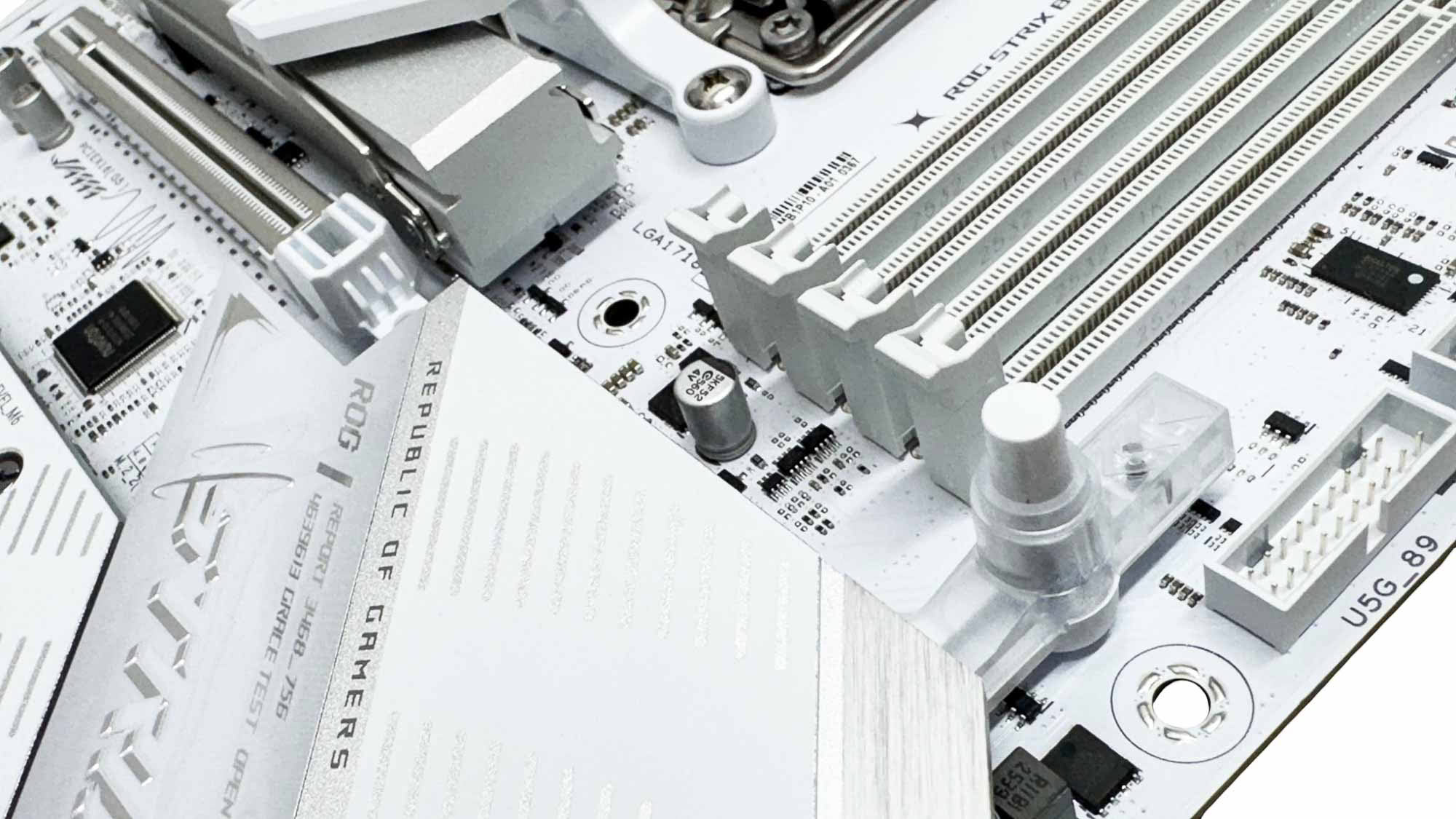
There are two USB 3.0 headers for cases with more than the usual two Type-A ports and ASUS has switched the USB 3.2 Gen 2 20 Gbps port from the rear on the previous model to the Type-C header on the new board here. This makes sense as you're far more likely to hook up portable SSDs to the Type-C header than reach around the back of your case, and most other manufacturers have done the same too. Sadly, there's no additional power delivery over the Type-C port. There were a few reported instances of its previous GPU quick release mechanism damaging graphics cards, but even the way it worked wasn't particularly intuitive. We're glad to see it reverting to a simple button here, which is a push to open mechanism that automatically locks your GPU in place with no guesswork.
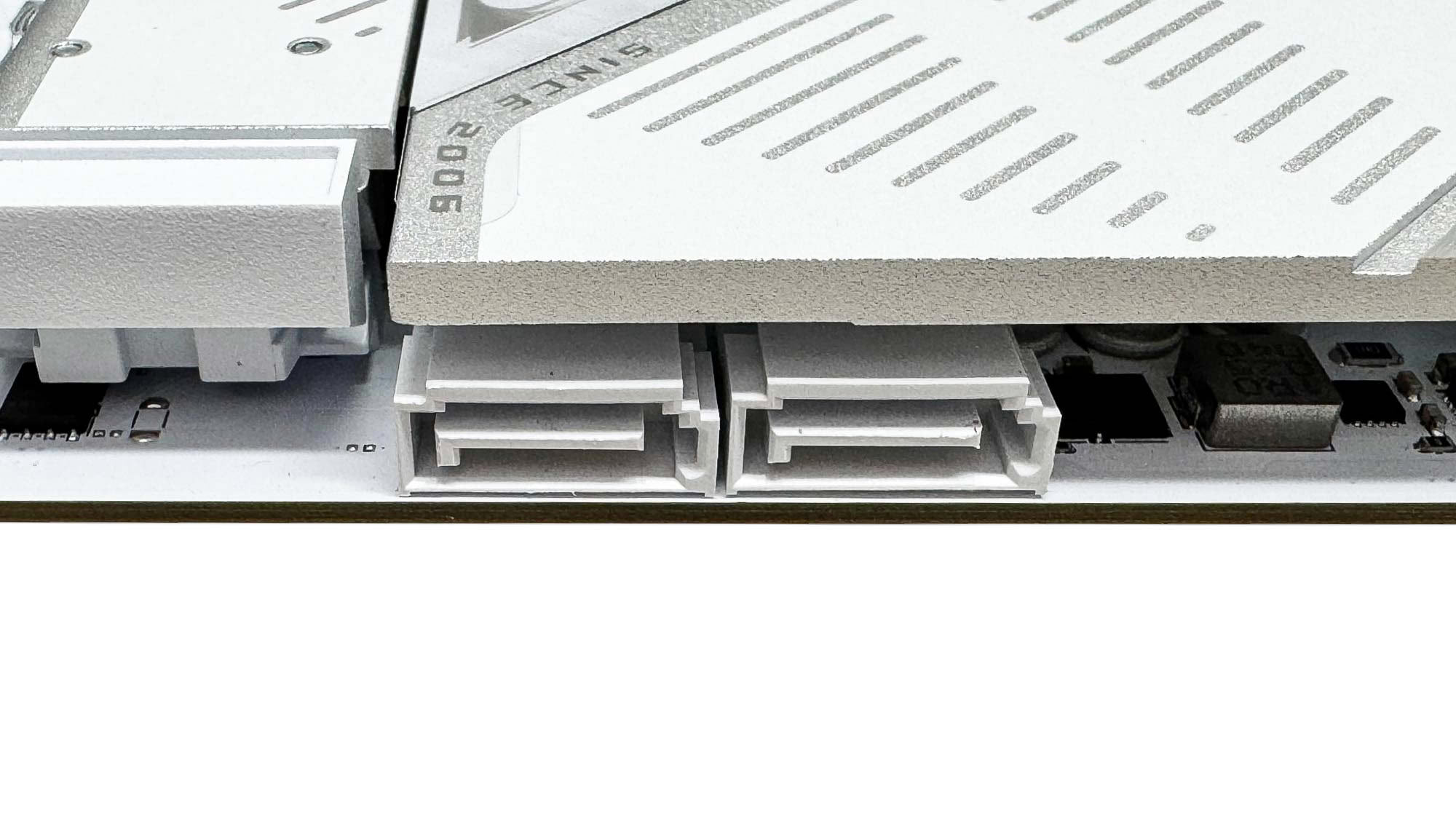
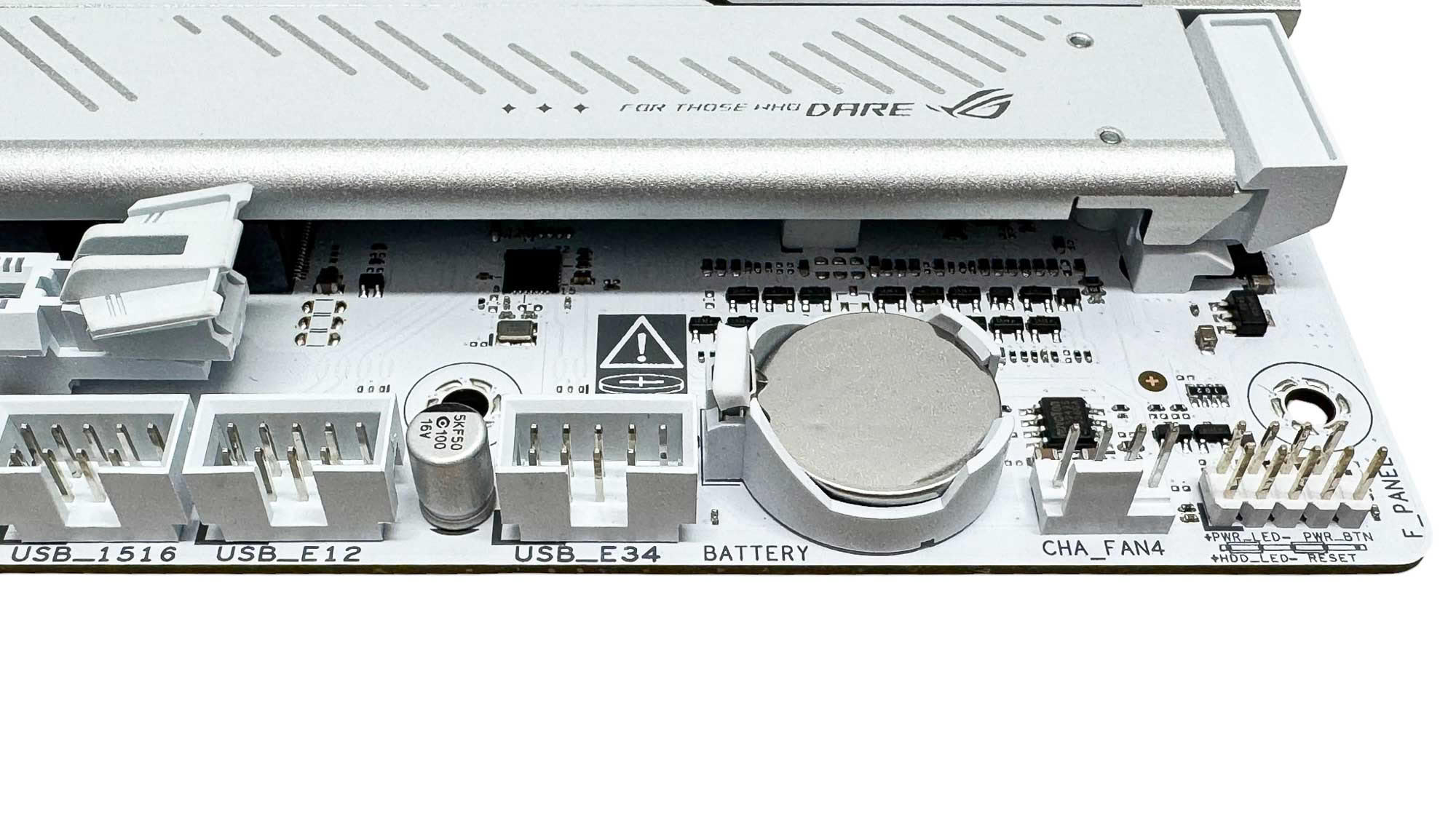
It's pretty common to see just two SATA ports on motherboards now, and not just on sub $300 motherboards. If you're transplanting a hard disk and 2.5" SSD and plan on upgrading to an M.2 SSD when prices are less insane, then this is all you need. With any more than two SATA devices, sadly you're out of luck, but that's likely quite a niche situation these days. The bottom right corner of the PCB has an easily accessible CMOS battery, three USB 2.0 headers, a fan header and the front panel header.
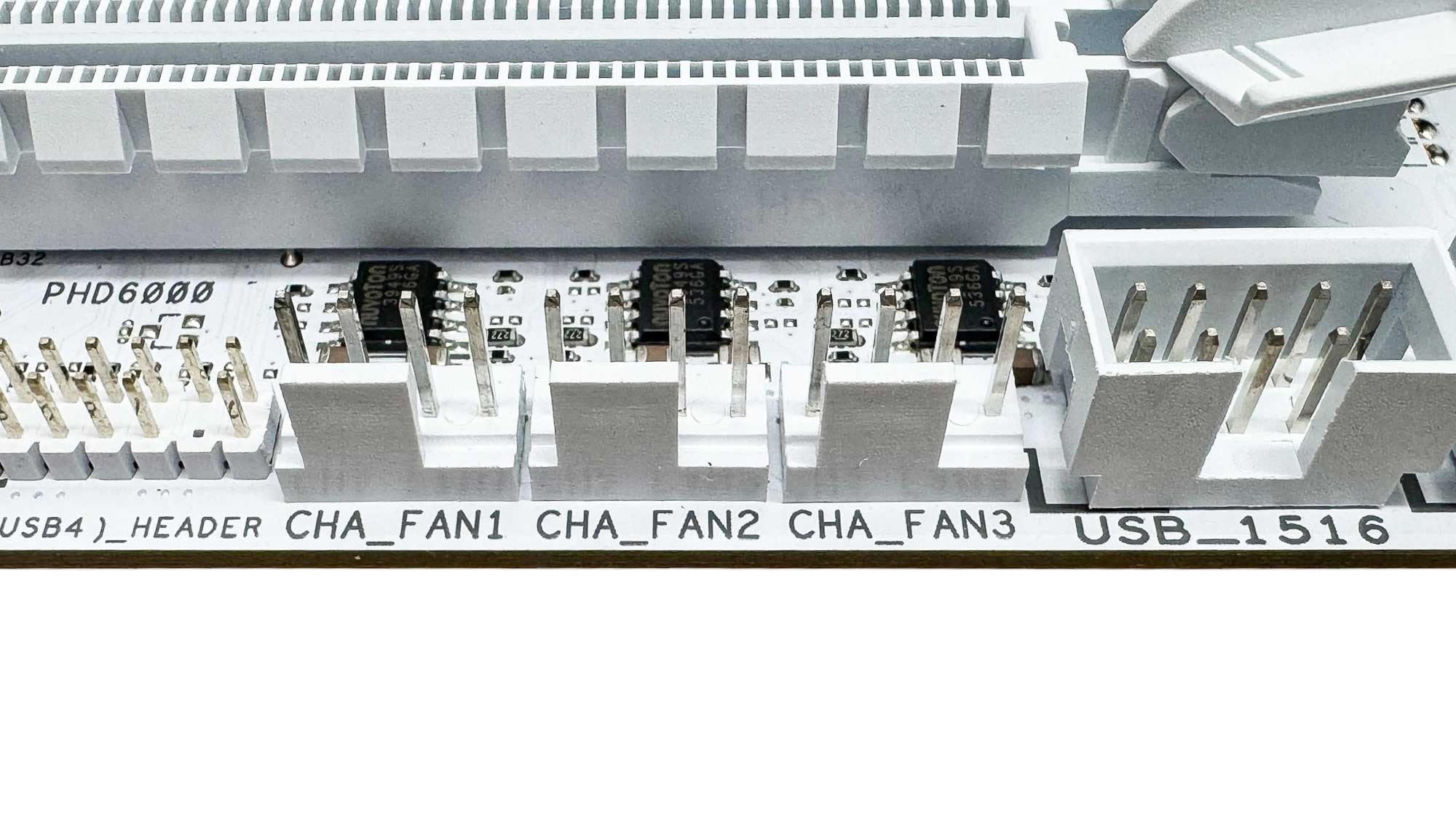
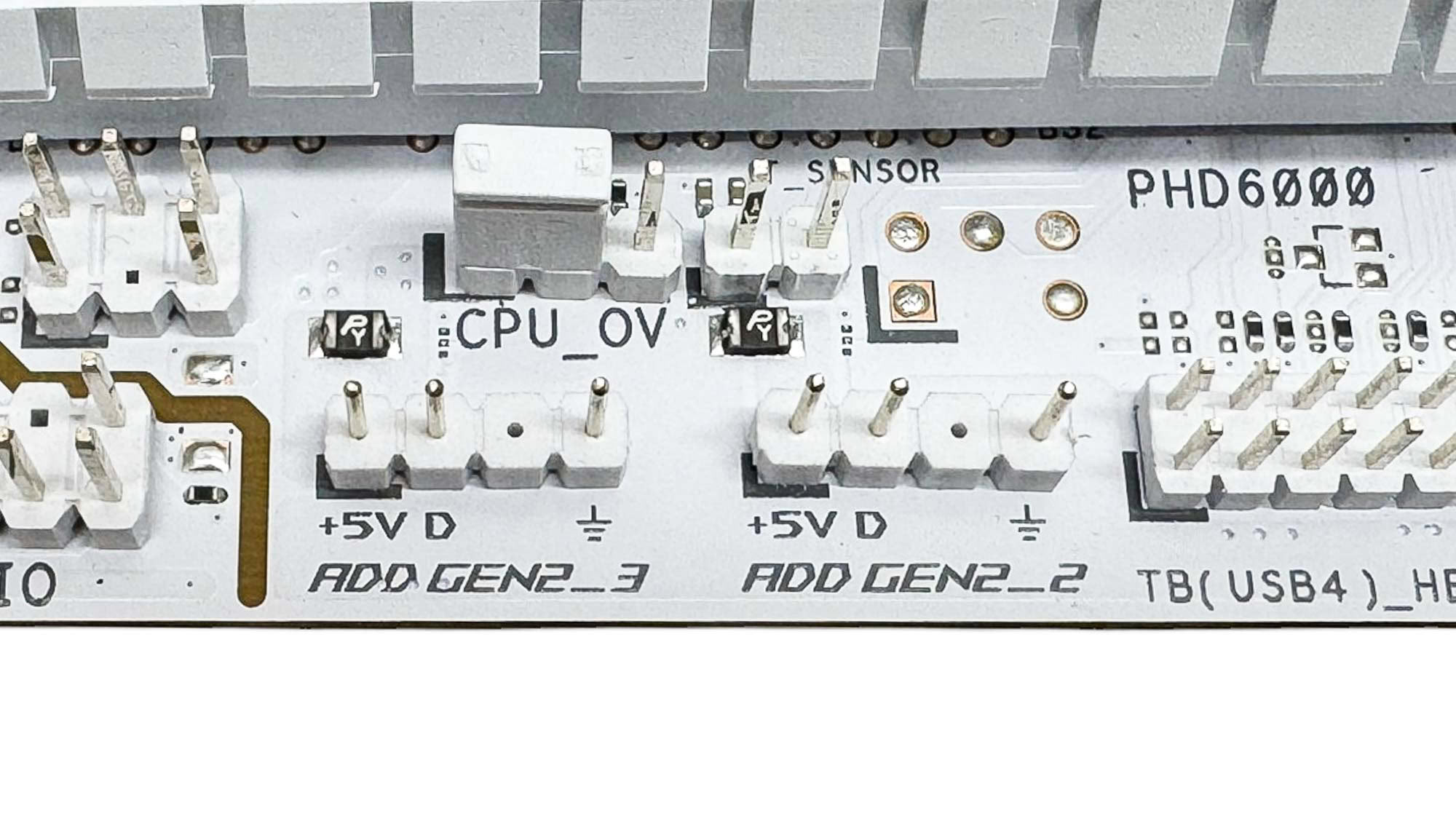
Beneath the lower PCIe slot we have the final three fan headers and two 3-pin ARGB headers as well as the jumper for lifting the cap on vCore for extreme overclocking. The specification page on the ASUS website currently fails to list any 2-pin thermistor probes being present, but the manual says there are and sure enough on checking it's here next to the CPU over-volt header.
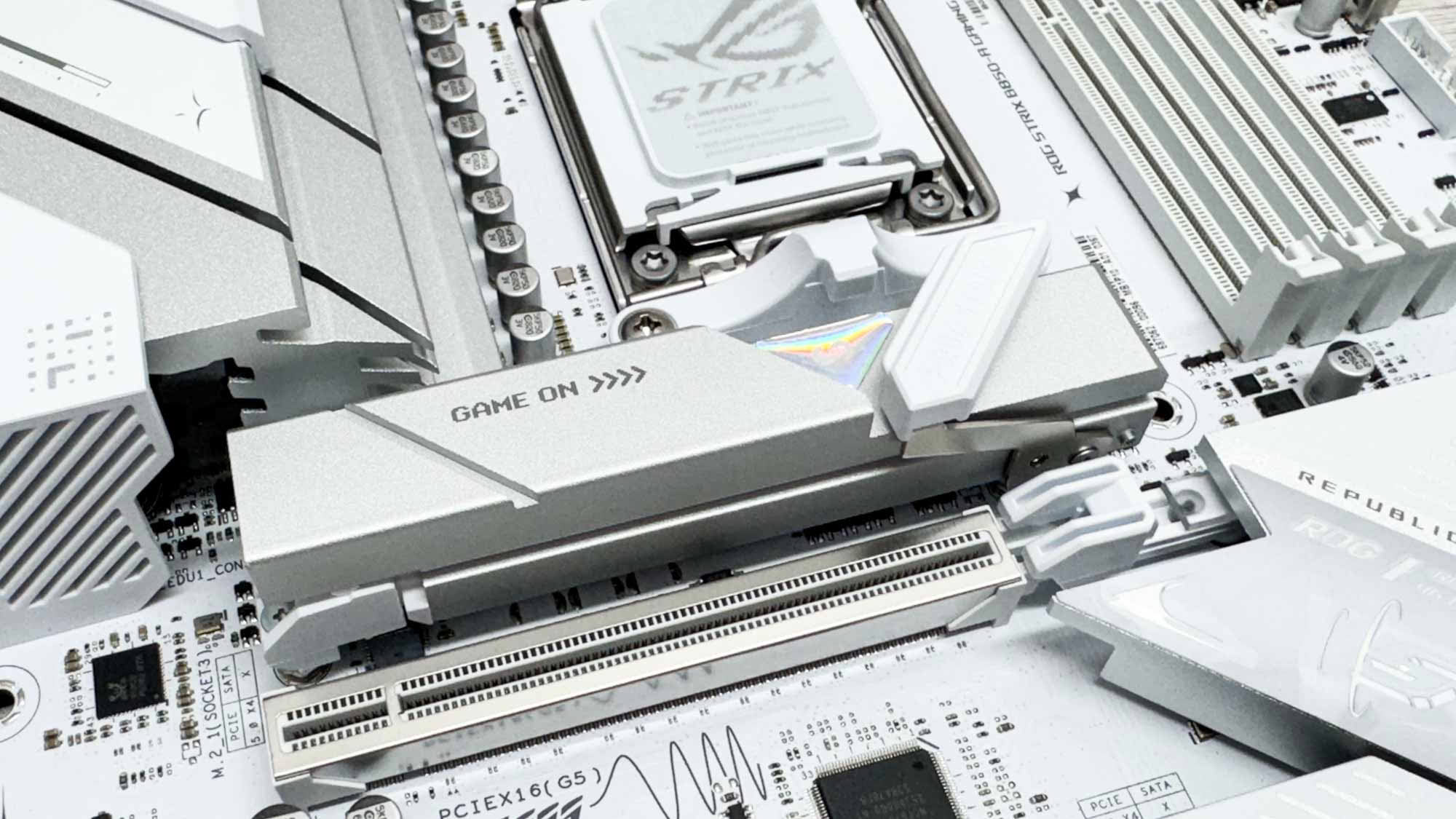
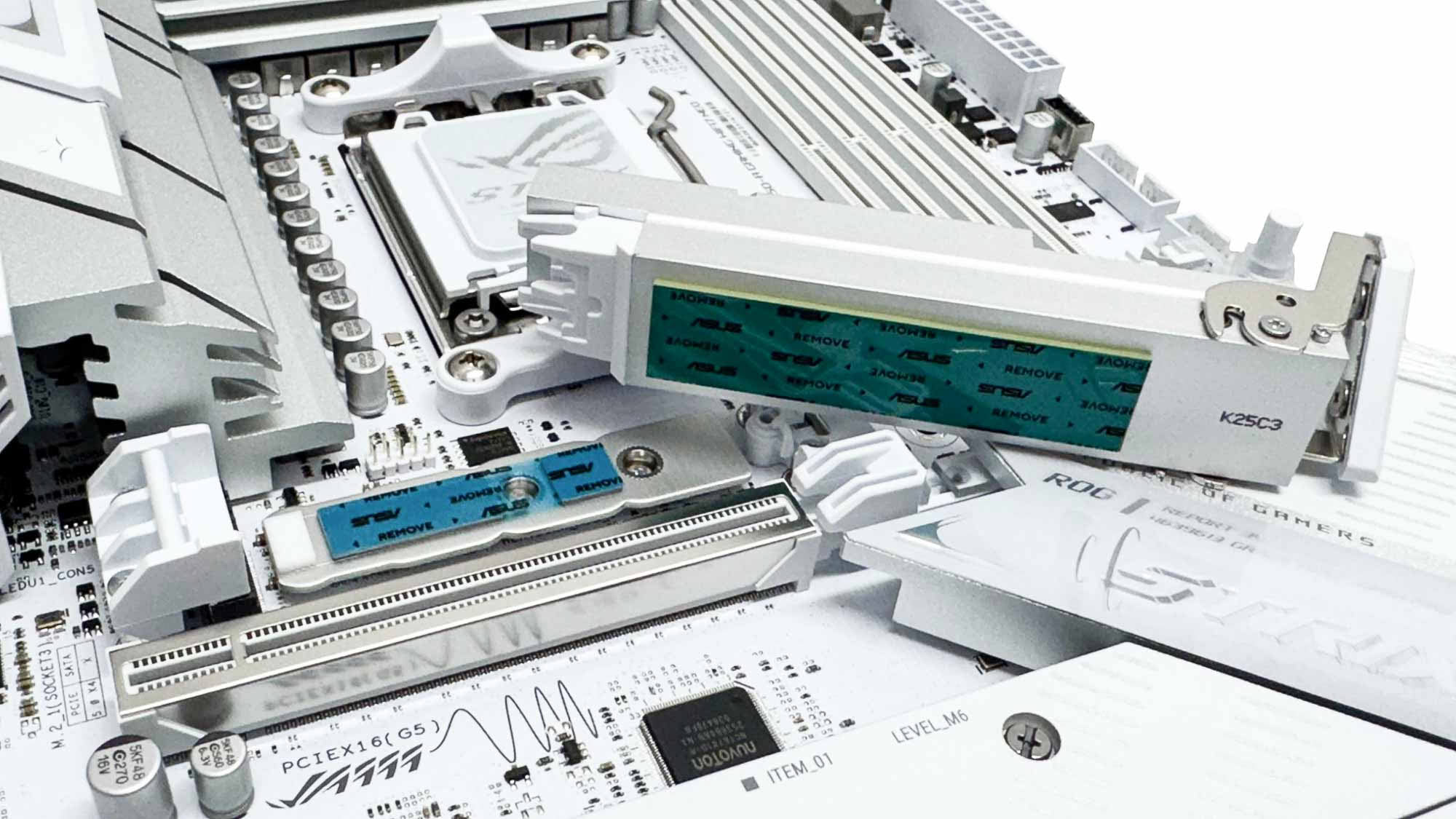
The M.2 heatsink for the lone PCIe Gen 5 M.2 port is large and tool-free, with a lower heatsink present too for cooling double-sided SSDs. The included rubber supports should be used in all M.2 slots with single-sided SSDs, slotting into corresponding supports on the PCB to ensure the SSD doesn't bow. It's important to use them as they do make a difference. With the lower thermal pad is also important to make sure it sits below the components on the SSD. ASUS usually fails to make the pad extend to the end of the heatsink and our SSD in particular has components that end up not making contact, resulting in much higher SSD temperatures.
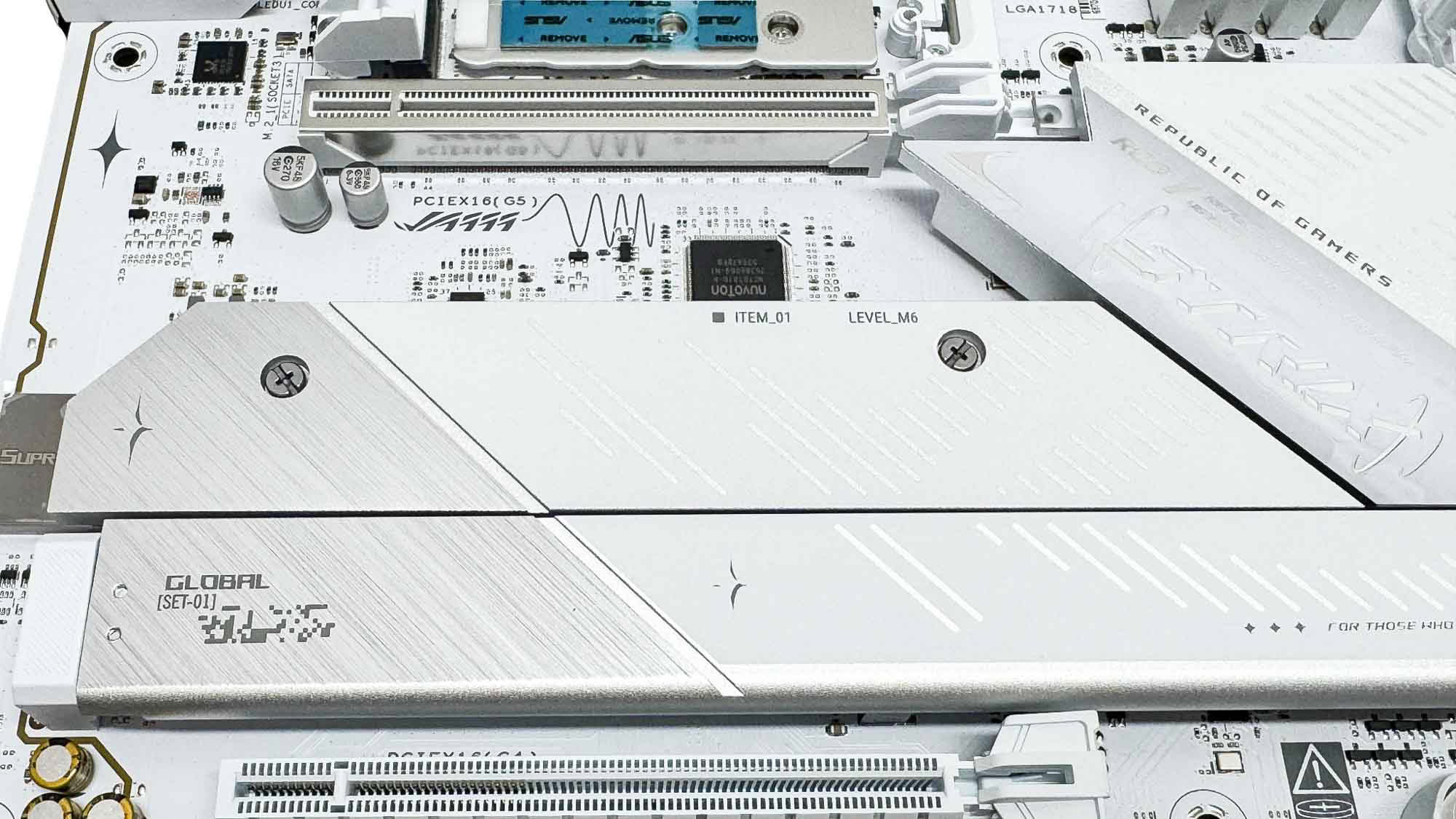
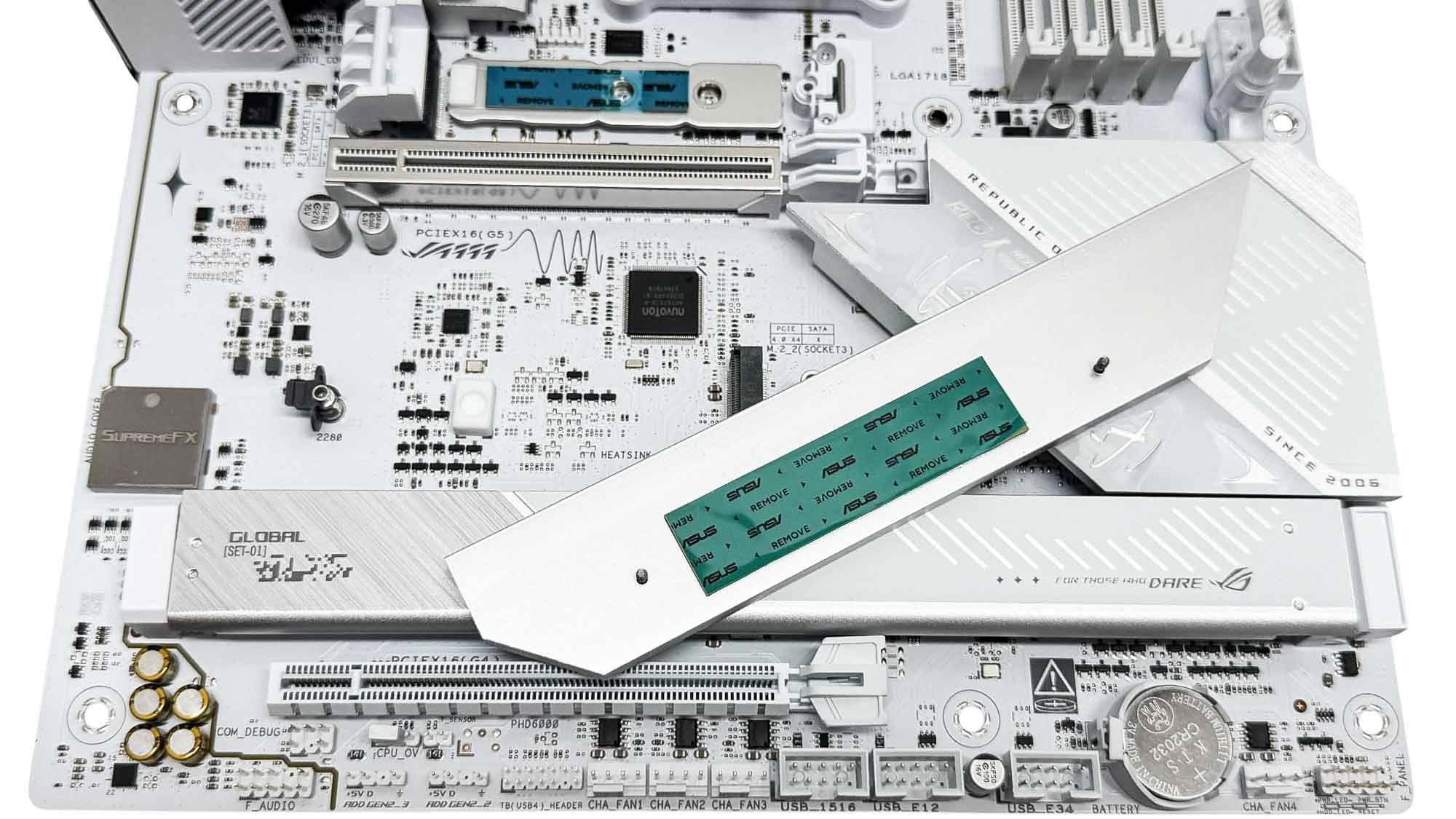
The next heatsink cools a single M.2 port, with no underside cooling here, but it only supports PCIe Gen 4 SSDs anyway. Sadly, it's not tool-free, but the screws are thankfully captive so you'll have a hard time losing them.
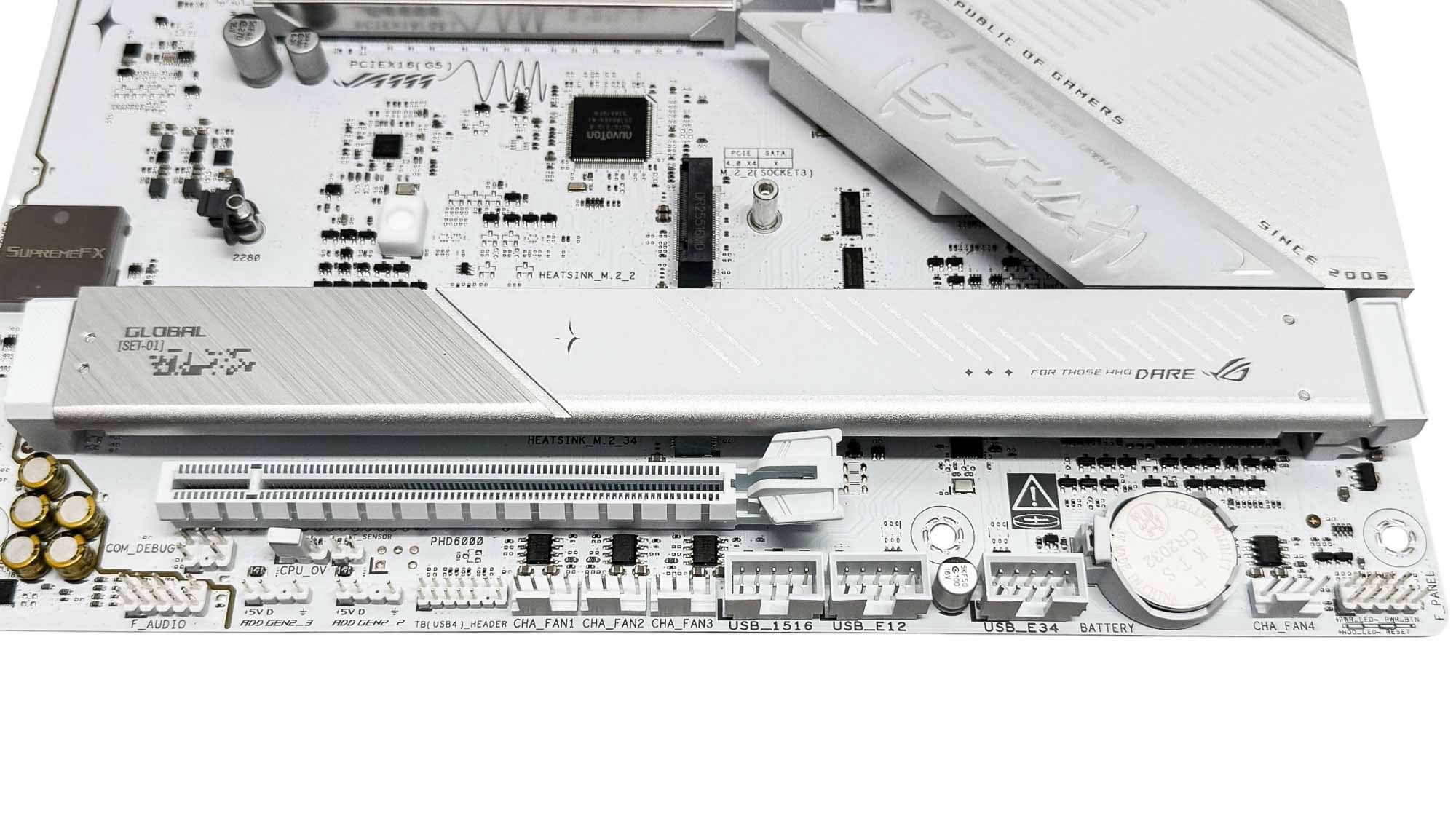
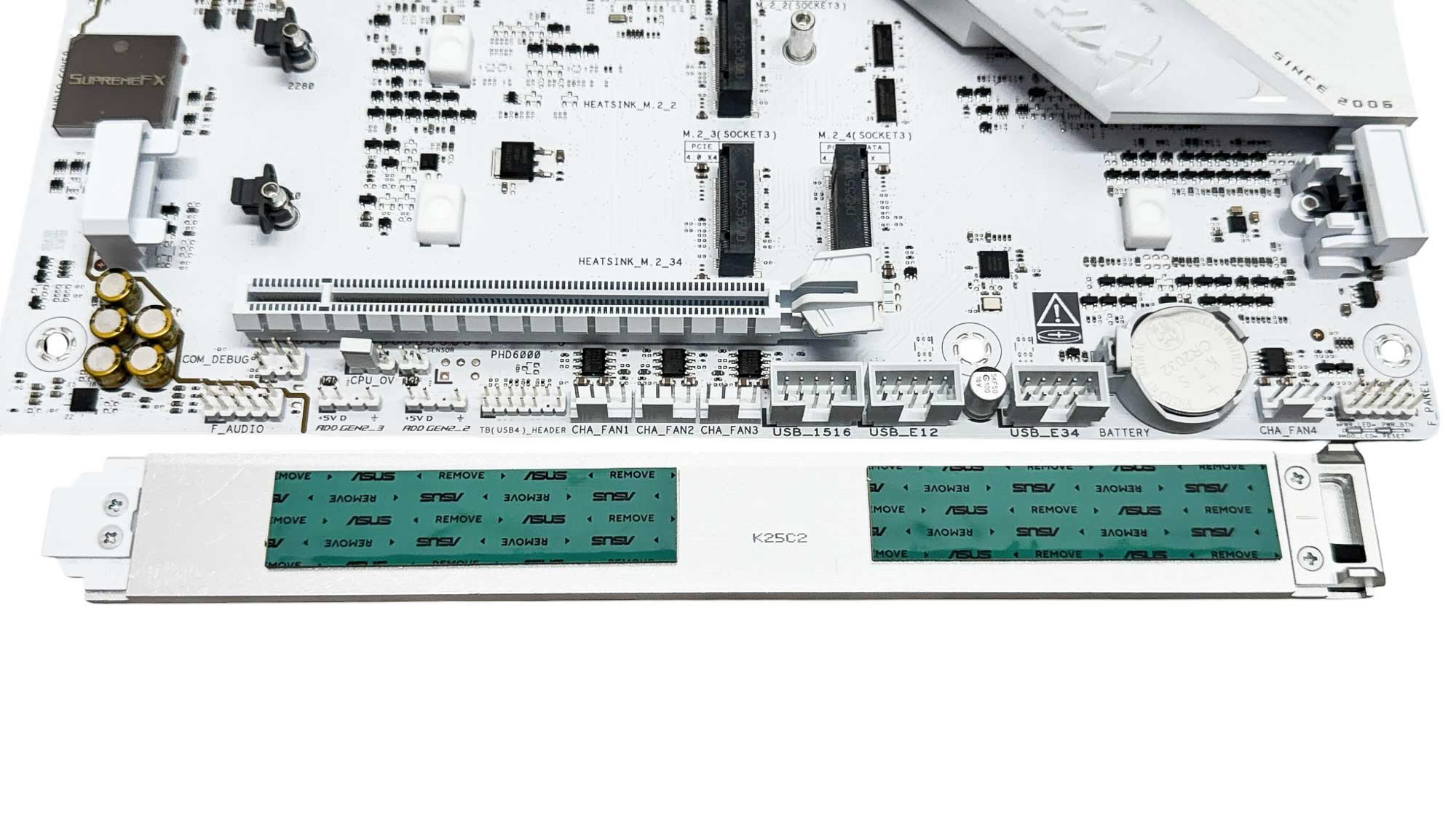
The final two M.2 ports, again both PCIe Gen 4, are cooled by a much larger tool-free heatsink, again with no underside cooling. However, it's also far enough south to allow for triple-slot GPUs to be used and will still be accessible.
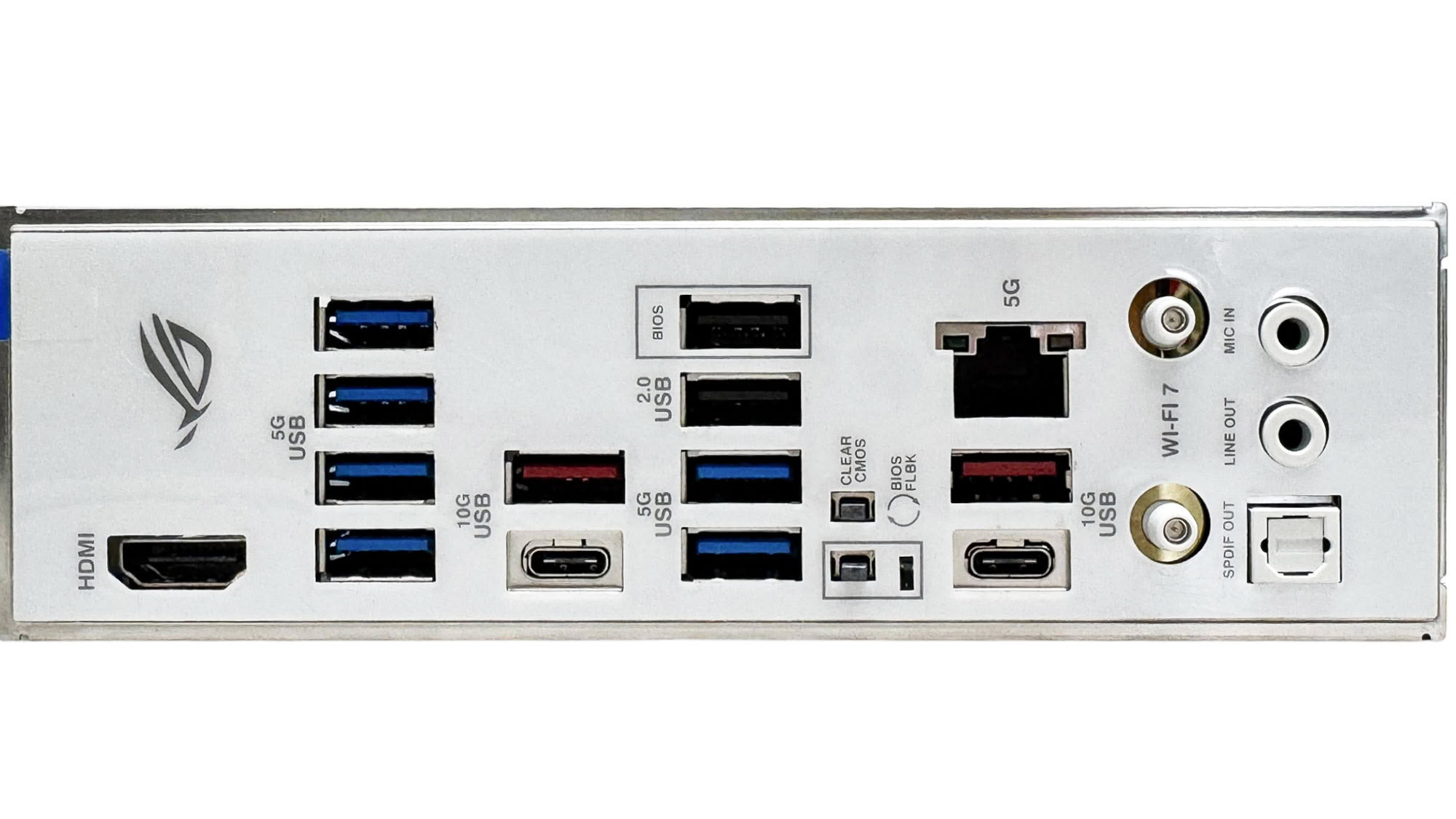
The rear I/O panel's only notable flaw is that it only has one video output, so even dual monitor setups won't be possible without a dedicated graphics card. Otherwise, nine Type-A USB ports, most of which are USB 3.0 or faster, plus two USB 3.2 Gen 2 10 Gbps Type-C ports are decent for a board at this price. We also have USB BIOS flashback and CMOS clear buttons, and 5 Gbps Ethernet. There are Wi-Fi antenna connectors for the Q-Antenna aerial in the box, plus the usual audio jacks and optical output on the board itself.
Nov 18th, 2026 09:35 CST
change timezone
Latest GPU Drivers
New Forum Posts
- Time to upgrade CPU and MOBO (24)
- WarpCoreBench scores! (61)
- X99 Club (188)
- Wireless Internet sharing between PC and router both-ways, is it possible? (16)
- Last game you purchased? (1403)
- Without Jensen, PC gaming will be (43)
- [Poll] 12V-2x6 Connector Protection: What Are You Using? (WireView / Ampinel / Equalizer / Other / Nothing) (35)
- Help with fixing Overclock (10)
- GIGABYTE - H55N-USB3 ITX Upgrade experience (4)
- Honestly, do you care about GTA VI? (137)
Popular Reviews
- Acemagic Retro X3 Review
- Upcoming Hardware Launches 2027 (Updated Nov 2026)
- AMD Zen 6 Technical Deep Dive
- ASUS ROG Strix B850-I Gaming Wi-Fi7 W Review
- Corsair HX1000i Shift Crystal Review
- Biwin Black Opal NV7400 2 TB Review
- Chieftec Iceberg PRO 360 DARK Review
- AMD Ryzen 7 9800X3D Review - The Best Gaming Processor
- Phantom Blade Zero Performance Benchmark Review - 35 GPUs Tested
- Montech King 95 3D PRO Review
TPU on YouTube
Controversial News Posts
- NVIDIA Co-Founder and CEO Jensen Huang Officially Resigns (472)
- Open Letter Asking NVIDIA to Reinstate Jensen Huang Passes 115,000 Signatures (184)
- Report: Jensen Huang Eyes NVIDIA Comeback (177)
- OpenAI CEO Argues Home PCs Waste the World's Limited DRAM Supply (152)
- NVIDIA Launches Investigation Into Jensen Huang's Relationship With Suspected Chinese Spy (136)
- Intel "Raptor Lake Next" 16-Core and 20-Core CPUs Surface (130)
- Legendary Game Studio BioWare Shuts Down Following EA Layoffs (104)
- Dell CEO Says the Memory Shortage Will Get Worse in 2027 (95)