 2
ASUS ROG Strix B850-I Gaming Wi-Fi7 W Review
Component Analysis »Board Layout
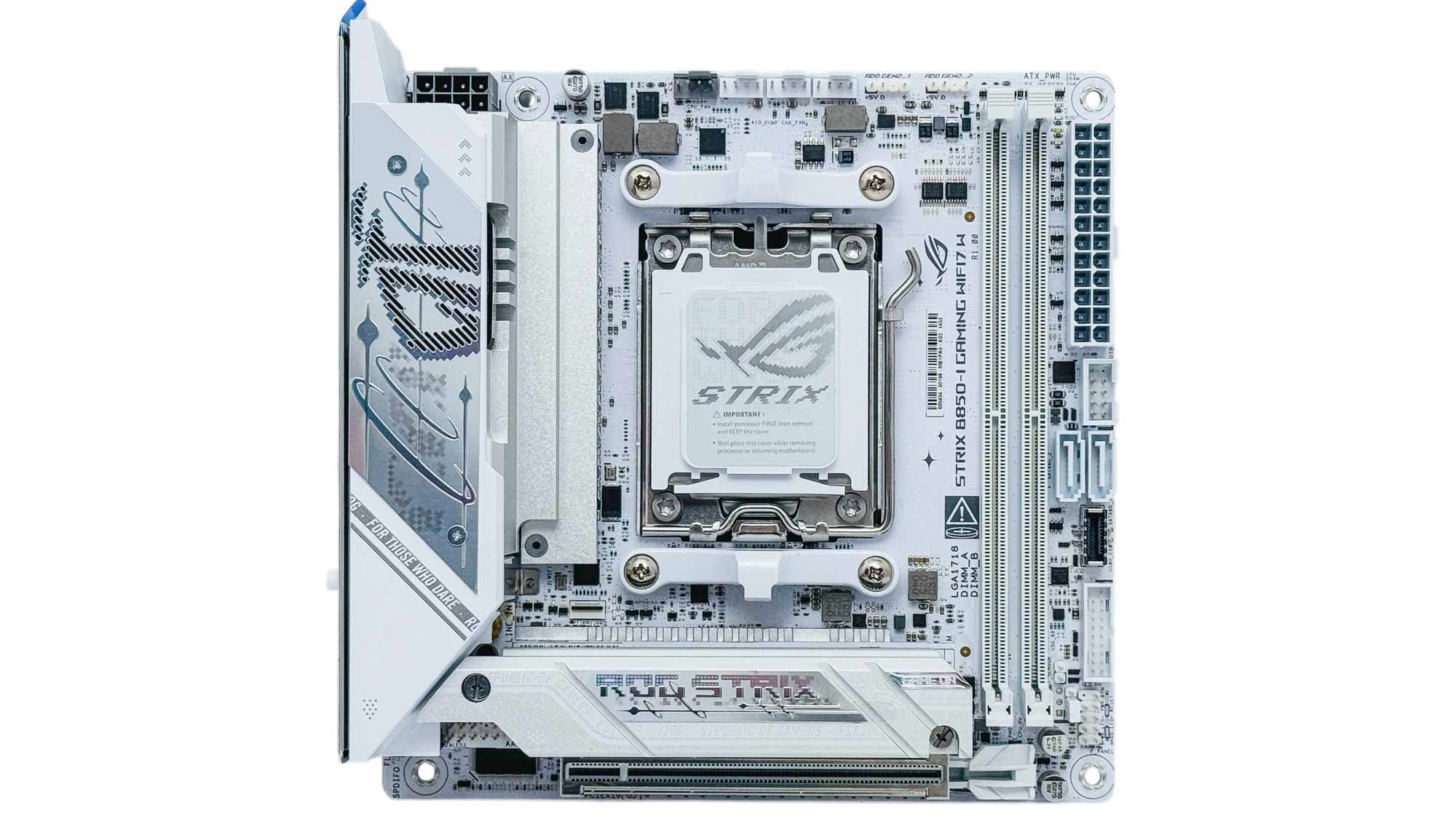
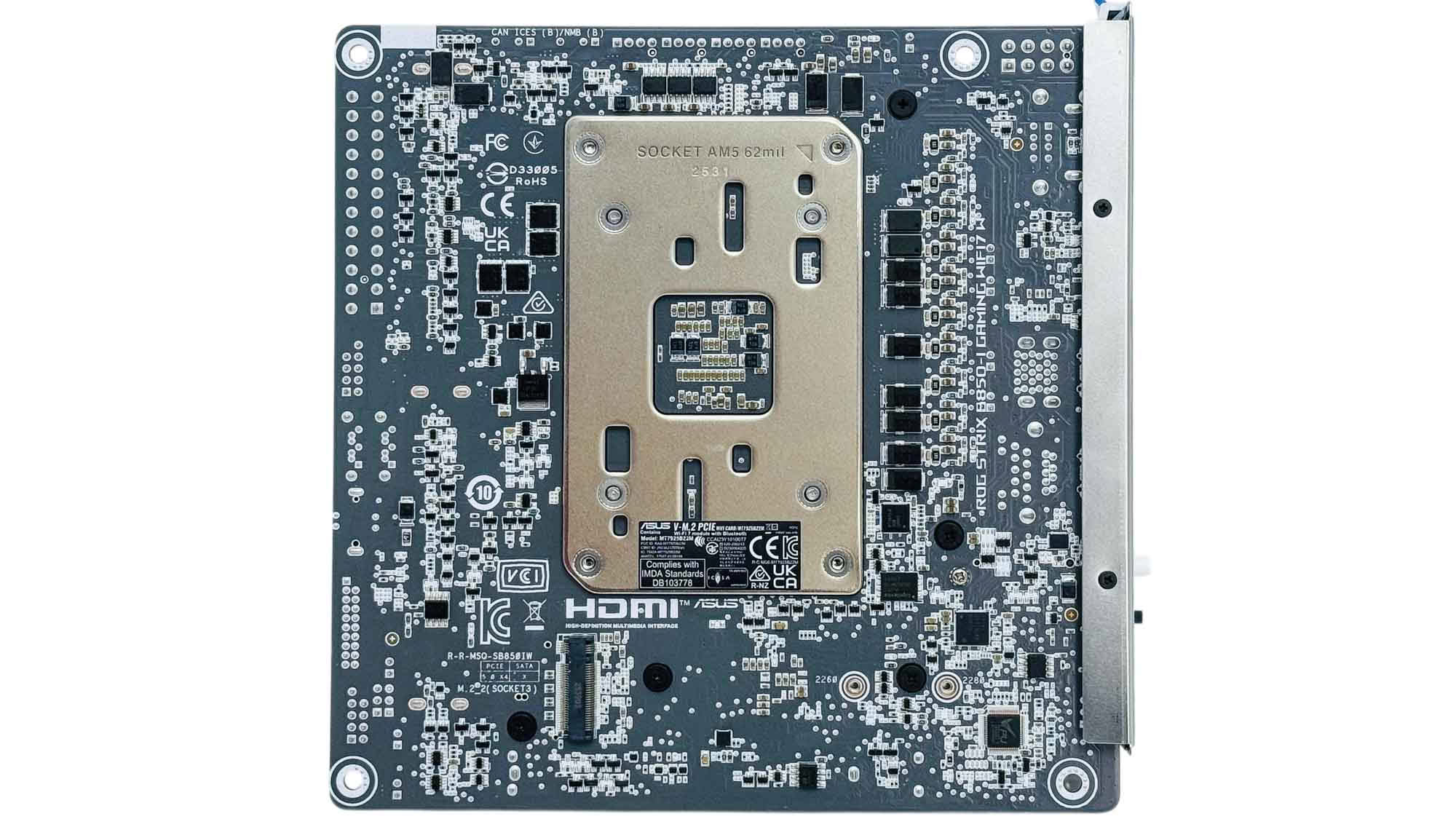
The layout stays much the same compared to the original board, with some subtle design changes and a socket around the USB 2.0 header. Under the hood, though, is a larger 512 Mbit (64 MB) BIOS to sit more in line with the latest ASUS motherboards, and also MSI's MPG X870I Edge Ti Evo Wi-Fi. As the vents on the VRM heatsink suggest, there's still a small fan here that we'll be diving into a little later, and a single rear M.2 port in addition to the one topside.
As with the original model, there's no bandwidth sharing, and this board has the benefit of two PCIe Gen 5 M.2 ports, while even the X870 model only has one. The downside is that the free bandwidth stems from the fact there are fewer ports to go around, with the B850 chipset lacking USB4 for example.
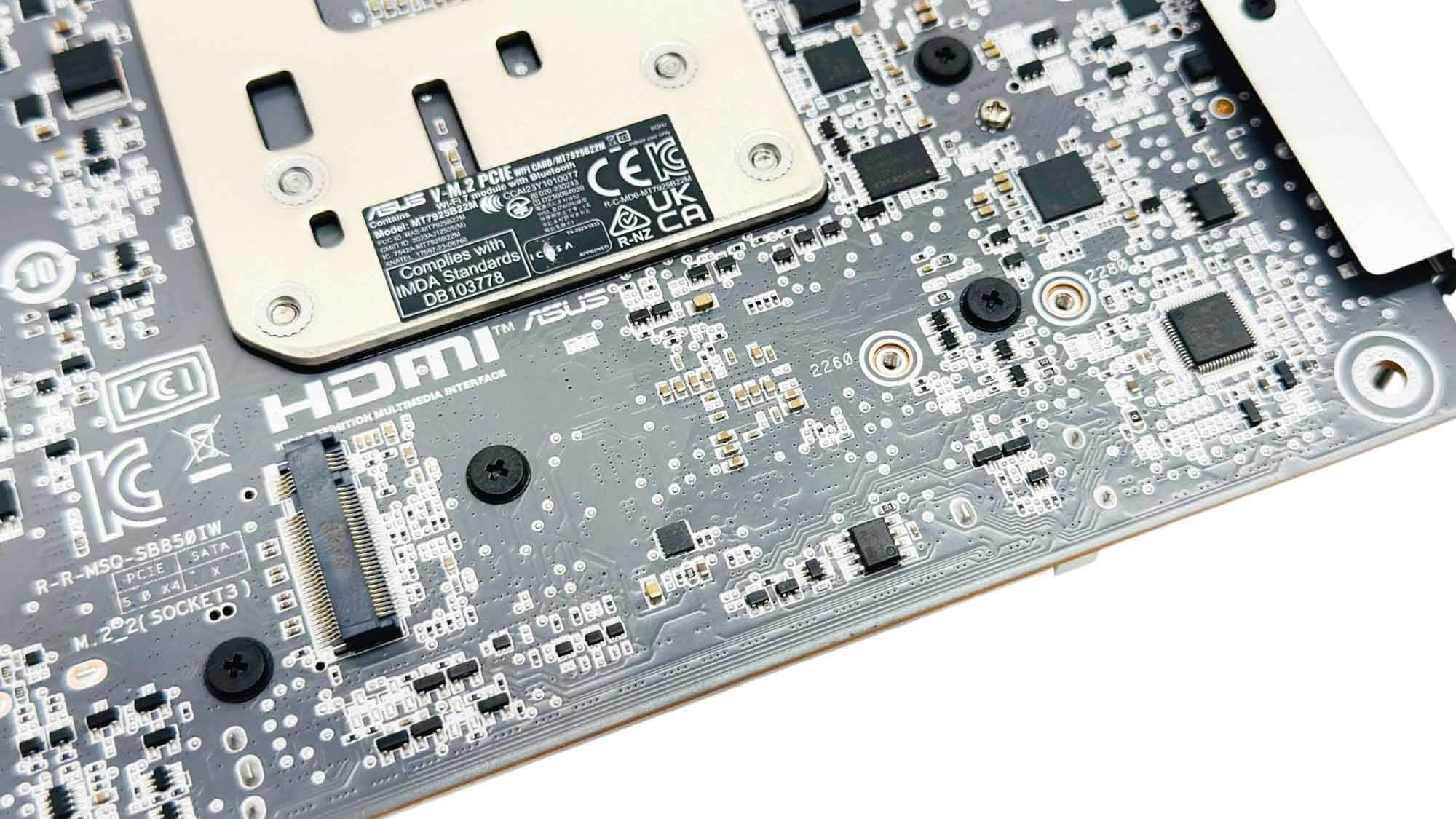
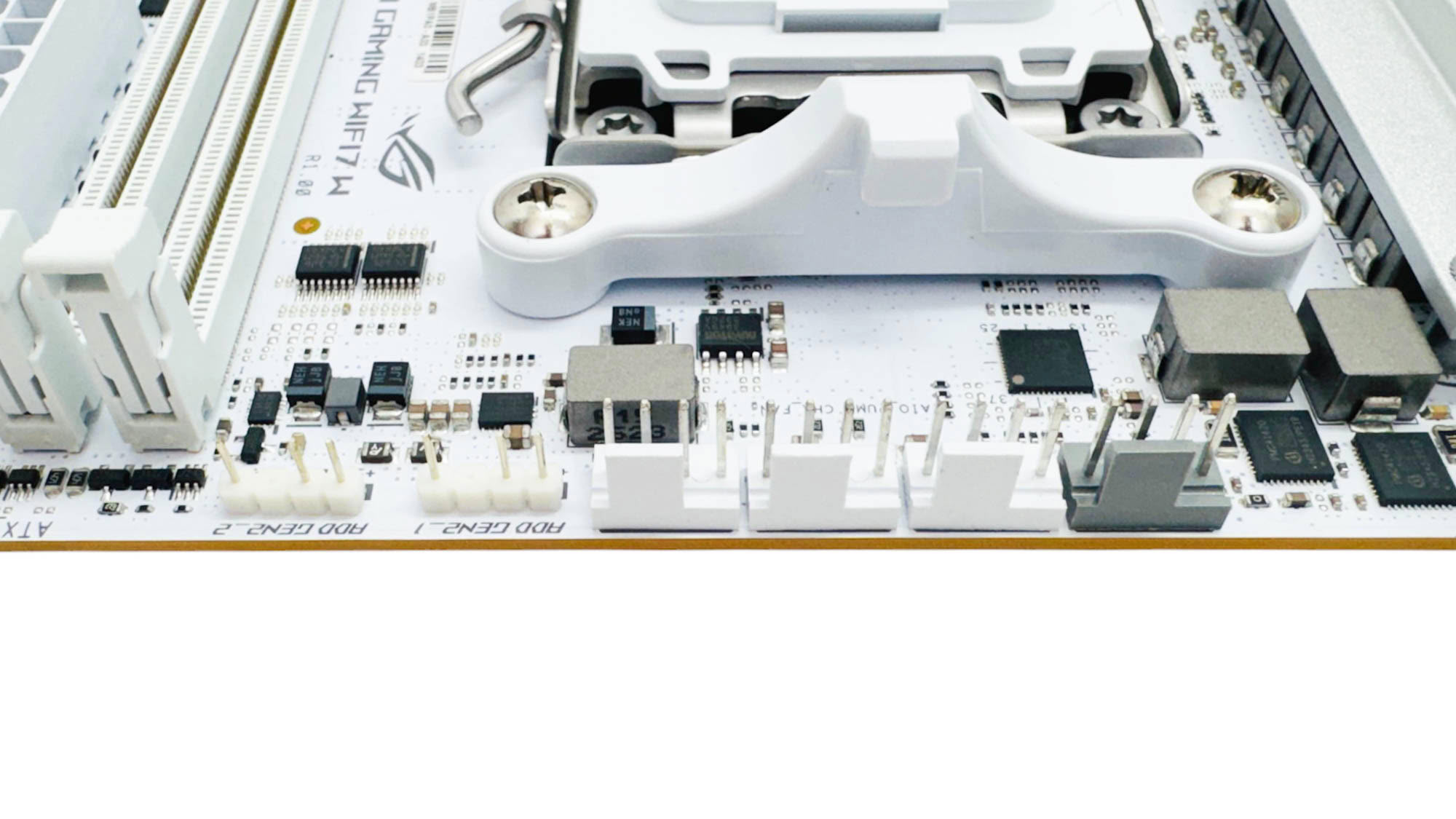
The rear M.2 port also lacks a heatsink, so if you're planning on running a hot Gen 5 drive you'll certainly need to factor in buying a third-party heatsink or an SSD that comes with one. You'll then need to pick a case that has a large enough CPU area cutout if the heatsink is particularly tall. All four 4-pin fan headers are located at the top of the PCB, and each is limited to 12 W/1 A. This would be restrictive in larger PCs, but it's unlikely you'd overload a fan header with the typical number of fans in a Mini-ITX case anyway. This is also the location of the two 3-pin ARGB headers.
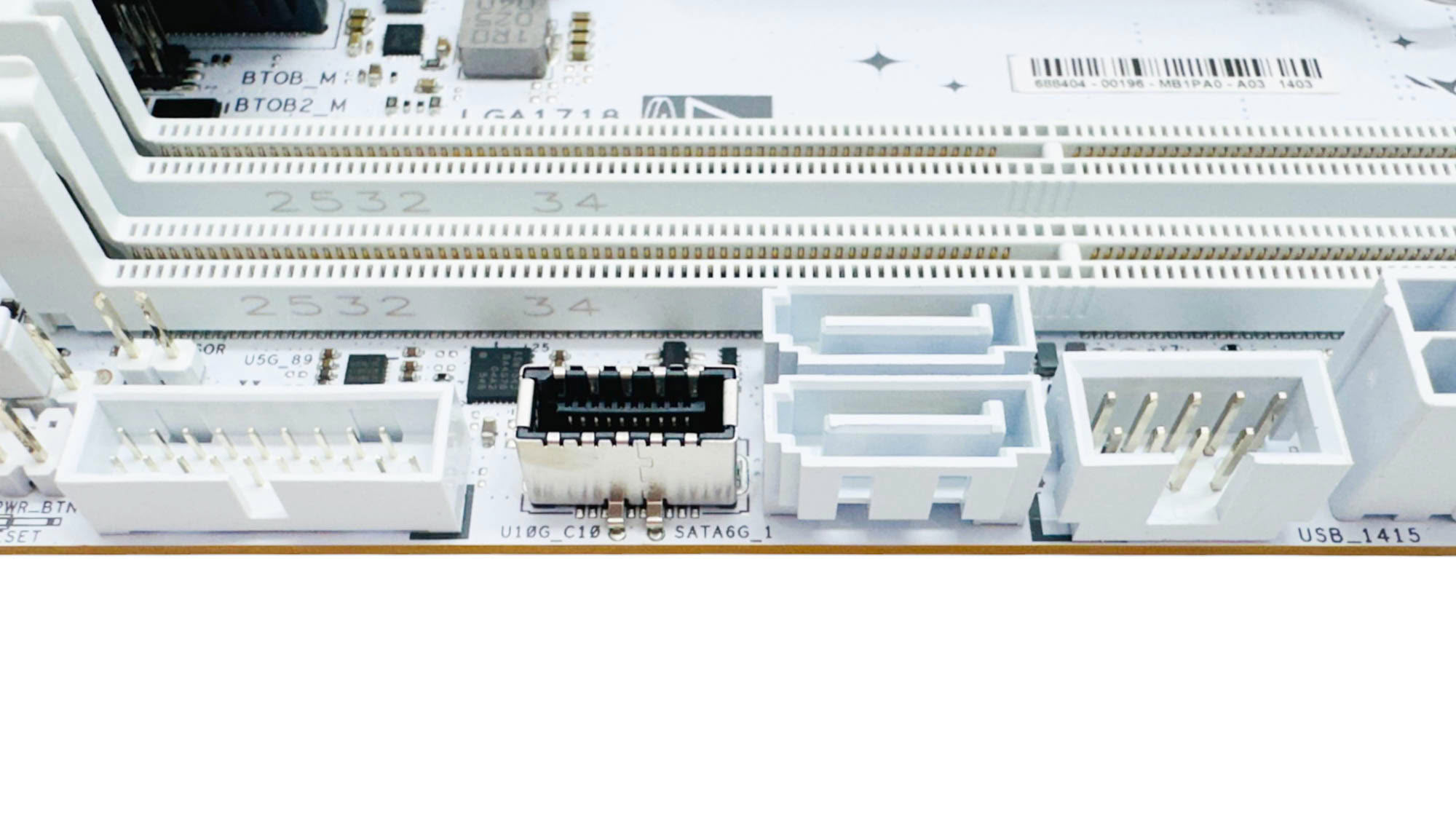
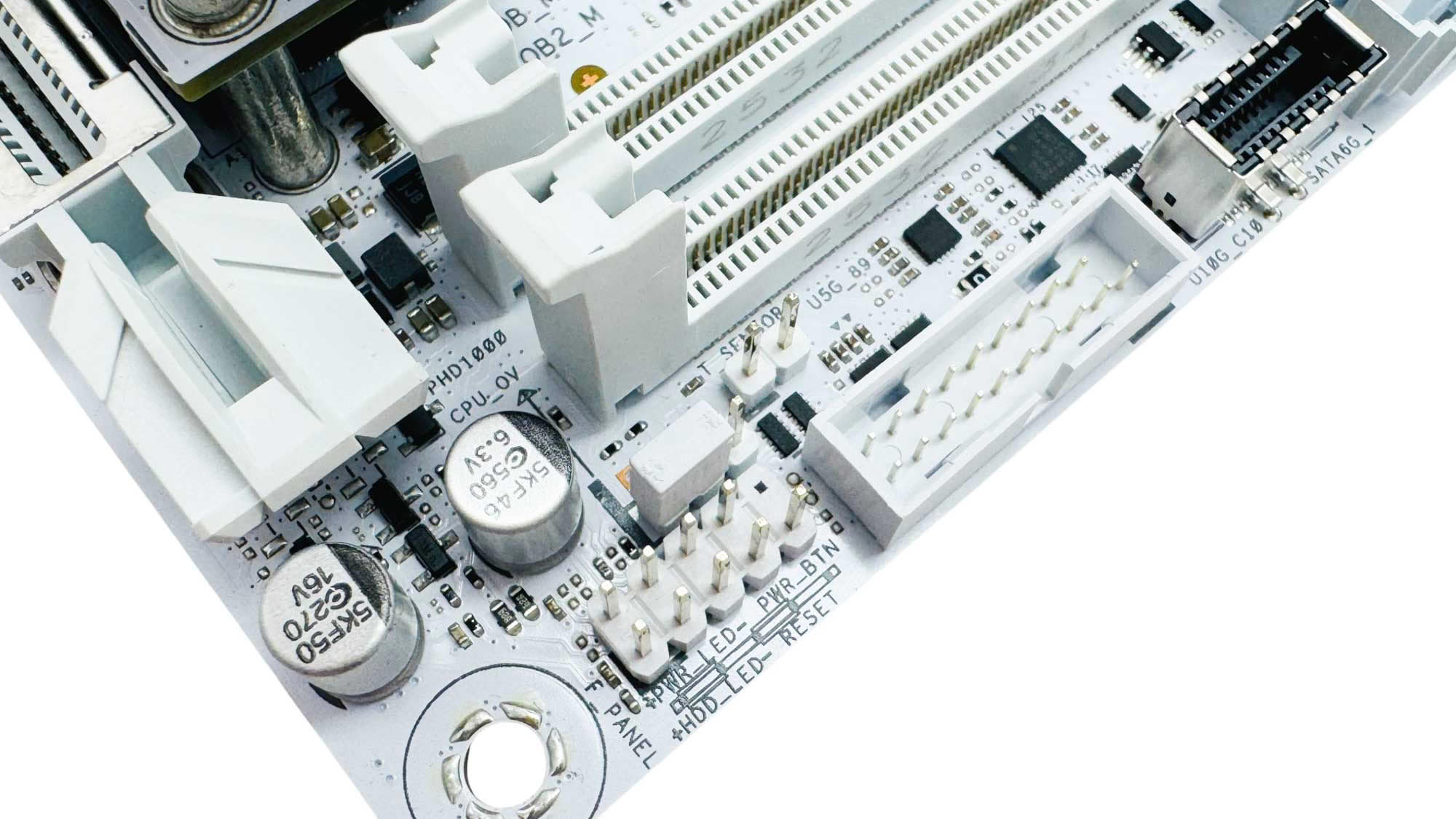
Sadly, ASUS hasn't seen fit to upgrade the Type-C front panel header, which still stands at USB 3.2 Gen 2 10 Gbps and lacks any additional power delivery. That's the same as the MSI MPG B850I Edge Ti Wi-Fi, but in terms of cost it's a much bigger issue when comparing to similarly-priced boards. As usual, we have two SATA ports, which is on par with both B850 and X870 competition. One small bonus is the inclusion of a 2-pin thermistor probe header for adding an extra fan control input, perhaps for coolant or case temperature. The front panel header is going to be very tricky to access once the system is built, which is one reason to praise the MSI MPG B850I Edge Ti Wi-Fi, which comes with an extension cable.
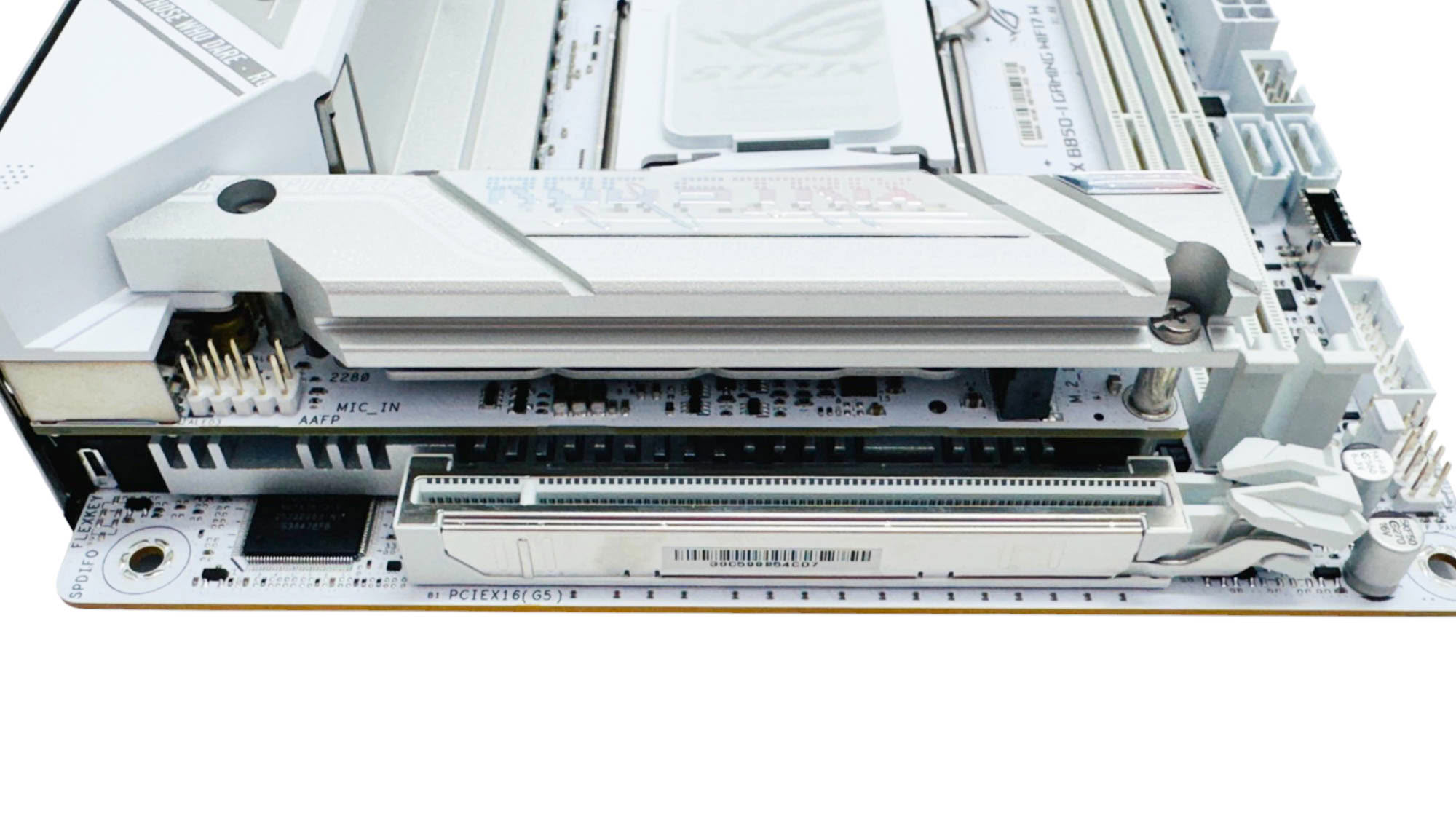
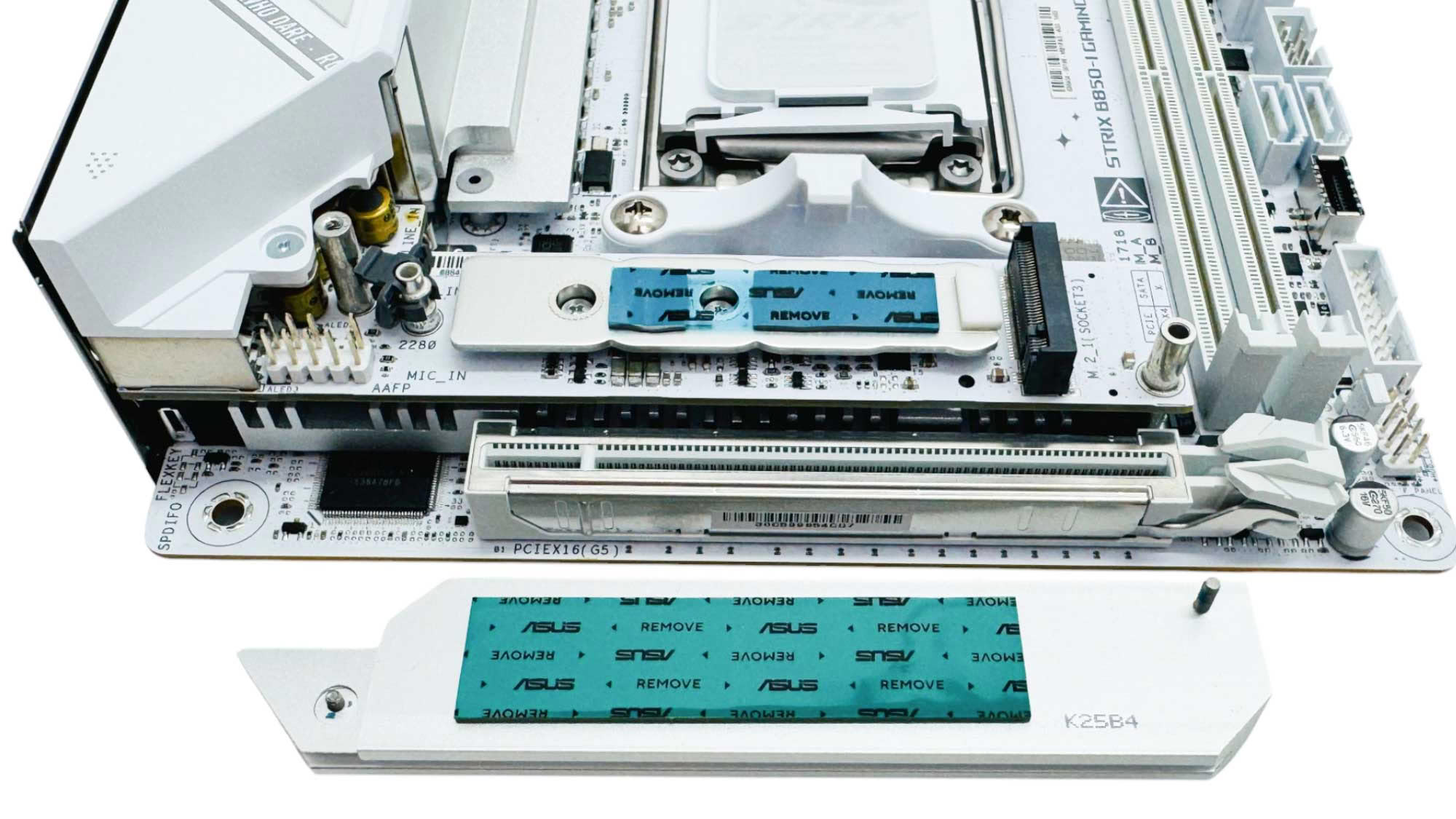
The topside M.2 port is equipped with heatsinks above and below, but the top one is not tool-free. Again, getting a screwdriver to it in some situations might be tricky depending on the case, so a tool-free mechanism would have been nice. The lower heatsink thermal pads have the usual ASUS issue of not extending all the way under the SSD to cover double-sided SSDs, but it's simple enough to shift the pads around to suit your own model. Of course single-sided SSD owners shouldn't forget to use the included rubber support to ensure the best cooling.
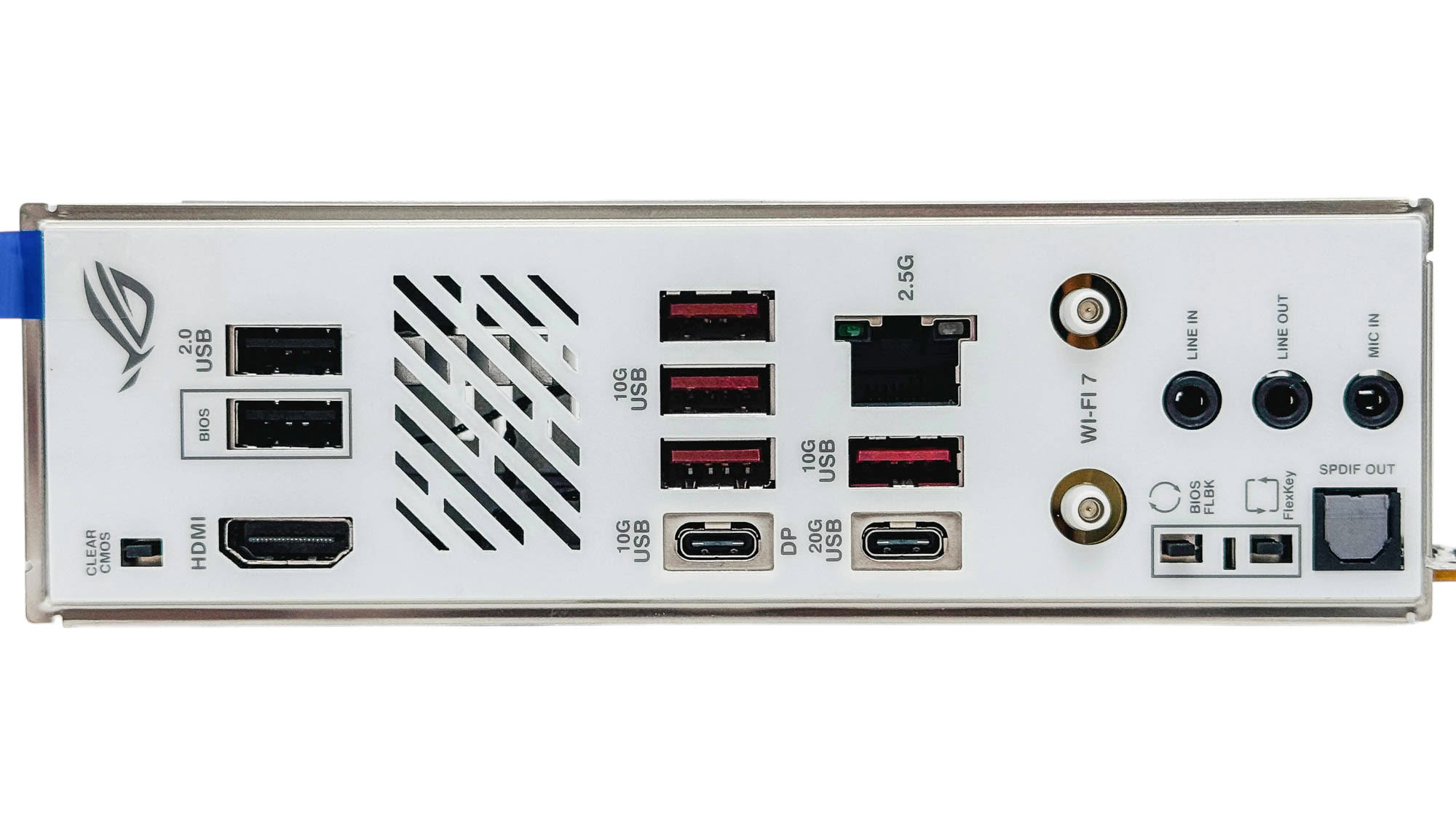
There are six Type-A USB ports in total, which is on par with the competition, especially as four of these are USB 3.2 Gen 2 10 Gbps. In addition, we have both USB 3.2 Gen 2 10 Gbps and USB 3.2 Gen 2x2 20 Gbps Type-C ports, with the latter also offering a DisplayPort Alt Mode output, making two total video outputs thanks to the HDMI port. ASUS has included 2.5 Gbps Ethernet, which is again on par with other B850 motherboards, but you'll see 5 Gbps regularly on similarly-priced X870 alternatives. We also have clear CMOS, USB BIOS flashback, a configurable FlexKey button, Q-Antenna Wi-Fi connectors, and three audio jacks, plus optical audio output.
Nov 13th, 2026 18:26 PST
change timezone
Latest GPU Drivers
New Forum Posts
- Opinion on Monitor Replacement (6)
- Tell me about your favourite graphics card (25)
- TMOG - post your benchmark results here (16)
- no "PhysX" workable (7)
- Microsoft Exchange/365 outages? (61)
- Unallocated space in ssd , is it normal? (18)
- Last game you purchased? (1401)
- Game Soundtracks You Love (1286)
- I'll flash a ASUS ROG Strix RX480 O8G in Cause of Code 43, as a Newbie (0)
- WarpCoreBench scores! (28)
Popular Reviews
- AMD Zen 6 Technical Deep Dive
- Corsair HX1000i Shift Crystal Review
- NZXT C1200 Platinum Review
- Upcoming Hardware Launches 2027 (Updated Nov 2026)
- ASUS ROG Strix B850-I Gaming Wi-Fi7 W Review
- Montech King 95 3D PRO Review
- NZXT H7 RGB+ Review
- NZXT H5 Review
- Phantom Blade Zero Performance Benchmark Review - 35 GPUs Tested
- XPG NIMBUS PLUS Review - Mid-range Chair With Strong Competitors
TPU on YouTube
Controversial News Posts
- NVIDIA Co-Founder and CEO Jensen Huang Officially Resigns (378)
- OpenAI CEO Argues Home PCs Waste the World's Limited DRAM Supply (152)
- NVIDIA Launches Investigation Into Jensen Huang's Relationship With Suspected Chinese Spy (136)
- Intel "Raptor Lake Next" 16-Core and 20-Core CPUs Surface (130)
- Legendary Game Studio BioWare Shuts Down Following EA Layoffs (104)
- Dell CEO Says the Memory Shortage Will Get Worse in 2027 (95)
- NVIDIA GeForce RTX 50-Series Scheduled for up to $500 Price Hike This Week (89)
- Modder Fits RTX 5090 With Four 8-Pin Connectors, Halving Current per Wire (80)