 14
ASUS ROG Strix X870E-E Gaming Wi-Fi7 Neo Review
Component Analysis »Board Layout

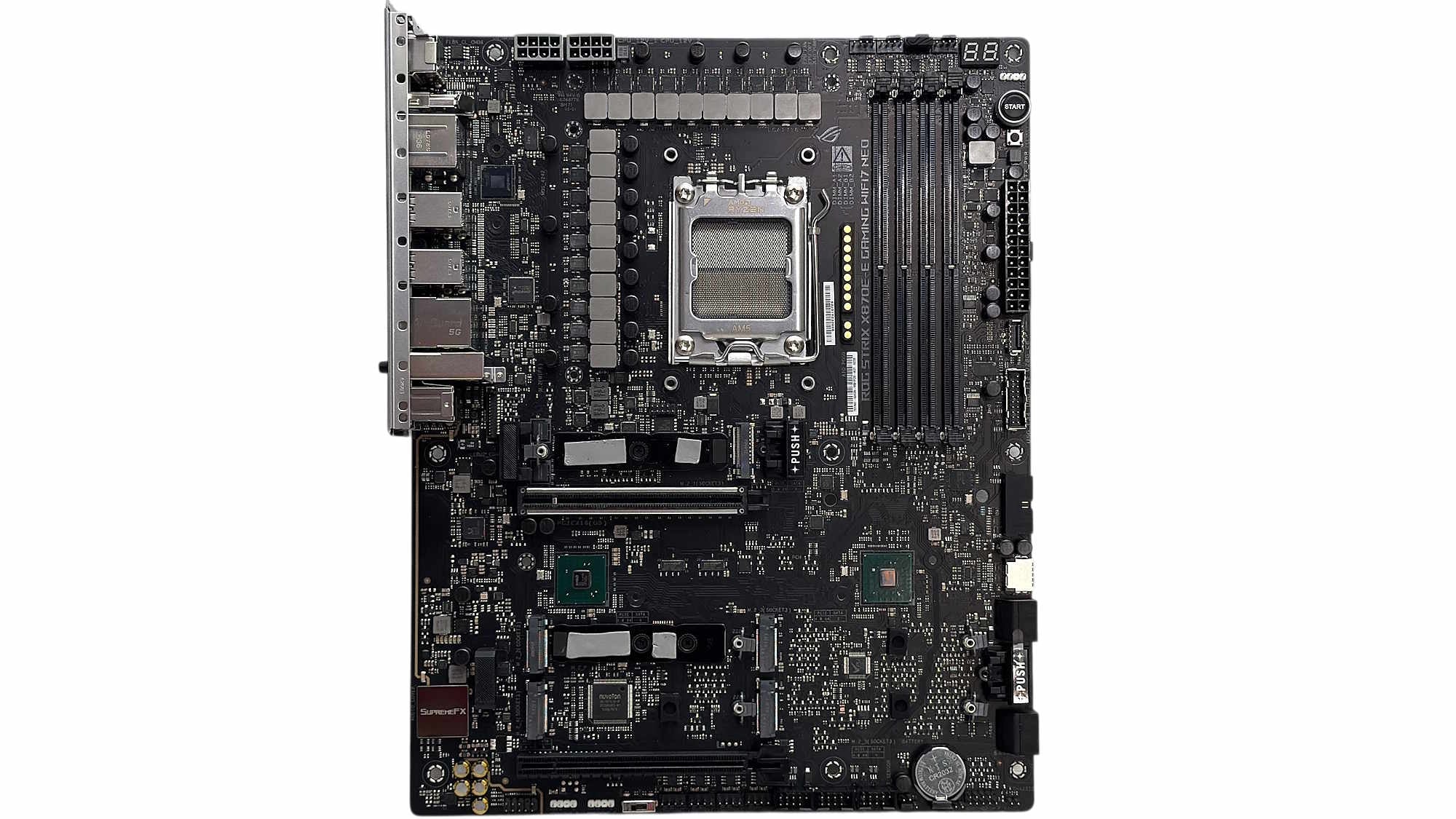
The board is unmistakably ROG Strix with large black heatsinks and a PCB bristling with features, including the new AIO Q-Connector, which is a cable-free solution for powering compatible AIO liquid cooler pumps and lighting. This sits to the right of the CPU socket. There are two tool-free M.2 heatsinks so all M.2 ports are cooled, although there's no backplate heatsink. This is a little disappointing given similarly-priced boards from the competition such as the Gigabyte X870E Aorus Master X3D Ice include them.
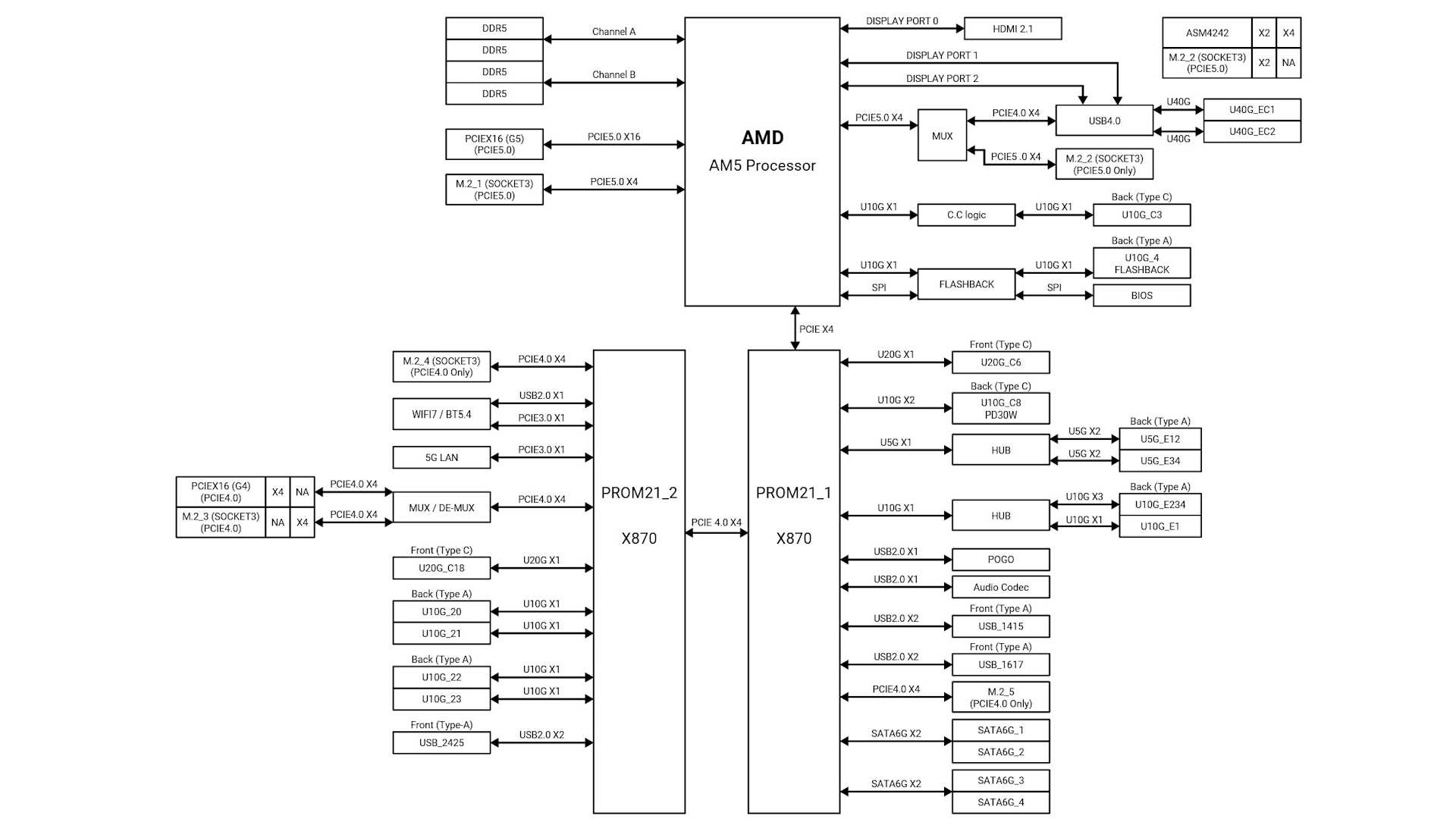
As usual, we do have a limited amount of bandwidth sharing, which has been tweaked compared to first generation 800-series motherboards to sacrifice USB4 Type-C ports instead of stealing PCIe lanes from your GPU. It's the second M.2 slot, which is one of two PCIe Gen 5-capable slots, that shares bandwidth with the two rear USB4 Type-C ports. Using both sees PCIe lanes cut from four to two, while you'll need to manually disable the USB4 ports in the EFI to get the full four lane count sent to your SSD. In addition, M.2_3 shares bandwidth with the second PCIe slot, with the latter being disabled if you use that M.2 slot.
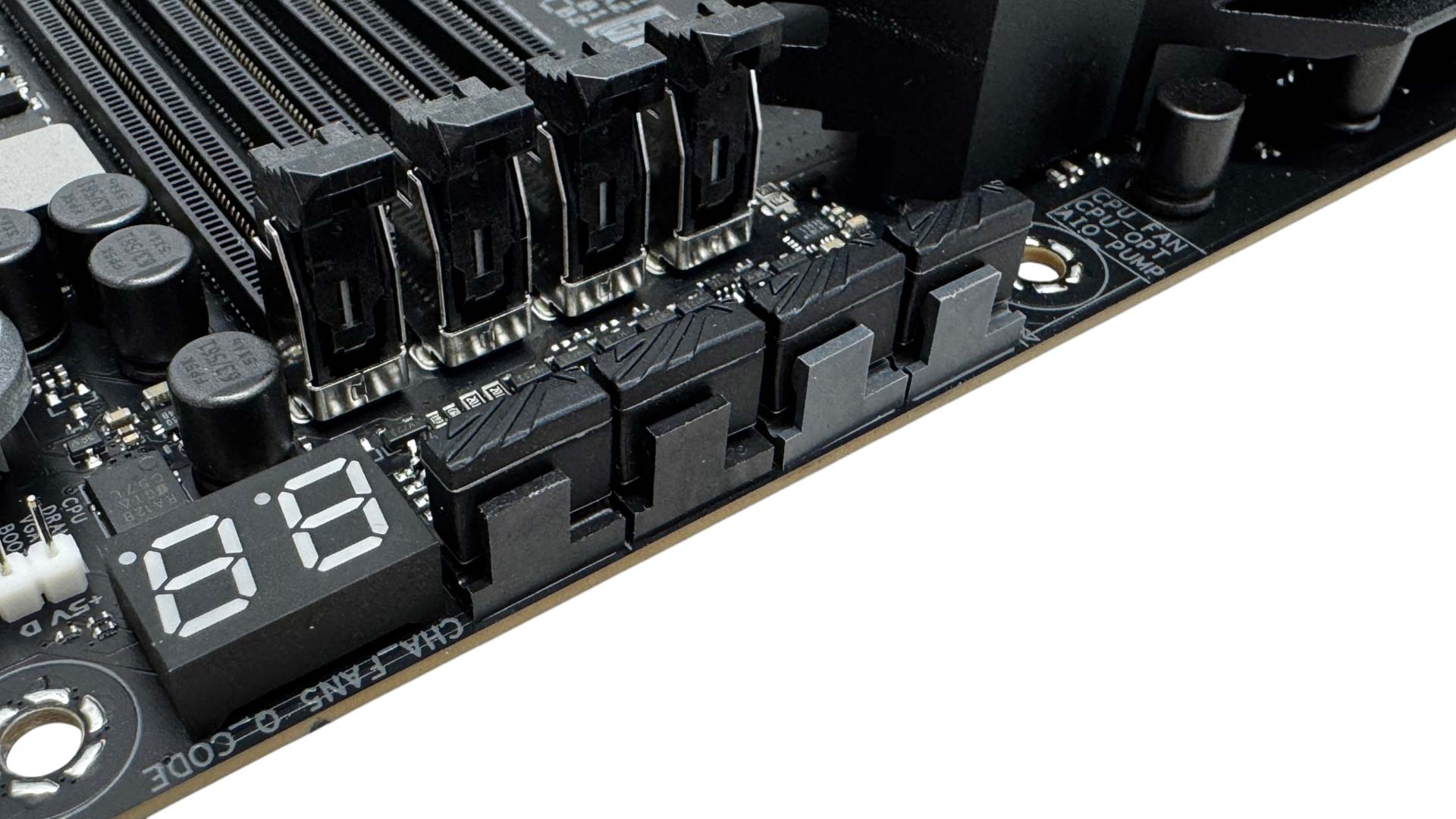
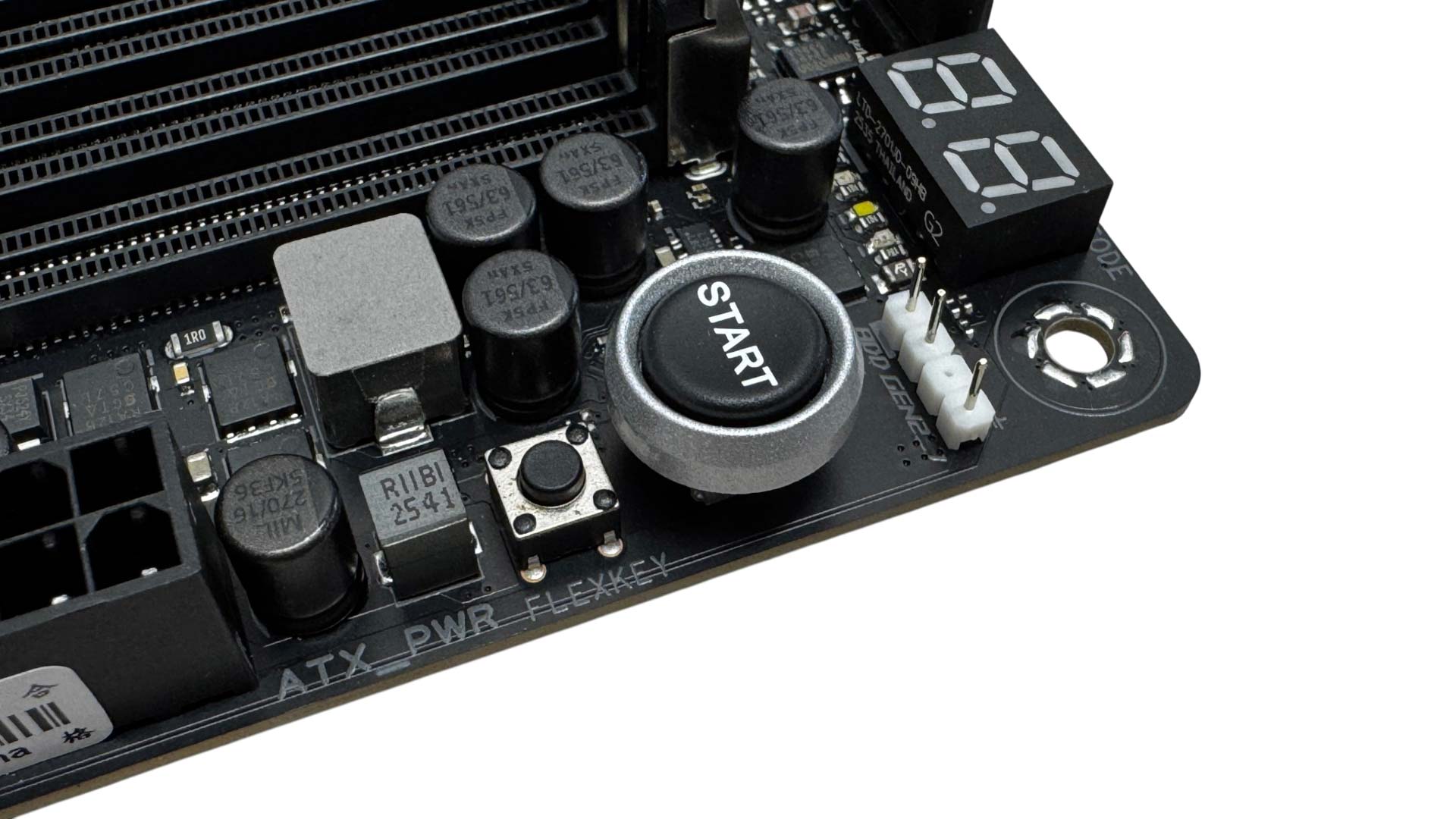
There are eight 4-pin fan headers in total, but sadly all are limited to just 12 W/1 A. This is pretty disappointing for a motherboard retailing for $600. It's not likely to be an issue unless you're using three or more high-power fans from a single header, but it would have been nice to see at least one port with 24 W of power available. Four of the eight 4-pin headers are located in the top right corner, so spreading the load if necessary isn't much of an issue for groups of fans located in the roof or front of the case. We also have a 3-pin ARGB header, power button and FlexKey button, which defaults to act as a reset button but can be switched to other tasks in the EFI.
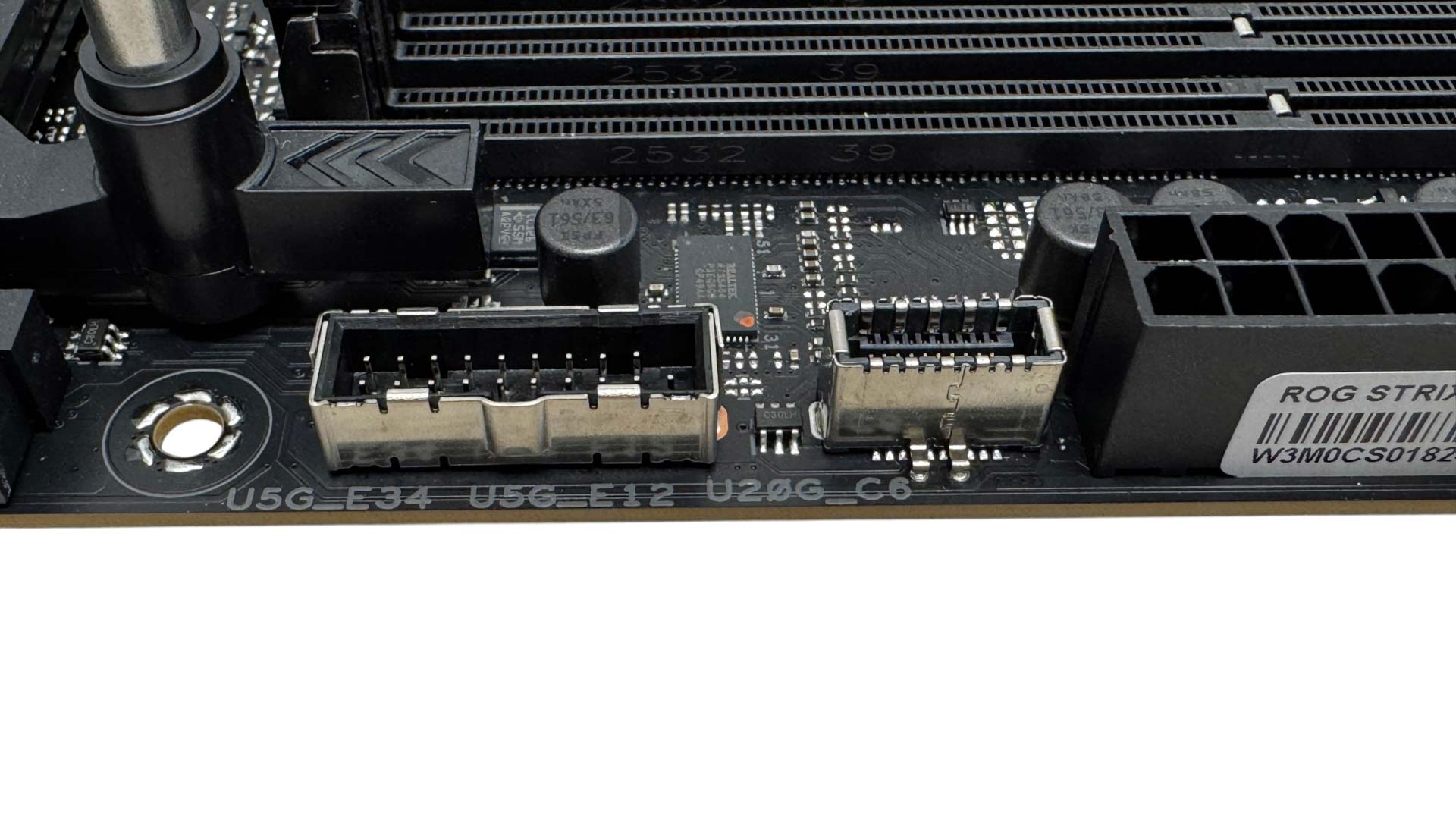
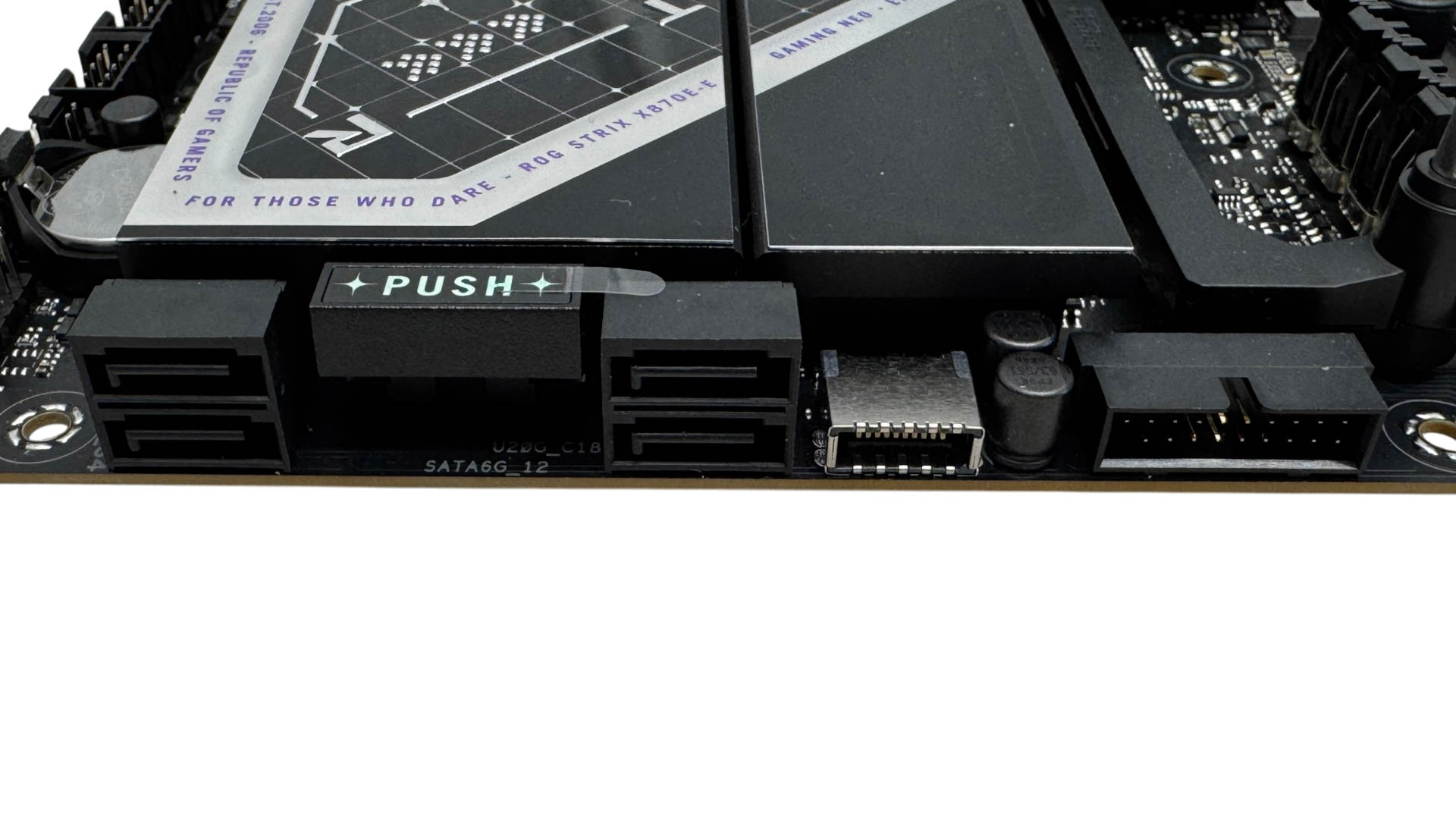
There are two USB Type-C headers providing support for cases with a pair of Type-C ports. However, unlike plenty of its siblings, ASUS prioritizes enhanced power delivery to the rear USB 3.2 Gen 2 10 Gbps Type-C port, which offers 30 W fast charging and is also the only port linked to its USB Wattage Watcher app too. One Type-C header does thankfully offer up to 30 W too, but at this price we'd have liked to see 60 W power delivery, which is offered by similarly-priced competition such as the Gigabyte X870E Aorus Master X3D Ice. We also have a pair of USB 3.0 headers and four SATA ports.
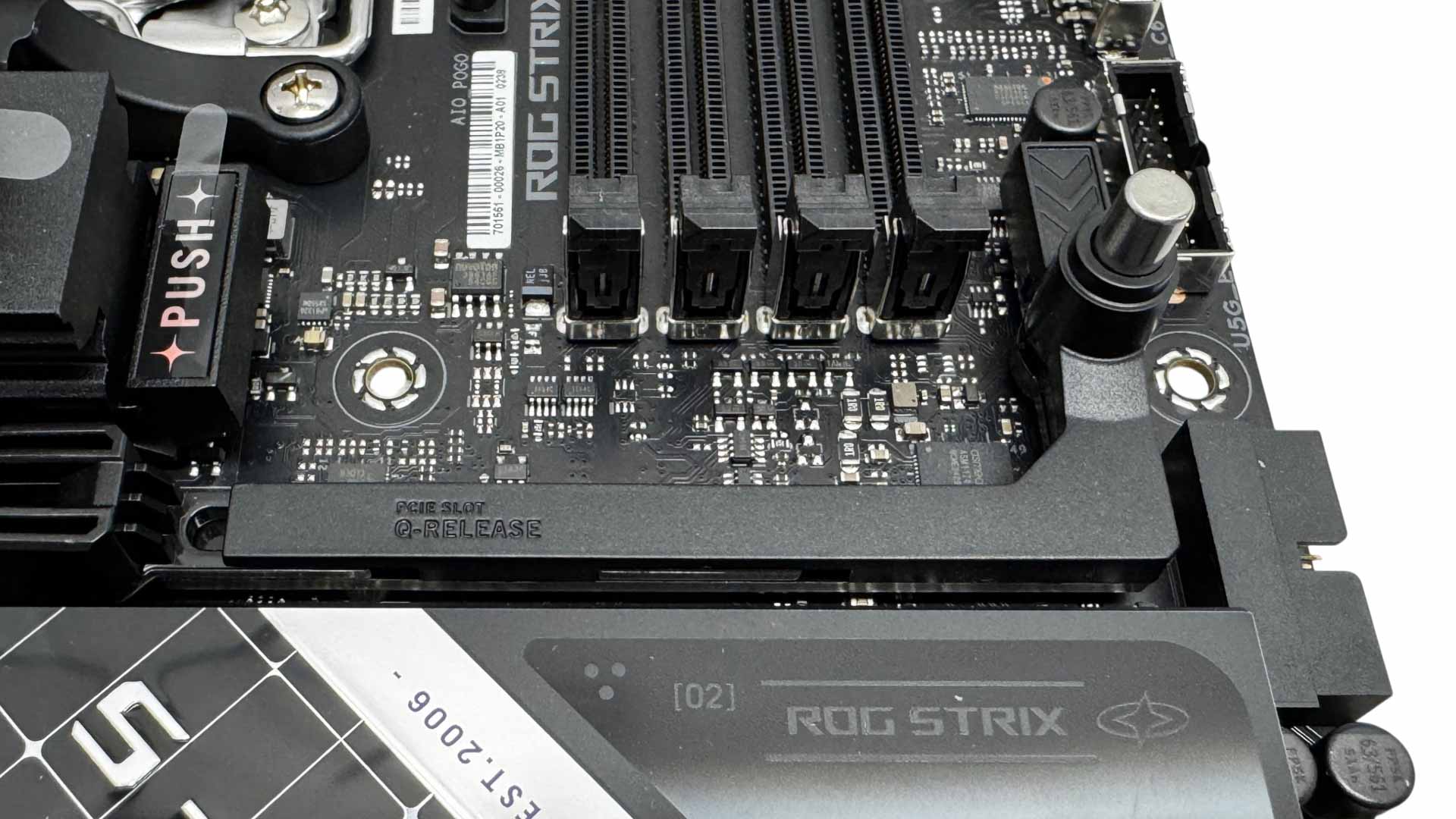
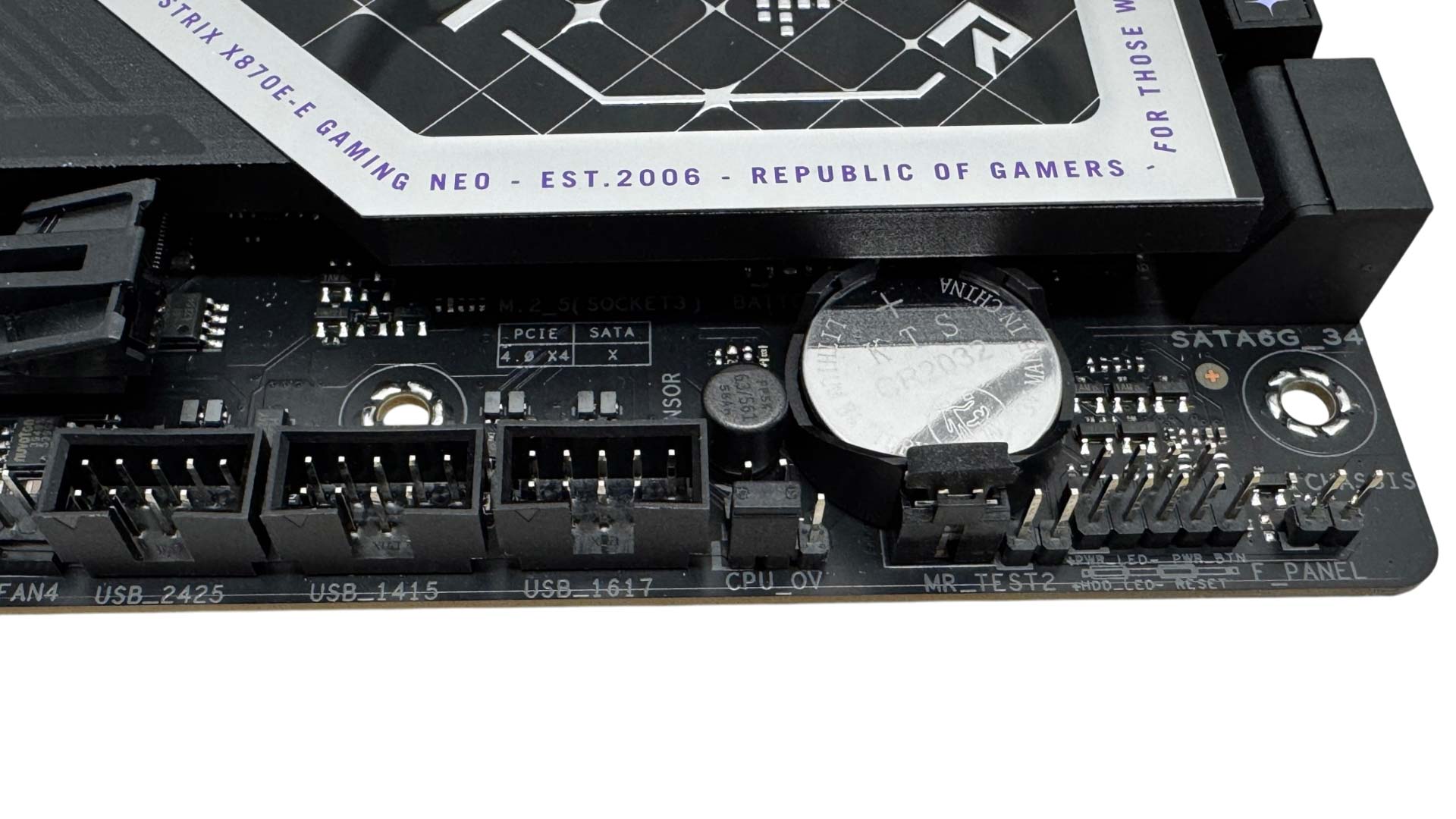
ASUS has mostly ditched its PCIe Slot Q-Release Slim GPU release mechanism where you lift the card out from one end. Most boards now have actual release buttons instead and here we have PCIe Slot Q-Release, which is a push to open mechanism, automatically locking your GPU in place when you install it. The bottom right corner has the front panel header, CPU over volt header and above this is a 2-pin thermistor sensor that can be used to control fan speed. We also have a trio of USB 2.0 headers and an easily-accessible CMOS battery.
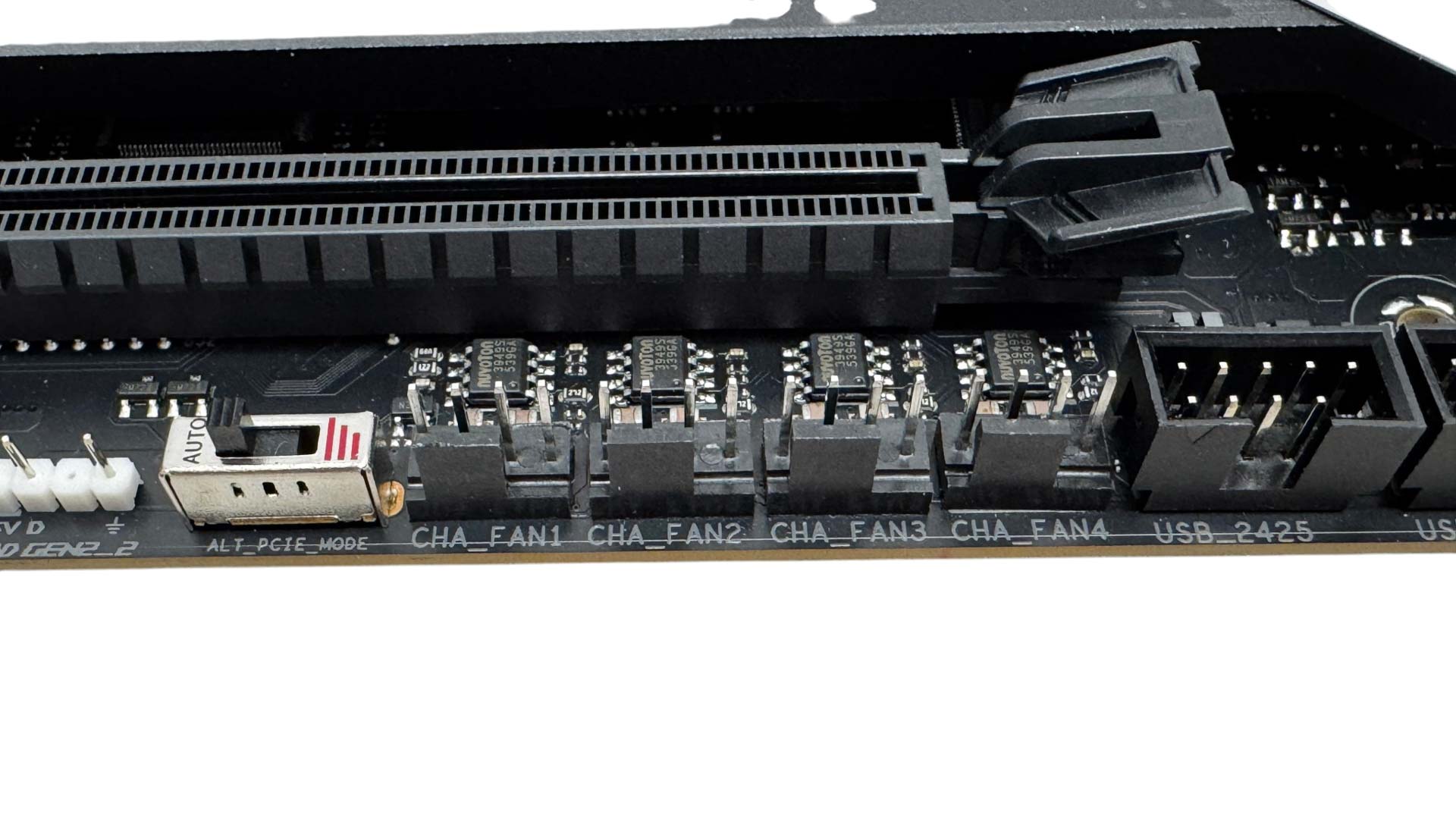
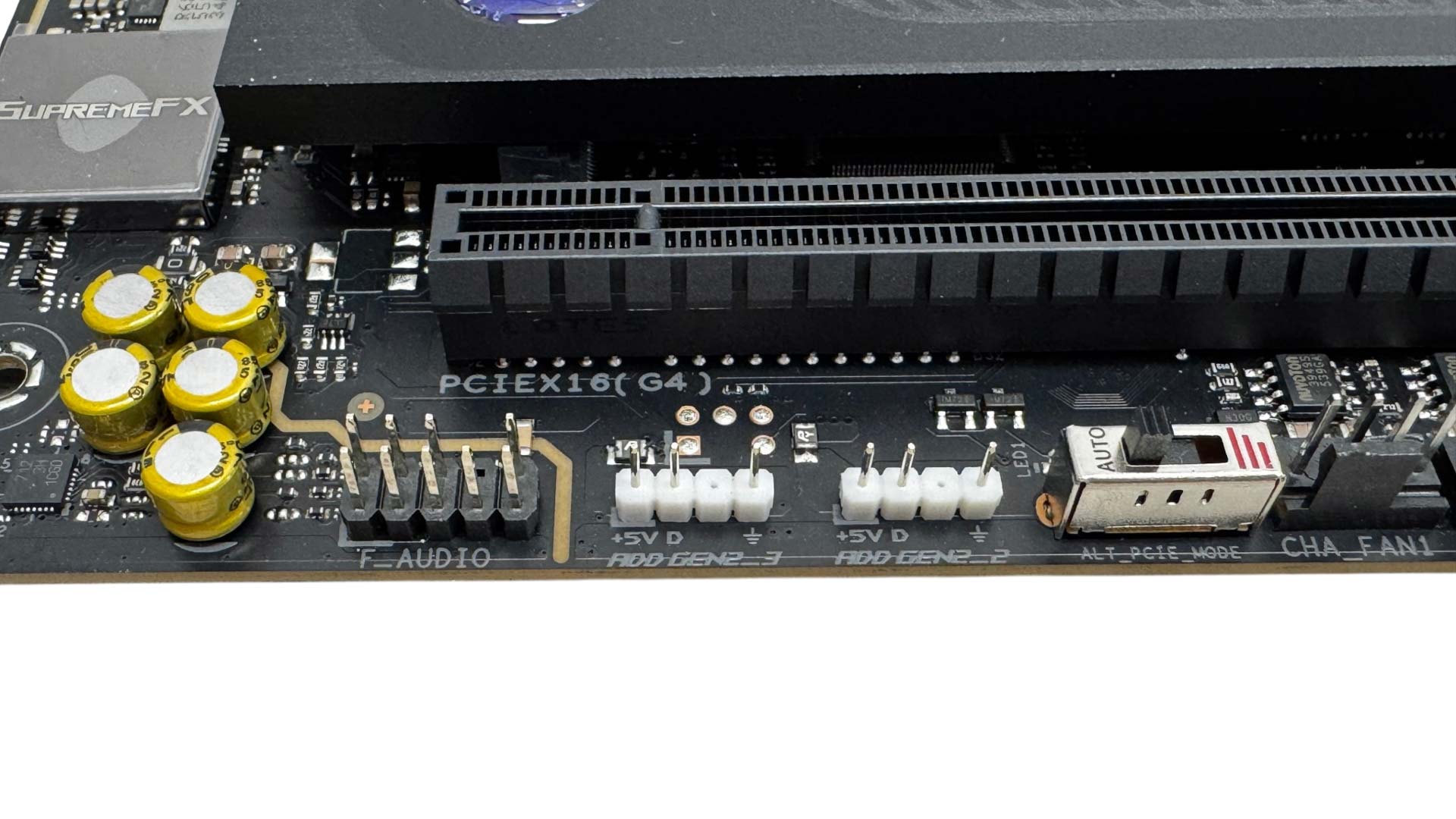
The other four fan headers are located on the base of the PCB, next to a PCIe slot switch that can be set to auto, Gen 4 or Gen 3 without having to go into the EFI. This does mean that there are no fan mount places for rear case fans, so you'll need to route one from somewhere else.
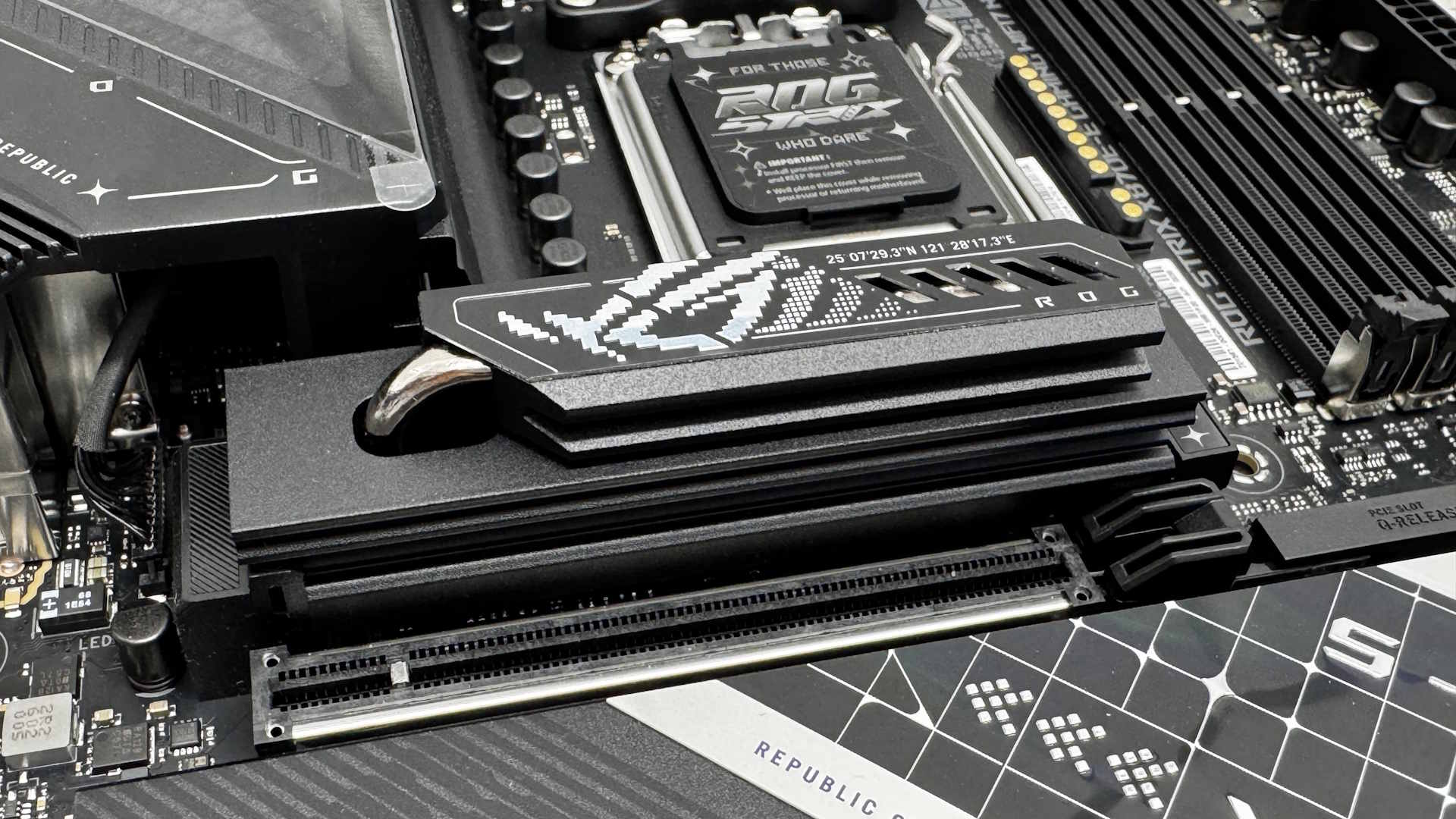
To the right of the CPU socket is an AIO Q-Connector, which is compatible with certain ASUS liquid coolers and removes the need for cables by using pogo pins. Like the fan headers, these also provide 12 W to fans and pumps. The top M.2 heatsink is one of the largest we've seen and a clear step up from previous models. It's tool-free with two layers linked by a heatpipe, offering underside SSD cooling too.
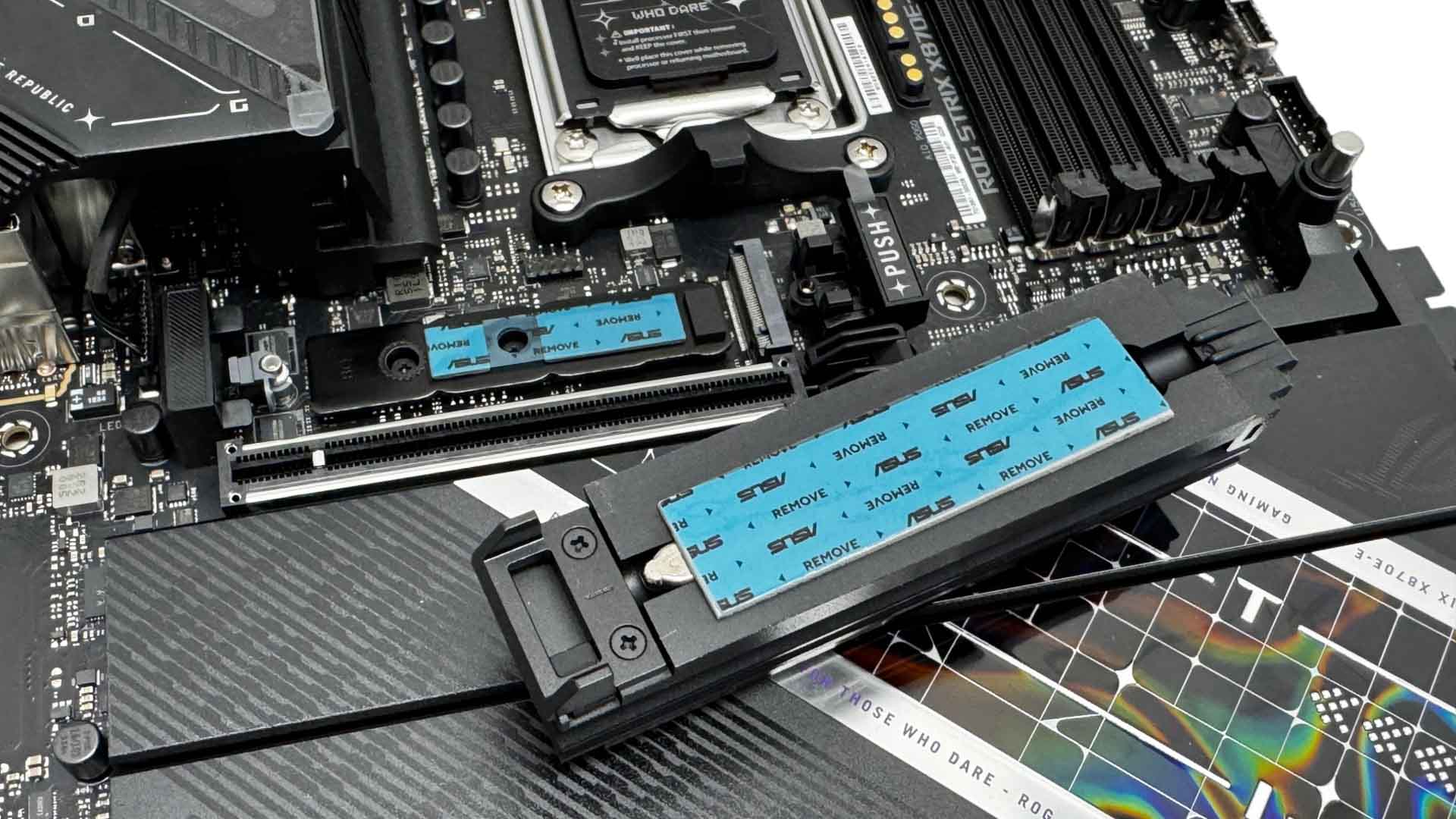
However, the lower thermal pad here doesn't extend the full length of the heatsink. As we've found in the past, our PCIe Gen 5 test SSD has components that are, as a result, not cooled, leading to significantly higher temperatures and even throttling. By moving the thermal pad, this largely fixes the problem so it's worth checking with your particular SSD.
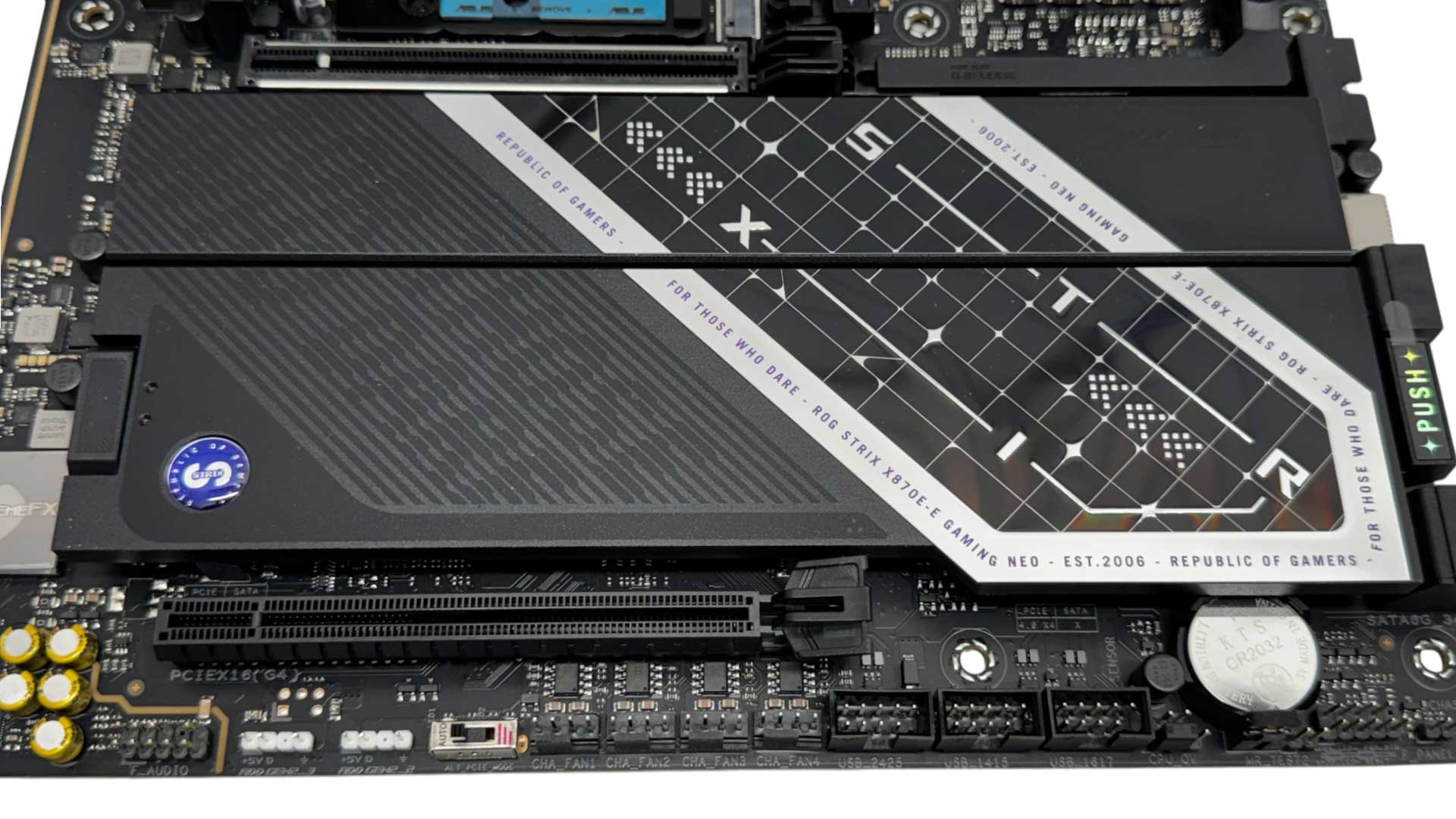
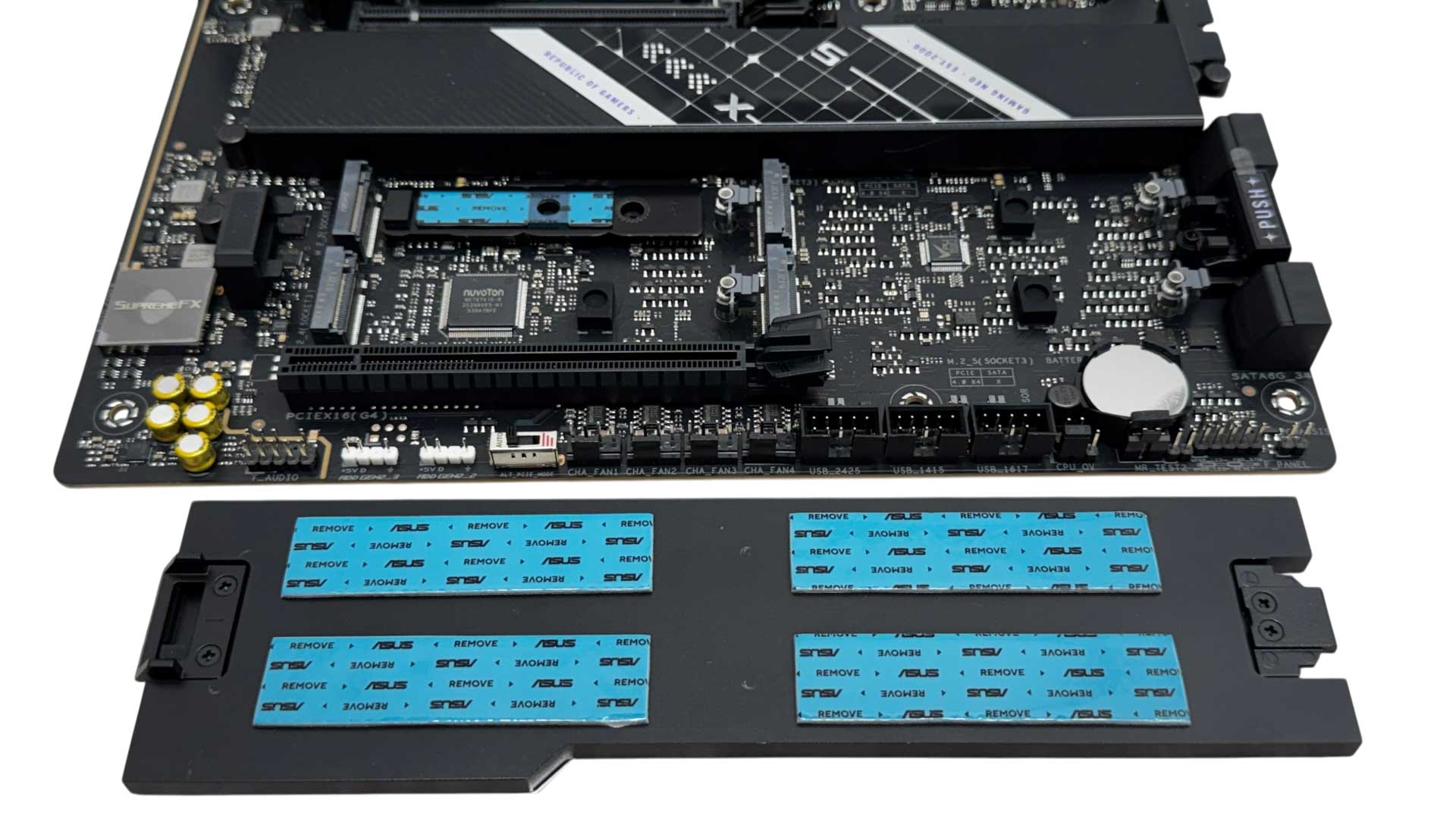
The lower heatsink covers a large area of the lower PCB and cools up to four SSDs. Only one M.2 port of the four supports PCIe Gen 5 SSDs, and like the upper port, has underside cooling too. Using a single-sided SSD in any of the M.2 ports will require the use of included rubber supports to ensure the SSD sits flush with the upper heatsink. This can reduce temperatures significantly. Thanks to the chipset heatsink sitting between the two groups of M.2 ports, the lower heatsink can still be removed and installed even using 2.5-slot/50 mm thick GPUs.

The rear I/O panel has a good balance of USB ports, with nine USB 3.2 Gen 2 10 Gbps Type-A and four Type-C, split between two 10 Gbps and the usual pair of USB4 40 Gbps ports, with the Type-C port beneath the 5 Gbps Ethernet port offering 30 W power delivery. We also have a HDMI port, so with the two DisplayPort-capable USB4 ports, triple monitor setups are supported if you're not using a discrete GPU. There are CMOS clear and USB BIOS Flashback buttons, ASUS Q-Antenna Wi-Fi connectors, a pair of gold-plated audio jacks and optical output.
Nov 26th, 2026 14:22 CST
change timezone
Latest GPU Drivers
New Forum Posts
- Windows 10 Power save mode. See what program that cause sleep to fail. (0)
- Mouse Pad advice - Shidenkai out of production? (1)
- ASUS Prime 5060 ti 16gb x4 instead of x8 PCIe (9)
- Can you guess Which game it is? (370)
- WarpCoreBench scores! (110)
- TechPowerUp Screenshot Thread (MASSIVE 56K WARNING) (4388)
- TPU's WCG/BOINC Team (34809)
- UPS what one to get? (75)
- Using sodimm+adapter instead of full size dimm DDR5? (101)
- Nvidia Driver Constantly writing to SSD FIX (Read the Post) (0)
Popular Reviews
- ASRock X870E Challenger Wi-Fi White Review
- VZMORE AX9 Max Review
- Upcoming Hardware Launches 2027 (Updated Nov 2026)
- Microsoft Surface Laptop Ultra Review - The Next-gen Arm Laptop
- AMD Ryzen 7 9800X3D Review - The Best Gaming Processor
- AMD Zen 6 Technical Deep Dive
- Phantom Blade Zero Performance Benchmark Review - 35 GPUs Tested
- Corsair RM1200e (Second Generation) Review
- Montech CyberFlow ARGB 360 Review
- Pulsar Office Tour & First Look at P1 Dual-Sensor Mouse
TPU on YouTube
Controversial News Posts
- Jensen Huang Reinstated as CEO of NVIDIA (600)
- NVIDIA Co-Founder and CEO Jensen Huang Officially Resigns (492)
- Report: Jensen Huang Eyes NVIDIA Comeback (281)
- Open Letter Asking NVIDIA to Reinstate Jensen Huang Passes 115,000 Signatures (184)
- OpenAI CEO Argues Home PCs Waste the World's Limited DRAM Supply (152)
- NVIDIA Launches Investigation Into Jensen Huang's Relationship With Suspected Chinese Spy (136)
- Intel Razor Lake Gets a 12 P-Core bLLC Chip With No E-Cores, Per Leak (94)
- NVIDIA GeForce RTX 50-Series Scheduled for up to $500 Price Hike This Week (89)