 34
ASUS TUF Gaming Z890-Pro Wi-Fi Review
Component Analysis »Board Layout


We doubt anyone would think this is an ugly motherboard and its large, chunky heatsinks look smart and imposing. The only issue is it's not as pure white overall as some other motherboards, in addition to having lots of black ports. It's a little unclear whether the board is aiming to sit inside a black or a white PC case. Still, the large heatsinks, especially those for the lower M.2 ports, mean that most of the unsightly components are hidden away. The rear of the PCB doesn't have any additional cooling or backplates, and while the TUF logo is a nice touch, it's a shame it probably won't be visible.

You get a view of just how much PCB real-estate is covered once everything is removed. It's a fairly busy PCB, though, with four M.2 ports and a total of five PCIe slots of various types, but sadly there are no overclocking or testing tools such as power and reset buttons, or LED POST code displays. The layout at first glance seems good and shouldn't pose many problems.


There are seven 4-pin headers in total and three of these are located to the top right of the CPU socket. All the headers are limited to 1 A/12 W each, which shouldn't pose any issues unless you want to run numerous high power fans or a custom watercooling pump off one header. For two or three fans this output is perfectly fine. There is at least more power coming from the USB 3.2 Gen 2x2 Type-C front panel header, which supports PD 3.0 and can offer up to 30 W, so is very useful for fast charging your smartphone or dealing with a laptop or portable battery, charging at a much, much higher rate than a standard USB 3.0 port.

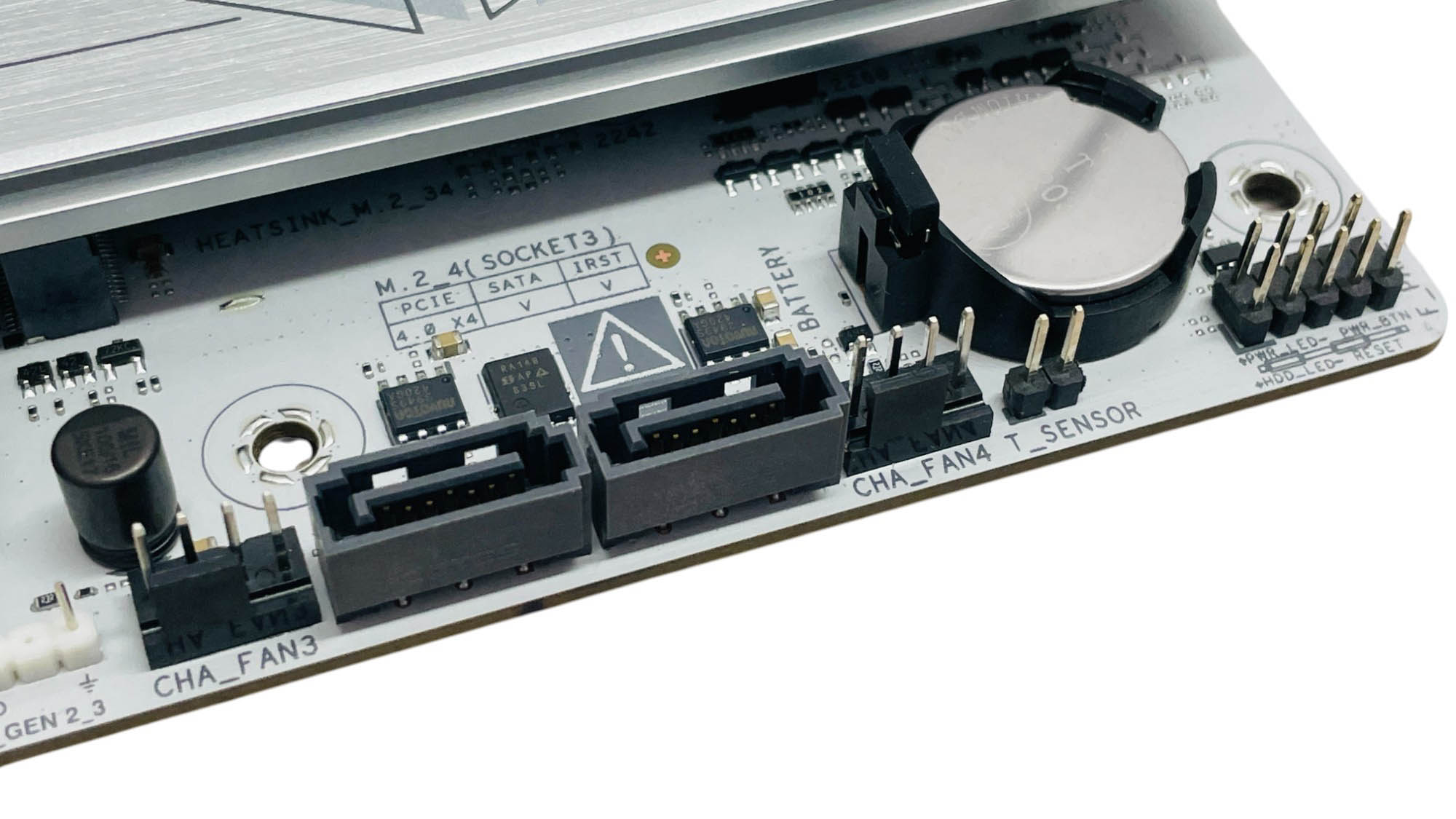
You get the usual four SATA ports and these are split into two sections, to allow the extension of the large mid M.2 heatsink to stretch all the way to the edge of the PCB. The bottom right corner is where you'll find the other pair of SATA ports, sandwiched between another two fan headers and also a 2-pin thermistor header. There's sadly no thermistor probe included in the box, but it's a potentially useful feature to have.


Sadly there's a complete lack of overclocking and testing tools on the front of the PCB, so if you're wondering where the CMOS clear option is, two pins are hidden between headers at the base of the PCB. These are next to the second and third 3-pin ARGB headers as well as another fan header. The final fan header is located just above the primary M.2 port, so is usefully-located for rear case fans.
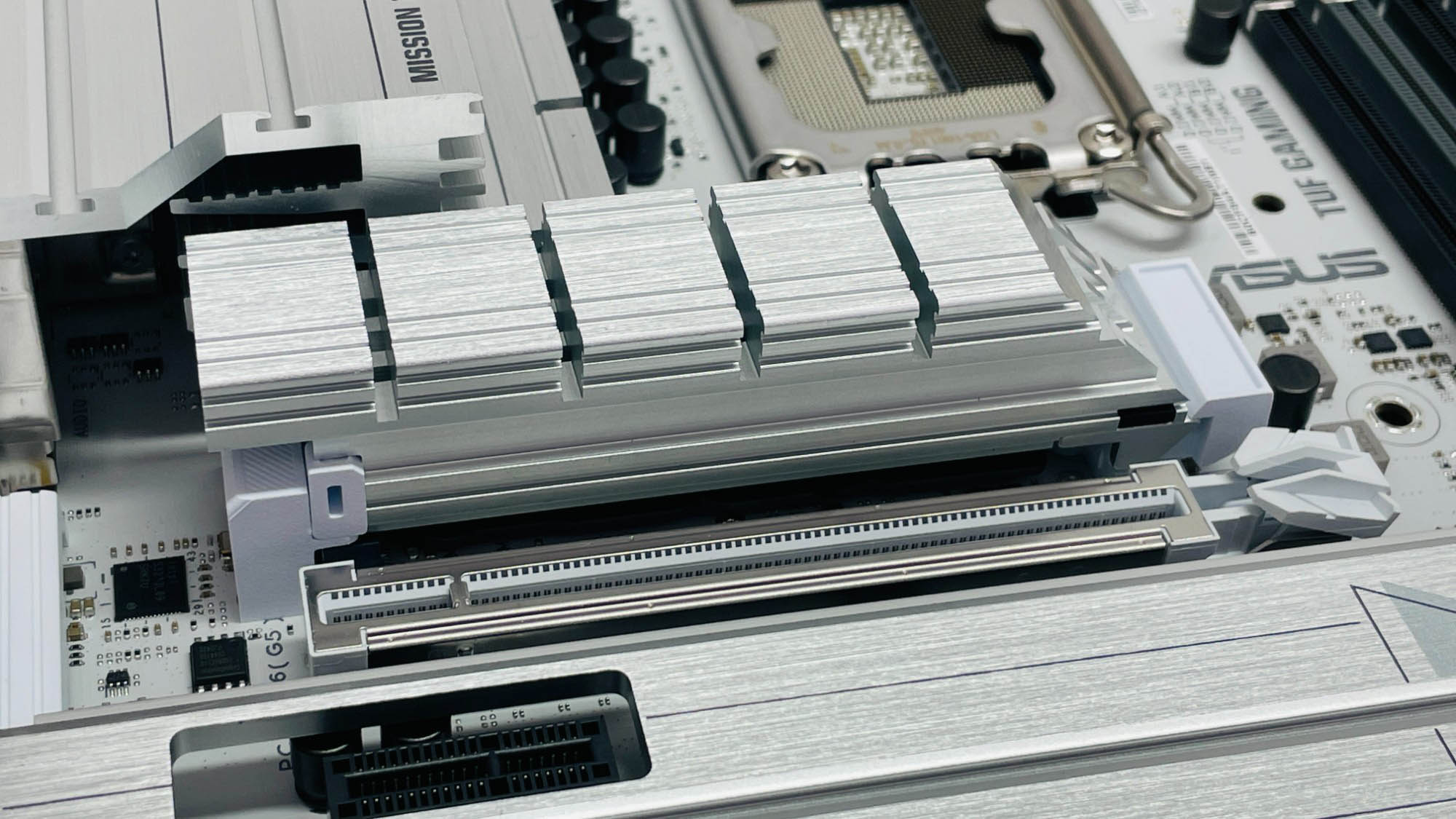
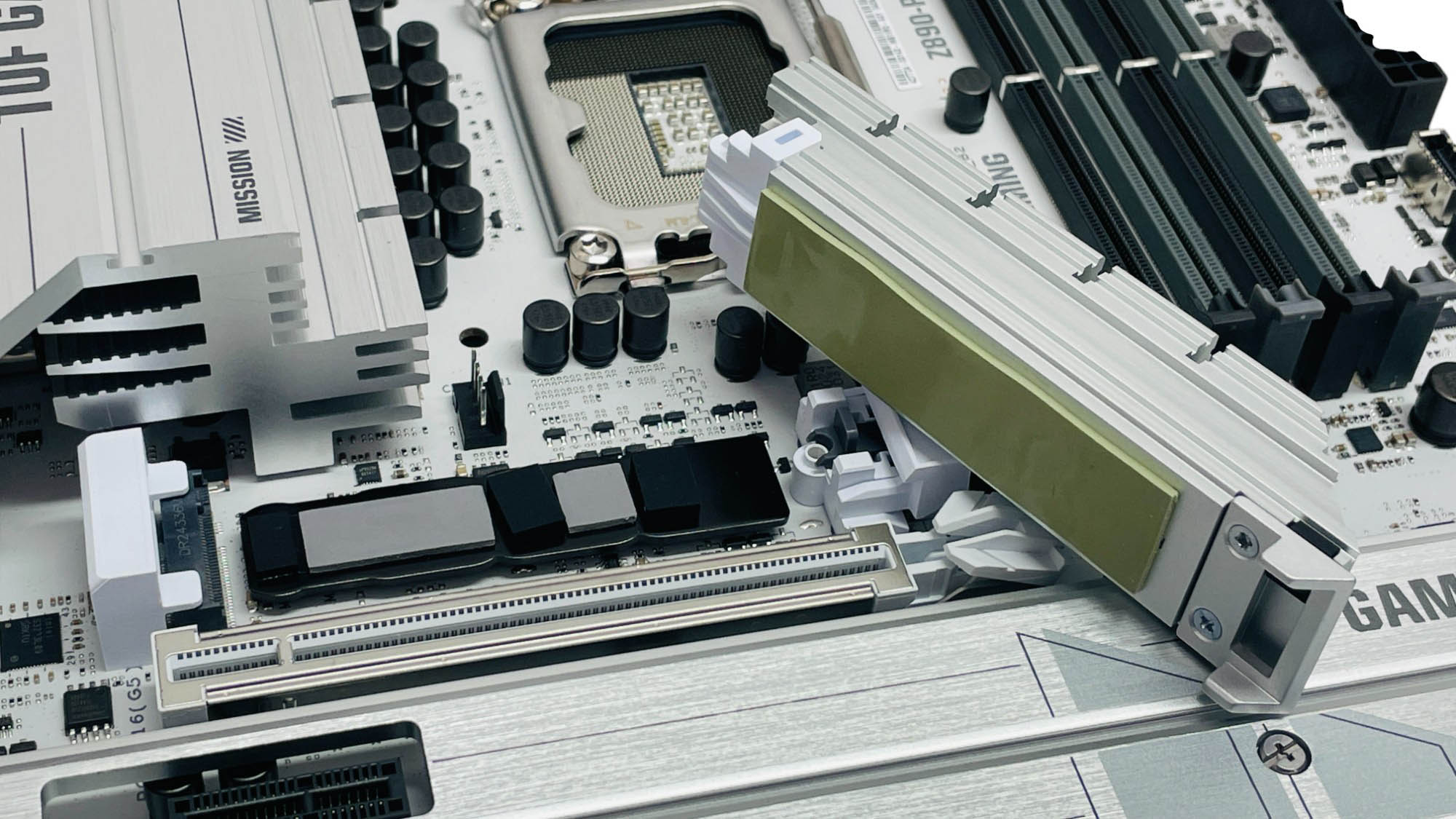
The primary PCIe slot features PCIe Slot Q-Release, you pull your graphics card up from the PCI bracket end and the slot automatically releases. The top M.2 slot is the only PCIe Gen 5-compatible one on the PCB, but features a large heatsink and the ASUS M.2 Q-Release, which in this case is a large latch that locks the heatsink from one end. It's simple enough, but does need a reasonable amount of force to close, especially with a double-sided SSD. You get cooling top and bottom too, but as we mentioned earlier it's important to use the rubber standoffs provided for single-sided SSDs, as they do make a difference.
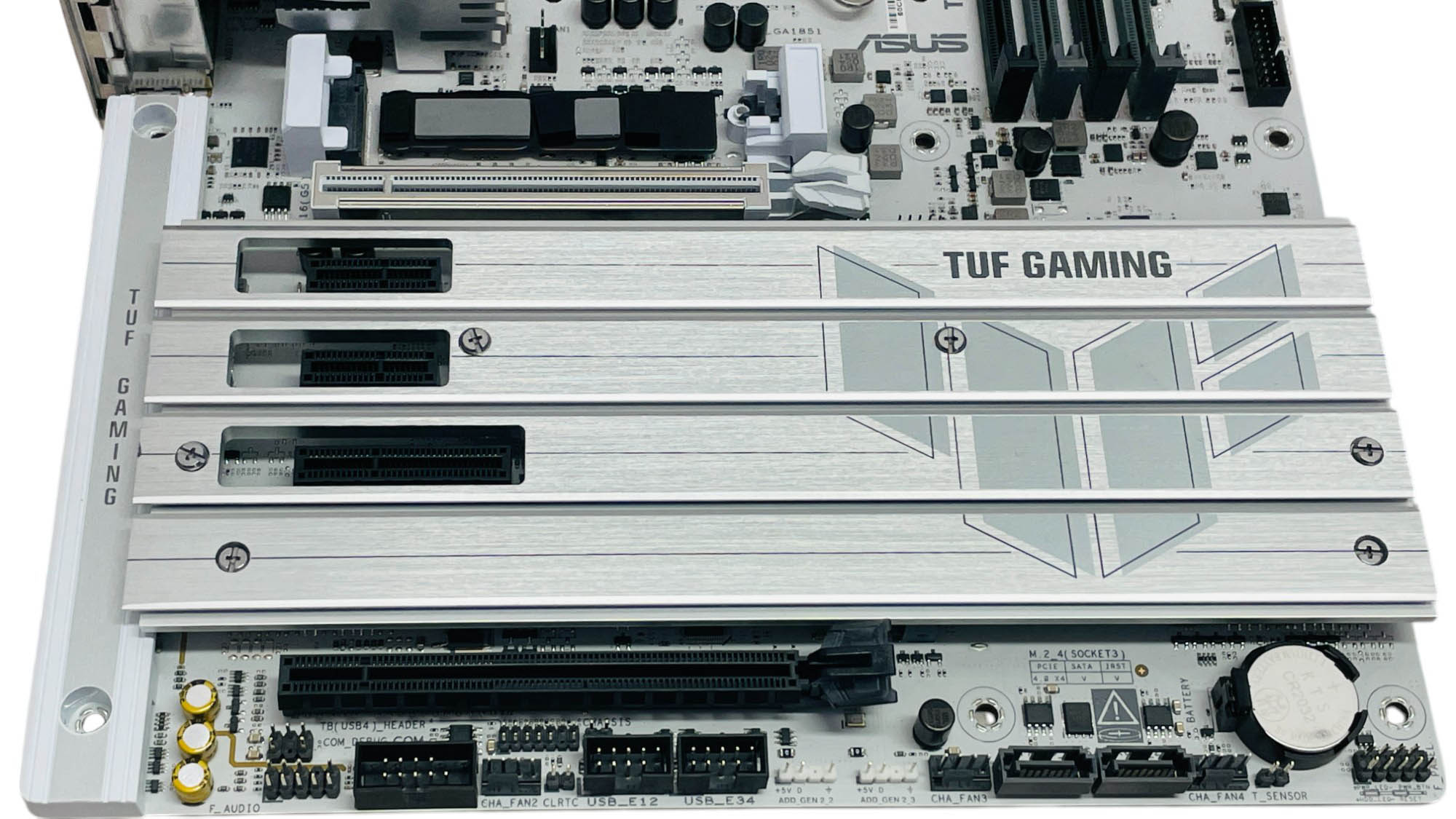

The rest of the ports are PCIe Gen 4, three in total, and there's no bandwidth sharing here despite there being a PCIe Gen 4 x16 slot (x4), PCIe Gen 4 x4 slot and two PCIe Gen 4 x1 slots, in addition to the primary PCIe Gen 5 x16 slot. The heatsinks at the southern end of the PCB are split into two parts, with the lower thin portion dealing with two and an enormous mid-section catering to a lone M.2 port. It will be blocked under your graphics card, and it doesn't have double-sided cooling, but your SSD, while lonely, should be kept very cool here.
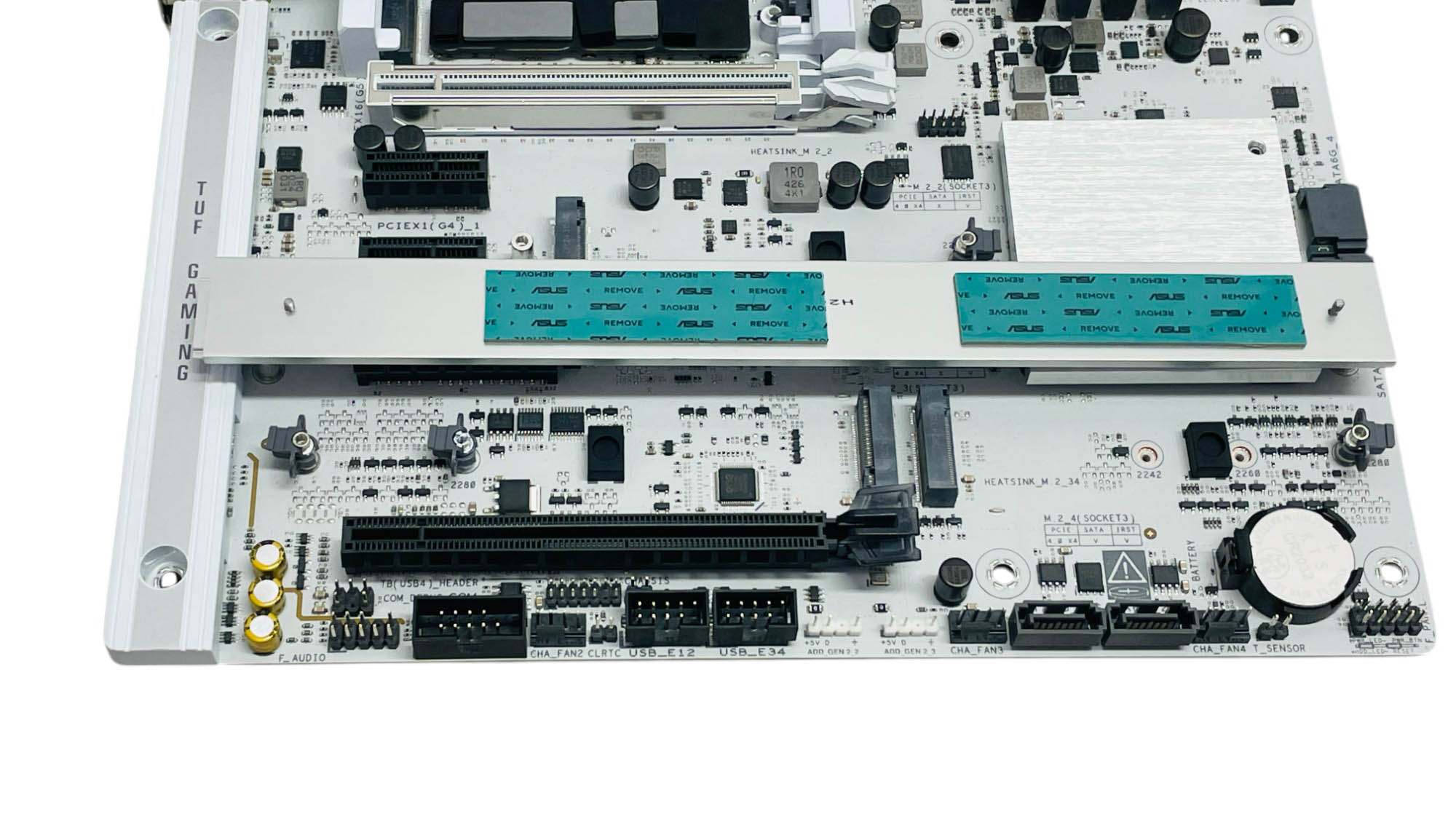
The final two M.2 ports are cooled by one single smaller heatsink. You might ask why the two ports get a much smaller heatsink than the lone M.2 port in the middle, but the former can be removed without removing your graphics card. So actually rather than a mistake, this is a bit of forethought from ASUS here. The downside is that this heatsink uses four screws with tiny threads, so it can be a pain to install and line them up.
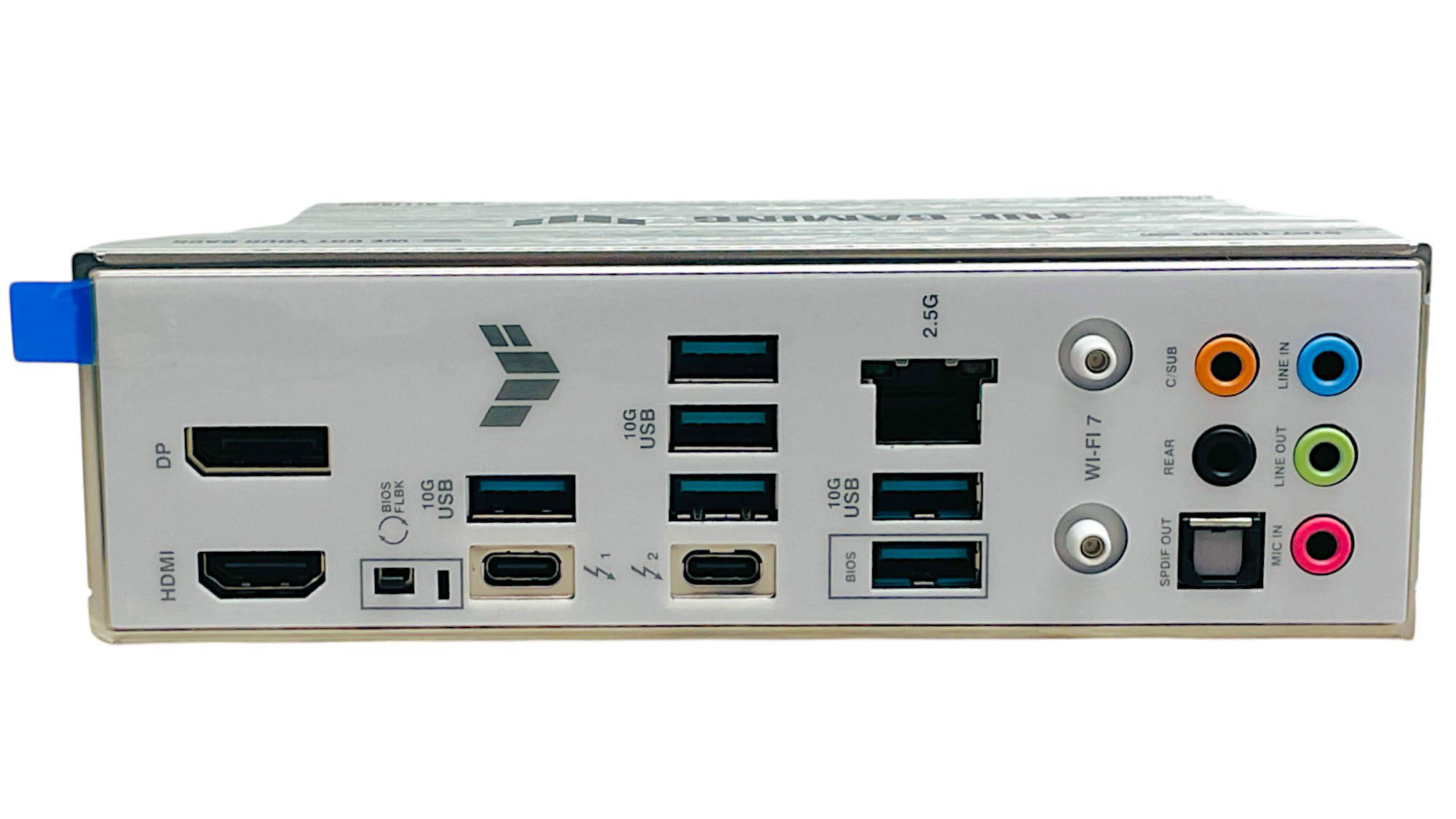
The rear I/O panel focuses more on bandwidth than it does sheer number of ports. You get dual Thunderbolt 4 ports which are also able to double as DisplayPort outputs, plus six USB 3.2 Gen 2 10 Gbps ports. We can see the logic, but at this price we'd still rather have the flexibility of eight Type-A ports, with six being the bare minimum if you throw headsets, gaming peripherals and streaming gear into the mix. You can clearly see the Q-Antenna push-fit connectors here for the Wi-Fi module. Simple to use, although Gigabyte has gone one better with a single piece design for both connectors. Finally, there's the USB BIOS Flashback and five rather than the usual two audio 3.5 mm jacks, plus optical outputs.
Nov 25th, 2026 17:30 CST
change timezone
Latest GPU Drivers
New Forum Posts
- Sexy Hardware Close-Up Pic Clubhouse. (10345)
- AAF Optimus Modded Driver For Windows 10 & 11 - Only for HDAUDIO Chips [WINDOWS 11 RECOMMENDED] (1155)
- Which ryzen am5 cpu ? (219)
- {NA} 2026 Black November prices / deal (7)
- TPU's Nostalgic Hardware Club (22208)
- UPS what one to get? (74)
- More Nova Lake specs (5)
- Share your CPUZ Benchmarks! (2680)
- X79 and/or rampage IV OC'ing thread for those of us still left.... (2457)
- Asus Rog Maximus Z890 Extreme. (Various questions). (38)
Popular Reviews
- ASRock X870E Challenger Wi-Fi White Review
- Microsoft Surface Laptop Ultra Review - The Next-gen Arm Laptop
- VZMORE AX9 Max Review
- Upcoming Hardware Launches 2027 (Updated Nov 2026)
- AMD Ryzen 7 9800X3D Review - The Best Gaming Processor
- AMD Zen 6 Technical Deep Dive
- Corsair RM1200e (Second Generation) Review
- Phantom Blade Zero Performance Benchmark Review - 35 GPUs Tested
- Pulsar Office Tour & First Look at P1 Dual-Sensor Mouse
- Ocypus lota P1000 Review
TPU on YouTube
Controversial News Posts
- Jensen Huang Reinstated as CEO of NVIDIA (571)
- NVIDIA Co-Founder and CEO Jensen Huang Officially Resigns (492)
- Report: Jensen Huang Eyes NVIDIA Comeback (281)
- Open Letter Asking NVIDIA to Reinstate Jensen Huang Passes 115,000 Signatures (184)
- OpenAI CEO Argues Home PCs Waste the World's Limited DRAM Supply (152)
- NVIDIA Launches Investigation Into Jensen Huang's Relationship With Suspected Chinese Spy (136)
- Intel "Raptor Lake Next" 16-Core and 20-Core CPUs Surface (130)
- Intel Razor Lake Gets a 12 P-Core bLLC Chip With No E-Cores, Per Leak (94)