 13
ASUS Zenbook A16 (UX3607OA) Review - Snapdragon Laptops are Getting Better and Better
(13 Comments) »Value and Conclusion
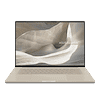
- The ASUS US store lists the top-end Zenbook A16 UX3607OA configuration for US$2200. That chunk of change gets you a gorgeous (non-touch) OLED, a top-tier SoC, a potent NPU, 48 GB of fast RAM, and a 1 TB NVMe SSD. Oh, and that incredibly slick Zabriskie Beige finish.
This reminds me that I definitely want to get my hands on the UX3607QA soon, just to see if it's worth opting for the scaled-back, cheaper sibling over this current top dog.
- Outstanding performance given the weight and size
- Great build quality, Ceraluminum FTW!
- Rock-solid CPU clocks in Performance mode, offering impressive CPU Multi-core and Single-core results
- Very good AI performance
- Long battery life
- Adequate system power in Standard and Whisper modes + lower noise
- When games work, the FPS results are good
- The fans aren't too loud even in Performance mode
- 1800p OLED screen with great color coverage and accuracy
- 48 GB of fast LPDDR5X-9523 memory
- Good keyboard featuring keycaps with an anti-fingerprint coating that works
- Huge and smooth touchpad with useful Smart Gestures feature
- Wi-Fi 7
- 2× 40 Gbps USB4 + 1× 10 Gbps USB Type-A
- SD Card reader
- Satisfying sound quality
- 1080p IR webcam with Onlooker detection
- Snapdragon Windows app compatibility is growing
- The Zabriskie Beige finish looks pretty good
- High CPU temperatures in Performance mode
- The keyboard gets hot during CPU max stress
- You lose one Type-C during charging
- Some apps and games still don't work at all
Build Quality
I have zero complaints when it comes to the build quality of the ASUS Zenbook A16 UX3607OA. Honestly, this is the part of the whole package that impresses me the most. It is a beautifully engineered machine, and that Ceraluminum material deserves a lot of the credit. It feels smooth, premium, and reassuringly grippy to the touch, while the Zabriskie Beige finish does an even better job of masking oily fingerprints. The chassis isn't prone to any notable flexing or squeaking, even when twisted firmly with both hands. The only thing I'm missing is a 180-degree lay-flat hinge, which would add to that ultra-premium vibe.
Keyboard and Touchpad
The keyboard boasts crisp tactile feedback, perfectly even backlighting, and keycaps with a soft matte coating that holds up brilliantly against smudges. All in all, the unit performs exceptionally well across all kinds of daily usage scenarios.
The board isn't perfect, though. Key travel is just average—and as we established earlier, it's tough to get deep travel out of a chassis this thin. Furthermore, there's plenty of room on the deck for a NumPad and larger arrow keys, but both are missing here.
The touchpad, on the other hand, seems flawless to me. It's massive, super smooth, completely silent during physical clicks, and those Smart Gestures are incredibly handy even during casual browsing.
Display
The 2880×1800 OLED panel is gorgeous. It sports a 120 Hz refresh rate for silky-smooth daily workflows, full sRGB and DCI-P3 color coverage, and stellar color accuracy once you throw a manual calibration at it. On top of that, peak brightness hits almost 500 nits in SDR mode and climbs to an impressive 1100 nits when handling HDR content. Whether you actually need touch functionality comes down to personal preference, but if you like that tech, it's there as an option.
Audio
The six-speaker audio system is a seriously capable setup. With the Volume Booster feature toggled on, you get a massive volume ceiling alongside crisp, clear vocals—provided you don't crank it past 98%. There's some decent low-end bass present, too. It's not earthshakingly deep, but that's entirely forgivable considering the laptop's razor-thin profile.
Fan Noise
If you need sustained horsepower for heavy workloads, the Performance profile is the only way to go. Pushing the SoC hard does drive up core temperatures, but the resulting single- and multicore performance numbers are excellent. Of course, the dual fans have to work overtime in this scenario, which leads to a noticeable 46 dBA of noise. Don't worry, your ears aren't going to bleed, but you will definitely hear that massive rush of airflow. The other two modes operate much quieter, though at the expense of lower system power.
External Temperatures
Trapping such a punchy SoC inside a tiny space always forces a few engineering compromises. For one, the keyboard's midsection gets quite warm under load. Additionally, the OLED's hotspot peaks at 48°C. Now, that's not astronomical, and I'd easily give it a pass if this were a standard IPS panel—but it's an OLED. To be fair, we've seen OLED panels heat up to around 55°C on competing machines, so the situation here is far from terrible, even if there's room for improvement. With that hotspot out of the way, the rest of the chassis stays perfectly cool to the touch during heavy stress—not counting the rear exhaust vents, of course.
Upgrades
A Snapdragon laptop and upgrades? You can swap out the SSD, but that's about it. On the bright side, the M.2 slot accommodates standard 2280 drives, meaning you won't have to hunt down a specific, fast, and pricey 2242 or 2230 drive if you want to expand your storage. Thankfully, the soldered components are top-tier anyway: you get a massive 48 GB of blazing-fast 9523 MT/s LPDDR5X memory alongside a future-proof Wi-Fi 7 and Bluetooth 5.4 wireless card.
CPU Performance
In its specific wattage weight class, the Qualcomm Snapdragon X2 Elite Extreme is an absolute powerhouse. This silicon sails past 1700 points in Cinebench 2024 multicore, and the single-core result is even more spectacular at 151 points. Packing 18 high-clocked cores into a 16-incher that weighs next to nothing makes this machine feel like a total rocket ship for office work and daily tasks. The beefy NPU also makes it an absolute beast when running AI-accelerated software.
GPU Performance
The Qualcomm Adreno X2 represents a massive performance leap over its predecessors. That said, software compatibility with popular modern gaming titles still isn't flawless. Three out of the twelve benchmark titles we use for our reviews flat-out refused to run: Alan Wake crashed during loading screens, Spider-Man 2 hung up on initial boot, and Starfield locked up during shader compilation. However, when games do run properly, the framerates are well above decent for an integrated solution, even at the native 1800p resolution. You also have plenty of upscalers at your disposal to boost performance—like Windows Auto SR (heavily accelerated by the NPU), AMD FSR, and Qualcomm GSR—though support varies by title.
Battery Life
With all power-saving features enabled on battery power, this ASUS machine still feels incredibly snappy—something you can't say about a lot of competitors that choke performance away from the power socket. Definitely keep that in mind if on-the-go speed fits your workflow.
With the screen calibrated to a usable 180 nits, you can loop 4K YouTube videos over Wi-Fi for up to 11 hours straight. Excellent stuff. If you're looping offline 1080p video at lower brightness, battery endurance will stretch even further.
Ports
I/O consists of two full-featured USB4 ports, a single Type-A port for legacy peripherals, an HDMI port, an audio jack, and a full-sized SD card reader. That's a perfectly healthy selection for a machine weighing under 1.2 kg. The only real downside is that one of those precious Type-C ports is taken out of commission the second you plug in the charger. A quality USB hub easily solves this, though I'm personally not a big fan of carrying extra dongles around.
Overall Impressions
The ASUS Zenbook A16 (UX3607OA) proves that Snapdragon laptops are evolving in the exact right direction. This is a blazing-fast 16-inch machine with the weight of a 13-inch ultraportable, yet it performs like a thick gaming laptop when it comes to raw CPU workloads. Creators will love the expanding native compatibility with staple apps like DaVinci Resolve and Adobe Premiere. Throw in that vivid OLED panel and superb battery life, and you have an incredible mobile workstation for pretty much any environment.

I have zero complaints when it comes to the build quality of the ASUS Zenbook A16 UX3607OA. Honestly, this is the part of the whole package that impresses me the most. It is a beautifully engineered machine, and that Ceraluminum material deserves a lot of the credit. It feels smooth, premium, and reassuringly grippy to the touch, while the Zabriskie Beige finish does an even better job of masking oily fingerprints. The chassis isn't prone to any notable flexing or squeaking, even when twisted firmly with both hands. The only thing I'm missing is a 180-degree lay-flat hinge, which would add to that ultra-premium vibe.
Keyboard and Touchpad
The keyboard boasts crisp tactile feedback, perfectly even backlighting, and keycaps with a soft matte coating that holds up brilliantly against smudges. All in all, the unit performs exceptionally well across all kinds of daily usage scenarios.
The board isn't perfect, though. Key travel is just average—and as we established earlier, it's tough to get deep travel out of a chassis this thin. Furthermore, there's plenty of room on the deck for a NumPad and larger arrow keys, but both are missing here.
The touchpad, on the other hand, seems flawless to me. It's massive, super smooth, completely silent during physical clicks, and those Smart Gestures are incredibly handy even during casual browsing.
Display
The 2880×1800 OLED panel is gorgeous. It sports a 120 Hz refresh rate for silky-smooth daily workflows, full sRGB and DCI-P3 color coverage, and stellar color accuracy once you throw a manual calibration at it. On top of that, peak brightness hits almost 500 nits in SDR mode and climbs to an impressive 1100 nits when handling HDR content. Whether you actually need touch functionality comes down to personal preference, but if you like that tech, it's there as an option.
Audio
The six-speaker audio system is a seriously capable setup. With the Volume Booster feature toggled on, you get a massive volume ceiling alongside crisp, clear vocals—provided you don't crank it past 98%. There's some decent low-end bass present, too. It's not earthshakingly deep, but that's entirely forgivable considering the laptop's razor-thin profile.
Fan Noise
If you need sustained horsepower for heavy workloads, the Performance profile is the only way to go. Pushing the SoC hard does drive up core temperatures, but the resulting single- and multicore performance numbers are excellent. Of course, the dual fans have to work overtime in this scenario, which leads to a noticeable 46 dBA of noise. Don't worry, your ears aren't going to bleed, but you will definitely hear that massive rush of airflow. The other two modes operate much quieter, though at the expense of lower system power.
External Temperatures
Trapping such a punchy SoC inside a tiny space always forces a few engineering compromises. For one, the keyboard's midsection gets quite warm under load. Additionally, the OLED's hotspot peaks at 48°C. Now, that's not astronomical, and I'd easily give it a pass if this were a standard IPS panel—but it's an OLED. To be fair, we've seen OLED panels heat up to around 55°C on competing machines, so the situation here is far from terrible, even if there's room for improvement. With that hotspot out of the way, the rest of the chassis stays perfectly cool to the touch during heavy stress—not counting the rear exhaust vents, of course.
Upgrades
A Snapdragon laptop and upgrades? You can swap out the SSD, but that's about it. On the bright side, the M.2 slot accommodates standard 2280 drives, meaning you won't have to hunt down a specific, fast, and pricey 2242 or 2230 drive if you want to expand your storage. Thankfully, the soldered components are top-tier anyway: you get a massive 48 GB of blazing-fast 9523 MT/s LPDDR5X memory alongside a future-proof Wi-Fi 7 and Bluetooth 5.4 wireless card.
CPU Performance
In its specific wattage weight class, the Qualcomm Snapdragon X2 Elite Extreme is an absolute powerhouse. This silicon sails past 1700 points in Cinebench 2024 multicore, and the single-core result is even more spectacular at 151 points. Packing 18 high-clocked cores into a 16-incher that weighs next to nothing makes this machine feel like a total rocket ship for office work and daily tasks. The beefy NPU also makes it an absolute beast when running AI-accelerated software.
GPU Performance
The Qualcomm Adreno X2 represents a massive performance leap over its predecessors. That said, software compatibility with popular modern gaming titles still isn't flawless. Three out of the twelve benchmark titles we use for our reviews flat-out refused to run: Alan Wake crashed during loading screens, Spider-Man 2 hung up on initial boot, and Starfield locked up during shader compilation. However, when games do run properly, the framerates are well above decent for an integrated solution, even at the native 1800p resolution. You also have plenty of upscalers at your disposal to boost performance—like Windows Auto SR (heavily accelerated by the NPU), AMD FSR, and Qualcomm GSR—though support varies by title.
Battery Life
With all power-saving features enabled on battery power, this ASUS machine still feels incredibly snappy—something you can't say about a lot of competitors that choke performance away from the power socket. Definitely keep that in mind if on-the-go speed fits your workflow.
With the screen calibrated to a usable 180 nits, you can loop 4K YouTube videos over Wi-Fi for up to 11 hours straight. Excellent stuff. If you're looping offline 1080p video at lower brightness, battery endurance will stretch even further.
Ports
I/O consists of two full-featured USB4 ports, a single Type-A port for legacy peripherals, an HDMI port, an audio jack, and a full-sized SD card reader. That's a perfectly healthy selection for a machine weighing under 1.2 kg. The only real downside is that one of those precious Type-C ports is taken out of commission the second you plug in the charger. A quality USB hub easily solves this, though I'm personally not a big fan of carrying extra dongles around.
Overall Impressions
The ASUS Zenbook A16 (UX3607OA) proves that Snapdragon laptops are evolving in the exact right direction. This is a blazing-fast 16-inch machine with the weight of a 13-inch ultraportable, yet it performs like a thick gaming laptop when it comes to raw CPU workloads. Creators will love the expanding native compatibility with staple apps like DaVinci Resolve and Adobe Premiere. Throw in that vivid OLED panel and superb battery life, and you have an incredible mobile workstation for pretty much any environment.
Nov 18th, 2026 01:12 CST
change timezone
Latest GPU Drivers
New Forum Posts
- [Poll] 12V-2x6 Connector Protection: What Are You Using? (WireView / Ampinel / Equalizer / Other / Nothing) (29)
- nvidia 4000 ada lovelace on windows 7 ? (8)
- Hi, just to say thanks and who I am (4)
- WarpCoreBench scores! (57)
- Without Jensen, PC gaming will be (38)
- Help with fixing Overclock (9)
- Slow SSD read speeds - help! (16)
- Will zen 6 mobos have anything extra vs current ones? (52)
- 9070 GRE 3.9ghz validation reached. (19)
- [testers wanted] Qsurfer My own QNAP Nas explorer/Search tool (8)
Popular Reviews
- Acemagic Retro X3 Review
- Upcoming Hardware Launches 2027 (Updated Nov 2026)
- AMD Zen 6 Technical Deep Dive
- ASUS ROG Strix B850-I Gaming Wi-Fi7 W Review
- Corsair HX1000i Shift Crystal Review
- Chieftec Iceberg PRO 360 DARK Review
- AMD Ryzen 7 9800X3D Review - The Best Gaming Processor
- Phantom Blade Zero Performance Benchmark Review - 35 GPUs Tested
- Biwin Black Opal NV7400 2 TB Review
- Montech King 95 3D PRO Review
TPU on YouTube
Controversial News Posts
- NVIDIA Co-Founder and CEO Jensen Huang Officially Resigns (464)
- Open Letter Asking NVIDIA to Reinstate Jensen Huang Passes 115,000 Signatures (184)
- OpenAI CEO Argues Home PCs Waste the World's Limited DRAM Supply (152)
- Report: Jensen Huang Eyes NVIDIA Comeback (138)
- NVIDIA Launches Investigation Into Jensen Huang's Relationship With Suspected Chinese Spy (136)
- Intel "Raptor Lake Next" 16-Core and 20-Core CPUs Surface (130)
- Legendary Game Studio BioWare Shuts Down Following EA Layoffs (104)
- Dell CEO Says the Memory Shortage Will Get Worse in 2027 (95)