 23
Asustor Nimbustor 4 Gen2 AS5404T Review
Initial Setup & ADM 5 »The Exterior


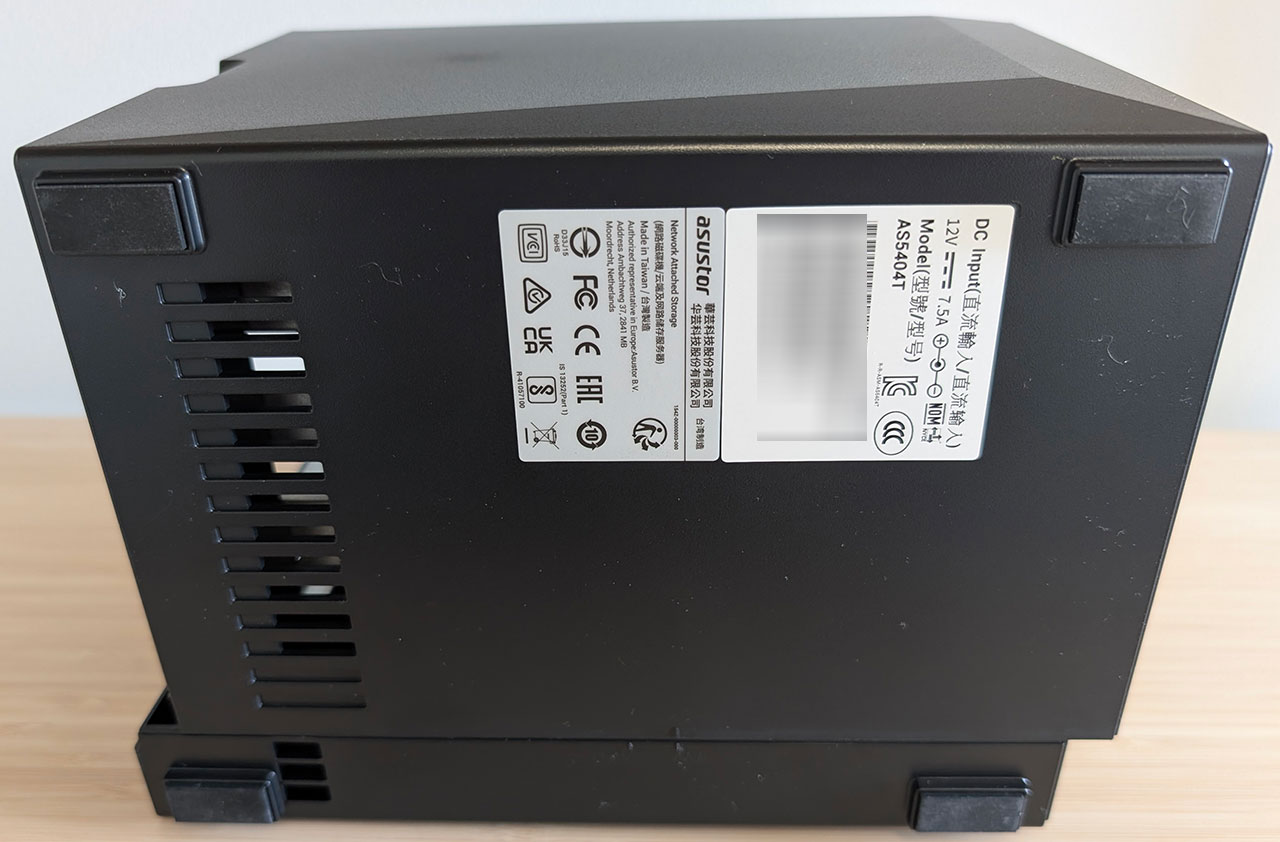
To no-one's surprise, the Nimbustor 4 Gen2 AS5404T looks like a NAS. But unlike some of the more affordable models we've looked at, Asustor includes a cover for the front of the unit, this is for aesthetics, it might help reduce the noise a tad, but it also prevents airflow. The AS5404T looks like it was made for gamers due to its angular and unusual looks, but this also makes it stand out from the crowd of boring black boxes. We're not so keen on the air vents on the top though, as some of them are rather large, and it would be possible to drop something inside the NAS through the slits, so we would've preferred them on the side of the unit. On the bottom of the unit is an open/close indicator for when you pop the lid off, similar to that of the QNAP TS-432X.
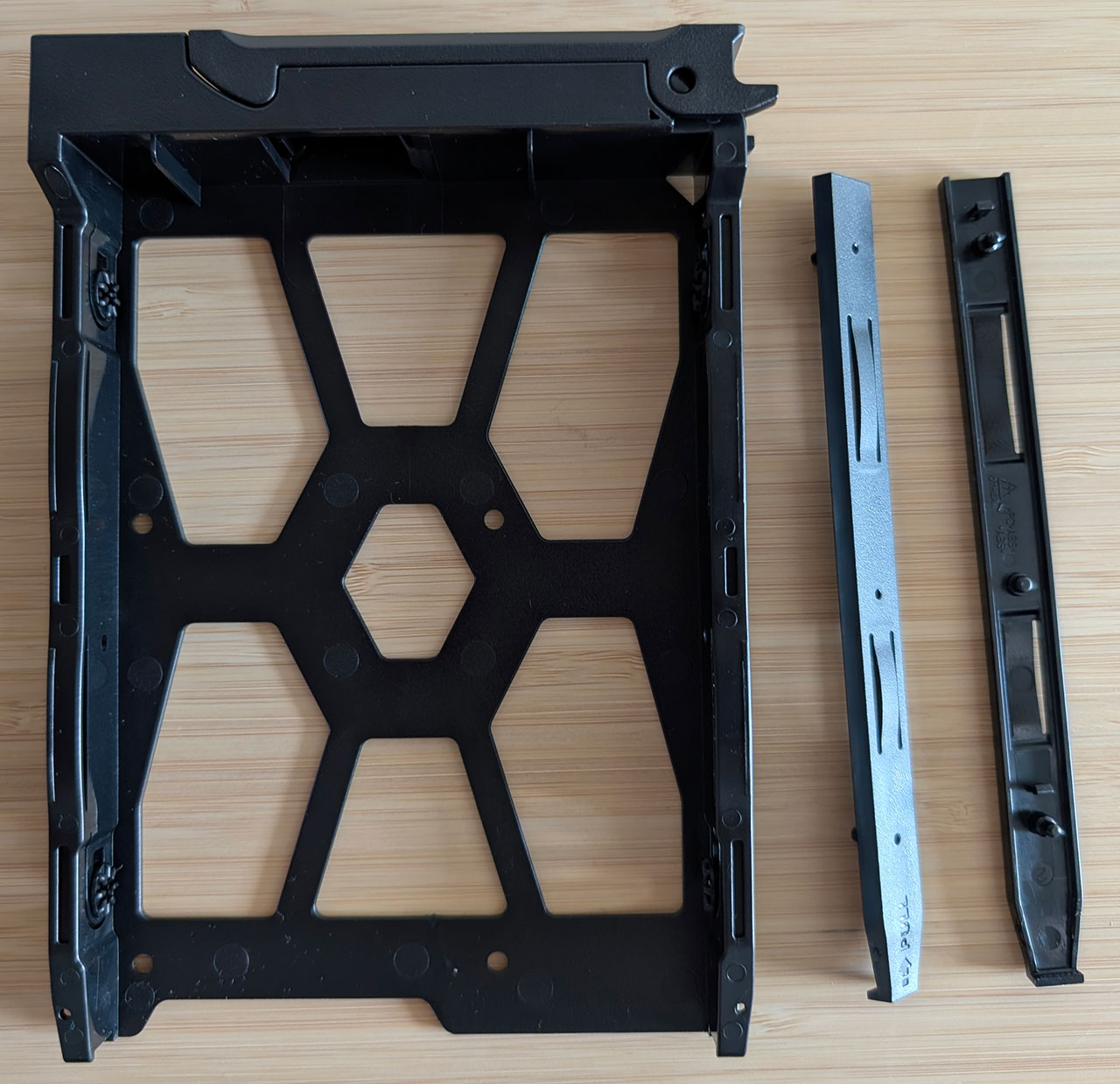
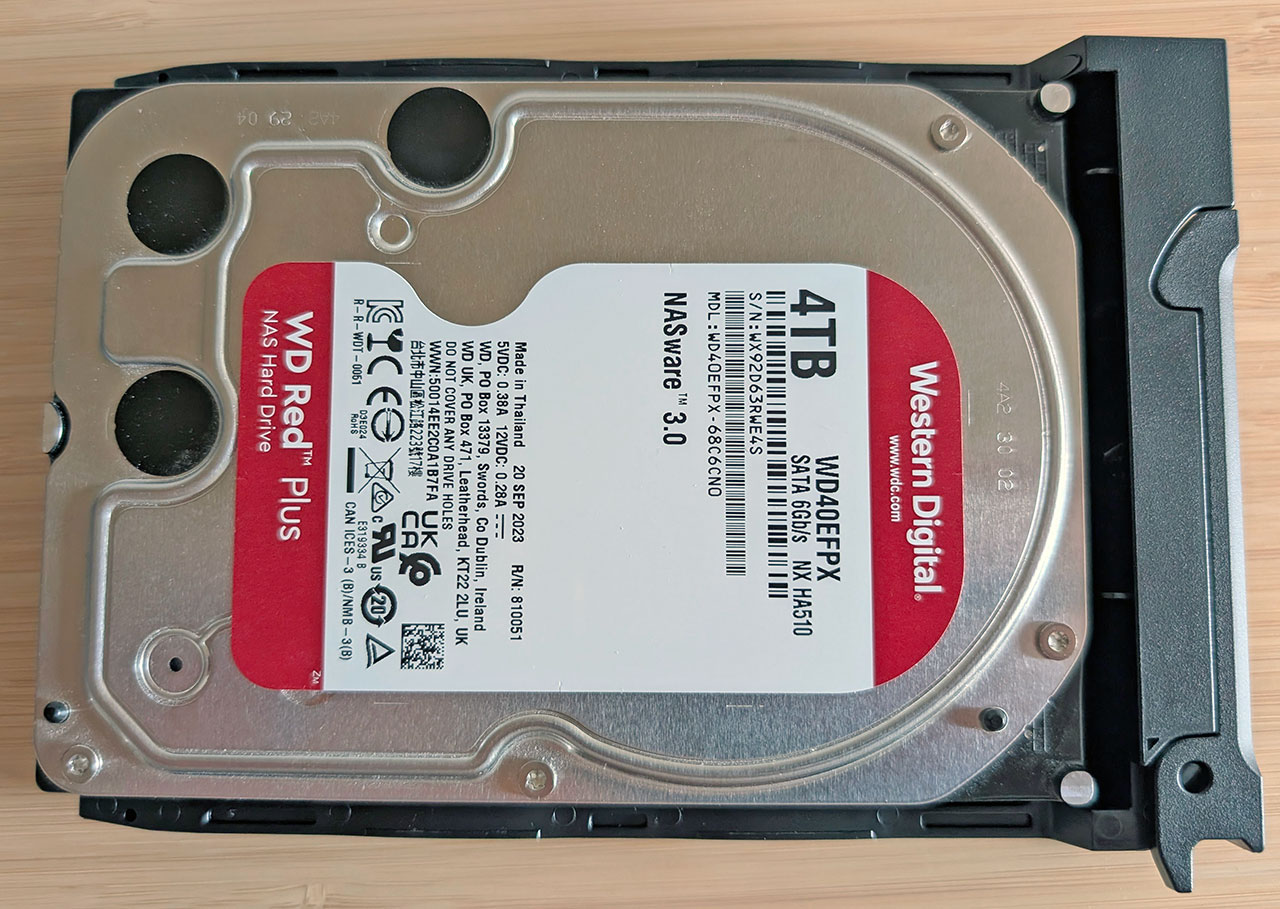
The drive trays are sturdy and similar in design to the ones TerraMaster uses, but the release latch is very stiff and makes a very loud and somewhat scary noise in the sense that it feels like you've snapped the plastic. These drive trays appear to be quite sturdy, but it was a bit fiddly to get the little plastic bits that are used instead of screws out of the trays. Beyond that, there were no issues installing drives in the trays or popping the drives back in the NAS, except for that loud cracking noise again.
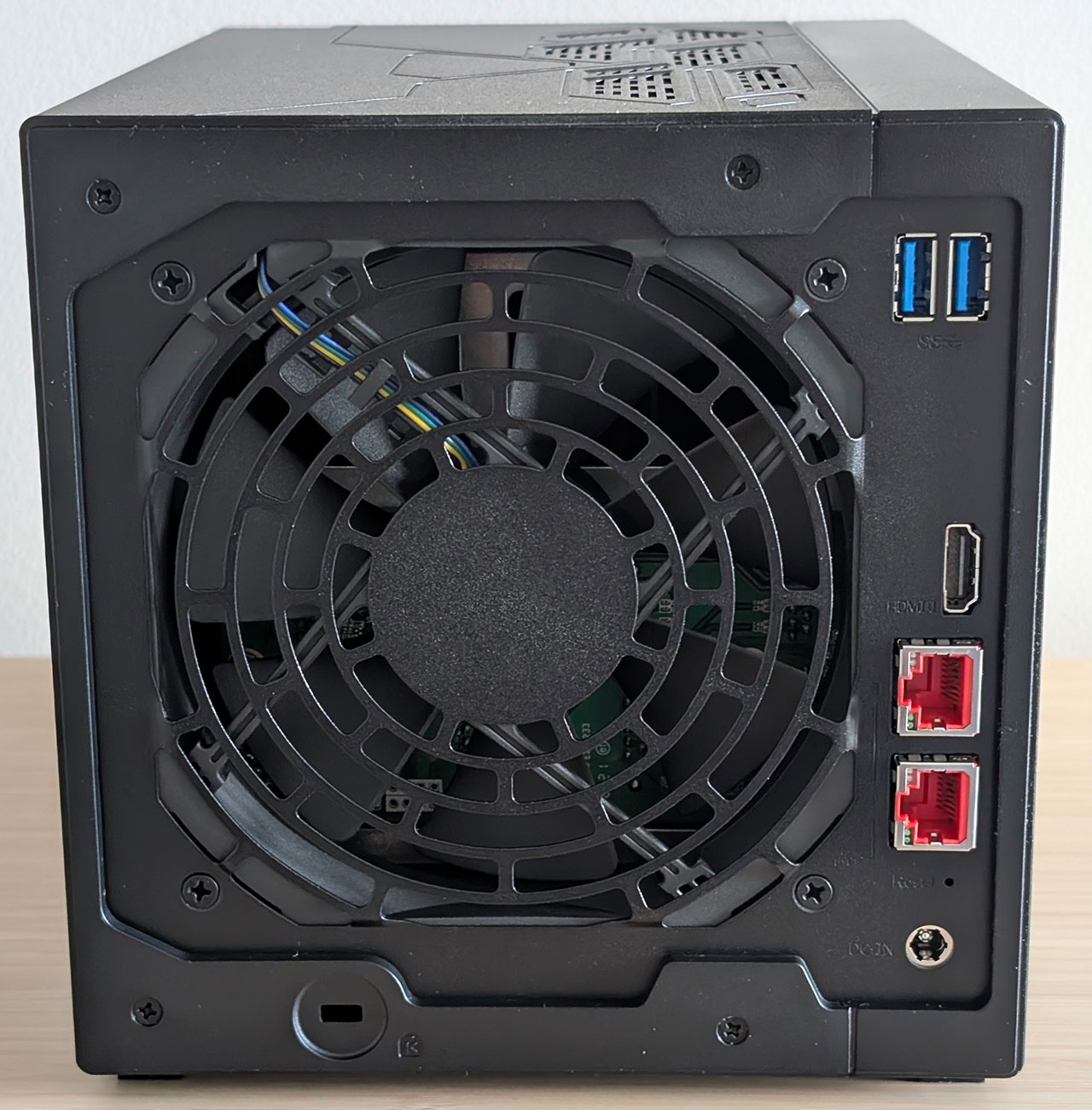
When it comes to ports, the AS5404T comes with your typical assortment for a modern NAS, a pair of red 2.5 Gbps RJ45 jacks, an HDMI 2.0b port, two Type-A USB 3.2 Gen 2 (10 Gbps) ports and a 12 V DC jack. There's also a small reset hole between the DC jack and the lower RJ45 jack and there's a Kensington lock hole around the back. Around the front is a further USB 3.2 Gen 2 (10 Gbps) Type-A port, and there's a dedicated button here for syncing your data with an external drive plugged into this port.
The Interior
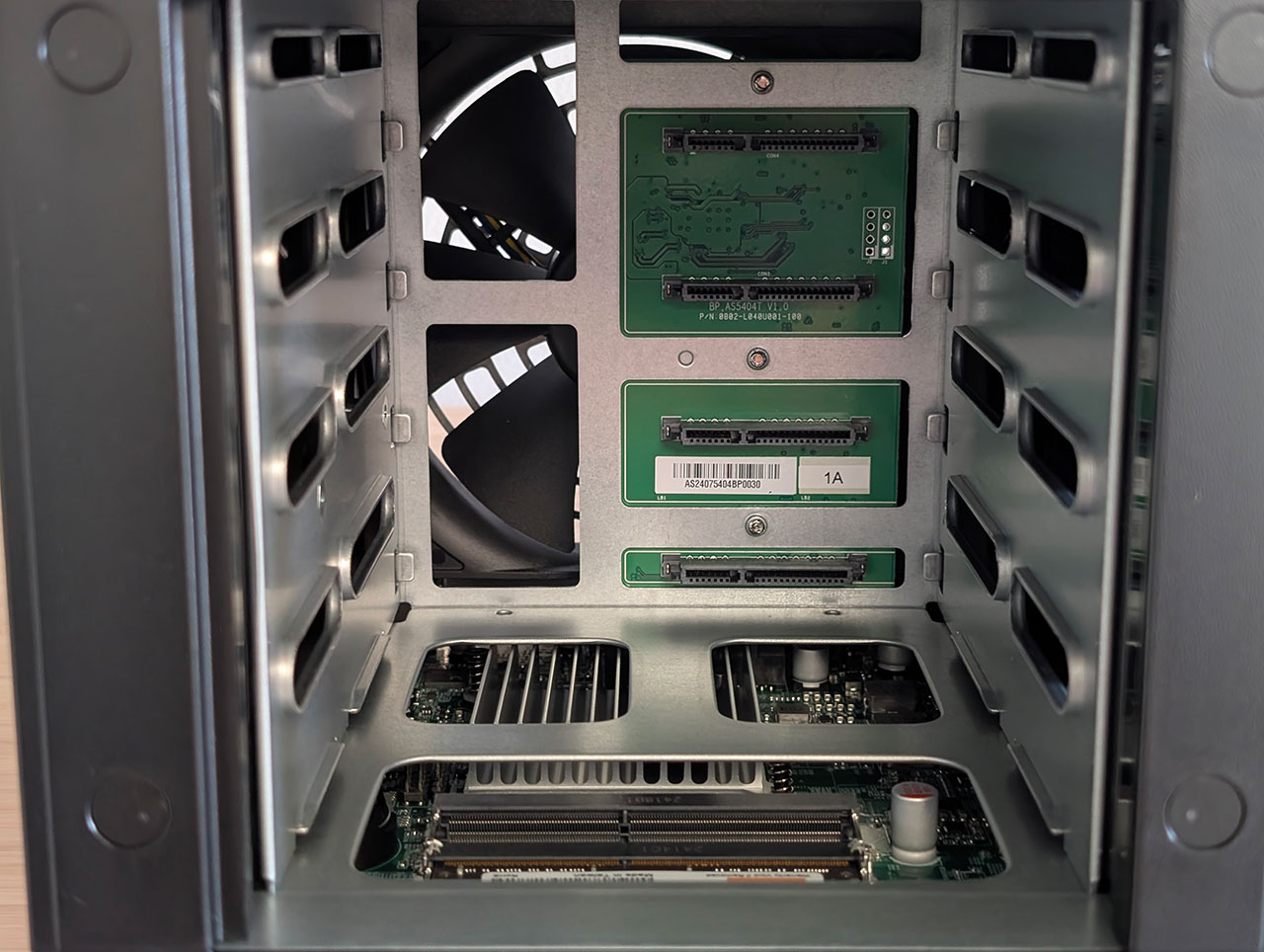
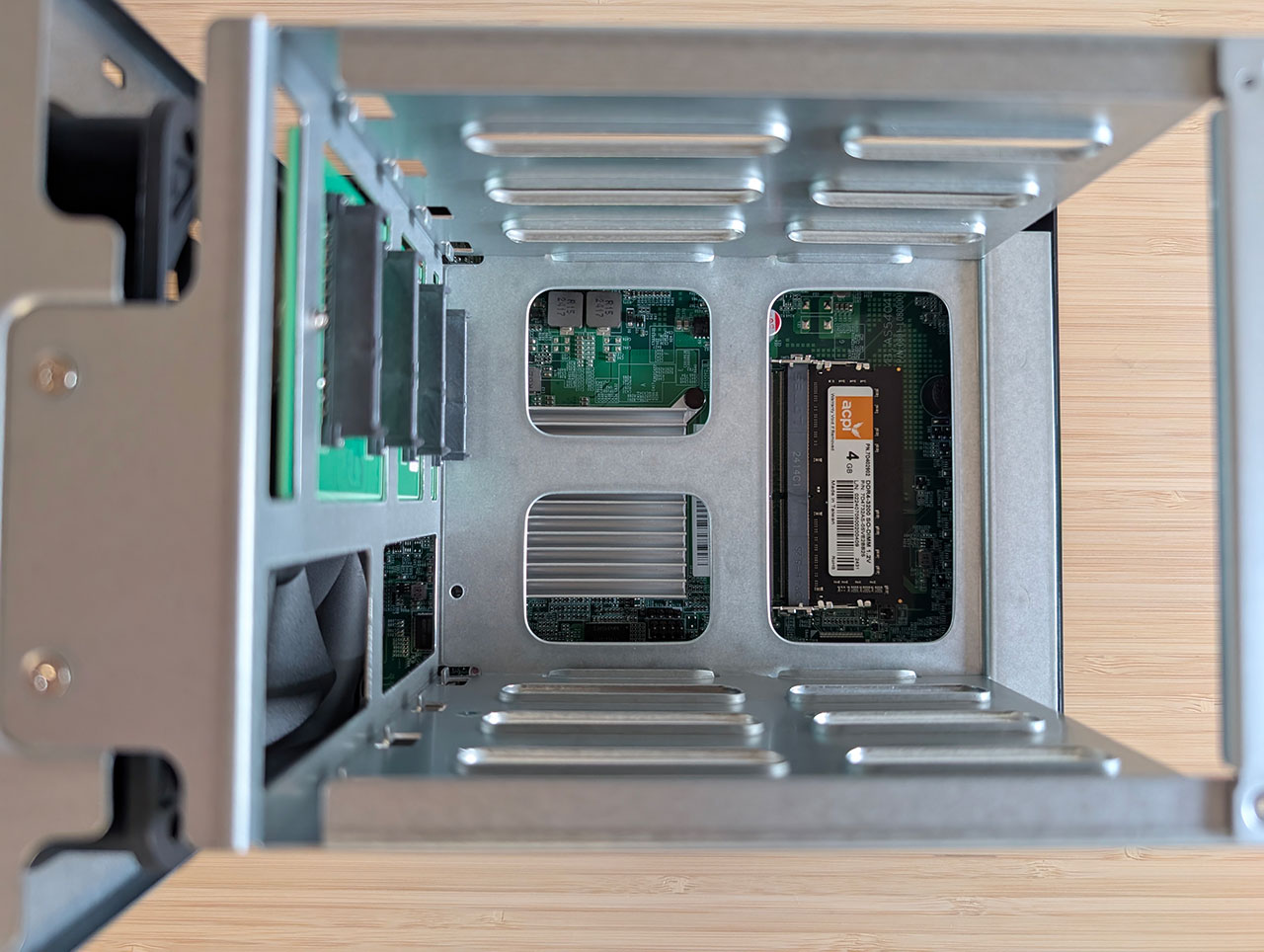
The Nimbustor 4 Gen2 AS5404T is quite different in terms of its internal design compared to almost all the other products we've looked at since we started reviewing NAS appliances again. You can tell that Asustor shares some history with QNAP, as the memory slots are located below the drive bays, and it's a bit tight getting access to them. At least there's a pair of the slots, so you don't need to remove the installed module to upgrade the memory.
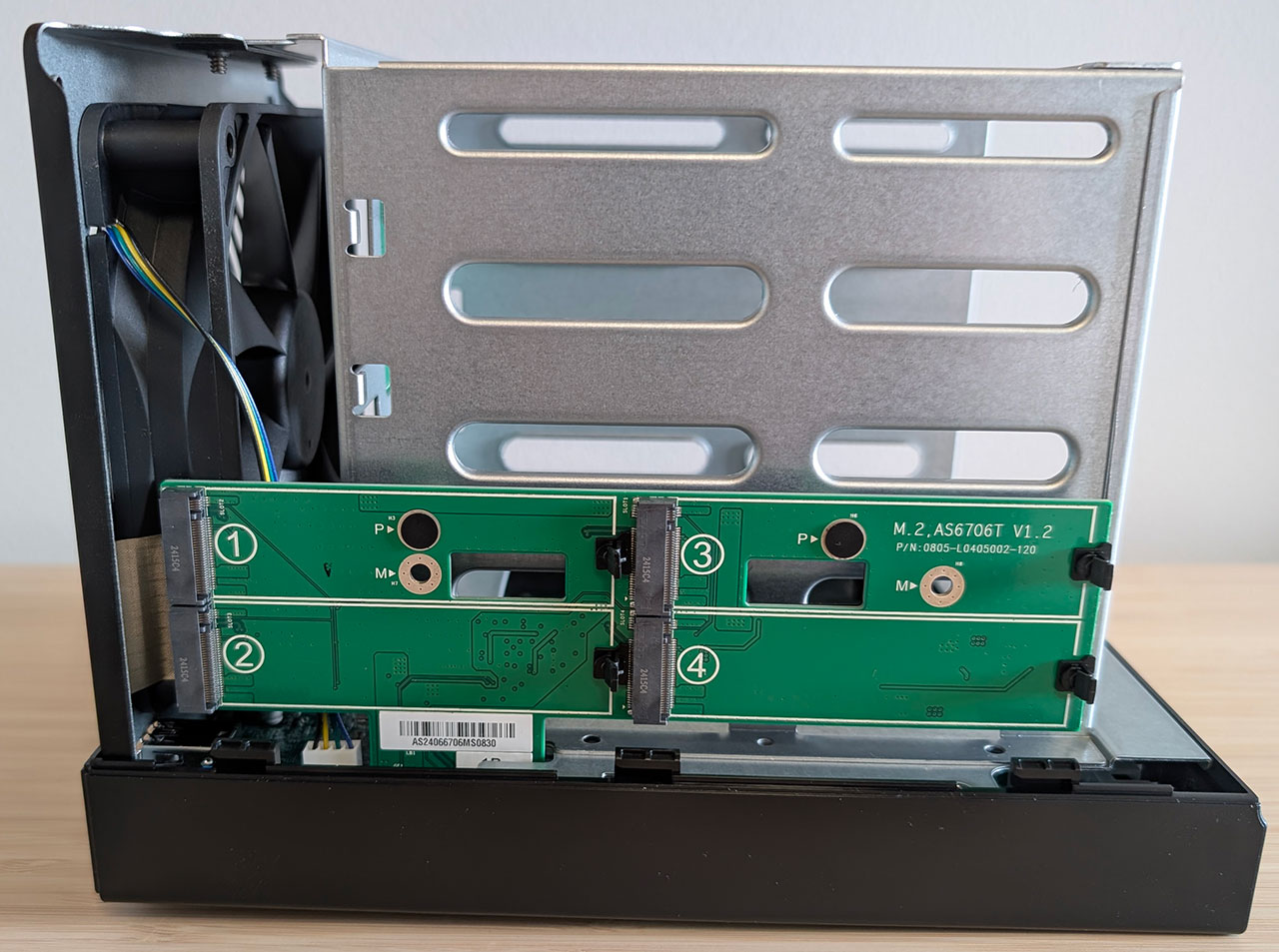
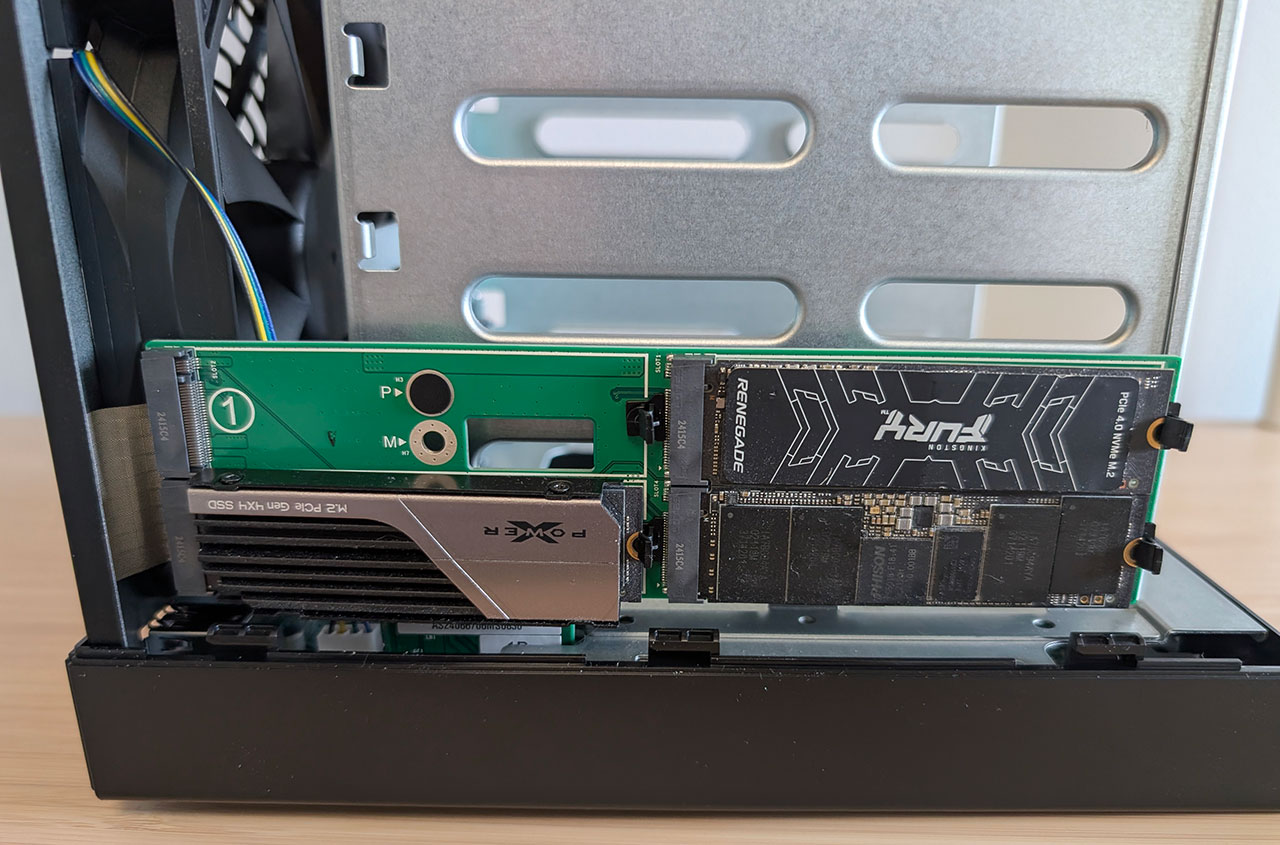
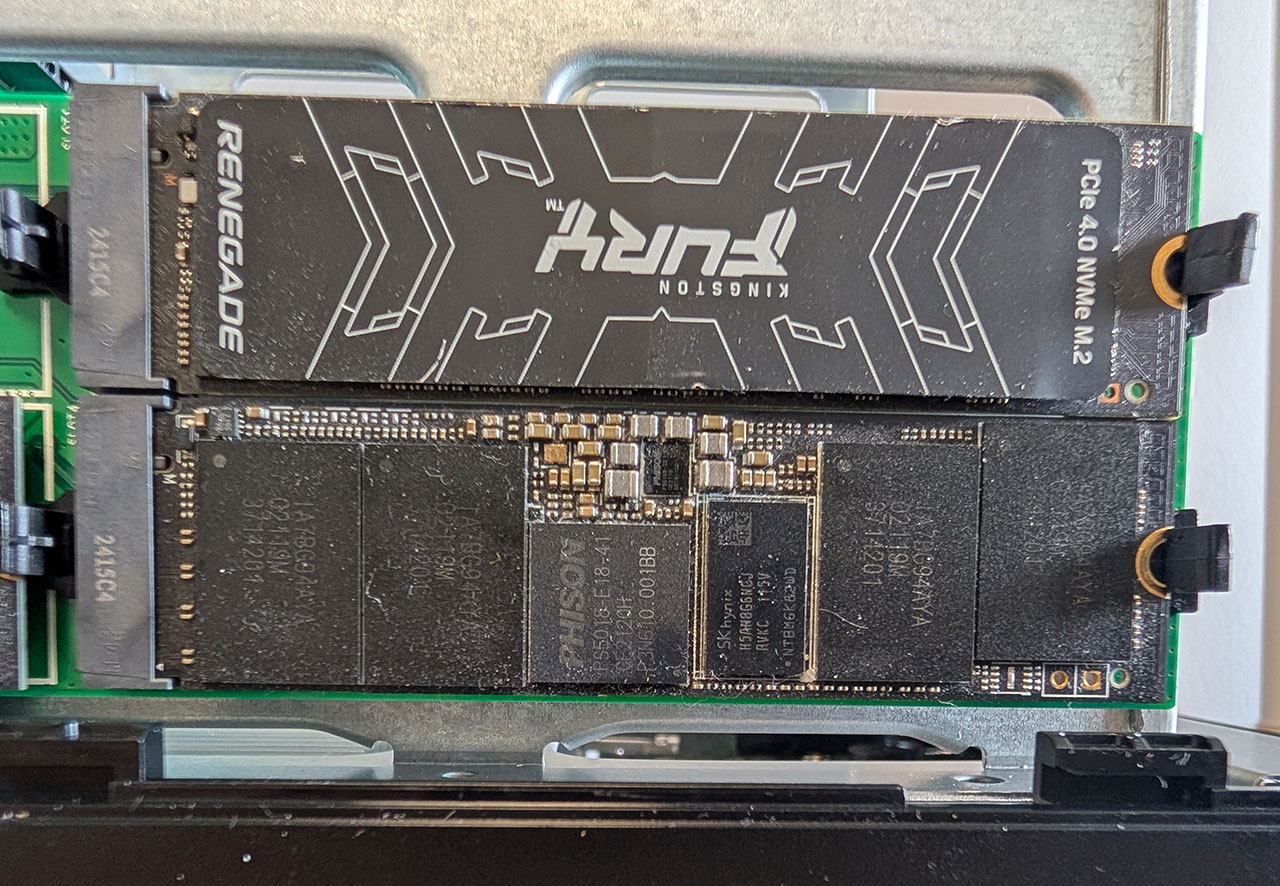
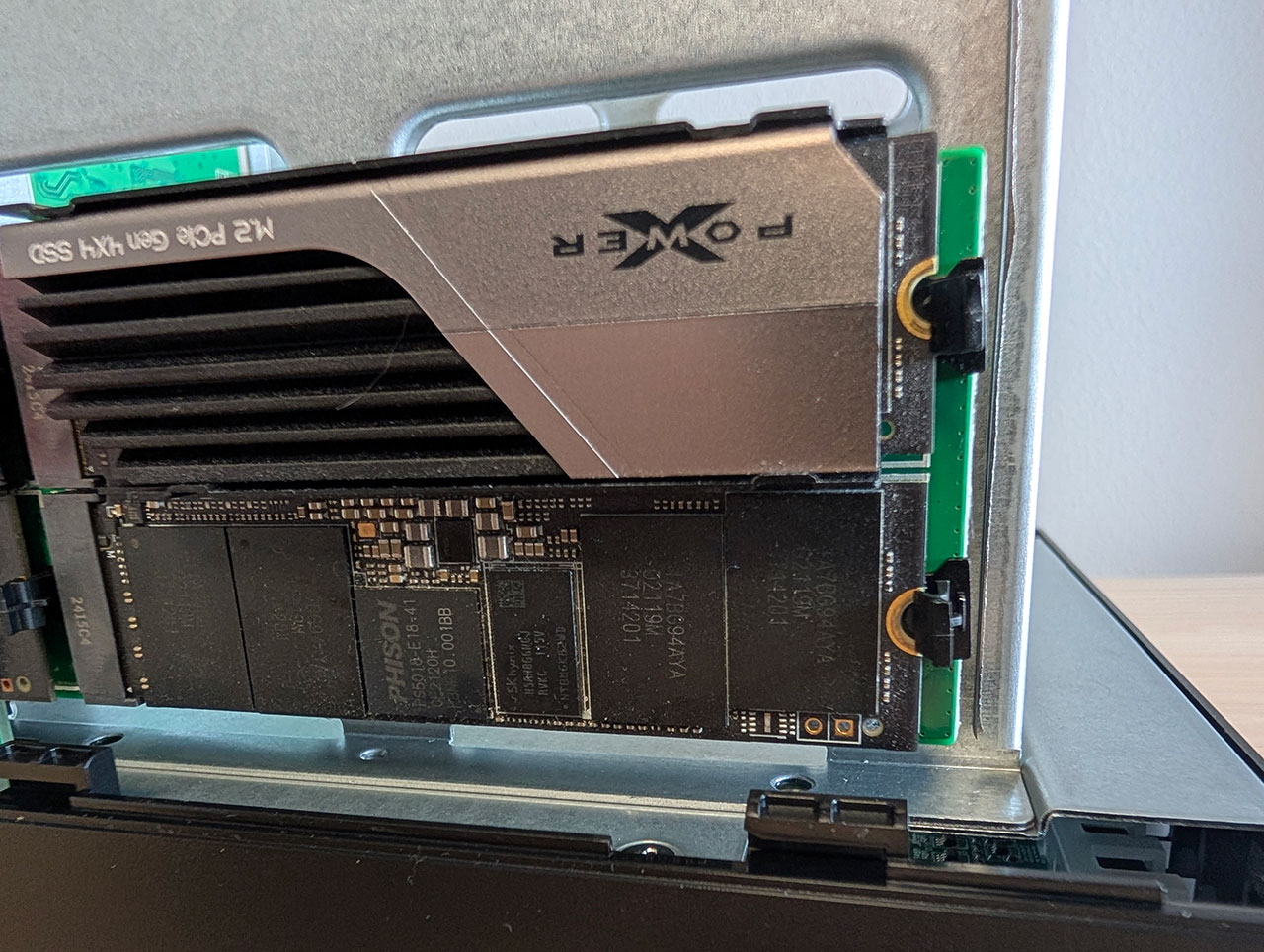
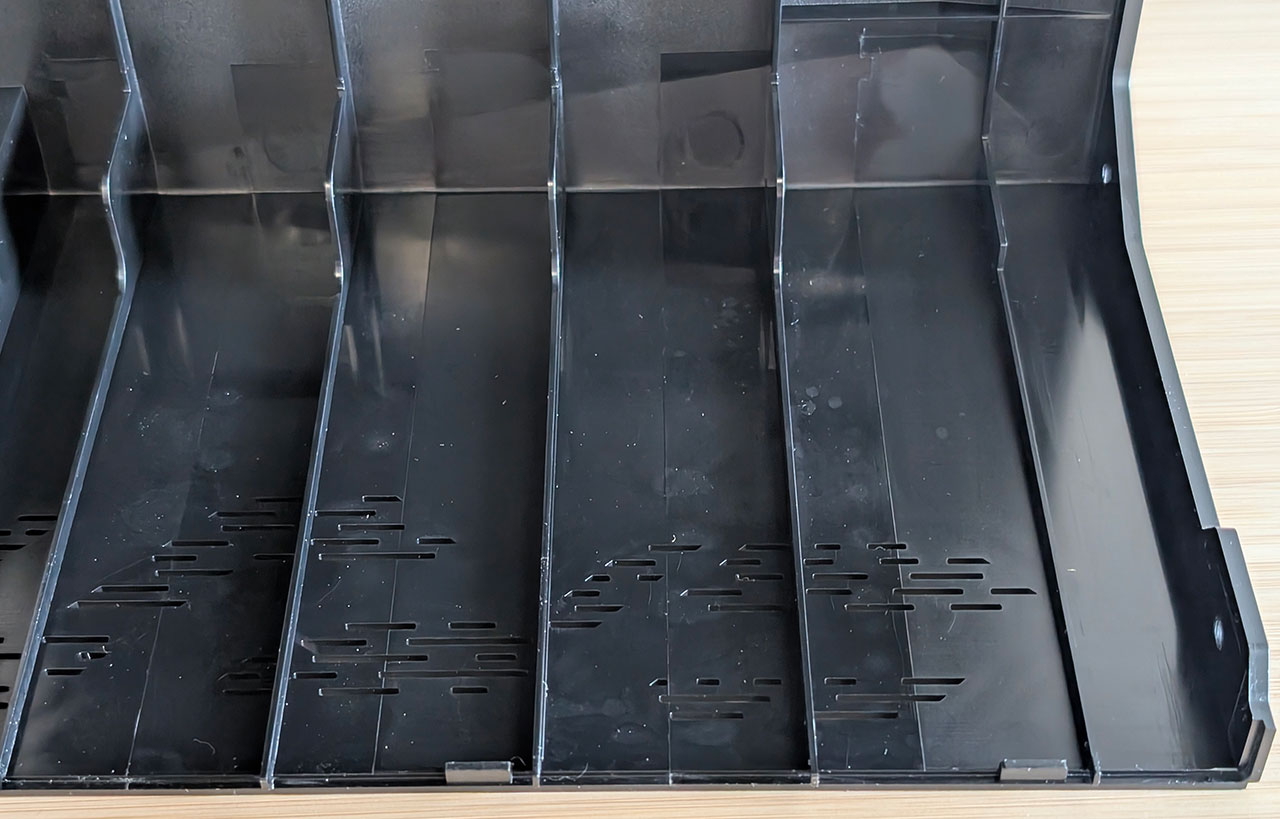
Unlike the QNAP TS-432X, the AS5404T doesn't feature an expansion slot, despite having what looks like a PCIe x4 interface. Instead, this is used to connect a riser card which can house up to four M.2 NVMe SSDs. Asustor offers screwless insertion of the drives, courtesy of a small plastic clip that makes it very easy to add and remove drives. However, something might have been rushed in the design phase here, since you can't put two drives with heatsinks next to each other, at least not if they have the type of heatsink that goes down the sides of the drives. Even when you only use a single drive with a heatsink next to one without, the one with the heatsink doesn't sit quite right in the slot. Asustor also suffers from the same issues as TerraMaster, with the housing hitting drives with a heatsink taller than a few millimeters, our guess would be three or four, as the drive we have with a 6 mm heatsink can't be used. This is partially due to the ribs on the side of the housing, but we now have multiple NAS makers with the same kind of silly issue. Adding a few extra millimeters in housing width can't be that hard, to make sure there's enough room for a small heatsink on the SSD, no?
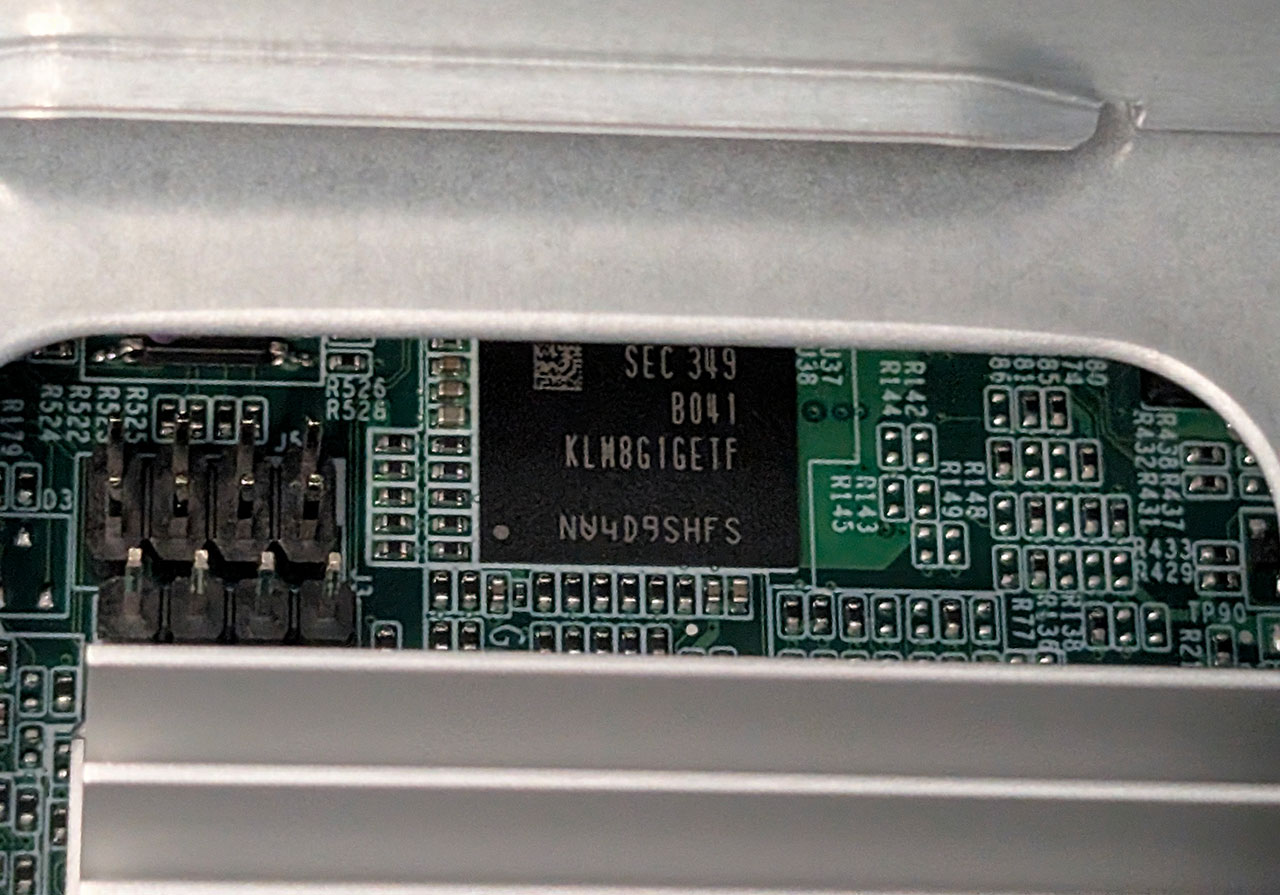
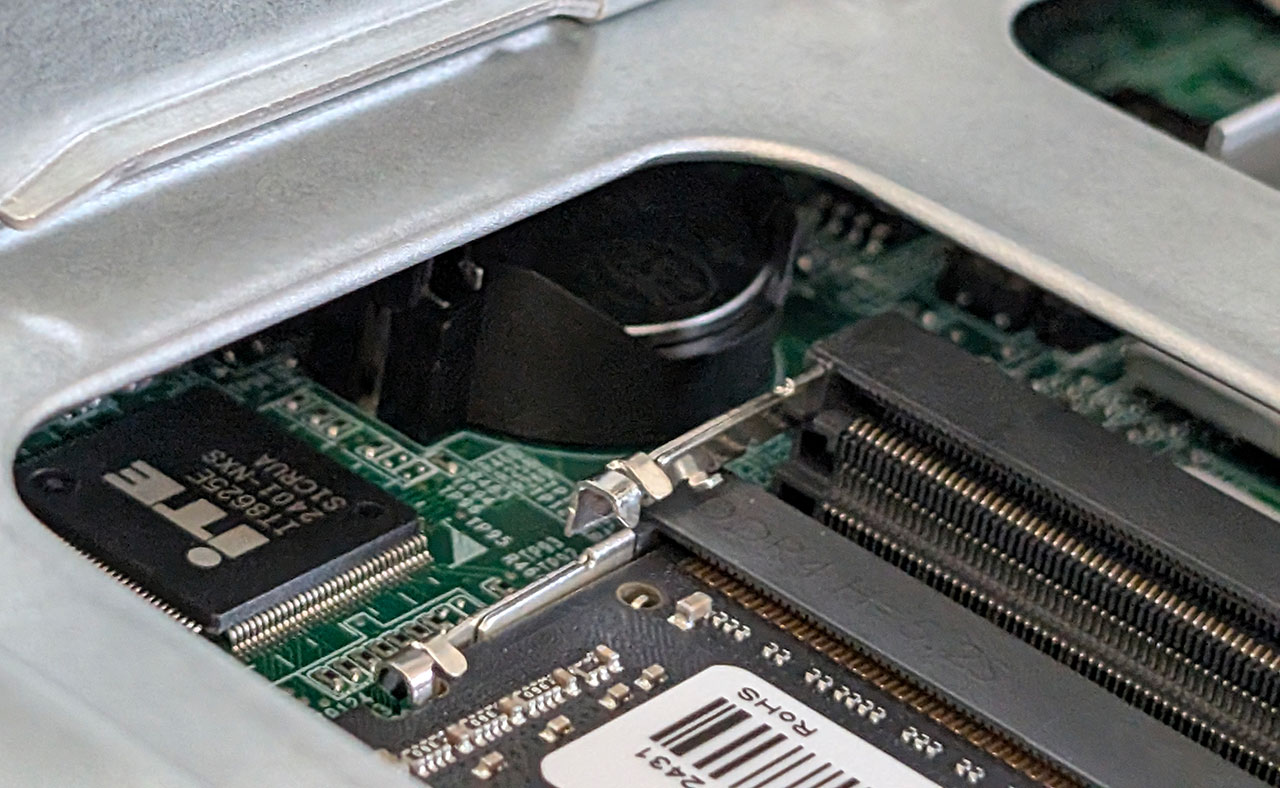
The 8 GB of eMMC that the OS image comes loaded onto is from Samsung (KLM8G1GETF-B041), although the OS is still installed on one or more of your drives, depending on how you set things up. One other thing we're not overly impressed by is the placement of the RTC battery, as it's going to be impossible to replace without disassembling the entire NAS.
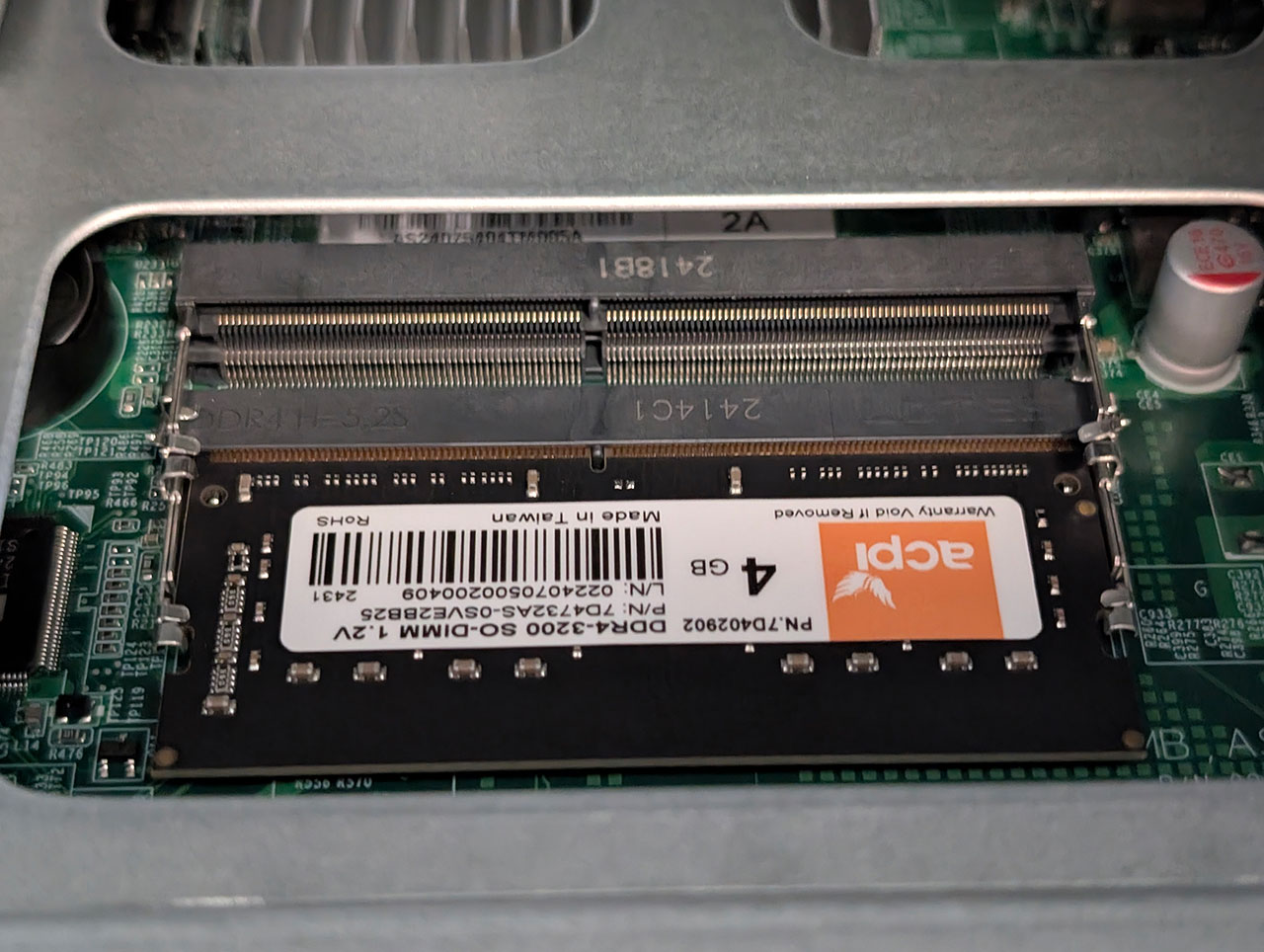
As pointed out, this is a slightly older model and the Intel Celeron N5015 is what makes this very obvious, as Asustor's competitors have moved on from Jasper Lake based chips to Twin Lake or Raptor Lake parts, depending on where in their product stack we're looking. The main difference here—besides a move to a faster, more modern CPU architecture—is the fact that Jasper Lake is stuck with DDR4 memory, which may be an issue down the line if you realize that you need more RAM for your NAS, largely from high DDR4 pricing due to it having started to reach end of life. The Celeron N5105 is also limited to 16 GB of RAM, but we're not overly worried about that being an issue for those looking at getting the AS5404T, and Intel's Twin Lake based processor has the same limitation, at least officially. Note that Asustor has gone with a 3200 MT/s module, even though the SoC is limited to 2933 MT/s memory, but this isn't an issue, as the memory will simply down clock itself to run at 2933 MT/s.
We should also note that Asustor has carried over quite a few components from the Lockerstor 2 Gen2 AS6702T that TPU reviewed in 2022, such as the DDR4 SO-DIMM, the eMMC, the Ethernet controllers, the Super I/O chip and—oddly enough—the NVMe SSD riser card. That there apparently haven't been complaints about the limited space on the NVMe SSD riser card over the past three years, and that nothing has been done about it, is quite puzzling to us.
Overall this isn't a great first impression, but as long as you're aware of the quirky limitations of the AS5404T, it's not an awful device, just not properly thought out design wise; a few minor changes would've made the hardware a lot better.
Nov 26th, 2026 00:39 CST
change timezone
Latest GPU Drivers
New Forum Posts
- What's your main Black Friday / Cyber Monday purchase? (11)
- AI generated images... (236)
- Claude credits purchased on or after Dec. 7 now have an expiry date (17)
- Strange PC issues with Z690 setup (5)
- RTX 5080 problems, random troubleshooting "log" (8)
- Slow boot, can't launch monitoring software, general lag (38)
- Linpack Xtreme Released (512)
- Exploring Local LLMs: Models, Hardware and Setup Experiences (1)
- Smokin Hot Lappy (10)
- Gacha Games - Discussions, Pulls, Updates, etc. (1165)
Popular Reviews
- ASRock X870E Challenger Wi-Fi White Review
- VZMORE AX9 Max Review
- Upcoming Hardware Launches 2027 (Updated Nov 2026)
- Microsoft Surface Laptop Ultra Review - The Next-gen Arm Laptop
- AMD Ryzen 7 9800X3D Review - The Best Gaming Processor
- AMD Zen 6 Technical Deep Dive
- Corsair RM1200e (Second Generation) Review
- Phantom Blade Zero Performance Benchmark Review - 35 GPUs Tested
- Pulsar Office Tour & First Look at P1 Dual-Sensor Mouse
- Ocypus lota P1000 Review
TPU on YouTube
Controversial News Posts
- Jensen Huang Reinstated as CEO of NVIDIA (573)
- NVIDIA Co-Founder and CEO Jensen Huang Officially Resigns (492)
- Report: Jensen Huang Eyes NVIDIA Comeback (281)
- Open Letter Asking NVIDIA to Reinstate Jensen Huang Passes 115,000 Signatures (184)
- OpenAI CEO Argues Home PCs Waste the World's Limited DRAM Supply (152)
- NVIDIA Launches Investigation Into Jensen Huang's Relationship With Suspected Chinese Spy (136)
- Intel "Raptor Lake Next" 16-Core and 20-Core CPUs Surface (130)
- Intel Razor Lake Gets a 12 P-Core bLLC Chip With No E-Cores, Per Leak (94)