 11
QNAP TS-432X Review - Arm Based NAS
Initial Setup & QTS 5.2.1.x »The Exterior


The TS-432X is part of QNAP's more consumer focused products and as such, it's made from more plastic than the business orientated products. This places the TS-432X in a similar category as the TerraMaster F4-424 that we looked at back in September, at least when it comes to overall build quality. On the top, there's a sticker with the specs and on the right-hand side is a sticker with a QR code that takes you to QNAP's setup guide, in case you need help setting up your NAS, as well as a Cloud Key and the device serial number and MAC address for the primary network interface. The front is home to the power button, a set of diagnostics LEDs, a single USB 3.0 Type-A port, a backup/copy button and a removable front panel.

Around the back, there isn't too much going on, since the TS-432X is pretty light on the connectivity side of things, but you'll find a pair of 2.5 Gbps Ethernet ports, one 10 Gbps SFP+ port, a single USB 3.0 Type-A port and 12 V DC jack. There's also a cover for the PCIe 3.0 x4 slot, and you'll of course find the 120 mm cooling fan here as well.


To access the drive bays, a small latch on the side has to be toggled to release the front of the NAS, which then pops off to reveal the drive bays.


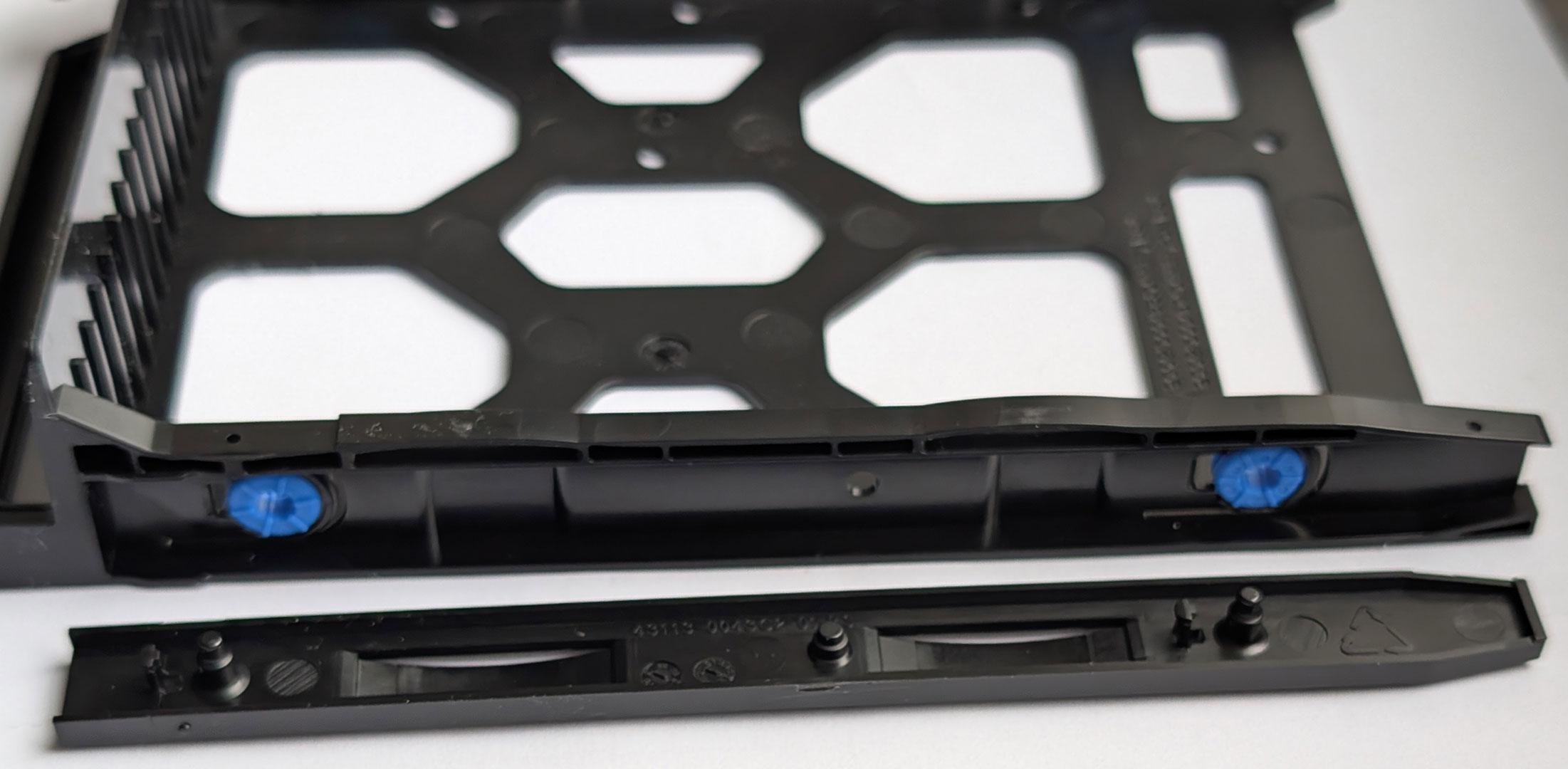
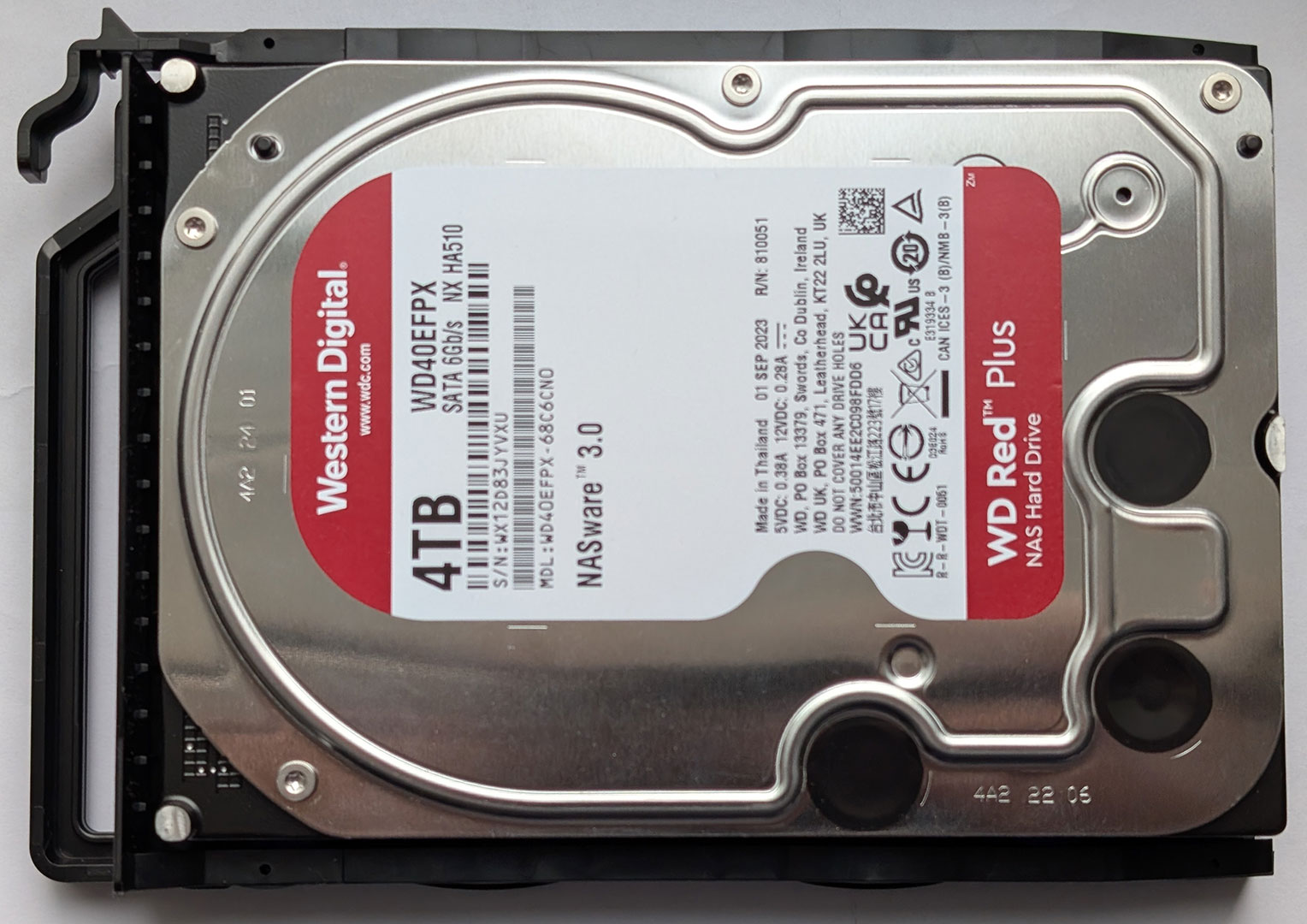
Each of the drive caddies are made out of flexible plastic. The drive caddies lack any kind of locking mechanism and are simply held in place with a simple latch that's part of the caddy. The drives are held in place by a plastic bracket, which is par for course in these cheaper NAS models, as we've seen from both Ugreen and TerraMaster. The one downside with the QNAP caddies is that they attract a lot of dust, as you can see in one of the pictures. They are also held in place by a pretty flimsy latch. This is not as good as the competition, even in this price range.
The Interior
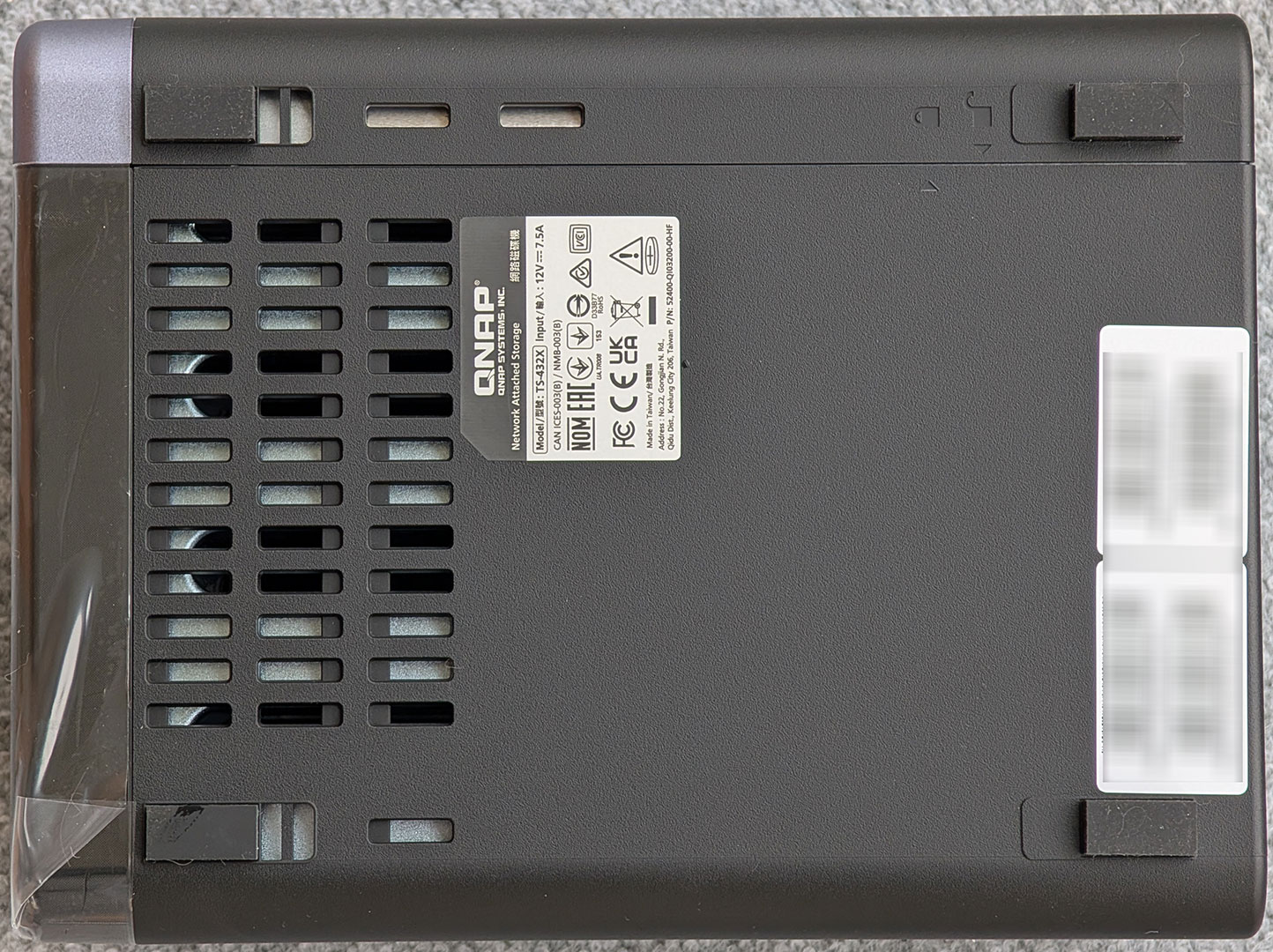
Opening the TS-432X is done by unscrewing four screws at the rear and sliding off most of the housing, although rather counterintuitively, you're sliding off most of the top and bottom, alongside with the left side of the housing. At least there's a lock indicator at the bottom of the unit that shows which way to slide the chassis to lock and unlock it.


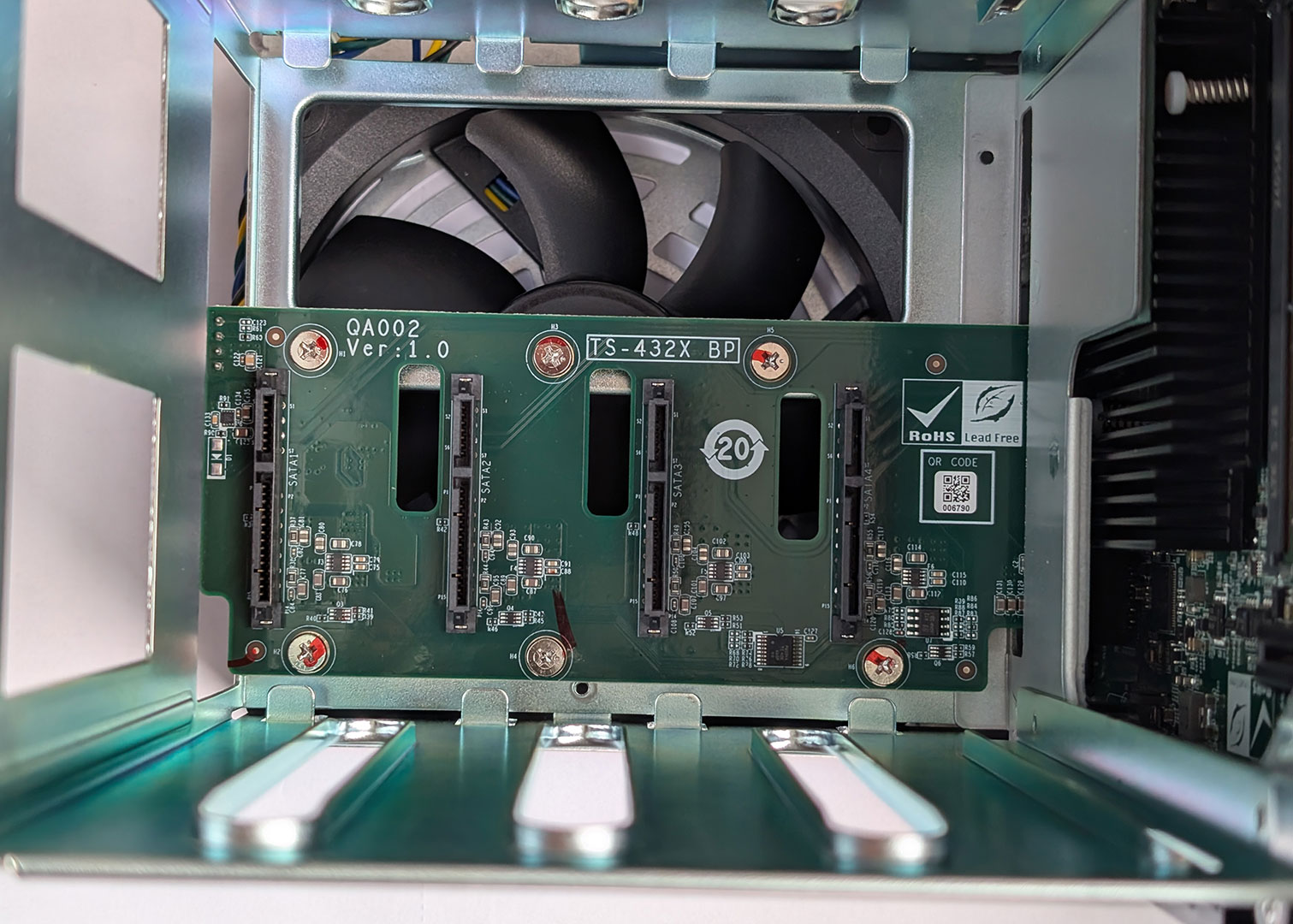
Once this has been done, you can access the open-ended PCIe 3.0 x4 slot, as well as the single memory module, which is hiding below the 3.5-inch drive slots. This is also where the RTC battery can be found, as well as a small PCIe like connector that doesn't appear to be used in this specific model from QNAP. Note that the PCIe slot doesn't use standard brackets, so if you're not buying your add-in cards from QNAP, you might have to use them without a bracket to make them fit. However, as already mentioned, a standard Marvell/Aquantia based PCIe 3.0 x4 10 Gbps Ethernet card worked just fine, although driver support from QNAP would be required for your add-in card to work with the TS-432X. We couldn't spot any extra SATA controllers on the riser with the SATA connectors on it, so unlike many Intel based NAS devices, it seems like the Annapurna Labs SoC supports at least four SATA devices. This is also how you access the SO-DIMM slot. The standard 4 GB module can be upgraded to 16 GB, and ECC memory is supported.

We also want to give props to QNAP for using a standard 4-pin PWM fan and fan connector, as this means that you can replace the fan with an aftermarket model, were it to fail in the future, or if you wanted a quieter model. This is still not a common feature on a lot of NAS appliances.
Overall, the TS-432X is reasonably well-built, but there's nothing that really stands out, good or bad. We could call this a run-of-the-mill NAS, but that is just looking at the hardware construction, which is just one aspect when it comes to a NAS, so let's take a closer look at the software side of things, an area where QNAP should be way ahead of most of its competitors in.
Nov 14th, 2026 01:16 CST
change timezone
Latest GPU Drivers
New Forum Posts
- Tell me about your favourite graphics card (36)
- Requesting original VBIOS for Gigabyte RX 5700 XT GAMING OC 8G Rev 2.0 (Micron) (1)
- What are you playing? (26216)
- no "PhysX" workable (9)
- AI generated images... (224)
- Crimson Desert (31)
- RenoDX HDR - how to view the differnce Before&After in game? (0)
- Displayport DP80 3M (10ft) cable that can achieve 80gbps stable? (5)
- I'll flash a ASUS ROG Strix RX480 O8G in Cause of Code 43, as a Newbie (1)
- Opinion on Monitor Replacement (6)
Popular Reviews
- AMD Zen 6 Technical Deep Dive
- Corsair HX1000i Shift Crystal Review
- NZXT C1200 Platinum Review
- ASUS ROG Strix B850-I Gaming Wi-Fi7 W Review
- Upcoming Hardware Launches 2027 (Updated Nov 2026)
- Montech King 95 3D PRO Review
- NZXT H7 RGB+ Review
- NZXT H5 Review
- Phantom Blade Zero Performance Benchmark Review - 35 GPUs Tested
- XPG NIMBUS PLUS Review - Mid-range Chair With Strong Competitors
TPU on YouTube
Controversial News Posts
- NVIDIA Co-Founder and CEO Jensen Huang Officially Resigns (381)
- OpenAI CEO Argues Home PCs Waste the World's Limited DRAM Supply (152)
- NVIDIA Launches Investigation Into Jensen Huang's Relationship With Suspected Chinese Spy (136)
- Intel "Raptor Lake Next" 16-Core and 20-Core CPUs Surface (130)
- Legendary Game Studio BioWare Shuts Down Following EA Layoffs (104)
- Dell CEO Says the Memory Shortage Will Get Worse in 2027 (95)
- NVIDIA GeForce RTX 50-Series Scheduled for up to $500 Price Hike This Week (89)
- Modder Fits RTX 5090 With Four 8-Pin Connectors, Halving Current per Wire (80)