 2
be quiet! Light Mount TKL Keyboard Review
Disassembly »Closer Examination
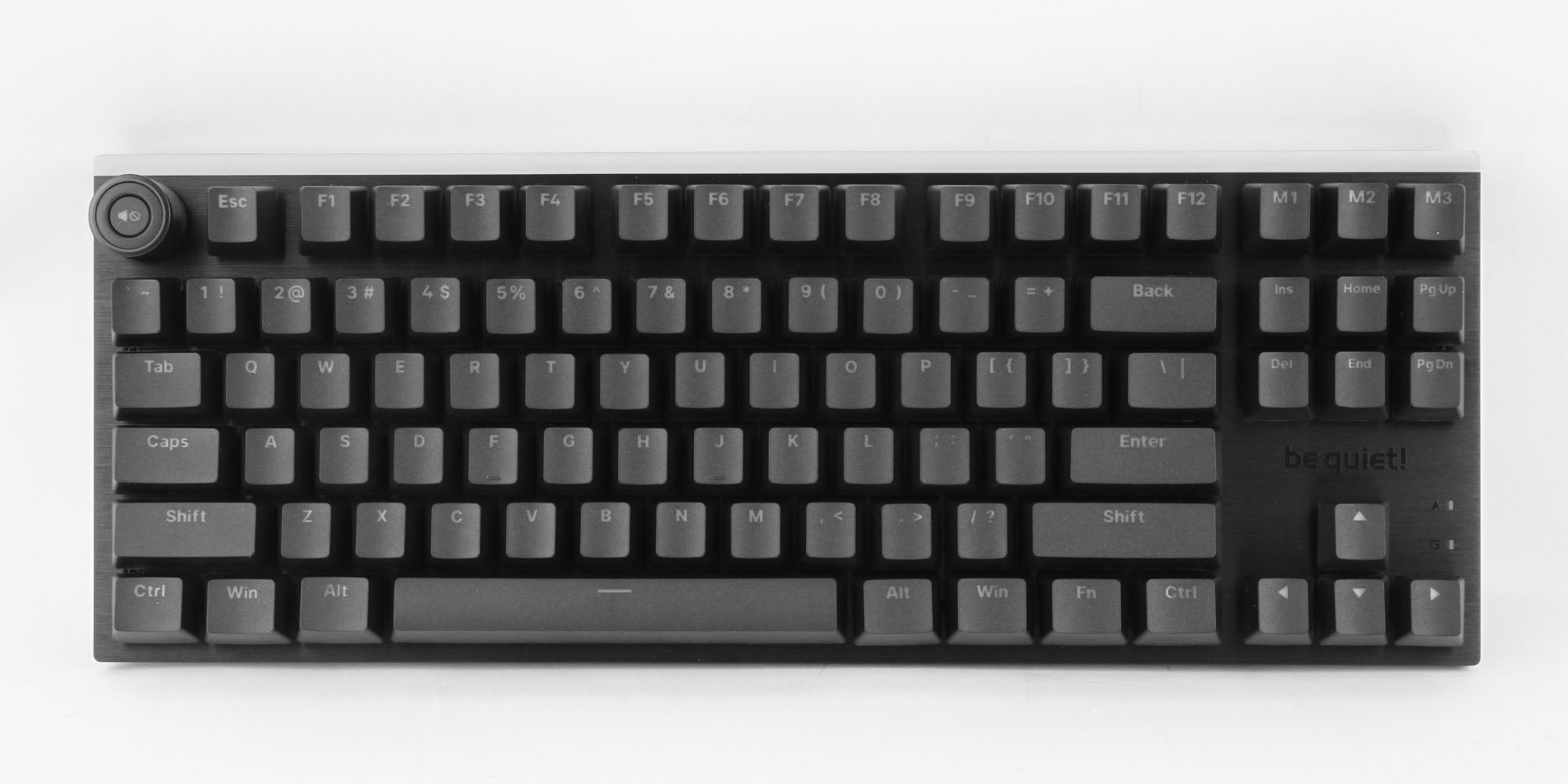
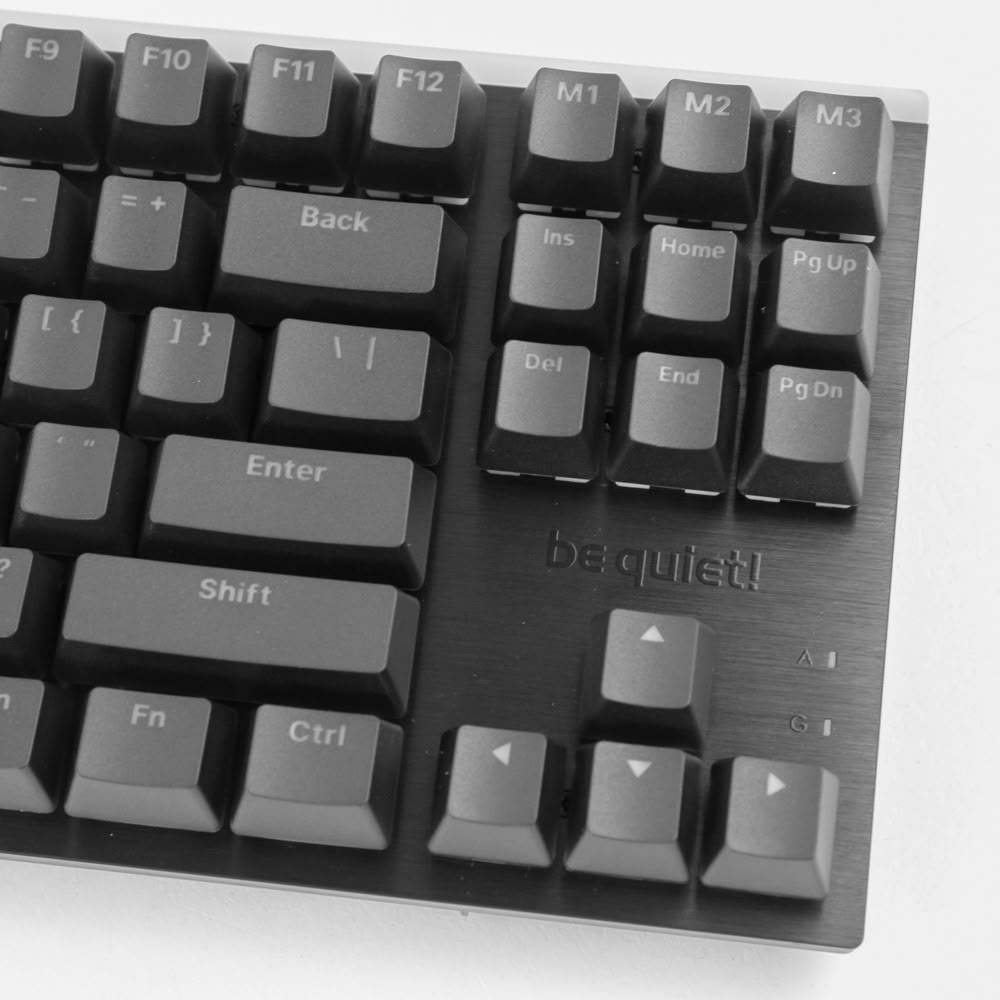
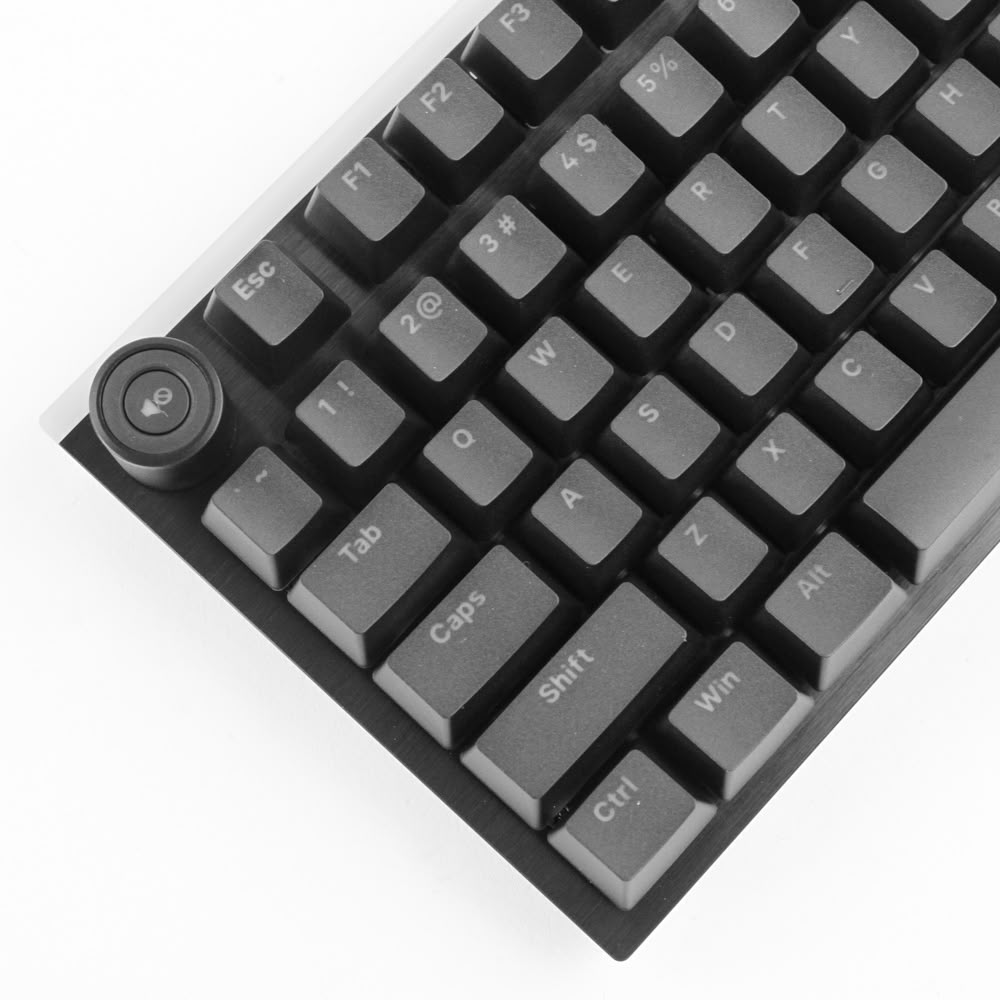
The be quiet! Light Mount TKL keyboard is only available in black, which is a safe choice that won't stand out. The use of an aluminium frame and ABS plastic bottom case keeps it relatively light at ~1 kg, and the smaller-than-full-size footprint here also makes it more conducive for a smaller or crowded desk. The keyboard is very clean looking, with even the branding being far from obnoxious. We see be quiet! has chosen to place the rotary dial in the top left corner as opposed to the usual top right corner, and there we instead find three macro keys for added customization. By default, the wheel does volume control, although this can be configured in software. There is no number pad here, as expected, and we also find two Windows keys to adhere more to the standard layout. Two indicator lights are found above the arrow key cluster and I would say the bezels are smaller than average, to keep up with the svelte overall appearance.
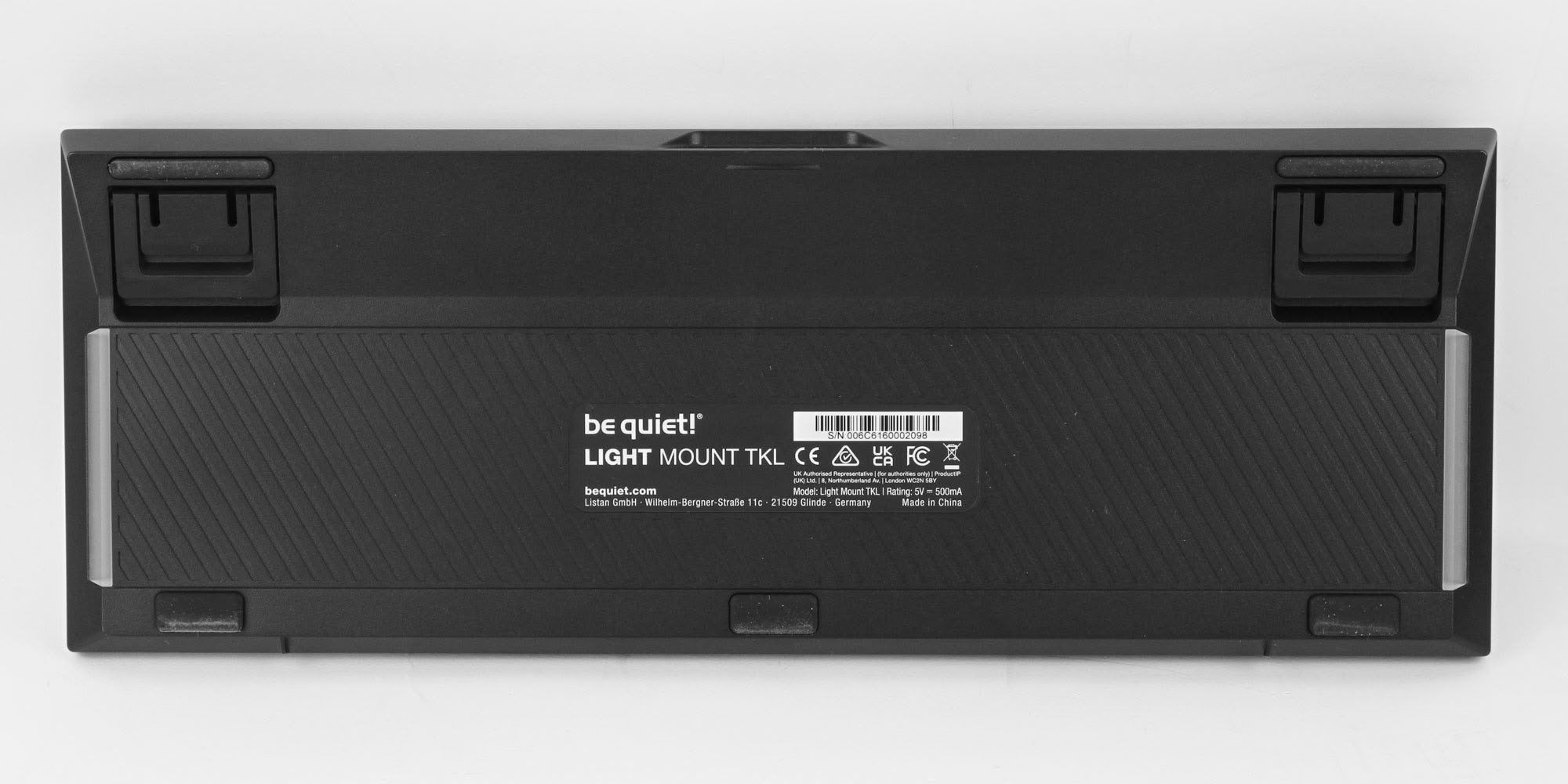
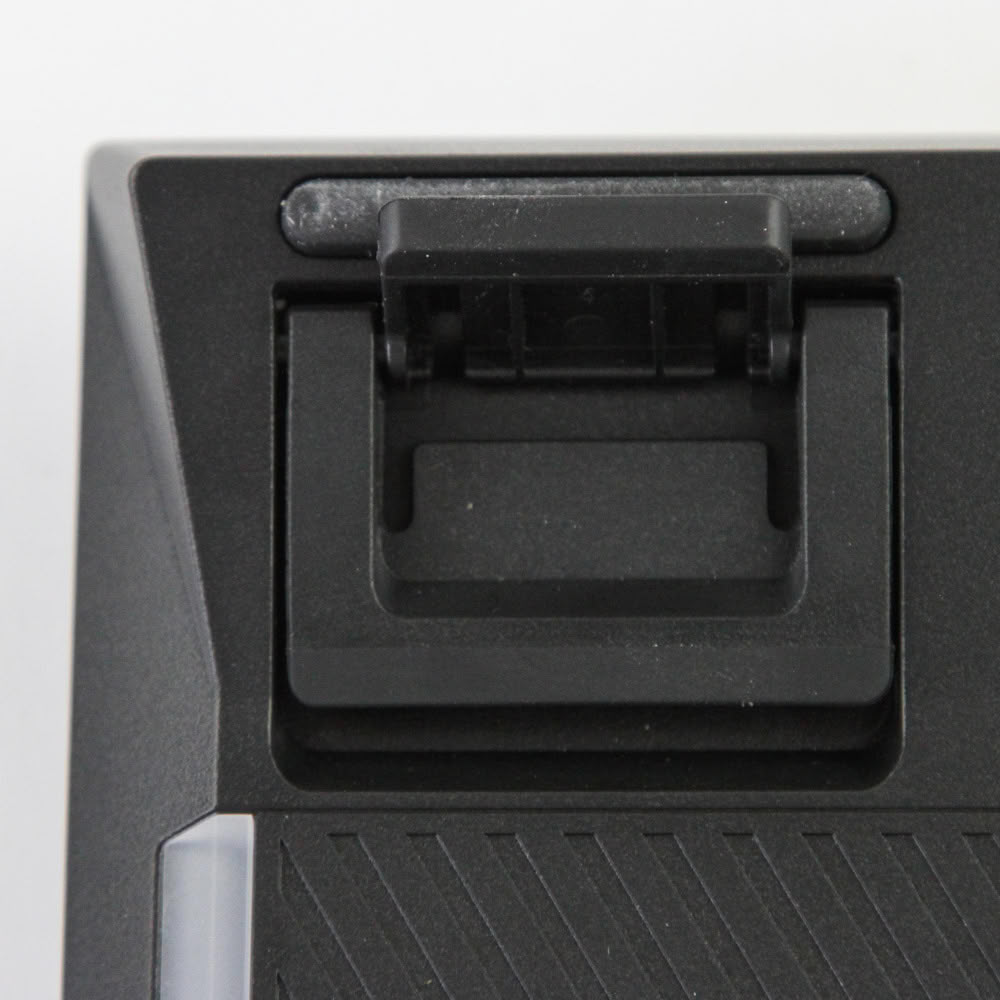
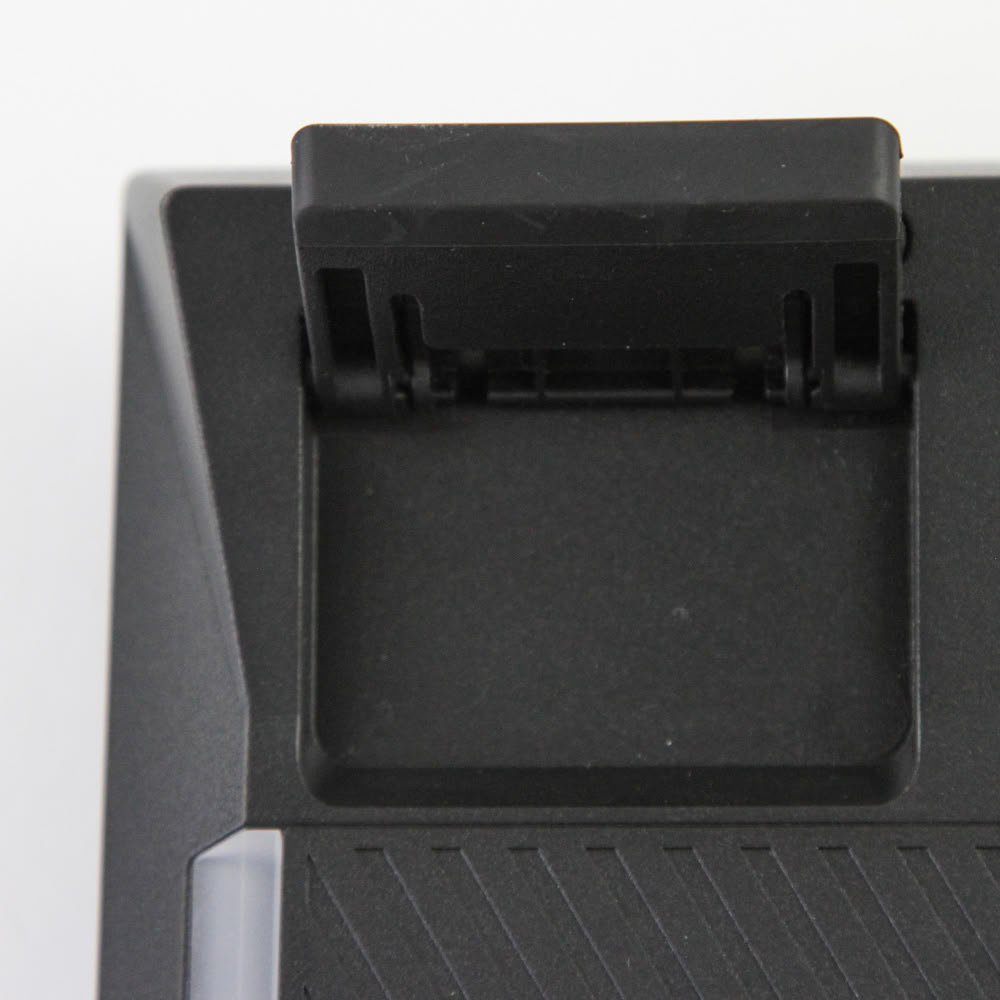
Turning the keyboard around, we see a black ABS plastic case panel with the expected certification sticker in the middle. There are five rubber pads along the top and bottom to help add grip when the keyboard is in use, as well as two sets of keyboard feet with their own rubberized surfaces. This allows for a total of three elevation angles to use the Light Mount TKL, based on your preferences.
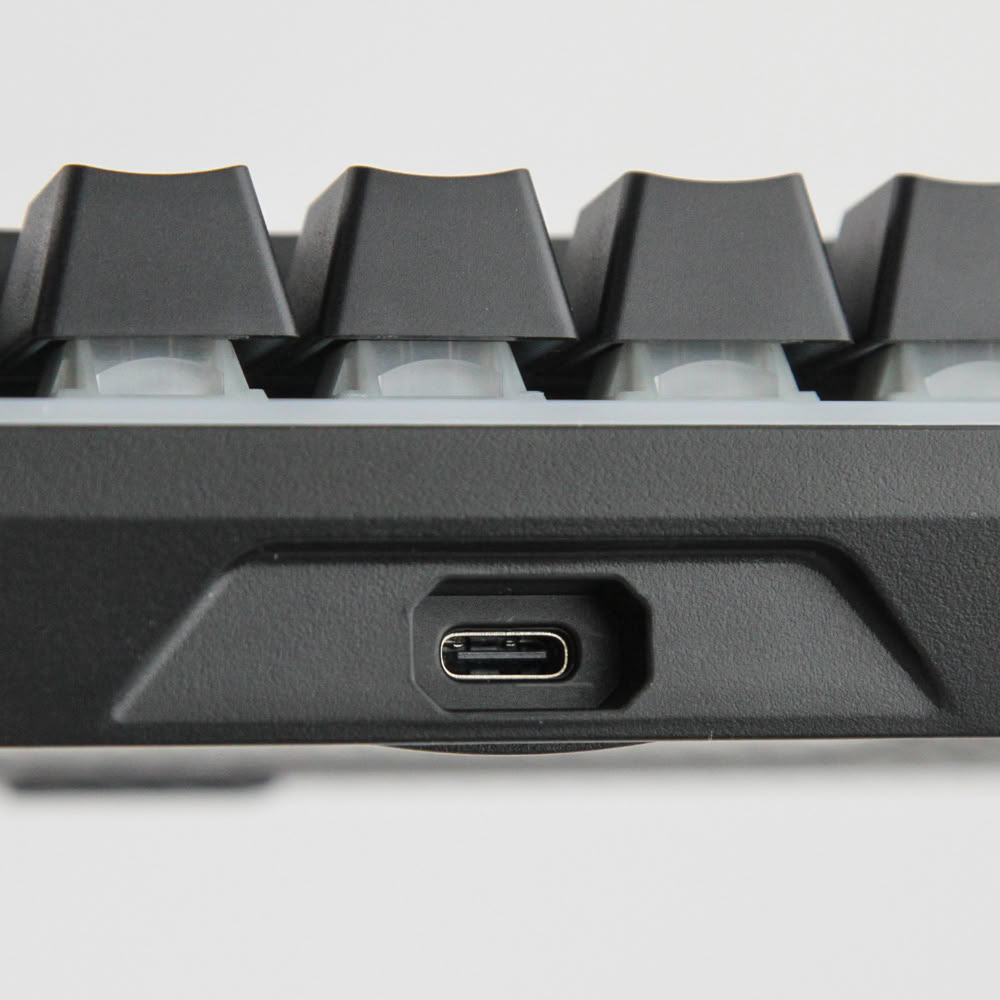
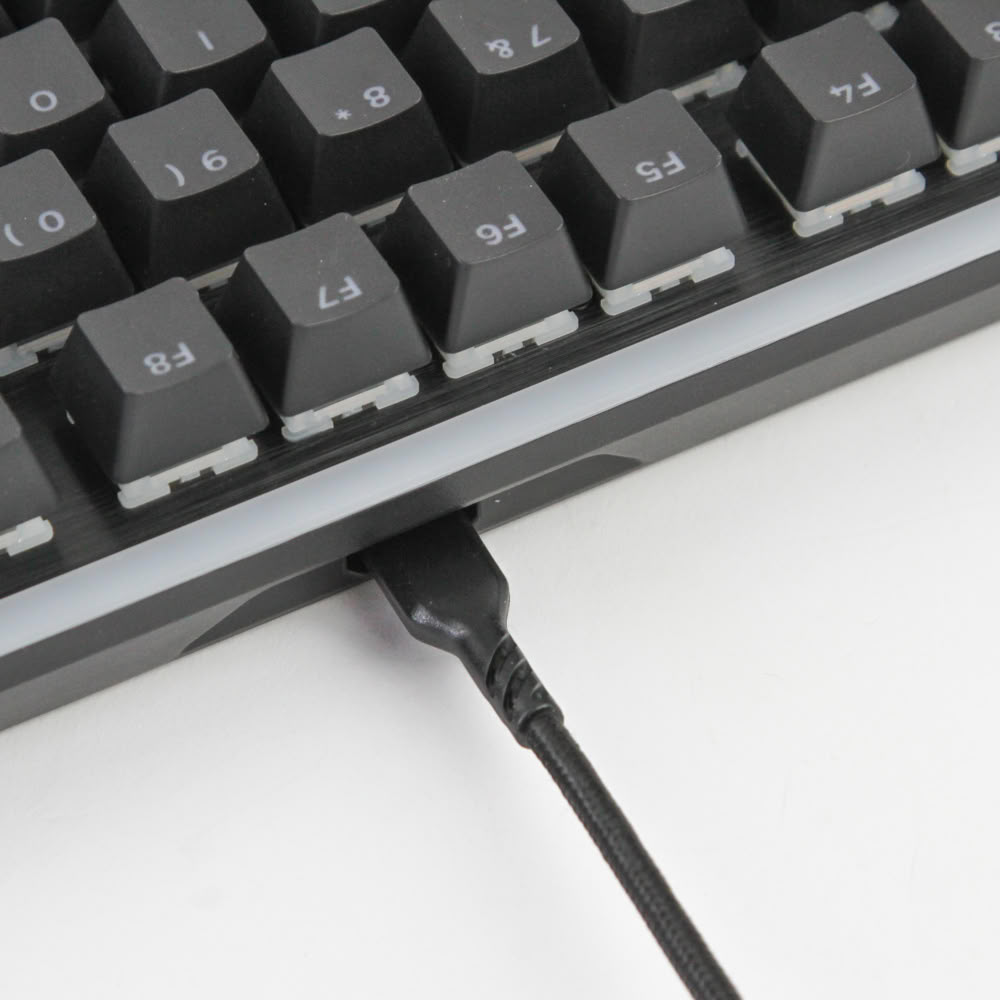
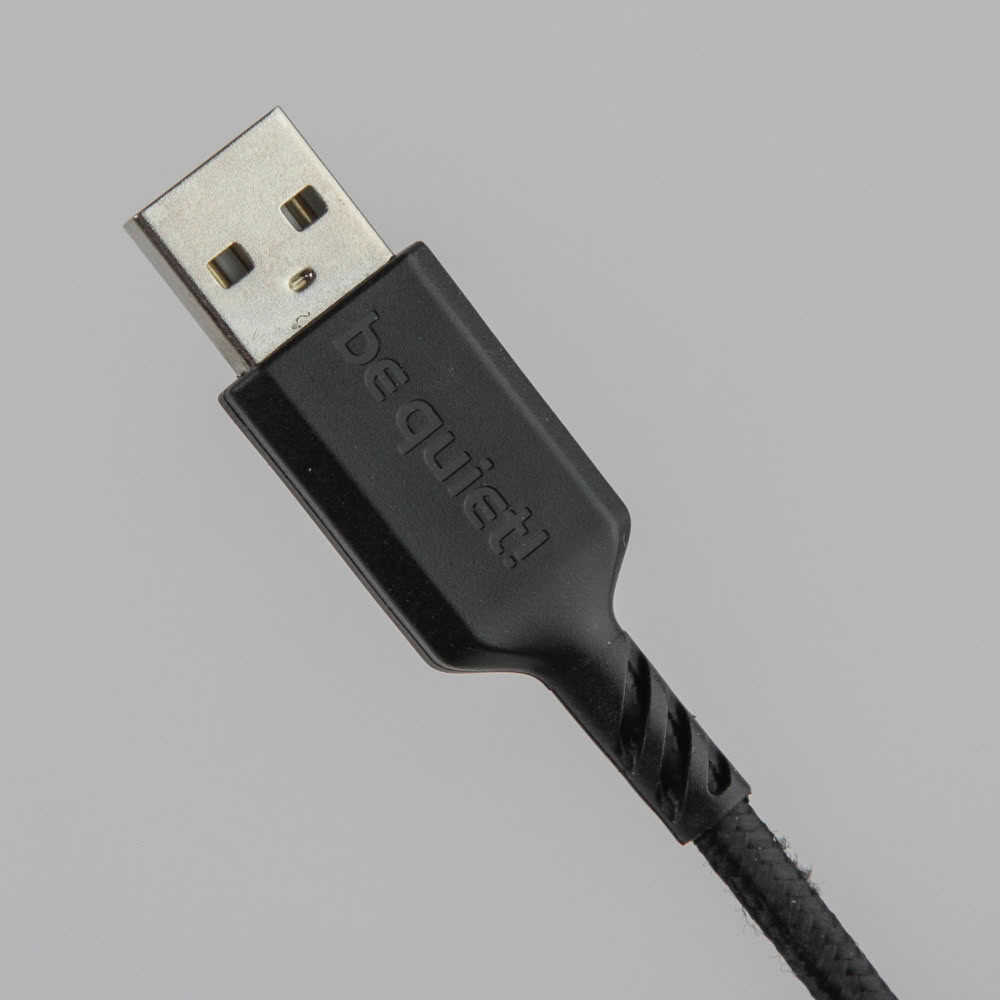
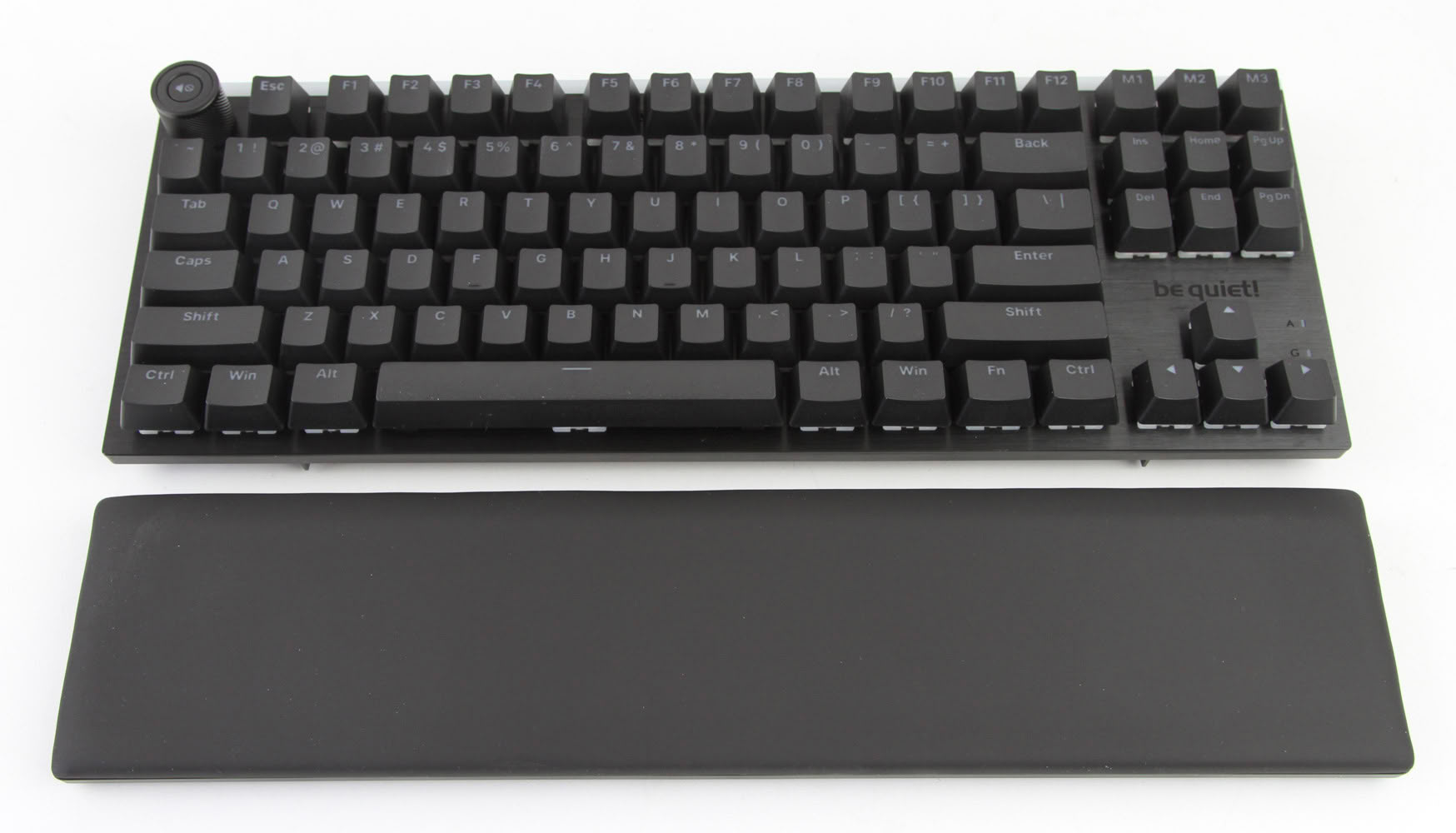
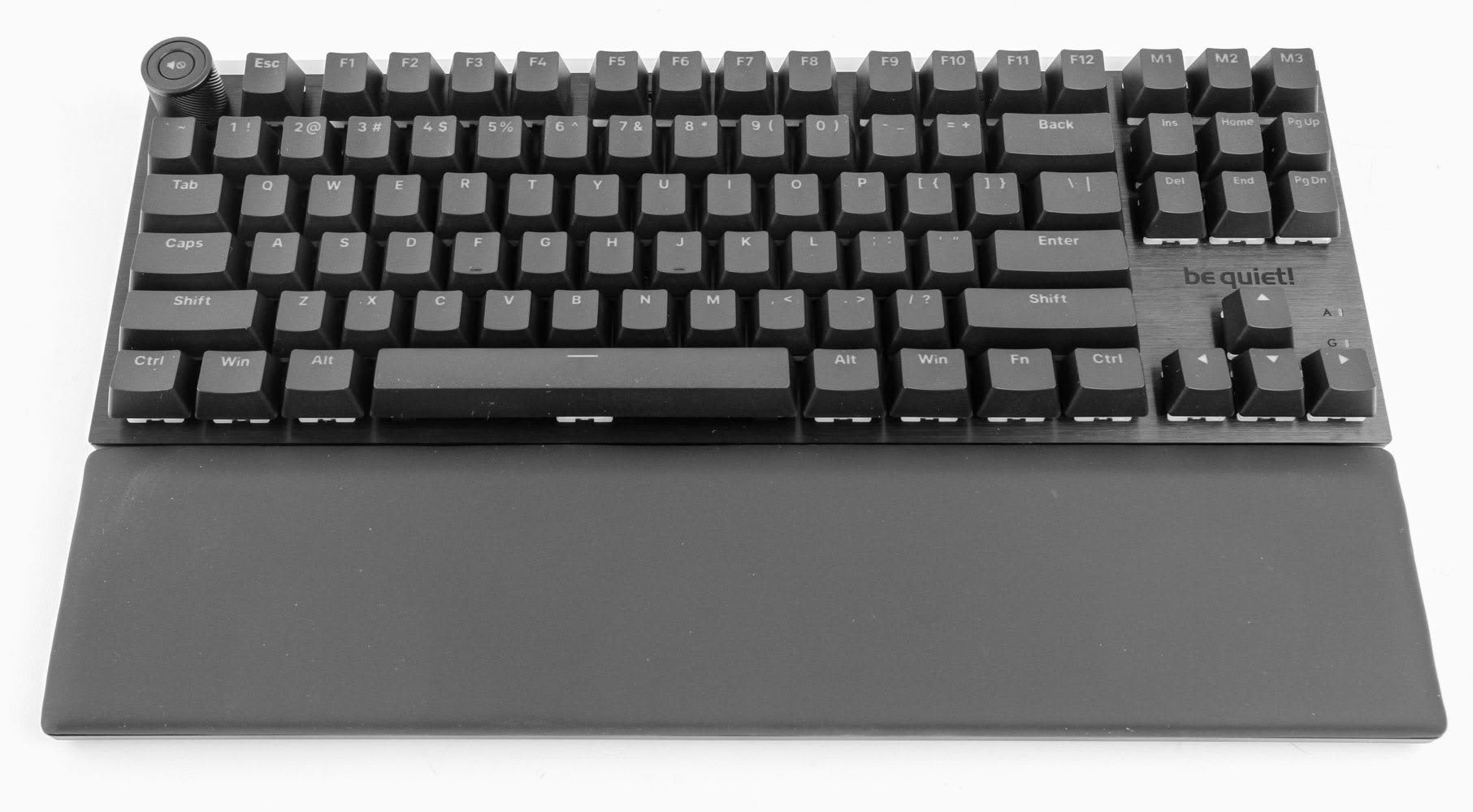
The side facing away from the user has a cutout which hosts a USB Type-C port that the provided cable fits in easily, and there is enough room for most aftermarket cables if you wish to change things up. The other end goes to an available USB Type-A port on your PC, and this keyboard supports only wired connectivity, keeping things simple. The included wrist rest is very easy to use thanks to the magnets we saw before—simply align the wrist rest along the bottom of the keyboard, and it will snap in place. We see there is ample room for your wrists, although ideally you should be hovering your hands over the keys instead of getting in the habit of relaxing them on the wrist rest when typing.
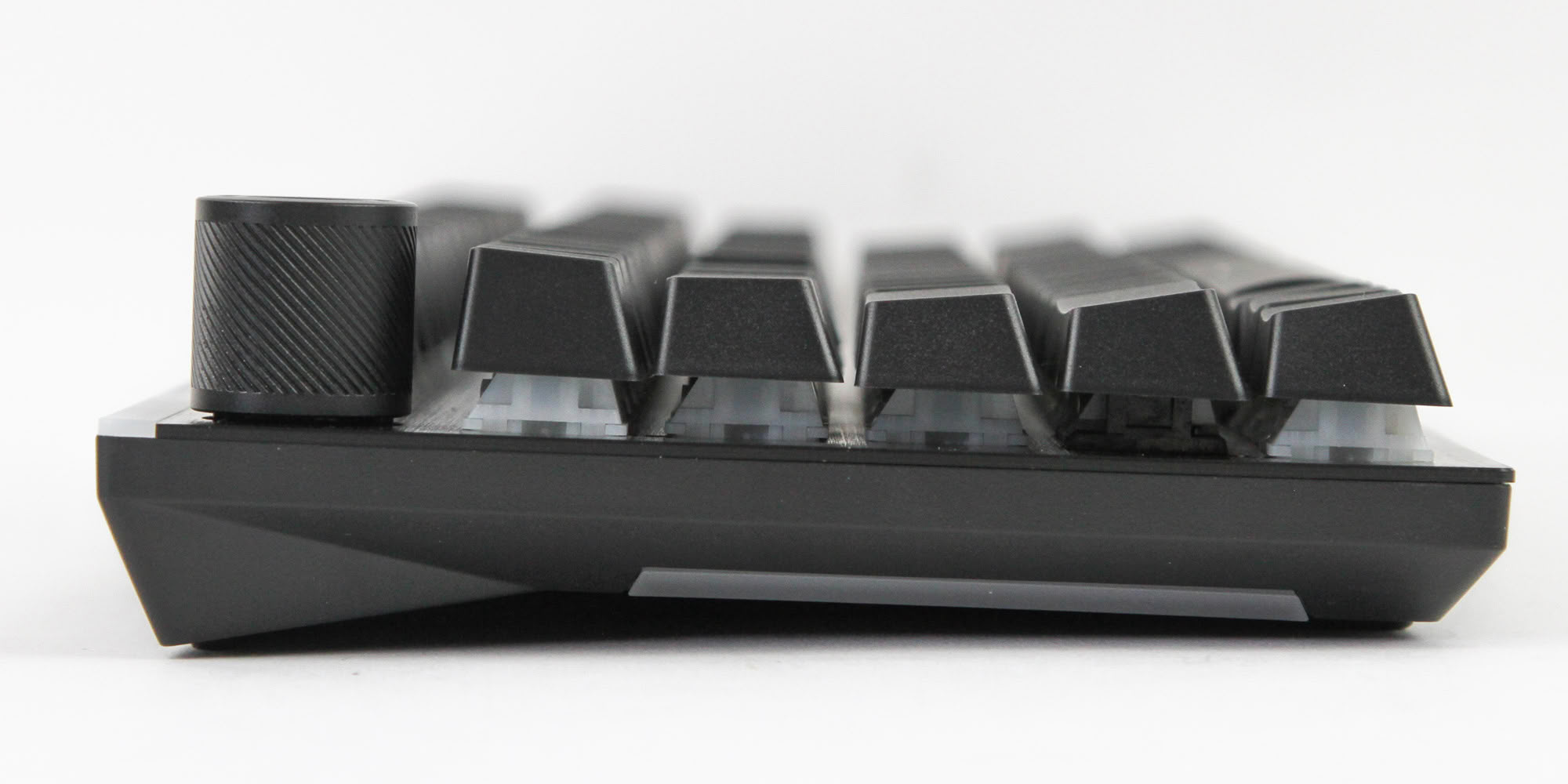
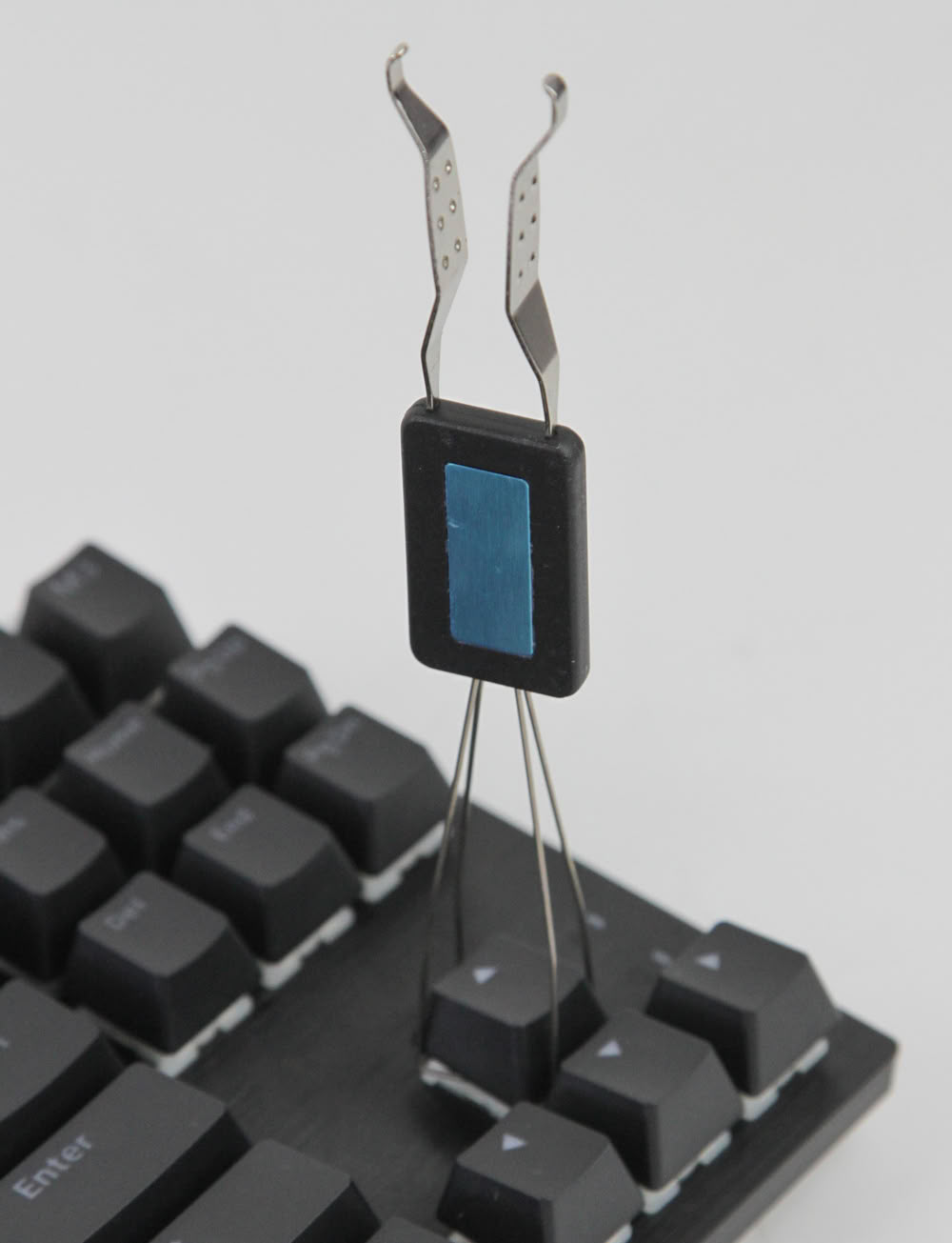
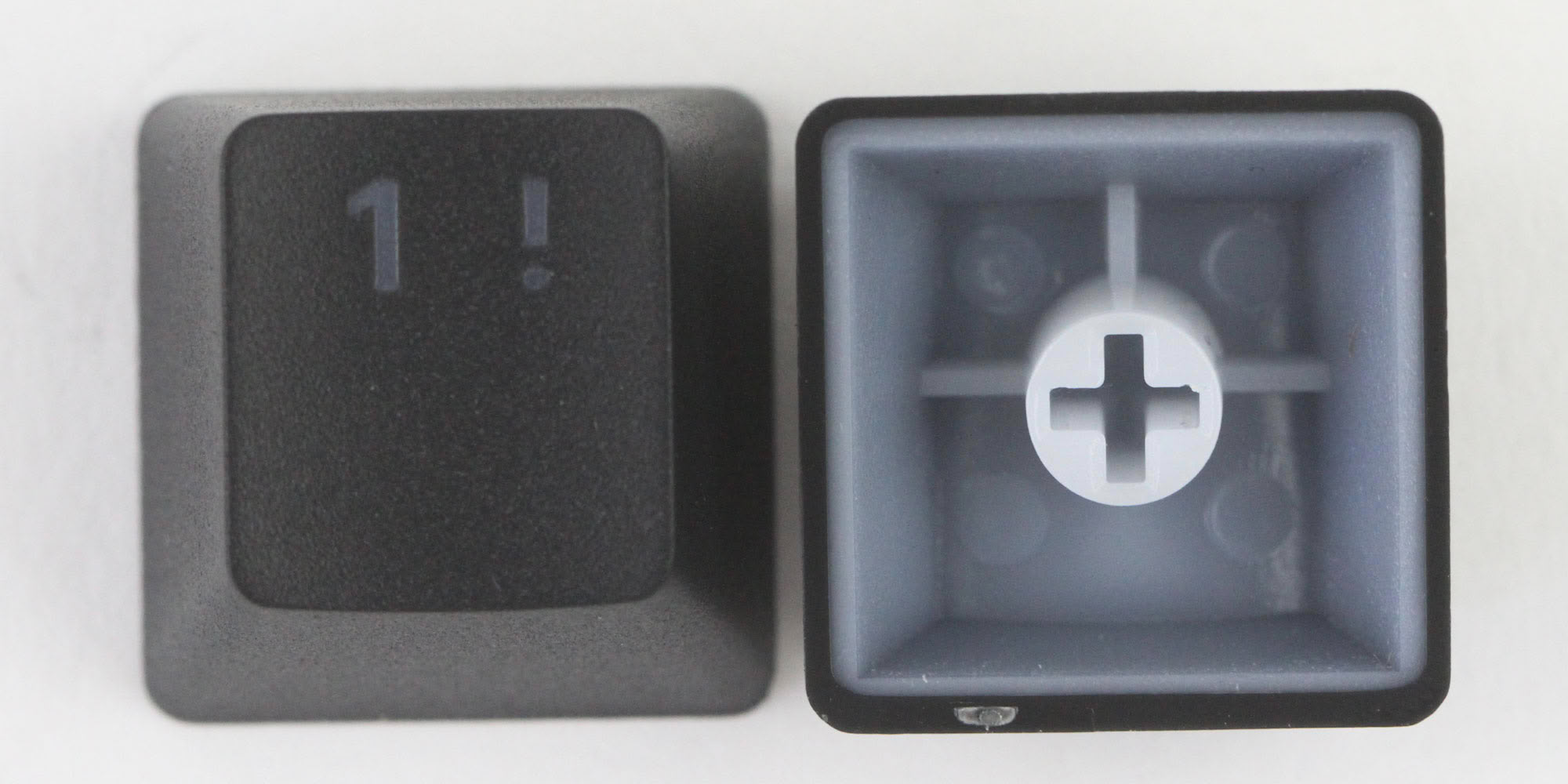
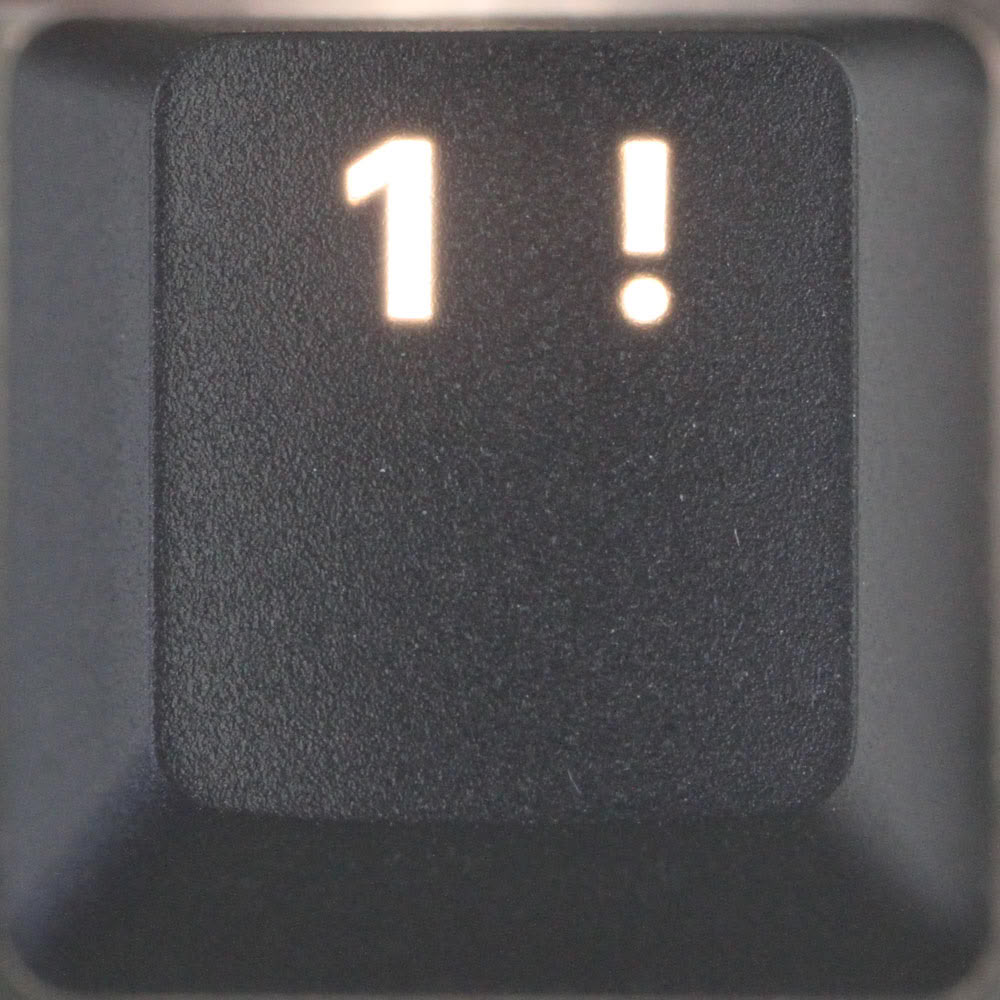
A look from the side shows the built-in elevation of the keyboard, which I would classify as medium profile and thus where the included wrist rest can also be beneficial if you don't touch type. The keycaps seem to employ an OEM profile and are floating as a result of the absence of a top case panel here. This means replacing the keycaps is easy, especially if you use the included keycap puller, to change things out or simply to clean the keyboard. This metal wire-style puller tool is also nice in doing its job without the potential of scratching the keycaps' sides as with plastic ring-style pullers. That said, I should mention that sometimes the keycaps may come out with the switch underneath too, which is an indicator of the switches not being very securely installed in the plate/frame. The stock keycaps, at least on this US ANSI version, are made of thick PBT plastic (1.41 mm wall thickness) with doubleshot injected legends. I believe this is the case for the other languages and layouts too. The legends are all top facing in the middle, and backlighting compatible as seen above.
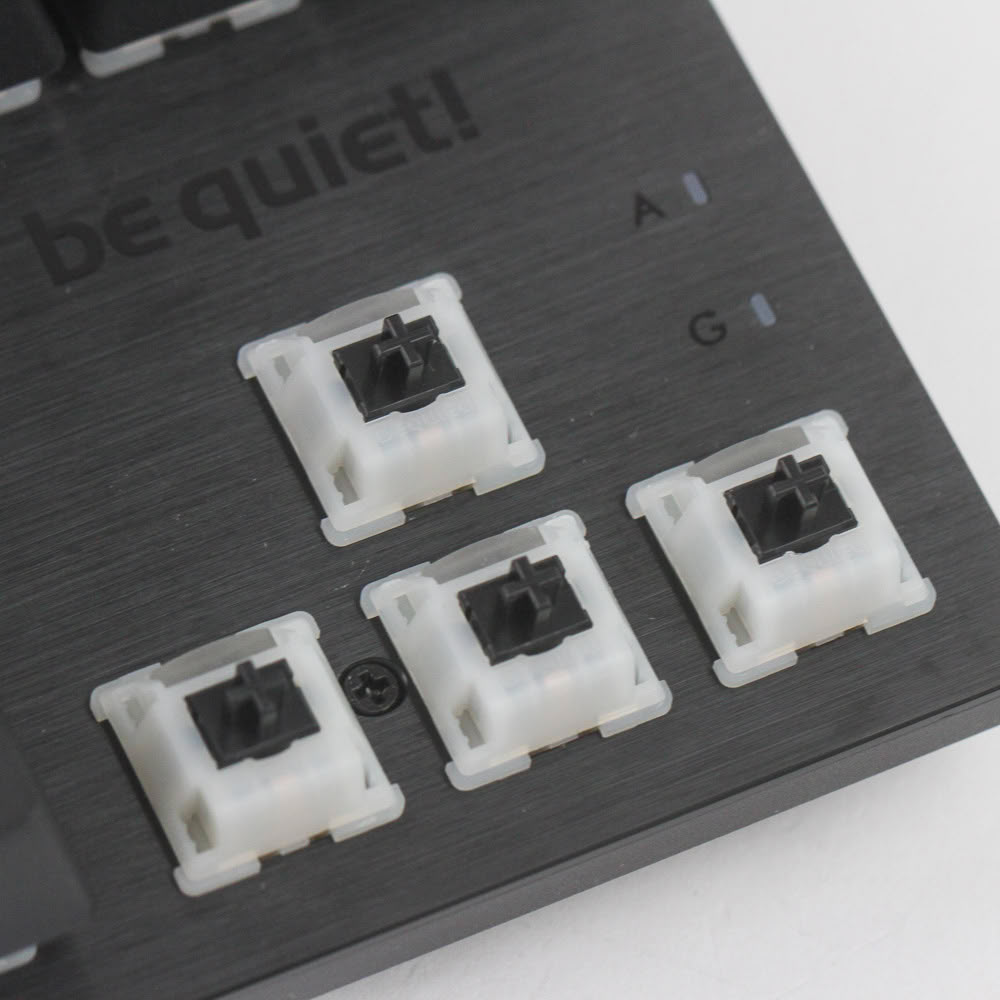
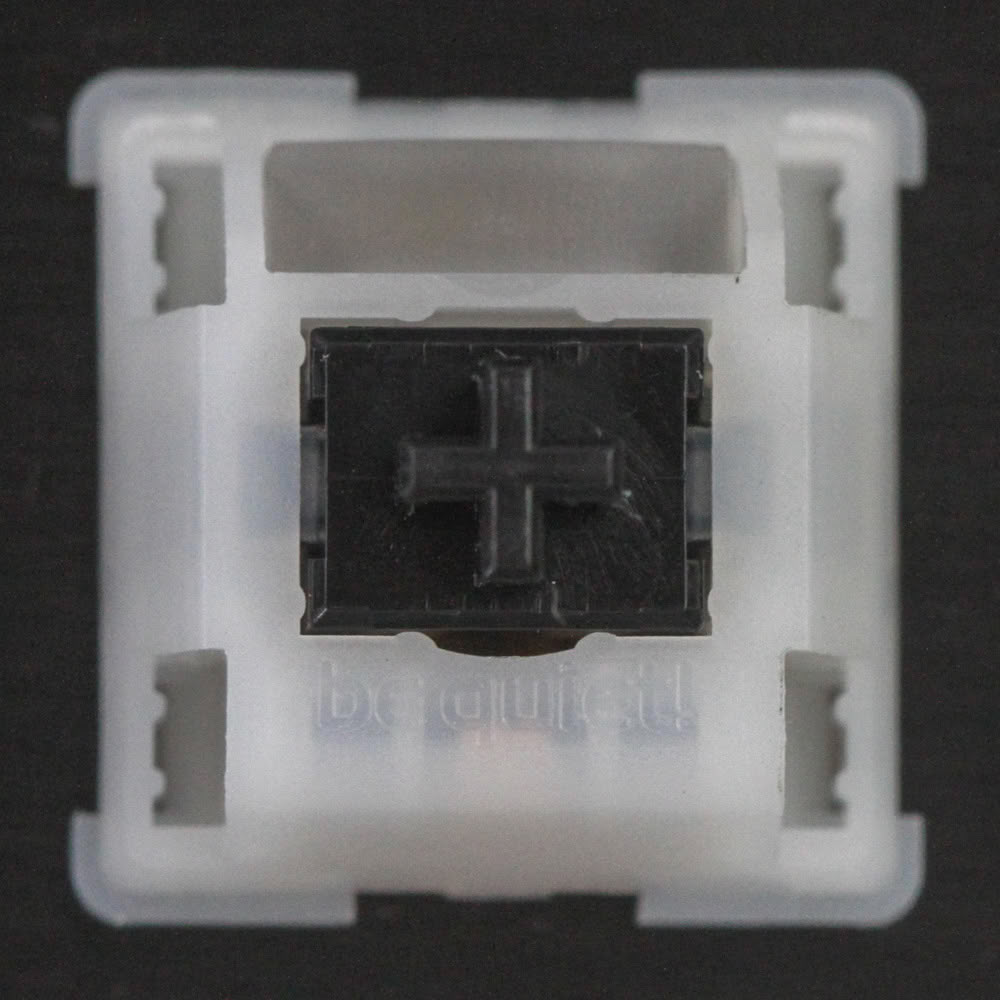
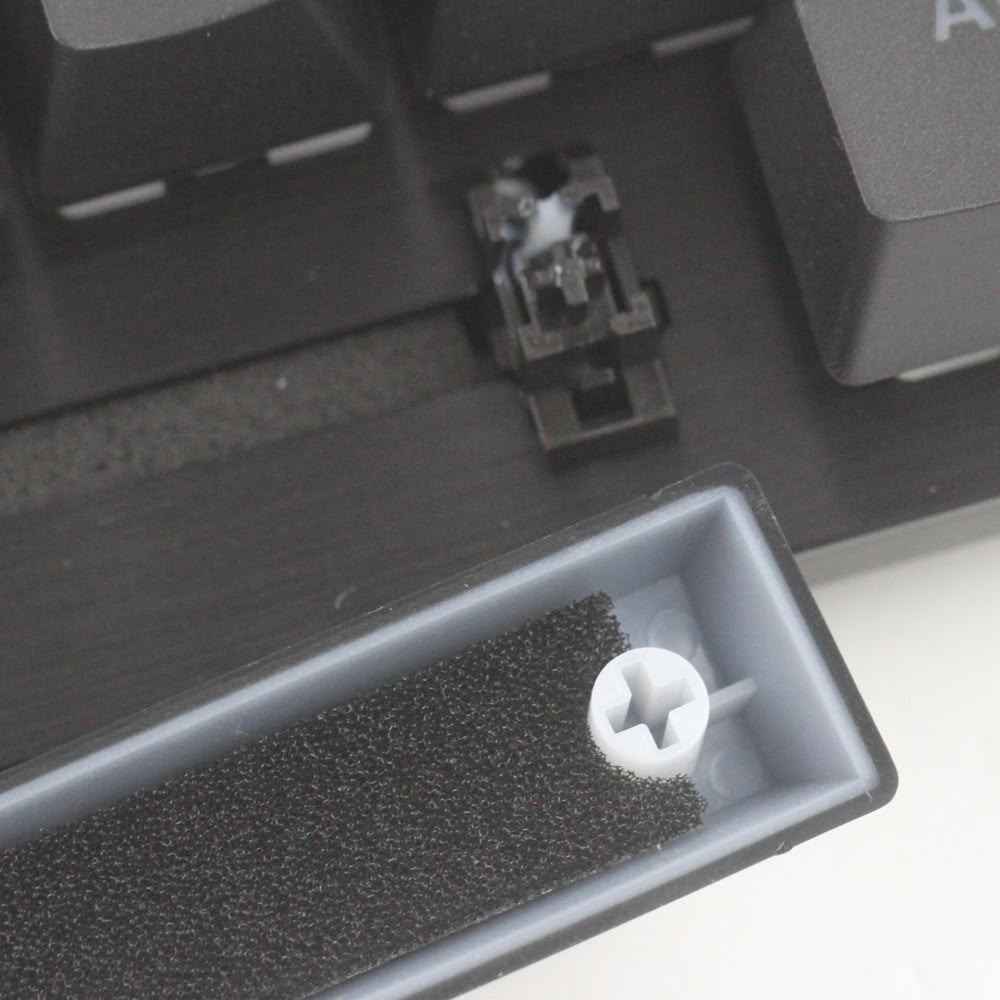
It has become almost expected now for brands to use their own mechanical switches on keyboards, which usually means getting the OEM to custom mold the top housing with a brand name or logo. The Light Mount TKL uses be quiet! Silent V2 switches in your choice of linear or tactile feedback, and I have the latter here. The switches are installed in a north-facing configuration, which bodes well for aftermarket keycap compatibility too. The space bar keycap has some foam on the underside to further dampen keystrokes, and we see the use of genuine Cherry stabilizers here, which come plate-mounted and well-lubed out of the factory.
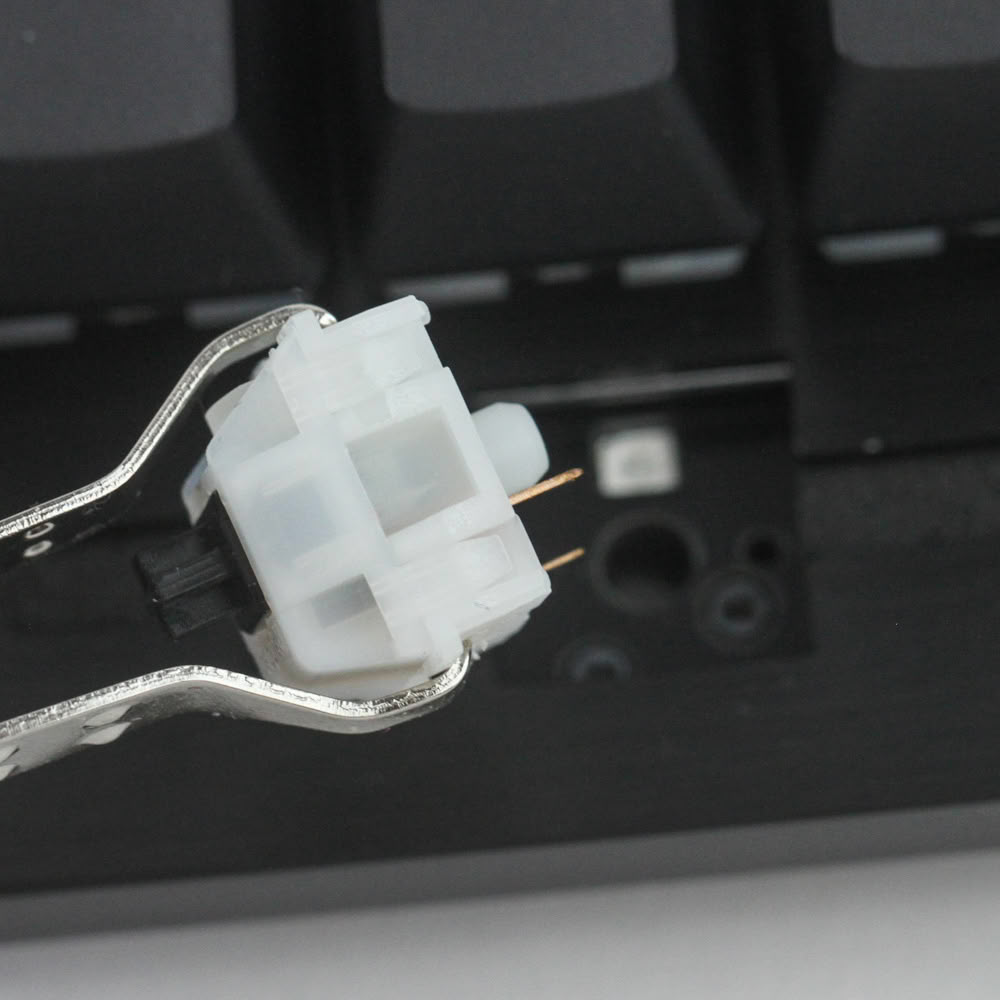
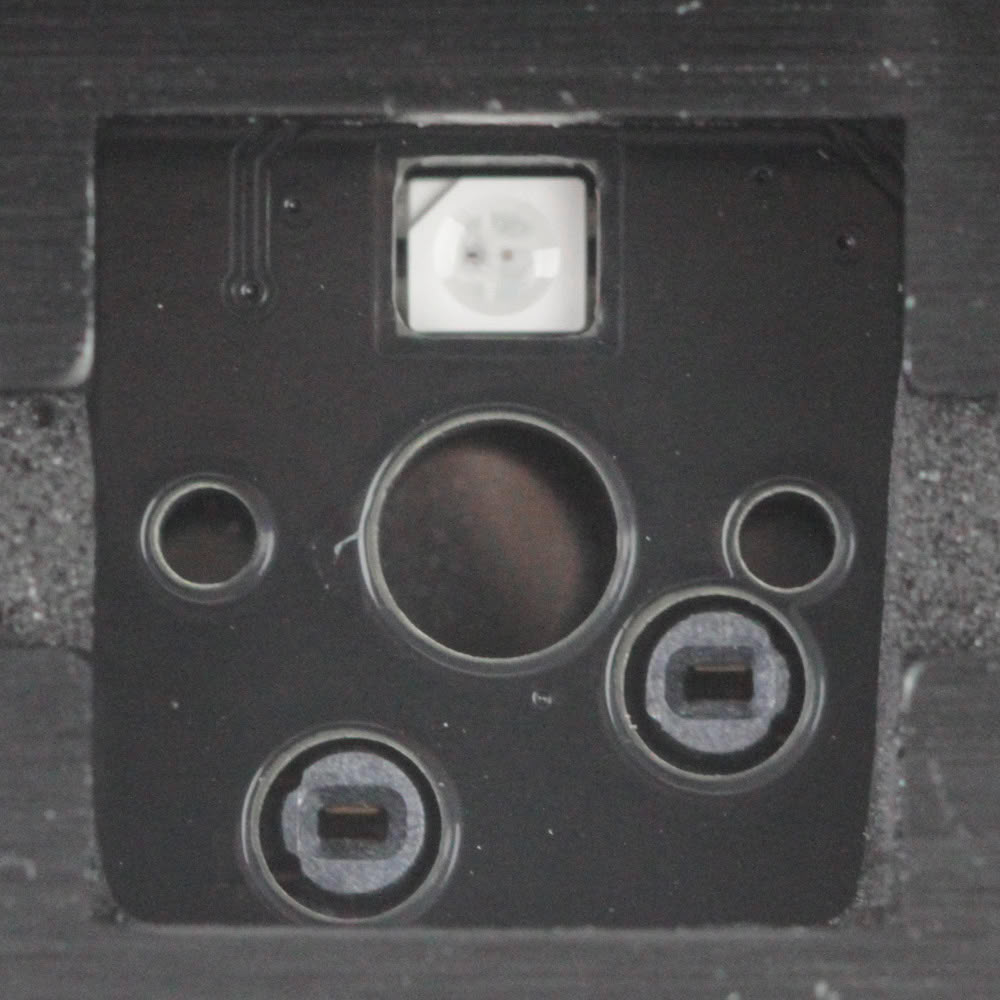
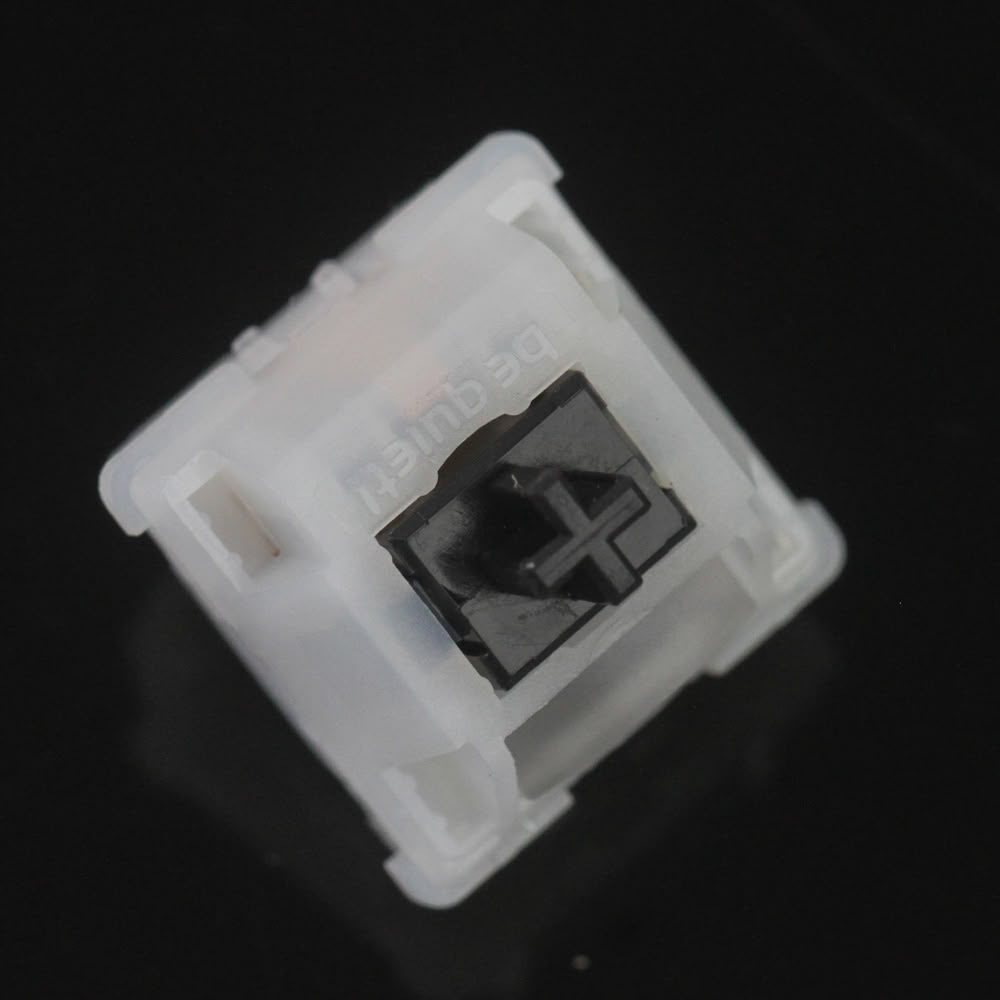
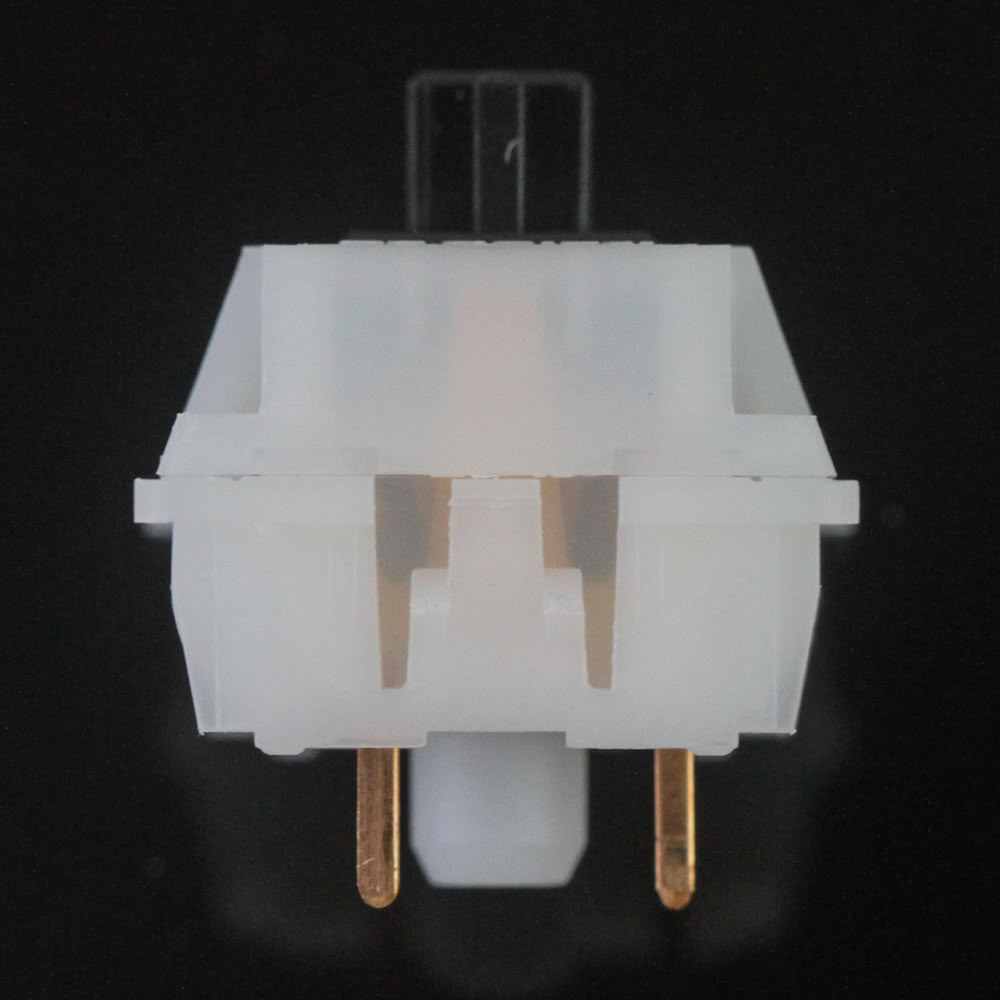
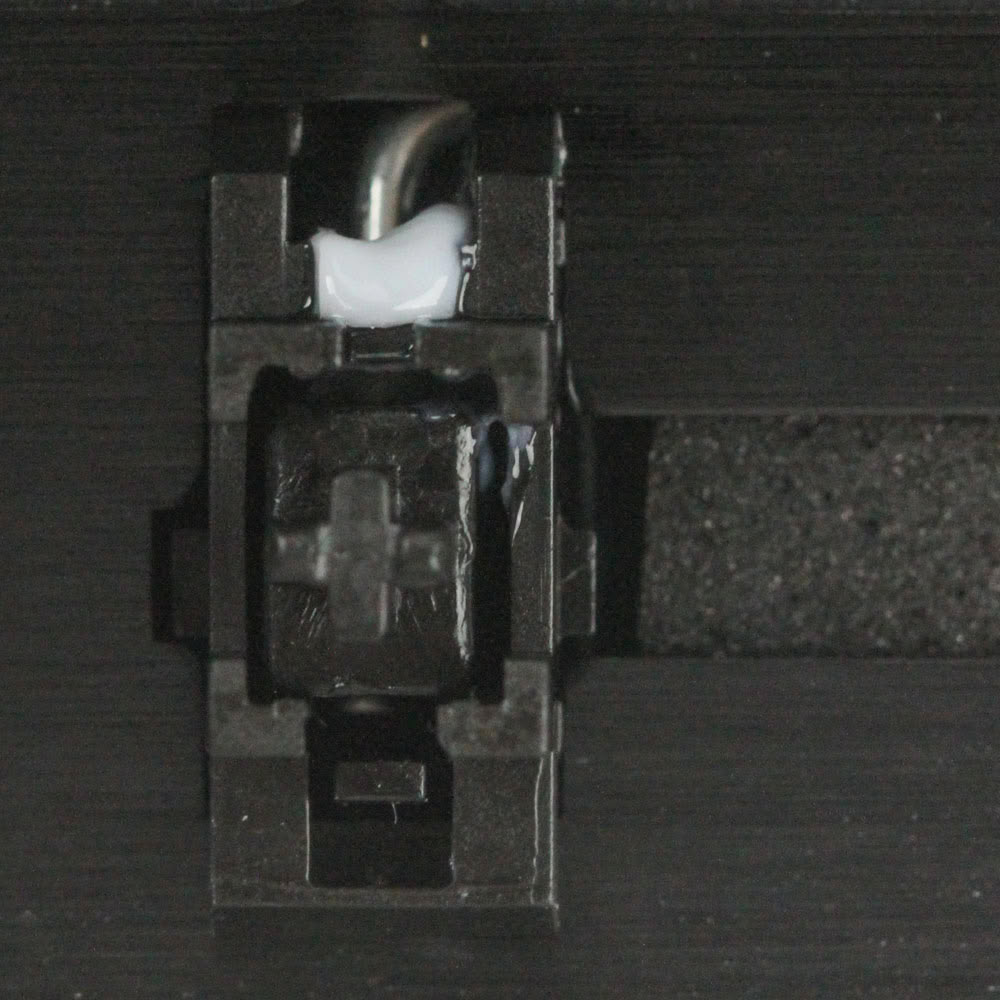
The switch remover tool provided helps extract switches for swapping out, since the Light Mount TKL supports hot-swappable switches. Taking a switch out allows closer examination of the switch socket, including the SMD ARGB LED on the top, and the support for 5-pin switches for added stability. These switches, however, are 3-pin in that they don't have the extra two plastic guide pins that may have helped secure them better. Not that it's an issue in normal use, just explains why you might find a switch come out when removing the keycap—there is no perceived key wobble here. be quiet! tells me the housing is made of PA-66 (Nylon) and the stem is made of POM. The Cherry MX-style cross-point stem is black on this tactile version and orange for the linear version. The top housing is frosted white, with a dedicated diffuser lens added to help better distribute light from the LED underneath.
Nov 18th, 2026 13:38 PST
change timezone
Latest GPU Drivers
New Forum Posts
- Can i play GTA 6 now? (Joke) (6)
- Very unusual two gaming-pc scenarios. (12)
- Dell Workstation Owners Club (3513)
- Any other old-timers here planning to play WoW Forever? (151)
- Time to upgrade CPU and MOBO (33)
- The Filthy, Rotten, Nasty, Helpdesk-Nightmare picture clubhouse (2876)
- WarpCoreBench scores! (67)
- Honestly, do you care about GTA VI? (144)
- Acer Predator BiFrost Radeon RX 9070 OC (9)
- DTS DCH Driver for Realtek HDA [DTS:X APO4 + DTS Interactive] (2814)
Popular Reviews
- Acemagic Retro X3 Review
- Upcoming Hardware Launches 2027 (Updated Nov 2026)
- AMD Zen 6 Technical Deep Dive
- ASUS ROG Strix B850-I Gaming Wi-Fi7 W Review
- Corsair HX1000i Shift Crystal Review
- Biwin Black Opal NV7400 2 TB Review
- Chieftec Iceberg PRO 360 DARK Review
- AMD Ryzen 7 9800X3D Review - The Best Gaming Processor
- Pulsar Office Tour & First Look at P1 Dual-Sensor Mouse
- Phantom Blade Zero Performance Benchmark Review - 35 GPUs Tested
TPU on YouTube
Controversial News Posts
- NVIDIA Co-Founder and CEO Jensen Huang Officially Resigns (478)
- Report: Jensen Huang Eyes NVIDIA Comeback (187)
- Open Letter Asking NVIDIA to Reinstate Jensen Huang Passes 115,000 Signatures (184)
- OpenAI CEO Argues Home PCs Waste the World's Limited DRAM Supply (152)
- NVIDIA Launches Investigation Into Jensen Huang's Relationship With Suspected Chinese Spy (136)
- Intel "Raptor Lake Next" 16-Core and 20-Core CPUs Surface (130)
- Legendary Game Studio BioWare Shuts Down Following EA Layoffs (104)
- Dell CEO Says the Memory Shortage Will Get Worse in 2027 (95)