 4
Beelink EQi13 Pro Review
General Performance »A Look Inside
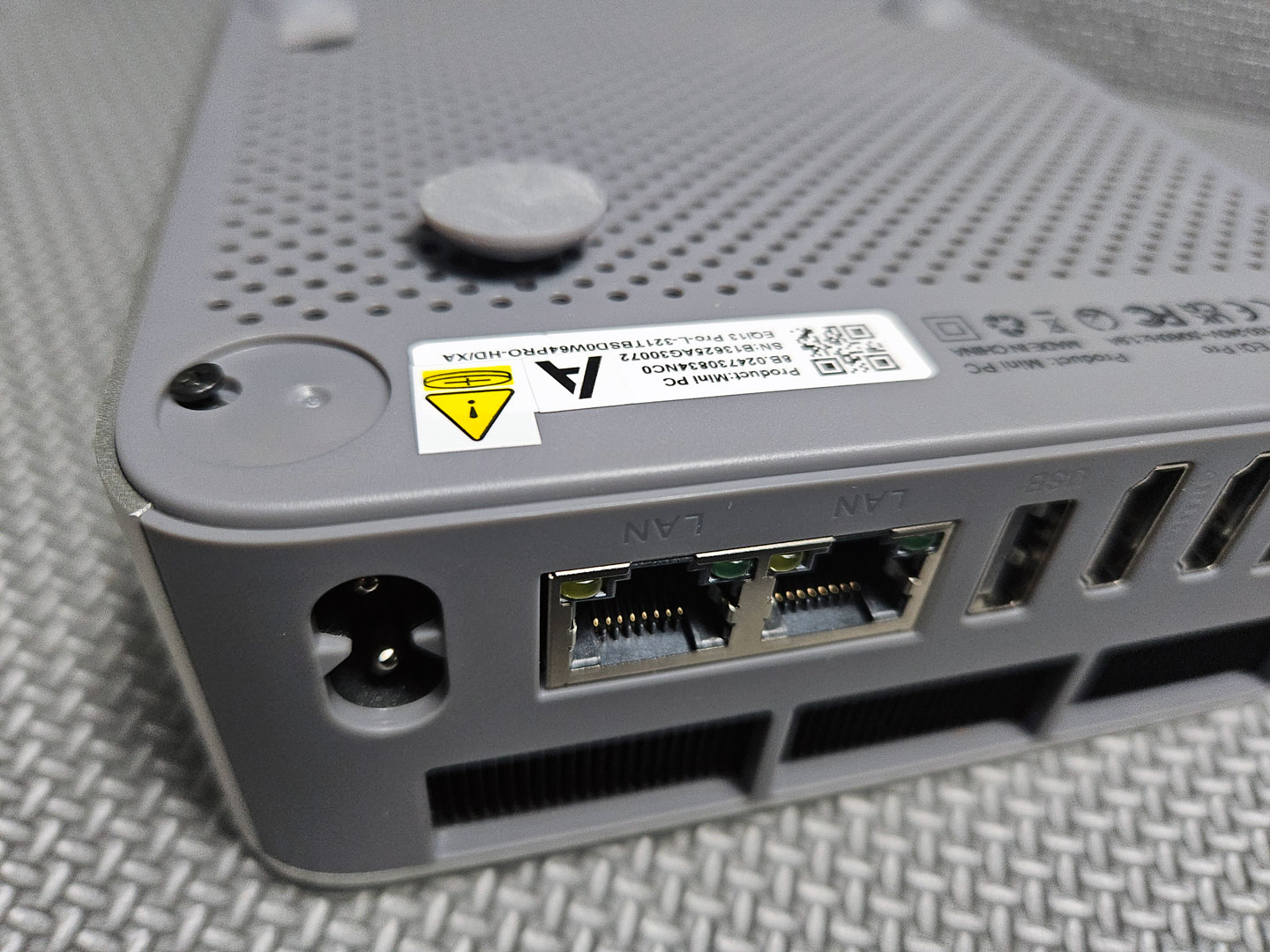
Though not immediately obvious, opening the EQi13 Pro is fairly simple once you know how to do it. Start by removing the four circular rubber feet, which conceal the screws securing the base. After unscrewing them, gently lift the handy silicone pull tab to release and remove the bottom panel.
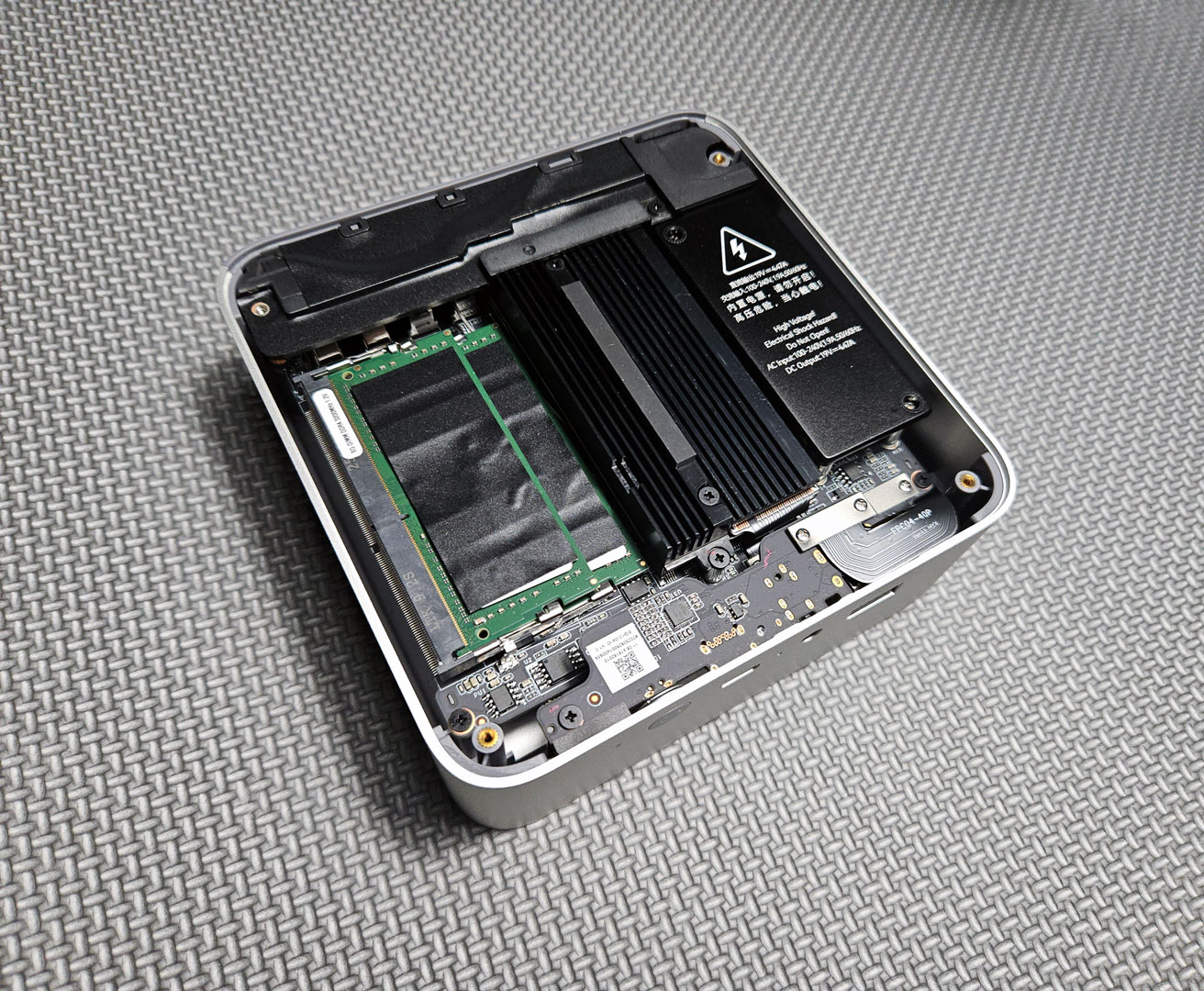
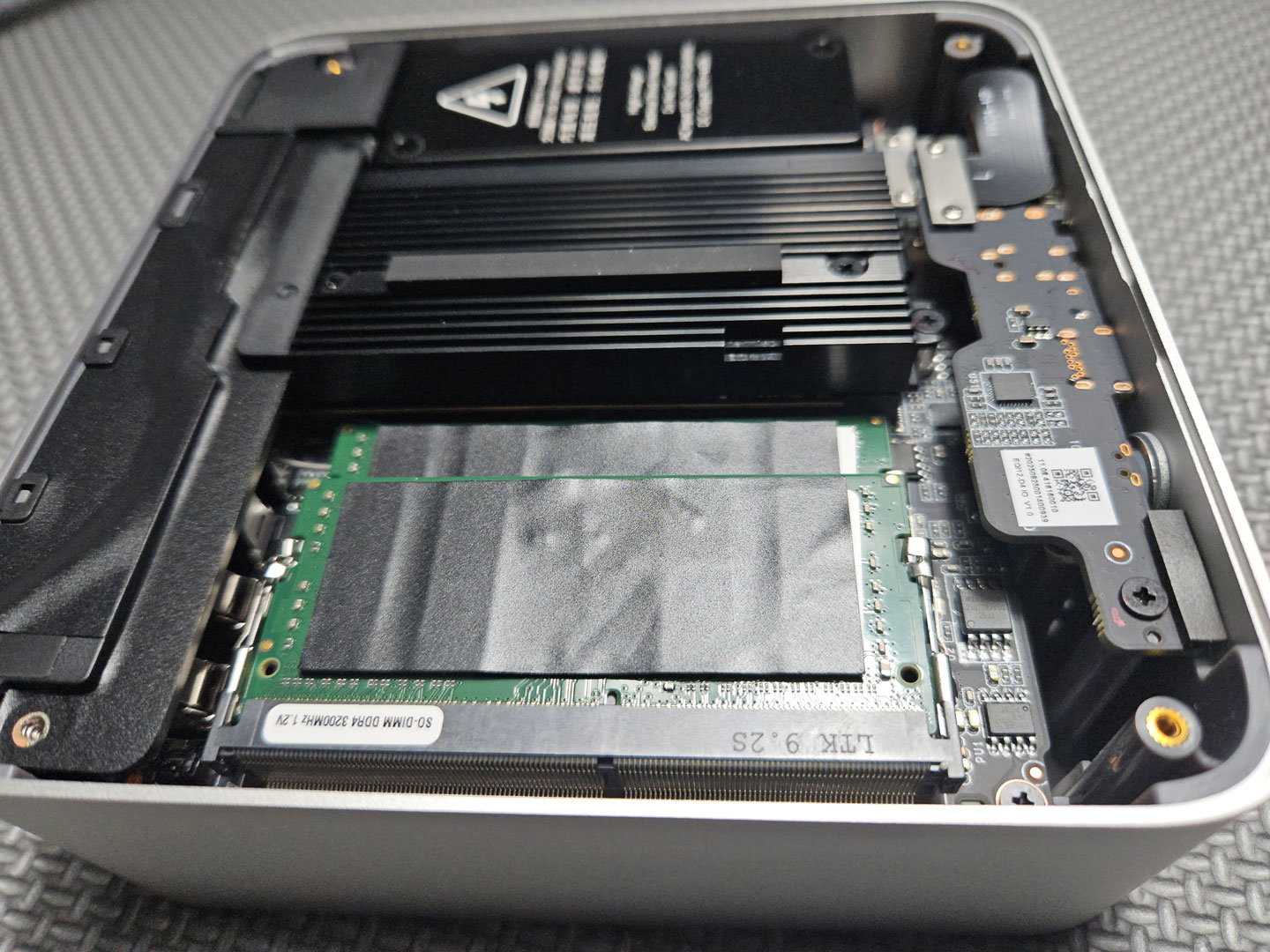
Once opened, the interior layout is clearly cramped, with very little open space around the components, mainly due to the large black heatsink plate that covers both the SSD and CPU (part of Beelink's MSC 2.0 cooling system). It's secured with several screws and tied into the fan shroud and heat pipe assembly. To remove or replace the SSD you have to carefully detach that plate, which is not documented well in the brief user manual. This design makes simple upgrades—such as replacing or adding a NVMe drive—more time-consuming than on other Mini-PCs.
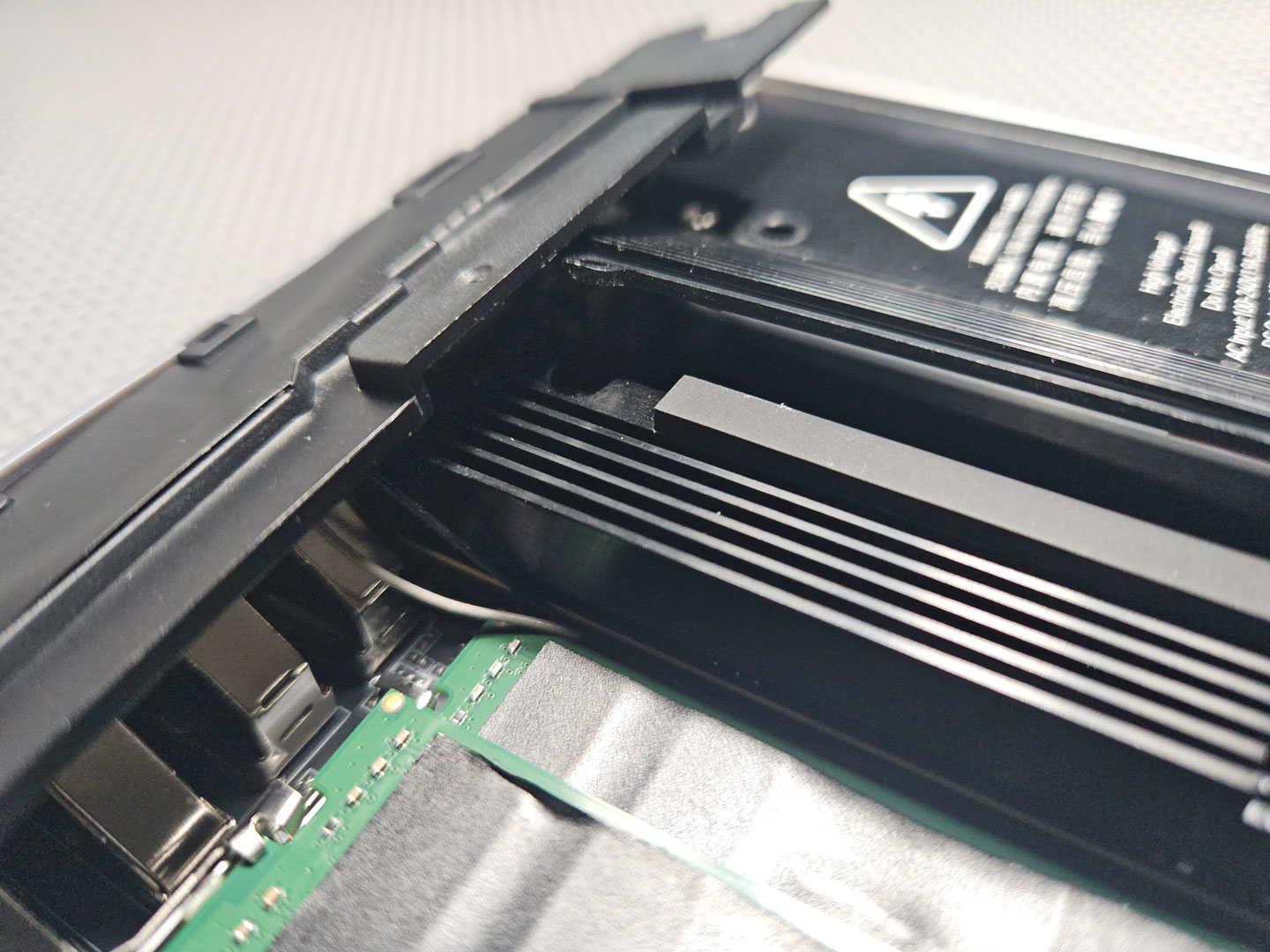
For users who are comfortable working with small electronics and thermal assemblies, disassembly and reassembly is manageable with patience and the right tools. But for most people, it's not a beginner-friendly process. There are no step-by-step diagrams included in the box, and there is certainly some risk of damaging components if not done correctly.
Ultimately, the EQi13 Pro's design doesn't make servicing easy, so it's better suited to being configured once and left in place rather than opened regularly (unless you don't mind all the hassle).
Now, let's move on to see how this compact system performs under a range of benchmarking.
Nov 20th, 2026 01:37 PST
change timezone
Latest GPU Drivers
New Forum Posts
- Honestly, do you care about GTA VI? (179)
- Folding Pie and Milestones!! (10207)
- RX 7600 + Ryzen 5 5600GT getting the same FPS as my old RX 6500 XT – What am I missing? (12)
- GTA VI (13)
- Intel Core Ultra 5 processor 250K Plus (1)
- How to prevent OLED burn damage due to PC freezes or power outtages? (41)
- WarpCoreBench scores! (79)
- What are you playing? (26236)
- Warning for Windows 10 and 11 users running newer AMD GPU drivers (65)
- Anthrophics IPO (10)
Popular Reviews
- AMD Zen 6 Technical Deep Dive
- Ugreen NASync DXP4800 GT Review
- Acemagic Retro X3 Review
- Corsair RM1200e (Second Generation) Review
- Upcoming Hardware Launches 2027 (Updated Nov 2026)
- Pulsar Office Tour & First Look at P1 Dual-Sensor Mouse
- Biwin Black Opal NV7400 2 TB Review
- Chieftec Iceberg PRO 360 DARK Review
- AMD Ryzen 7 9800X3D Memory Performance Scaling
- AMD Ryzen 7 9800X3D Review - The Best Gaming Processor
TPU on YouTube
Controversial News Posts
- NVIDIA Co-Founder and CEO Jensen Huang Officially Resigns (490)
- Report: Jensen Huang Eyes NVIDIA Comeback (224)
- Open Letter Asking NVIDIA to Reinstate Jensen Huang Passes 115,000 Signatures (184)
- OpenAI CEO Argues Home PCs Waste the World's Limited DRAM Supply (152)
- NVIDIA Launches Investigation Into Jensen Huang's Relationship With Suspected Chinese Spy (136)
- Intel "Raptor Lake Next" 16-Core and 20-Core CPUs Surface (130)
- Legendary Game Studio BioWare Shuts Down Following EA Layoffs (104)
- Dell CEO Says the Memory Shortage Will Get Worse in 2027 (95)