 12
Bosgame M5 Review
A Look Inside »Design and Build
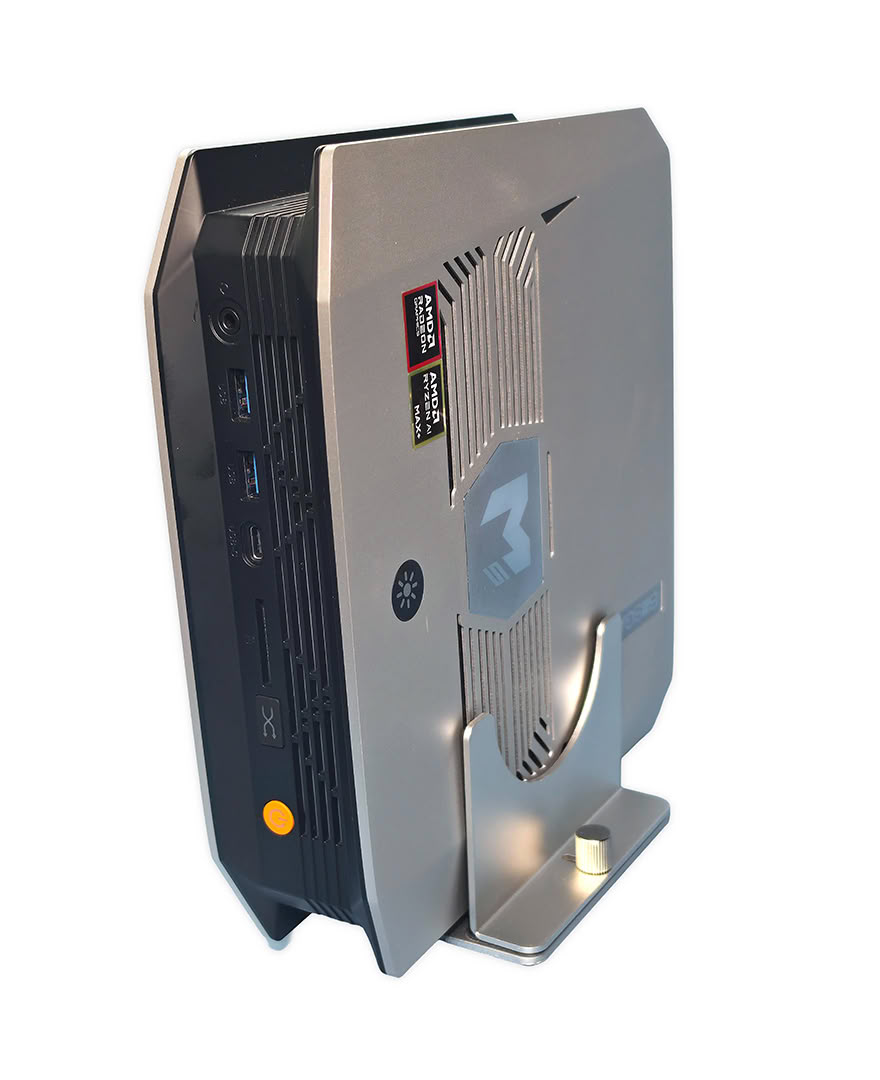
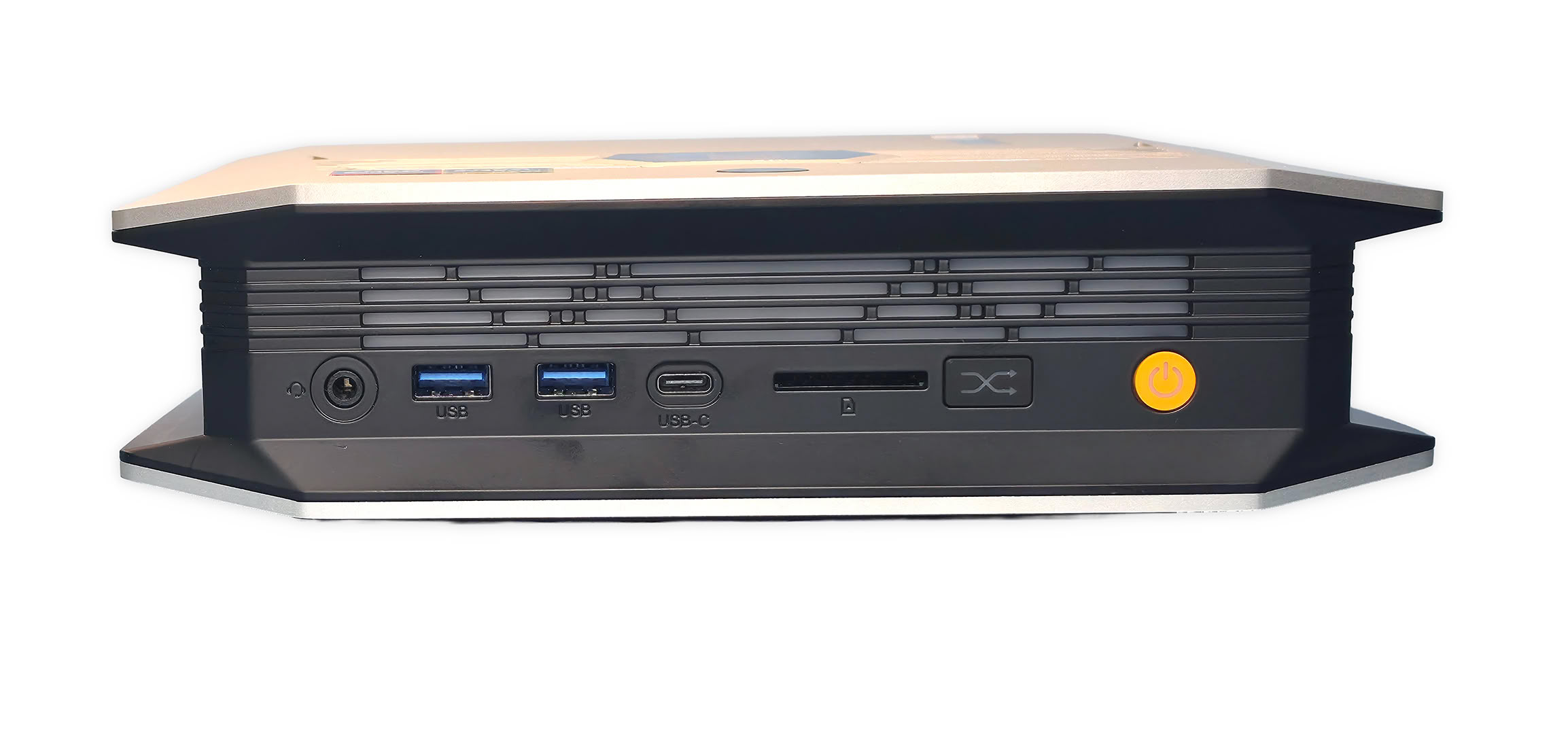
The M5 uses a silver-and-black chassis with angled corners, generous side ventilation, and a footprint larger than most office Mini-PCs. It can rest horizontally or use the included stand vertically, while a light strip along the front edge adds some visual detail. The front I/O is pretty useful for desk access, combining two 10 Gbps USB-A ports, USB4, audio, and a full-size SD card reader (which is rare on the front panel).
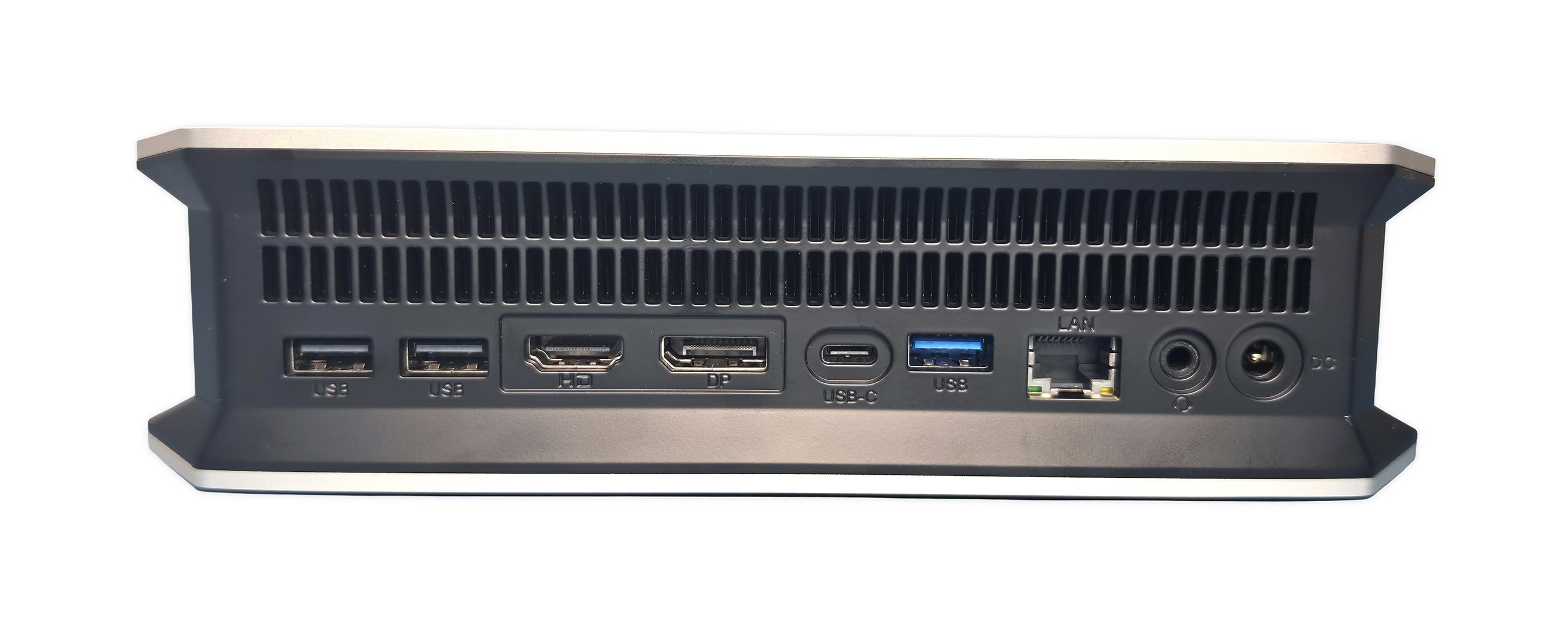
The rear adds the second USB4 port, HDMI, DisplayPort, Ethernet, audio, and three more USB-A connections, giving the M5 enough direct connectivity for storage, displays, capture hardware, and common peripherals without immediately requiring a dock.
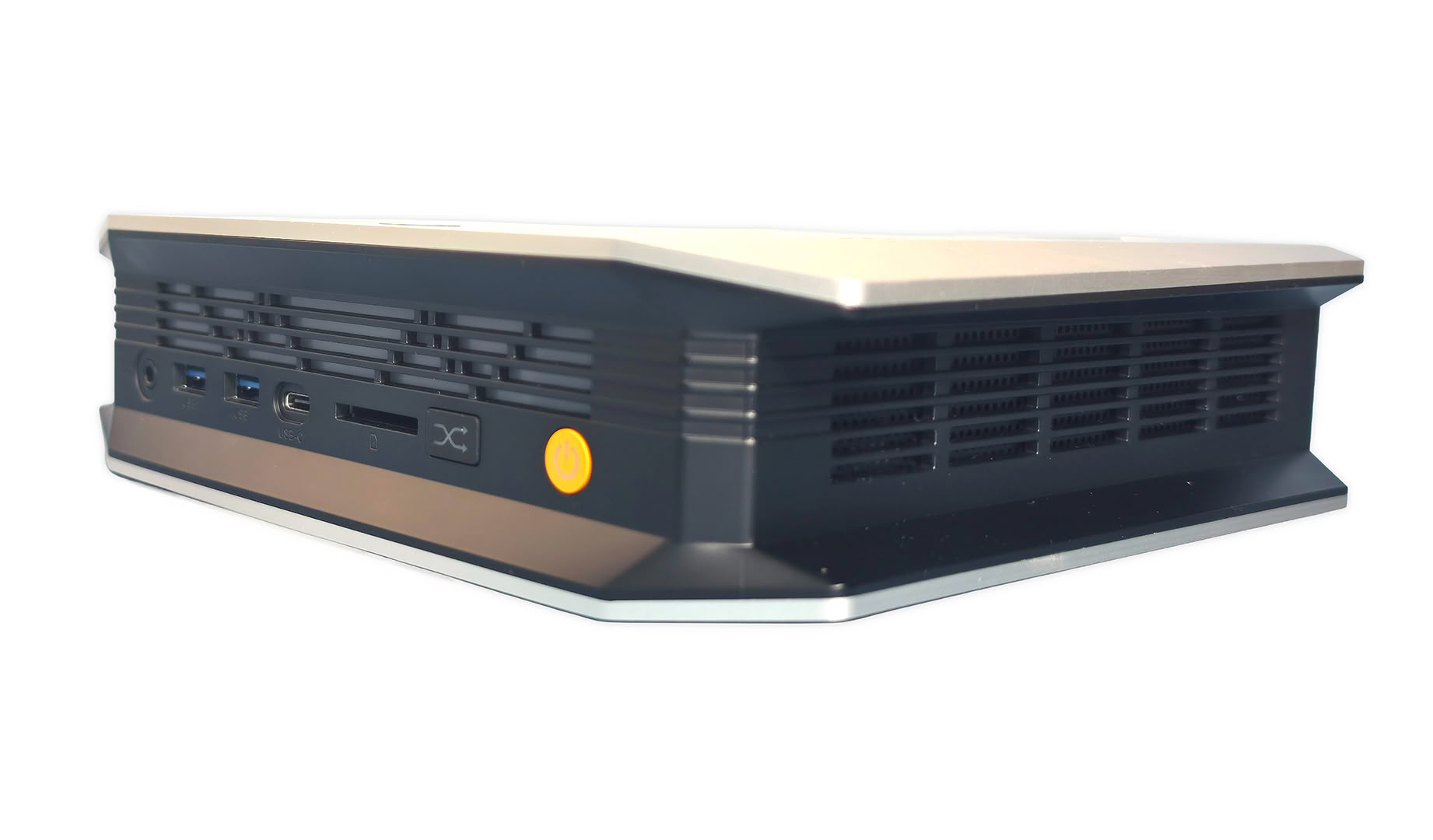
The vented side and rear panels leave a large area available for airflow around the active cooling system.
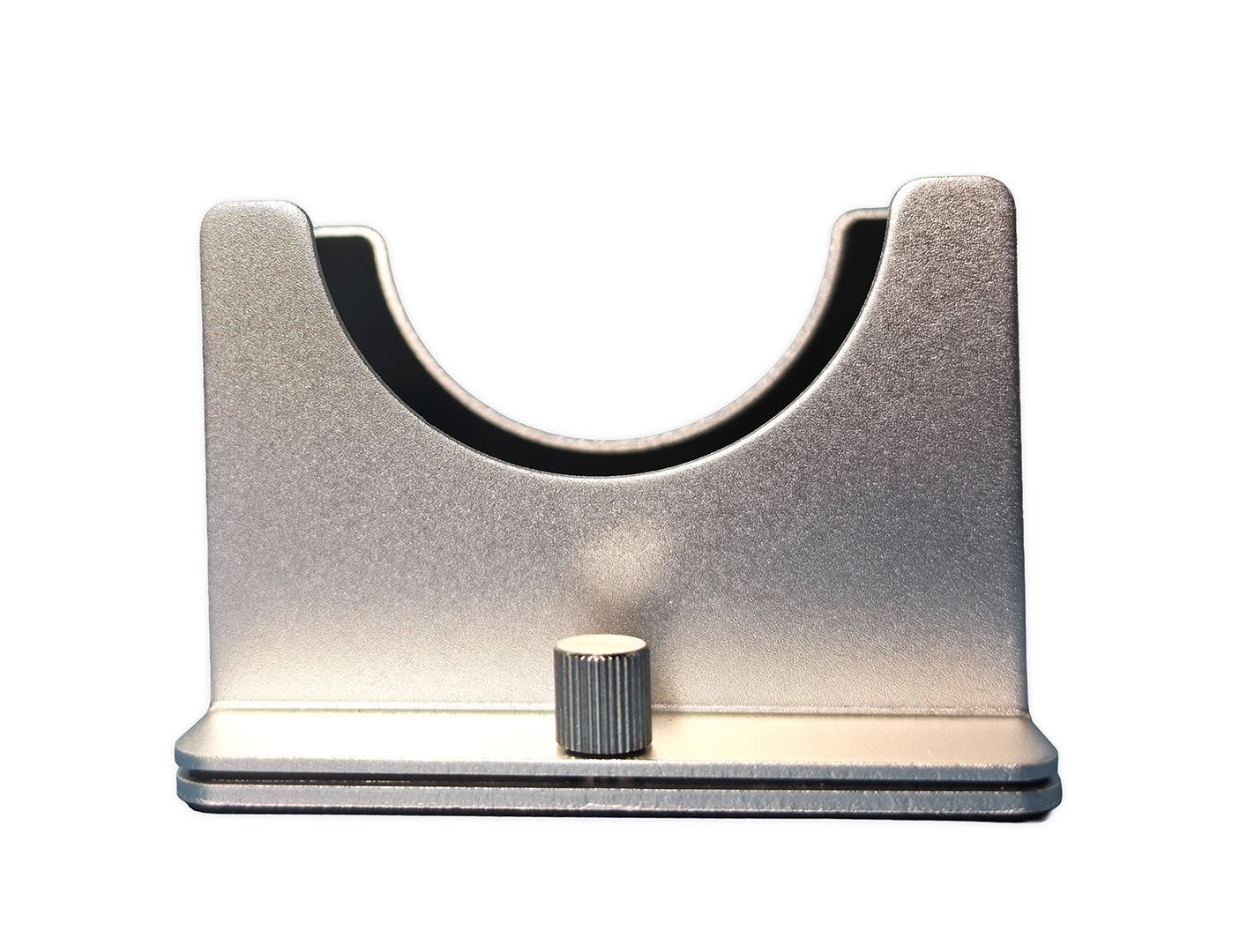
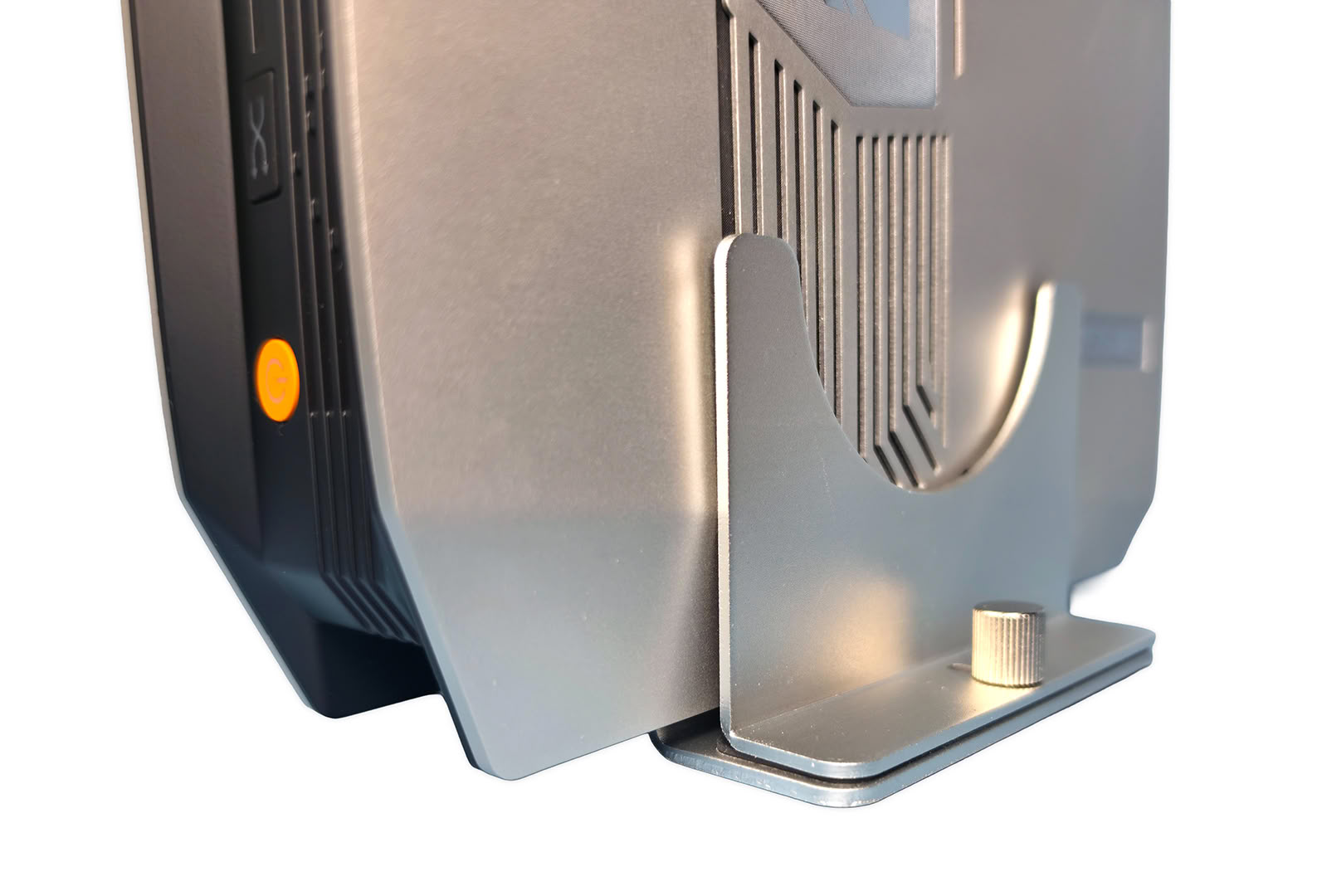
The included stand is held together with two short thumb screws that have chunky cylindrical heads, making them easy to tighten by hand without needing a screwdriver. Rubber padding lines the inside of the stand to help grip the M5 and keep it from shifting around, while also protecting the chassis from getting marked up.
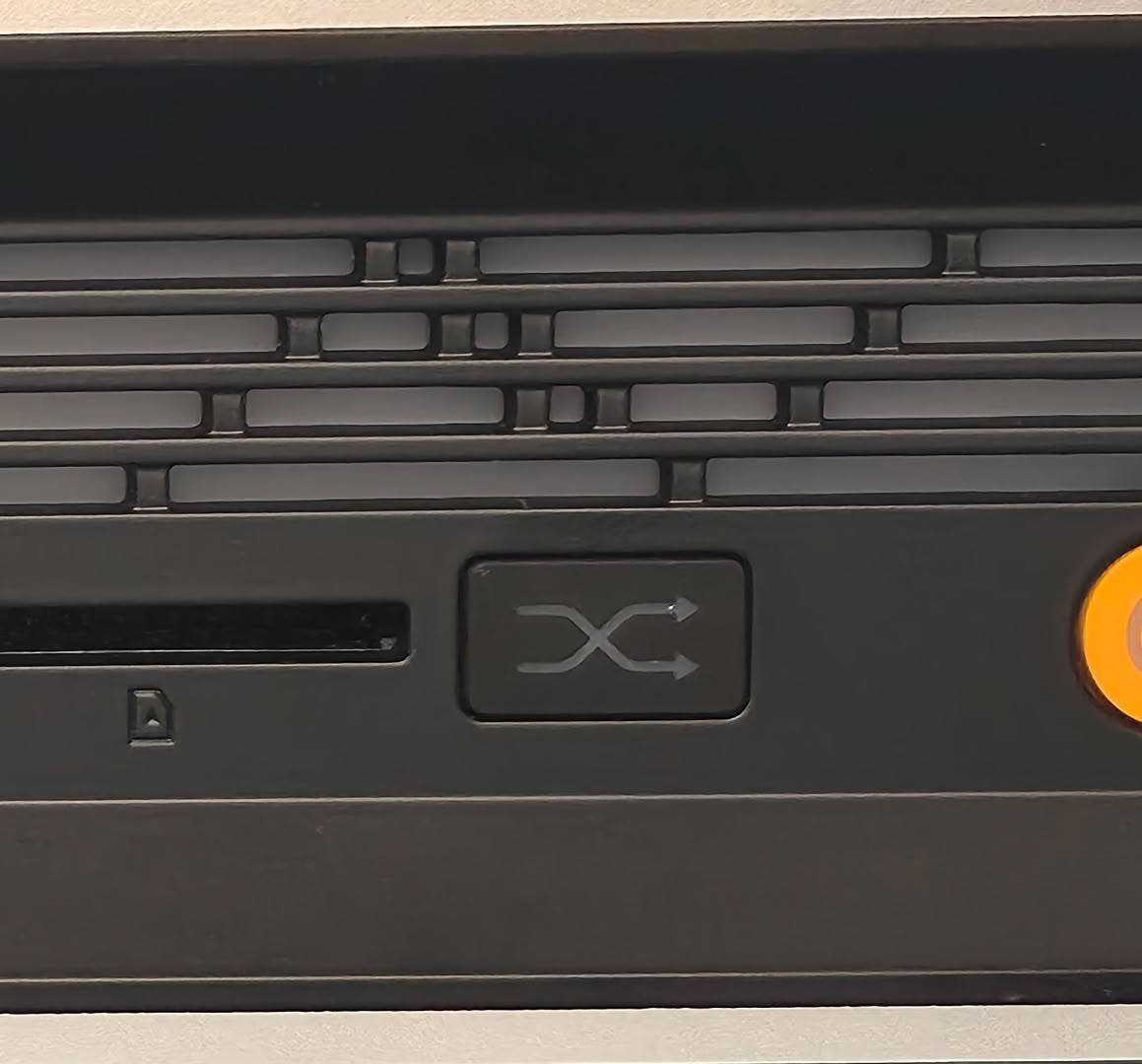
On the front panel, pressing the front Performance Mode button cycles through the M5's three operating profiles, Quiet, Balanced, and Performance, with a small OSD-style graphic briefly appearing on screen to confirm the selection. The icons also use different colors, with green representing Quiet mode, amber for Balanced, and red for Performance, making it easy to switch profiles without opening software or entering the BIOS.
Internally, the three profiles change how aggressively the M5 lets the Ryzen AI Max+ 395 use power under load, while also adjusting cooling behavior to match. Quiet mode keeps power and fan activity lower, Balanced increases the available power for everyday heavier work, and Performance mode raises the limits further so the processor and Radeon 8060S can sustain higher performance when the workload demands it.
Most benchmark testing in this review was performed in the M5's Balanced profile. I enabled Performance mode only for the specific comparison tests noted in the results to measure whether the higher-power profile produced a meaningful performance difference.
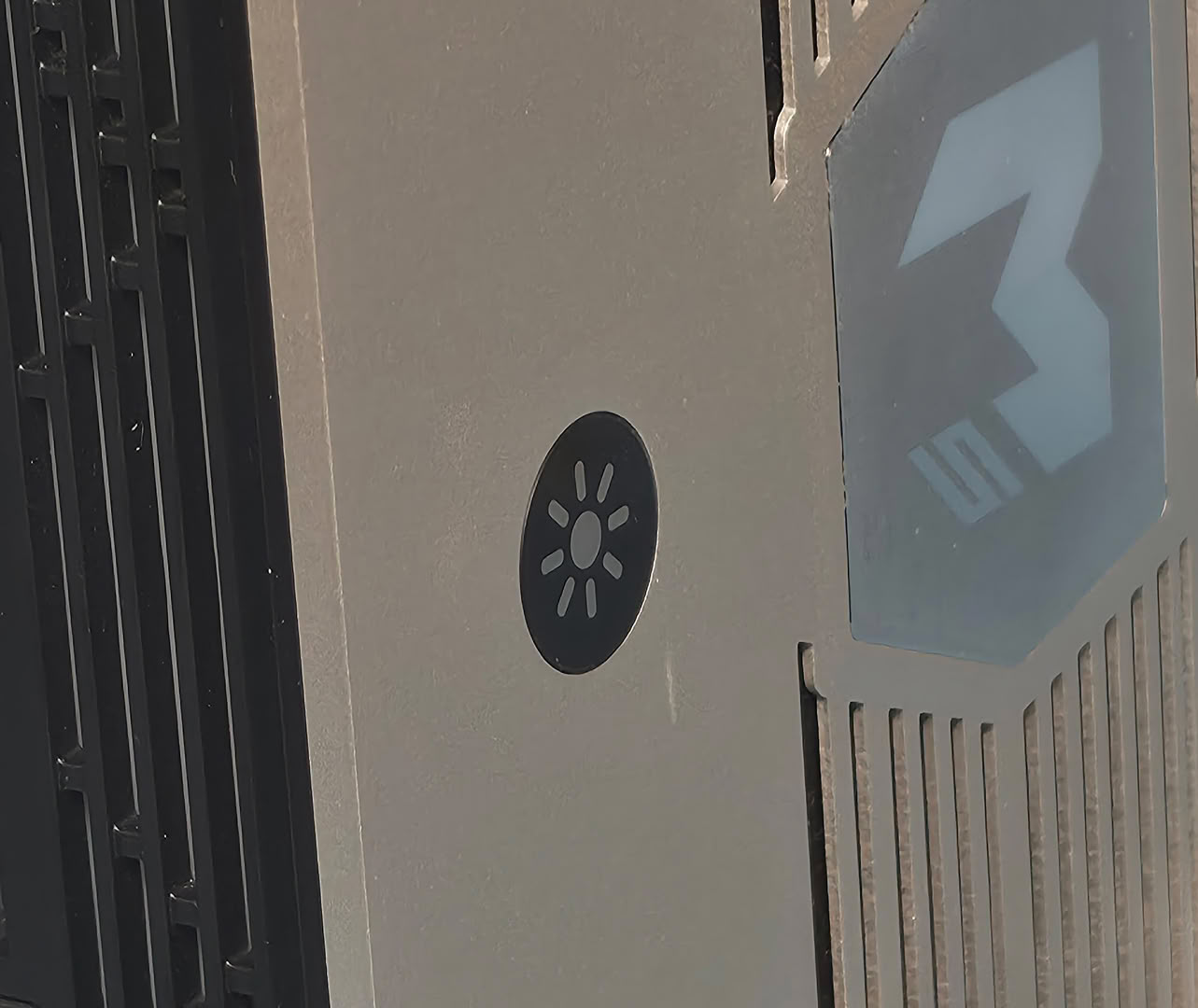
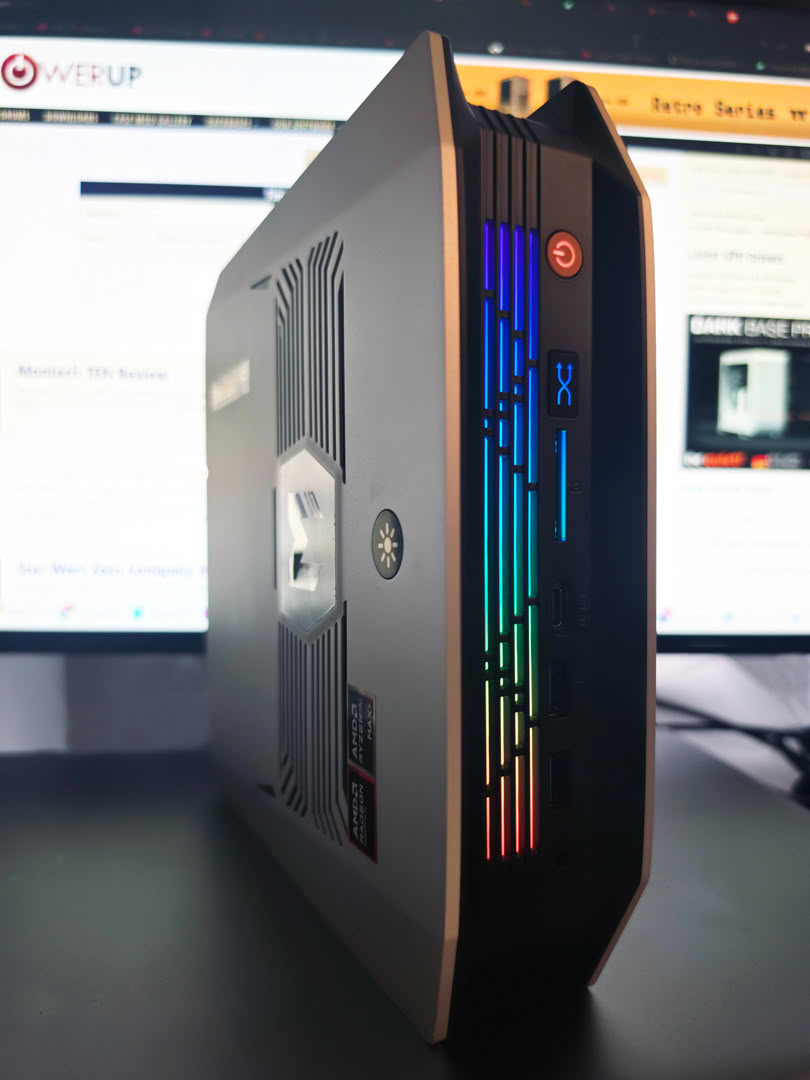
Along the upper edge of the M5 is also a small touch-sensitive control for the front lighting. It does not press in like a normal button, so a quick tap is enough to cycle through the available lighting effects, while holding it for a moment turns the LEDs off completely. I actually like this approach because changing the lighting is quick and does not require any software.
Nov 19th, 2026 15:23 CST
change timezone
Latest GPU Drivers
New Forum Posts
- Windows 11 General Discussion (7736)
- Current Sales, Bundles, Giveaways (10448)
- Last game you purchased? (1409)
- WarpCoreBench scores! (76)
- Got the EOL 32GB TridentZ 6000 CL26 1.4V (12)
- Dell Workstation Owners Club (3516)
- Making a game in Godot engine (4)
- DTS DCH Driver for Realtek HDA [DTS:X APO4 + DTS Interactive] (2815)
- Security Apps (2)
- How to prevent OLED burn damage due to PC freezes or power outtages? (28)
Popular Reviews
- Acemagic Retro X3 Review
- Ugreen NASync DXP4800 GT Review
- Upcoming Hardware Launches 2027 (Updated Nov 2026)
- Pulsar Office Tour & First Look at P1 Dual-Sensor Mouse
- AMD Zen 6 Technical Deep Dive
- Biwin Black Opal NV7400 2 TB Review
- Sapphire Radeon RX 7700 XT Pure Review
- Sapphire Radeon RX 7700 XT Pulse Review
- AMD Ryzen 7 9800X3D Review - The Best Gaming Processor
- Chieftec Iceberg PRO 360 DARK Review
TPU on YouTube
Controversial News Posts
- NVIDIA Co-Founder and CEO Jensen Huang Officially Resigns (486)
- Report: Jensen Huang Eyes NVIDIA Comeback (223)
- Open Letter Asking NVIDIA to Reinstate Jensen Huang Passes 115,000 Signatures (184)
- OpenAI CEO Argues Home PCs Waste the World's Limited DRAM Supply (152)
- NVIDIA Launches Investigation Into Jensen Huang's Relationship With Suspected Chinese Spy (136)
- Intel "Raptor Lake Next" 16-Core and 20-Core CPUs Surface (130)
- Legendary Game Studio BioWare Shuts Down Following EA Layoffs (104)
- Dell CEO Says the Memory Shortage Will Get Worse in 2027 (95)