 12
Bosgame M5 Review
General Performance »A Look Inside
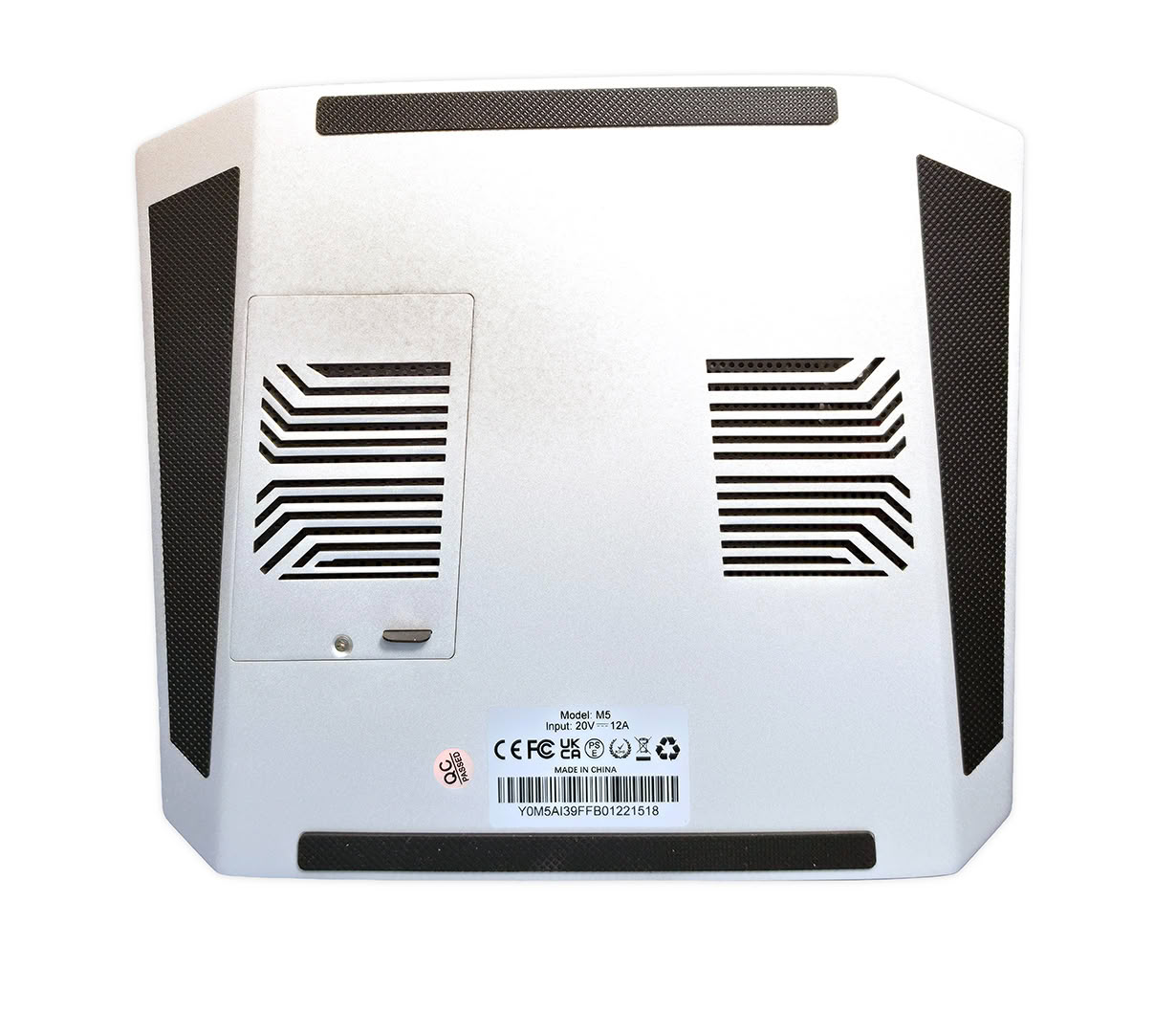
Getting inside the M5 for storage service is refreshingly easy, since BOSGAME uses a dedicated access panel on the underside instead of asking the owner to dismantle the chassis. A single small screw secures the panel, and pulling the small rubber tab exposes both full-length M.2 2280 positions directly. This is a much better approach than hiding the storage beneath several chassis layers, especially on a system that may eventually hold several terabytes of project, game, or AI data.
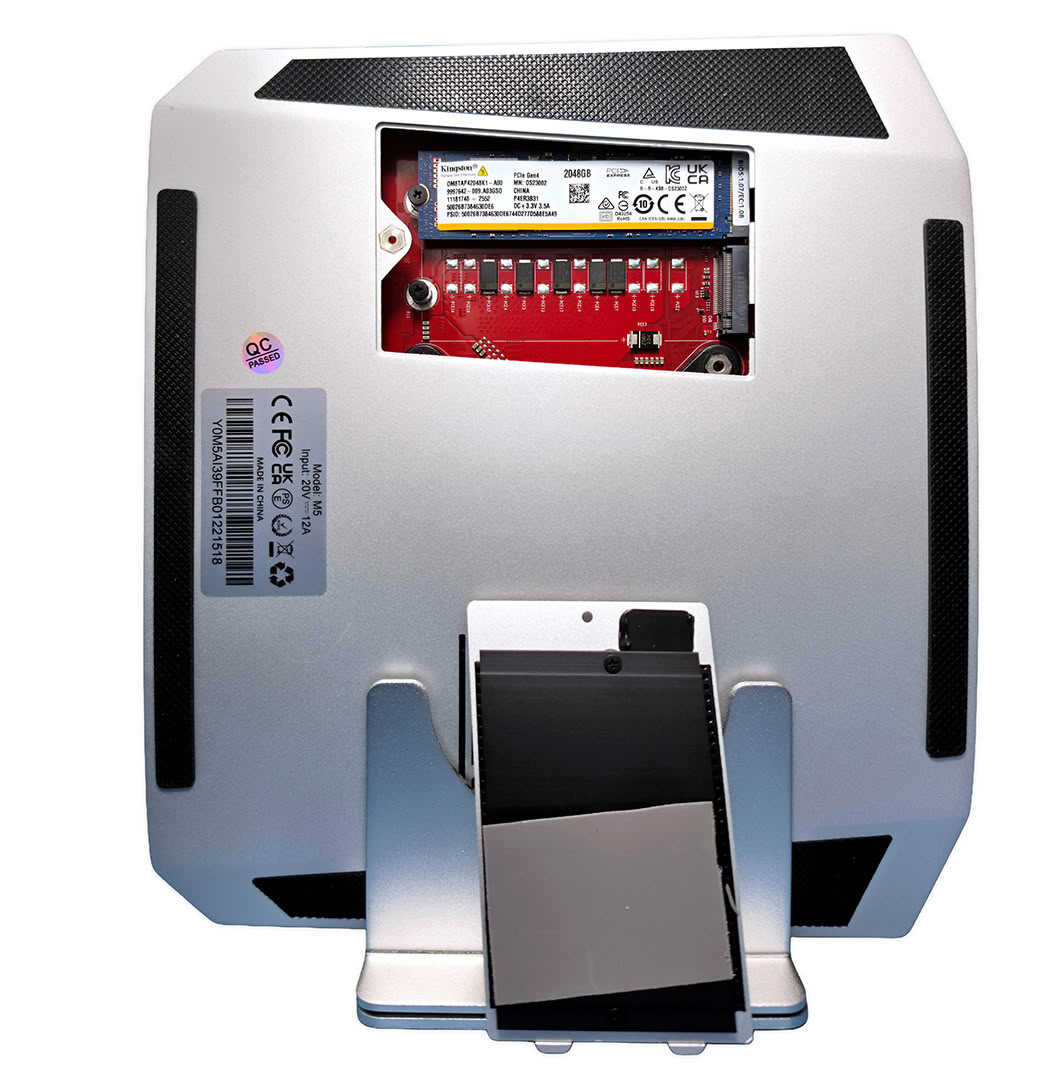
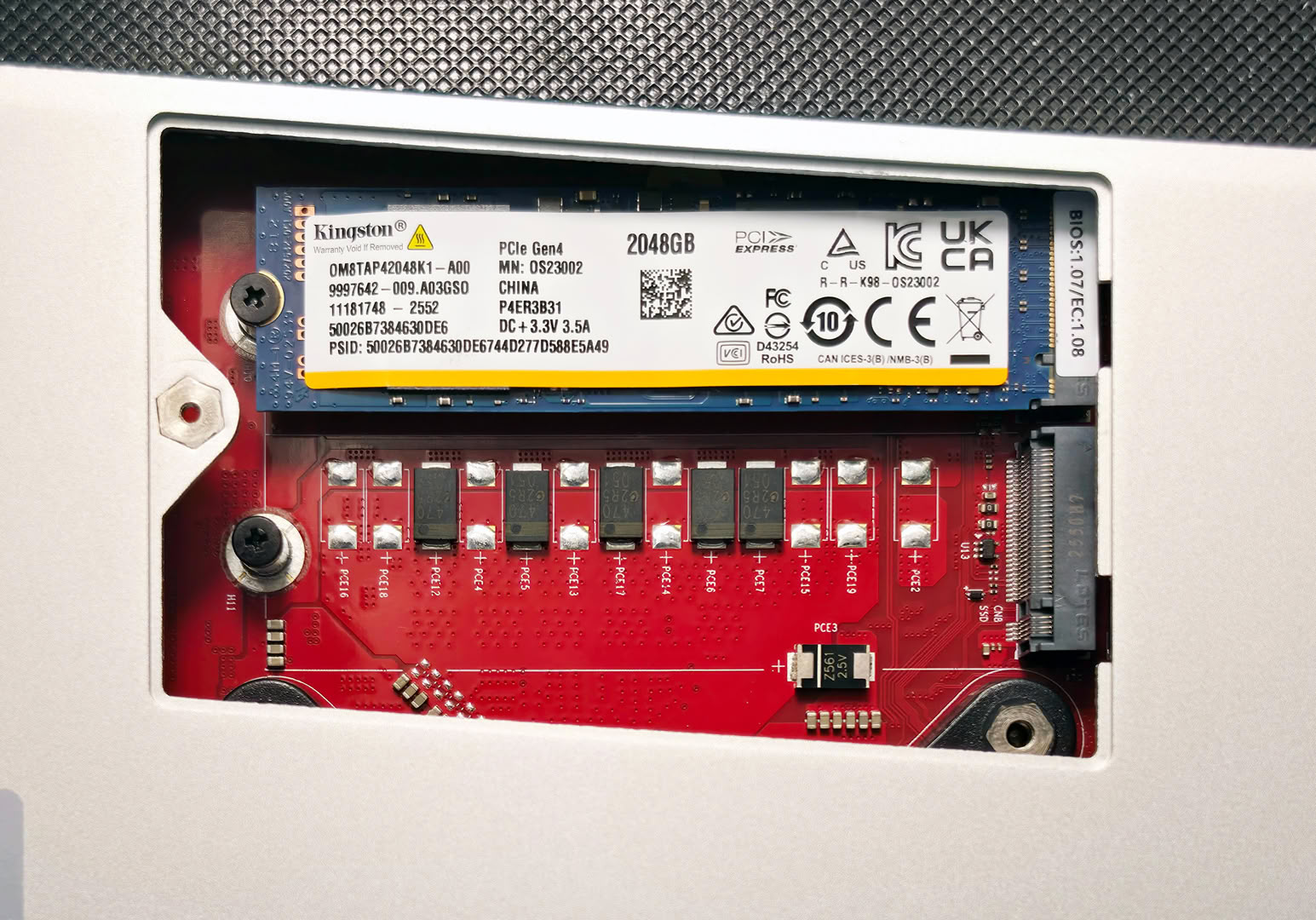
With the service door removed, the exposed area shows the red motherboard and the two M.2 2280 SSD positions with the factory drive installed in one slot and the second left open. My review unit uses a Kingston OM8TAP42048K1-A00 2 TB PCIe 4.0 x4 NVMe SSD, which is also identified by HWiNFO. Kingston lists this exact model as an M.2 2280 QLC drive rated for sequential transfers of up to 6,100 MB/s reads and 5,400 MB/s writes, along with a 640 TBW endurance rating. BOSGAME gives the M5 two PCIe 4.0 M.2 slots, so adding another full-size SSD does not require removing the factory drive or changing the OS installation.
Getting beyond the SSD compartment requires considerably more disassembly, so BOSGAME has effectively kept the parts most owners are likely to access separate from the cooling assembly and other internal hardware. For a high-end Mini-PC, I like the decision to make the only component that owners are likely to upgrade accessible through one small service panel. Two M.2 2280 positions give the M5 useful long-term storage expansion, while the bundled 2 TB Kingston drive provides a generous starting point and can also be replaced without dismantling the main chassis. The fixed 128 GB memory limits repairability compared with a SO-DIMM design, but capacity itself should never become an issue for the overwhelming majority of owners choosing this configuration.
Nov 19th, 2026 15:34 CST
change timezone
Latest GPU Drivers
New Forum Posts
- Honestly, do you care about GTA VI? (163)
- Windows 11 General Discussion (7736)
- Current Sales, Bundles, Giveaways (10448)
- Last game you purchased? (1409)
- WarpCoreBench scores! (76)
- Got the EOL 32GB TridentZ 6000 CL26 1.4V (12)
- Dell Workstation Owners Club (3516)
- Making a game in Godot engine (4)
- DTS DCH Driver for Realtek HDA [DTS:X APO4 + DTS Interactive] (2815)
- Security Apps (2)
Popular Reviews
- Acemagic Retro X3 Review
- Ugreen NASync DXP4800 GT Review
- Upcoming Hardware Launches 2027 (Updated Nov 2026)
- Pulsar Office Tour & First Look at P1 Dual-Sensor Mouse
- AMD Zen 6 Technical Deep Dive
- Biwin Black Opal NV7400 2 TB Review
- Sapphire Radeon RX 7700 XT Pure Review
- Sapphire Radeon RX 7700 XT Pulse Review
- AMD Ryzen 7 9800X3D Review - The Best Gaming Processor
- Chieftec Iceberg PRO 360 DARK Review
TPU on YouTube
Controversial News Posts
- NVIDIA Co-Founder and CEO Jensen Huang Officially Resigns (487)
- Report: Jensen Huang Eyes NVIDIA Comeback (223)
- Open Letter Asking NVIDIA to Reinstate Jensen Huang Passes 115,000 Signatures (184)
- OpenAI CEO Argues Home PCs Waste the World's Limited DRAM Supply (152)
- NVIDIA Launches Investigation Into Jensen Huang's Relationship With Suspected Chinese Spy (136)
- Intel "Raptor Lake Next" 16-Core and 20-Core CPUs Surface (130)
- Legendary Game Studio BioWare Shuts Down Following EA Layoffs (104)
- Dell CEO Says the Memory Shortage Will Get Worse in 2027 (95)