 1
Chieftec Iceberg PRO 360 DARK Review
(1 Comment) »Value and Conclusion
- The Chieftec Iceberg PRO 360 DARK has a retail price of €99.90 incl. VAT, or roughly US$94 without VAT
- Decent overall performance
- Decent memory and GPU clearance
- Solid build quality
- Snap-on fan connection is useful and keeps cable clutter to a minimum
- Easy to install with great socket support
- ARGB lighting is tasteful and well done
- No special software needed
- VRM fan moves lots of air and is separately controlled
- Proper install manual was included
- Price to performance could be better
- Three-year warranty slightly lacking compared to five to six year offerings
- Falls behind top tier offerings in performance
- Loud at max RPM
- ARGB lighting won't appeal to everyone
Performance
When it comes to pure cooling performance, the Chieftec Iceberg PRO 360 DARK delivers a fairly respectable showing, as it ends up roughly in the middle of the pack of all tested 360 mm AIOs on both AMD and Intel test systems. This applied to both max RPM tests and the noise-normalized tests as well. It falls behind the best options like the be quiet! light loop 360 and Arctic Liquid Freezer III Pro 360 A-RGB on AMD. Meanwhile, on the Intel side, it fell a bit further back, trailing the top-performing Noctua NL-LC1-36 by roughly 4 °C and was also 2 °C behind more pure value-focused options like the ID-Cooling FX360 INF.
What about the VRM fan? On our open test bench, the differences in VRM temperatures were minor, but the Chieftec model made a more noticeable impact, even at lower RPMs. In a more compact setup, it should perform even better. I observed temperature drops comparable to, if not slightly better than, those achieved by the Noctua NL-LC1-36 AIO with its VRM fan. Chieftec's new AIO lowered the VRM temperature by 3–4 °C, which is on par or slightly superior to the Noctua. However, SSD temperatures were slightly less impressive, dropping only 2–3 °C compared to 4–5 °C, and RAM temperatures remained consistent between the two at 3 °C. Keep in mind that performance can vary based on VRM, RAM, and SSD heatsink design, as well as their height. The centrifugal VRM fan on the Iceberg PRO 360 DARK doesn't push air directly down onto components; instead, it disperses it outward in all directions. This means the impact might differ with lower-profile heatsinks.
Noise
In terms of noise output, I was a bit surprised as the Iceberg PRO 360 DARK was overall louder than its sibling I reviewed previously. Users will want to stay below 60 % PWM to keep noise levels in check. However, while it can be loud, there are a few high points to note. First, the VRM fan is separately controlled, and while it is slightly louder at some PWM settings than the radiator fans, it tends to offer a similar noise profile. I didn't have any ticking, grinding, or odd tonal hums on any of the fans, and the VRM fan specifically just offered a noticeable "Whoosh" of air. Even so, since you can control its fan curve independently, it is possible to fine-tune everything quickly and easily. Especially since the overall RPM range of 500 to 2200 is sizeable enough for just about anyone to find a workable sweet spot.
Build Quality
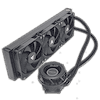
In terms of build quality I have no real complaints as the fit and finish is very good. Since the cooler doesn't stand out with some over the top bling, it is a nice option for what I would consider a normal build. The Iceberg PRO 360 DARK design lets other components take the spotlight, but if needed the ARGB illuminated ring on the VRM fan can add a little visual flair. As for the mounting hardware I would describe it as robust and easy to work with. It offers a wide range of CPU socket support, allowing use in retro builds, which will likely garner it some attention. In terms of features, the snap-on fans are a nice touch.
In general, I have nothing all that bad to say about the cooler from a design and quality standpoint other than the potential issues with memory clearance on AMD systems, due to the mounting mechanism. On the GPU side, everything is fine, but the tubing will typically be located on the same side as your memory, and it can block the first DIMM slot. This can be mitigated by rotating the pump and having the tubing on the motherboard VRM side as shown on the installation page; however, depending on the motherboard VRM, this may not work. That said, best practice is to stick with two DIMMs for maximum performance and stability anyway, and in that situation there are no issues with the tubing facing the DIMM slots. That said, I did test performance both ways and typically if the tubing is on the VRM side performance is a bit worse usually by around 1 °C compared to the results in the charts. With Intel systems the tubing is near the GPU and there are no clearance issues at all.
Other Thoughts
Overall, the Chieftec Iceberg PRO 360 DARK delivers a good mix of useful features that have an actual impact on your system's performance and ease of build. What it lacks in chart-topping performance it makes up for with a relatively affordable price. The only downside is the shorter warranty of just three years. That's not awful by any stretch, but many companies are now offering five or even six-year warranties, so it's worth keeping in mind.
Overall, the Chieftec Iceberg PRO 360 DARK is a decent all-in-one liquid CPU cooler that tends to be a middle-of-the-road performer with useful features, compelling quality and exceptional socket support. It is a great option for retro builds or mid-range systems, or for those that just want something that works without breaking the bank or worrying about having the absolute best cooling performance at any cost. As such, if you can find it near the expected retail price, it is a compelling option.
When it comes to pure cooling performance, the Chieftec Iceberg PRO 360 DARK delivers a fairly respectable showing, as it ends up roughly in the middle of the pack of all tested 360 mm AIOs on both AMD and Intel test systems. This applied to both max RPM tests and the noise-normalized tests as well. It falls behind the best options like the be quiet! light loop 360 and Arctic Liquid Freezer III Pro 360 A-RGB on AMD. Meanwhile, on the Intel side, it fell a bit further back, trailing the top-performing Noctua NL-LC1-36 by roughly 4 °C and was also 2 °C behind more pure value-focused options like the ID-Cooling FX360 INF.
What about the VRM fan? On our open test bench, the differences in VRM temperatures were minor, but the Chieftec model made a more noticeable impact, even at lower RPMs. In a more compact setup, it should perform even better. I observed temperature drops comparable to, if not slightly better than, those achieved by the Noctua NL-LC1-36 AIO with its VRM fan. Chieftec's new AIO lowered the VRM temperature by 3–4 °C, which is on par or slightly superior to the Noctua. However, SSD temperatures were slightly less impressive, dropping only 2–3 °C compared to 4–5 °C, and RAM temperatures remained consistent between the two at 3 °C. Keep in mind that performance can vary based on VRM, RAM, and SSD heatsink design, as well as their height. The centrifugal VRM fan on the Iceberg PRO 360 DARK doesn't push air directly down onto components; instead, it disperses it outward in all directions. This means the impact might differ with lower-profile heatsinks.
Noise
In terms of noise output, I was a bit surprised as the Iceberg PRO 360 DARK was overall louder than its sibling I reviewed previously. Users will want to stay below 60 % PWM to keep noise levels in check. However, while it can be loud, there are a few high points to note. First, the VRM fan is separately controlled, and while it is slightly louder at some PWM settings than the radiator fans, it tends to offer a similar noise profile. I didn't have any ticking, grinding, or odd tonal hums on any of the fans, and the VRM fan specifically just offered a noticeable "Whoosh" of air. Even so, since you can control its fan curve independently, it is possible to fine-tune everything quickly and easily. Especially since the overall RPM range of 500 to 2200 is sizeable enough for just about anyone to find a workable sweet spot.
Build Quality
In terms of build quality I have no real complaints as the fit and finish is very good. Since the cooler doesn't stand out with some over the top bling, it is a nice option for what I would consider a normal build. The Iceberg PRO 360 DARK design lets other components take the spotlight, but if needed the ARGB illuminated ring on the VRM fan can add a little visual flair. As for the mounting hardware I would describe it as robust and easy to work with. It offers a wide range of CPU socket support, allowing use in retro builds, which will likely garner it some attention. In terms of features, the snap-on fans are a nice touch.
In general, I have nothing all that bad to say about the cooler from a design and quality standpoint other than the potential issues with memory clearance on AMD systems, due to the mounting mechanism. On the GPU side, everything is fine, but the tubing will typically be located on the same side as your memory, and it can block the first DIMM slot. This can be mitigated by rotating the pump and having the tubing on the motherboard VRM side as shown on the installation page; however, depending on the motherboard VRM, this may not work. That said, best practice is to stick with two DIMMs for maximum performance and stability anyway, and in that situation there are no issues with the tubing facing the DIMM slots. That said, I did test performance both ways and typically if the tubing is on the VRM side performance is a bit worse usually by around 1 °C compared to the results in the charts. With Intel systems the tubing is near the GPU and there are no clearance issues at all.
Other Thoughts
Overall, the Chieftec Iceberg PRO 360 DARK delivers a good mix of useful features that have an actual impact on your system's performance and ease of build. What it lacks in chart-topping performance it makes up for with a relatively affordable price. The only downside is the shorter warranty of just three years. That's not awful by any stretch, but many companies are now offering five or even six-year warranties, so it's worth keeping in mind.
Overall, the Chieftec Iceberg PRO 360 DARK is a decent all-in-one liquid CPU cooler that tends to be a middle-of-the-road performer with useful features, compelling quality and exceptional socket support. It is a great option for retro builds or mid-range systems, or for those that just want something that works without breaking the bank or worrying about having the absolute best cooling performance at any cost. As such, if you can find it near the expected retail price, it is a compelling option.
Nov 20th, 2026 00:38 PST
change timezone
Latest GPU Drivers
New Forum Posts
- Intel Core Ultra 5 processor 250K Plus (1)
- How to prevent OLED burn damage due to PC freezes or power outtages? (41)
- WarpCoreBench scores! (79)
- RX 7600 + Ryzen 5 5600GT getting the same FPS as my old RX 6500 XT – What am I missing? (7)
- What are you playing? (26236)
- Warning for Windows 10 and 11 users running newer AMD GPU drivers (65)
- Honestly, do you care about GTA VI? (178)
- Anthrophics IPO (10)
- Upgrade Considerations: CPU (12/13/14) and Motherboard (B660/B760 and Z690/Z790) (62)
- TPU's Nostalgic Hardware Club (22172)
Popular Reviews
- AMD Zen 6 Technical Deep Dive
- Ugreen NASync DXP4800 GT Review
- Acemagic Retro X3 Review
- Corsair RM1200e (Second Generation) Review
- Upcoming Hardware Launches 2027 (Updated Nov 2026)
- Pulsar Office Tour & First Look at P1 Dual-Sensor Mouse
- Biwin Black Opal NV7400 2 TB Review
- Chieftec Iceberg PRO 360 DARK Review
- AMD Ryzen 7 9800X3D Memory Performance Scaling
- AMD Ryzen 7 9800X3D Review - The Best Gaming Processor
TPU on YouTube
Controversial News Posts
- NVIDIA Co-Founder and CEO Jensen Huang Officially Resigns (490)
- Report: Jensen Huang Eyes NVIDIA Comeback (224)
- Open Letter Asking NVIDIA to Reinstate Jensen Huang Passes 115,000 Signatures (184)
- OpenAI CEO Argues Home PCs Waste the World's Limited DRAM Supply (152)
- NVIDIA Launches Investigation Into Jensen Huang's Relationship With Suspected Chinese Spy (136)
- Intel "Raptor Lake Next" 16-Core and 20-Core CPUs Surface (130)
- Legendary Game Studio BioWare Shuts Down Following EA Layoffs (104)
- Dell CEO Says the Memory Shortage Will Get Worse in 2027 (95)