 20
Cooler Master Cosmos Alpha Review
A Closer Look - Inside »A Closer Look - Outside

Out of the box, the Cosmos Alpha does look very different from previous iterations of the case. But, it is still clearly identifiable as one of the series, thanks to the large metal bars at the top and bottom. These are signature elements found on every single Cosmos, so the Alpha continues that tradition. While many elements of these cases have always had to be made of plastic, the Alpha employs metal for all silver elements that make up the frame of the case. This is a step up from the previous Cosmos variant which used silver plastic in the front and rear to complete that look.


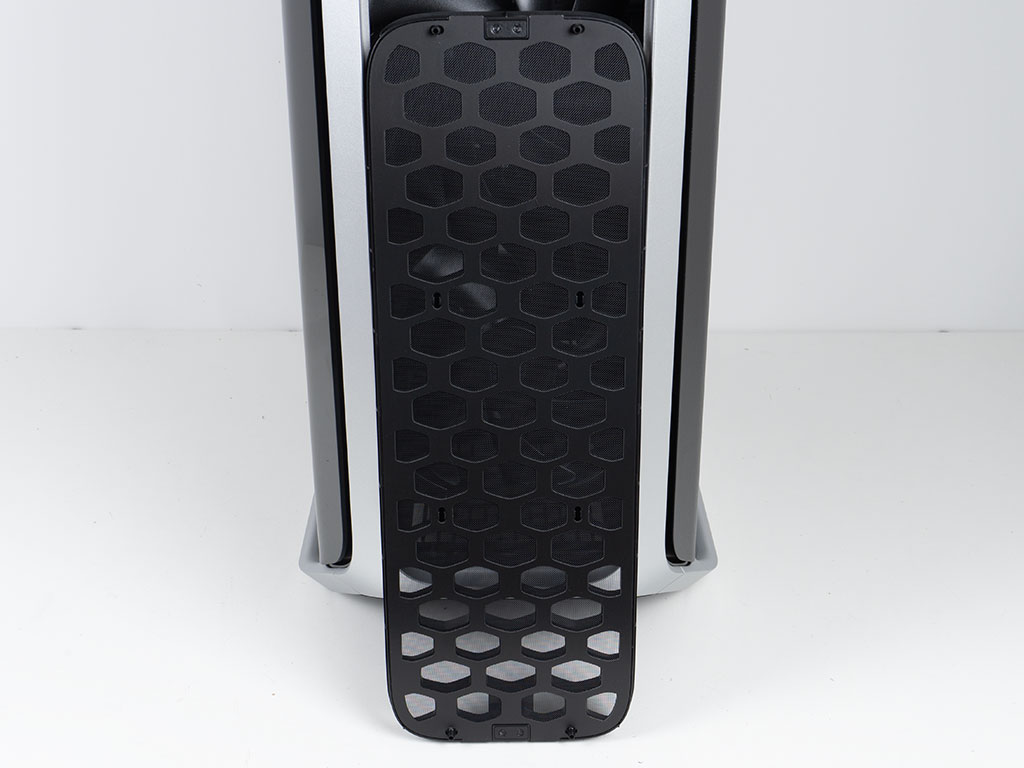
The front metal frame feels indestructible and comes with a removable plastic cover that is designed to use the brands logo shape as a grille. While this could have been made of metal, that would have been quite expensive, so it makes sense that plastic is employed instead. That said, it is pretty soft plastic and flexes both on and off the chassis. It does come with a dust filter, but that doesn't feel very good, as it is simply snapped unto the plastic front. I did try to pry it off, assuming it was removable but gave up quickly fearing that I would damage it in the process. The four clips in the center don't have tabs big enough to keep it in place securely, while the four at the top and bottom have a strong grip on the layer that suggests this is not meant to be removed. Behind it, you will find two pre-installed, massive 200 mm fans.
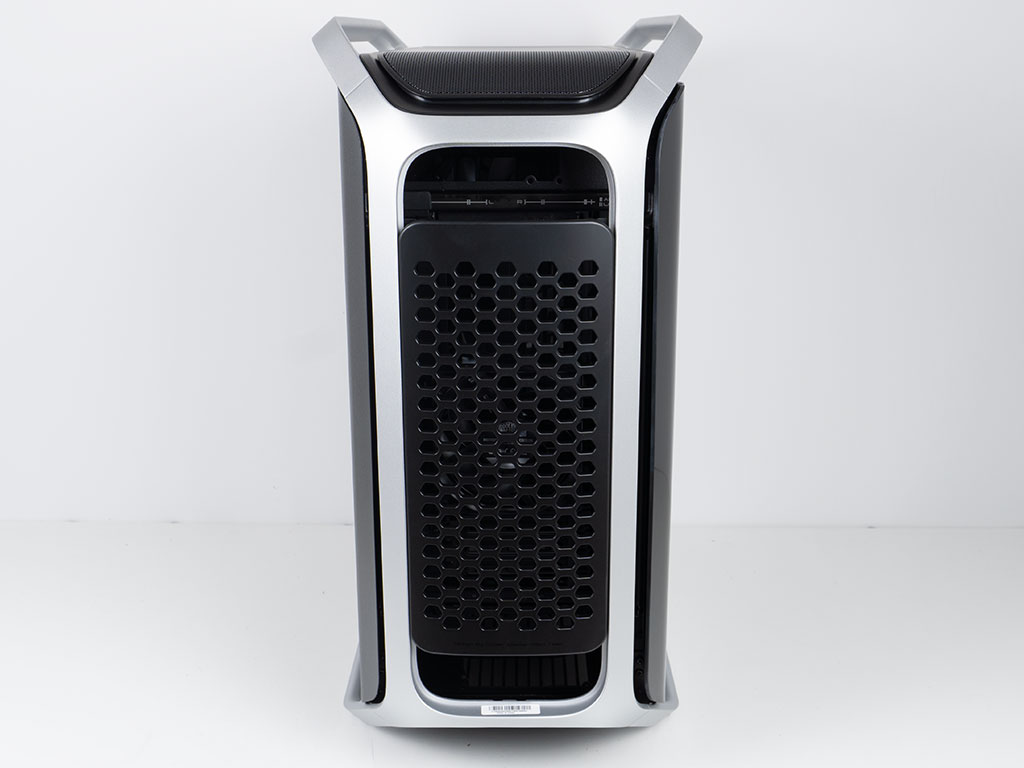
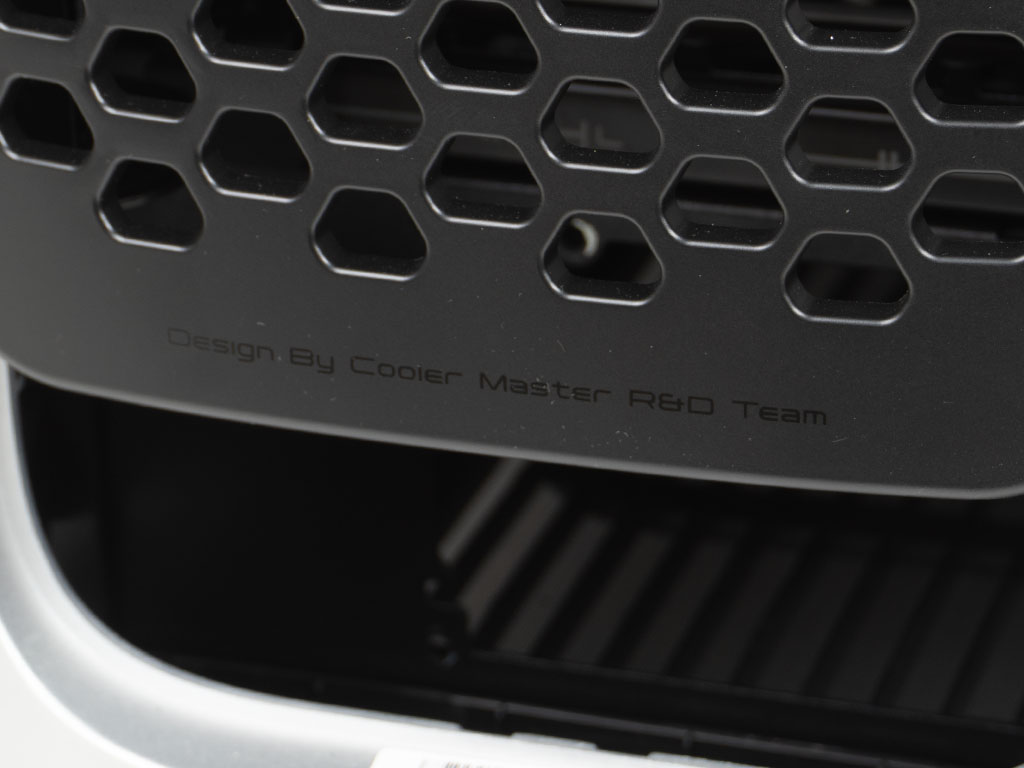
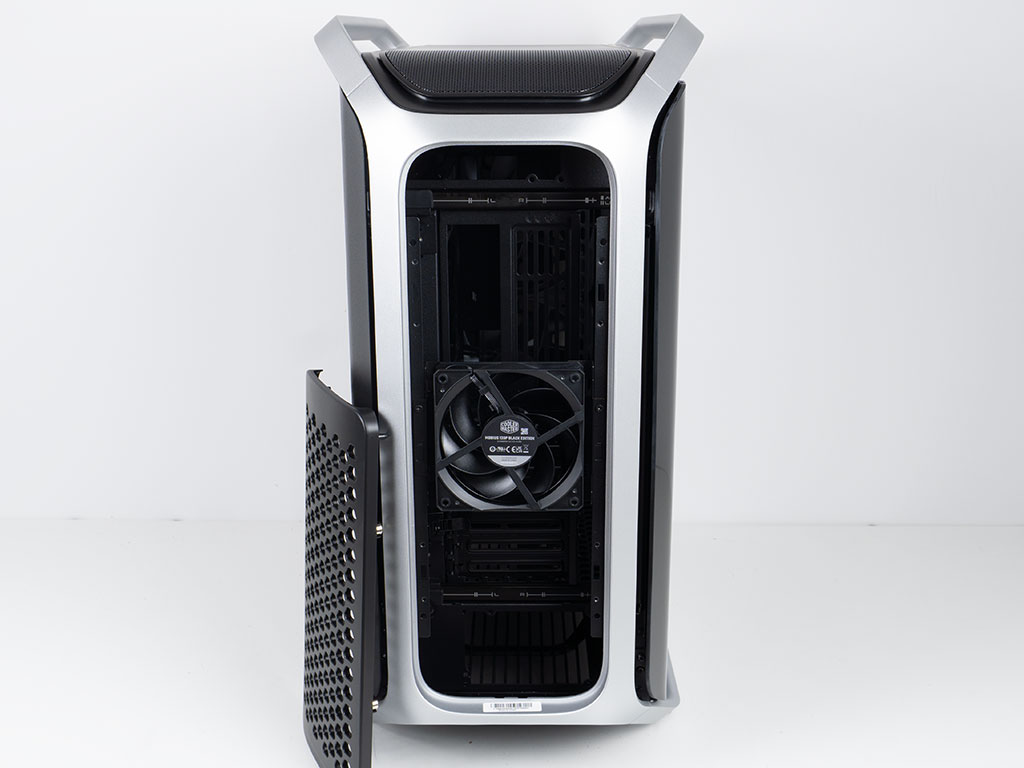
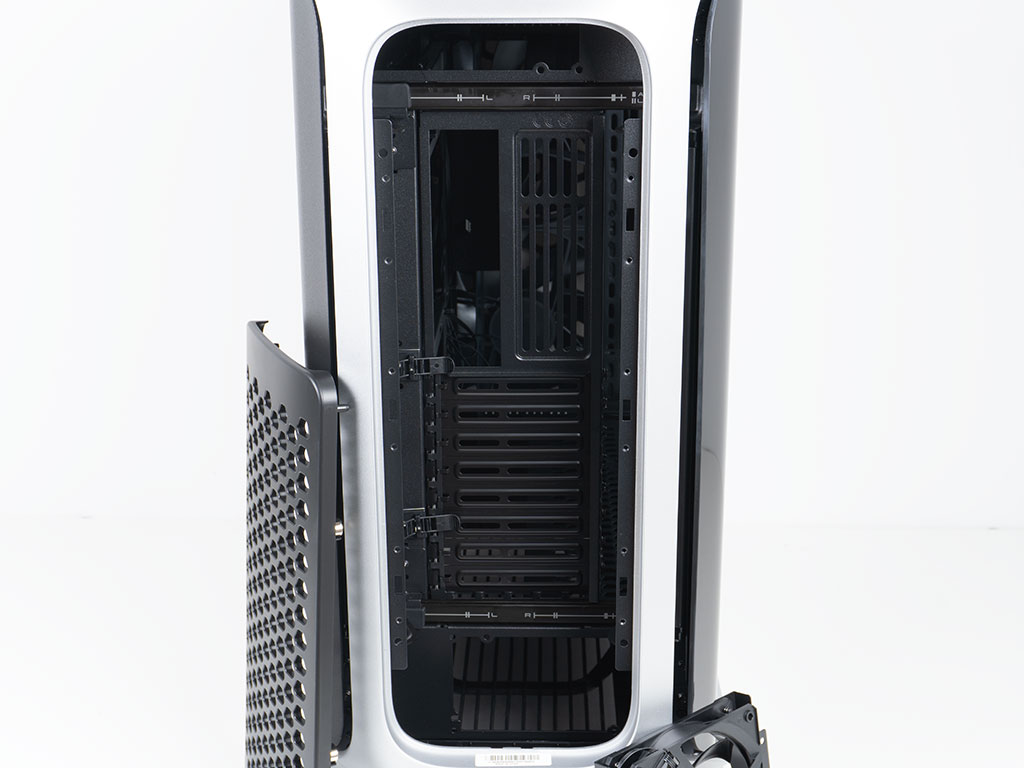
In the rear Cooler Master employs the exact same metal frame as in the front. It is also covered by a vented panel. This one has a black text on the bottom that reads "Design by Cooler Master R&D Team." It is also made of plastic and secured using attached magnets. In this case, I think Cooler Master could have made a metal variant without too much trouble instead. Once removed, you are greeted by a single Mobius 120 mm fan set to push air out. It is suspended on the exterior body of the case. There are extra clips in the accessories kit, so you could add two more such units here. This is the first time Cooler Master has opted to approach the rear cooling like that. This is due to the fact that the interior of the Cosmos Alpha may actually be moved side to side, with markings at the top and bottom to help you to align things for air or liquid cooling scenarios. Lastly, Cooler Master has also included cable management on the left edge of the motherboard tray, so you can keep the wire bundle coming out of your mainboard away from the fan blades.
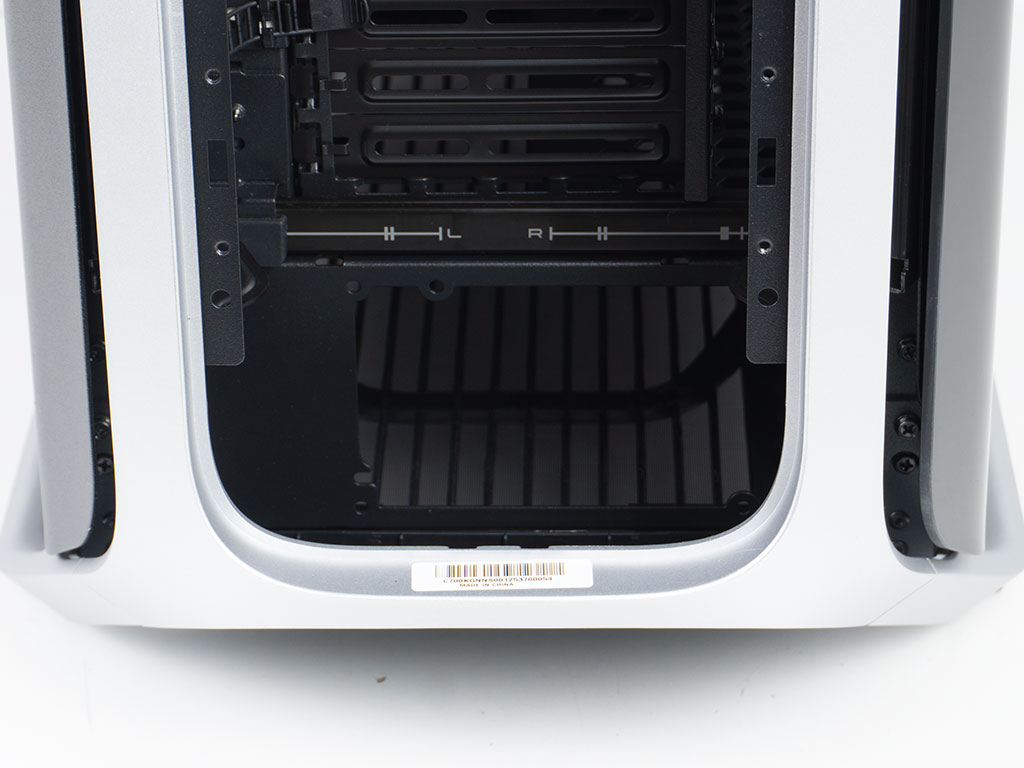
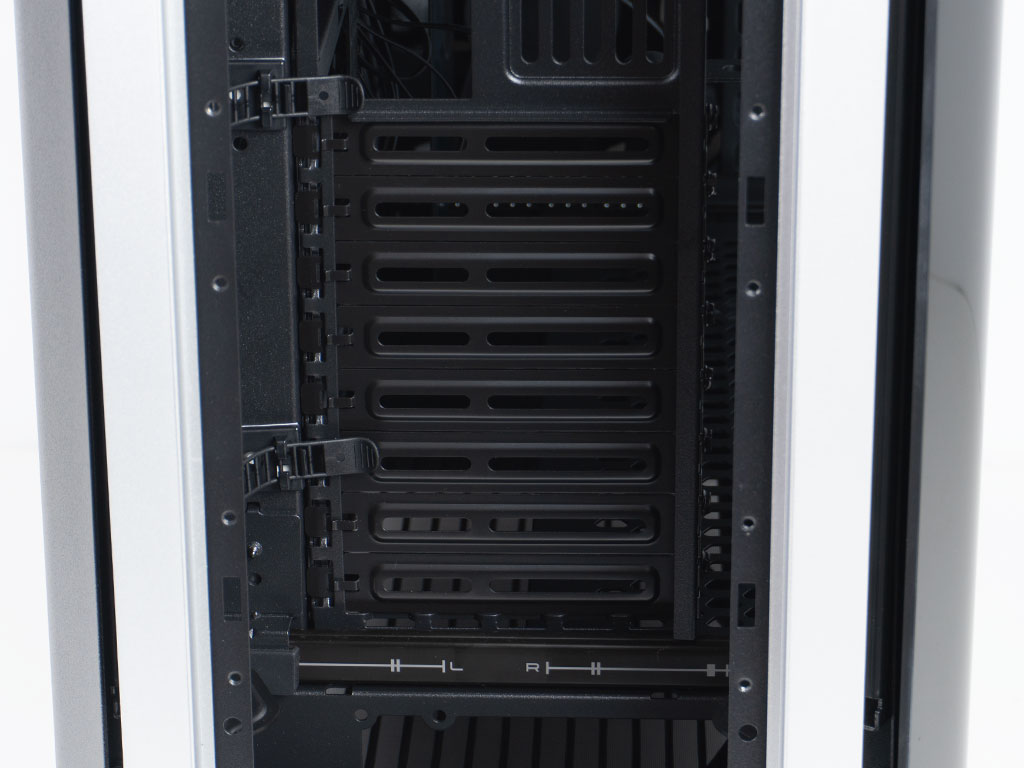
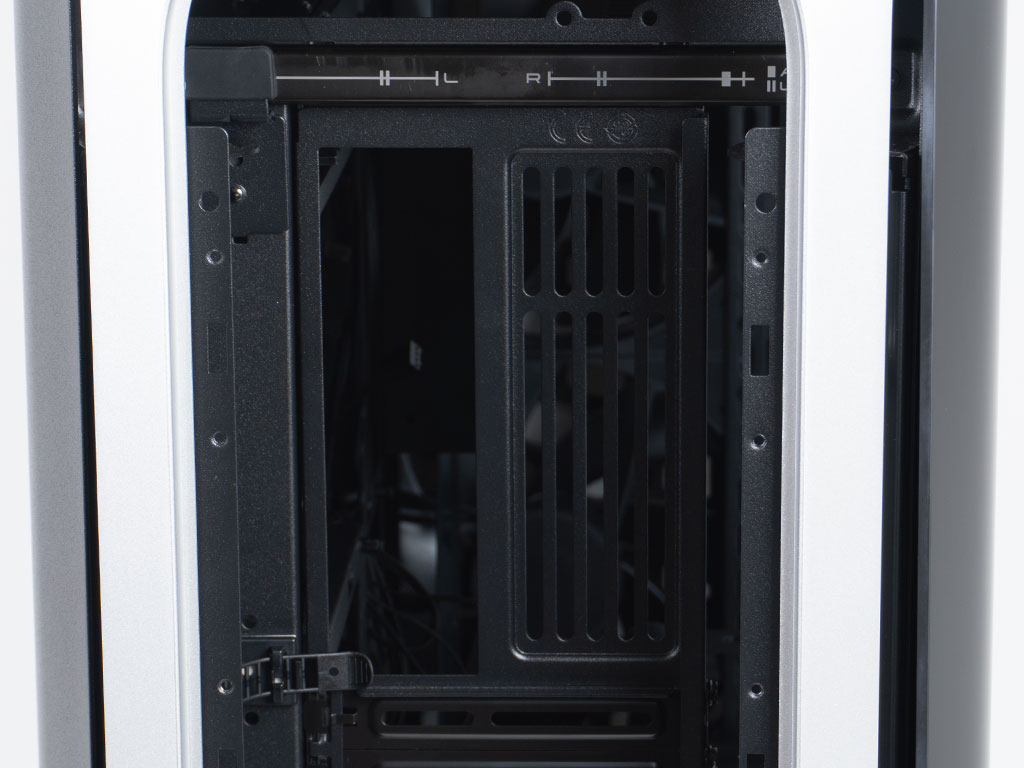
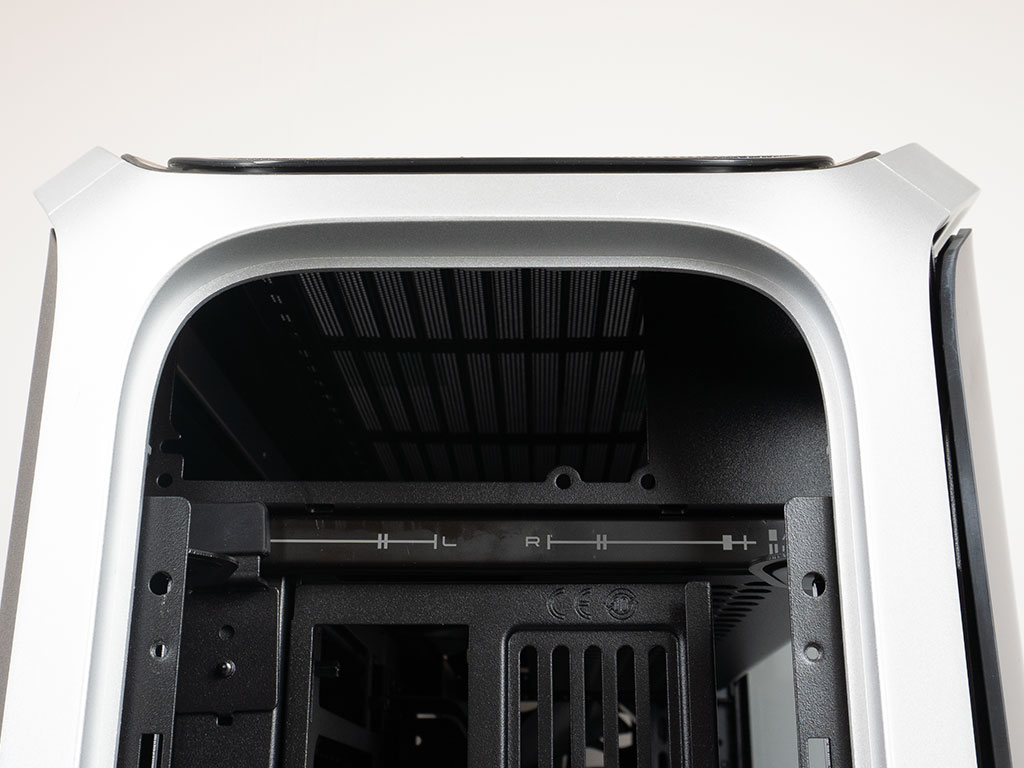
Behind the cover and fan, will find a PSU bay at the bottom of the case. The manual provides two official ways to install a power supply. You could remove the silver metal frame to gain access to the bay and secure it that way, or you could leave the frame on, but take off the side panels and unscrew the PSU plate itself to prep the PSU outside the case. Above that are the eight bridgeless expansion slots, with each reusable cover secured by a classic screw. In the top it's all about the motherboard backplate. In the very top, there is a second PSU plate, which is identical to the on the bottom.


The main side panel is made of glass that features angled edges and two bends. This shape has become another recognizable design element of the Cosmos series, so it is not surprising to see it on the Cosmos Alpha as well. The panel has a light tint to it, but is framed in black which adds some more angles to this view. On the other side, there is a metal cover with an embedded mesh at its center. This is needed as the Cosmos Alpha could employ liquid cooling on the side, so there needed to be a way for cool air to be accessible. That mesh layer also acts as a basic dust filter.

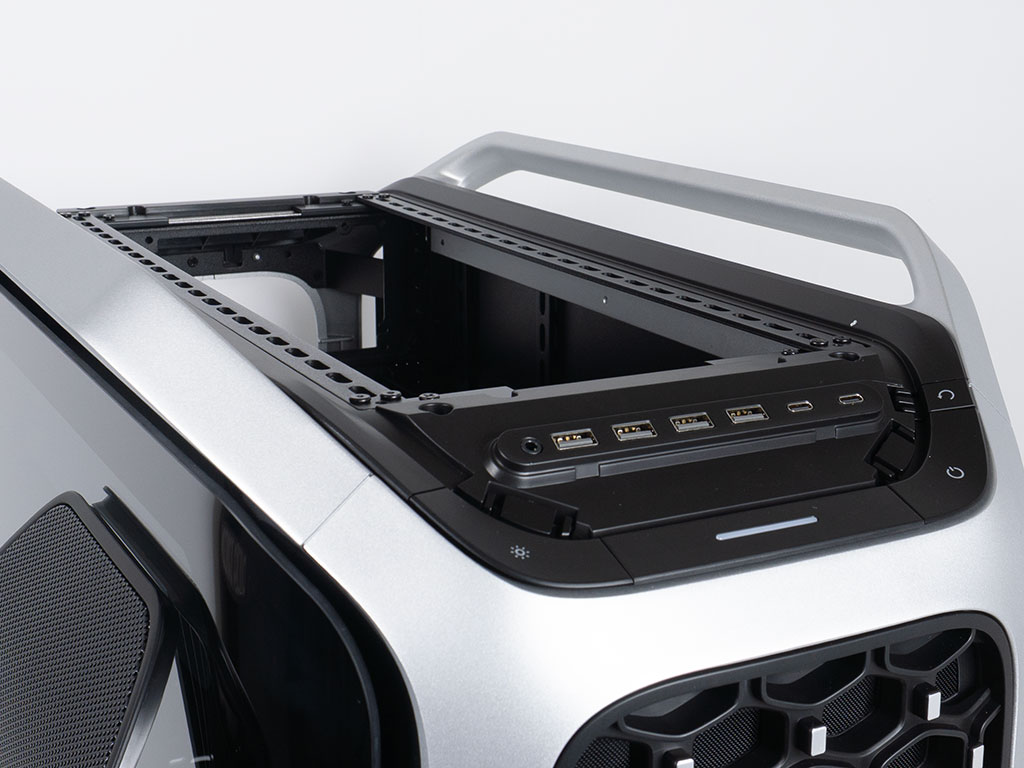
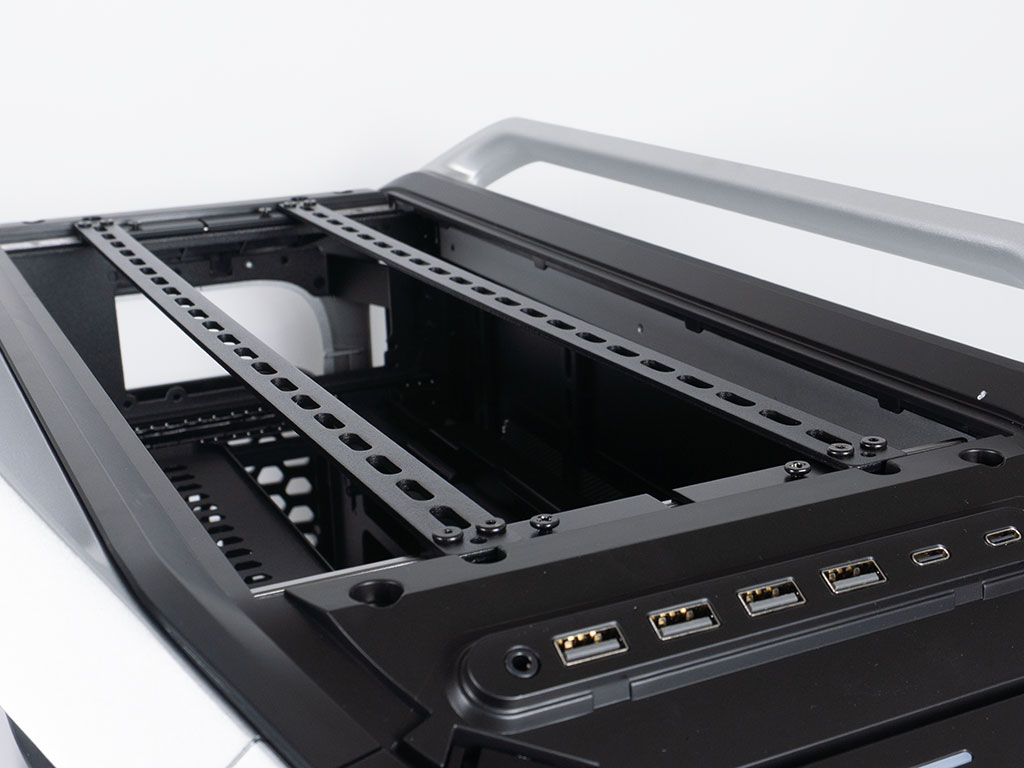
The top panel is made of plastic with another layer of black metal mesh. While it is shaped to fit the overall design language of the Cosmos Alpha, this panel feels oversimplified for a flagship case. While it is similar to what was on the C700P, Cooler Master could have easily opted for a different design and more unique material choice. The previous C700M Cosmos did have a cool metal on the top - even if the design back then was a bit more restrictive regarding airflow. Those cases also had ARGB elements in the top, which this version of the Cosmos no longer offers. Underneath the magnetically attached cover you will find two mounting bars that can be positioned to fit either three 120, or two 140, 180 or 200 mm fans. Thanks to the height, there is also over 90 mm of clearance, so you may install massive push/pull liquid cooling systems without issue. That said, adding a PSU here will reduce the overall available room for any form of cooling.
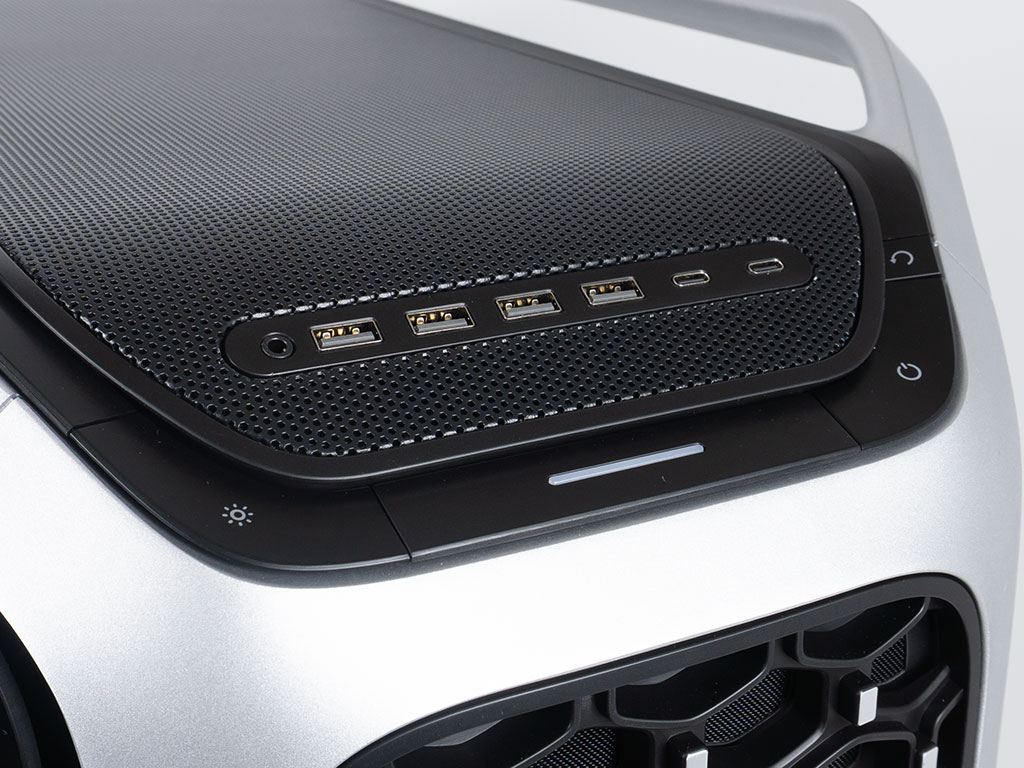
The Cosmos Alpha goes all out when it comes to the USB ports. Besides the audio plug, you will find four USB-A and two USB-C variants here. There is a large RGB toggle button on one side and a power/reset combo on the other. In the center, there is a power LED in form of a white strip. There is no fan controller anymore unlike the previous generation, but that is actually a perfectly acceptable omission as motherboards these days have a lot more fan headers than when the previous Cosmos was released.

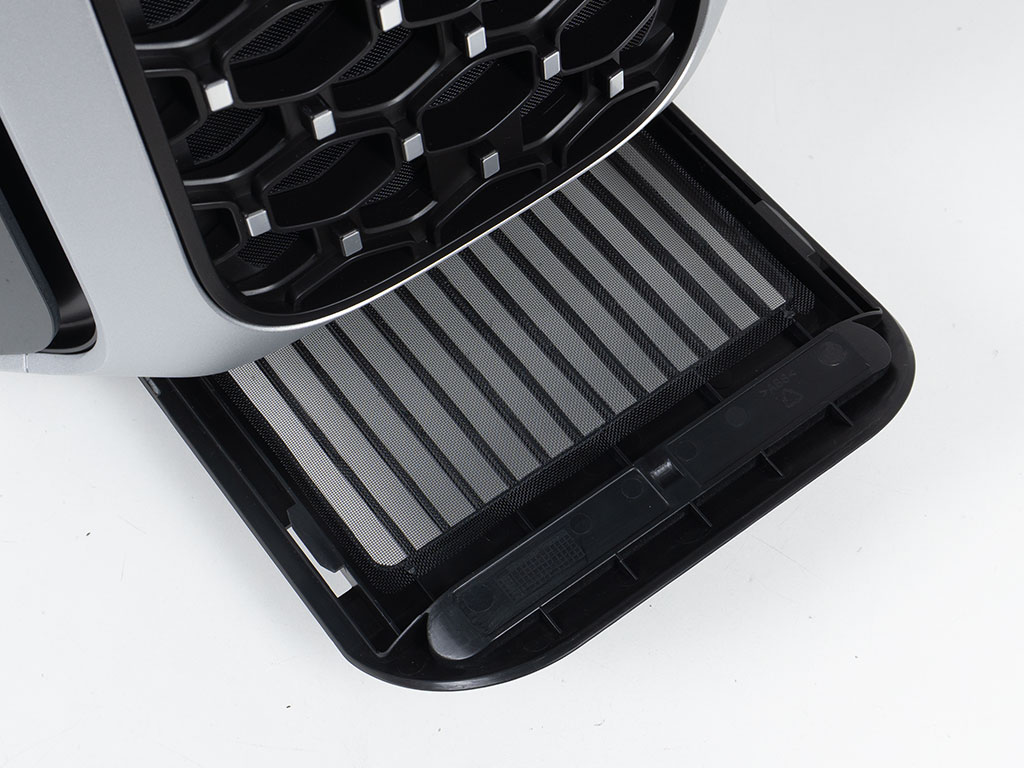
There is really no need for you to topple over a system that could easily weigh more than 35 kg (77 lbs), but if you were to do so, you would find two ARGB strips on the bottom and a full coverage dust filter that also has the shape of the brand embedded in it. It is interesting to see that Cooler Master has put more thought into the design of this filter than the top panel. Instead of tipping over the system, you may simply pull the fine mesh dust filter out the front of the Cosmos Alpha.
Nov 19th, 2026 00:30 PST
change timezone
Latest GPU Drivers
New Forum Posts
- 3DMARK "LEGENDARY" (475)
- [Poll] 12V-2x6 Connector Protection: What Are You Using? (WireView / Ampinel / Equalizer / Other / Nothing) (43)
- Windows HDR on = Tinted colors (5)
- Time to upgrade CPU and MOBO (42)
- Without Jensen, PC gaming will be (47)
- WarpCoreBench scores! (68)
- Honestly, do you care about GTA VI? (155)
- Very unusual two gaming-pc scenarios. (13)
- TPU's Nostalgic Hardware Club (22168)
- Dual B70 or Dual R9700 Pro on Linux (7)
Popular Reviews
- Acemagic Retro X3 Review
- Ugreen NASync DXP4800 GT Review
- Upcoming Hardware Launches 2027 (Updated Nov 2026)
- AMD Zen 6 Technical Deep Dive
- Pulsar Office Tour & First Look at P1 Dual-Sensor Mouse
- Biwin Black Opal NV7400 2 TB Review
- Sapphire Radeon RX 7700 XT Pure Review
- Sapphire Radeon RX 7700 XT Pulse Review
- Chieftec Iceberg PRO 360 DARK Review
- ASUS ROG Strix B850-I Gaming Wi-Fi7 W Review
TPU on YouTube
Controversial News Posts
- NVIDIA Co-Founder and CEO Jensen Huang Officially Resigns (483)
- Report: Jensen Huang Eyes NVIDIA Comeback (196)
- Open Letter Asking NVIDIA to Reinstate Jensen Huang Passes 115,000 Signatures (184)
- OpenAI CEO Argues Home PCs Waste the World's Limited DRAM Supply (152)
- NVIDIA Launches Investigation Into Jensen Huang's Relationship With Suspected Chinese Spy (136)
- Intel "Raptor Lake Next" 16-Core and 20-Core CPUs Surface (130)
- Legendary Game Studio BioWare Shuts Down Following EA Layoffs (104)
- Dell CEO Says the Memory Shortage Will Get Worse in 2027 (95)