 7
Corsair 3200D RS ARGB Review
A Closer Look - Inside »A Closer Look - Outside

The Corsair 3200D RS ARGB pairs a traditional case body with a unique front panel, which is clearly the design focal point of the chassis at first sight, but the metal side also adds a bit of flair with its unique shape.
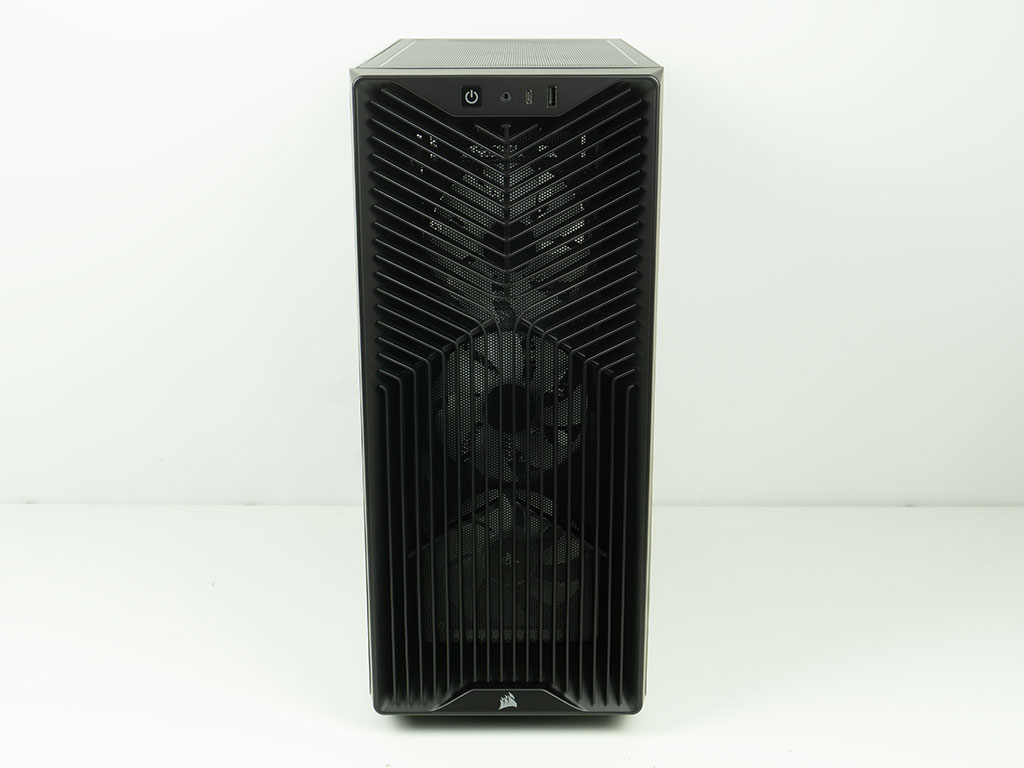
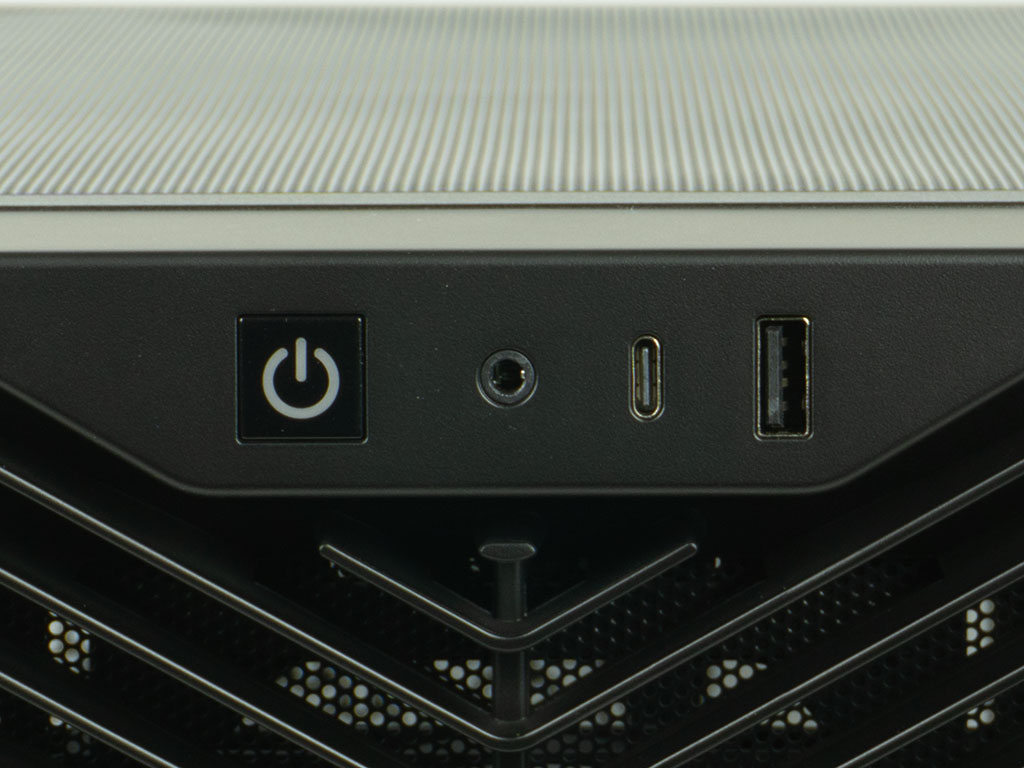
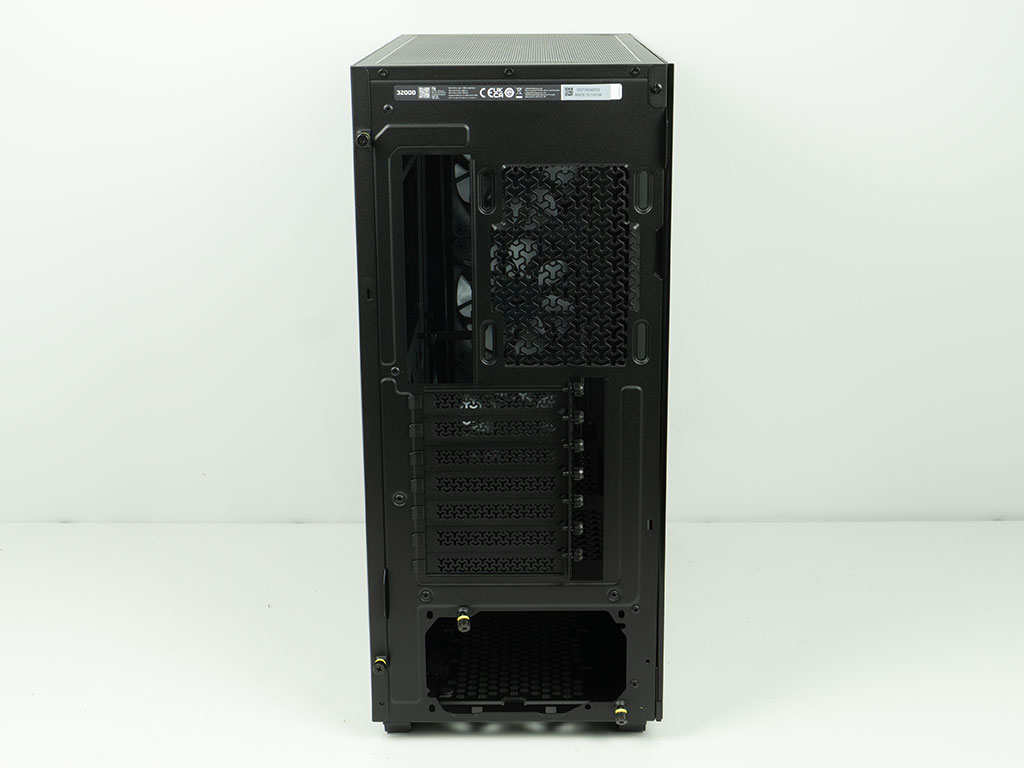
The front is made of plastic and looks pressed into the case at the top half. This design gives the 3200D RS ARGB much needed depth and does look pretty spiffy. You can see the fans behind it clearly. The I/O is located at the top of the chassis and consists of a USB-C port, next to an audio combo jack. On the other end, there is a single USB-A port. For some inexplicable reason Corsair opted to go with a single such port and - you better sit down for this one - made it USB 2.0. That minimal I/O and the old generation port is unacceptable for a $90 case by today's standards and will likely be a dealbreaker for many. Looking at the rear of the 3200 RS ARGB, it sports a traditional layout for a mainstream chassis.
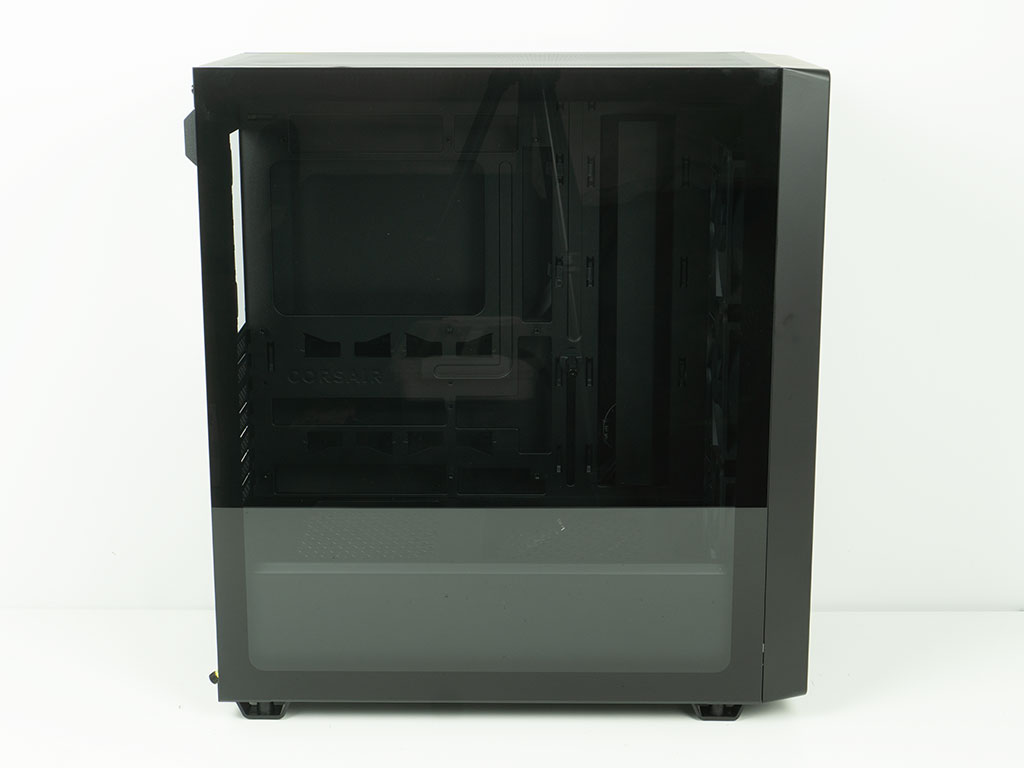
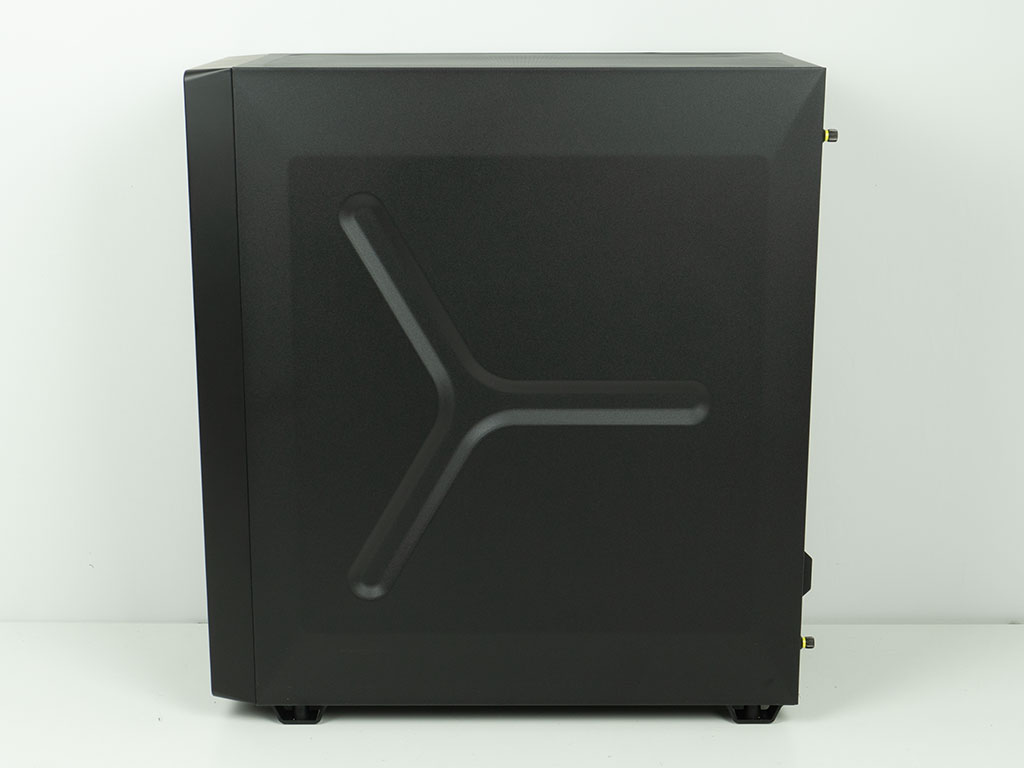
The entire side of the chassis is made of glass and framed nicely in black. The panel is secured by two push pins, but Corsair has also used a screw to make sure it can't be pulled off by mistake. That is a functional detail, but should have really been a thumb screw. On the other side, we see the second very cool design detail in the shape of the metal side panel that has been stamped with a triangular design that matches the vent shape of Corsair cases.
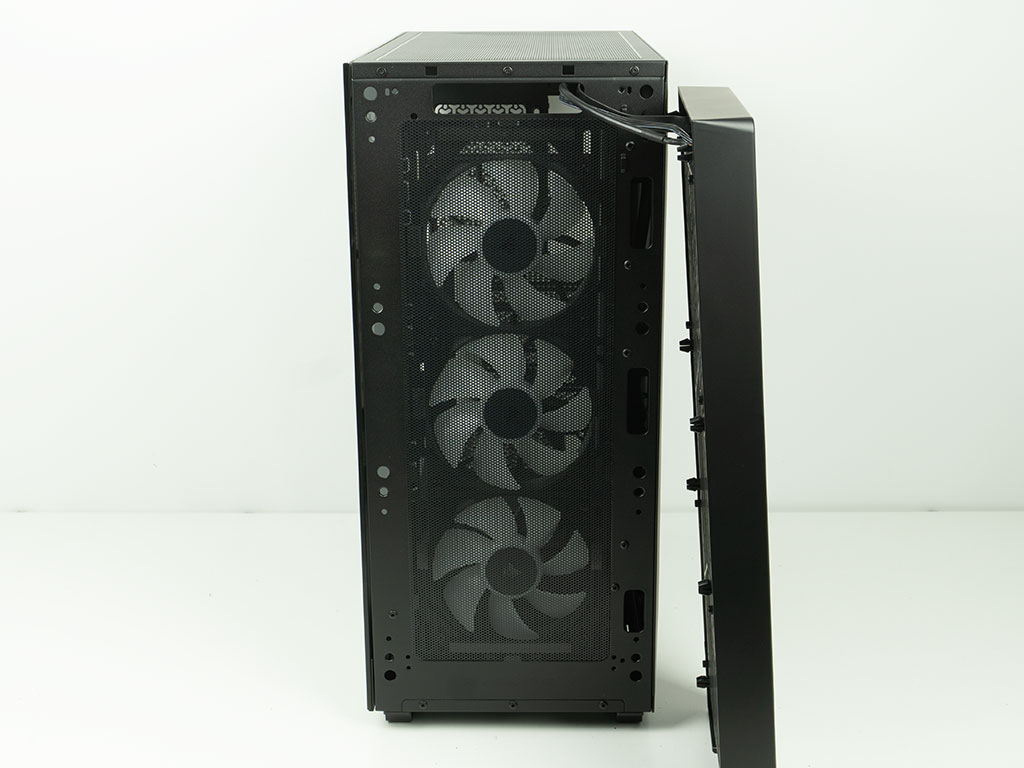
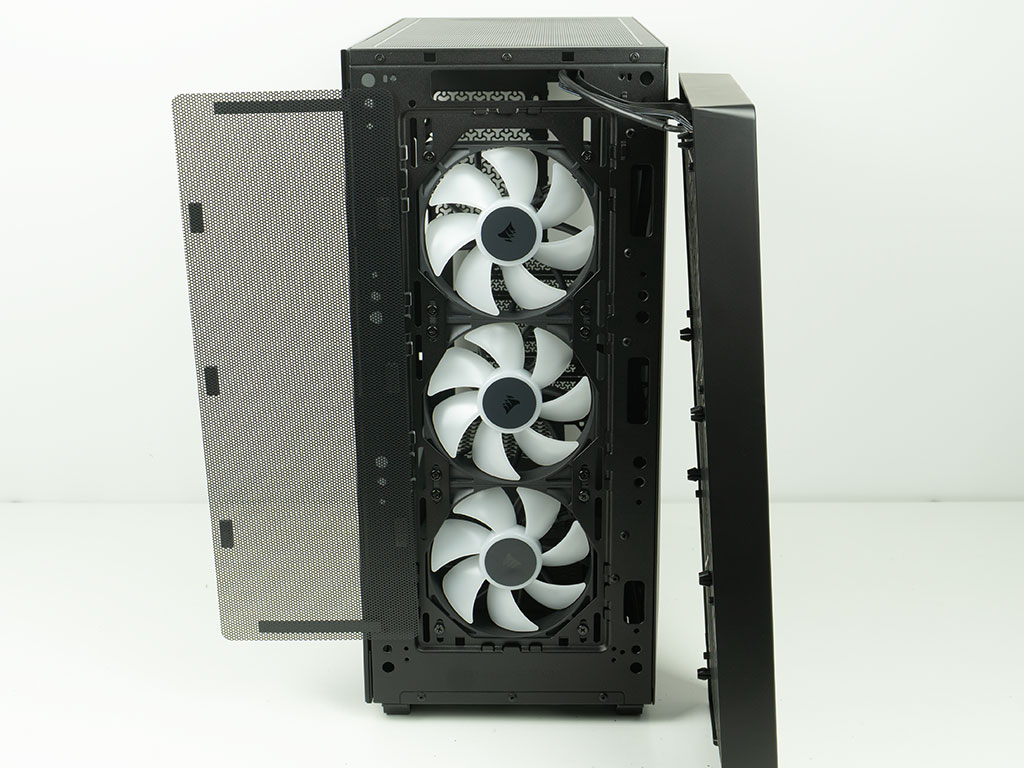
You may pull off the front to reveal a basic metal mesh dust filter held in place by magnetic strips. As the I/O wires are firmly attached to the front panel, you will have a hard time accessing this and the fans once everything is cable managed. The three fans are Corsairs own retail-grade RS120 ARGB fans, which is nice to see.
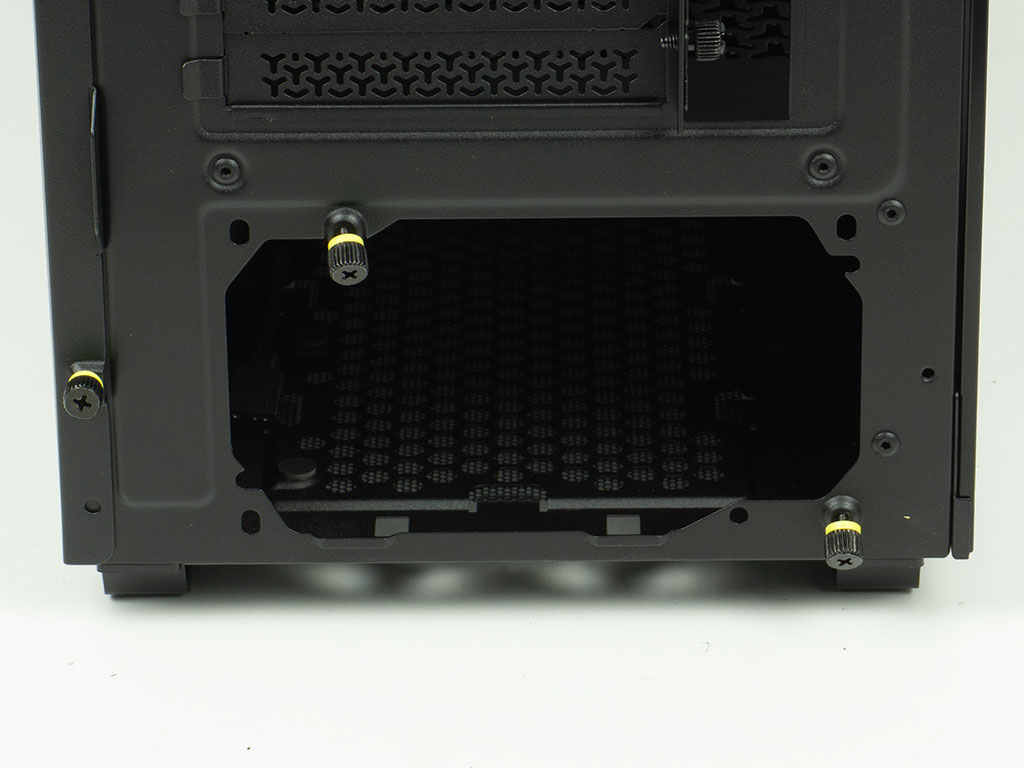
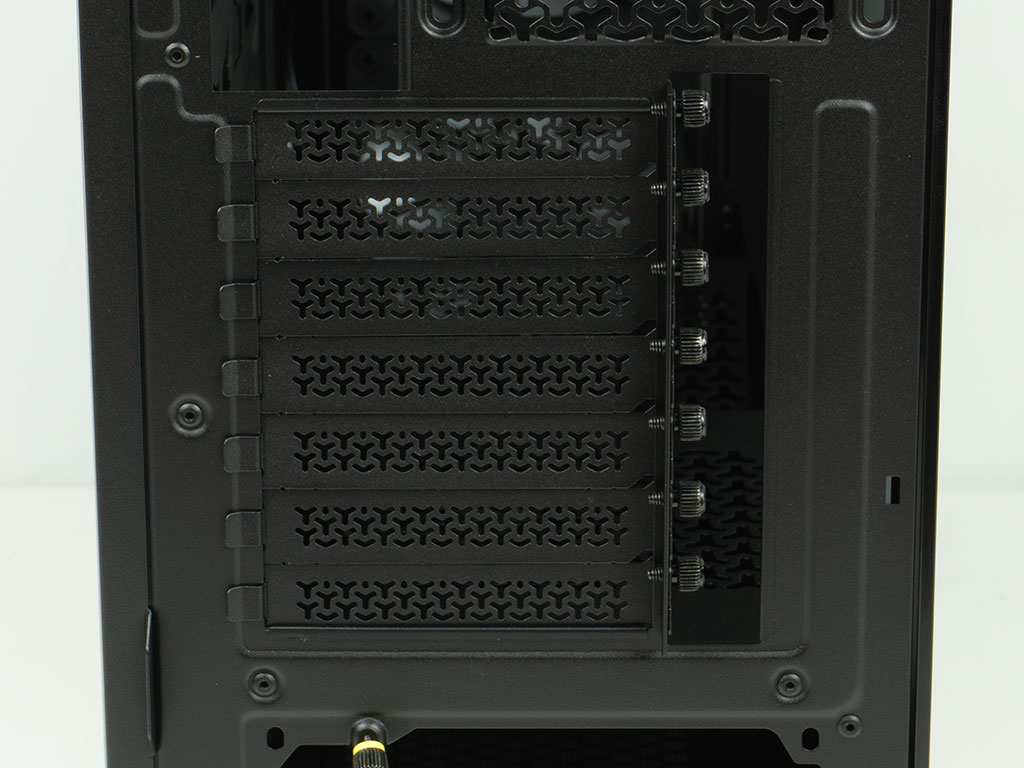
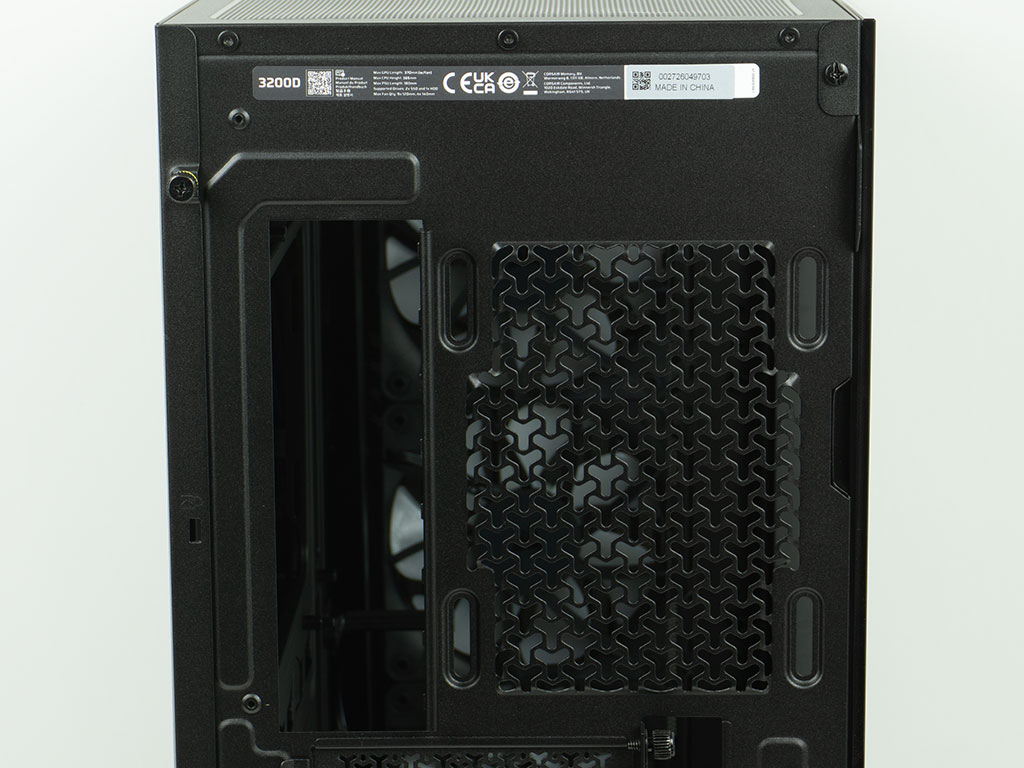
In the rear, the PSU bay at the bottom comes equipped with two thumb screws, so you could skip screws here altogether. There are also two hooks for cable management, which is nice to see. Above that are the seven expansion slots, each protected by individual, reusable covers which are held in place by thumb screws. In the very top, you will find a placement opportunity for a 120 mm exhaust fan using the elongated mounting holes. There is plenty of room at above that, so you should have no issues fitting a 360 mm AIO here. Interestingly enough, the 3200D RS ARGB has no opening to allow for Corsair's iCUE Link.
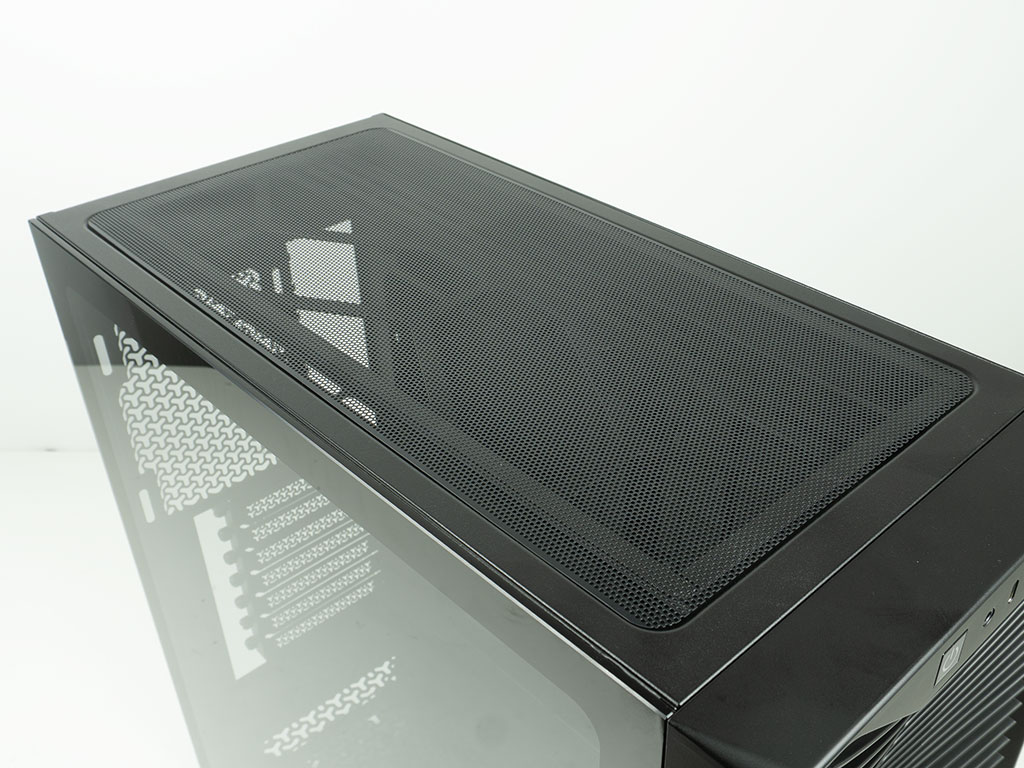
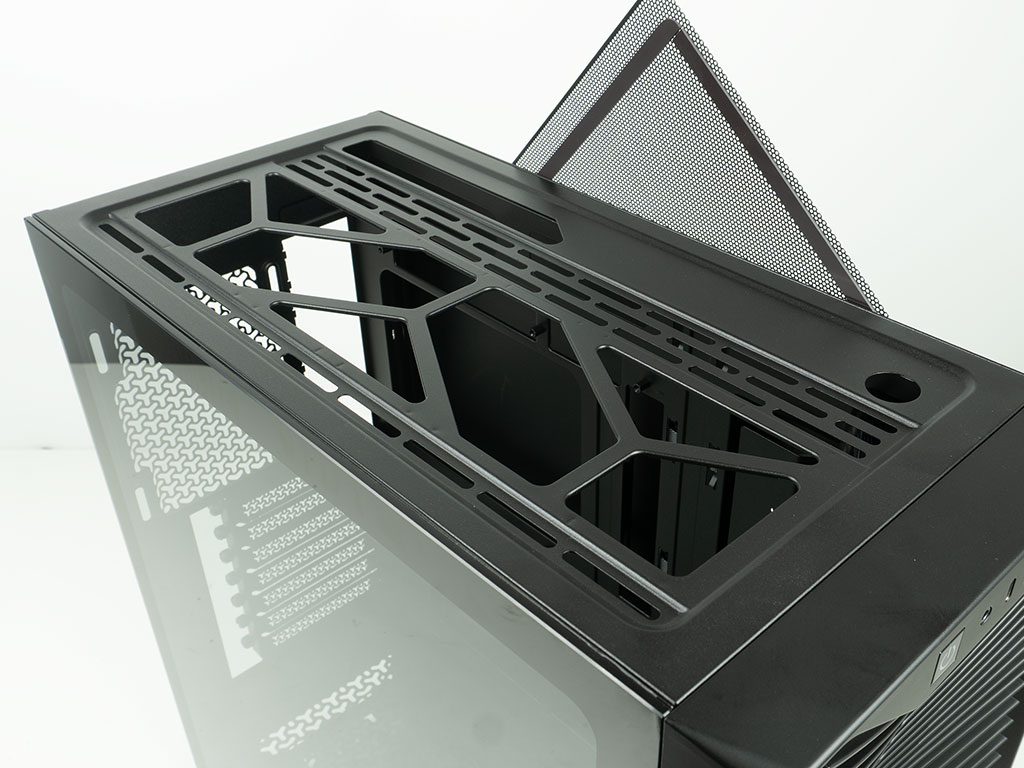
On the top, you will find another mesh cover which is held in place by magnets. While this is generally fine, it is very thin and can easily be dinged and bent. If you look closely, you will notice that it already ships slightly deformed towards the rear. Under that, you have cutouts to allow for three 120 mm or two 140 mm fans to be installed. Markings in the metal help you situate these fans or center a radiator of up to 360 mm in length. A cutout above the cable routing holes of the motherboard will help you route any wires easily, which is a nice touch. On top of that Corsair also includes a circular hole for your own fill port, should you include custom liquid cooling.
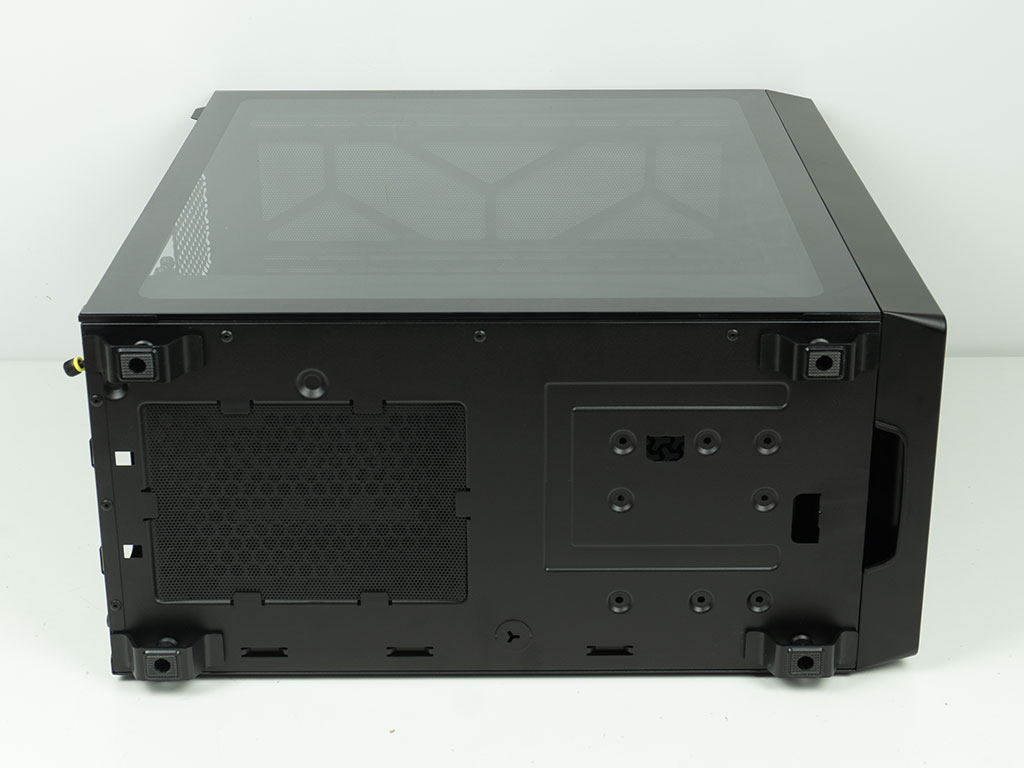
On the underside of the Corsair 3200D RS ARGB, you will find another very simple metal mesh dust filter which isn't what a case of this price range should ship with. Next to it are mounting holes for the storage on the floor of the chassis. Unfortunately, this means you will have to tip over the chassis to install a drive here, using classic screws. There is also another circular hole that may be punched out to act as a drain port for a liquid cooling loop.
Nov 20th, 2026 13:47 PST
change timezone
Latest GPU Drivers
New Forum Posts
- Honestly, do you care about GTA VI? (208)
- When you could finally run Crysis maxed out? (63)
- WarpCoreBench scores! (80)
- GTA VI (20)
- Anthrophics IPO (25)
- GeekMagic Ultra Smart WiFi Weather Station (8)
- Very unusual two gaming-pc scenarios. (35)
- Can i play GTA 6 now? (Joke) (14)
- How to prevent OLED burn damage due to PC freezes or power outtages? (47)
- Zen 3 IF/IMC degradation (239)
Popular Reviews
- AMD Zen 6 Technical Deep Dive
- Ugreen NASync DXP4800 GT Review
- Microsoft Surface Laptop Ultra Review - The Next-gen Arm Laptop
- Corsair RM1200e (Second Generation) Review
- Acemagic Retro X3 Review
- Upcoming Hardware Launches 2027 (Updated Nov 2026)
- Pulsar Office Tour & First Look at P1 Dual-Sensor Mouse
- Biwin Black Opal NV7400 2 TB Review
- AMD Ryzen 7 9800X3D Memory Performance Scaling
- AMD Ryzen 7 9800X3D Review - The Best Gaming Processor
TPU on YouTube
Controversial News Posts
- NVIDIA Co-Founder and CEO Jensen Huang Officially Resigns (490)
- Report: Jensen Huang Eyes NVIDIA Comeback (255)
- Open Letter Asking NVIDIA to Reinstate Jensen Huang Passes 115,000 Signatures (184)
- OpenAI CEO Argues Home PCs Waste the World's Limited DRAM Supply (152)
- NVIDIA Launches Investigation Into Jensen Huang's Relationship With Suspected Chinese Spy (136)
- Intel "Raptor Lake Next" 16-Core and 20-Core CPUs Surface (130)
- Legendary Game Studio BioWare Shuts Down Following EA Layoffs (104)
- Dell CEO Says the Memory Shortage Will Get Worse in 2027 (95)