 7
Corsair Air 5400 RS-R ARGB Review
Review System Setup »A Closer Look - Inside
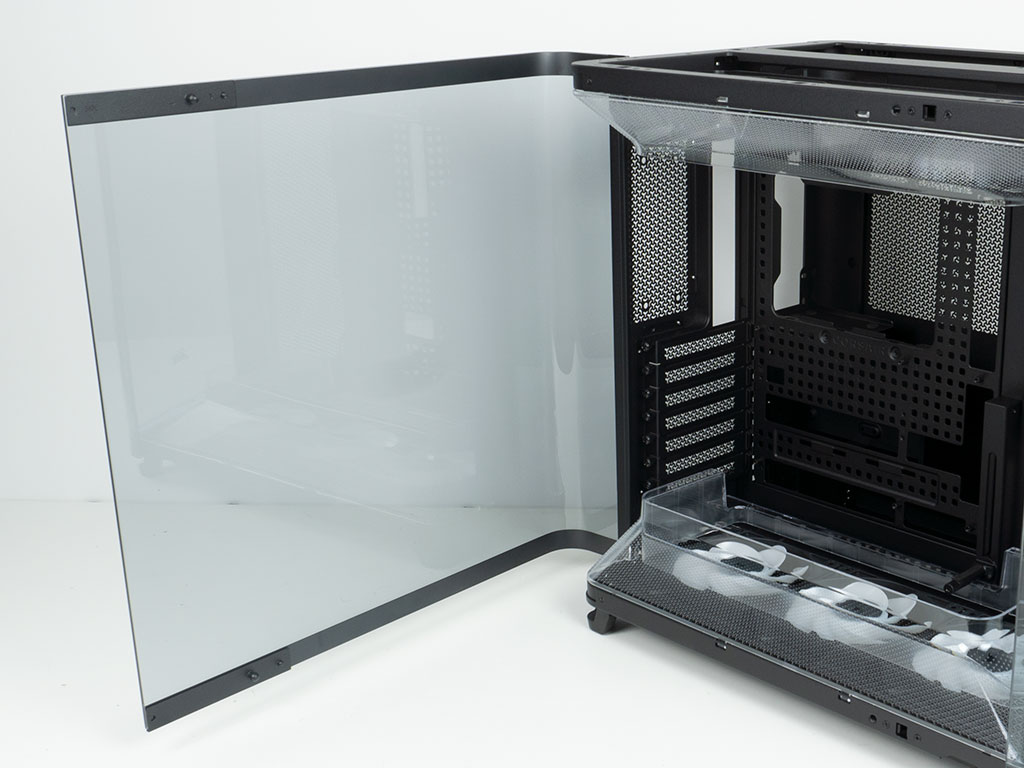
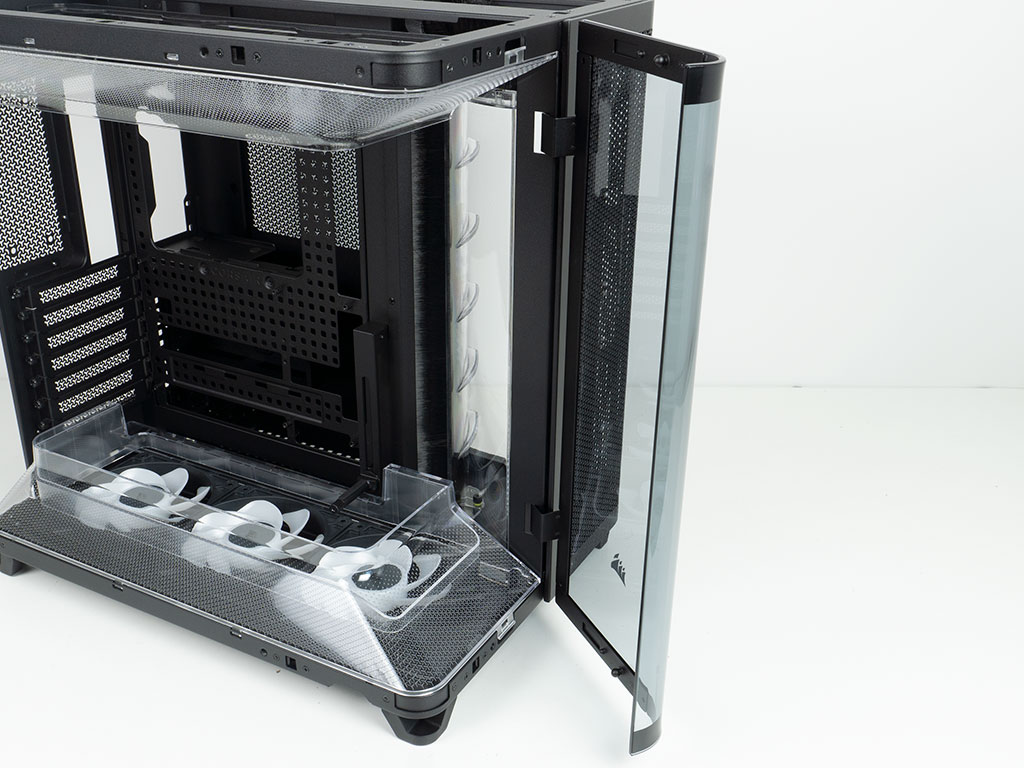
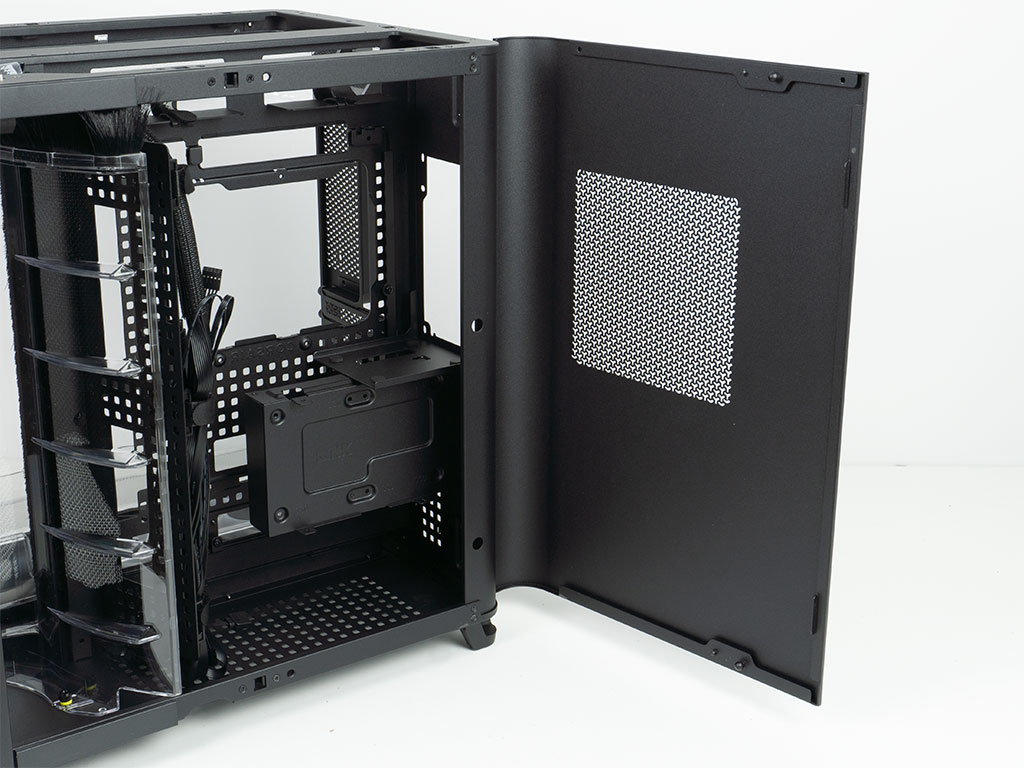
Before we dive into the interior, it is worth noting that all the main panels come equipped with hinges, so you can easily open things up. They can also easily be removed by unscrewing a screw locking each into place.
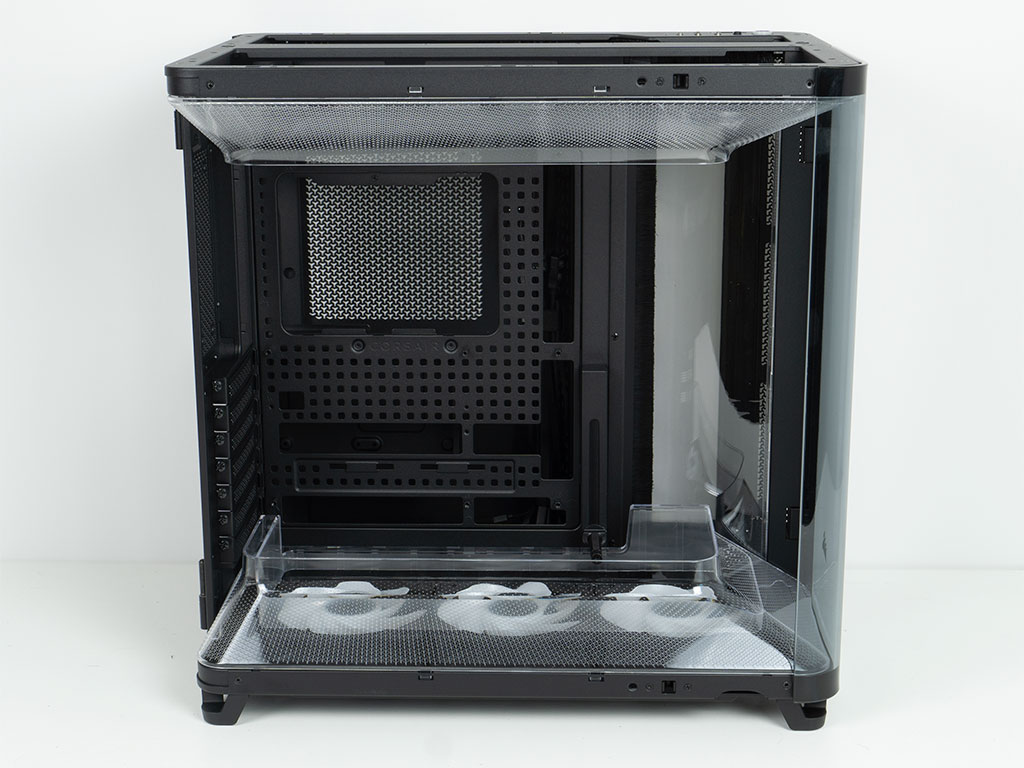
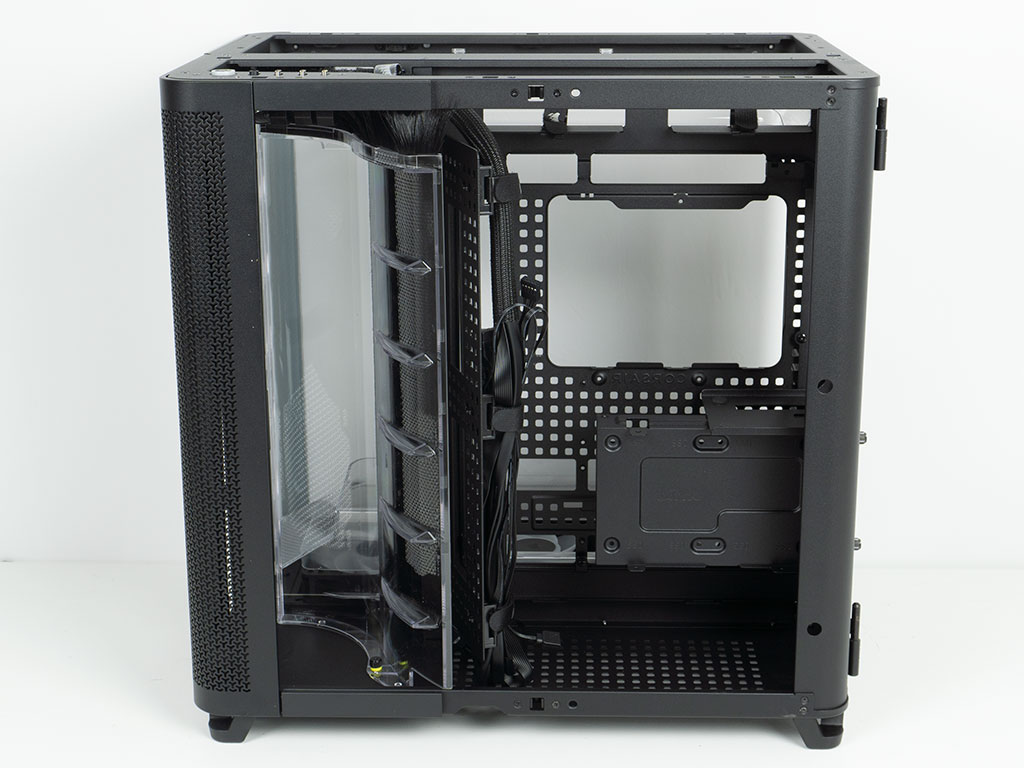
The main chamber of the Air 5400 RS-R ARGB looks very much like a classic dual-chamber layout, except for the essentially offset front fan/AIO mounting. Corsair has reused some tooling elements from its other recent cases, which makes perfect business sense. On the storage and power supply side, the trend of a dual-chassis basis that has been altered to accommodate the third chamber continues, as the PSU is upright located above the storage element.
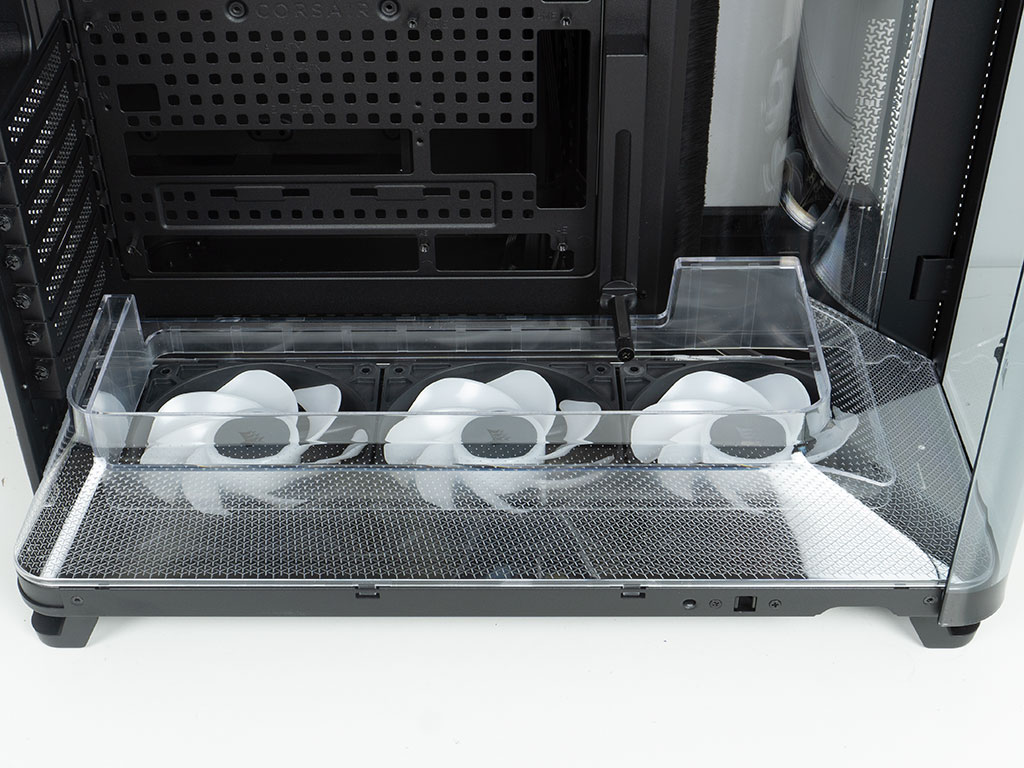
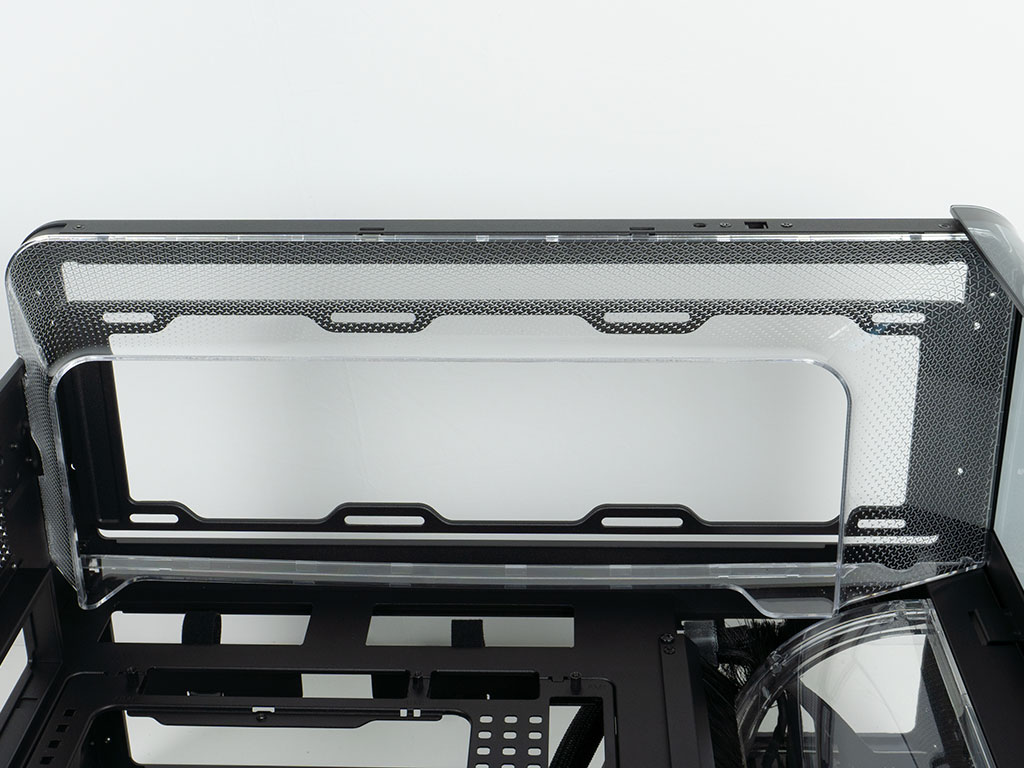
Interestingly enough, Corsair has placed two—pretty cool looking—clear plastic shrouds on the floor and in the ceiling of the case. These are meant to restrict the airflow from the fans, and guide it with that bit of extra pressure. On the bottom that means the GPU could potentially get a more potent air stream coming up from the floor of the chassis. In the ceiling, this would mean that air is actually pulled up through a smaller opening, so there is a dead zone around the exterior of that shroud with nowhere for air to go. While the symmetry between the two elements certainly looks cool, the more functional focus would have been if the ceiling shroud was wider at the bottom than the top.
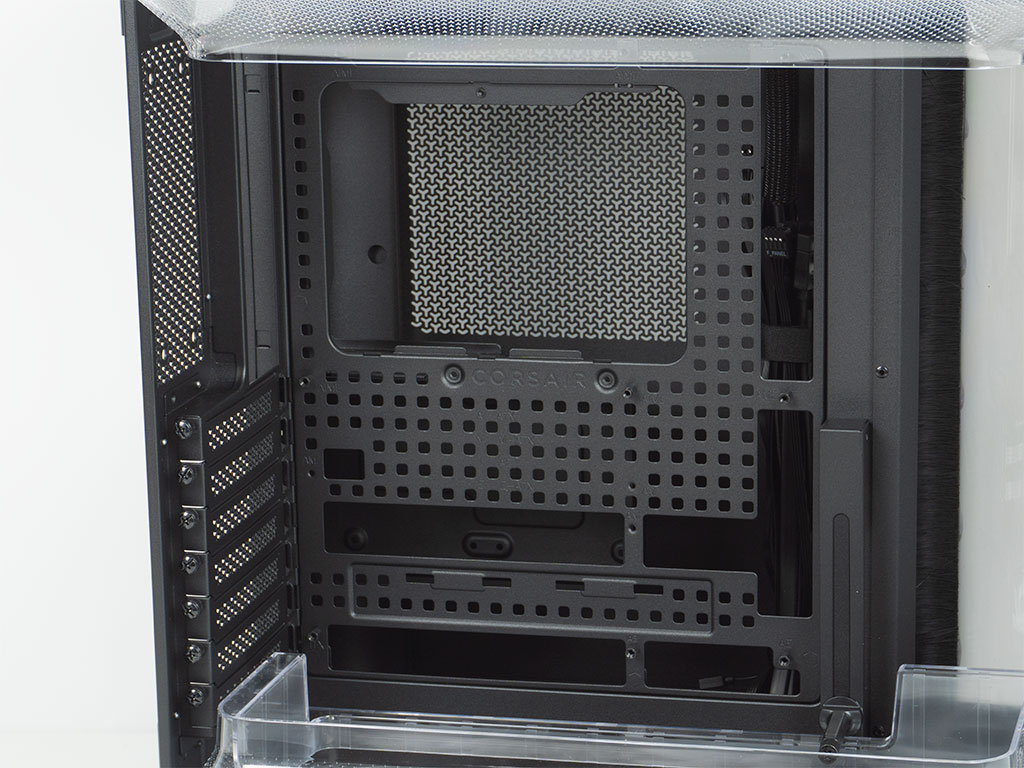
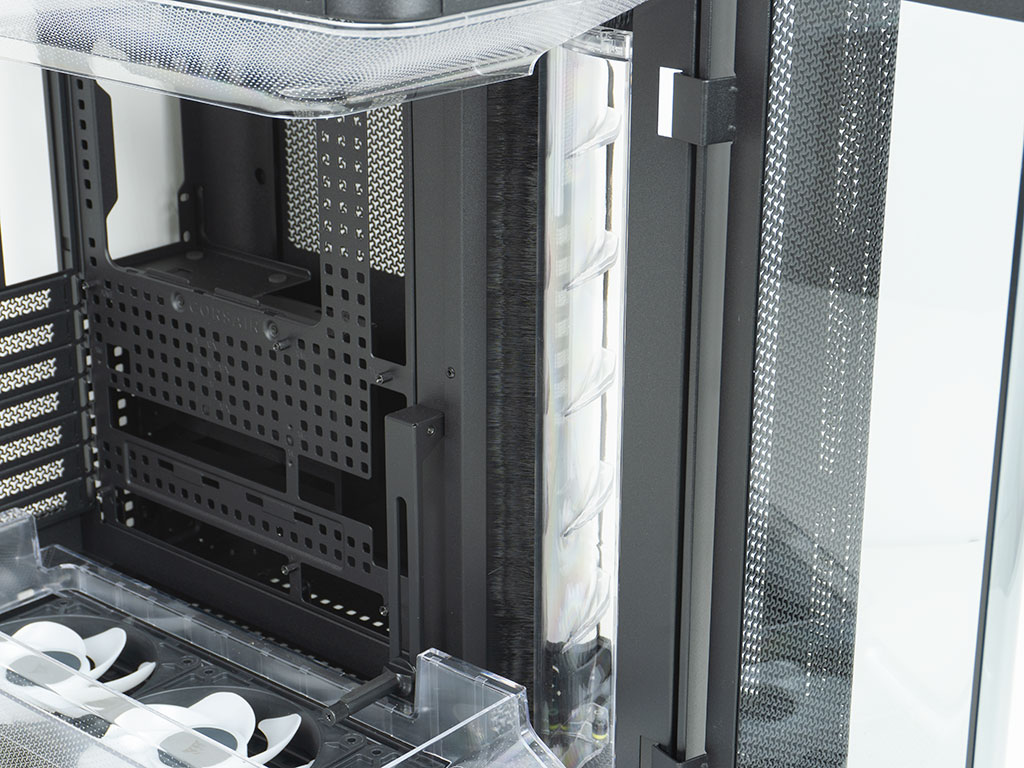
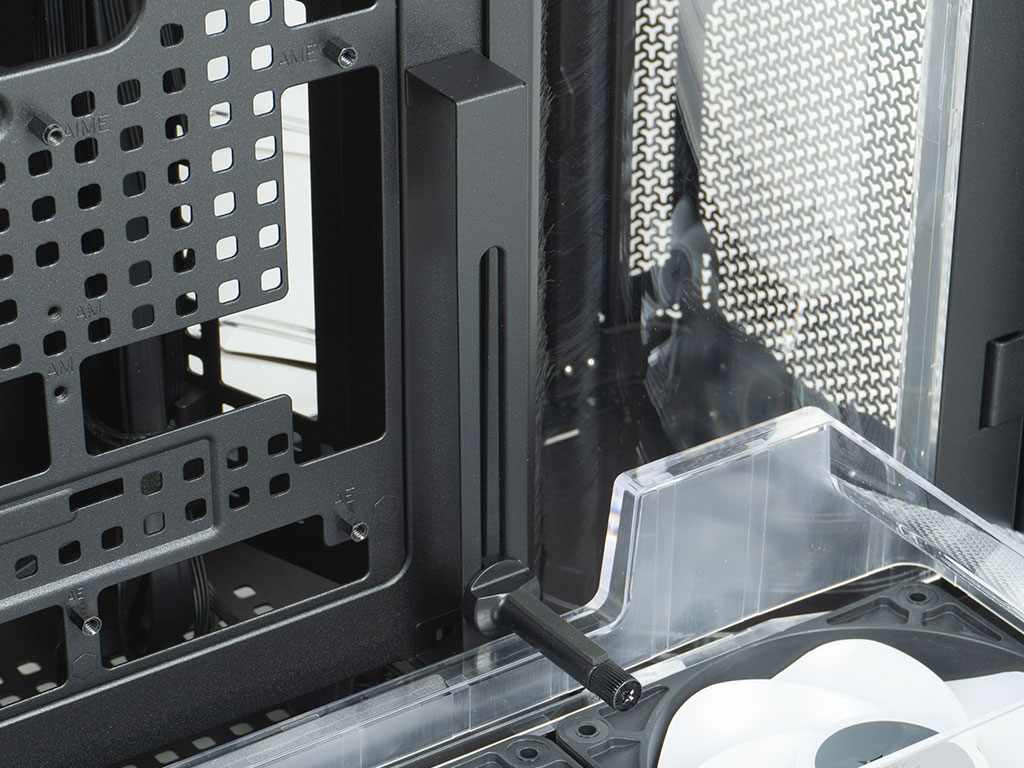
The removable motherboard tray has all the right openings to allow for BTF equipped motherboards to fit. As it is peppered with the square cutouts, you could relocate the cable management clips to suit your needs. Unfortunately Corsair only includes three of these and they are all in use already. As such, these square openings are more likely to be utilized for zip ties instead. On the side of the acrylic air guide is another brushed trim, as this is where you will route your wires when not using a BTF equipped motherboard. That is a pretty unique implementation of internal cable management and should work really well. The Air 5400 RS-R ARGB also sports the same GPU support bracket that we have seen in other recent Corsair cases. While it is sturdy, we already know that it is highly likely to interfere with fans on long GPUs.
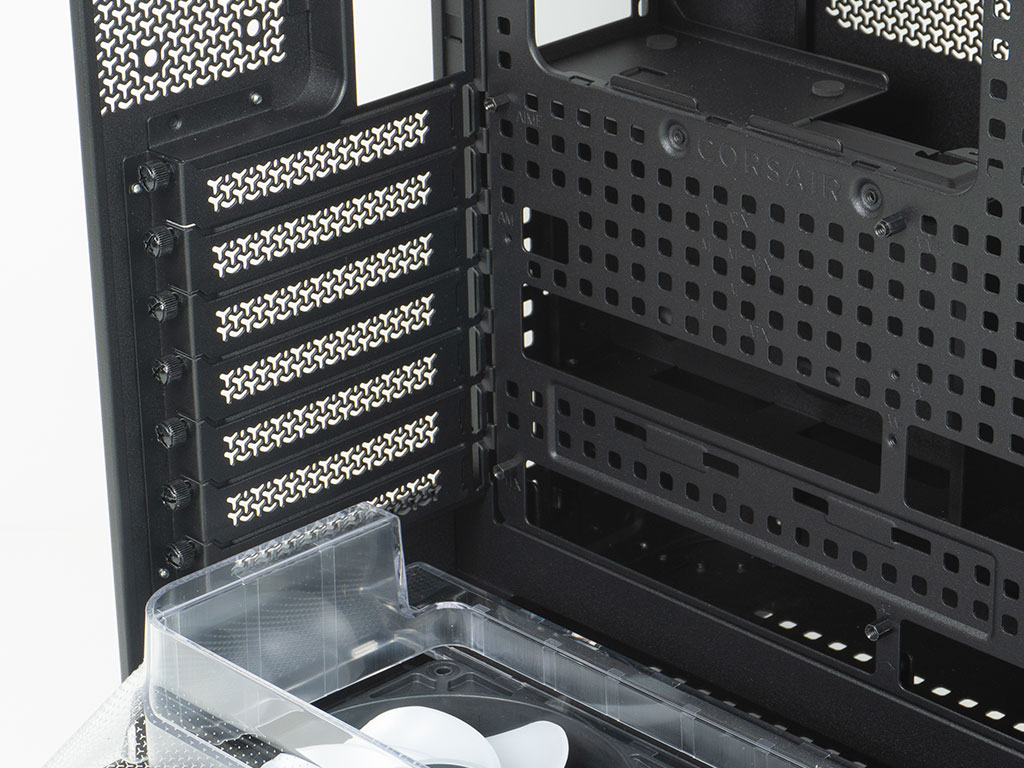
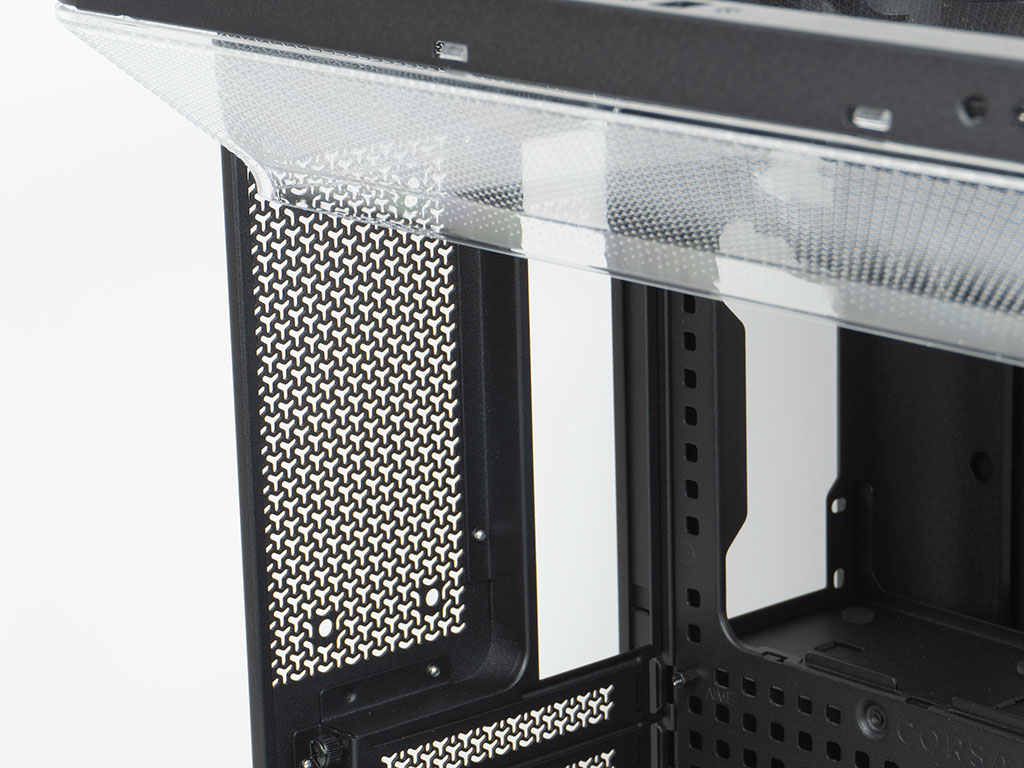
In the rear at the bottom, the seven expansion slots covers are held in place by thumb screws. It is nice to see these inside the case body, instead of outside. The bottom slot is blocked by the clear shroud, in case you plan to fill up your motherboards with add-on cards. Above that are the special mounting holes to secure the extension bars to in case you want to add an 120 mm exhaust fan.
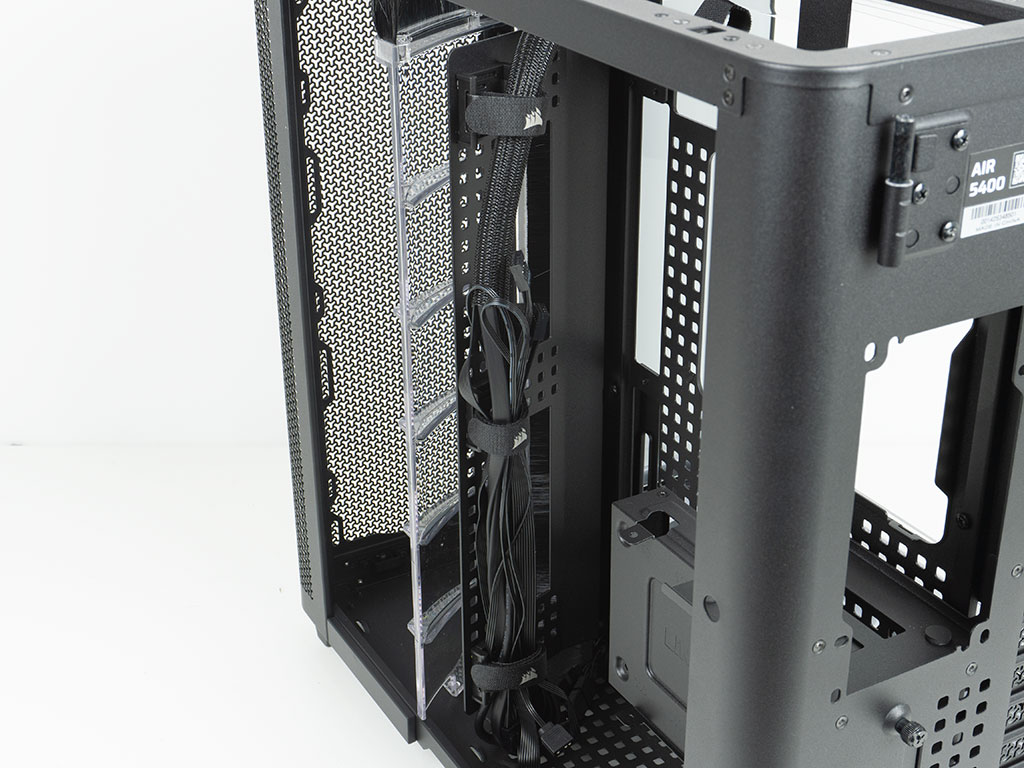
Corsair not only added an air flow diverter for the third chamber, but also a plate dedicated to cable management, This is where the three pre-installed, Velcro strip equipped cable management elements have been placed. For ease of use, Corsair should flip them around, so you have to loop back the Velcro facing you instead of trying to run it past all the cables, to pull it through the hole and wrap it back. Luckily you can just do that adjustment yourself. It also has openings so that you can run your cables past the brush into the motherboard chamber. If you don't need or want this, you may also remove it completely and find a different route for the wires.
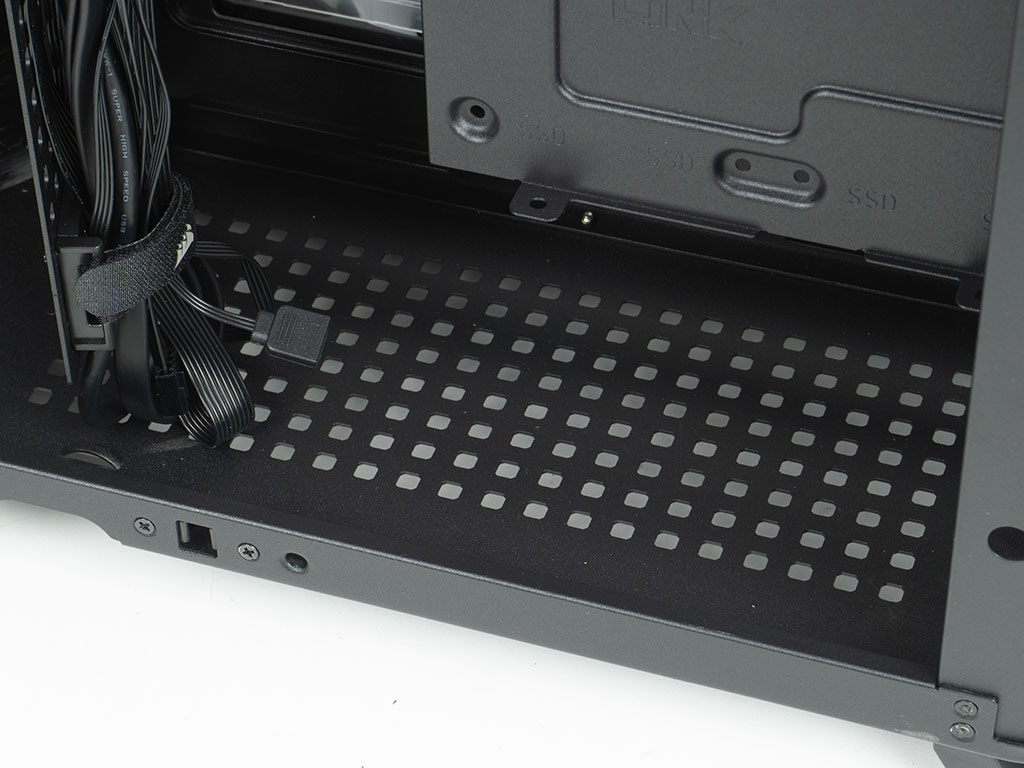
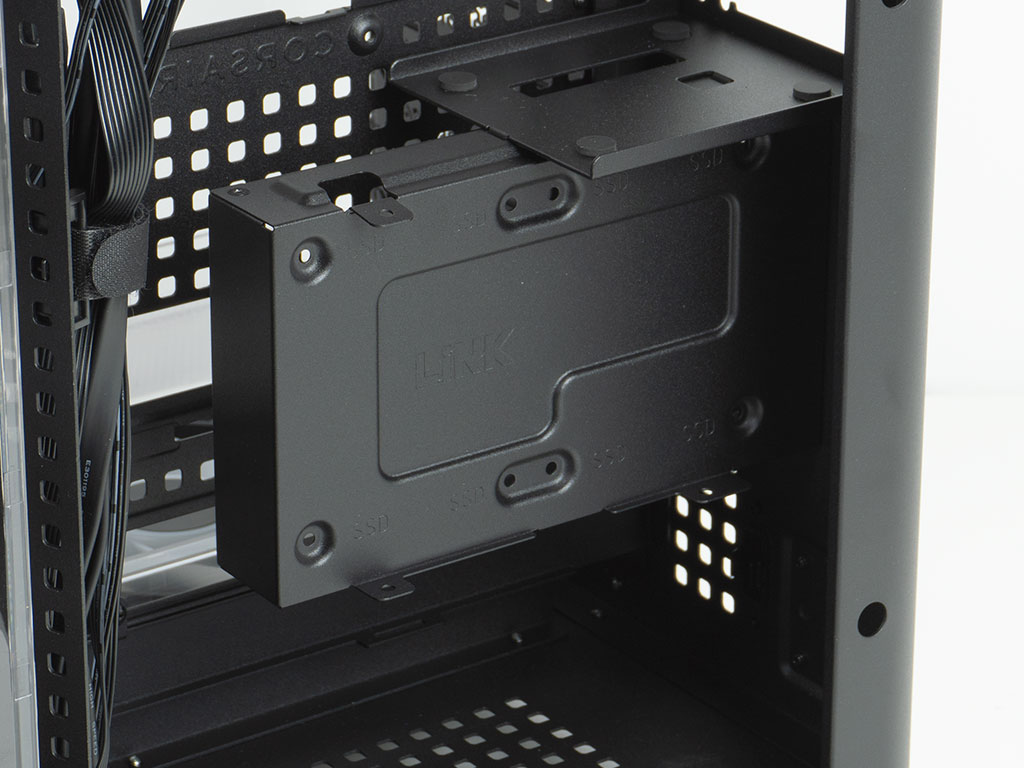
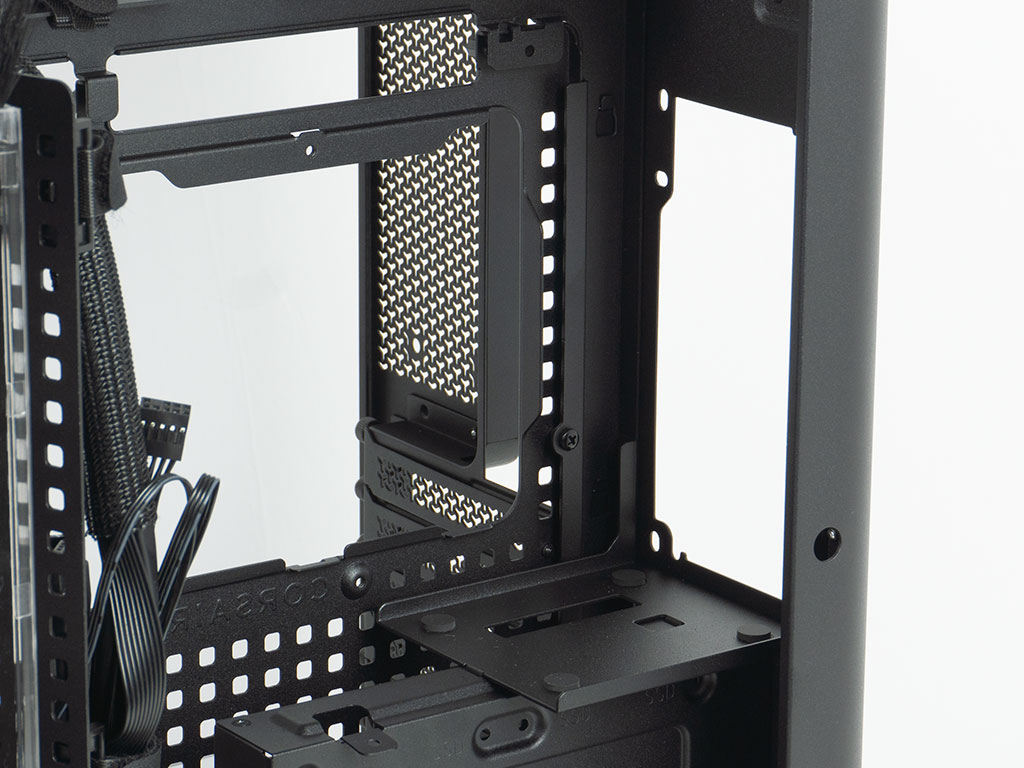
On the floor, you will find another area with the same type of square pattern to be used for cable management clips or zip ties. The HDD cage at mid-height can hold two 2.5" storage devices and a 3.5" drive. While the surface is also intended for LiNK devices, odds are you will rather want to keep that 3.5" storage and put the controllers on the floor of the chassis instead. At the very top, the PSU bay is simple but effective, with a sturdy, foam pad equipped base for the unit to rest on.
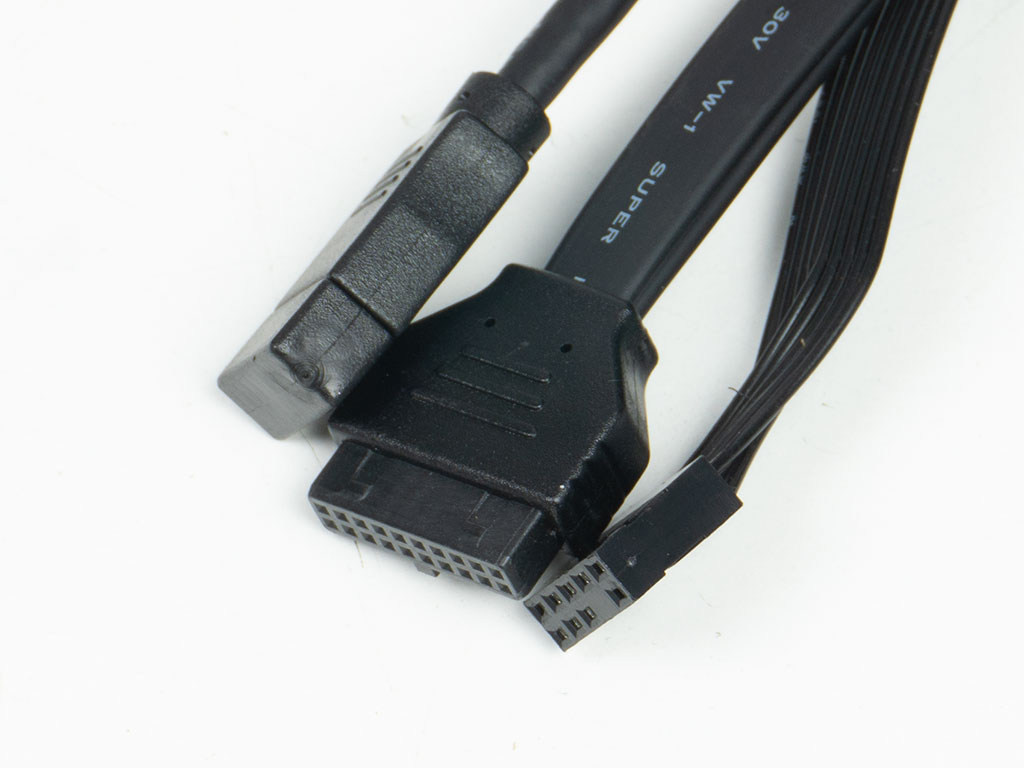
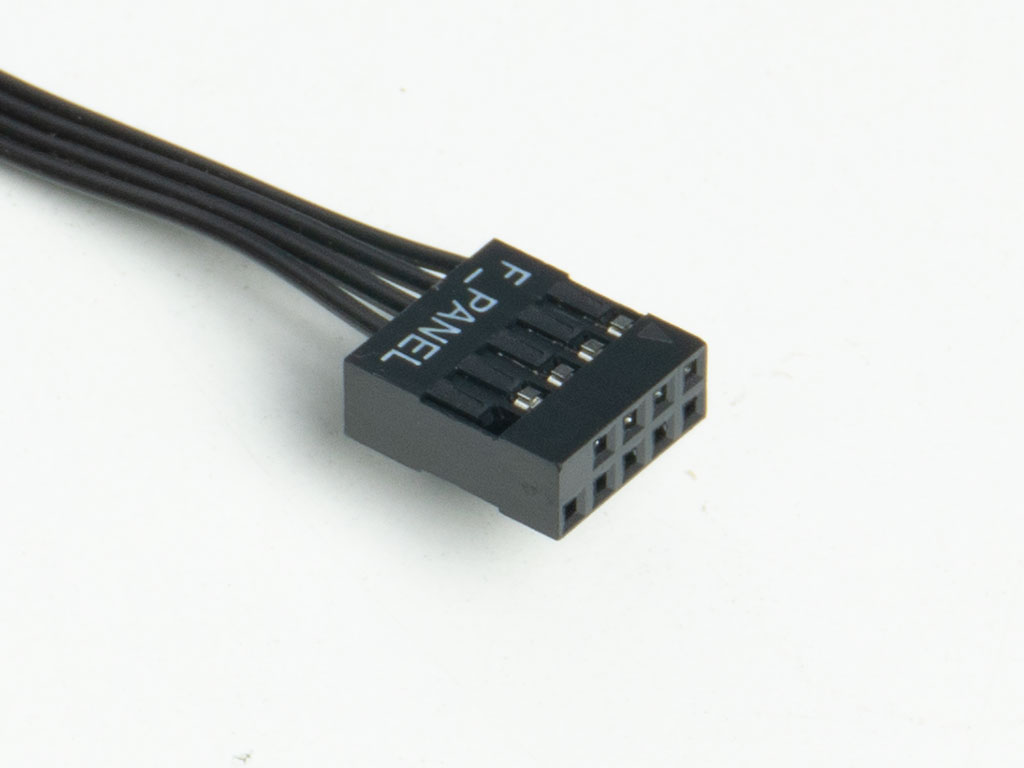
All the cables within the Corsair Air 5400 RS-R ARGB are sleeved black. The USB 3.0 wire is flat-band, but Corsair has opted for a round one when it comes to the USB-C one. Thanks to the unified front panel connector, that step of the assembly process will be a breeze.
Nov 13th, 2026 22:12 CST
change timezone
Latest GPU Drivers
New Forum Posts
- What are you playing? (26214)
- Tell me about your favourite graphics card (30)
- no "PhysX" workable (8)
- AI generated images... (224)
- Crimson Desert (31)
- RenoDX HDR - how to view the differnce Before&After in game? (0)
- Displayport DP80 3M (10ft) cable that can achieve 80gbps stable? (5)
- I'll flash a ASUS ROG Strix RX480 O8G in Cause of Code 43, as a Newbie (1)
- Opinion on Monitor Replacement (6)
- TMOG - post your benchmark results here (16)
Popular Reviews
- AMD Zen 6 Technical Deep Dive
- Corsair HX1000i Shift Crystal Review
- NZXT C1200 Platinum Review
- Upcoming Hardware Launches 2027 (Updated Nov 2026)
- ASUS ROG Strix B850-I Gaming Wi-Fi7 W Review
- Montech King 95 3D PRO Review
- NZXT H7 RGB+ Review
- NZXT H5 Review
- Phantom Blade Zero Performance Benchmark Review - 35 GPUs Tested
- XPG NIMBUS PLUS Review - Mid-range Chair With Strong Competitors
TPU on YouTube
Controversial News Posts
- NVIDIA Co-Founder and CEO Jensen Huang Officially Resigns (379)
- OpenAI CEO Argues Home PCs Waste the World's Limited DRAM Supply (152)
- NVIDIA Launches Investigation Into Jensen Huang's Relationship With Suspected Chinese Spy (136)
- Intel "Raptor Lake Next" 16-Core and 20-Core CPUs Surface (130)
- Legendary Game Studio BioWare Shuts Down Following EA Layoffs (104)
- Dell CEO Says the Memory Shortage Will Get Worse in 2027 (95)
- NVIDIA GeForce RTX 50-Series Scheduled for up to $500 Price Hike This Week (89)
- Modder Fits RTX 5090 With Four 8-Pin Connectors, Halving Current per Wire (80)