 6
Corsair VANGUARD AIR 99 WIRELESS Keyboard Review
Disassembly »Closer Examination

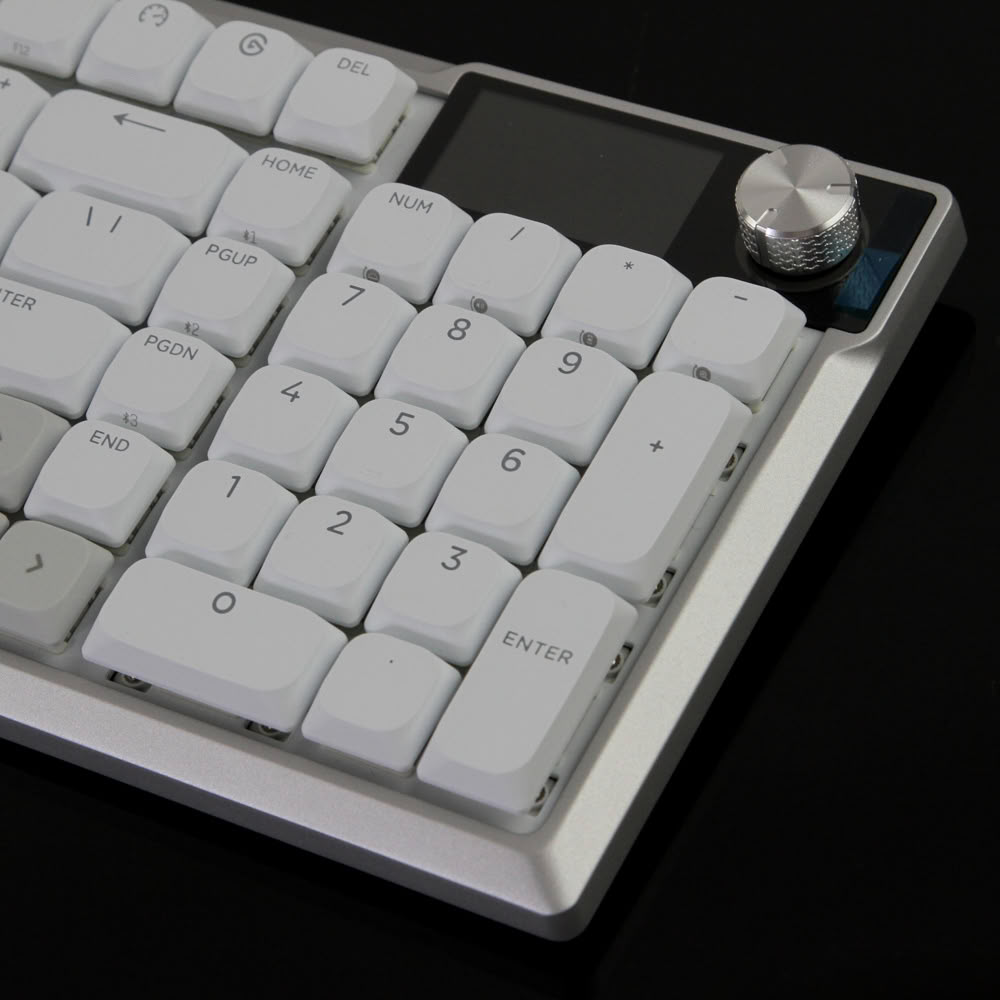
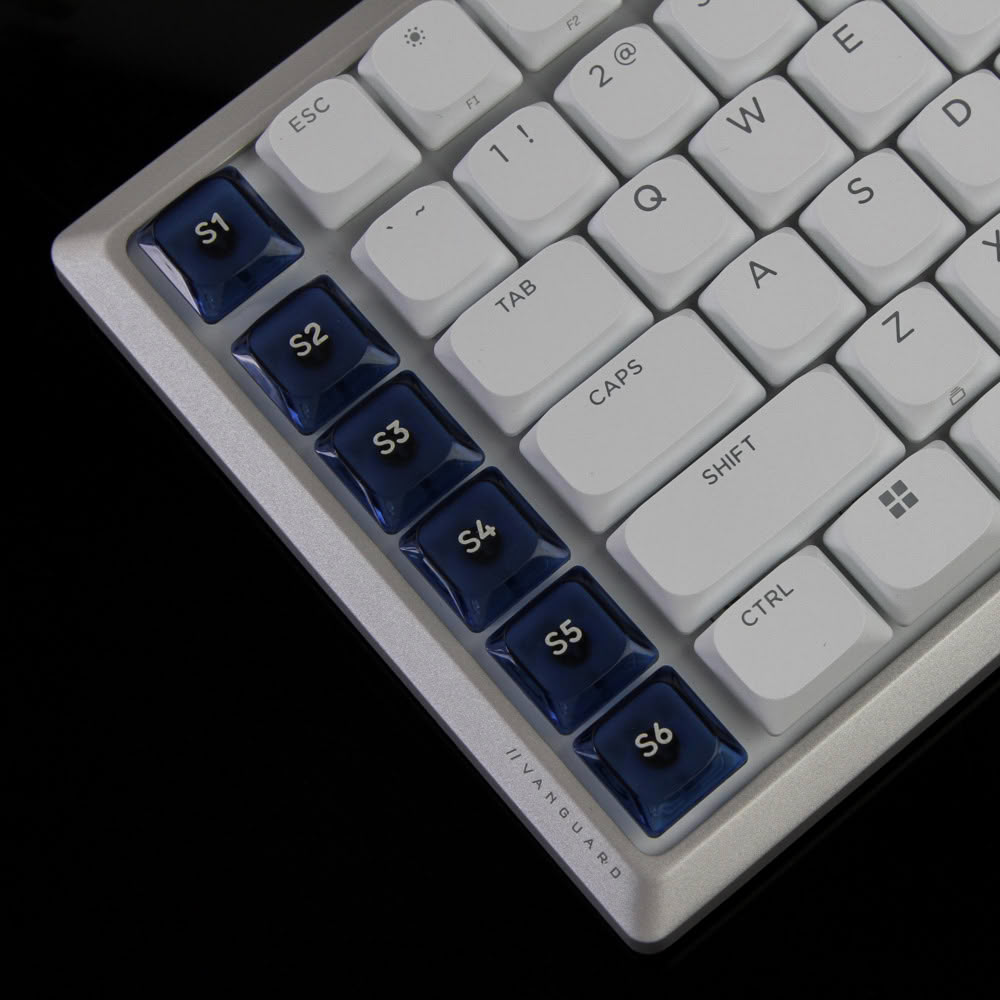
The Corsair Vanguard Air 99 Wireless comes in two color options, black or white, and I have the latter here. It is a full size keyboard but does not employ a traditional layout, be it for US ANSI or ISO or any of the other languages and layouts supported. Notice how all the keys with white keycaps are effectively a single bank of keys, with only the number pad having a small gap to the rest. You could thus treat this as a 75% keyboard with a number pad, which is what many would refer to as a 95% or 96% keyboard. This means you get pretty much the entire functionality of a traditional full-size keyboard but in a slightly shorter form factor, which Corsair has decided to use to integrate another column of keys on the left similar to what we saw with many of its previous generation flagship keyboards. These macro keys, or stream deck keys, or effectively anything you might want to use them as, give you six more buttons to play with. Then there is the relatively large display in the top right corner too, further adding to the functionality and form of the keyboard.

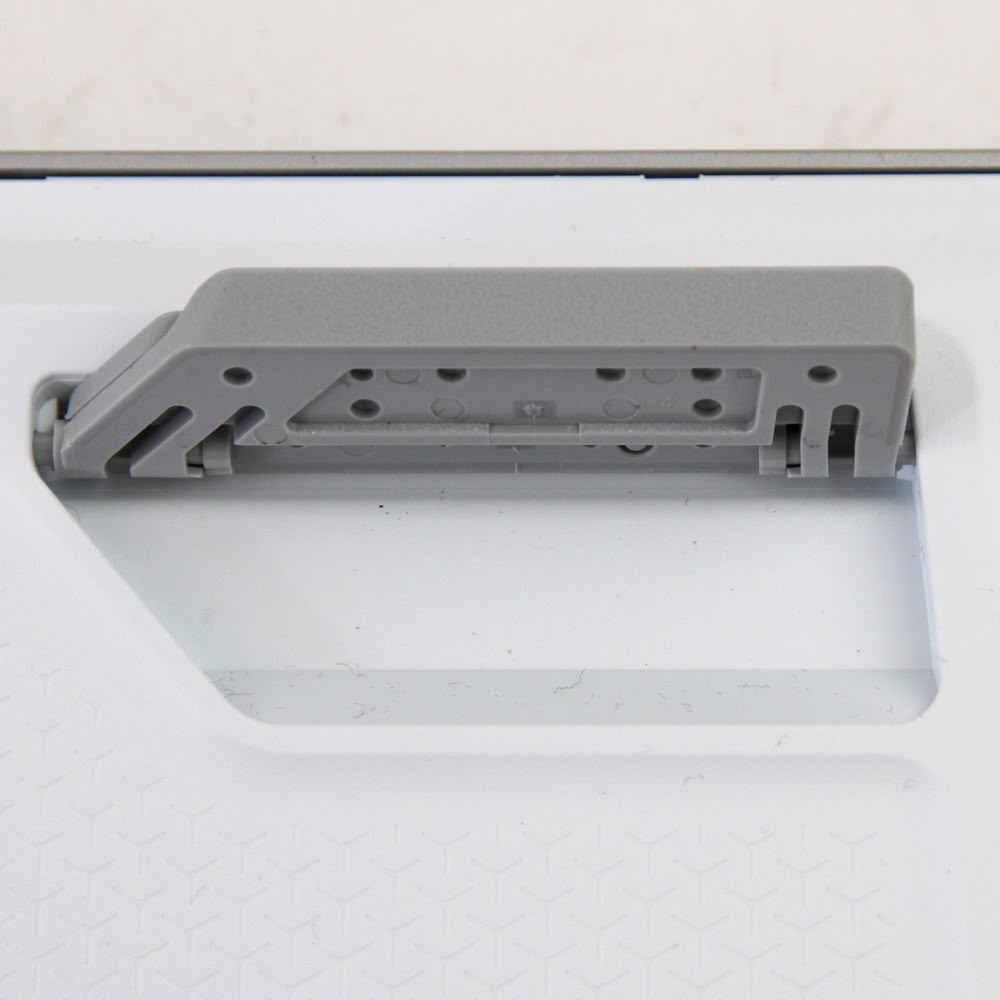
The keyboard gets a gunmetal gray metal frame on the top, with the Vanguard keyboard series name printed on the left side. Turning the keyboard around, we see a bottom plastic panel in the same color as the keyboard—white in this example. Two large silicone rubber pads at the bottom add friction against the resting surface. Corsair also provides two sets of keyboard feet for a total of two elevation angles in use. These feet are long enough to ensure the keyboard is stable when they are raised, and they also have rubberized bottom and side surfaces to complement the fixed rubber pads at the bottom.
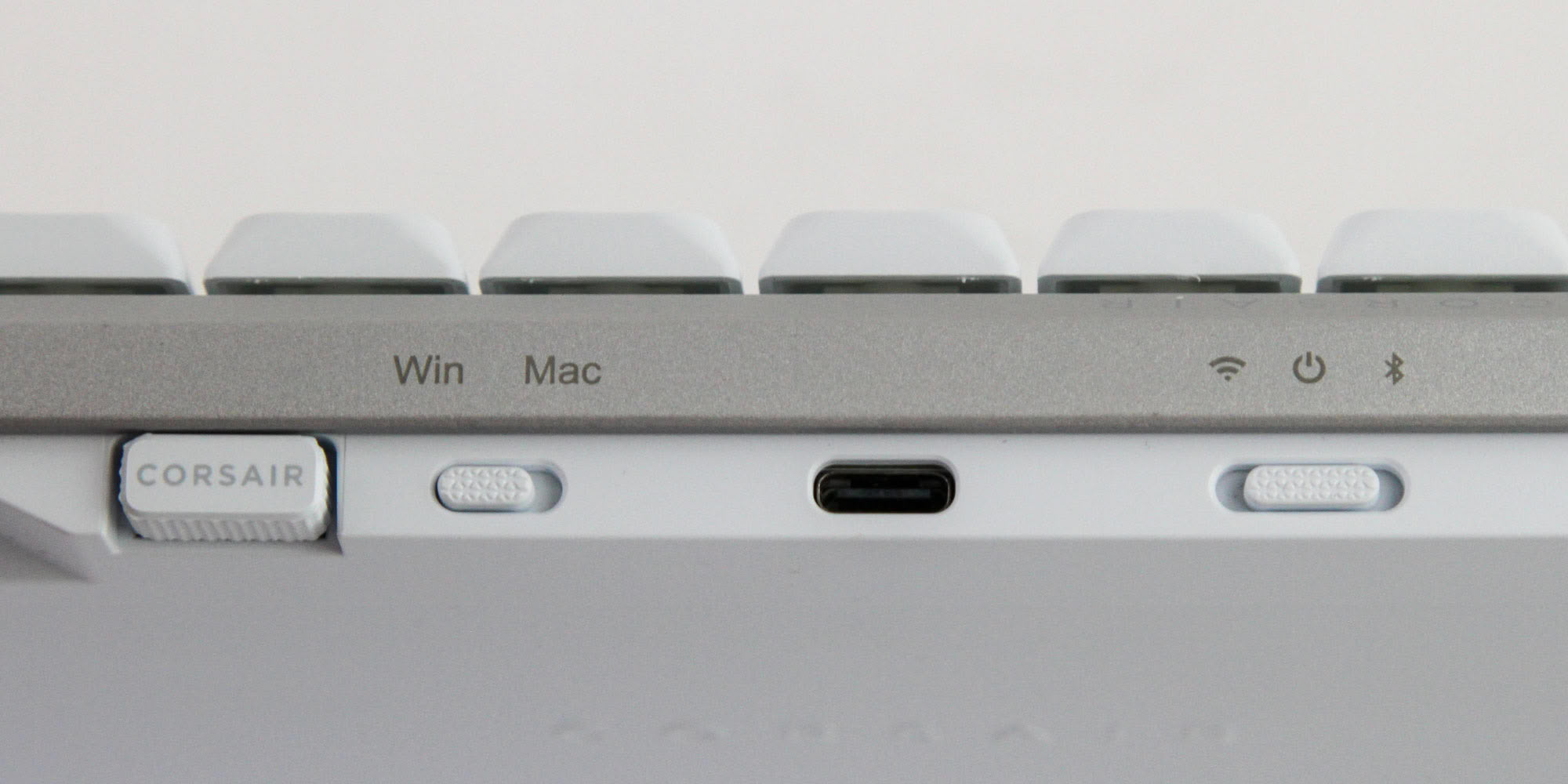
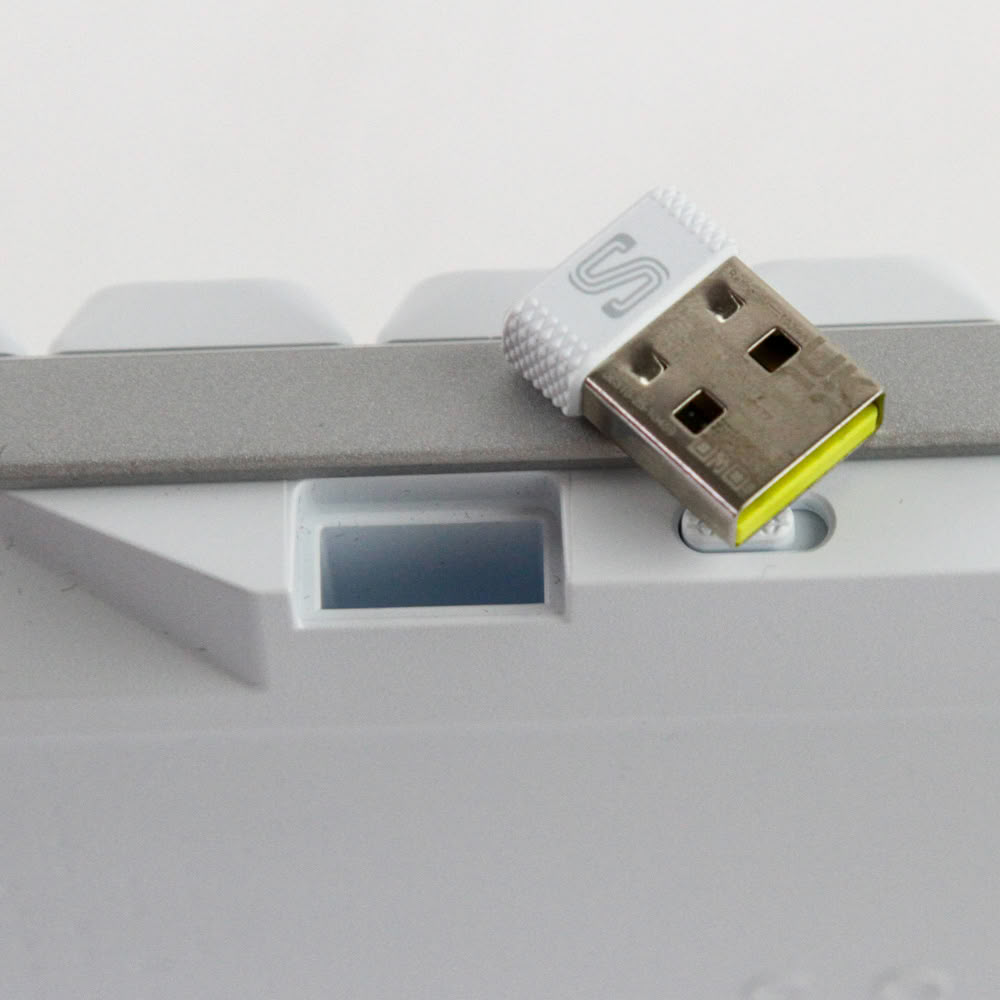
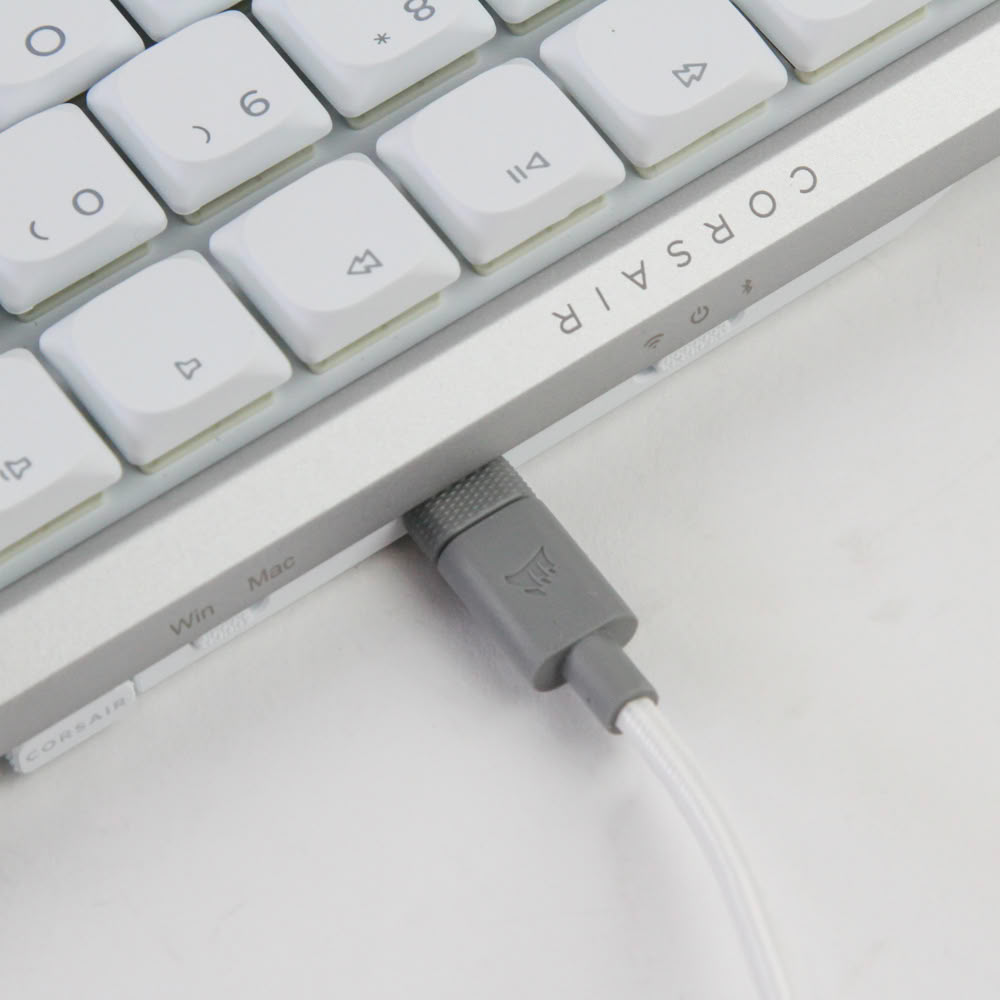
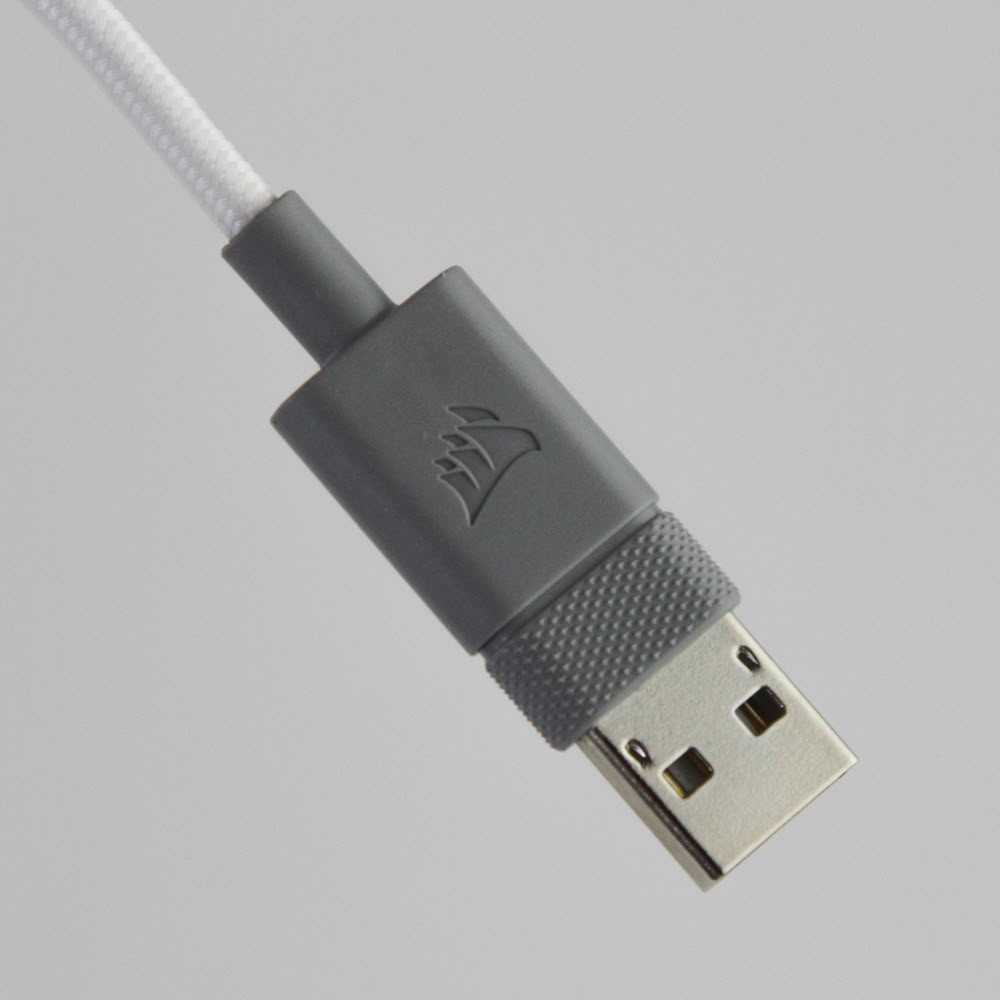
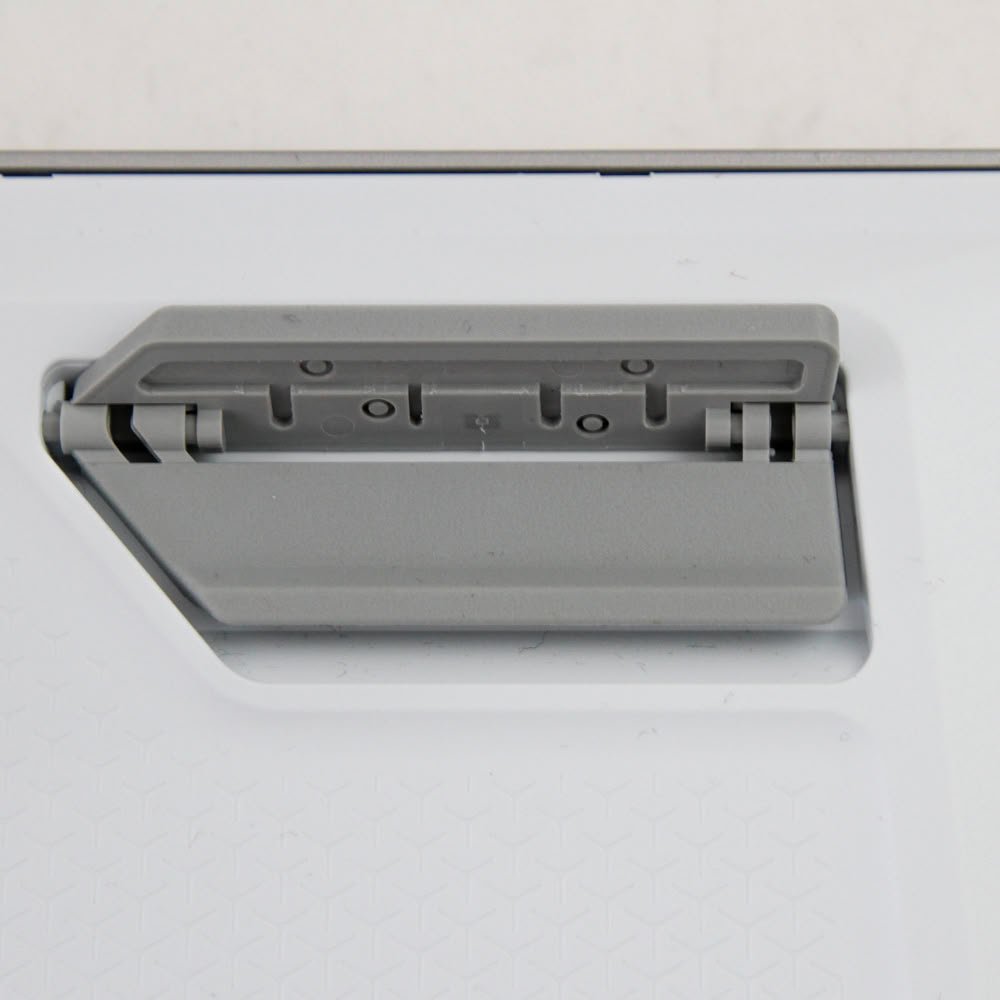
The side facing away from the user has some controls too, albeit you need to view them from an awkward angle or turn the keyboard around entirely. There is a cutout in the bottom case panel that holds the pre-paired 2.4 GHz USB dongle via magnets and with a space on the bottom for easy removal. Alongside is a toggle button to switch between Windows and macOS compatibility, a Type-C port for wired connection as well as to charge the internal battery, and a 3-way switch with markings to indicate the positions going from 2.4 GHz connectivity to wired to Bluetooth, allowing you to choose how the keyboard is connected to your desired client. The provided cable has no issues plugging into the flush Type-C port, meaning any aftermarket cable will also work if you prefer to add some bling or prefer another cable connector on the client side.
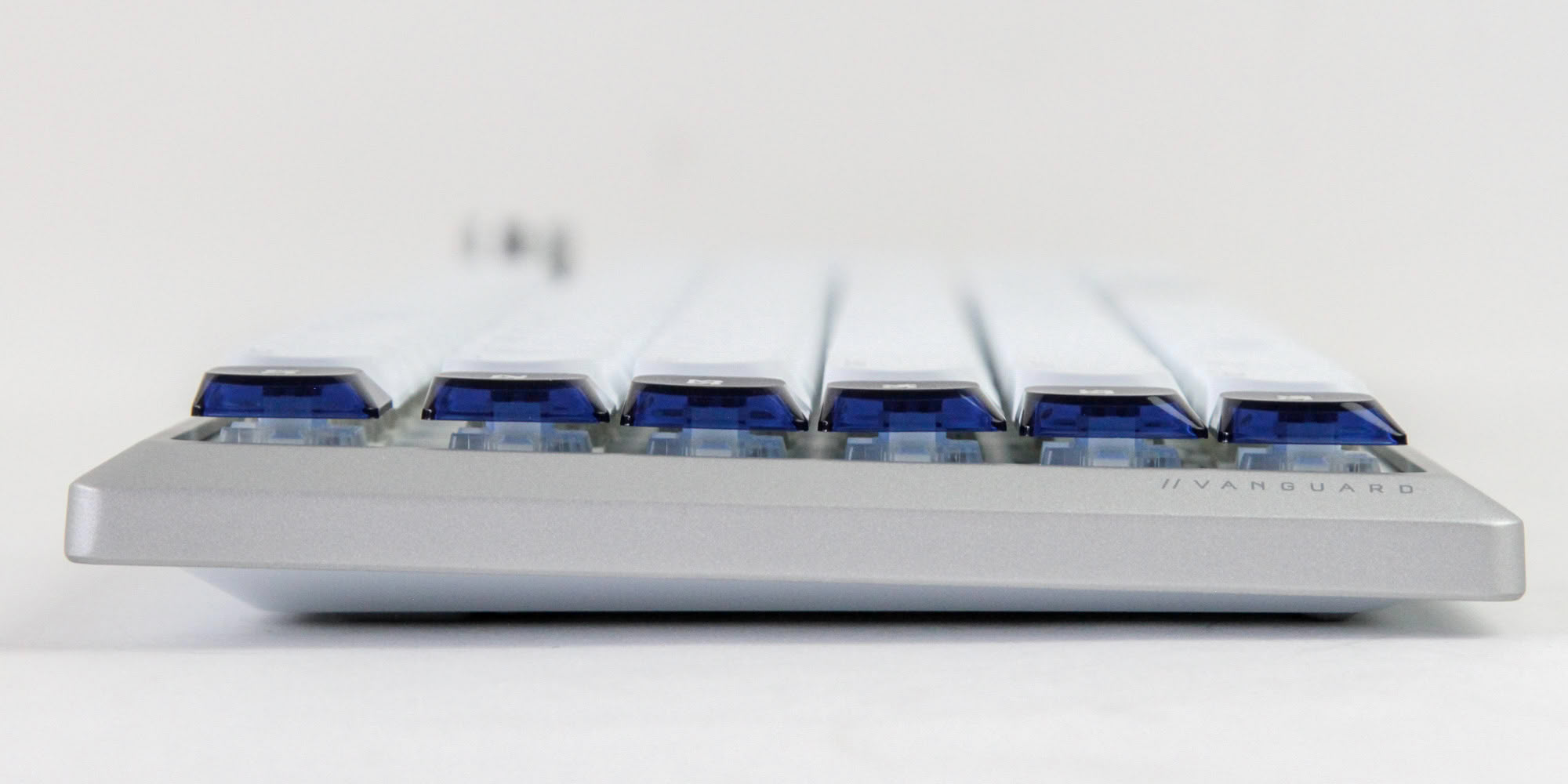
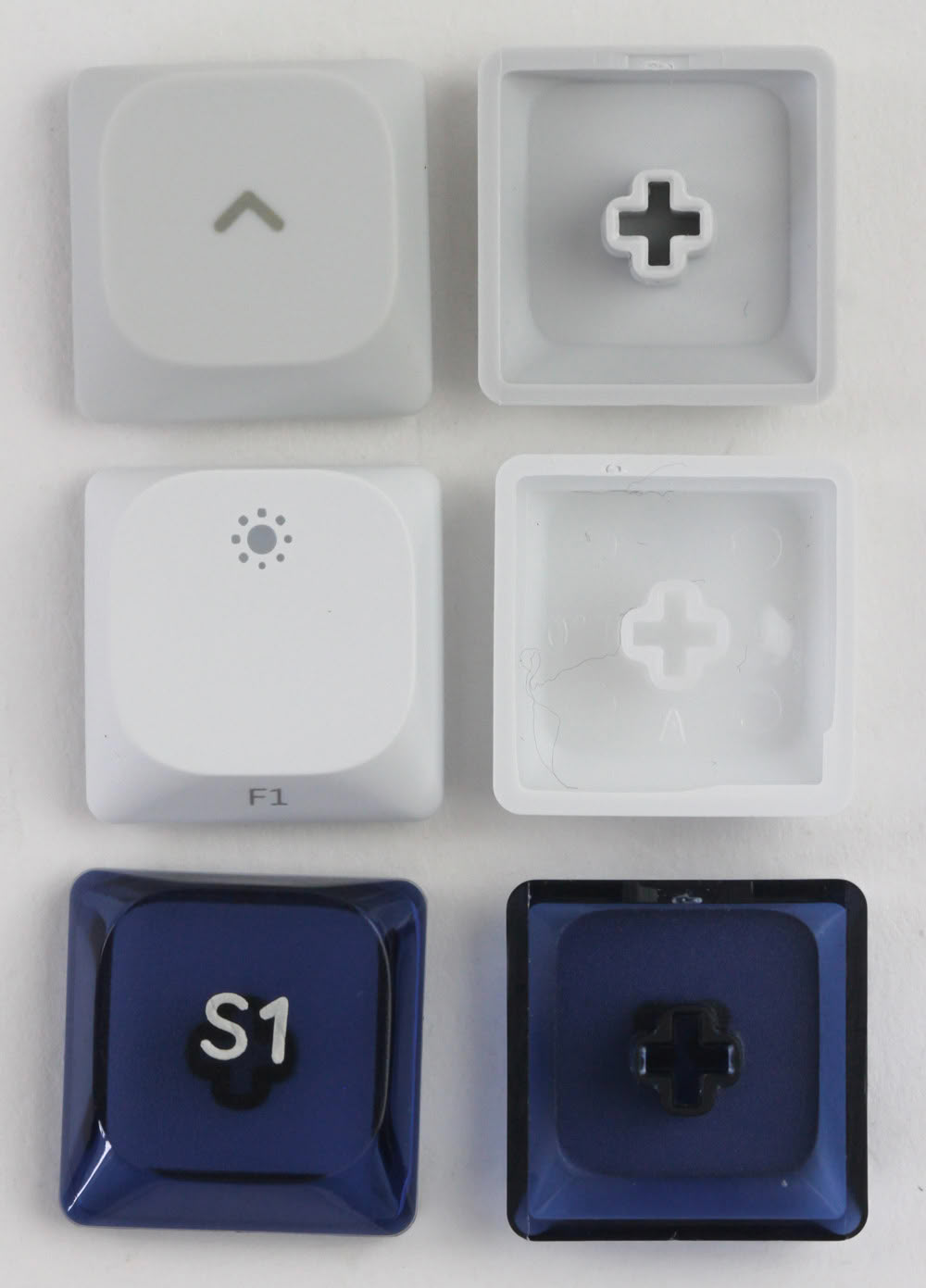
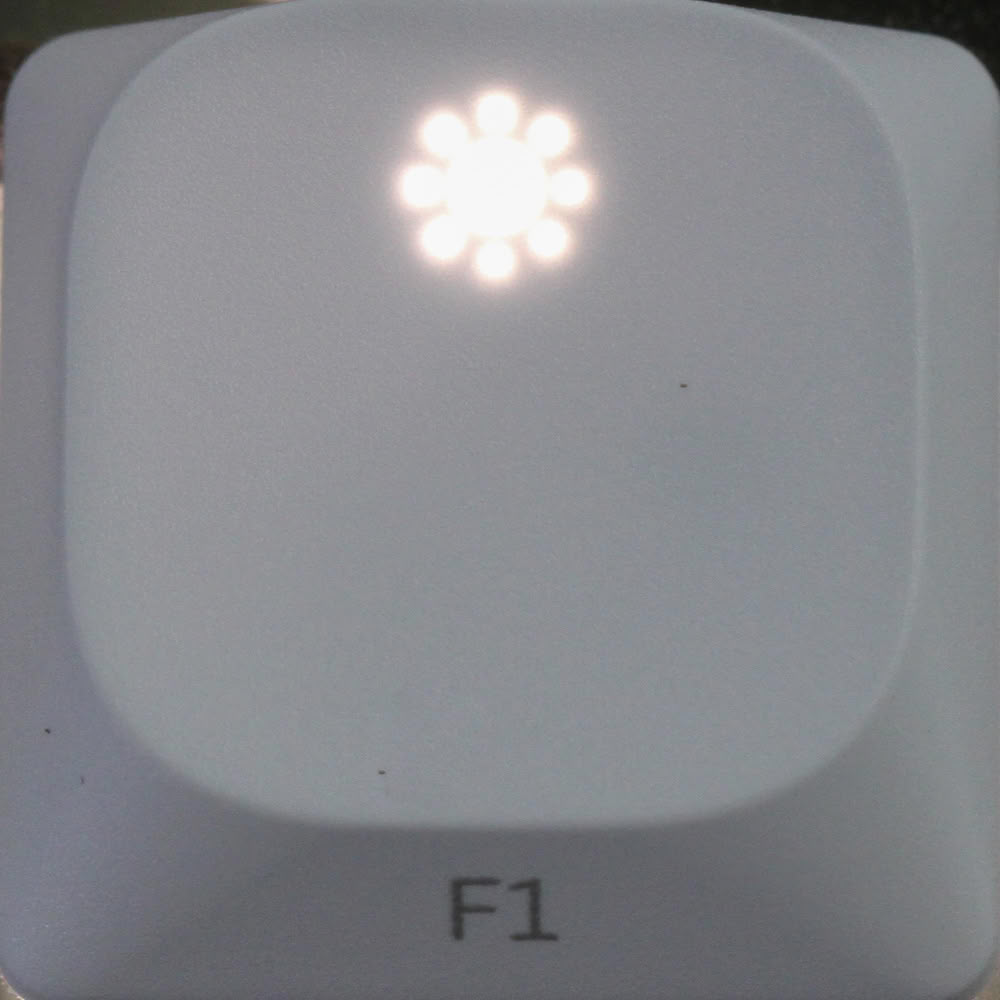
A look from the side shows the built-in elevation of the keyboard, which I would classify as low and does not necessitate a wrist rest as long as you type with basic keyboard ergonomics in mind—touch typing with hands hovering over the keys at all times is best. The keycaps are floating as a result of the walls being shorter than usual, making it easy to remove with an aftermarket keycap puller for cleaning the keyboard or even using your own keycap set if you so desire. The keycaps are flat on the top surface, which is also typical of low profile keyboards, and personally I would have preferred some contouring to help identify the six rows of keys when touch typing. The white keycaps, as will be the black ones for the black color version, use PBT plastic and have doubleshot injected legends on the top. However, several primary legends are printed on the front of the keycaps, and these appear to be pad printed and opaque as seen above. The macro keycaps on the left side are translucent blue plastic with opaque top facing legends.
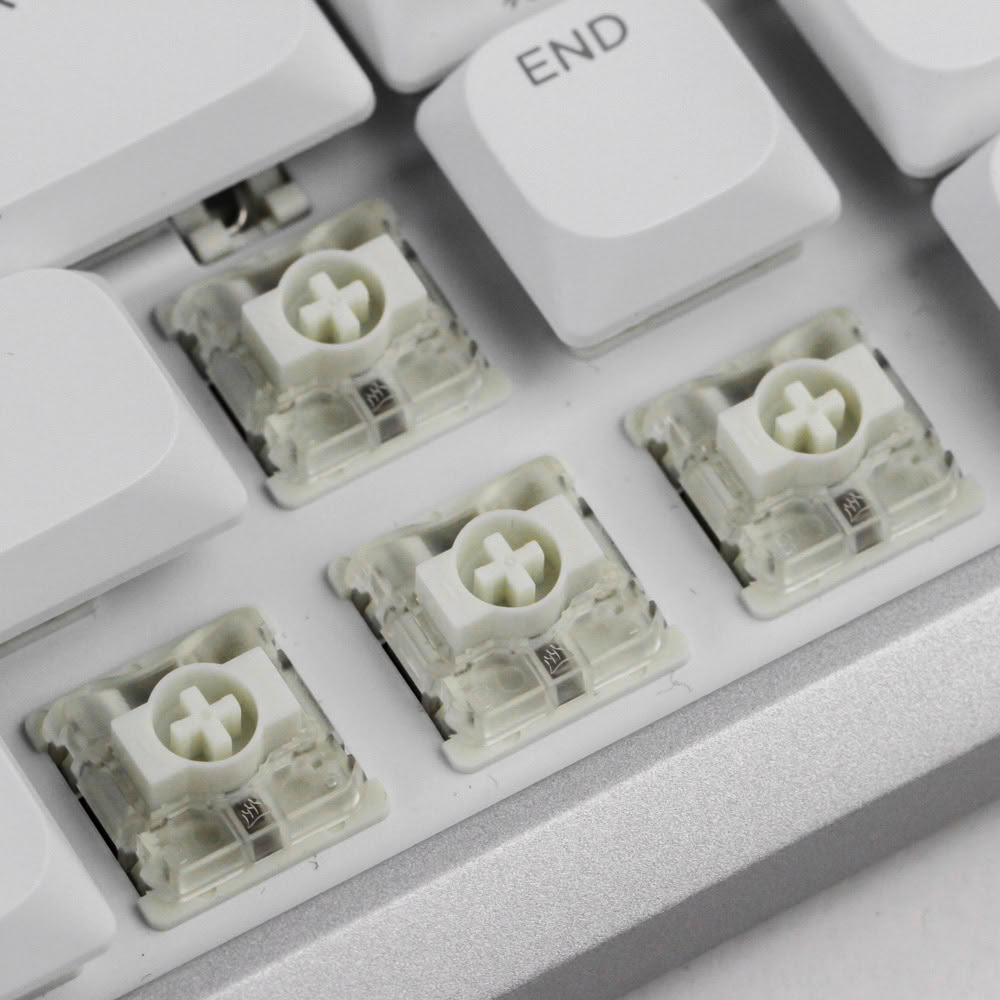
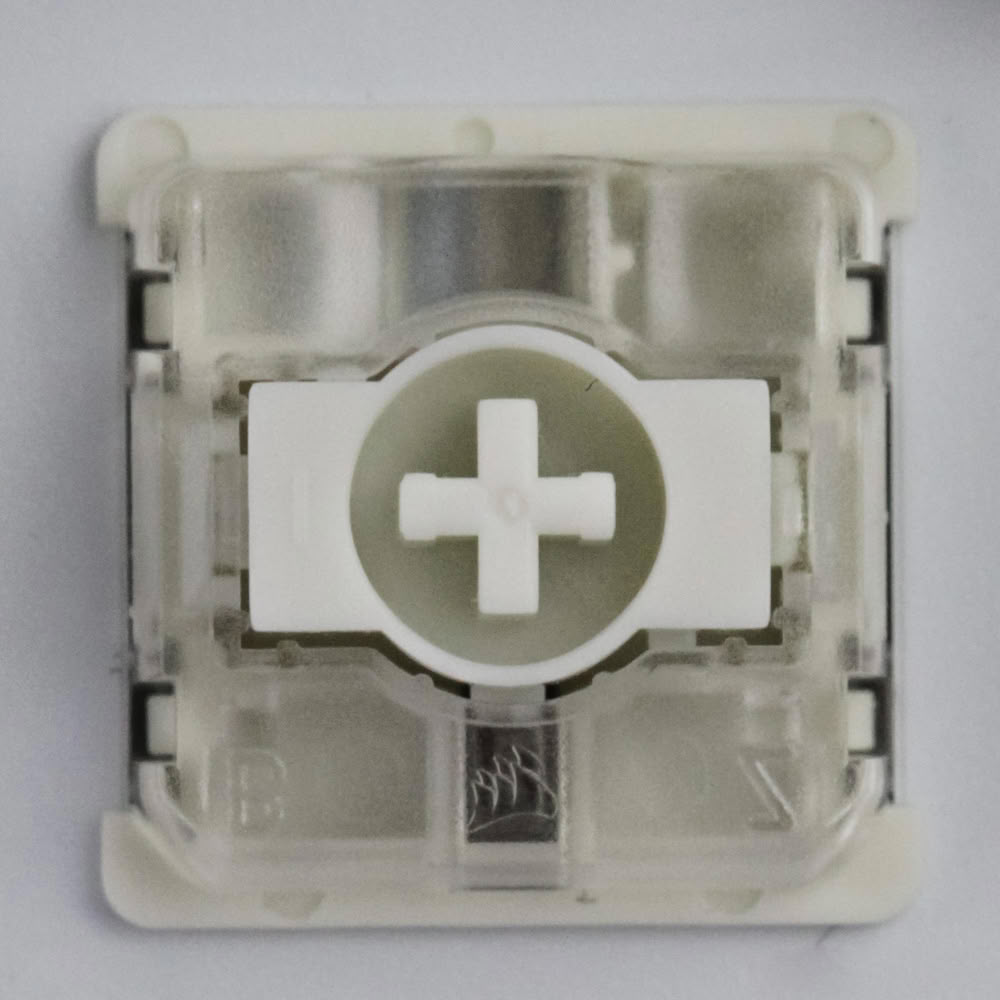
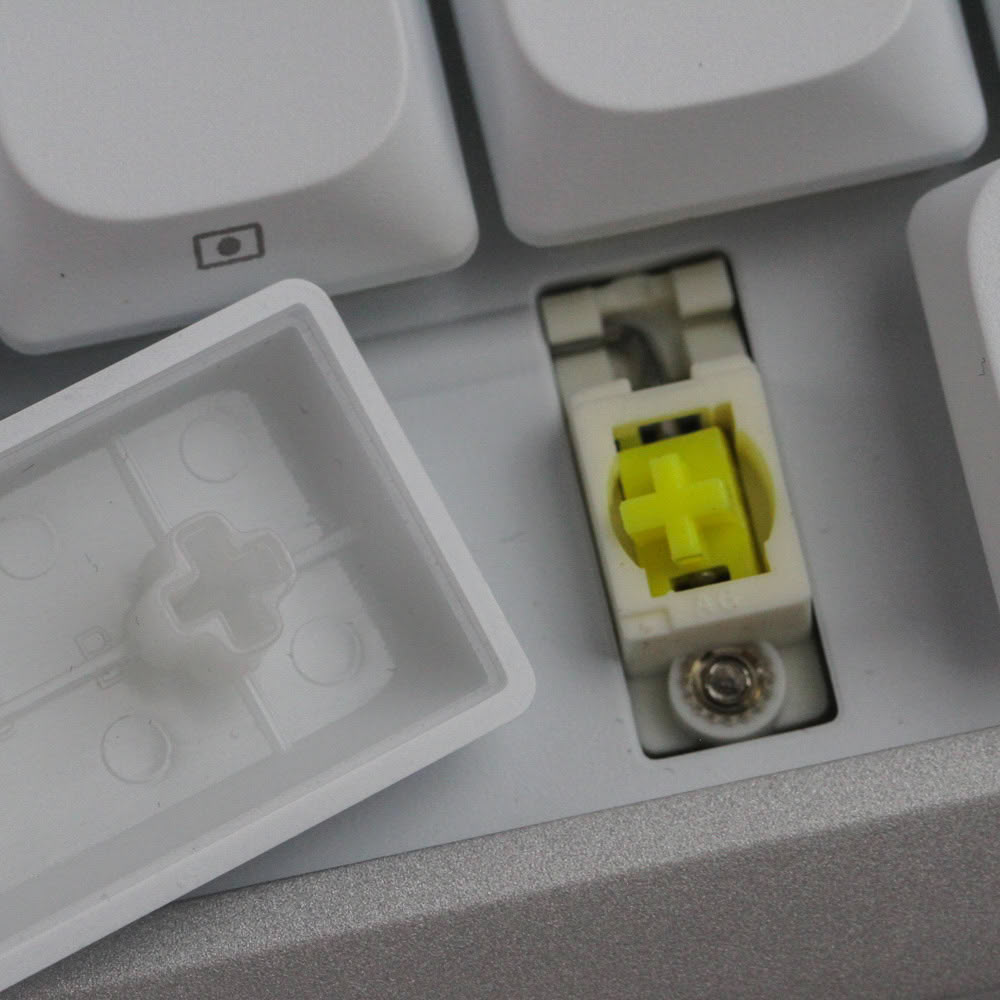
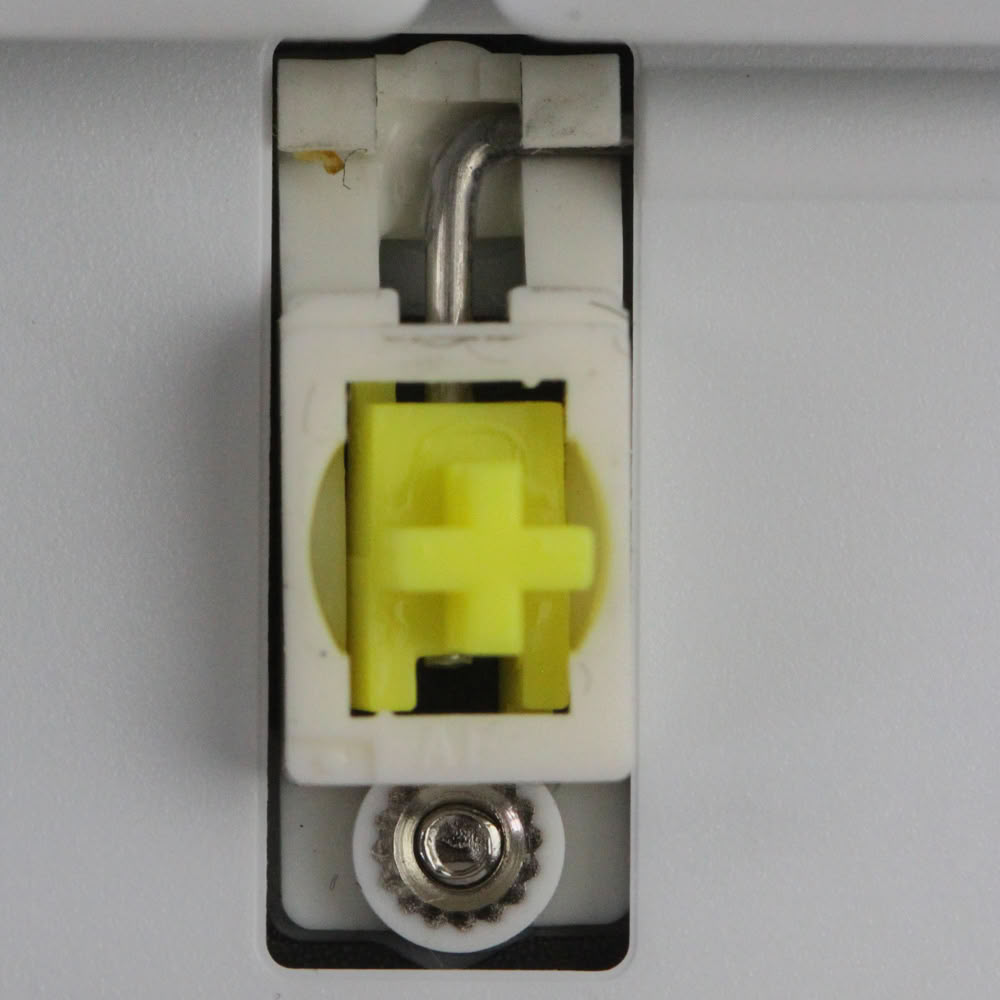
Corsair is debuting its OPX Low Profile optical switches with the Vanguard Air 99 Wireless keyboard, which is part of the formula used to make this a true low profile keyboard at 27 mm height (with the feet closed). These are linear switches that don't have any internal mechanical movements for actuation, and come pre-lubed out of the factory, promising a smooth typing experience we will test later on. The switches are installed in a north-facing configuration, and are accompanied by lightly lubed screw-in stabilizers on the larger keycaps.
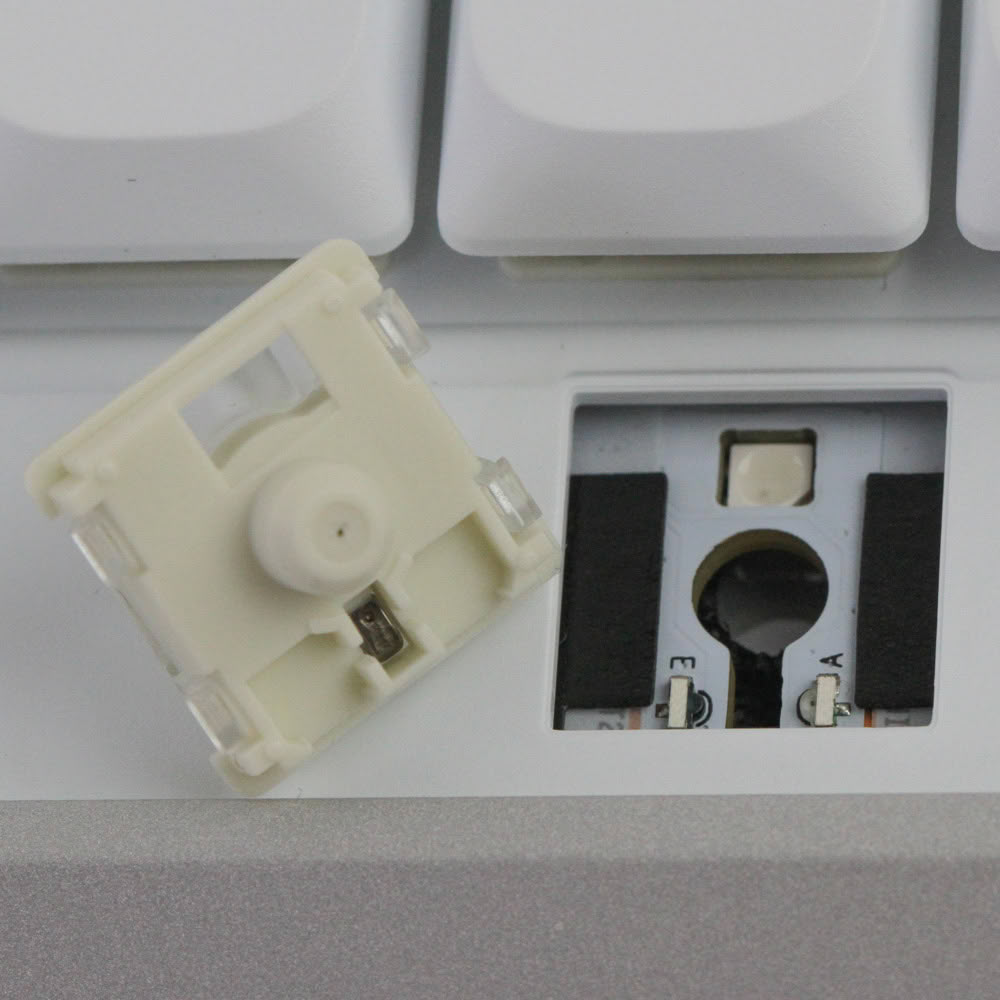
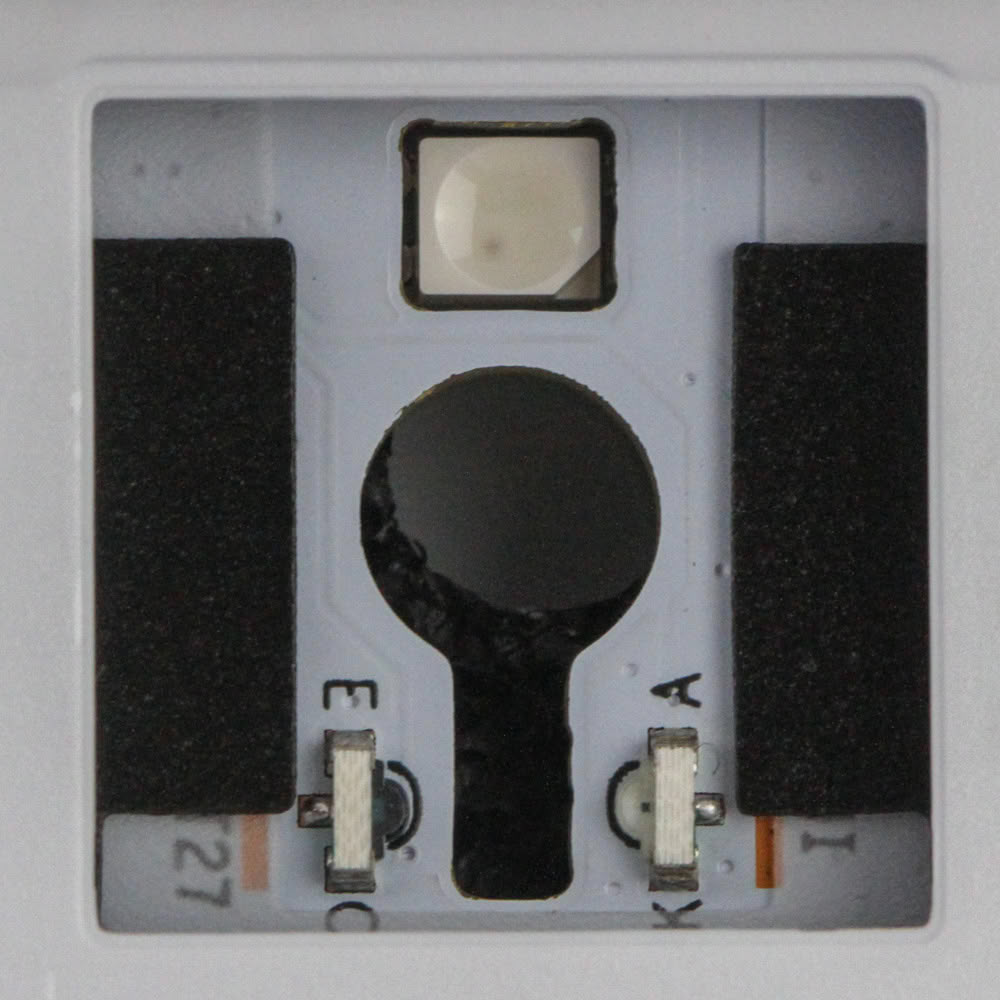
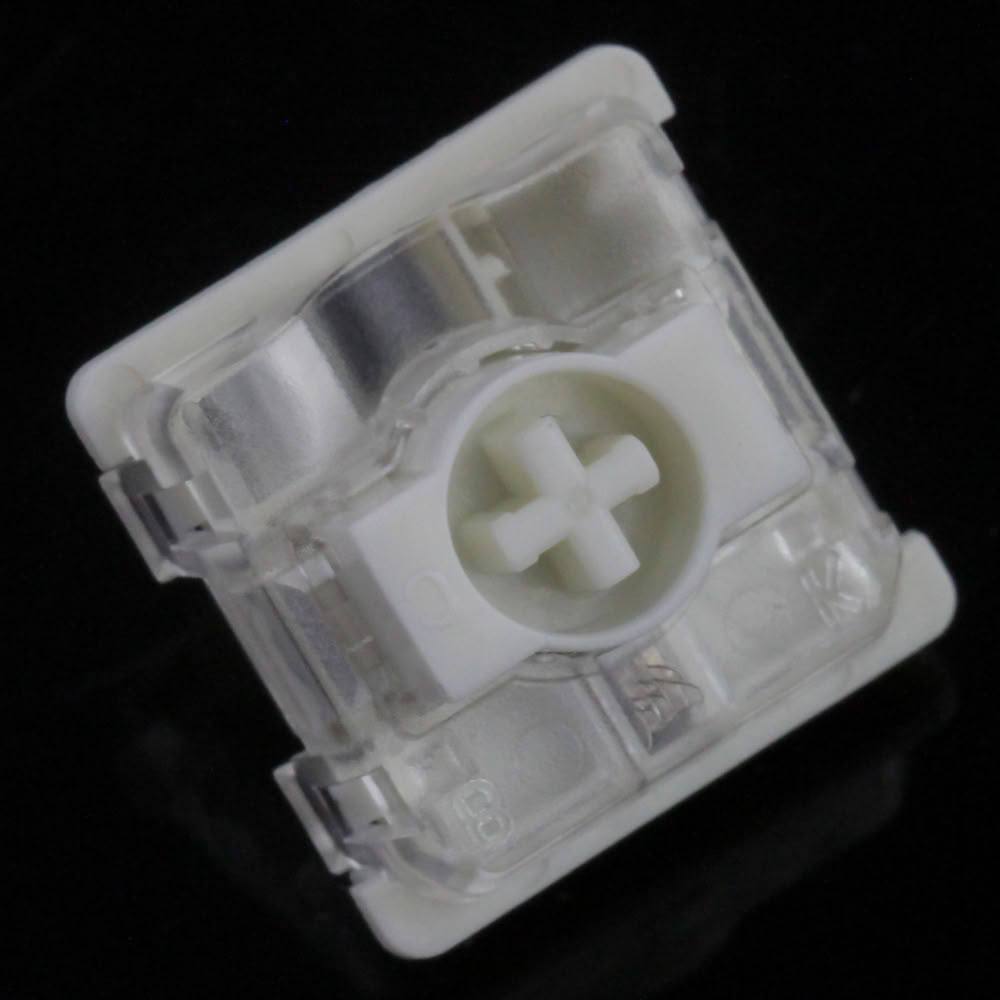
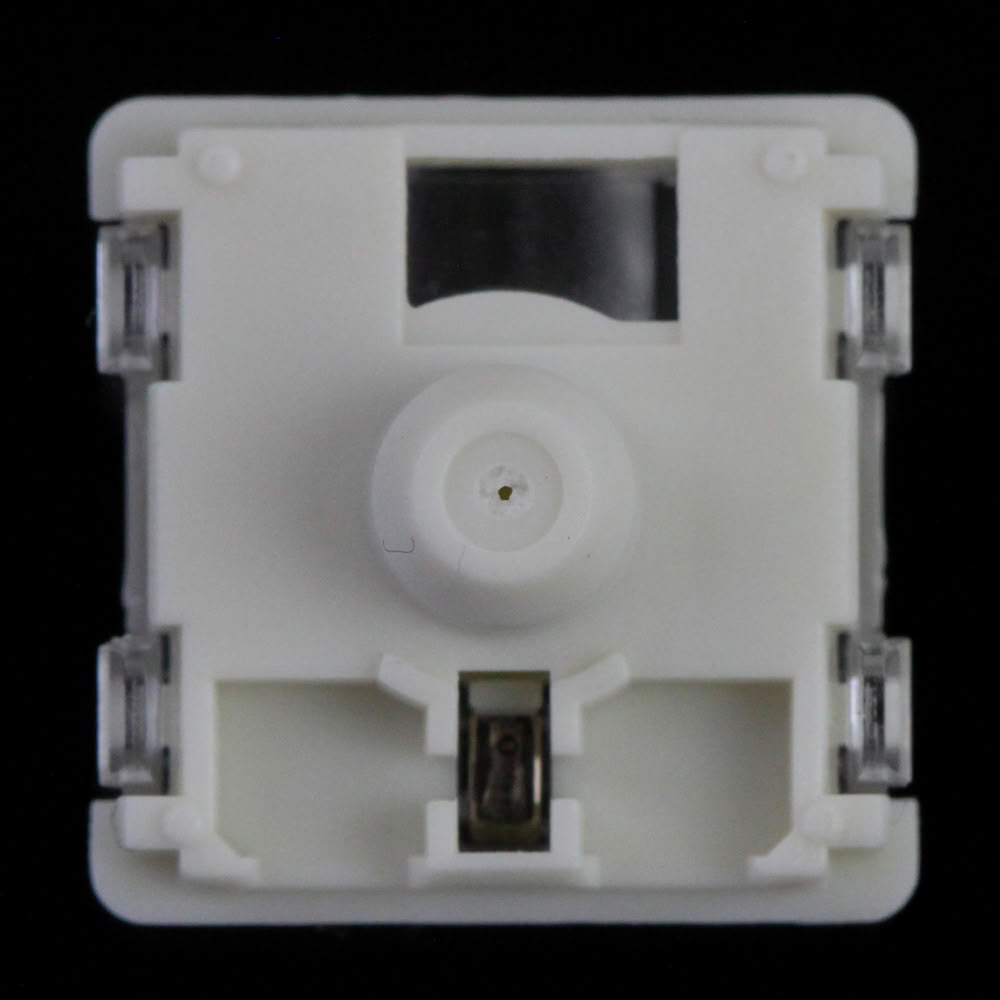
There is no switch remover tool provided, yet it's relatively easy to remove the switches for a closer examination. We see there are no extra pins to secure them in the PCB, albeit the lower profile does help minimize switch wobble. The switch sockets have an SMD RGB LED firing upwards, and at the bottom is the actuation mechanism for this optical switch, similar to others we have covered before. A beam of IR light passes between the two components you see, with the switch interrupting this when the actuation distance is achieved via key travel, and this in turn triggers the key response programmed. Corsair does not provide any information on the switch composition, so all we can see here is the brand logo etched in the clear top housing, an opaque white bottom housing, and an opaque white stem with a circular wall around for added dust and spill resistance.
Nov 25th, 2026 09:07 CST
change timezone
Latest GPU Drivers
New Forum Posts
- Claude credits purchased on or after Dec. 7 now have an expiry date (2)
- What's your main Black Friday / Cyber Monday purchase? (3)
- Increasing Power Limit? (35)
- Smokin Hot Lappy (2)
- Can you guess Which game it is? (359)
- Without Jensen, PC gaming will be (60)
- Ryzen Owners Zen Garden (8566)
- WarpCoreBench scores! (104)
- Sexy Hardware Close-Up Pic Clubhouse. (10344)
- {NA} 2026 Black November prices / deal (6)
Popular Reviews
- ASRock X870E Challenger Wi-Fi White Review
- Microsoft Surface Laptop Ultra Review - The Next-gen Arm Laptop
- VZMORE AX9 Max Review
- Upcoming Hardware Launches 2027 (Updated Nov 2026)
- AMD Ryzen 7 9800X3D Review - The Best Gaming Processor
- AMD Zen 6 Technical Deep Dive
- Corsair RM1200e (Second Generation) Review
- Phantom Blade Zero Performance Benchmark Review - 35 GPUs Tested
- Pulsar Office Tour & First Look at P1 Dual-Sensor Mouse
- Ocypus lota P1000 Review
TPU on YouTube
Controversial News Posts
- Jensen Huang Reinstated as CEO of NVIDIA (559)
- NVIDIA Co-Founder and CEO Jensen Huang Officially Resigns (492)
- Report: Jensen Huang Eyes NVIDIA Comeback (281)
- Open Letter Asking NVIDIA to Reinstate Jensen Huang Passes 115,000 Signatures (184)
- OpenAI CEO Argues Home PCs Waste the World's Limited DRAM Supply (152)
- NVIDIA Launches Investigation Into Jensen Huang's Relationship With Suspected Chinese Spy (136)
- Intel "Raptor Lake Next" 16-Core and 20-Core CPUs Surface (130)
- Intel Razor Lake Gets a 12 P-Core bLLC Chip With No E-Cores, Per Leak (94)