 19
Cougar OmnyX Review
A Closer Look - Inside »A Closer Look - Outside

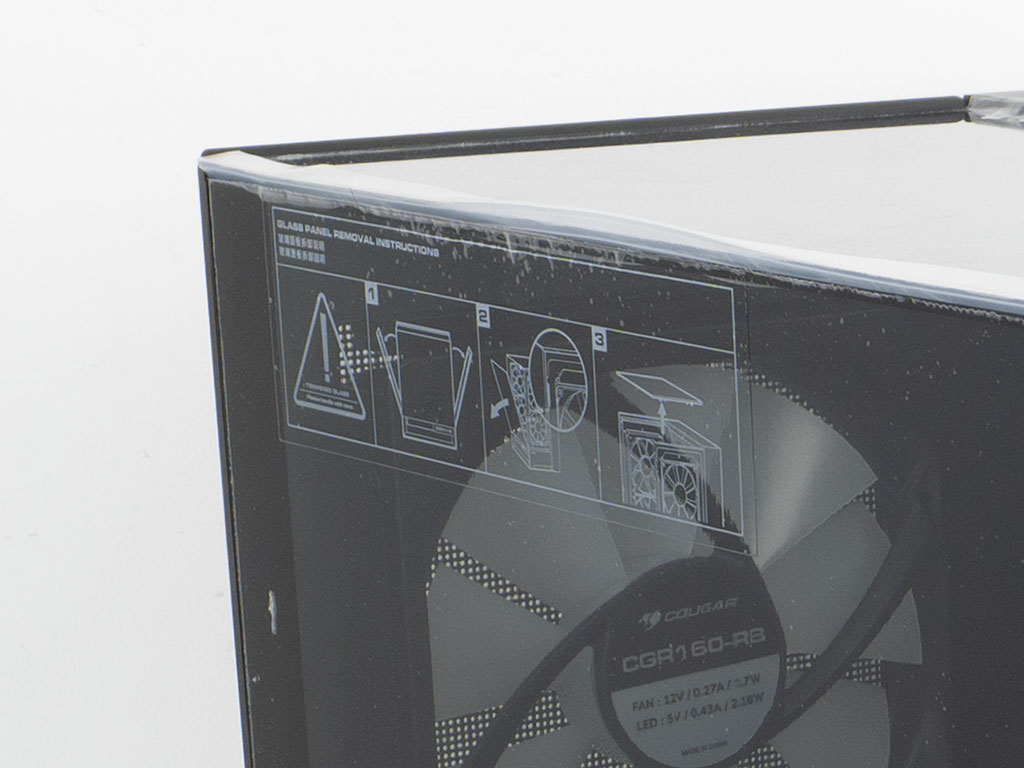
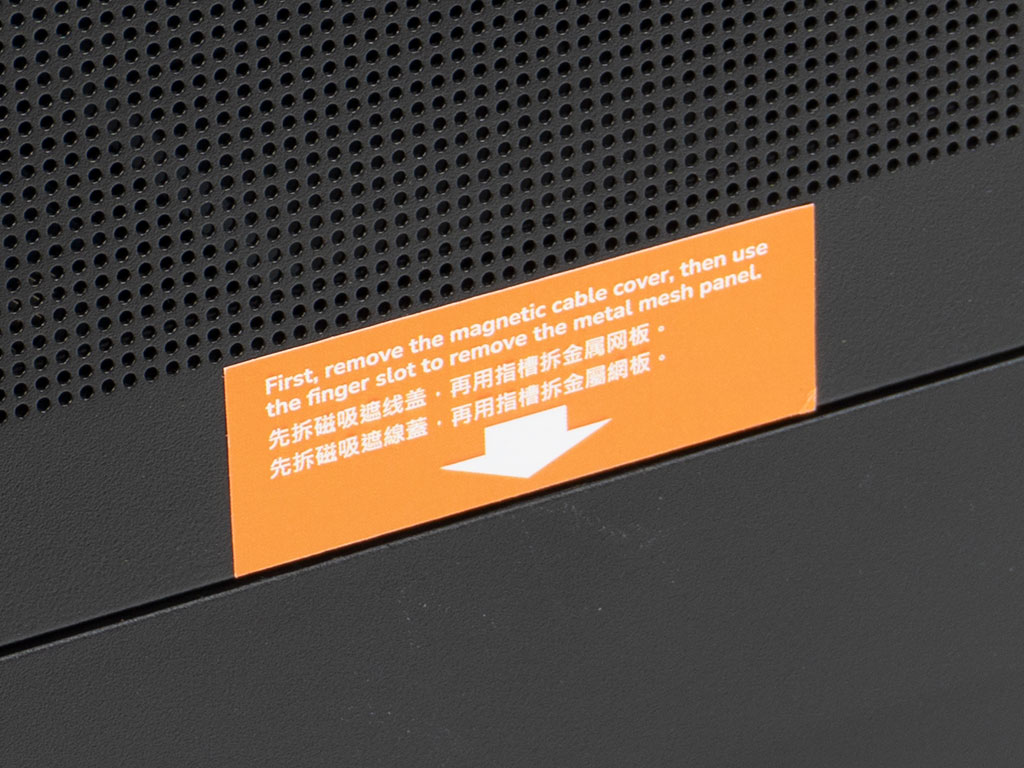
Out of the box, the case is lined with plastic layers on the glass as well as stickers to hold the many magnetic panels in place securely. While our chassis was in perfect condition, one of the perforated panels on the fans had come loose during shipping and the simple white cardboard box the accessories come in had spilled its contents into the case. Cougar also provides a bit of guidance on how to access the interior of the chassis, which is nice to see. Unfortunately, the orange sticker is paper based, so you have to be careful removing it without tearing it. A small upgrade here would be the move to a vinyl based one instead.

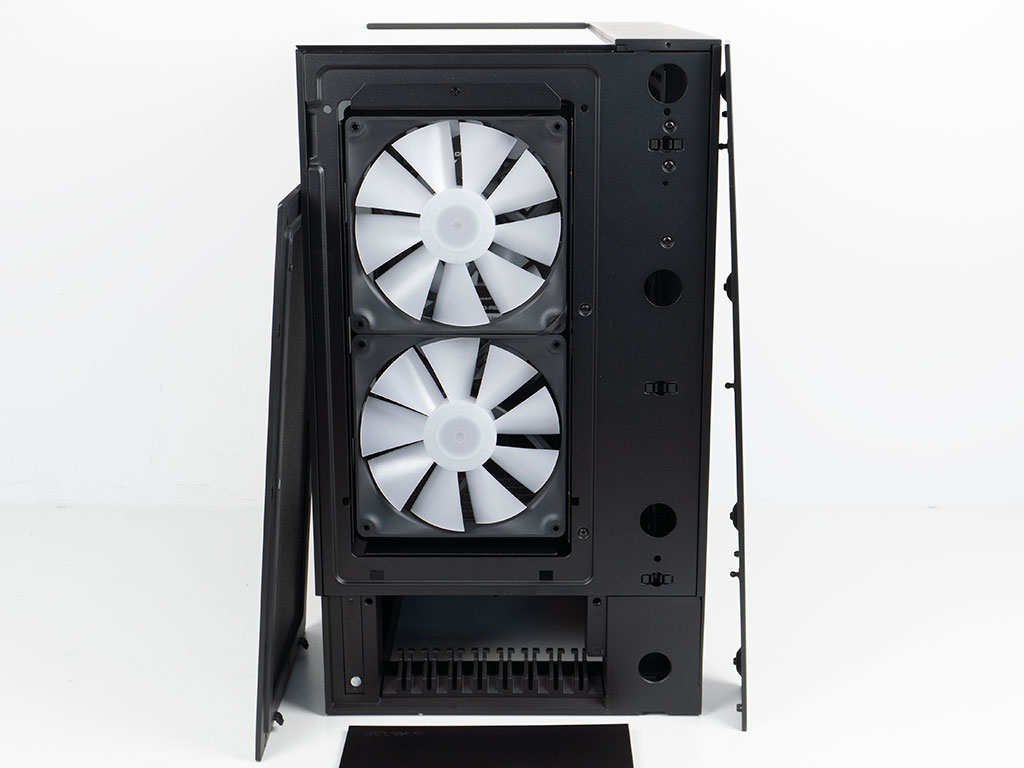
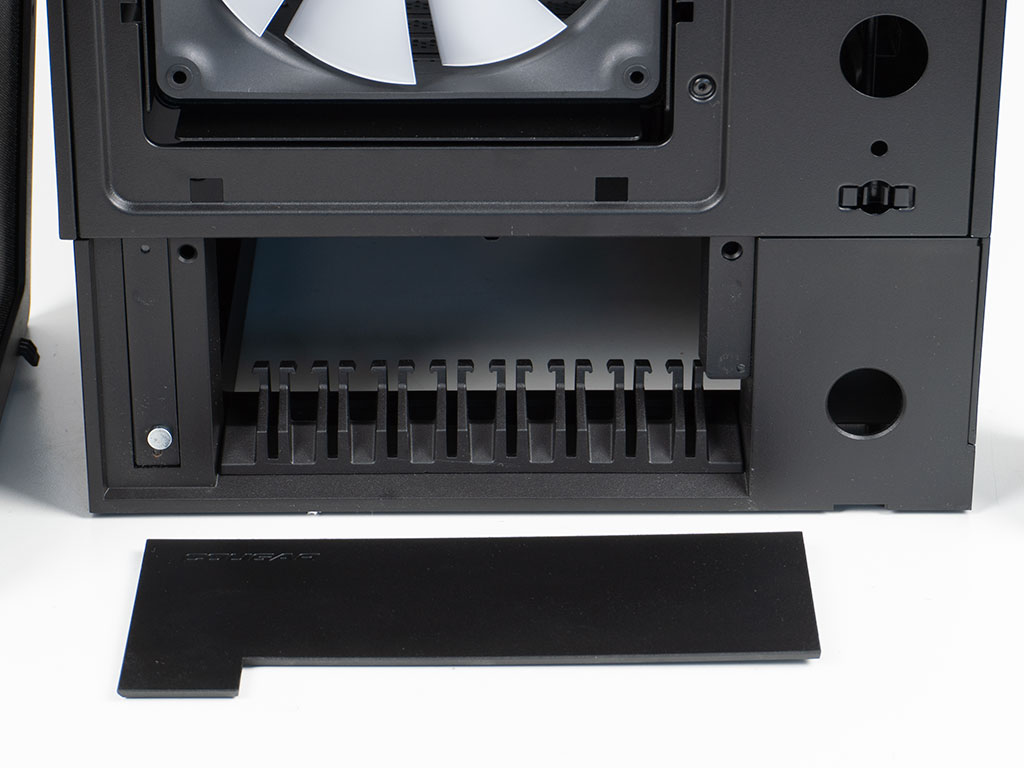
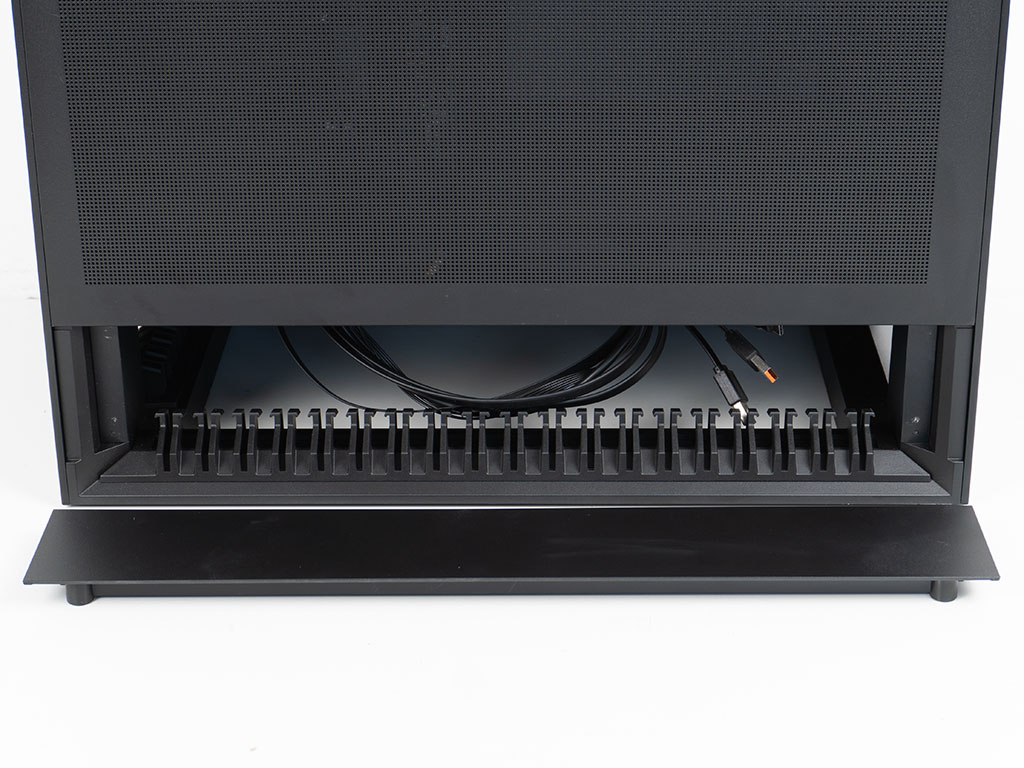
The Cougar OmnyX design is dominated by straight lines and 90° angles. The various covers are all held in place magnetically and come off rather easily. This quick access is great, but you will have to be careful how you grab hold of the chassis to avoid any damage, or worse, dropping it with only one of those panels remaining in your grip. The two 160 mm ARGB fans can be accessed easily as well once you pull the magnetic, metal cover off. They are mounted on a frame, so you can remove it and change up the cooling configuration of your chassis easily. Cougar has included a cable channel design at the bottom, behind a plastic cover with some embedded magnets as well. As you can see, we did not notice that one of the magnets came detached from the plastic and remained on the case. Luckily, that was an easy fix with some hot glue and popping it back into place. This could really be handy if you plan to have your mouse and keyboard wires directly connected to the underbelly of the system, for example. Alternatively, it could be used to manage all the wires that run out the back of the case.
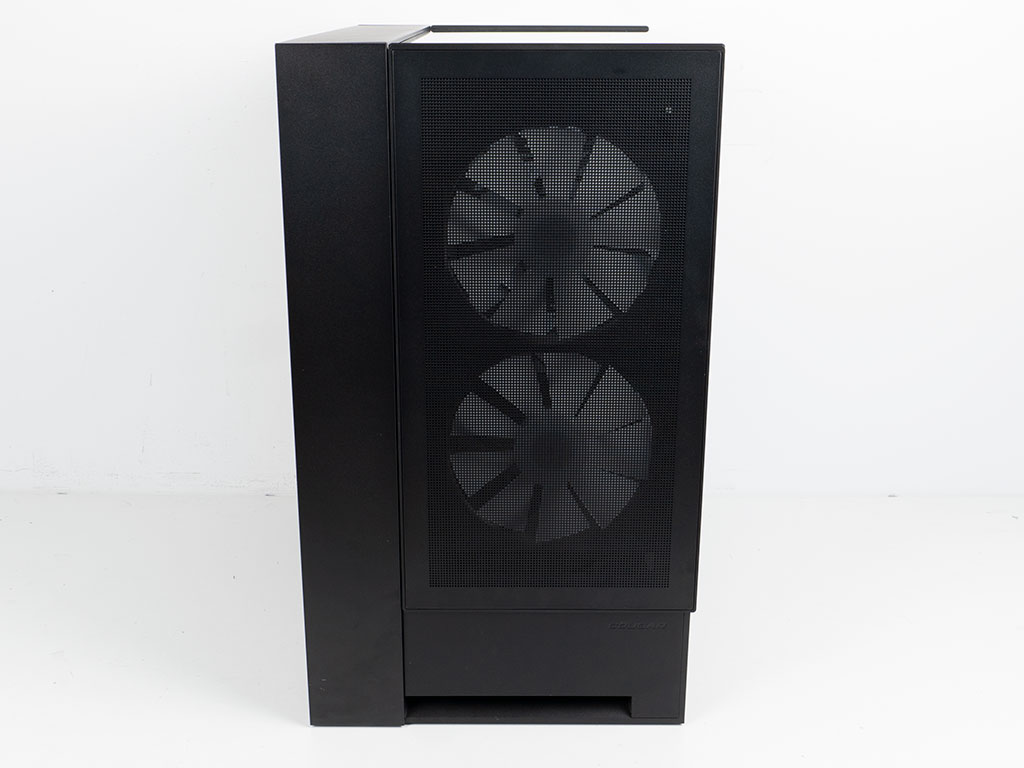
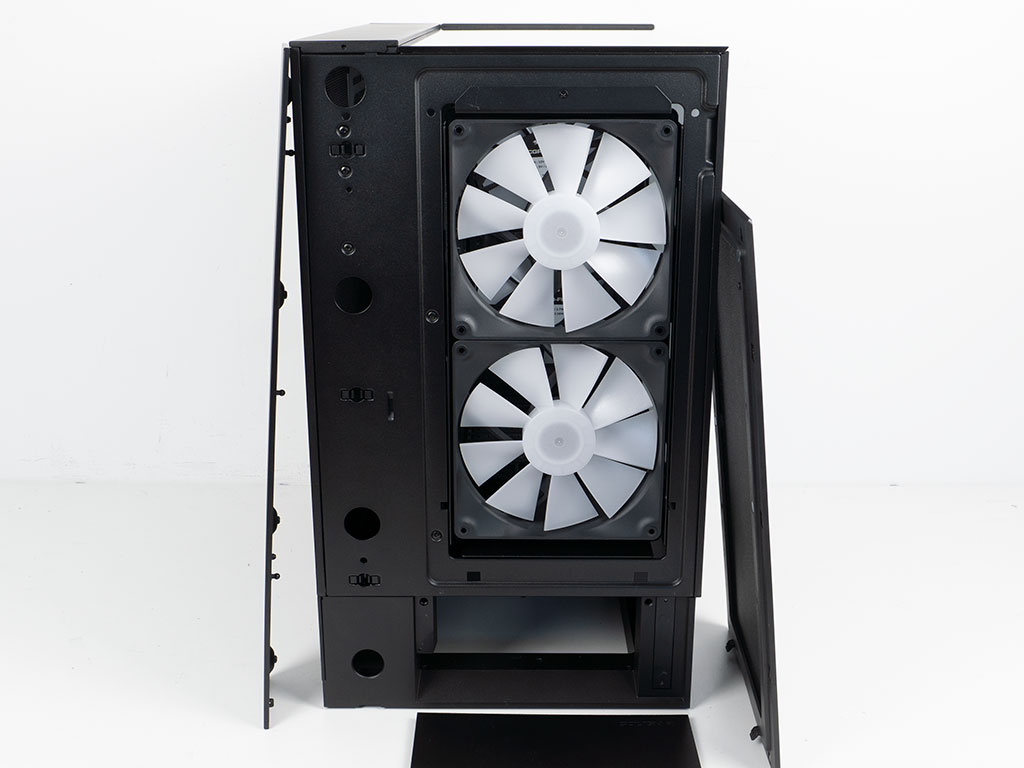
Looking at the opposite side, things are exactly the same, with and additional two fans which sport reverse blades set to pull air into the case by default. While the push/pull setup could make sense for a classic case, any upright GPU inside the OmnyX will basically act as an air barrier, so this way the CPU won't get fresh air from the back (or front depending on how you place the case). That said, this is mostly only an issue if you air cool your CPU.
The solid portions of the case can all be removed as well and Cougar advertises alternative panels made of wood, different metals or fabric. That said, we were not given any more detail which SKUs are actually planned. There is actually no cable routing bar at the bottom of this side, so you will have to move the one from the front here if that suits your setup better. One could argue that it would have been great to just have a second one and keep things completely symmetrical.
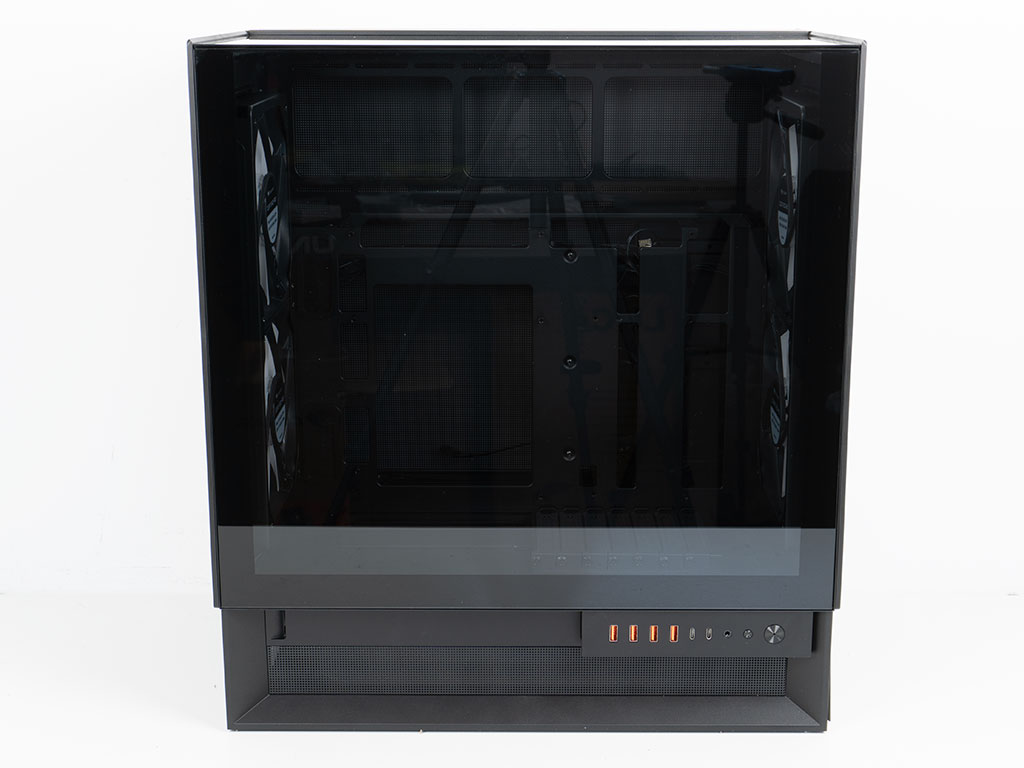
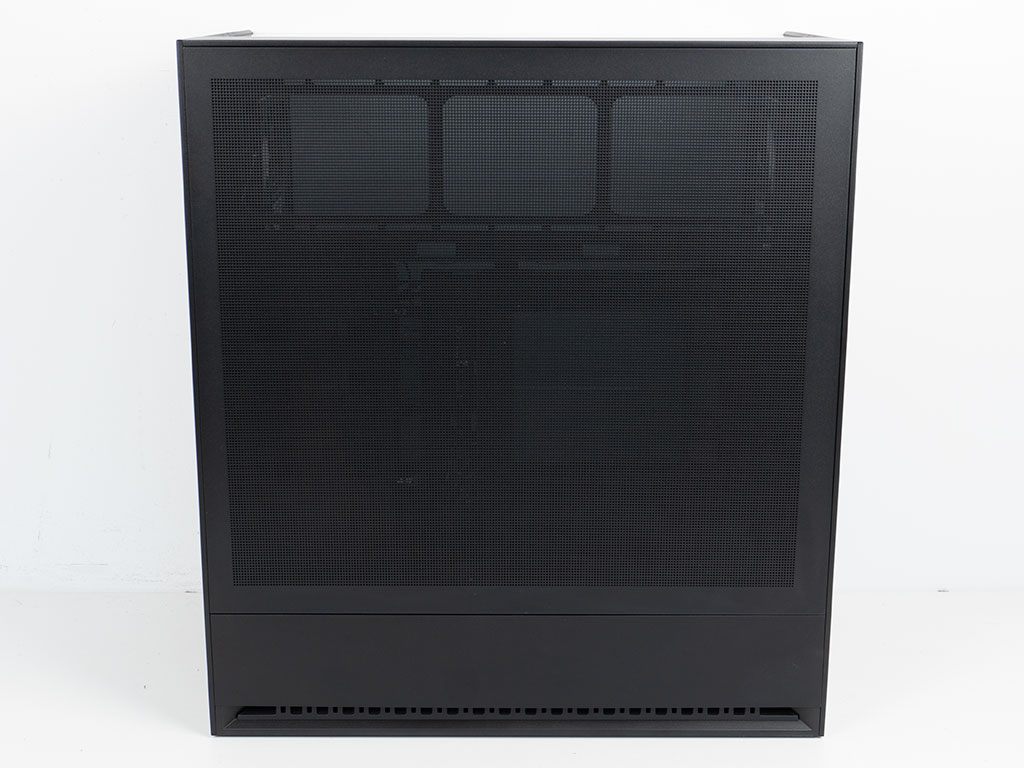
On the main side panel, there is a full size glass panel, which is nicely framed in black. Fortunately, Cougar is using a pair of pins to hold it in place instead of magnets. Thanks to minimal tint, you will be able to really show off everything easily as well. The bottom is essentially a raised exterior platform, to allow for you to route the cables to the PSU and motherboard. Adding and removing cables will likely mean you will have to tip over your chassis to do so. On the opposite side, there is a large vented metal panel so that all the components like the PSU or storage units will get access to fresh outside air. Below that, there is a solid plastic panel that is held in place with magnetic elements which are screwed on—thus these will never come off on their own. Cougar could have taken the same approach for the magnetic parts on the other plastic panels as well. Speaking of plastic, while that is perfectly fine in general, it would have been much nicer if these were metal instead.
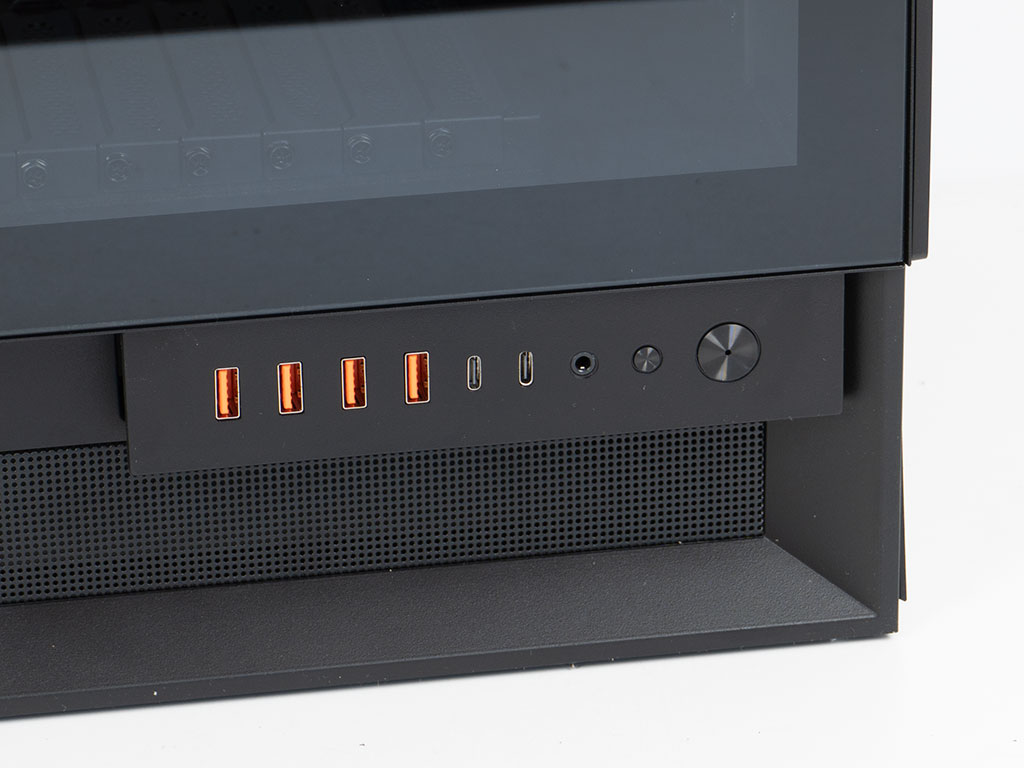
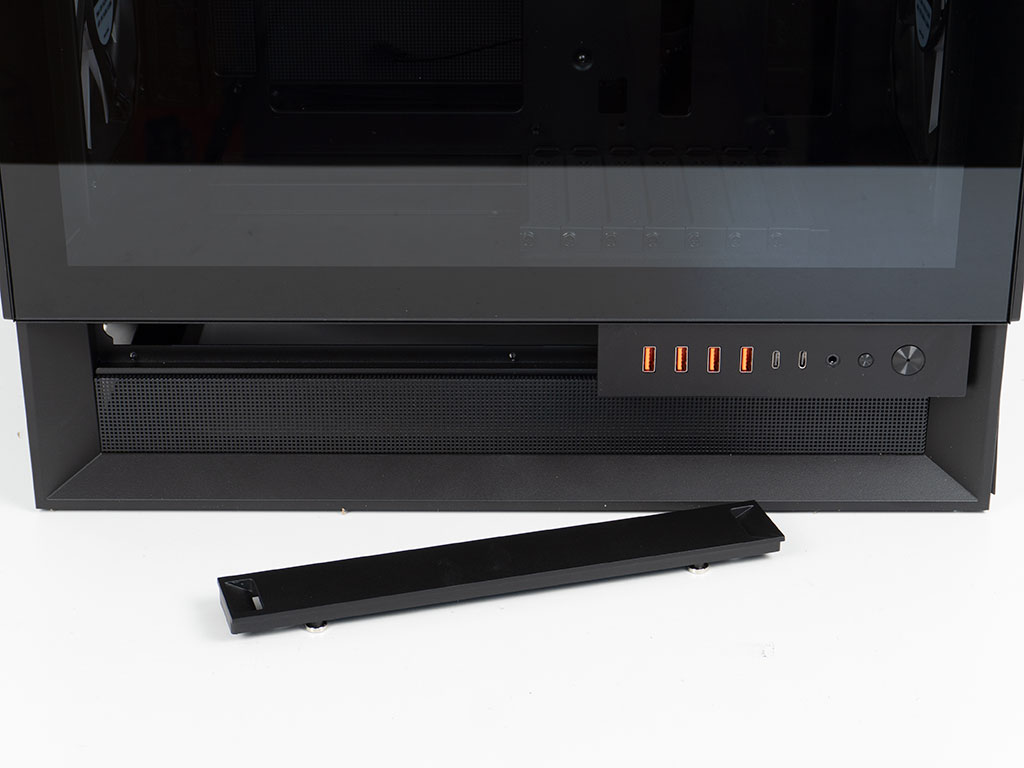
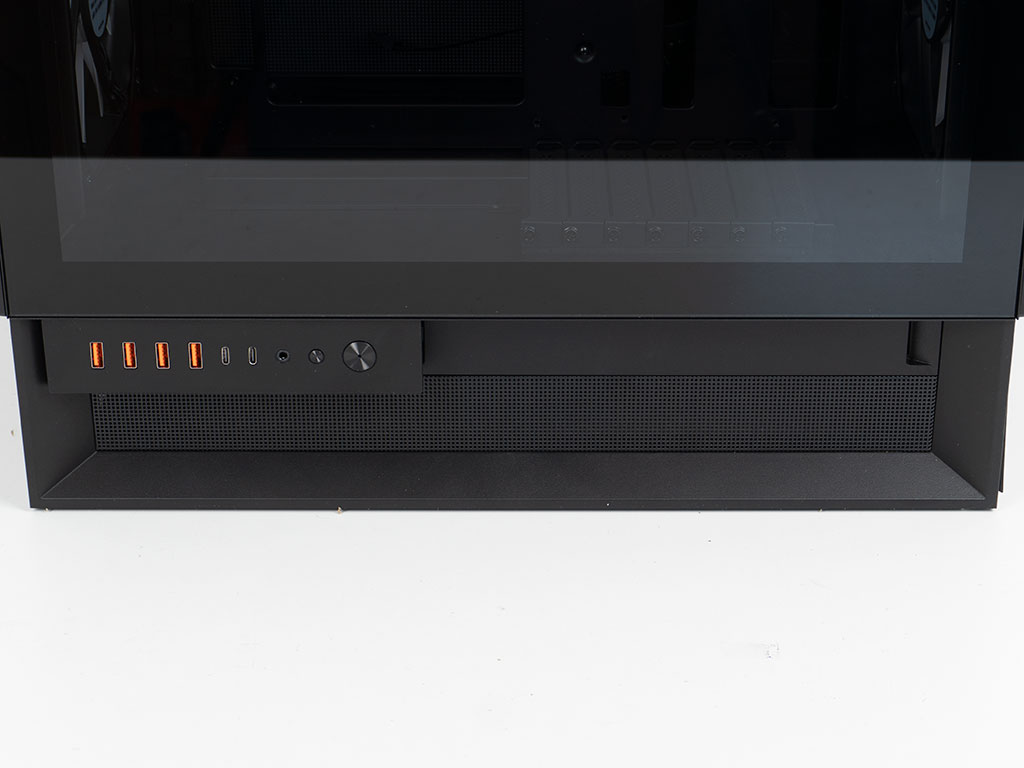
The IO of the Cougar OmnyX is located on the side. It is nice to see the attention to detail by utilizing orange USB-A ports. Cougar has decided to double up the number of USB-A and USB-C ports. While this usually means that you have to splurge on an expensive motherboard that provides the needed headers, Cougar found an awesome solution to avoid limiting you in such a manner as we will see later on. To round things off, there is an audio combo plug and a small button for ARGB as well as a larger power button with a white LED embedded at its center. Cougar has refrained from labeling the smaller, but unfortunately, you will not be able to repurpose it as a reset button. As the OmnyX is meant to be placed to either side of your setup as well as in front of you, the IO is engineered to sit on rails. You simply have to take out the cover pinning it down on that rail and slide it over, then putting the cover back on the other side. This is a fantastic implementation and really means no matter what way you place your case, you will get the exact same experience.
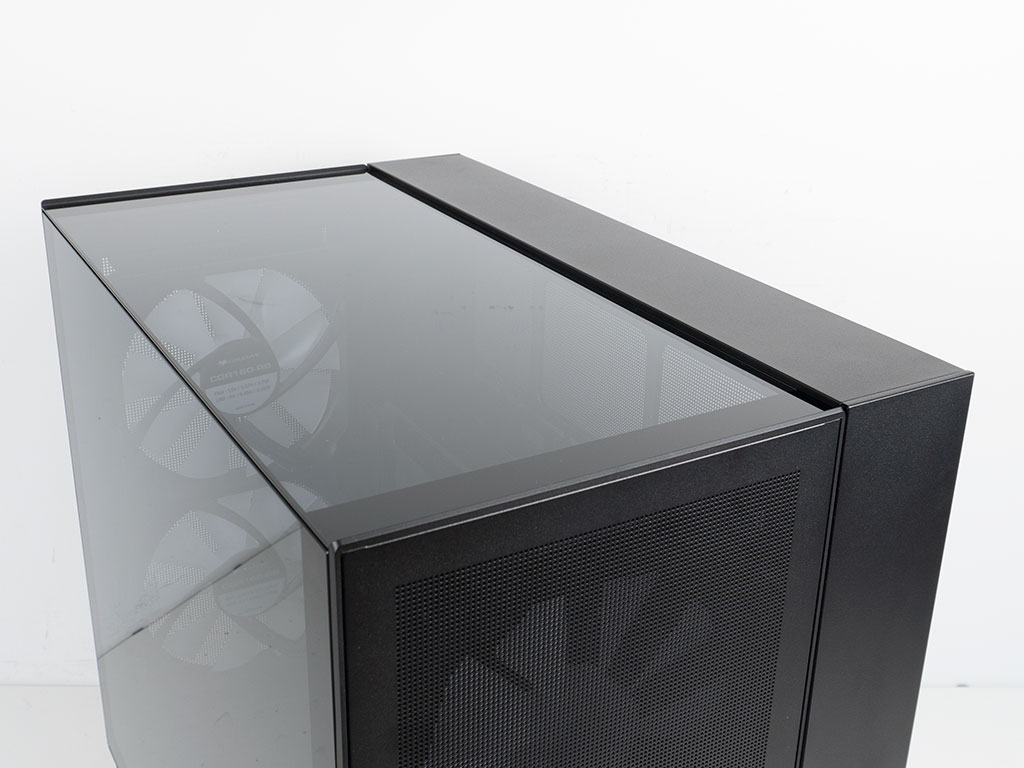
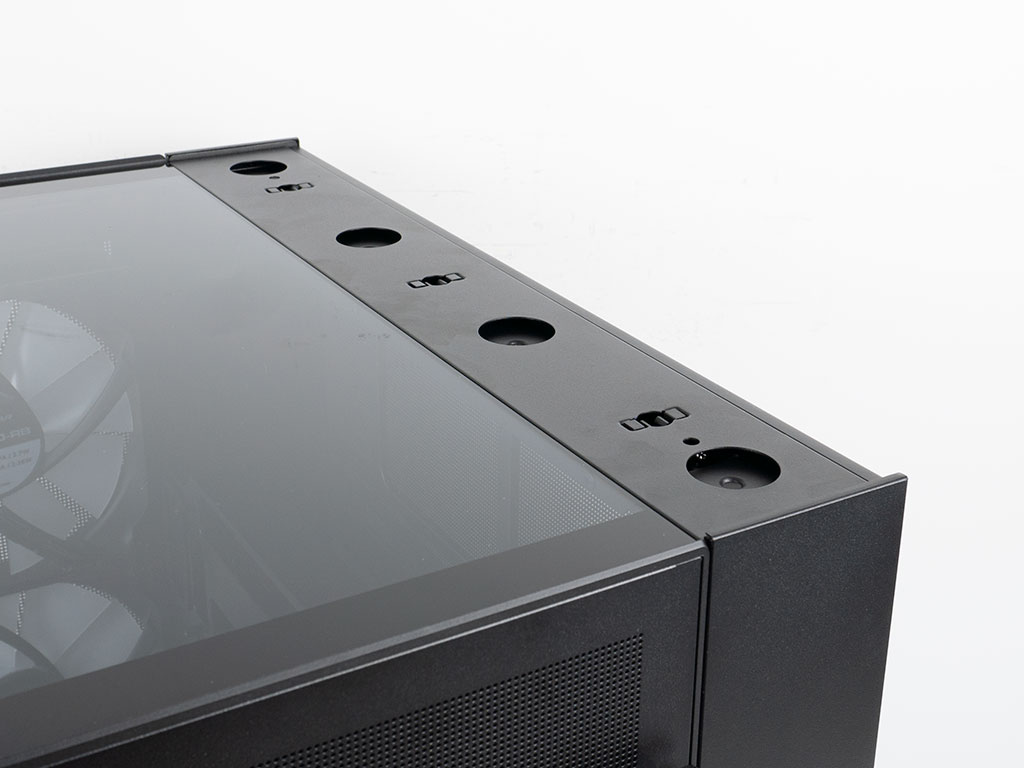
On top, you will find another glass panel. If you look closely the joint with the main window is cut at 45° which is a pretty rare detail as well. The solid portion of the cover can also be removed as this would also be replaced by any custom exterior cover kit Cougar would offer. While the glass on top is nice, Cougar could have streamlined things a bit by offering a secondary mesh cover alongside not two but one set of fan mounting rails. That way you can keep the fans, which you paid for in the for in the first place and opt to pull hot air out the top for cooling focused builds - even if it means you loose 30 mm of GPU length, as it still results in a very healthy 350 mm clearance. Additionally, it would provide you the opportunity to add a second radiator when planning to go for a liquid cooled GPU as well.
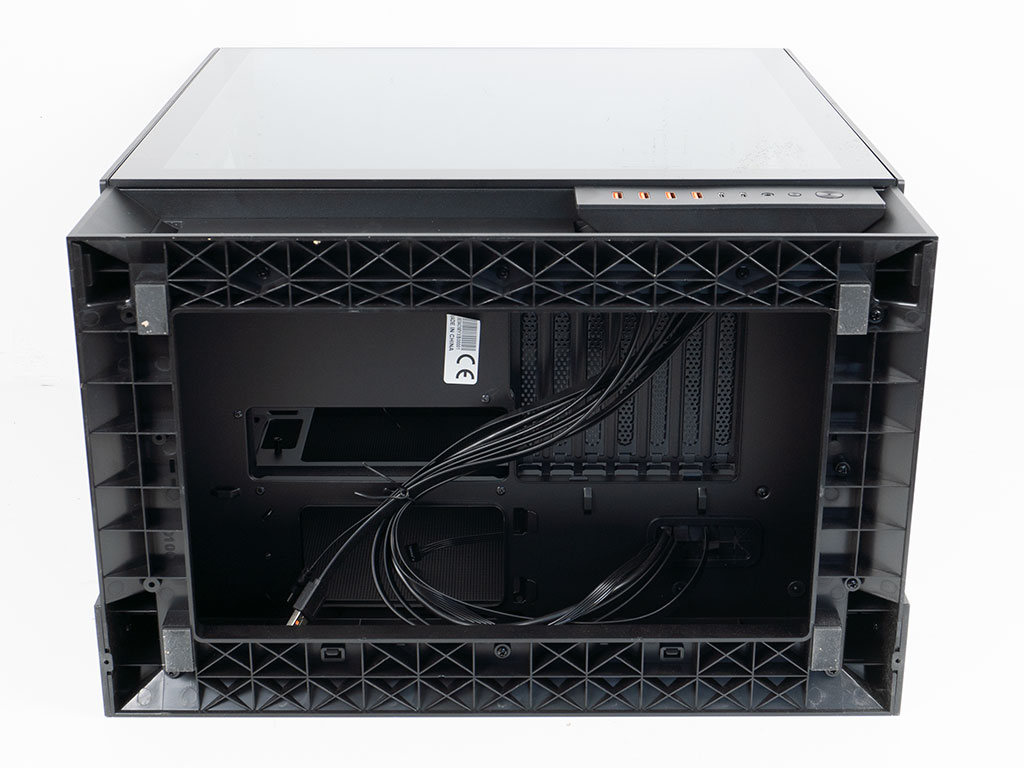
Taking a quick peek at the underside, the frame is made of solidly reinforced plastic. The PSU bay is located behind the motherboard in essence, with a grommet covered opening used to route IO wiring into the case.
Nov 20th, 2026 00:24 PST
change timezone
Latest GPU Drivers
New Forum Posts
- How to prevent OLED burn damage due to PC freezes or power outtages? (41)
- WarpCoreBench scores! (79)
- RX 7600 + Ryzen 5 5600GT getting the same FPS as my old RX 6500 XT – What am I missing? (7)
- What are you playing? (26236)
- Warning for Windows 10 and 11 users running newer AMD GPU drivers (65)
- Honestly, do you care about GTA VI? (178)
- Anthrophics IPO (10)
- Upgrade Considerations: CPU (12/13/14) and Motherboard (B660/B760 and Z690/Z790) (62)
- TPU's Nostalgic Hardware Club (22172)
- GTA VI (11)
Popular Reviews
- AMD Zen 6 Technical Deep Dive
- Ugreen NASync DXP4800 GT Review
- Acemagic Retro X3 Review
- Corsair RM1200e (Second Generation) Review
- Upcoming Hardware Launches 2027 (Updated Nov 2026)
- Pulsar Office Tour & First Look at P1 Dual-Sensor Mouse
- Biwin Black Opal NV7400 2 TB Review
- Chieftec Iceberg PRO 360 DARK Review
- AMD Ryzen 7 9800X3D Memory Performance Scaling
- AMD Ryzen 7 9800X3D Review - The Best Gaming Processor
TPU on YouTube
Controversial News Posts
- NVIDIA Co-Founder and CEO Jensen Huang Officially Resigns (490)
- Report: Jensen Huang Eyes NVIDIA Comeback (224)
- Open Letter Asking NVIDIA to Reinstate Jensen Huang Passes 115,000 Signatures (184)
- OpenAI CEO Argues Home PCs Waste the World's Limited DRAM Supply (152)
- NVIDIA Launches Investigation Into Jensen Huang's Relationship With Suspected Chinese Spy (136)
- Intel "Raptor Lake Next" 16-Core and 20-Core CPUs Surface (130)
- Legendary Game Studio BioWare Shuts Down Following EA Layoffs (104)
- Dell CEO Says the Memory Shortage Will Get Worse in 2027 (95)