 60
CRYORIG C5 cu Review
Finished Looks »Installation
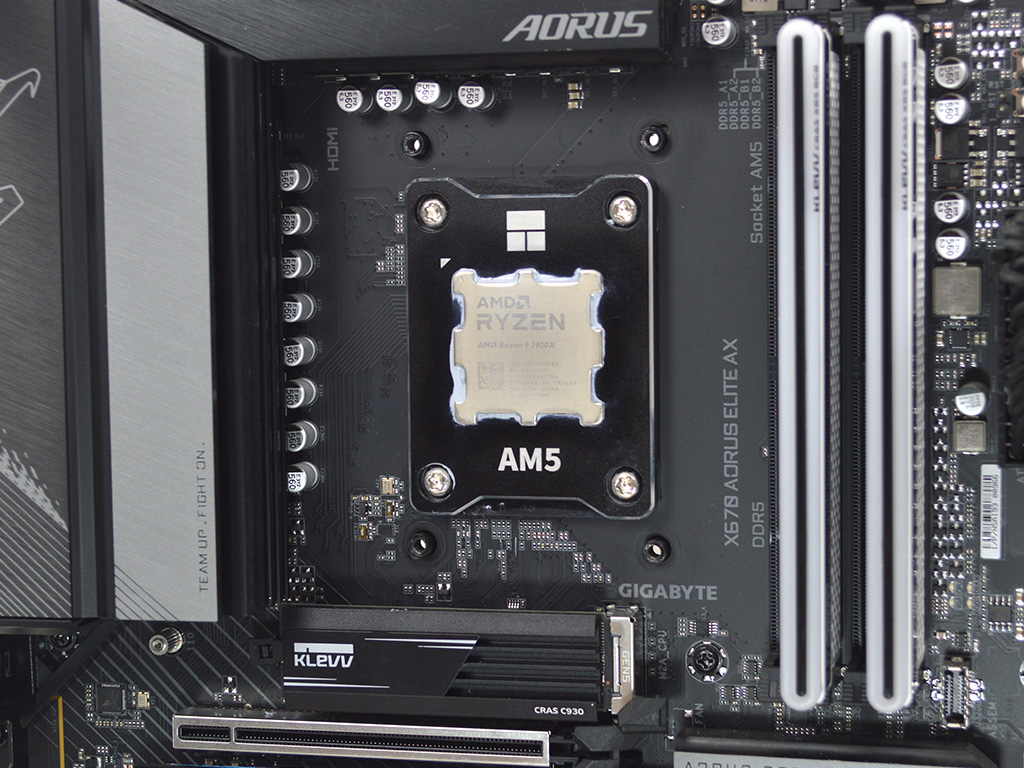
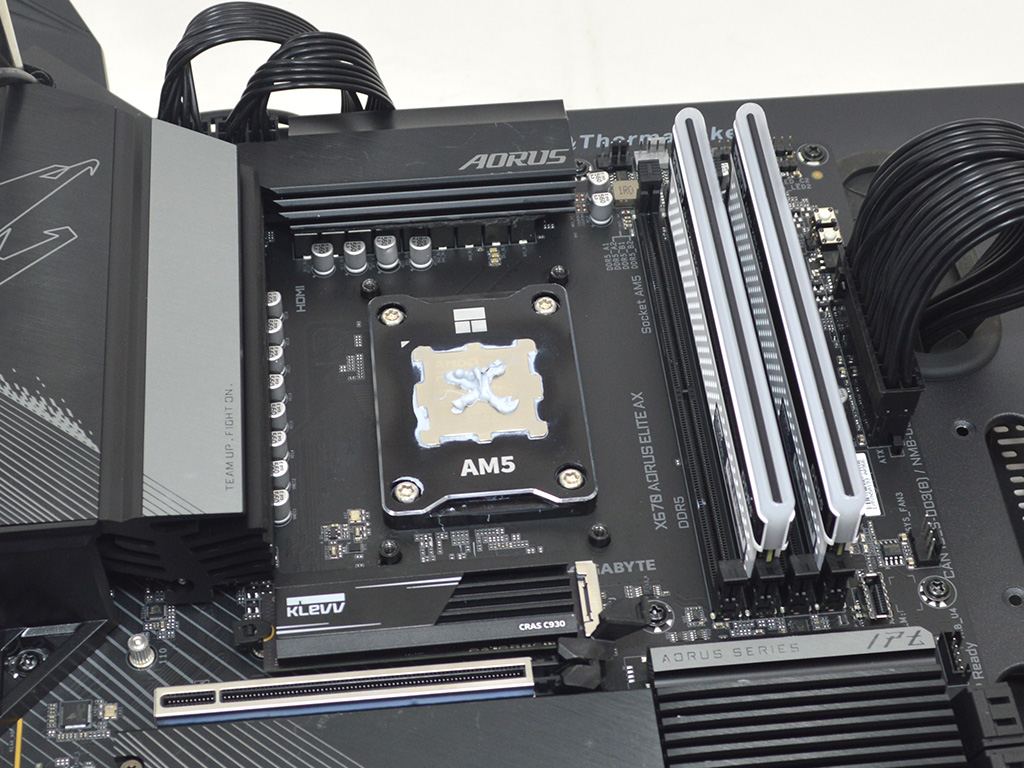
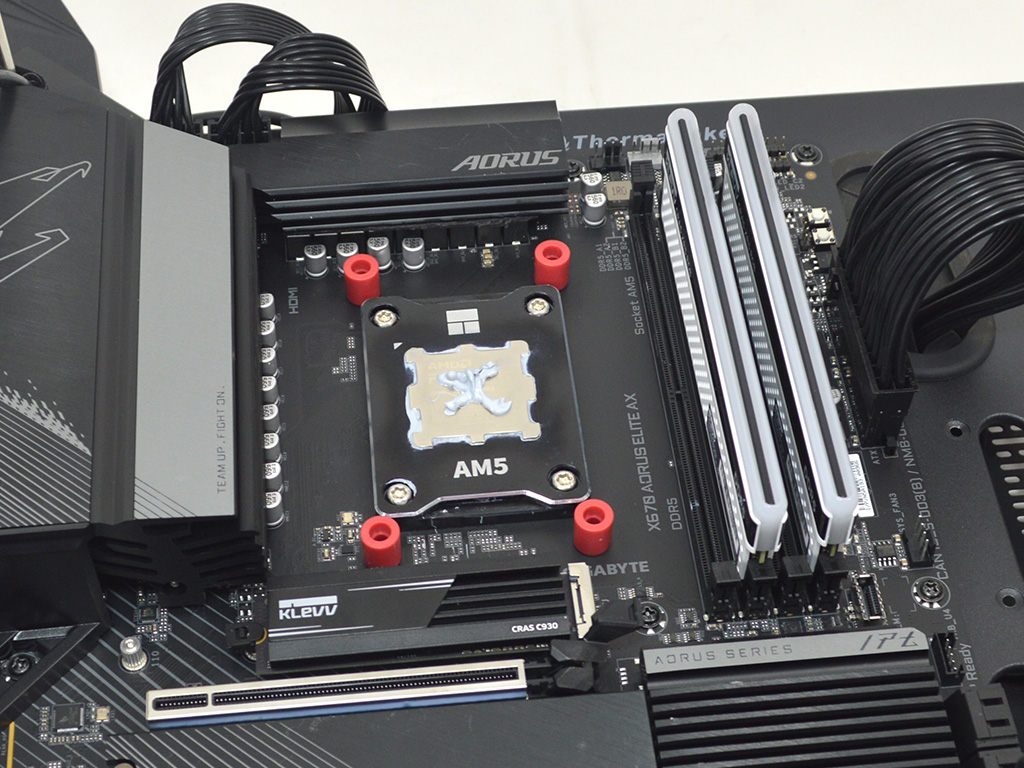
Installing the CRYORIG C5 cu is a simple process for the most part. On AMD you will need to remove the stock plastic brackets, I then positioned the proper spacers, at which point you can apply thermal paste, for which I used Arctic MX-5 for testing.
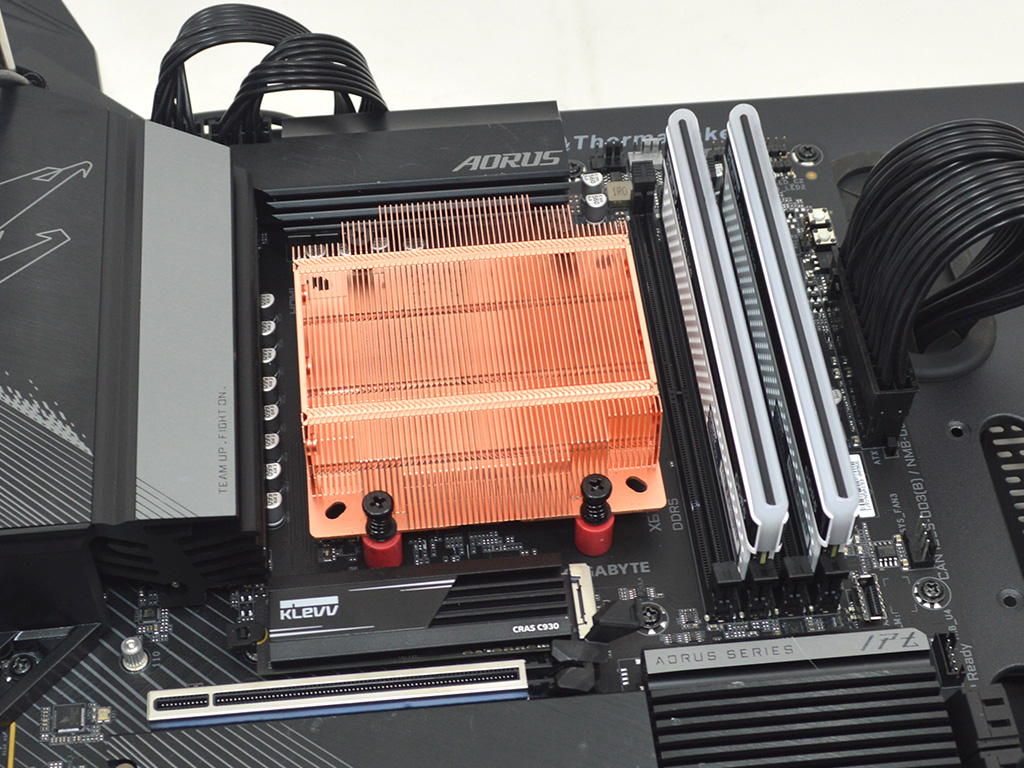
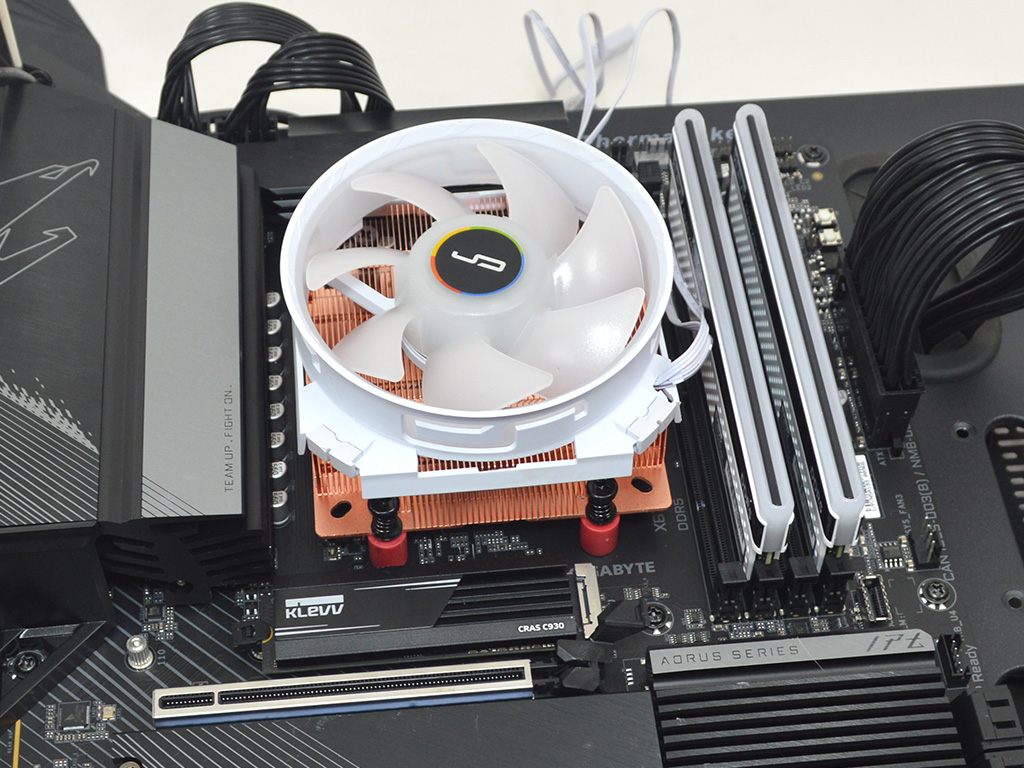

To make the process easy you will want to lay the system flat then position the heatsink on the CPU and drop the screws into the spacers, tightening each one just enough to get the cooler properly seated. Then tighten them down bit by bit, alternating in a crisscross pattern for even pressure. With the heatsink fully secure you can then attach the fan and hook up the ARGB and PWM fan connectors to the proper headers on the motherboard.
Overall, the installation is pretty straightforward on AMD and Intel, with no major hurdles to speak of. The only downside to the dead simple mounting hardware is you having to keep the Intel backplate in place during the installation. For me, I used blue painters tape which worked fine, I generally prefer proper standoffs that keep a backplate in place during installation as it limits frustration, but since the cooler is so small it wasn't a big deal here.
Nov 17th, 2026 18:05 CST
change timezone
Latest GPU Drivers
New Forum Posts
- Honestly, do you care about GTA VI? (133)
- Local LLM General Discussion (693)
- ProArt X870E-CREATOR WIFI - Bifurcation~Complication (14)
- Asus ProArt P14 (RTX Spark) linux so far (4)
- Without Jensen, PC gaming will be (34)
- 9070 GRE 3.9ghz validation reached. (18)
- [testers wanted] Qsurfer My own QNAP Nas explorer/Search tool (6)
- Help with fixing Overclock (7)
- [Poll] 12V-2x6 Connector Protection: What Are You Using? (WireView / Ampinel / Equalizer / Other / Nothing) (27)
- What is the latest game you finished or 100% (204)
Popular Reviews
- Acemagic Retro X3 Review
- Corsair HX1000i Shift Crystal Review
- Upcoming Hardware Launches 2027 (Updated Nov 2026)
- AMD Zen 6 Technical Deep Dive
- ASUS ROG Strix B850-I Gaming Wi-Fi7 W Review
- Phantom Blade Zero Performance Benchmark Review - 35 GPUs Tested
- AMD Ryzen 7 9800X3D Review - The Best Gaming Processor
- Chieftec Iceberg PRO 360 DARK Review
- Montech King 95 3D PRO Review
- NZXT C1200 Platinum Review
TPU on YouTube
Controversial News Posts
- NVIDIA Co-Founder and CEO Jensen Huang Officially Resigns (458)
- Open Letter Asking NVIDIA to Reinstate Jensen Huang Passes 115,000 Signatures (184)
- OpenAI CEO Argues Home PCs Waste the World's Limited DRAM Supply (152)
- NVIDIA Launches Investigation Into Jensen Huang's Relationship With Suspected Chinese Spy (136)
- Report: Jensen Huang Eyes NVIDIA Comeback (135)
- Intel "Raptor Lake Next" 16-Core and 20-Core CPUs Surface (130)
- Legendary Game Studio BioWare Shuts Down Following EA Layoffs (104)
- Dell CEO Says the Memory Shortage Will Get Worse in 2027 (95)