 1
Einarex Prisma S800 Review
A Closer Look - Inside »A Closer Look - Outside

Out of the box, the Einarex Prisma S800 draws immediate attention thanks to the mirrored layer. While there are a few other cases out there that offer this type of finish they are rare enough to be considered unique. Einarex goes as far as to have product shots of the chassis without the mirror finish, so that you can see the interior as well, but as you can see the reflective layer will suppress any ARGB elements noticeably.
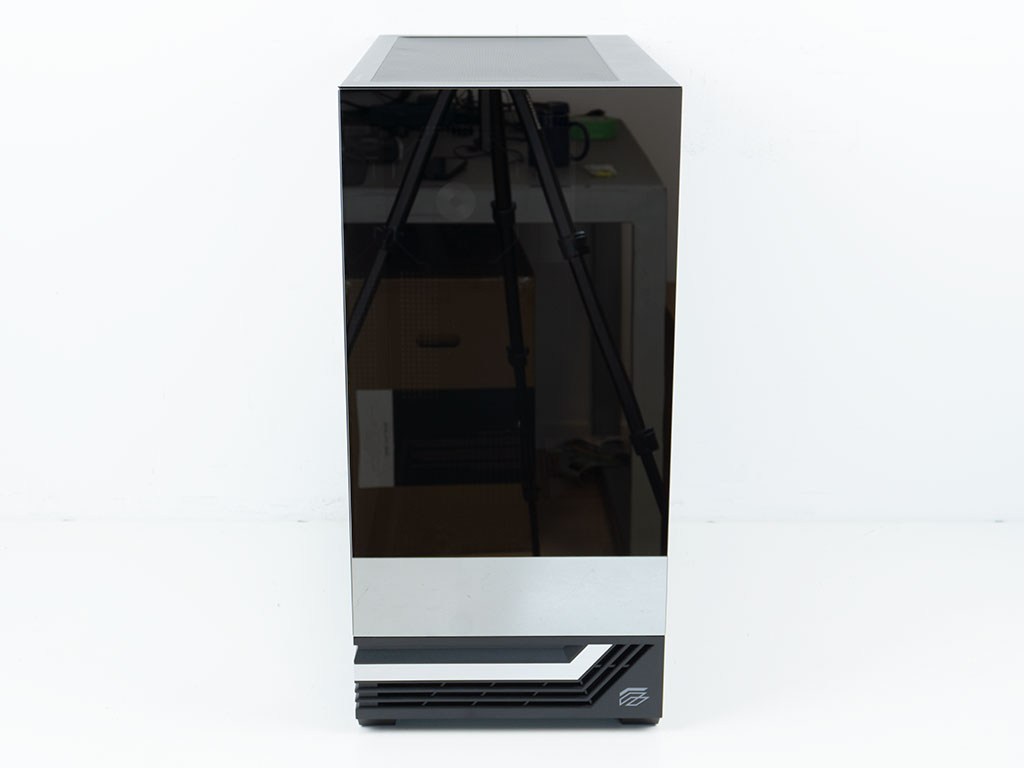
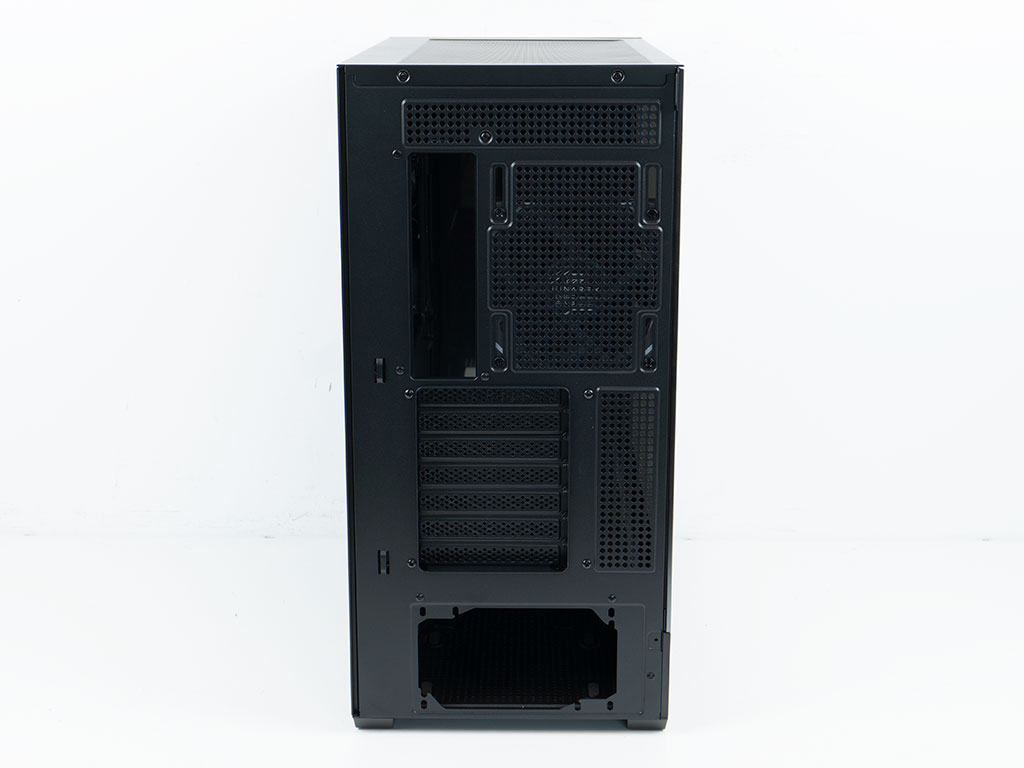
At the top the front is made of glass while a plastic design with a brushed metal insert at the bottom gives it some much-needed detail. This is also where you will find the Einarex logo. Looking at the rear of the Prisma S800, it comes with a classic layout using a nice and sturdy case body. Einarex has included a pair of external hooks for zip ties along the left edge, making it easy for you to keep your desktop wiring nice and clean.
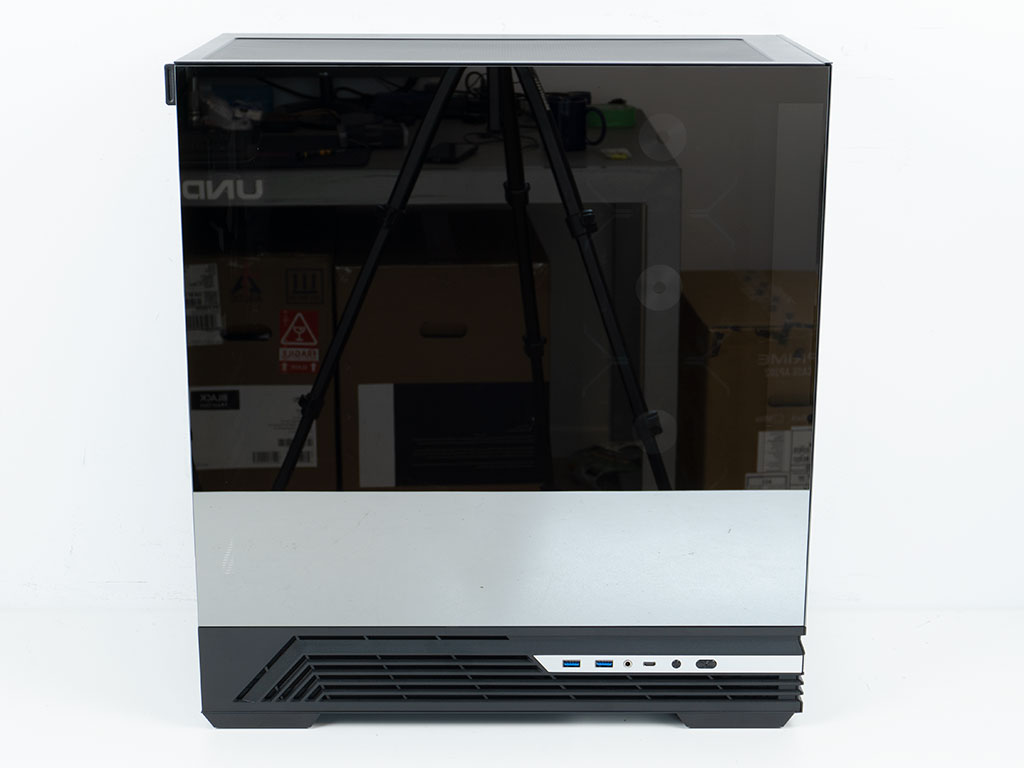
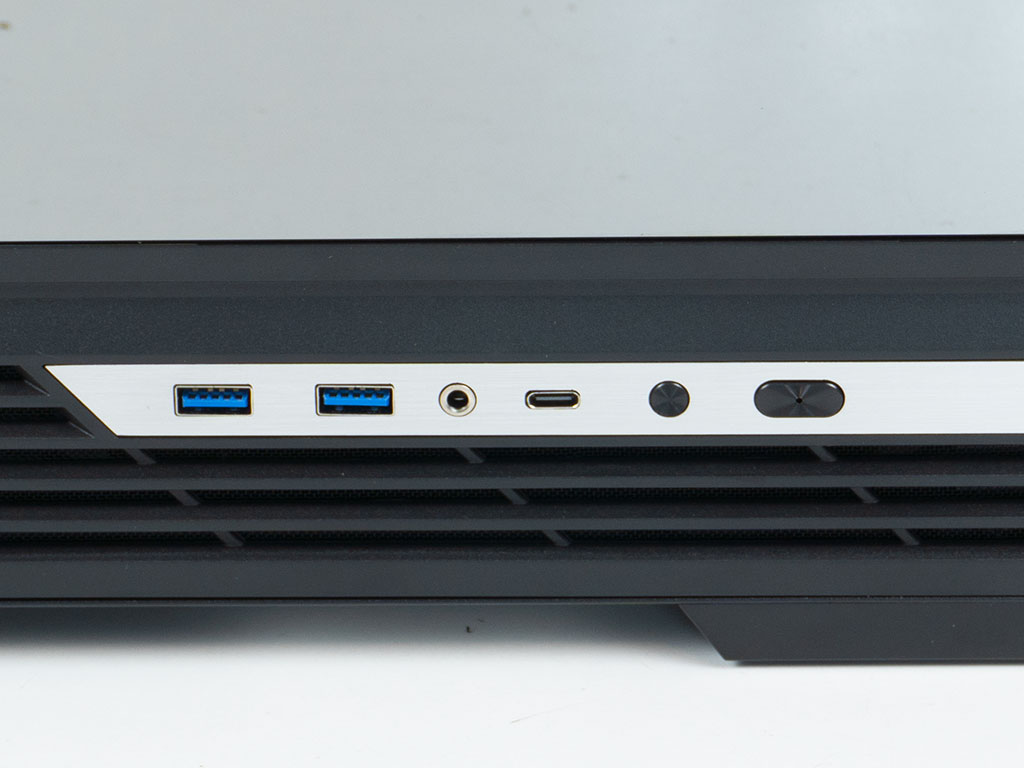
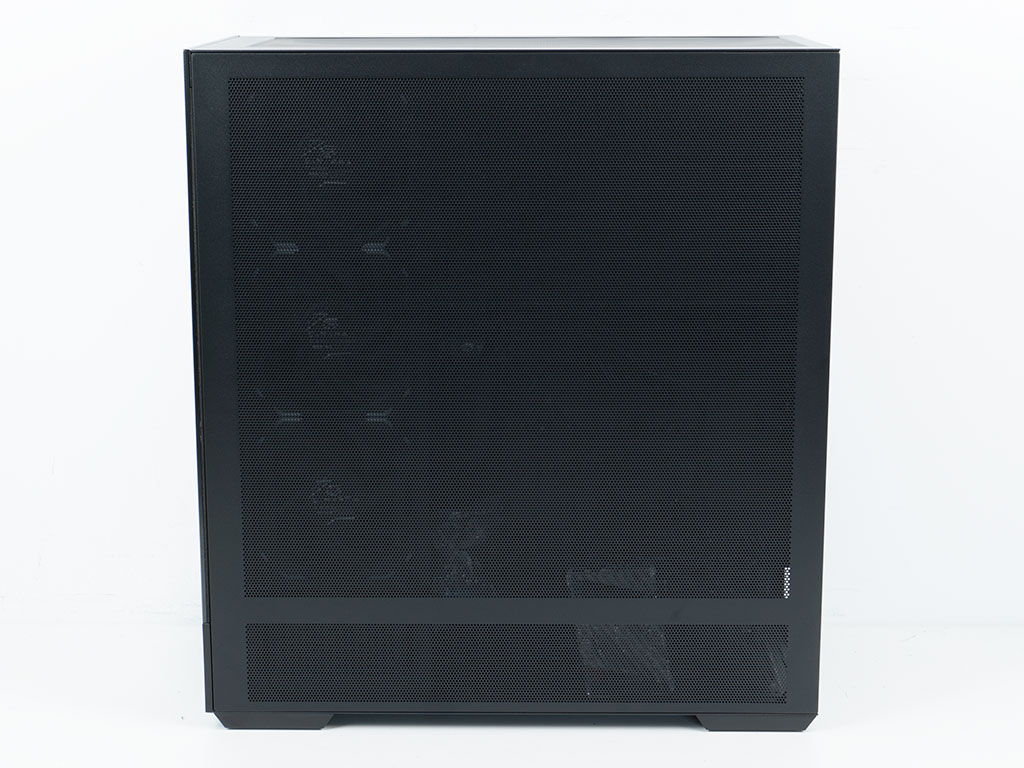
The main side of the Prisma S800 continues the glass from the front, with the edges mitered at 45°, which is also pretty rare for dual-glass equipped cases. In this instance it is an important detail, as this allows for the mirror layers to join up nearly seamlessly. Underneath the glass, the design of the front wraps around as well. Here you will find the I/O of the enclosure, consisting of two unfortunately OEM blue USB 3.0 ports, a metal audio combo plug, and a USB-C port. There are also two buttons without labels, with the smaller one wired to control ARGB by default and the larger one to toggle power. You may repurpose the ARGB button to act as a classic reset one, should you opt for motherboard ARGB control. On the other side of the Prisma S800, there is a fully vented metal panel. Einarex went as far as to add a visual break in the perforation to match the transition between plastic and glass on the exterior as well. The mesh is fine enough to catch debris, but a removable fine mesh cover would have been an upgrade.
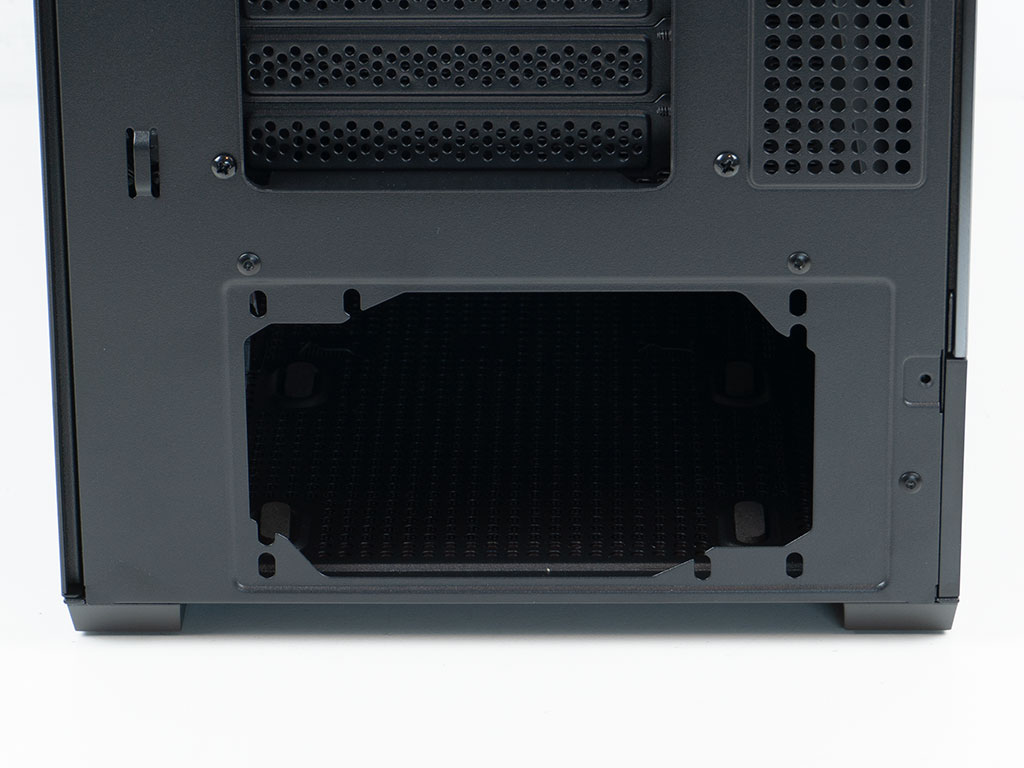
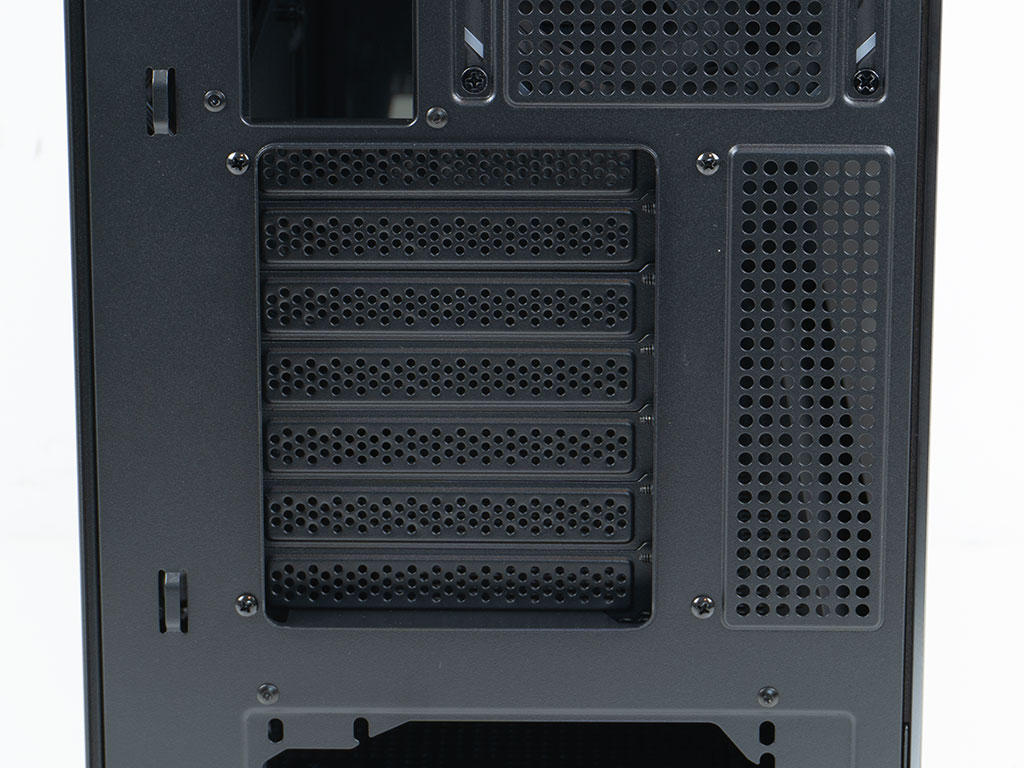
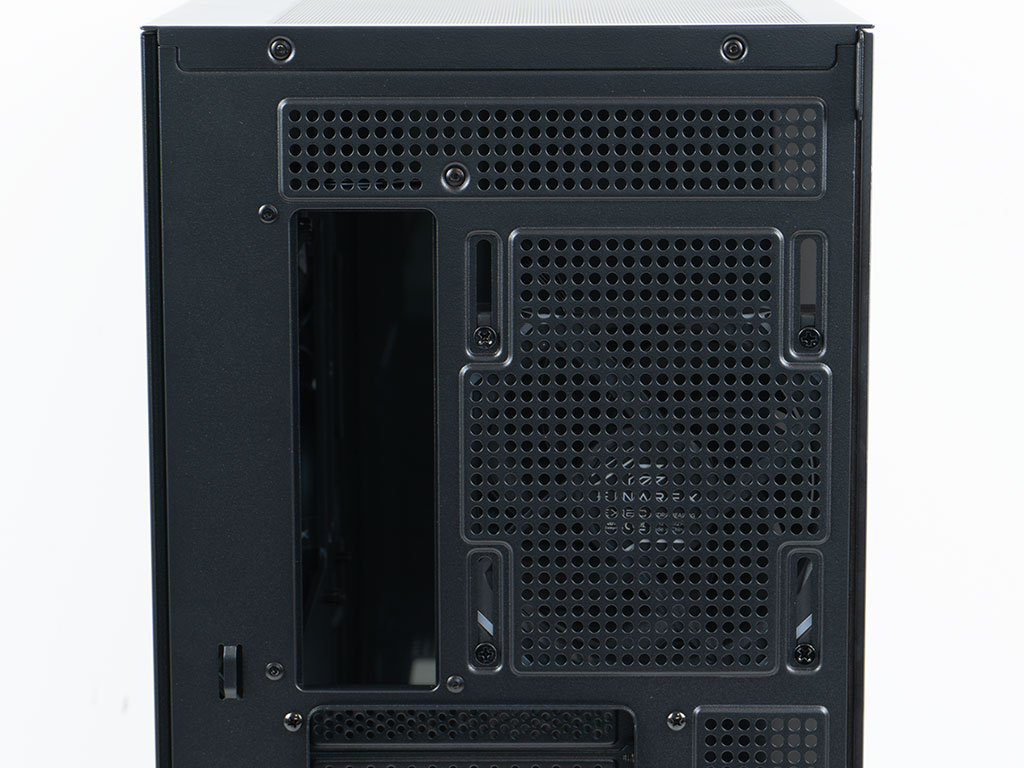
In the rear, the PSU bay sports two sets of mounting holes, so you have flexibility regardless of where the fans of the PSU are located. Above that, the seven expansion slots are bridgeless, and the whole setup may be rotated, so that you will only need a PCIe ribbon cable to go vertical for your graphics card. At the very top, there is a singular 120 mm ARGB equipped fan set to blow air out the back of the Prisma S800. It is mounted on elongated holes, so you can adjust its vertical placement to best suit your needs. As there is quite a bit of room above it, you should have no issues going for a classic AIO in the ceiling of the chassis.
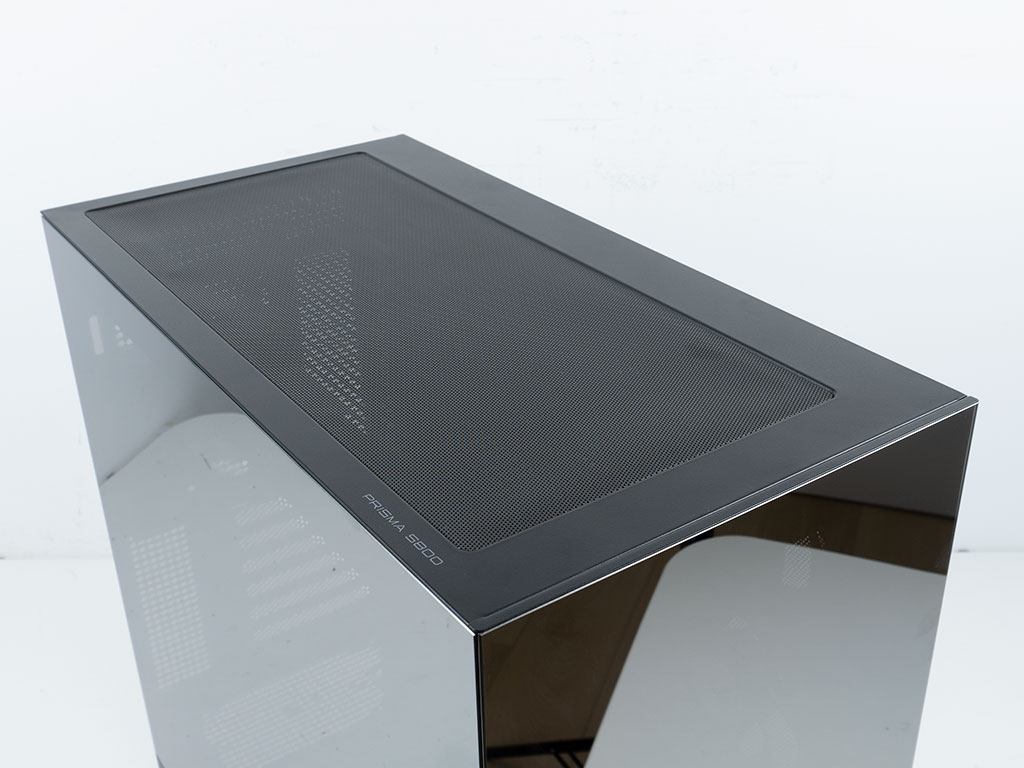
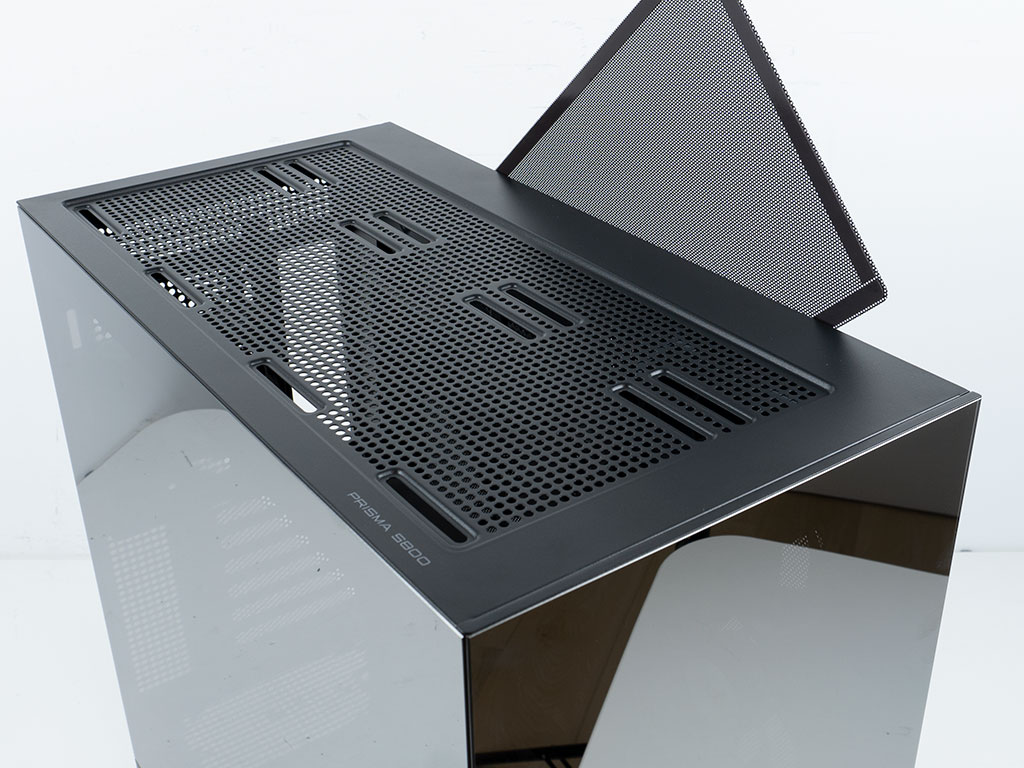
The top is purely intended for cooling, with a magnetic mesh covering a vented section which may hold three 120 mm or two 140 mm fans. Thanks to the offset towards the glass side of the case, AIOs of 360 or 280 mm size should fit without colliding with any motherboard components. As the I/O is located on the side of the Prisma S800, the case is clearly meant to be placed on top of your desk, to the right of your monitor—a classic arrangement for fish tank style cases.
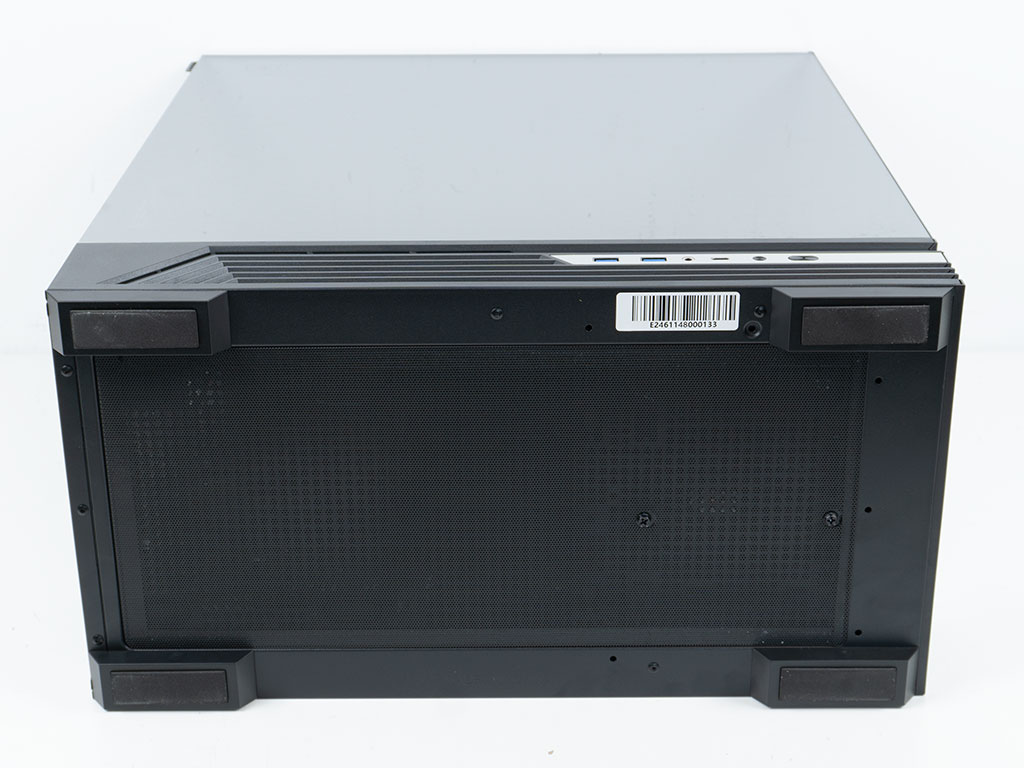
Tipping the case over, you will find another full coverage magnetic dust filter. There are two classic screws holding an HDD mounting plate in place and while the tooling of the floor panel does seem to suggest some flexibility, the dust filter dictates that singular position. Einarex should have really employed a pull-out dust filter with flat screws, or at the very least combined the existing filter implementation with thumb screws.
Nov 25th, 2026 16:12 CST
change timezone
Latest GPU Drivers
New Forum Posts
- Which ryzen am5 cpu ? (217)
- UPS what one to get? (74)
- More Nova Lake specs (5)
- TPU's Nostalgic Hardware Club (22206)
- Share your CPUZ Benchmarks! (2680)
- X79 and/or rampage IV OC'ing thread for those of us still left.... (2457)
- Asus Rog Maximus Z890 Extreme. (Various questions). (38)
- Can you guess Which game it is? (362)
- Claude credits purchased on or after Dec. 7 now have an expiry date (13)
- Adventure: Running 8/9th gen Coffee Lake CPUs on Z170 motherboard (ASUS Maximus VIII Ranger) (393)
Popular Reviews
- ASRock X870E Challenger Wi-Fi White Review
- Microsoft Surface Laptop Ultra Review - The Next-gen Arm Laptop
- VZMORE AX9 Max Review
- Upcoming Hardware Launches 2027 (Updated Nov 2026)
- AMD Ryzen 7 9800X3D Review - The Best Gaming Processor
- AMD Zen 6 Technical Deep Dive
- Corsair RM1200e (Second Generation) Review
- Phantom Blade Zero Performance Benchmark Review - 35 GPUs Tested
- Pulsar Office Tour & First Look at P1 Dual-Sensor Mouse
- Ocypus lota P1000 Review
TPU on YouTube
Controversial News Posts
- Jensen Huang Reinstated as CEO of NVIDIA (570)
- NVIDIA Co-Founder and CEO Jensen Huang Officially Resigns (492)
- Report: Jensen Huang Eyes NVIDIA Comeback (281)
- Open Letter Asking NVIDIA to Reinstate Jensen Huang Passes 115,000 Signatures (184)
- OpenAI CEO Argues Home PCs Waste the World's Limited DRAM Supply (152)
- NVIDIA Launches Investigation Into Jensen Huang's Relationship With Suspected Chinese Spy (136)
- Intel "Raptor Lake Next" 16-Core and 20-Core CPUs Surface (130)
- Intel Razor Lake Gets a 12 P-Core bLLC Chip With No E-Cores, Per Leak (94)