 8
Endgame Gear XM2w 4K V2 Review
(8 Comments) »Value and Conclusion
- The Endgame Gear XM2w 4K V2 is available for $119.99.
- True 4000 Hz polling
- Excellent sensor performance
- Ultra-low click latency
- Very high button quality
- Good scroll wheel
- Great choice of components
- Lightweight
- Flexible charging cable
- Nicely gliding mouse feet
- Full software customizability
- Set of replacement feet included
- Speedy charging
- Nothing
Much like on the OP1 8K V2, the differences between the XM2w 4K and XM2w 4K V2 lie in the details. Most notably, the XM2w 4K V2 utilizes a PixArt PAW3950 sensor instead of the XM2w 4K's PAW3395, and more specifically a custom variant with the designation U+1F95A. The main benefits afforded by this custom variant are the ability to adjust CPI in increments of 10 for steps below 10,000 CPI, along with the lift-off distance being adjustable in 11 steps. The former feature isn't even strictly needed on the XM2w 4K V2, as there already is no CPI deviation at all out of the box.
Another novelty introduced on the XM2w 4K V2 concerns the sensor framerate. By default, the sensor runs at around 13,000 frames per second, which is standard for the 3950's corded mode, but it can be increased to the maximum applicable value of roughly 20,500. The main benefit of a higher framerate is marginally lowered motion delay, though this is only in the range of microseconds, whereas the main drawbacks are twofold: accuracy for low-velocity motion may be lowered, which in turn is linked to a higher level of jitter in general, and power draw is increased, lowering battery life in the process. Given that this feature can be toggled at will, it remains fully optional. That said, one should keep in mind that when using ripple control for higher CPI steps, the effect of ripple control will be virtually halved when using the higher framerate, as ripple control applies averaging across a set number of frames.
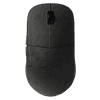
The aforementioned items aside, the XM2w 4K V2 is basically the same mouse as the XM2w 4K. On my scale, the XM2w 4K V2 ends up 1 g less at 60 g, but this is well within margin of error and variance tolerances. Build quality is likewise on the same high level: when shaking the mouse, a minor rattle comes from the main buttons, but there is no creaking or flexing of the shell when applying lateral pressure, and activating the side buttons by pressing below them is plain impossible. The charging cable is unchanged, being flexible enough to allow playing while charging without feeling overly restricted, and the feet likewise are the same, being made of pure PTFE and offering excellent glide.
Much like the XM2w 4K, the V2 utilizes Kailh GX switches for the main buttons. This switch is a so-called SPDT switch, which means that instead of only having a single bottom contact, it also has a top contact that can be used for various things. One possible use is to employ this contact as an additional layer of hardware debouncing, in that a click will only be registered if the bottom contact is closed and the top contact not closed. Another and arguably more thrilling use case is the so-called GX Speed mode, by virtue of which a click will be registered already when the top contact is no longer closed instead of waiting for the bottom contact to close, reducing physical latency in the process. In my testing, enabling GX Speed Mode reduces click latency by 1.2 ms compared to non-Speed modes, which is a highly substantial reduction.
In terms of feel, the GX switches are also great. Actuation is very firm and snappy, although also on the stiffer side, despite the actuation force rating of 55-60 gf. The button design likewise is sound, as lateral movement is low even when provoked, pre-travel is moderate to low, and post-travel low. For the side buttons, another set of switches from Kailh is used, although these are GM 2.0. Pre- and post-travel are minimal, actuation is even, and button response highly pleasing. For the scroll wheel, Endgame Gear has opted for a new encoder, namely a gray one from Kailh instead of the OP1 8K's TTC Silver. The Kailh one is noisier, whereas tactility is roughly on the same, very good level. Overall, they're fairly similar, although I'd probably give the summary nod to the OP1 8K's TTC encoder.
In terms of performance, the XM2w 4K V2 still ranks among the very best. General tracking shows no issues across the board, regardless of whether MotionSync is enabled or not. By default, the XM2w 4K V2 has its sensor run mode set to corded mode, which prioritizes latency over power draw. Accordingly, the XM2w 4K V2 does exceptionally well in terms of motion delay, as relative to the Logitech G403 (control subject), the XM2w 4K V2 comes out ahead by 1.0 ms without MotionSync, which is on par with the likes of Finalmouse (UltralightX), G-Wolves, or CHERRY XTRFY (M64/M68 Pro). This applies across all polling rates as long as one of the "No Power Saving" settings is selected. For those favoring battery life over latency, the XM2w 4K V2 also offers suitable options, namely the HP (high performance) sensor run mode at 1000 Hz ("Power Saving") and the Office mode, which locks polling rate to 125 Hz. Remarkably, even the HP/Power Saving mode nets the same motion delay as the default corded/No Power Saving mode. Latency being unaffected by polling rate applies to click latency, too. In wireless operation, the XM2w 4K V2 averages no more than 0.3 ms, bringing the XM2w 4K V2 on par with the likes of Razer (DeathAdder V4 Pro) or Pulsar (ZywoO The Chosen Mouse). Latency aside, the XM2w 4K V2 also has a well-implemented slam-click prevention algorithm, as no latency is added to the next click after lift-off, and there are no issues with idle delay or similar things, either. In addition, the 0.3 ms figure only applies to firmware-level latency—by enabling GX Speed Mode, physical click latency can be reduced by another 1.2 ms, putting the XM2w 4K V2 far ahead of any mouse that isn't the XM2 8K/OP1 8K or XM2 8K V2/OP1 8K V2. Lastly, the target interval for each polling rate is exactly met throughout, and polling is stable, though I've noticed instances of elevated noise at 4000 Hz. That said, since no polls are actually being missed, I consider this negligible.
As mentioned, battery life on the XM2w 4K V2 is a function of the set sensor run mode. Endgame Gear cites up to 40 hours when using the default corded mode and up to 54 hours when using the HP sensor run mode. In my testing, I've found that even when using the most draining settings available—4000 Hz and sensor framerate forced to maximum—the battery charge indicator in the software went down by 5% for every two hours of continuous usage. Accordingly, Endgame Gear's numbers are probably rather conservative, and could be considered the bare minimum of the expected range. In addition, at almost 0.5 A, charging is plenty speedy on the XM2w 4K V2, keeping downtime to a minimum.
Much like before, the XM2w 4K V2 comes with a self-contained application not requiring installation. Even though web drivers have become increasingly popular lately, I still consider a self-contained app the most ideal solution, as it'll continue to function even when many of today's web drivers are no longer being hosted. In terms of functionality, the software has everything one could ask for, including less common 3950-specific settings such as the forcing of the 3950's glass mode for clear glass surfaces and sensor angle adjustment, which is possible in single-degree steps, unlike on many other competing mice only allowing rather coarse adjustment.
The XM2w 4K already was a great mouse, yet the few things that still could be improved have been improved. In fact, one of the biggest improvements only concerns a specific color/material variant, namely the "Frost" ones, which are now on par with the non-Frost SKUs in terms of build quality while having a surface much less prone to fingerprints and the like. What's more, at $119.99 Endgame Gear doesn't charge more for the XM2w 4K V2, rendering the V2 a very easy recommendation over its predecessor, as it is straight up superior while costing the same. Accordingly, the XM2w 4K V2 earns our Editor's Choice.

Another novelty introduced on the XM2w 4K V2 concerns the sensor framerate. By default, the sensor runs at around 13,000 frames per second, which is standard for the 3950's corded mode, but it can be increased to the maximum applicable value of roughly 20,500. The main benefit of a higher framerate is marginally lowered motion delay, though this is only in the range of microseconds, whereas the main drawbacks are twofold: accuracy for low-velocity motion may be lowered, which in turn is linked to a higher level of jitter in general, and power draw is increased, lowering battery life in the process. Given that this feature can be toggled at will, it remains fully optional. That said, one should keep in mind that when using ripple control for higher CPI steps, the effect of ripple control will be virtually halved when using the higher framerate, as ripple control applies averaging across a set number of frames.
The aforementioned items aside, the XM2w 4K V2 is basically the same mouse as the XM2w 4K. On my scale, the XM2w 4K V2 ends up 1 g less at 60 g, but this is well within margin of error and variance tolerances. Build quality is likewise on the same high level: when shaking the mouse, a minor rattle comes from the main buttons, but there is no creaking or flexing of the shell when applying lateral pressure, and activating the side buttons by pressing below them is plain impossible. The charging cable is unchanged, being flexible enough to allow playing while charging without feeling overly restricted, and the feet likewise are the same, being made of pure PTFE and offering excellent glide.
Much like the XM2w 4K, the V2 utilizes Kailh GX switches for the main buttons. This switch is a so-called SPDT switch, which means that instead of only having a single bottom contact, it also has a top contact that can be used for various things. One possible use is to employ this contact as an additional layer of hardware debouncing, in that a click will only be registered if the bottom contact is closed and the top contact not closed. Another and arguably more thrilling use case is the so-called GX Speed mode, by virtue of which a click will be registered already when the top contact is no longer closed instead of waiting for the bottom contact to close, reducing physical latency in the process. In my testing, enabling GX Speed Mode reduces click latency by 1.2 ms compared to non-Speed modes, which is a highly substantial reduction.
In terms of feel, the GX switches are also great. Actuation is very firm and snappy, although also on the stiffer side, despite the actuation force rating of 55-60 gf. The button design likewise is sound, as lateral movement is low even when provoked, pre-travel is moderate to low, and post-travel low. For the side buttons, another set of switches from Kailh is used, although these are GM 2.0. Pre- and post-travel are minimal, actuation is even, and button response highly pleasing. For the scroll wheel, Endgame Gear has opted for a new encoder, namely a gray one from Kailh instead of the OP1 8K's TTC Silver. The Kailh one is noisier, whereas tactility is roughly on the same, very good level. Overall, they're fairly similar, although I'd probably give the summary nod to the OP1 8K's TTC encoder.
In terms of performance, the XM2w 4K V2 still ranks among the very best. General tracking shows no issues across the board, regardless of whether MotionSync is enabled or not. By default, the XM2w 4K V2 has its sensor run mode set to corded mode, which prioritizes latency over power draw. Accordingly, the XM2w 4K V2 does exceptionally well in terms of motion delay, as relative to the Logitech G403 (control subject), the XM2w 4K V2 comes out ahead by 1.0 ms without MotionSync, which is on par with the likes of Finalmouse (UltralightX), G-Wolves, or CHERRY XTRFY (M64/M68 Pro). This applies across all polling rates as long as one of the "No Power Saving" settings is selected. For those favoring battery life over latency, the XM2w 4K V2 also offers suitable options, namely the HP (high performance) sensor run mode at 1000 Hz ("Power Saving") and the Office mode, which locks polling rate to 125 Hz. Remarkably, even the HP/Power Saving mode nets the same motion delay as the default corded/No Power Saving mode. Latency being unaffected by polling rate applies to click latency, too. In wireless operation, the XM2w 4K V2 averages no more than 0.3 ms, bringing the XM2w 4K V2 on par with the likes of Razer (DeathAdder V4 Pro) or Pulsar (ZywoO The Chosen Mouse). Latency aside, the XM2w 4K V2 also has a well-implemented slam-click prevention algorithm, as no latency is added to the next click after lift-off, and there are no issues with idle delay or similar things, either. In addition, the 0.3 ms figure only applies to firmware-level latency—by enabling GX Speed Mode, physical click latency can be reduced by another 1.2 ms, putting the XM2w 4K V2 far ahead of any mouse that isn't the XM2 8K/OP1 8K or XM2 8K V2/OP1 8K V2. Lastly, the target interval for each polling rate is exactly met throughout, and polling is stable, though I've noticed instances of elevated noise at 4000 Hz. That said, since no polls are actually being missed, I consider this negligible.
As mentioned, battery life on the XM2w 4K V2 is a function of the set sensor run mode. Endgame Gear cites up to 40 hours when using the default corded mode and up to 54 hours when using the HP sensor run mode. In my testing, I've found that even when using the most draining settings available—4000 Hz and sensor framerate forced to maximum—the battery charge indicator in the software went down by 5% for every two hours of continuous usage. Accordingly, Endgame Gear's numbers are probably rather conservative, and could be considered the bare minimum of the expected range. In addition, at almost 0.5 A, charging is plenty speedy on the XM2w 4K V2, keeping downtime to a minimum.
Much like before, the XM2w 4K V2 comes with a self-contained application not requiring installation. Even though web drivers have become increasingly popular lately, I still consider a self-contained app the most ideal solution, as it'll continue to function even when many of today's web drivers are no longer being hosted. In terms of functionality, the software has everything one could ask for, including less common 3950-specific settings such as the forcing of the 3950's glass mode for clear glass surfaces and sensor angle adjustment, which is possible in single-degree steps, unlike on many other competing mice only allowing rather coarse adjustment.
The XM2w 4K already was a great mouse, yet the few things that still could be improved have been improved. In fact, one of the biggest improvements only concerns a specific color/material variant, namely the "Frost" ones, which are now on par with the non-Frost SKUs in terms of build quality while having a surface much less prone to fingerprints and the like. What's more, at $119.99 Endgame Gear doesn't charge more for the XM2w 4K V2, rendering the V2 a very easy recommendation over its predecessor, as it is straight up superior while costing the same. Accordingly, the XM2w 4K V2 earns our Editor's Choice.
Nov 20th, 2026 20:56 PST
change timezone
Latest GPU Drivers
New Forum Posts
- WarpCoreBench scores! (87)
- What are you playing? (26238)
- TPU's Nostalgic Hardware Club (22174)
- Anthrophics IPO (27)
- Intel Core Ultra 5 processor 250K Plus (14)
- Honestly, do you care about GTA VI? (219)
- SATA drive 1.4 GBps with Intel X25-E on Windows 98! (37)
- DTS DCH Driver for Realtek HDA [DTS:X APO4 + DTS Interactive] (2816)
- Without Jensen, PC gaming will be (51)
- What's your latest tech Freebie? (80)
Popular Reviews
- Microsoft Surface Laptop Ultra Review - The Next-gen Arm Laptop
- Ugreen NASync DXP4800 GT Review
- Corsair RM1200e (Second Generation) Review
- Pulsar Office Tour & First Look at P1 Dual-Sensor Mouse
- Upcoming Hardware Launches 2027 (Updated Nov 2026)
- Acemagic Retro X3 Review
- Biwin Black Opal NV7400 2 TB Review
- AMD Ryzen 7 9800X3D Review - The Best Gaming Processor
- AMD Zen 6 Technical Deep Dive
- Chieftec Iceberg PRO 360 DARK Review
TPU on YouTube
Controversial News Posts
- NVIDIA Co-Founder and CEO Jensen Huang Officially Resigns (491)
- Report: Jensen Huang Eyes NVIDIA Comeback (257)
- Open Letter Asking NVIDIA to Reinstate Jensen Huang Passes 115,000 Signatures (184)
- OpenAI CEO Argues Home PCs Waste the World's Limited DRAM Supply (152)
- NVIDIA Launches Investigation Into Jensen Huang's Relationship With Suspected Chinese Spy (136)
- Intel "Raptor Lake Next" 16-Core and 20-Core CPUs Surface (130)
- Legendary Game Studio BioWare Shuts Down Following EA Layoffs (104)
- NVIDIA GeForce RTX 50-Series Scheduled for up to $500 Price Hike This Week (89)