 4
Endorfy Viro Wireless Review - Forget the Charger
Software »Wireless Performance
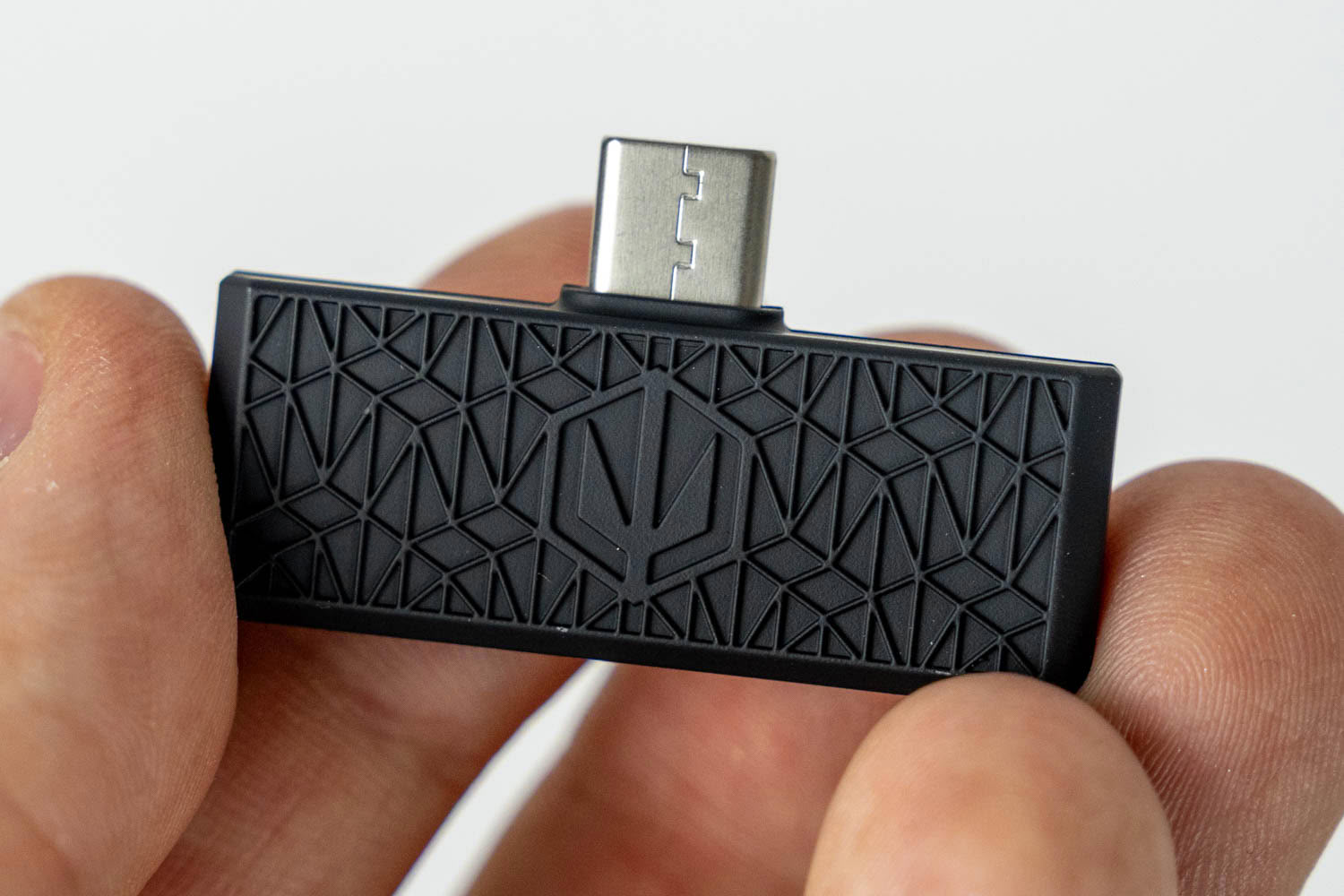
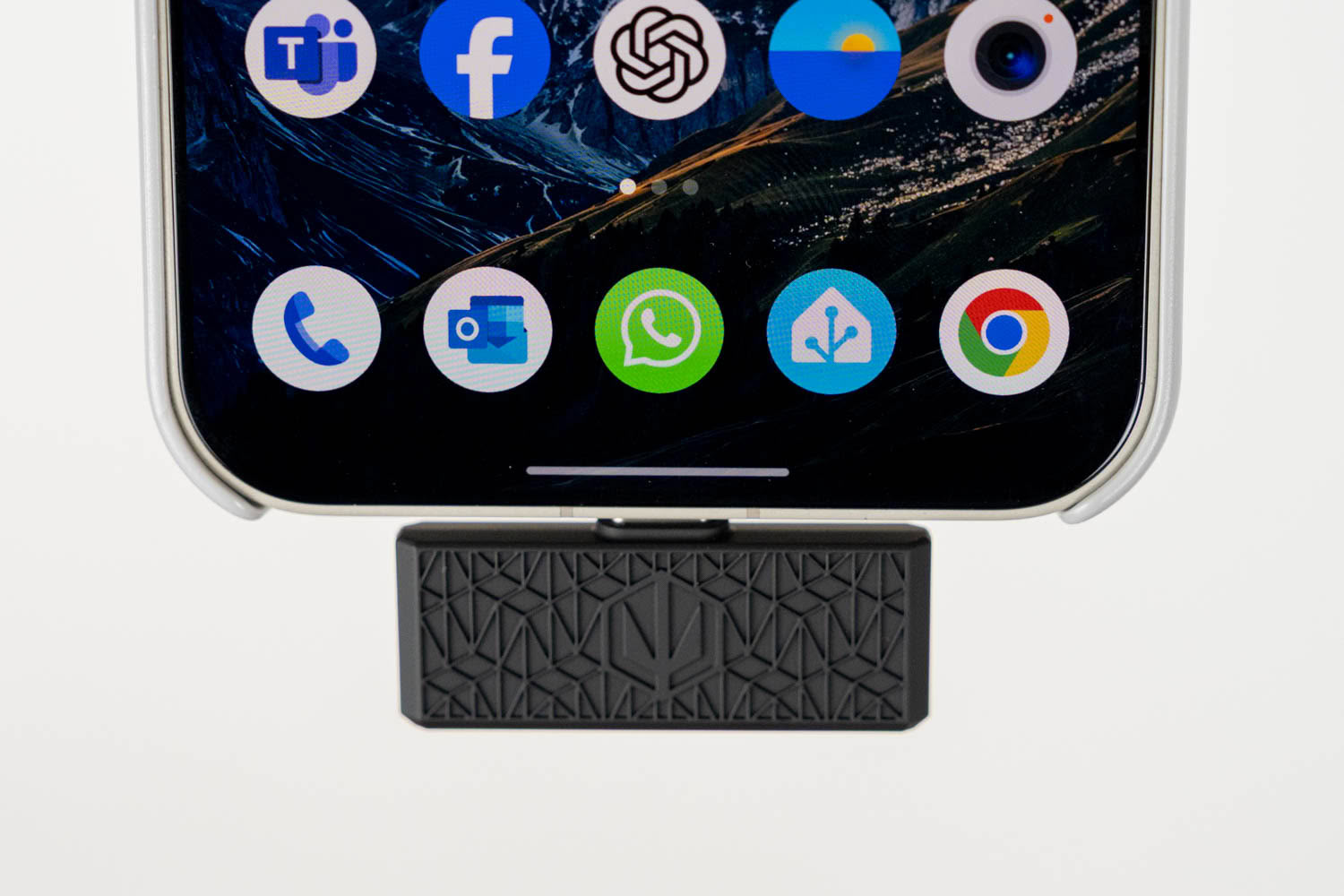
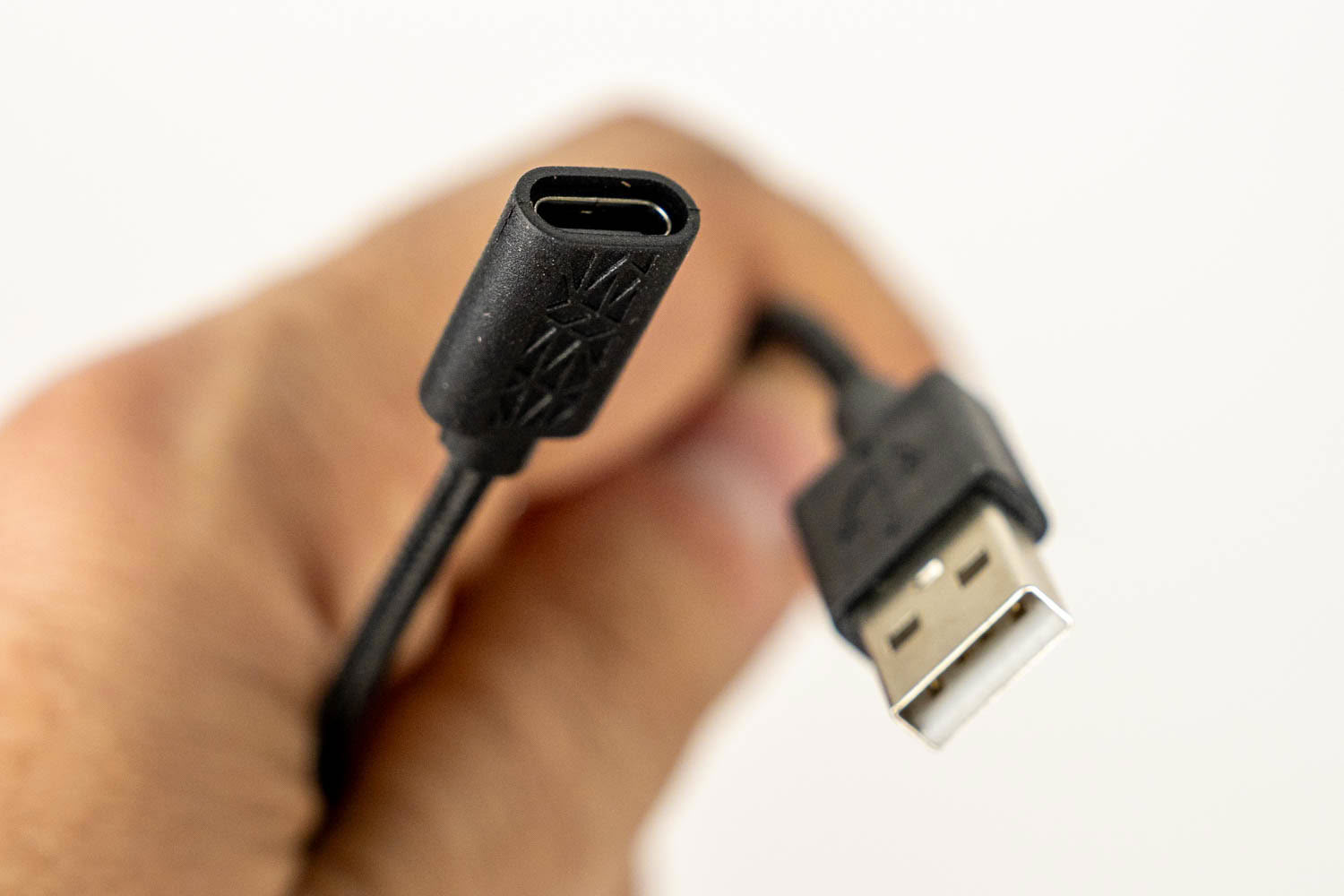
The Viro Wireless comes with a USB-C wireless dongle, and Endorfy also includes a short USB-C to USB Type-A adapter cable. This is exactly what I've been asking for in pretty much every wireless headset review for the past couple of years, so hats off to Endorfy for getting it right, especially at this price point. The dongle plugs straight into a laptop, a USB-C equipped phone, a PlayStation 5 or a handheld gaming PC, while the adapter takes care of desktop PCs and anything else with a Type-A port. My only complaint is the dongle's size. At 4 cm wide, it's not exactly compact, so it's not easy to fit into a port surrounded by other connectors. Whether on the motherboard's rear I/O panel or the case's front panel, it can easily block adjacent ports. The adapter cable offers a workaround, but then the dongle ends up dangling at the end of it. A slimmer dongle would have been a much more elegant solution.
In my tests, the wireless link was rock-solid throughout my home, even with a wall between me and the PC. I didn't experience a single dropout or audible artifact in either 2.4 GHz or Bluetooth mode, and latency over 2.4 GHz is imperceptible, so the Viro Wireless is perfectly suitable for fast-paced competitive games.
The hybrid mode is another highlight. With the switch in the 2.4 GHz position, the headset can maintain a Bluetooth connection to your phone at the same time, so you can take a call without disconnecting from your PC or leaving the game. Setting it up is simple: you pair your phone in Bluetooth mode first, then flip the switch to 2.4 GHz, and the phone connection stays active in the background. Keep in mind that the headset doesn't mix audio from both sources, though. When a call comes in, Bluetooth takes priority and the game audio is muted until you hang up. Bluetooth supports the AAC codec, but Endorfy doesn't specify the Bluetooth version, and there's no mention of multipoint support beyond the aforementioned hybrid mode.
Battery Life
According to Endorfy, the Viro Wireless lasts up to 240 hours in Bluetooth mode and up to 130 hours in 2.4 GHz mode, both at 50% volume. The company translates this into "up to a month" of use, assuming eight hours per day over Bluetooth or 4.5 hours per day over 2.4 GHz, with the headset switched off after each session instead of being left in standby. The headset is powered by a 2,000 mAh battery, which takes 3 to 4 hours to fully recharge. In my testing over 2.4 GHz, with the volume set to 70 in Windows, the Viro Wireless used up around 25-30% of its battery per 24 hours of continuous playback, which translates into approximately 100 hours of use in 2.4 GHz wireless mode. That's short of the claimed 130 hours, but still an outstanding result. Bluetooth is considerably more power-efficient, so if the ratio between Endorfy's two figures holds up in practice, you can expect roughly twice as much battery life in Bluetooth mode, somewhere in the vicinity of 200 hours.Even if your mileage varies—and it will, depending on volume and usage—these are figures that put the Viro Wireless among the longest-lasting gaming headsets on the market, in a different league from most of its similarly priced competitors. In practice, this means you'll charge it every couple of weeks, rather than every couple of days, and that's a genuine quality-of-life improvement.
My only real complaint here is that there's no way to check the exact battery level on demand. Viro Studio doesn't display it, and there's no voice prompt you can trigger manually—the headset only warns you when the battery is running low. The only way to see the actual percentage is to connect the headset to your phone via Bluetooth. Hopefully, this is something Endorfy can address with a software or firmware update.
Nov 20th, 2026 16:23 PST
change timezone
Latest GPU Drivers
New Forum Posts
- Without Jensen, PC gaming will be (51)
- WarpCoreBench scores! (86)
- Honestly, do you care about GTA VI? (213)
- What's your latest tech Freebie? (80)
- Nvidia GPU undervolting via MVolt+? (0)
- How to prevent OLED burn damage due to PC freezes or power outtages? (49)
- RX 9000 series GPU Owners Club (2249)
- Logitech Headsets Modded Driver — Unlock Dolby in G HUB (23)
- 1 - 5 person file storage server equivalent accasible from anywhere + general VM server. (1)
- When you could finally run Crysis maxed out? (63)
Popular Reviews
- Microsoft Surface Laptop Ultra Review - The Next-gen Arm Laptop
- Ugreen NASync DXP4800 GT Review
- Corsair RM1200e (Second Generation) Review
- Pulsar Office Tour & First Look at P1 Dual-Sensor Mouse
- Upcoming Hardware Launches 2027 (Updated Nov 2026)
- Acemagic Retro X3 Review
- Biwin Black Opal NV7400 2 TB Review
- AMD Ryzen 7 9800X3D Review - The Best Gaming Processor
- AMD Zen 6 Technical Deep Dive
- Chieftec Iceberg PRO 360 DARK Review
TPU on YouTube
Controversial News Posts
- NVIDIA Co-Founder and CEO Jensen Huang Officially Resigns (491)
- Report: Jensen Huang Eyes NVIDIA Comeback (256)
- Open Letter Asking NVIDIA to Reinstate Jensen Huang Passes 115,000 Signatures (184)
- OpenAI CEO Argues Home PCs Waste the World's Limited DRAM Supply (152)
- NVIDIA Launches Investigation Into Jensen Huang's Relationship With Suspected Chinese Spy (136)
- Intel "Raptor Lake Next" 16-Core and 20-Core CPUs Surface (130)
- Legendary Game Studio BioWare Shuts Down Following EA Layoffs (104)
- Dell CEO Says the Memory Shortage Will Get Worse in 2027 (95)